Which LCD Display Kiosks Offer Touch Screen Functionality in 2026
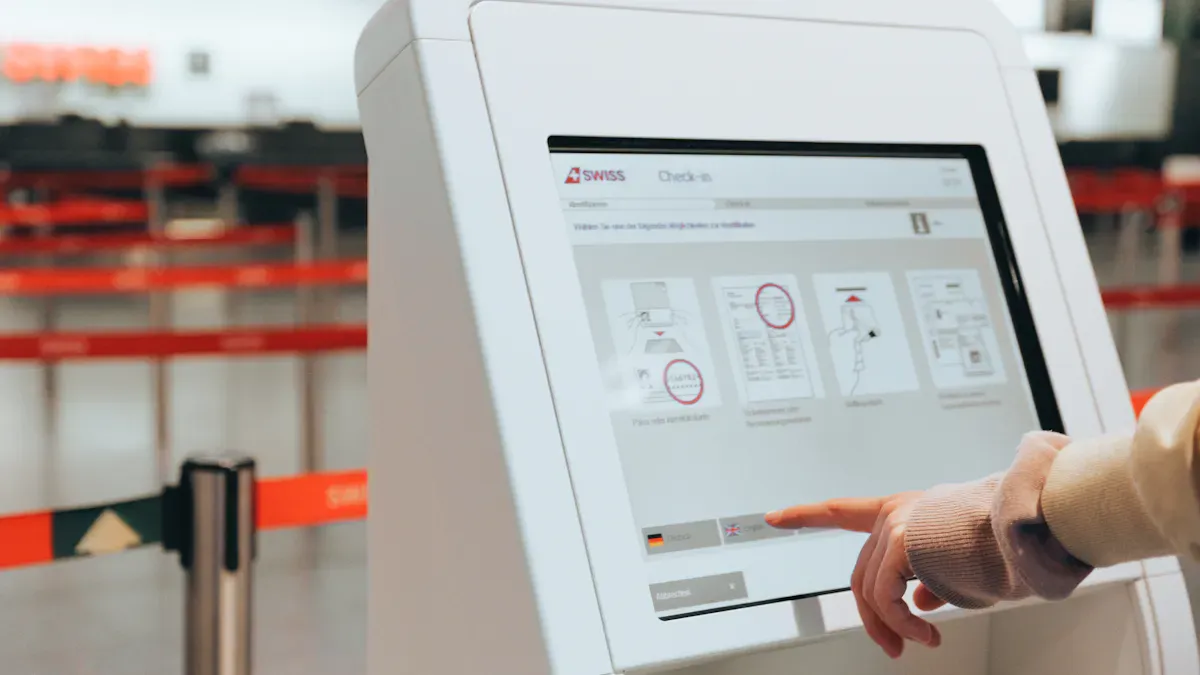
In 2026, you'll notice that many top brands now offer LCD display kiosks that support touch screen functionality. Some of the best options include Specter Kiosks, SpacePole, Touch Dynamic Nexus, Samsung KM24C, Displays2Go, Advanced Kiosks, Elo Touch Solutions, ViewSonic, LG Electronics, GreenTouch, Arreya, HallOfFameWall.com, TouchWall.us, and NoviSign. These kiosks provide fast response times, allow for multi-touch capabilities, and feature durable surfaces. Businesses utilize them to enhance customer interactions and streamline operations. If you're interested in discovering which LCD display kiosks support touch screen functionality, you can visit http://www.topadkiosk.com.
Key Takeaways
Look at top brands like Specter Kiosks and Samsung for good touch screen kiosks in 2026.
Think about important features like how strong it is, how fast it works, and if it can handle many touches at once when you pick a kiosk.
Pick the right screen size for what you need: use small screens for check-ins and big screens for directories.
Know why software integration matters because it makes the kiosk work better and helps people use it easily.
Check your budget and support choices so your kiosk works well for a long time and is easy to fix.
Which LCD Display Kiosks Support Touch Screen Functionality
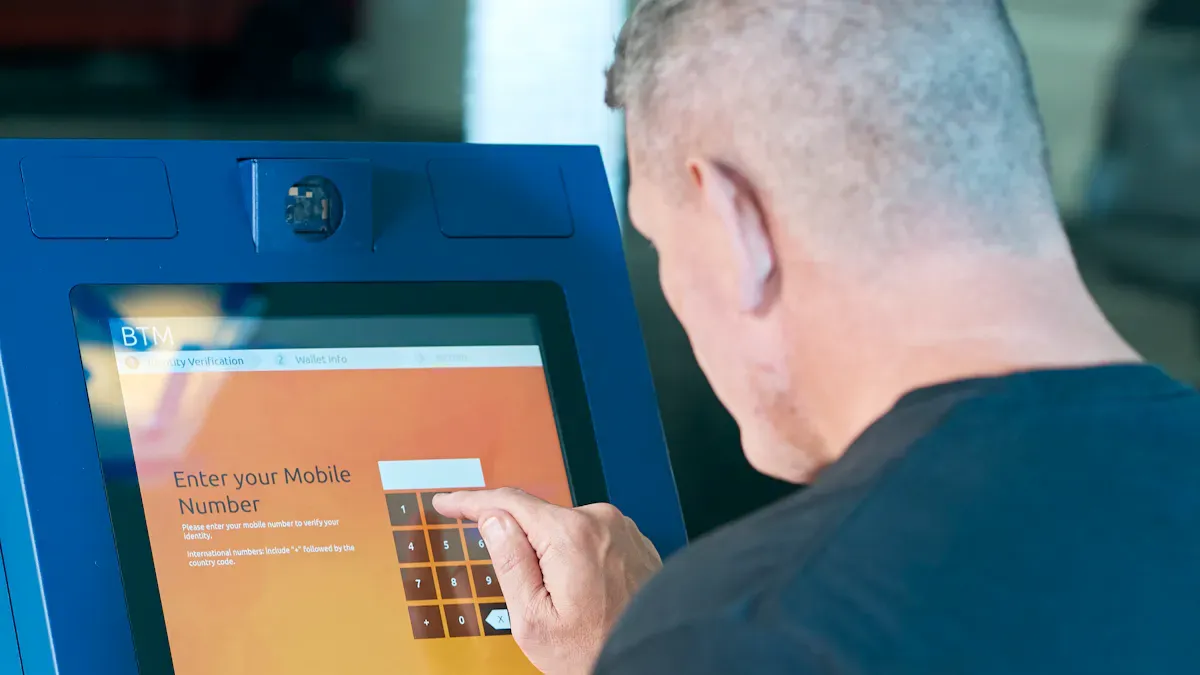
Leading Brands and Manufacturers
Many trusted brands make kiosks that support touch screen features. These companies create kiosks for different places and needs. Here are some well-known names:
Specter Kiosks: Specter makes reliable kiosks for retail and self-service. Their products have strong touch screens and simple interfaces.
SpacePole: SpacePole builds sturdy kiosks for public areas. You can use their models for tickets and information.
Touch Dynamic Nexus: Touch Dynamic Nexus focuses on quick responses and multi-touch support. Their kiosks work well in busy spots.
Samsung: Samsung makes advanced kiosks with high-quality screens. Their models are good for indoor and outdoor use.
Displays2Go: Displays2Go offers flexible kiosks for events and businesses. Their touch screens help customers interact easily.
Advanced Kiosks: Advanced Kiosks designs solutions for schools and government. Their products give secure touch screen access.
Elo Touch Solutions: Elo Touch Solutions is a leader in touch screen tech. Their kiosks support multiple users at once.
ViewSonic: ViewSonic provides clear displays and tough kiosks. Their touch screens last a long time.
LG Electronics: LG Electronics makes sleek kiosks with bright screens. Their models look modern and fit well in stylish spaces.
GreenTouch: GreenTouch specializes in energy-efficient kiosks. Their touch screens respond smoothly to user input.
Tip: When comparing brands, check for durability, response speed, and multi-touch support. These features help you pick the best lcd display kiosks with touch screen support for your business.
Popular Models in 2026
Many models are available when you look for lcd display kiosks with touch screen support. Each has special features for different uses. Here are some of the most popular models in 2026:
Specter Kiosks S-Series: This model has a 24-inch multi-touch screen. It’s good for self-checkout or info desks.
SpacePole FlexPoint: FlexPoint has a 32-inch display with up to 10 touch points. It’s great for wayfinding and ticketing.
Touch Dynamic Nexus Pro: Nexus Pro features a 21.5-inch screen and quick touch response. It’s perfect for stores or hospitals.
Samsung KM24C: KM24C offers a 24-inch outdoor-rated screen. It has high brightness and resists vandalism.
Displays2Go Interactive Stand: This stand supports screens from 15 to 55 inches. It’s useful for events and shows.
Advanced Kiosks Outdoor Touch: This model has a 32-inch screen with IK10-rated glass. It works well outside in tough weather.
Elo Touch Solutions 2026 Series: Elo’s 2026 Series has ADA-compliant designs and supports multiple users. It’s good for airports and hotels.
ViewSonic Kiosk Pro: Kiosk Pro has an ergonomic design and enclosed cabinets. It’s suitable for schools and offices.
LG Electronics Smart Kiosk: Smart Kiosk includes a 27-inch screen with bright colors. It’s used for digital signs and self-service.
GreenTouch Eco Kiosk: Eco Kiosk saves energy and has smooth touch response. It’s ideal for eco-friendly businesses.
Below is a table showing the technical details of these kiosks. It helps you see which lcd display kiosks support touch screen features based on their type and specs.
Kiosk Type | Key Specifications |
|---|---|
Wall-Mounted | Screen sizes: 21.5” to 32”, Mounting depth: 3” to 6”, Weight: 25 to 75 lbs, Power: 110V/220V with optional PoE |
Floor-Standing | Display sizes: 15” to 55”, Ergonomic designs, ADA options, Enclosed cabinets for parts |
Outdoor-Rated | Brightness: 1,000 to 2,500 nits, Temp range: -20°C to +50°C, Vandal-proof IK10 tempered glass |
You can match these specs to what you need. For outdoor use, pick high brightness and strong glass. For indoor use, choose models with ergonomic designs and multi-touch screens.
Now you know which lcd display kiosks support touch screen features in 2026. You can pick a brand and model that fit your business and customer needs.
Interactive Touch Screen Kiosks Explained
What Are Touch Screen Kiosks
You can find interactive touch screen kiosks in many places. They are in stores, airports, and hospitals. These kiosks let you use your fingers to tap or swipe. You can check in, pay, or get directions on the screen. They give you information right away. You control what happens on the kiosk. You do not need to wait for help from someone.
You see updates on the screen as things change.
You can pay for things quickly and easily.
You can do things by yourself without help.
Note: These kiosks let you share feedback, look at content, and have a better time.
Feature | Interactive Touch Screen Kiosks | Traditional Digital Kiosks |
|---|---|---|
User Engagement | High (real-time interaction) | Low (static content) |
Feedback Collection | Yes | No |
Self-Service Capabilities | Yes | Limited |
You get more choices and it is easier to use. These kiosks help you enjoy your visit more.
How Touch Technology Works
Touch screen kiosks use special technology to sense your touch. You can use your finger, a stylus, or gloves on the screen. There are different types of touch technology.
Touch Technology | Description |
|---|---|
Infrared Touch | Uses invisible beams to sense touch, works with any tool, and is very strong. |
Surface Acoustic Wave (SAW) | Uses sound waves, gives clear pictures, and is good for info kiosks. |
Resistive Touch | Needs pressure to work, works with any tool, and costs less for tough jobs. |
Projected Capacitive (PCAP) | Is fast and accurate, great for kiosks that need many touches at once. |
Uses electric charge, is very quick, and is used in many devices. |
Capacitive touch screens are very sensitive and let you use more than one finger. You can pinch, zoom, or swipe easily. Resistive touch screens work well in hard places. You can use them with gloves or other objects. Hospitals and factories often use resistive touch screens. Stores and buses also use these touch technologies.
Tip: Pick the touch technology that fits your needs. Capacitive screens are best for new designs. Resistive screens are good for rough places.
Advantages of Digital Interactive Kiosks
Interactive touch screen kiosks have many good points for you and for businesses. You get faster service and more control. Businesses save money and work better.
Advantage | Description |
|---|---|
Convenience and Control | Kiosks make it easy to check in and do things yourself. You can control your time. |
Improved Customer Experience | Kiosks make things faster and help you get information quickly. |
Enhanced Operational Efficiency | Kiosks do simple jobs so workers can do harder tasks. |
Increased Sales | Kiosks show deals and help sell more products. |
Real-Time Information Updates | Stores can change info fast and talk to customers better. |
Reduced Wait Times | Kiosks let you order and pay, so lines move faster. |
Increased Order Accuracy | You enter your order, so there are fewer mistakes. |
Lower Operational Costs | Stores need fewer workers, so they spend less money. |
Boosted Customer Spending | People often buy more when they use kiosks. |
You see product details and deals on the screen.
You can give feedback with ratings and surveys.
The kiosk can suggest things you might like.
You wait less and feel happier.
Callout: These kiosks let you use them on your own. You get info and services without waiting. More than one person can use some kiosks at the same time. This makes it more fun and useful.
Interactive touch screen kiosks change how you use services. You get more freedom, faster help, and a smoother visit.
Kiosk Types & Features
Indoor vs Outdoor Touch Screen Kiosks
You can pick indoor or outdoor kiosks for your space. Indoor kiosks are best for stores, offices, and hospitals. They look nice and do not need extra covers. Outdoor kiosks must survive bad weather. Rain, snow, heat, and cold can break regular kiosks. Outdoor models use strong aluminum or stainless steel. The glass is made tough to stop scratches and cracks. Outdoor kiosks block water and dust, often with IP65 or higher ratings. You can see the screen even in bright sunlight.
Tip: Outdoor touchscreen display solutions last longer because they use strong materials and special glass.
Screen Sizes & Multi-Touch Options
Screen size is important when you choose a kiosk. Small screens, like 15 to 17 inches, are good for check-in and paying. Medium screens, about 21.5 to 24 inches, help with ordering and finding your way. Large screens, from 32 to 43 inches, work for signs and directories. Extra-large screens, up to 85 inches, are used for video walls and big displays. New kiosks can sense up to 10 touches at once. This means more than one person can use the kiosk together.
Display Size | Primary Applications | Touch Technology | Typical Users/Hour |
|---|---|---|---|
15”-17” | Check-in, ticketing, payment | Capacitive | 40-60 |
21.5”-24” | Self-ordering, wayfinding | Capacitive/IR | 30-50 |
32”-43” | Interactive directories, signage | Capacitive/IR | 20-40 |
55”-65” | Multi-user wayfinding, exhibits | Infrared | 15-30 |
75”-85” | Video walls, large-format displays | Infrared | 10-20 |
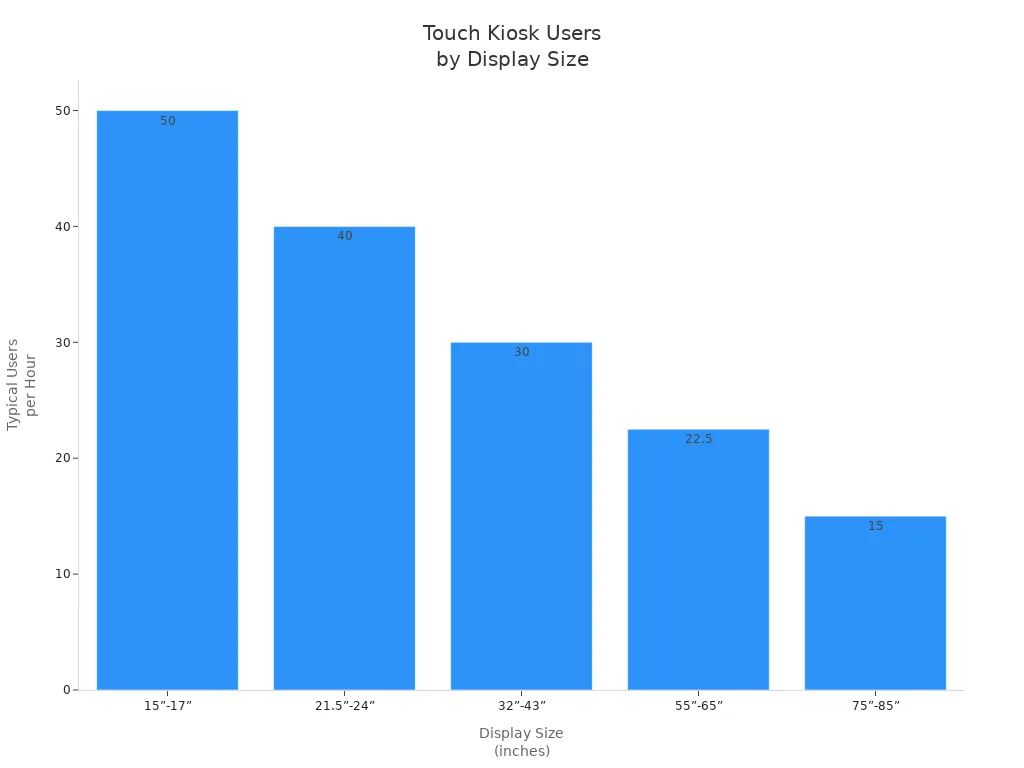
Callout: Touchscreen display solutions come in many sizes. Pick the size that fits your business and your customers.
Software & Integration
Touchscreen display solutions use software to help you run them. User interface management lets you control what people see and do. Content management systems make it easy to change info on the screen. Session management resets the kiosk if no one uses it. Analytics and tracking show how people use the kiosk. Security controls keep out people who should not use it. Hardware integration connects the kiosk to the touch technology.
Type of Software | Description | Primary Use Cases |
|---|---|---|
User Interface Management | Visual interface for user interaction | All touch screen kiosks |
Content Management Systems | Easy content updates | Various kiosks |
Session Management | Privacy protection | All kiosks |
Analytics and Tracking | Monitors engagement | All kiosks |
Security Controls | Protects against unauthorized access | All kiosks |
Hardware Integration | Connects to touch technology | All kiosks |
Wayfinding and Directory Software | Interactive maps | Hospitals, universities, shopping centers |
Digital Signage Software | Scheduled content with touch interaction | Retail stores, transportation hubs |
Kiosk Management Platforms | Manages fleets of kiosks | Retail checkout, ticketing systems |
Touchscreen display solutions can link to business systems like POS. This helps track inventory and make reports. Compatibility checks make sure the kiosk works with databases and payment systems.
Note: Touchscreen display solutions help your business work better and give customers a good experience.
Industry Applications & Use Cases

Retail & Self-Service
You can find touch screen kiosks in many stores. These kiosks help you shop and find what you need. You can pay for things without waiting in line. Shopping is faster and easier with self-service kiosks. You can look at digital catalogs and check prices. You can order items right from the kiosk. Touch screen kiosks help you spend less time waiting. Orders go straight to the kitchen or stockroom. This lets workers help you more. You can finish your shopping by yourself. Stores use kiosks to show you add-ons and upgrades. This can make your order cost more. You get to shop at your own speed and have a better time.
Healthcare & Check-In
Touch screen kiosks change how you check in at clinics. You can book appointments and pay bills on your own. You can also confirm your insurance using the kiosk. These kiosks make check-in much faster. You fill out forms and check in without help. Staff can do other important jobs. You wait less and get help sooner. Kiosks help keep patient lines moving. This makes visits to the doctor or hospital easier.
Hospitality & Wayfinding
Hotels and restaurants use kiosks for check-in and room choices. You can look at menus and order food on the kiosk. You can pay with a credit card at the kiosk. Wayfinding kiosks help you find your room or get around. During busy times, kiosks help with lots of guests. You can look up your reservation and get your room key. Kiosks help hotels and restaurants work better. They also mean fewer people are needed at the front desk. You get services quickly and easily.
Transportation & Ticketing
Airports and stations use kiosks for tickets and check-in. You can see schedules and gate numbers on the kiosk. Kiosks help you get alerts and updates fast. You can travel on your own without asking for help. Kiosks help airports and stations move people faster. You get real-time info and a smoother trip.
Tip: Touch screen kiosks help every industry work better. You get faster service, more choices, and a better visit.
Industry | Application Description |
|---|---|
Retail Stores | |
Hospitality Sector | |
Transportation Hubs | Kiosks help you buy tickets and find travel info. |
Healthcare Facilities | Kiosks help you check in, book visits, and pay bills. |
Government Offices | Kiosks make it easy to pay bills and renew licenses. |
Choosing a Touch Screen Kiosk
Key Factors (Size, Durability, Software)
You need a kiosk that fits your space and needs. First, think about where you will put the kiosk. Small screens, like 19 or 20 inches, are good for small spaces. Big screens, like 42 to 55 inches, stand out and let more people use them. If you want to use the kiosk outside, pick one that can handle rain, sun, and cold weather. Outdoor kiosks need to be weatherproof and very bright. Look for at least 2,000 nits so the screen is easy to see in sunlight.
Kiosks in busy places need to be tough. Pick kiosks with strong cases, tempered glass, and sturdy frames. These things keep the kiosk safe from bumps and scratches. Outdoor kiosks also need extra security. Alarms and locks help stop theft or damage.
Here is a table to help you compare key factors:
Considerations | |
|---|---|
Screen Size | Small screens (19-20 inches) fit tight spots; larger screens (42-55 inches) engage users better. |
Environmental Requirements | Indoor vs outdoor affects brightness and durability; outdoor kiosks need weatherproofing and high brightness (at least 2,000 nits). |
Durability Factors | Commercial-grade construction, tempered glass, and reinforced enclosures are essential for impact resistance. |
Security | Outdoor kiosks are vulnerable to vandalism and theft; security measures like alarms are important. |
Software is just as important as the hardware. Make sure the kiosk software works with your system and hardware. Check if the kiosk can connect to your business tools, like databases or payment systems. This makes the kiosk more helpful and helps your business run better.
Platform compatibility means the software works on your system.
Integration lets you connect the kiosk to your other tools.
Tip: Always match the kiosk’s features to your business goals and where you will use it.
Budget & Support
You should plan your budget before buying a kiosk. Most commercial touch screen kiosks cost between $12,000 and $35,000. This price usually covers the hardware, software, setup help, and the first year of maintenance. After the first year, you might pay $1,500 to $5,000 each year for updates and support. The price depends on how many kiosks you buy and what features you want.
Vendor support and warranty plans protect your kiosk. Most kiosks come with a basic warranty for about 12 months. This covers parts and labor for big problems. You can often buy a longer warranty for up to five years. Longer plans may include new parts and phone help. Some vendors offer service contracts with regular checkups and remote help.
Support/Warranty Option | Duration | Coverage | Typical Exclusions |
|---|---|---|---|
About 12 months | Covers parts and labor for major components | Does not cover consumables, accidental damage, or software issues | |
Extended Warranty | Up to 3 to 5 years | Includes advance replacement parts and phone support | Excludes consumables and damage due to improper use |
Service Contract | Multi-year with SLA terms | Provides preventive maintenance and remote monitoring | Excludes wear and tear beyond contract and unauthorized modifications |
Note: Good support and warranty plans help your kiosk last longer and cut down on problems.
When you pick a kiosk, think about the total cost, not just the price. Support and warranty plans can save you money and worry later.
You need to pick a touch screen LCD kiosk that fits your business. Think about where you will put the kiosk and who will use it. Also, check what other systems the kiosk needs to connect with. Some screen sizes and types of technology are better for certain jobs. Use this checklist to help you compare your choices fast:
Description | |
|---|---|
Screen Size | Choose a size that fits your space and users. |
Interactive Features | Look for software and special options. |
Hardware Durability | Pick kiosks made from strong materials. |
Connectivity | Make sure it connects to your network. |
Integration | Check if it works with your business systems. |
Cost and ROI | Think about the price and how it helps your business. |
FAQ
What is the main benefit of using a touch screen kiosk?
You get fast service and easy access to information. Touch screen kiosks let you control your experience. You can use user-friendly interfaces to check in, order, or find details without waiting for help.
Can outdoor kiosks handle bad weather?
Yes, outdoor kiosks have strong cases and bright screens. You can use them in rain, snow, or sunlight. These kiosks work well in parks, transit stations, and other outdoor spaces.
How do interactive directories help visitors?
Interactive directories show you maps and directions. You can touch the screen to find stores, offices, or rooms. These directories make it simple to explore malls, hospitals, or campuses.
Are touch screen kiosks safe for public use?
You stay safe with kiosks that use tempered glass and secure software. Many models have privacy features. You can trust these kiosks for payments and personal information.
Do touch screen kiosks support multiple languages?
Many kiosks let you pick your language. You can switch between English, Spanish, or other options. This feature helps more people use user-friendly interfaces.
See Also
Leading 10 Firms Focused on Touchscreen Kiosks in 2026
Selecting Sturdy LCD Kiosks for Shopping Centers in 2026
Discover 10 Unexpected Applications of Touch Screen Kiosks in 2026
Top LCD Kiosks for Retail Spaces That Increase Sales
Essential Characteristics of Contemporary Touch Screen Kiosks
