Where to buy indoor and outdoor double sided kiosks and digital totems in the USA
Add.: 2F, Bldg 10, Changfeng Industrial Park, Dongkeng, Fenghuang, Guangming, Shenzhen, China 518132
Mobile/WHATSAPP: 86-138 25769658
Email: marketing@topadkiosk.com topadkiosk@gmail.com
Wechat: adkioskhenry
English Web.: http://www.topadkiosk.com/
https://www.topkioskdisplay.com/
http://www.ad-kiosk.com/
https://www.toplcddisplay.com/
You can get good double sided kiosk and digital totem choices from trusted US sellers like GDS Inmar, Screenage, and Top Kiosk Display. These companies have outdoor models that can handle weather and slim displays for inside. You can also find many options on online marketplaces. The digital signage market in North America is big, with more than 34% of the world’s share, and US advertisers spend billions on screens every year. Be sure to look at product features, support, and prices before you pick where to buy indoor and outdoor double sided kiosk.
Key Takeaways
Look for trusted suppliers like GDS Inmar and Screenage. They have reliable double sided kiosks and digital totems. Compare the features of each product. Check what support and warranties they offer. Do this before you buy to make sure you are happy for a long time. Think about using online marketplaces like Amazon and Alibaba. These sites have many choices and good prices. Ask suppliers if they help with installation and maintenance. This will help your kiosk work well. Make sure the kiosk follows ADA and FCC rules. This keeps your kiosk safe and easy for everyone to use.
Top Double Sided Kiosk Suppliers
If you want a double sided kiosk or digital totem in the USA, you will see many trusted suppliers. These companies sell products for inside and outside use. You can look at their features, services, and support to help you choose what fits your needs.
Leading US Manufacturers
There are several manufacturers who lead in double sided kiosk technology. They make products for different places like stores, hospitals, and tourist spots. Many kiosks have touchscreens and sensors for more interaction. Some models are made to show information in malls, parks, and hotels.
Here is a table that lists the main features of double sided kiosks and digital totems:
Feature | Double-Sided Kiosks | Digital Totems |
|---|---|---|
Interactivity | High, with touchscreens and sensors | Moderate, mainly for information display |
Applications | Retail, healthcare, tourism, banks | Shopping centers, parks, hotels |
Size and Mobility | Larger, less mobile | Various sizes, often portable |
Cost | Usually more expensive | Varies, often more cost-effective |
Environmental Resistance | Designed for indoor use, may vary | Built to withstand harsh conditions (IP65) |
Customization | Can show identical or different content | Highly customizable for specific needs |
User Experience | Immersive, personalized experiences | Clear communication and branding |
Technological Integration | QR codes, gesture control, advanced features | Timing switches, intelligent features |
Keewin Display is one example. They have the KWO65-30 model, which is an IP65-rated outdoor double sided kiosk. It has 3000 nits brightness so you can see it in sunlight. The frame is made of aluminum and the glass is silky printed. You can use this kiosk outside all day and night.
Specialized Kiosk Providers
Some companies focus on double sided digital totems and offer special services. They help you set up kiosks fast and keep them working with high uptime. They know many markets and can make custom platforms for your needs.
Here are two specialized providers and their products:
Provider | Product | Features |
|---|---|---|
Redsis | 32-inch touch screen, printing options, dataphones, RFID readers, digital signage connectivity | |
Eflyn | I-Series Mega 55" Double Sided Touch Screen | Windows® 11 Pro, dual touch screens, high-definition camera, integrated speakers, customizable vinyl wrap, energy-efficient power, Wi-Fi and Ethernet connectivity |
These companies follow strict quality rules. They use ISO 9001:2015 certified systems and handle UL and FCC safety certifications. This means you get products that are safe and reliable.
Regional Distributors
You can also find regional distributors who sell double sided kiosks and digital totems all over the USA. Companies like Displays2Go, Saturn Visual, Screenage, MultiTouchTables, Eastidea, Media Mea Store, and BSC Enclosures have many choices. They offer indoor and outdoor models, including IP65-rated kiosks for tough weather.
Tip: When you pick a regional distributor, ask about installation, maintenance, and after-sales support. This helps your kiosk work well for a long time.
Many distributors have online catalogs where you can compare models, sizes, and features. You can find touch screen options, different display sizes, and custom branding. This makes it easy to choose the right double sided kiosk for your business or project.
Online Marketplaces for Kiosks
Amazon and Alibaba
You can find many double sided kiosk products on Amazon and Alibaba. Amazon has lots of models that are ready to ship from US sellers. You can look at reviews, check prices, and see how fast they ship. Alibaba lets you connect with manufacturers from around the world, including the US. You can buy many kiosks at once or ask for special features. Both sites let you sort by size, screen type, and if they can handle weather. You can also see what other buyers think, which helps you pick the best one.
Industry-Specific Platforms
There are also special websites just for buying kiosks. These sites focus on digital signage and self-service technology. They have platforms that are flexible and ready to use. Here are some popular choices:
Standard KIOSKS: Flexible and reliable market-ready platforms.
Apex
Avant
Benchmark
EK Kiosk
Expanse
HK Kiosk
Landmark
Paragon
Portal
Stealth
Thinman
Windfall
These platforms help many types of businesses. In stores, you can get self-checkout and digital signage. In hospitals, you can find kiosks for checking in and telehealth. Hotels use them for check-in and restaurants use them for ordering. You can also find kiosks for banks, government, storage, fun places, and travel.
Pros and Cons of Online Buying
Buying a double sided kiosk online gives you lots of options. You can compare features, prices, and reviews all in one place. You can shop any time and get price quotes fast. Online stores often have lower prices and special deals.
Note: Always check if the seller is trusted and ask about warranties before you buy. Some sites may not help with local support or setting up your kiosk.
Online shopping is good if you want to see many choices quickly. If you need special features or help nearby, you might want to talk to a supplier directly.
Choosing a Double Sided Kiosk Vendor
Product Quality and Durability
You want your double sided kiosk to work well for a long time. Vendors use strong metals like stainless steel or aluminum for the outside. These metals are tougher than plastic and stop damage from happening. The screens are covered with tempered or shatterproof glass. This glass keeps the screens safe from scratches and hard hits. Kiosks need to handle hot and cold weather, rain, and dust. IP ratings tell you how much protection the kiosk has. Shock absorbers and cooling systems keep the inside parts safe. They also stop the kiosk from getting too hot. If repairs are easy, you will not lose much time or money.
Factor | Description |
|---|---|
Metal casings (stainless steel or aluminum) resist damage and vandalism better than plastic. | |
Screen Protection | Tempered or shatterproof glass protects against scratches and impacts. |
Environmental Resilience | Kiosks must withstand temperature changes, rain, and dust; IP ratings indicate protection levels. |
Internal Components | Shock absorbers and cooling systems help protect electronics and prevent overheating. |
Maintenance Accessibility | Easy access for repairs reduces downtime and service costs, enhancing overall durability. |
Warranty and Support
You should see what kind of warranty the vendor gives you. Most US vendors give a one-year warranty. Some let you get two or three years if you want. Warranties cover problems with parts, materials, or how it was made. If something breaks during the warranty, you get free new parts. You might have to pay for shipping the parts.
Vendor | Warranty Duration | Conditions |
|---|---|---|
Refee | Not specified | Covers defects from defective parts, materials, or manufacturing. |
Screenage | Free replacement components during warranty; freight covered by client. | |
Interactive Design Cafe | 1 year (default), upgrade to 3 years | Standard warranty with upgrade option. |
After you buy, vendors help you keep your kiosk working. They help with fixing problems and updating the information on the screen. You get regular checkups, help with problems, and support for updates.
Support Type | Description |
|---|---|
Maintenance | Regular upkeep to ensure kiosks function properly |
Content Updates | Refreshing and updating the information displayed |
Technical Assistance | Help with troubleshooting and resolving issues |
Customization Options
You can ask for special features to fit what you need. Vendors have double-sided high-definition panels. These kiosks are good for busy places with lots of people. The parts inside are made for all-day use. You get clear, bright pictures to show off your products and services.
Industry compliance requirements
Performance metrics and benchmarks
Cost-efficiency factors
Quality assurance considerations
Integration capabilities
After-sales support evaluation
Certifications and Compliance
You need to make sure your kiosk follows US rules. ADA helps people with disabilities use the kiosk. PCI keeps payment card use safe. HIPAA protects health information in hospitals and clinics.
Compliance Standard | Description |
|---|---|
ADA | Ensures accessibility for individuals with disabilities, requiring kiosks to meet specific height and reach standards. |
PCI | Governs the security of payment card transactions, requiring kiosks to adhere to data security standards to protect cardholder information. |
HIPAA | Regulates the handling of protected health information in healthcare settings, requiring kiosks to implement safeguards for electronic health data. |
Vendors also follow FCC, RoHS, CE, and UL rules for safety and quality.
Compliance Type | Description |
|---|---|
Ensure units meet electromagnetic standards. | |
ADA Requirements | Accessibility requirements for public spaces. |
RoHS Compliance | Restrictions on hazardous substances. |
CE Marking | Mandatory for deployment in Europe. |
UL Certification | Provides additional safety assurance for North American installations. |
Installation and Maintenance
US vendors help you set up and take care of your kiosk. Regular checks stop problems before they get big. Software updates make your kiosk safer and faster. Remote monitoring finds problems early so you can fix them fast. Support agreements tell you how fast help will come and how long repairs might take. Cleaning the kiosk often keeps it looking nice and working right. Vendors also keep track of things like receipt paper and check hardware to find problems early.
Service Type | Description |
|---|---|
Regular checks to address wear and minor issues before they escalate into failures. | |
Software Updates | Regular updates to enhance security, performance, and compatibility with new integrations. |
Remote Monitoring | Proactive management to identify and resolve issues before they disrupt service. |
Support Agreements | Defines response times and expected downtime during failures, ensuring reliable service. |
Regular Cleaning | Maintenance of appearance and performance through specified cleaning methods to avoid damage. |
Consumable Management | Tracking and managing supplies like receipt paper to prevent operational disruptions. |
Periodic Hardware Inspection | Identifying potential failures through inspections of components like cables and printers. |
Tip: Ask your vendor about installation, maintenance, and support agreements. This helps your double sided kiosk stay reliable and efficient.
Comparing Offers and Getting Quotes
Evaluating Proposals
When you compare offers for double sided kiosks, look at more than just price. You should check things like technical details, warranty, and installation help. Ask each supplier for a detailed plan. Look at features, how bright the screen is, if it can handle weather, and if you can change things to fit your needs. Make sure the plan says when you will get your kiosk and when they will set it up. You can make a checklist to compare each offer side by side.
Tip: Pick suppliers who show all prices and explain their service rules. This helps you not get surprised by extra costs.
Key Questions for Suppliers
Before you pick a supplier, ask some important questions to learn about their process and help. Here are some good questions:
Are your kiosks designed for modular component swaps?
Can you support field retrofits if compliance requires new devices?
What’s your process for evaluating peripheral lifecycles?
Will your design make ongoing service straightforward?
These questions help you find a supplier who will help with your kiosk for a long time.
After-Sales Support
After you buy your kiosk, you want good support. US buyers like services that keep their kiosks working well. Here is a table that shows the most important after-sales support services:
After-Sales Support Service | Description |
|---|---|
Installation | Full setup of double sided kiosks to make sure they work right. |
Field Service | Help at your place for fixing and checking problems. |
Spare Parts Management | Good supply and tracking of parts needed for repairs. |
Remote Monitoring | Watching kiosks from far away to fix problems early. |
Full Sweep Managed Services | Taking care of everything from start to finish for your kiosk. |
Note: Good after-sales support helps you feel safe and keeps your kiosk working.
Negotiating Terms
You can use smart ways to get better deals from suppliers. Try these ideas:
Put your orders together to get more power when you bargain.
Think about buying bundles from different groups for better prices.
Buy less at one time to make suppliers give you better deals.
Add a new supplier to make more competition and not depend on just one.
These ideas can help you get lower prices, better deals, and stronger support. Always read the contract closely before you sign it.
You can find the right double sided kiosk or digital totem by following a few clear steps. First, research trusted US suppliers and compare their products. Next, ask for quotes or demos to see which model fits your needs. Always check features, support, and warranty details. If you feel ready, reach out to suppliers today and start your project with confidence.
FAQ
Where can you buy indoor and outdoor double sided kiosks and digital totems in the USA in 2026?
Trusted suppliers like Keewin Display, Screenage, and Media Mea Store sell these products. You can also find many choices on Amazon and Alibaba. Visit each vendor’s website to see new models and get help.
What features should you look for in a double sided kiosk?
Pick kiosks made with strong materials and bright screens. Make sure they can handle bad weather. Touchscreens and easy care make them last longer. Ask about IP ratings if you want to use them outside.
Tip: Always check if the kiosk follows ADA and FCC rules.
How do you get a quote for a digital totem?
Go to the supplier’s website and fill out a form. You can also call or email the sales team. Look at offers from different vendors to find the best price.
What certifications do you need for kiosks in the USA?
You need ADA for accessibility, FCC for safety, and UL for quality. PCI is needed for payment kiosks. HIPAA is needed for healthcare kiosks.
Certification | Purpose |
|---|---|
ADA | Accessibility |
FCC | Safety |
UL | Quality |
PCI | Payment |
HIPAA | Healthcare |
How do you maintain your double sided kiosk?
Clean the screens often and update the software. Plan regular checkups with your vendor. Remote monitoring helps you find problems early.
Note: Good care keeps your kiosk working well.
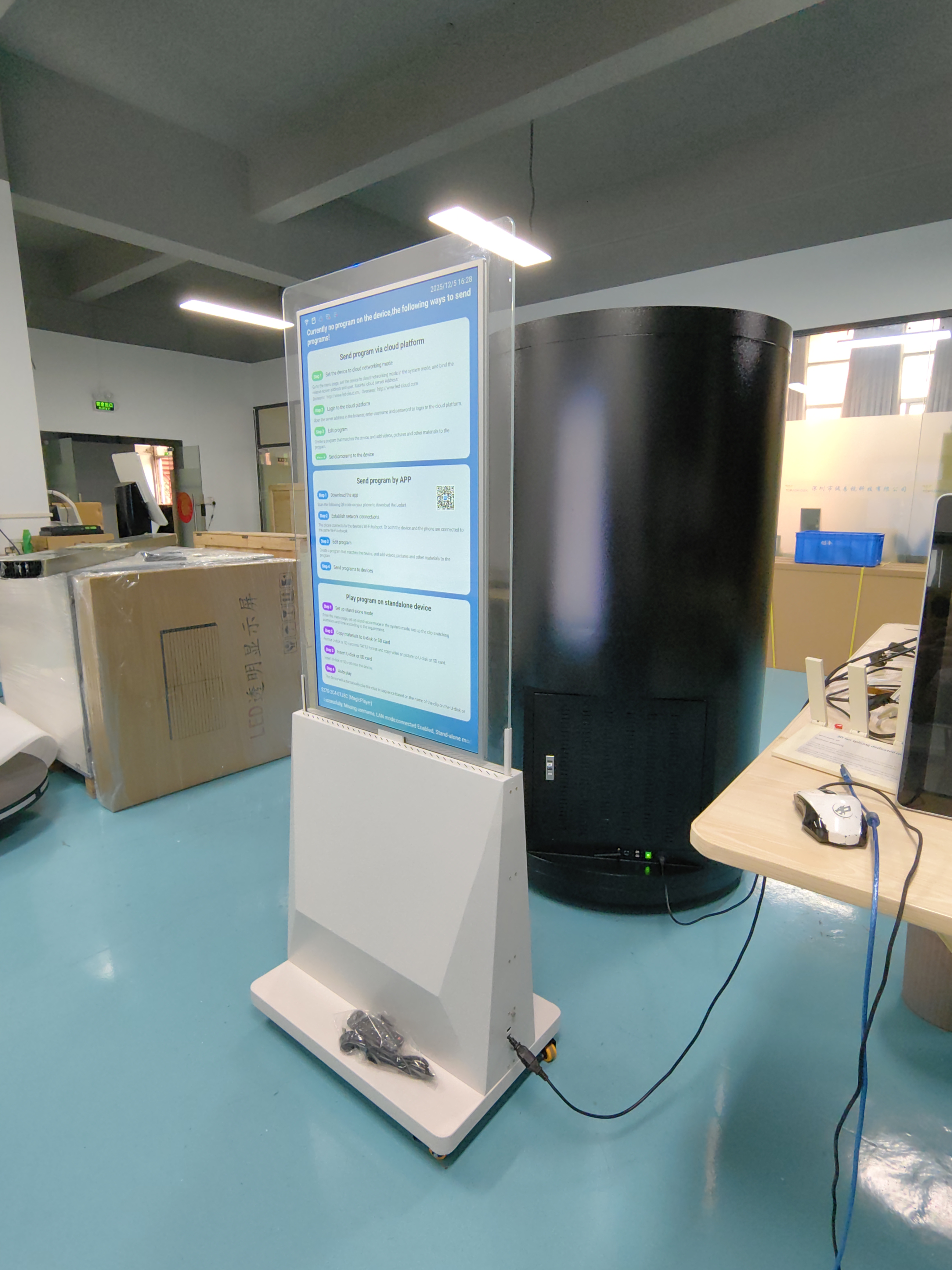
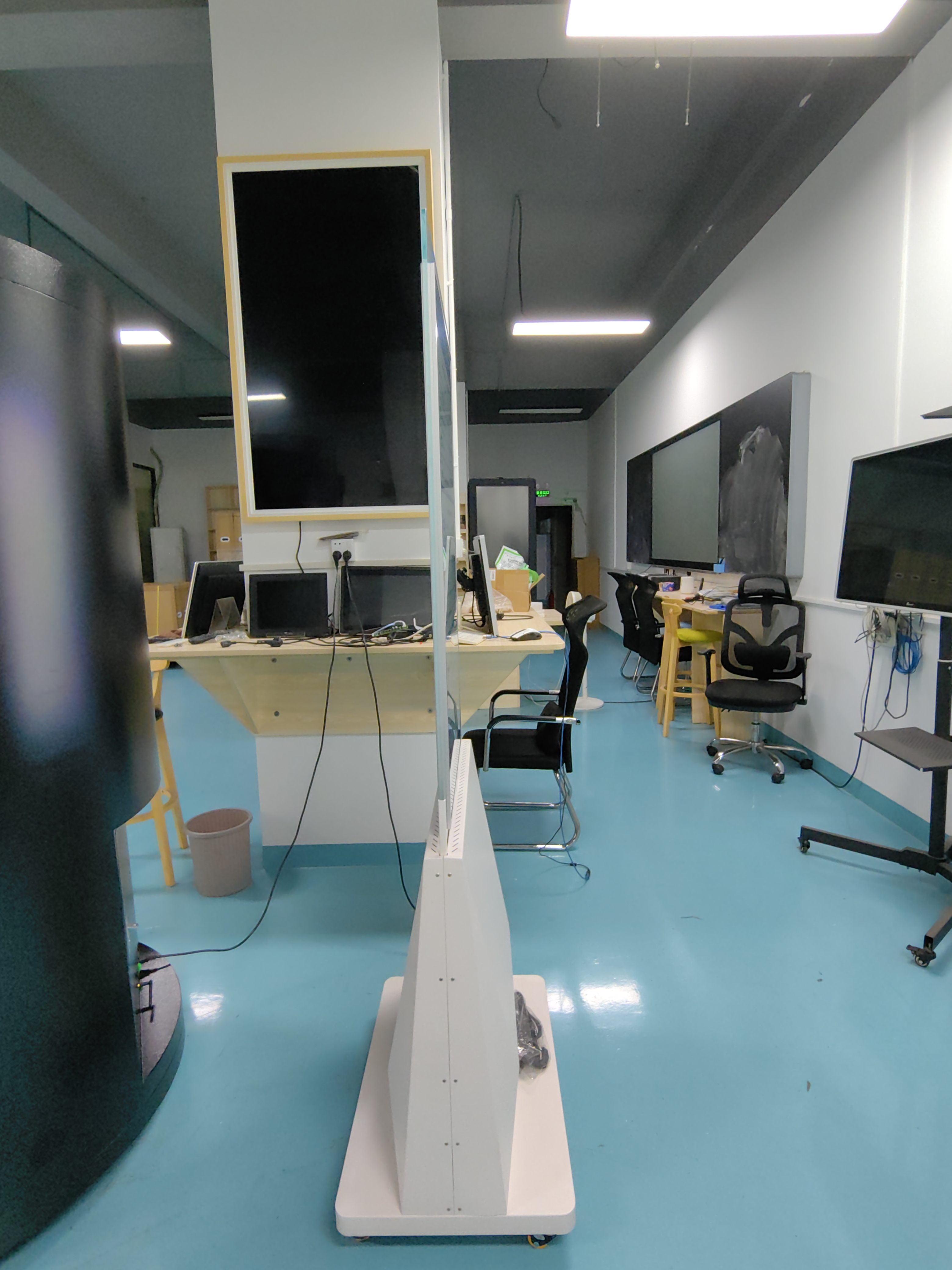
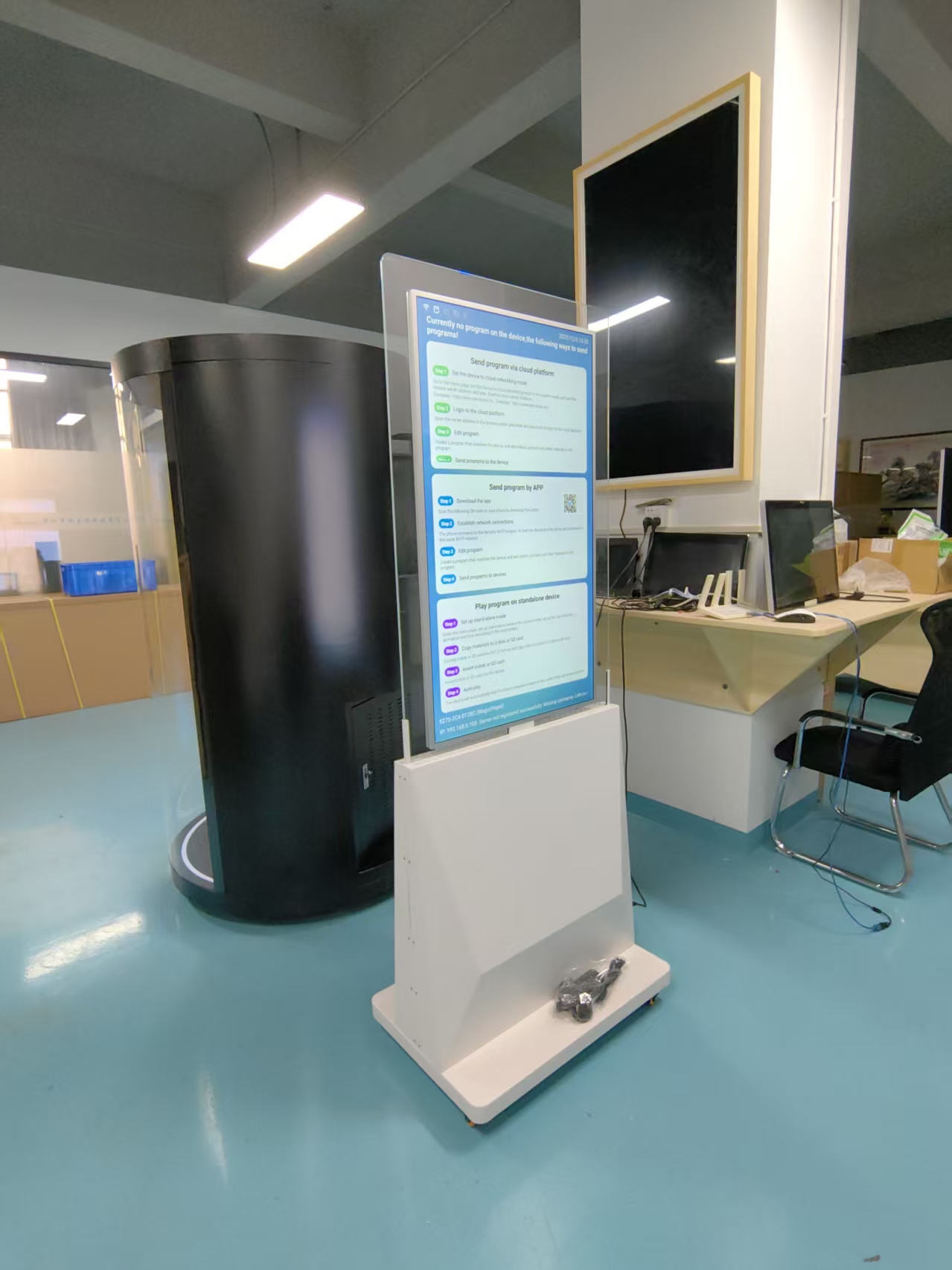
a floor-standing double-sided LCD digital totem with 20mm thickness is an available and highly specialized product. While this specific form factor is rarer than standard single-sided displays, the technology exists, primarily led by manufacturers in China.
Here are the key manufacturers offering this specific product and a look at the cutting-edge OLED alternative.
🏭 Manufacturers Offering 20mm Thick Models
The following manufacturers list specific 20mm thick double-sided displays in their product lines. The Guangzhou Chujie Information Technology Co., Ltd. appears to be the most direct match for your floor-standing request.
Manufacturer | Key Models | Thickness | Key Features |
|---|---|---|---|
Guangzhou Chujie (KER) | Floor Standing / Hanging models (DS-S1, DS-S2) | 20mm | Floor-standing option available; 43"/49"/55"; 4K; Android/Windows OS; "Ultra Thin Slim Edge" design |
HDFocus | 43" Super Thin Window Double-sided Display | 20mm | 32"/43"/55"; 450 nits (700 nit option); RK3288 CPU; Android/Windows OS |
MESO (Premium/OLED) | 55 Series Indoor Totem | 20mm | Ultra-slim, frameless design; 55" LG OLED (Superior color/contrast); 400 nits; Premium aluminum/glass build |
Note on the MESO 55 Series: This is an OLED totem, not LCD. It offers superior picture quality (true blacks, infinite contrast) but is generally targeted at premium indoor environments .
💡 Understanding the Market
A few important notes as you continue your search:
Specialized Product: The 20mm double-sided totem is a niche, high-end product. It represents a significant technological step beyond standard single-sided or thicker double-sided signage . As such, it may not be a stocked item for all suppliers and might require a production lead time.
Ask for Floor-standing: Many 20mm double-sided displays are designed as hanging units for window displays . When contacting manufacturers, you must explicitly request the floor-standing version with a base.
OLED Option: For a premium indoor environment where image quality is paramount, the OLED totems from MESO (or similar) offer an unmatched visual experience at a 20mm thickness .
📝 Recommended Next Steps
To successfully source this product, I recommend the following:
Contact Guangzhou Chujie (KER) First: Based on the available information, they are the only manufacturer explicitly listing both 20mm thickness and a floor-standing configuration . You can find them on B2B platforms like Ecer.com.
Use Specific Search Terms: When searching on Alibaba or Made-in-China, use the exact phrase "20mm double-sided floor standing digital signage" to filter results. Pay close attention to the installation method in the listing.
Confirm Key Details with Suppliers: When you contact a supplier, confirm these specifications:
Installation: Confirm the unit comes with a stable floor-standing base.
Viewing: Clarify if the two screens can show independent content (A-B) or only mirrored content.
Hardware: Decide on the operating system (Android for simplicity, Windows for complex software) and required RAM/Storage.
See Also
Leading Brands Providing Outdoor LCD Display Kiosks
Best Places to Purchase Sturdy LCD Kiosks for Malls
2026 Reviews of Top Outdoor LCD Kiosk Models
