What Is Wayfinding Digital Signage and How Does It Work
Shenzhen TopAdkiosk Display Technology Co., Ltd.
Add.: 2F, Bldg 10, Changfeng Industrial Park, Dongkeng, Fenghuang, Guangming, Shenzhen, China 518132
Mobile/WHATSAPP: 86-138 25769658
Email: marketing@topadkiosk.com topadkiosk@gmail.com
Skype: pghenry1
Wechat: adkioskhenry
English Web.: https://www.topkioskdisplay.com/
http://www.ad-kiosk.com/
https://www.toplcddisplay.com/
http://www.multitouchdigitalsignage.com/
https://www.youtube.com/channel/UCYVYNJHxLVEcQD8fuUxXNTA/videos?view_as=subscriber
https://www.facebook.com/TOPADKIOSKSHENZHEN/?ref=bookmarks
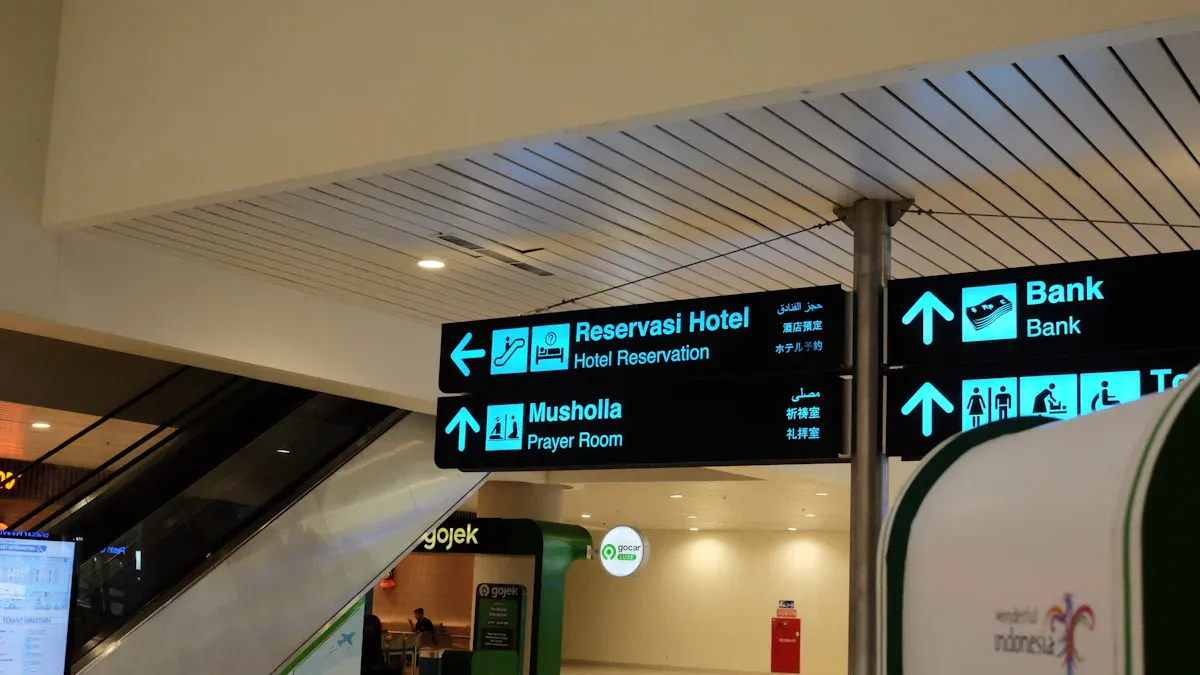
Wayfinding digital signage helps you find places inside buildings. It uses screens you can touch and maps that change. You tap the screen to pick where you want to go. The system shows you how to get there right away. You can find these in malls, airports, hospitals, and schools. Digital signage lets you do more things than old signs. People pay more attention to digital displays. Regular signs cannot change or give new directions.
Key Takeaways
Wayfinding digital signage has touch screens that help you find places in big buildings like malls and airports. The system gives you updates right away, so you always get the newest directions and information. Wayfinding makes things better for users by giving special routes and support in many languages, so it is easier for everyone to get around. Digital signage means you do not need staff as much, so visitors can find their way by themselves and faster. Using wayfinding systems can make visitors happier and stop confusion in busy places.
Wayfinding Digital Signage Overview
What Is Wayfinding Digital Signage
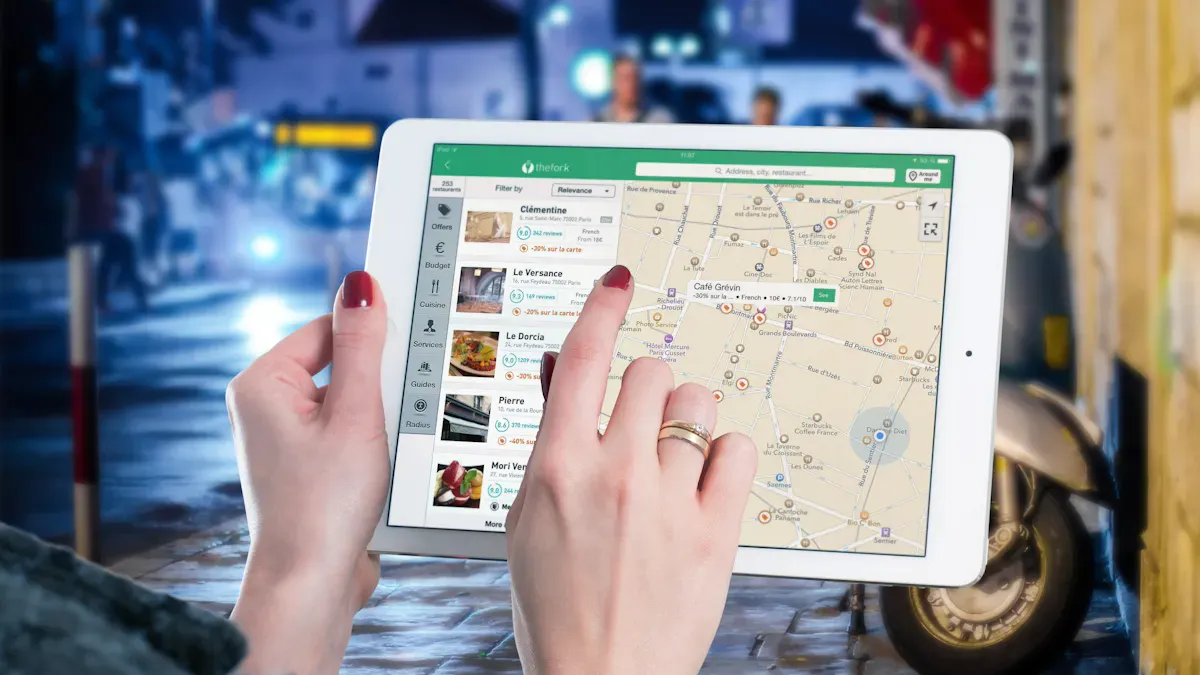
You might wonder what wayfinding digital signage is and how it helps you in big buildings. Wayfinding digital signage is a tool that helps people find their way inside. It uses digital displays and interactive technology to guide you. You can see these systems in places like airports, malls, hospitals, and universities. They help you get to your destination with easy steps and pictures.
The main things that make up wayfinding digital signage use different types of technology. The table below lists the main features and what they do:
Feature Type | Description |
|---|---|
Digital Screens | Change fast to show new information and updates right away. |
Interactive Kiosks | Let people search for places, pick departments, and get step-by-step help. |
Augmented Reality (AR) | Shows directions on your phone camera to help you see where to go. |
Indoor Positioning Systems | Use Bluetooth or Wi-Fi to find your location and give turn-by-turn directions inside. |
Various Sign Types | Include Identification, Directional, Informational, and Regulatory signs to help visitors. |
When you ask what wayfinding is, you want a system that helps you move from one place to another inside a building. Digital wayfinding uses these tools to make your trip easier and faster.
How Wayfinding Digital Signage Works
You may wonder how wayfinding digital signage works when you use it. First, you walk up to a digital screen or interactive kiosk. You touch the screen to pick where you want to go or search for a place. The system shows you a map with the best path. If something changes, like a hallway closes, you see updates right away.
Interactive displays are spots where you can use digital maps to get directions. These displays are put in places where people need help the most. The maps update in real time to show you the best way and important places. This makes it easy and safe to find your way.
Wayfinding has four main steps:
Orientation: You find where you are by looking at a map or a sign.
Route Decision: You pick a path using the signs and guides you see.
Navigation: You follow the path, using arrows or directions on the screen to help you.
Destination Recognition: You know you have arrived when you see clear signs or markers.
When you ask what wayfinding is, you learn it is more than just following signs. It is a full system that helps you know where you are, pick the best path, follow directions, and see when you arrive. Wayfinding digital signage makes each step easy to understand. If you want to know how it works, you can see that it uses interactive screens, real-time updates, and smart help to get you to your goal.
Tip: When you use wayfinding digital signage, always start by finding your current spot on the map. This helps you make good choices and get to your destination faster.
Key Components And Technology
Digital Displays And Touchscreens
You use wayfinding systems by touching digital screens. These screens show maps, arrows, and easy-to-read words. Interactive kiosks help you search for places and see directions step by step. Wall screens list places and show maps you can use. This helps you find your way in big places like malls or hospitals. These screens can change fast, so you always see the newest information if something changes.
Software And Real-Time Data
The software runs the maps and updates you see. Real-time data keeps everything correct and up to date. For example, at an airport, your path changes if your gate moves. This table shows how real-time data helps you:
Benefit | Description |
|---|---|
Gives you quick changes in busy places. | |
Improved operational efficiency | Connects systems for smoother work. |
Enhanced user experience | Lets you use the system and get better help. |
You get safer paths in emergencies because the system shows exits right away. The software can use artificial intelligence to make your route just for you. It can also study how people move and guess the best times to show things.
Integration With Mobile And Systems
Wayfinding works better when it connects with other tech. You can scan a QR code to send your route to your phone. Some systems link with smart building controls. You can see live updates about elevators or rooms. The table below shows ways to connect:
Integration Method | Description |
|---|---|
Smart Building Systems | Shows live info like how full a room is or elevator status. |
POS and Inventory Systems | Shows where products are and sales in real time. |
Smart City Infrastructure | Connects to buses and traffic for better routes. |
Wearable Devices | Sends directions to smartwatches or other devices. |
Tip: When you set up digital wayfinding, pick screens that fit your space and are simple to use. Choose software that updates in real time and connects to your building’s systems. Test the system before using it to make sure all routes work and maps are clear. Teach your staff to help visitors use the new tech. Update the maps often and check the screens to keep everything working well.
Digital Wayfinding User Experience
Interactive Navigation Steps
When you use wayfinding systems, you follow easy steps. First, you touch the screen and pick where you want to go. The system gives you simple directions and shows the best way. If something changes, like a hallway closes, you see updates right away. This helps you feel sure of yourself, even if you are new to the place. Digital wayfinding makes it simple to get directions just for you. You do not have to ask workers for help, so you save time and move faster.
Interactive wayfinding lets you type in your destination and get step-by-step help.
Real-time updates on screens keep you up to date and stop confusion.
The interactive screens mean you do not need as much help from staff.
If you want to add wayfinding to your building, put screens where people come in or wait. Make sure the system changes maps fast and gives clear steps. Teach your workers how to help people use the screens if they need it.
Visual Cues And Dynamic Maps
Wayfinding uses pictures and signs to help you know where to go. You see arrows, colored lines, and symbols for important spots. Dynamic maps change as you walk through the building. These maps show your path and update if things change. Clear steps make it easy to find your way without worry. Signs that look the same everywhere help you follow directions and make things less confusing.
Wayfinding signs stop visitors from getting upset and help people move better.
Good signs make the place look nice and help you have a good visit.
Adding local things to maps helps you know the space and find your way.
You want to find your way easily in stores or buildings. Bad signs can make you upset and change how you feel about a place. Wayfinding systems make your visit better by giving clear and helpful directions.
Benefits Of Wayfinding Solutions
Advantages Over Traditional Signage
Wayfinding solutions give you more benefits than old signs. Digital displays change fast, so you always see the newest info. You do not have to worry about wrong directions or missing signs. With wayfinding signage, you can pick your language with one tap. This makes it easier for everyone to find their way. You also get things like bigger text and sound help, which are good for people with different needs.
Here is a table that shows how digital wayfinding and traditional signs are different:
Advantage | Digital Signage | Traditional Signage |
|---|---|---|
Real-time adaptability | Updates instantly to reflect changes in the venue | Static and outdated information |
Personalized experiences | Tailors recommendations based on user profiles | One-size-fits-all approach |
Multilingual support | Offers instant language switching for diverse guests | Requires multiple static signs |
Data collection | Tracks guest behavior for operational insights | No data collection capabilities |
Reduced staff burden | Guests find information independently | Staff must provide directional assistance |
Enhanced accessibility features | Adjustable text, audio guidance, and more | Limited or no accessibility options |
Digital wayfinding is also better for the environment. You use less paper and plastic, and you do not make waste when you update signs. Digital screens often save energy, so you help the planet too.
Enhanced Efficiency And Confidence
Wayfinding helps you move faster and makes your visit easier. You get updates right away, so you always know the best way to go. If a hallway closes or an event changes, the system gives you new directions fast. You do not need to ask anyone for help, so you and the staff save time.
You see simple screens that show you what to do next.
You get your own route, so you find places quickly.
The system helps people with disabilities by using big words, sound help, and large buttons.
Many languages let everyone use the system, no matter what they speak.
Digital wayfinding signage also helps you feel sure of yourself. You know you will not get lost, even in a big building. The system gives you clear steps and updates, so you can enjoy your visit instead of worrying about where to go.
Tip: When you plan your building, think about how wayfinding can help every visitor. You make your space friendlier and easier for everyone to use.
Common Applications For Wayfinding

Typical Environments
You can find wayfinding digital signage in many places. These places need to help people know where to go. You see these systems in offices, stores, hospitals, and schools. They are also in entertainment places and religious buildings. Each place uses wayfinding for different reasons. Hospitals use it so patients find clinics or departments fast. Stores use it to help shoppers find shops or special deals. Schools and colleges use it to guide students and visitors to classrooms or events.
Here is a table that shows why these places use wayfinding digital signage:
Environment | Reasons for Popularity |
|---|---|
Corporate | Helps visitors and staff find offices and meeting rooms. |
Retail | Gets shoppers’ attention and shows sales with changing screens. |
Healthcare | Guides patients and visitors, making things less confusing. |
Entertainment | Helps crowds during events and gives live updates. |
Educational | Shares news about classes, events, and services. |
Religious | Makes it easier to share info about services and activities. |
Note: Wayfinding systems help people talk and get updates right away. This makes visits easier and less stressful.
Use Cases In Real Life
There are many real-life ways wayfinding helps people. At Piedmont Regional Medical Center, patients got lost before digital kiosks were added. After the hospital put in wayfinding, patients found places faster. People were happier with their visits. In airports, wayfinding helps travelers find gates, bathrooms, and baggage claim. This makes travel less stressful and helps people feel sure of themselves.
In big entertainment places, you use wayfinding to find your seat or the nearest exit. Schools use these systems to help new students and visitors move around. Religious centers use wayfinding instead of old boards. People can find service times or special events more easily.
Hospitals: Patients and visitors use digital maps to find clinics or departments.
Airports: Travelers follow simple steps to gates and services.
Shopping malls: Shoppers find stores, bathrooms, and food courts fast.
Universities: Students find classrooms, libraries, and event halls.
Event centers: Guests get live updates about schedules and places.
A good wayfinding system helps you find your way. It also makes your visit better and less stressful.
Wayfinding digital signage helps you know where to go right away. It gives you directions and updates as things change. You can use maps that you touch and see new info fast. You do not need to ask staff for help as much.
Visitors have a better time with easy screens and fun maps.
The system keeps info up to date with quick changes.
Everyone saves time and does not get mixed up.
Good wayfinding uses clear signs, smart spots, and simple screens. If you want your building to be easier, digital wayfinding is a good idea.
How to Implement Wayfinding Digital Signage in Your Facility
Wayfinding digital signage helps visitors quickly find their destinations, reduces navigation anxiety, and lessens the burden on front‑desk staff. Implementing a successful system requires systematic planning, design, deployment, and maintenance. Below is a step‑by‑step guide.
📋 Step 1: Needs Assessment & Planning
Identify core pain points
Where do visitors most often get lost? (e.g., main entrance, elevator lobbies, long corridors)
What are the most common questions? (“Where is the restroom?”, “How do I get to the meeting room?”, “Where is the pharmacy?”)
Are there peak‑hour congestion areas?
Define coverage
Which destinations need to be included? Typical ones:
Public services: restrooms, elevators, stairs, water fountains, seating areas
Functional areas: meeting rooms, clinic rooms, patient wards, offices, exhibition halls, shops
Exits: emergency exits, parking lots, bus stops
Determine placement points: lobby, elevator landings, corridor intersections, large waiting areas.
Choose interaction levels
Tier 1 (high interactivity) – Touchscreen kiosks with search, zoom, route planning. Best for lobbies, main entrances.
Tier 2 (dynamic directional) – Non‑touch screens showing current location, directional arrows, and destination lists. Suitable for corridors, elevator lobbies.
Tier 3 (static assist) – QR codes or digital numbers; users scan to get routes on their phones. Low‑cost supplement.
Budget & cost estimation
Hardware: touch kiosks, wall‑mounted screens, media players, mounts.
Software: Content Management System (CMS), map engine (if 3D or real‑time navigation needed).
Content creation: map drawing, POI labelling, design templates.
Operations: content updates, device maintenance, spare hardware.
Typical cost per point: indoor touch kiosk $2,000–$8,000; simple wall‑mounted directional screen $800–$2,500.
🗺️ Step 2: User Experience & Map Design
Simplify information hierarchy
Map style: clear 2D floor plans or 2.5D isometric views – avoid overly complex architectural details.
Use standard icons and colours (red for restrooms, blue for information desk, green for exits).
Show only relevant floor area to avoid information overload.
Make “You are here” obvious
Every map must clearly mark the current device location.
On touchscreens, highlight the current position by default.
Clear route guidance
Touchscreen: after user selects a destination, draw a highlighted path with text instructions (“Walk straight 30 metres, then turn left”).
Static/dynamic directional screens: use arrows and remaining distance (“Meeting room → 5 m”).
Accessibility design
Ensure wheelchair‑accessible routes (avoid stairs, narrow passages).
Touchscreen height meets accessibility standards (lower edge ≤ 1.2 m / 48 inches from floor).
Offer voice output or large‑font options.
Multi‑language support
International facilities should provide at least two languages (e.g., English and local language) with one‑tap switching on touchscreens.
🖥️ Step 3: Hardware Selection & Placement
Location | Recommended Hardware | Key Specs |
|---|---|---|
Main lobby / entrance | Floor‑standing touch kiosk | Screen 43″–55″; brightness ≥500 cd/m²; multi‑touch; optional receipt printer (directions) |
Elevator lobbies, corridors | Wall‑mounted non‑touch screen | 22″–32″; 350–500 cd/m²; landscape or portrait per space |
Outdoor entrance (if any) | Outdoor high‑brightness screen | Brightness ≥1500 cd/m²; IP65 rated; UV‑resistant |
Low‑cost supplement | QR code sign + mobile web | No screen needed – just print QR codes; users scan to get map on phone |
Other considerations:
Network: Touchscreens need wired or stable Wi‑Fi for content updates and real‑time data (e.g., room occupancy).
Power & cooling: Indoor screens need ventilation; outdoor screens require active cooling.
⚙️ Step 4: Software & Content Management System (CMS)
Choose a CMS platform
Professional wayfinding systems include map editors, POI management, routing algorithms, and playback control.
General‑purpose digital signage CMS (e.g., OptiSigns, ScreenCloud, Yodeck) can show static maps and directional lists but lack interactive route planning.
Recommended dedicated wayfinding solutions: Visix, Mvix, iOffices, SignAgent, or a custom WebGIS‑based system.
Map content creation
Provide CAD or indoor floor plans; the vendor or design team converts them into interactive maps.
Label all POIs (Points of Interest) with name, floor, and category.
Define the walking network: nodes (intersections, corners) and paths (corridors, doors).
Real‑time integration (advanced)
Integrate with room booking systems, clinic queuing systems, parking availability systems to show “occupied/free” status dynamically.
One‑click emergency mode to display evacuation routes.
🚀 Step 5: Deployment & Testing
Installation & setup
Professional AV integrator handles hardware installation – ensure secure mounting, proper height, concealed cabling.
Power on and test touch response, map loading speed, route calculation accuracy.
User acceptance testing (UAT)
Invite visitors unfamiliar with the facility to test. Can they find common destinations (restroom, exit) within 30 seconds?
Collect feedback and refine icons, text, and routes.
Content warm‑up
One week before launch, display “Coming soon” messages and let staff familiarise themselves with the system.
🧰 Step 6: Operations & Continuous Improvement
Regular content updates
When facility layout changes (e.g., store relocation, department move), update maps and POIs promptly.
Establish a content approval workflow to ensure accuracy.
Device health monitoring
Use CMS or remote management tools to monitor screen status, offline alerts, and touch calibration.
Keep spare parts inventory (touch modules, media players).
User feedback collection
Add a “Feedback” button on touchscreens to collect visitor ratings.
Regularly analyse most‑searched destinations and optimise default shortcuts.
Performance upgrades
Based on usage data, consider adding more deployment points (e.g., if corridor intersections show high dwell times).
Future enhancement: integrate Bluetooth beacons for real‑time phone‑based navigation.
✅ Implementation Checklist
Completed needs assessment and location planning
Designed map style and interaction logic
FAQ
What is the main purpose of wayfinding digital signage?
Wayfinding digital signage helps you find your way in big buildings. You use touchscreens and maps to get directions. The system updates fast, so you always see the best path.
How do you implement wayfinding digital signage in your facility?
First, pick important spots for screens. Choose software that changes maps quickly. Teach your staff to help visitors. Try out the system before you start using it. Update maps often to keep info right.
Tip: Put screens near doors and busy areas for best results.
Can wayfinding digital signage work with mobile devices?
Yes! Many systems let you scan a QR code. You can send directions to your phone. This helps you keep moving without stopping at each screen.
Is wayfinding digital signage accessible for everyone?
You can use features like big text, sound help, and many languages. These options make the system easy for people with different needs.
Where do you usually see wayfinding digital signage?
You see these systems in airports, malls, hospitals, schools, and offices. They help visitors move around and find places faster.
See Also
Understanding Digital Signage And Its Importance For Businesses
The Functionality Of Outdoor Digital Signage In Today's Market
Exploring The Concept Of Digital Signage Solutions
A Guide To Installing And Configuring Digital Displays
The Benefits Of Outdoor Digital Signage For Business Visibility
