What is an OLED display and how does it work
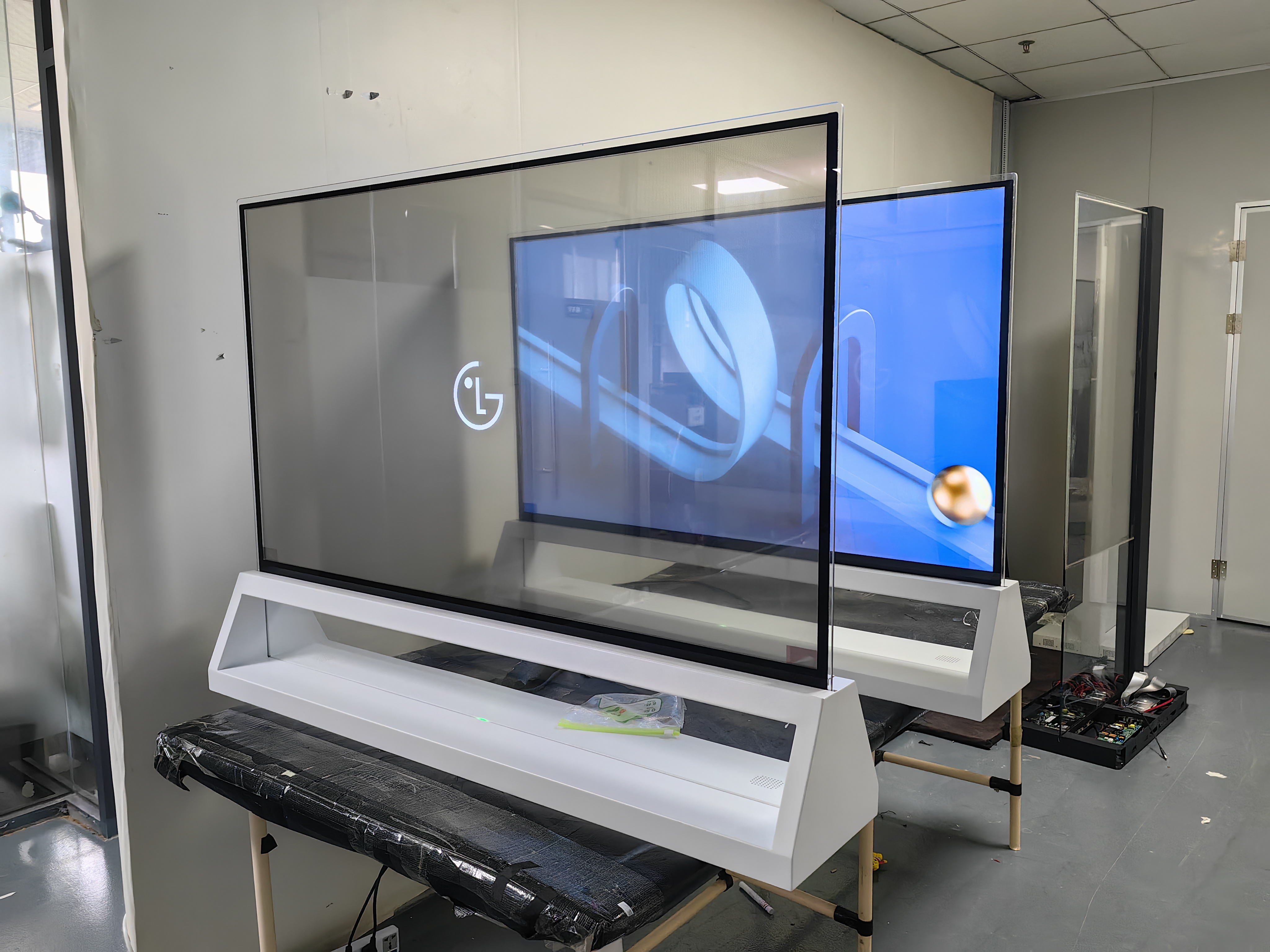
You see OLED DISPLAY technology in many of your favorite devices. OLED screens use special materials that light up on their own, so each pixel can turn on or off without needing a backlight. This gives you bright colors and deep blacks. Today, you find OLED displays in TVs, smartphones, and tablets from brands like Samsung, Apple, and LG.
TVs
Smartphones
Tablets
Key Takeaways
OLED stands for Organic Light-Emitting Diode. It uses organic materials to create light, allowing each pixel to emit its own color without a backlight.
OLED displays offer superior image quality with true blacks and vibrant colors. This results in an infinite contrast ratio, enhancing your viewing experience.
Power efficiency is a key benefit of OLED technology. Only the pixels that are lit consume energy, which helps extend battery life in devices like smartphones and tablets.
OLED screens are thinner and more flexible than traditional displays. This design flexibility allows for innovative products like foldable phones and curved TVs.
Be aware of potential drawbacks like burn-in and higher costs. Taking care of your OLED display can help prevent burn-in and ensure longevity.
OLED Display Basics
What Is OLED?
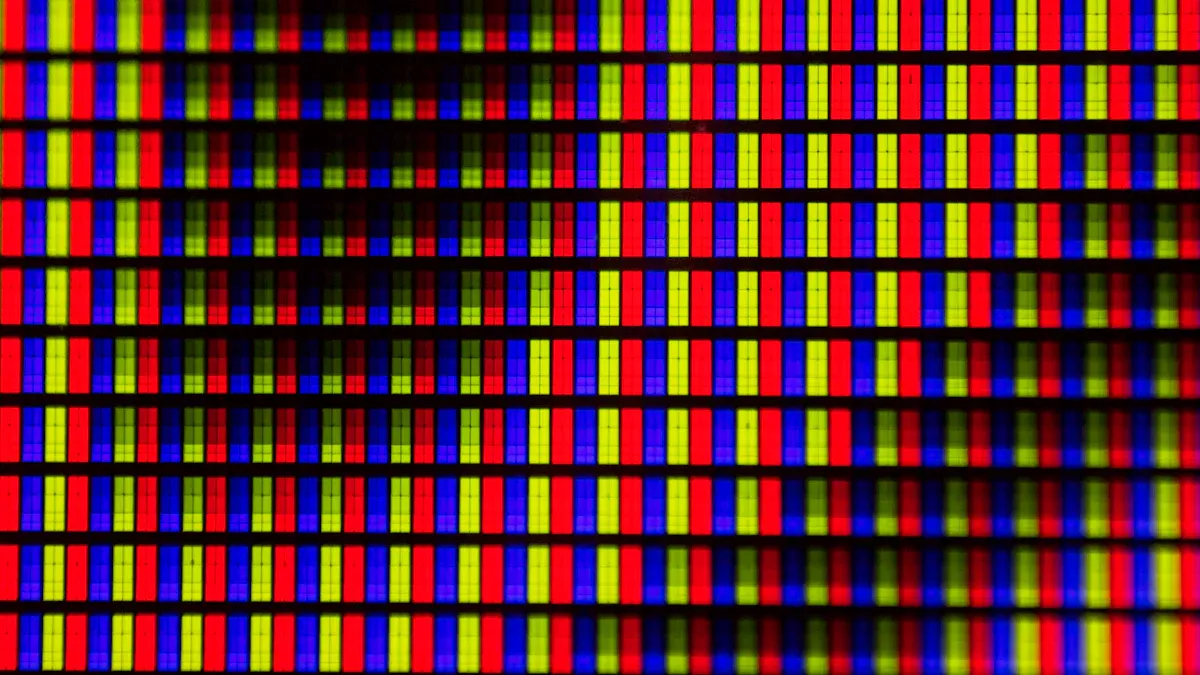
You use OLED DISPLAY technology every day, but what does "OLED" mean? OLED stands for "Organic Light-Emitting Diode." This type of display uses organic compounds that glow when electricity passes through them. These compounds are usually polymers that can emit red, green, or blue light. OLED DISPLAY screens do not need a backlight, so they are thinner and more energy-efficient than older LCD screens.
OLEDs use organic materials to create light.
Each pixel contains red, green, and blue diodes.
When you apply voltage, these diodes light up and form images.
How OLED Displays Work
When you turn on a device with an OLED DISPLAY, electricity flows through the screen. The organic layers inside the display react to this electric current. The process that makes the screen light up is called electroluminescence.
Electroluminescence is the generation of light through the radiative recombination of holes and electrons which have been injected into the emissive material from cathode and anode contacts. When a hole and an electron recombine, the electron relaxes into the hole, resulting in the emission of a photon with an energy characteristic of the optical transition.
You see bright colors because each pixel can be controlled individually. This means you get deep blacks and sharp images. If a pixel needs to be black, it simply turns off. If it needs to be bright, it lights up fully. This control helps the display show accurate colors and clear pictures.
Aspect | Description |
|---|---|
Individual Control | Each subpixel can be controlled separately, allowing for precise adjustments in brightness and color. |
Variability Mitigation | Helps to reduce issues like color non-uniformity and line mura caused by manufacturing discrepancies. |
Overall Quality Improvement | Ensures uniform brightness and color accuracy across the display, enhancing visual quality. |
OLED Structure
An OLED DISPLAY has several layers that work together to create images. You find these layers stacked on top of each other inside the screen.
Layer | Description |
|---|---|
Substrate | The base layer, usually glass or clear plastic, gives the display support. |
Anode | A transparent electrode that helps move positive charges (holes) into the organic layers. |
Hole Transport Layer (HTL) | Moves holes from the anode to the emissive layer. |
Emissive Layer | Contains organic molecules that glow when electricity passes through. |
Electron Transport Layer (ETL) | Moves electrons from the cathode to the emissive layer. |
Cathode | The negative electrode sends electrons into the display. |
Encapsulation | Protects the organic layers from water and air, making the display last longer. |
The organic layers sit between the anode and cathode. When electricity flows, the carbon-based semiconductors in these layers emit light. You get different colors and brightness depending on the materials used. Some common organic materials include tris (8-hydroxyquinoline) aluminum, polyfluorene, triphenylamine, and phosphorescent metal complexes like iridium.
Hole-transport materials move positive charges.
Electron-transport materials move negative charges.
Emissive materials create light when holes and electrons meet.
You benefit from this structure because it allows for thin, flexible screens. The carbon-based semiconductors make it possible for the display to shine brightly and show vivid colors.
OLED vs. Other Displays
OLED vs. LCD
You often see LCD screens in older TVs, monitors, and laptops. LCD stands for "Liquid Crystal Display." LCDs use a layer of liquid crystals sandwiched between glass or plastic. These crystals do not create light on their own. Instead, a backlight shines through them, and the crystals twist to block or let light pass. This process forms images on the screen.
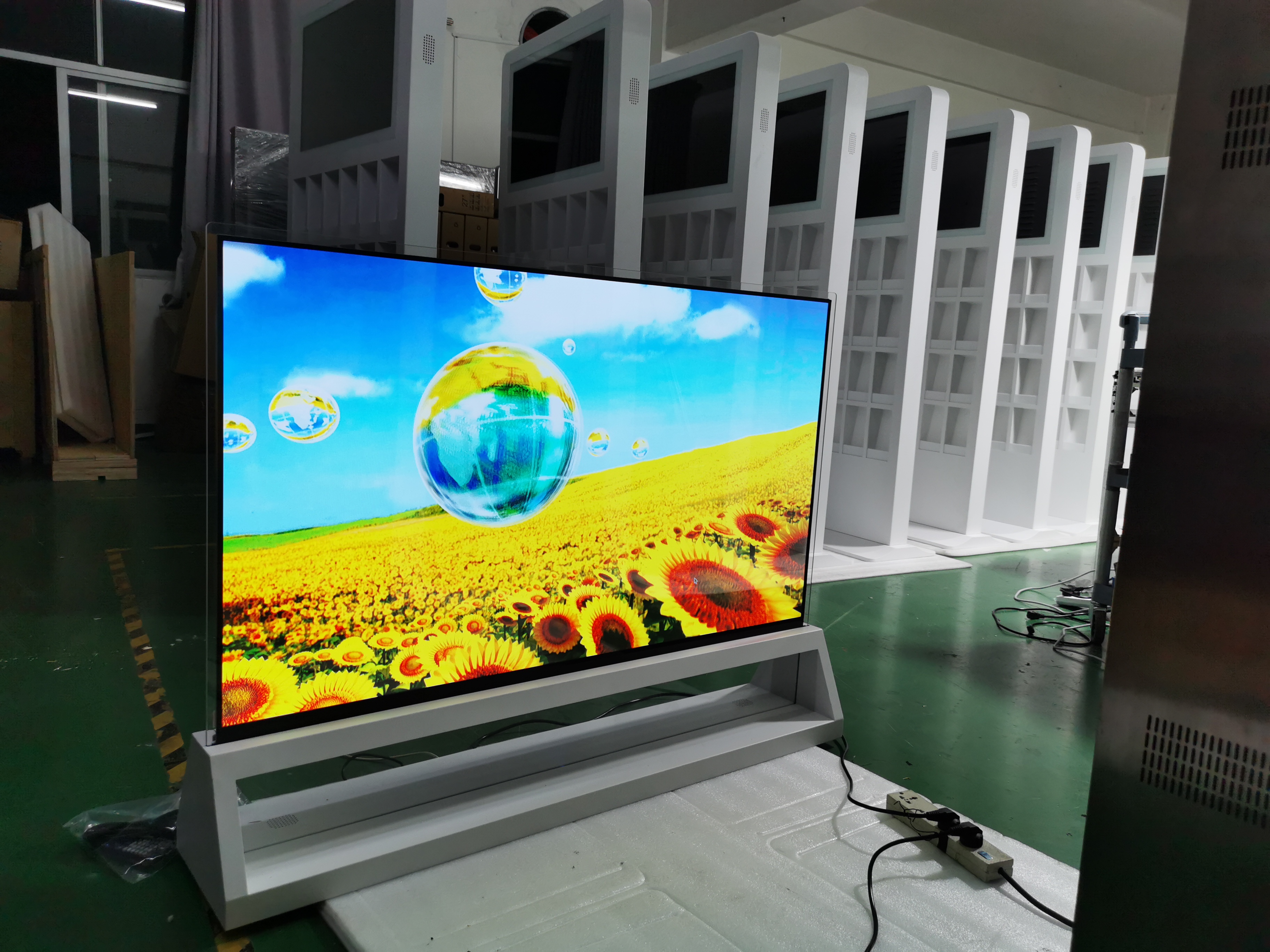
OLED DISPLAY works differently. Each pixel contains organic compounds that glow when electricity flows through them. You do not need a backlight because every pixel lights up by itself. This design makes OLED screens thinner and more flexible.
Here is a table that shows the main differences in structure:
Component | LCD Displays | OLED Displays |
|---|---|---|
Liquid Crystal Layer | Sandwiched between substrates, regulates light by aligning liquid crystals. | Organic compounds emit light, creating self-emissive pixels. |
Backlight Unit | Uses LED or CCFL for illumination, with local dimming in high-end models. | No backlight needed; each pixel emits its own light. |
Color Filters | Utilizes red, green, and blue filters for image production. | Each pixel has red, green, and blue subpixels that can be individually controlled. |
Drive Circuit | Converts video signals to control liquid crystal orientation. | Anode and cathode layers activate organic materials for light emission. |
Substrate | Typically glass or plastic, rigid structure. | Glass or flexible plastic, allowing for innovative designs. |
Encapsulation Layer | Not applicable. | Protects organic materials from moisture and oxygen. |
You get better image quality with OLED screens. Colors look more accurate, blacks are deeper, and contrast is higher. Viewing angles are wider, so the picture stays clear even if you move to the side.
OLED vs. LED
LED screens use inorganic materials like gallium and aluminum. These screens rely on a backlight to shine through pixels. You cannot control each pixel separately. Instead, the whole screen lights up together, which limits contrast and black levels.
OLED DISPLAY uses organic molecules made from carbon, nitrogen, and hydrogen. These molecules glow when electricity passes through them. You can control each pixel on its own, so you see true blacks and bright colors.
Here is a table that compares the two:
Feature | OLED | LED |
|---|---|---|
Material Composition | Organic compounds (carbon, nitrogen, hydrogen) | Inorganic materials (gallium, aluminum, indium, etc.) |
Light Emission Process | Electroluminescence from organic molecules | Electroluminescence from inorganic compounds |
Structure | Amorphous layers, no lattice matching required | Crystalline layers, grown atom-by-atom |
Flexibility | Can be fabricated on flexible substrates | Typically rigid due to crystalline structure |
You notice that OLED screens are thinner and lighter. You also see better color accuracy and deeper blacks. LED screens can get brighter and last longer, but they cannot match the flexibility or image quality of OLED.
Key Differences
You can spot several key differences between these display types:
OLED screens do not need a backlight. Each pixel lights up by itself.
LCD and LED screens use a backlight, which can limit contrast and black levels.
You get wider viewing angles with OLED. The picture looks good from almost any position.
OLED screens use organic molecules, while LED screens use inorganic materials.
OLED screens can be thin and flexible. LCD and LED screens are usually thicker and more rigid.
Tip: If you want the best image quality and design flexibility, OLED DISPLAY offers clear advantages over LCD and LED screens.
Advantages
Contrast and Color
You notice the difference in picture quality when you use an OLED DISPLAY. Each pixel emits its own light, so you see true blacks and vibrant colors. This technology gives you an infinite contrast ratio, which means dark scenes look deep and rich while bright areas pop with clarity.
Display Technology | Contrast Ratio |
|---|---|
OLED Displays | Infinite |
LED-LCD Displays | 1000:1 to 5000:1 |
QLED Displays | 1500:1 to 8000:1 |
OLED screens stand out because they achieve true blacks and infinite contrast. You get a sharper, more lifelike image every time.
Individual pixel control also improves color accuracy. Each pixel can show exactly the right shade, so colors look more natural and vivid. You see a wider range of colors, which makes movies, games, and photos look more realistic.
Each pixel emits its own light, giving you true blacks.
You see a broader color gamut, so colors appear more vibrant.
Accurate color reproduction helps artists and designers see their work as intended.
Power Efficiency
You save energy with OLED screens. Only the pixels that display content use power, so black areas on the screen do not consume energy. This selective pixel activation helps your device last longer between charges.
Display Type | |
|---|---|
LED LCD | 2.5 |
OLED | 4-5 |
OLED displays do not need a backlight, which reduces overall power use. This feature is especially helpful for battery-powered devices like smartphones and tablets. You charge your device less often, and you help the environment by using less energy.
OLED screens use less power by lighting only the pixels you need.
Devices with OLED displays have longer battery life.
The manufacturing process is more environmentally friendly.
Design Flexibility
You benefit from the thin and flexible design of OLED screens. The absence of a backlight lets manufacturers create displays that are ultra-thin and lightweight. You see this in foldable phones, rollable TVs, and curved monitors.
Attribute | Description |
|---|---|
Flexibility | OLED displays bend and fold without damage, thanks to organic materials. |
Thinness | No backlight means screens are extremely thin, perfect for sleek designs. |
Aesthetic Benefits | Flexible and thin OLEDs allow for innovative products like foldable phones and rollable TVs. |
Flexible OLED panels also make devices more durable. You get lighter gadgets that are easier to carry and use. The technology even allows sound to come directly from the screen, opening new possibilities for design and user experience.
OLED technology enables foldable and rollable screens.
Devices are thinner, lighter, and more durable.
You experience new features like sound from the display itself.
Drawbacks
Burn-In
You may notice a problem called "burn-in" on OLED screens. Burn-in happens when some pixels age faster than others, especially if you leave the same image on the screen for a long time. This can cause ghost images or faded spots.
The average lifespan of an OLED display is about 100,000 hours. This is much longer than LCD screens, which last between 30,000 and 60,000 hours.
Burn-in can appear before reaching this lifespan, especially if you often display static content.
Here are the most common causes of burn-in:
Cause | Description |
|---|---|
Pixel Aging | Pixels showing the same image for a long time age faster. |
Differential Aging | Different organic materials in pixels wear out at different rates. |
Color Degradation | Blue pixels degrade faster than red or green, causing uneven colors. |
High-Energy Operation | Using high brightness for long periods speeds up pixel wear. |
Tip: You can reduce burn-in by lowering screen brightness and changing what you display often.
Cost
You pay more for OLED displays than for LCD or LED screens. The production cost for a 55-inch OLED panel is about $582, which is two to two-and-a-half times higher than LCD panels. Flexible OLEDs use special plastic or polyimide substrates, not glass. Manufacturers use complex processes to make these screens durable and flexible.
Flexible panels need advanced techniques for bending and lamination.
Expensive materials like ultra-thin films and high-purity organic layers add to the price.
Low production yields also increase costs.
Display Type | Production Cost (Example) | Cost Comparison |
|---|---|---|
OLED | $582 (55" panel) | 2 to 2.5 times more than LCD |
LCD | Significantly cheaper | Reference point |
Note: You pay a premium for OLED because of better image quality and design flexibility.
Brightness
OLED screens offer excellent contrast and color, but they do not get as bright as some LED or MicroLED displays. This can make it harder to see your screen outdoors in direct sunlight.
Display Technology | Peak Brightness (nits) | Advantages in Outdoor Use |
|---|---|---|
OLED | Great contrast, good visibility | |
LED | Up to 10,000 | Brighter, more energy-efficient |
MicroLED | Up to 1.66 million | Ultra-high brightness for outdoor use |
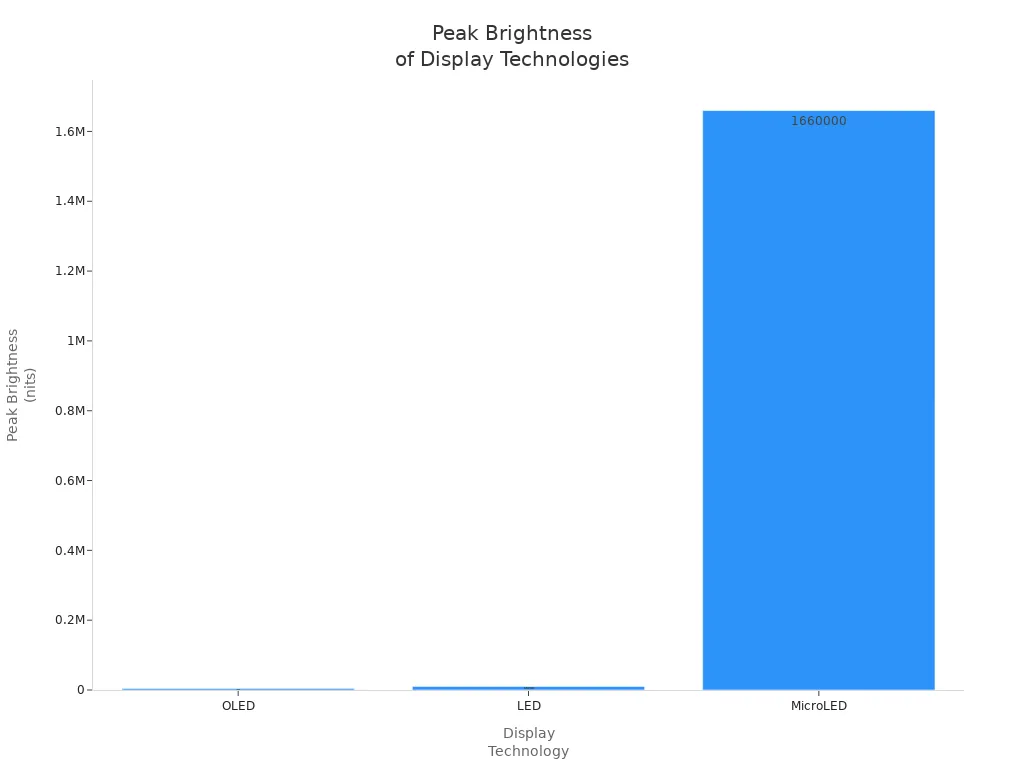
Modern OLED screens have improved brightness and lower reflectance compared to older models. You still may find it challenging to use them in very bright sunlight, but manufacturers continue to make improvements.
Aspect | Early AMOLED Displays | Modern OLED Displays |
|---|---|---|
Sunlight Readability | Poor | Improved |
Reflectance | High | Reduced |
Brightness | Low | High |
If you use your device outdoors often, consider how brightness affects visibility.
OLED Display Uses
TVs and Monitors
You see OLED DISPLAY technology in many modern TVs and computer monitors. Manufacturers use OLED panels to create screens with deep blacks and vibrant colors. You enjoy movies and games with lifelike images and wide viewing angles. OLED TVs are thin and lightweight, so you can mount them easily on your wall. Monitors with OLED panels help you see accurate colors, which is important for graphic design and video editing. Gamers benefit from fast response times and smooth motion.
Smartphones and Tablets
You use smartphones and tablets every day. Over the past five years, OLED screens have become much more common in these devices. Companies like Samsung, LG, and Apple invest in OLED technology to improve display quality. You get brighter screens, better battery life, and smoother graphics. Gaming smartphones use OLED panels for faster refresh rates and clearer visuals. More mid-range devices now include OLED screens, so you have more choices at different price points.
Evidence Description | Impact on OLED Adoption |
|---|---|
Significant increase in OLED adoption due to technological advancements | Enhanced performance characteristics make OLED displays more appealing for manufacturers and consumers. |
Rise of gaming smartphones boosts demand for OLED displays | Faster refresh rates and better visual clarity cater to the needs of mobile gamers. |
Expansion of OLED technology into mid-range devices | Broader market presence as more consumers can access OLED technology across various price segments. |
Continuous investment from major companies like Samsung, LG, and Apple | Encourages innovation and rapid evolution of OLED displays, further propelling market growth. |
Other Devices
You find OLED screens in many other devices. Handheld gaming systems use OLED panels for bright colors and sharp images. Wearable devices, such as smartwatches and fitness bands, rely on OLED displays for clear visuals and low power use. Flexible OLED technology lets designers create curved or bendable screens, which makes wearables more comfortable and stylish.
OLED displays are prevalent in high-end smartwatches and fitness bands.
They offer great image quality and low power consumption.
Flexible OLED technology allows for innovative design possibilities in wearable devices.
You also see OLED panels in car dashboards, digital cameras, and even virtual reality headsets. These screens help you read information easily and enjoy immersive experiences.
You see OLED DISPLAY technology changing the way you experience screens. Each pixel lights up on its own, giving you sharp colors and deep blacks. You enjoy thin, flexible devices with great image quality. Some drawbacks include higher cost and possible burn-in. Over the next five years, you will notice more OLED displays in your daily life:
Foldable and rollable screens will become common.
Cars and AR/VR devices will use OLED panels.
Premium smartphones, smartwatches, and TVs will feature OLED displays.
FAQ
What makes OLED displays different from LCD screens?
You see OLED screens use pixels that light up on their own. LCD screens need a backlight. OLED displays show deeper blacks and brighter colors. You get a thinner and more flexible screen with OLED technology.
Can OLED screens bend or fold?
You find OLED screens in foldable phones and curved TVs. Manufacturers use flexible materials in OLED displays. You can bend or fold these screens without damaging the image quality.
Do OLED displays use more battery than other screens?
You save battery with OLED screens when you view dark images. Only the lit pixels use power. Bright images use more energy. OLED screens help your device last longer between charges.
How can you prevent burn-in on an OLED display?
You avoid burn-in by lowering screen brightness and changing images often. You should not leave static pictures on the screen for long periods. Many devices offer screen savers to help protect your display.
See Also
Exploring The Uniqueness And Functionality Of Transparent OLED
Comparing OLED Displays With LCD Displays: Key Differences
A Comparative Analysis Of LED, LCD, OLED, And QLED
