What is an OLED Display and How Does It Work
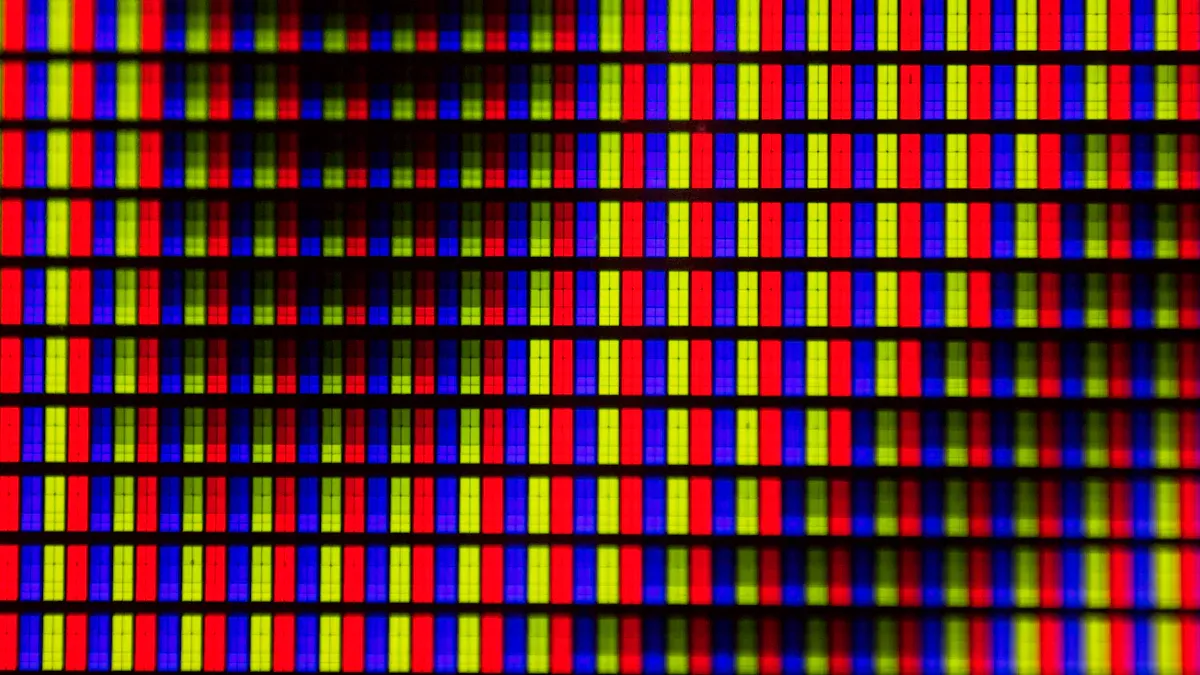
You encounter OLED displays in many modern devices. OLED stands for organic light-emitting diode. This technology uses organic materials that emit light when you apply electricity. Each pixel produces its own light, so you see deep blacks and vibrant colors. Understanding display display oled helps you choose the right device for your needs.
LCD screens held 37.7% of the market in 2023.
OLED displays continue to grow, with a projected CAGR of 4.7%.
Key Takeaways
OLED displays use organic materials to emit light, providing vibrant colors and true blacks.
Each pixel in an OLED screen lights up independently, allowing for high contrast and fast response times.
OLED technology enables thinner and more flexible screens, making it ideal for modern devices like smartphones and TVs.
While OLED offers superior image quality, it may face issues like burn-in and a shorter lifespan compared to LCDs.
Choosing between OLED and other display types depends on your needs, budget, and usage environment.
OLED Display Basics

What Is an OLED Display
You see OLED displays in many devices today. OLED stands for organic light-emitting diode. This technology uses organic materials that glow when electricity passes through them. Each pixel in a display display oled produces its own light. You get bright colors and deep blacks because pixels can turn off completely.
OLED displays have several key parts that work together:
Substrate: This base layer supports the entire structure. Manufacturers use glass or flexible plastic.
Anode: This transparent layer removes electrons and creates holes for current flow.
Hole transport layer: This layer moves holes from the anode.
Electron transport layer: This layer moves electrons from the cathode.
Cathode: This layer injects electrons into the circuit.
Organic layers: These layers include the hole and electron transport layers, which help create light.
Encapsulation: This protective layer shields the organic materials from moisture and damage.
You find display display oled technology in smartphones, TVs, and wearables. The design allows for thin and flexible screens. OLED displays do not need a backlight, so devices can be slimmer and lighter.
How OLED Works
OLED technology uses the principle of electroluminescence. When you apply electricity, electrons and holes move into the light-emitting layer. They combine and release energy as photons. This process makes each pixel glow independently.
Tip: Because each pixel emits its own light, you can see true black on an OLED screen. Pixels turn off completely, so no light leaks through.
You control brightness and color by adjusting the electrical current sent to each pixel. This gives you high contrast ratios and fast response times. OLED displays can respond in as little as 0.1 milliseconds.
Here is a table comparing OLED and LCD displays:
Feature | OLED | LCD |
|---|---|---|
Light Emission | Self-emissive (each pixel emits light) | Relies on backlight for illumination |
Black Levels | True black (pixels can be completely off) | Cannot achieve true black (backlight leaks) |
Color Accuracy | Not affected by backlight | Affected by backlight color and quality |
Thickness | Thinner (few ten-thousandths of a mm) | Thicker due to backlight requirements |
Response Time | As low as 0.1 ms | Typically 1-4 ms |
Contrast Ratio | Theoretically infinite | 1000:1 to 5000:1 |
You notice that display display oled screens are thinner and more flexible than LCD screens. OLED displays save energy when showing dark images because pixels can turn off. LCD screens use a backlight that stays on, so they use more power even with dark content.
OLED displays have some challenges. The organic materials can degrade over time. Blue pixels age faster than red or green, which can affect color and brightness. If you keep a static image on the screen, you might see burn-in or ghost images. This can impact the performance and longevity of your device.
You now understand how OLED displays work and why they offer better image quality and flexibility compared to LCD screens.
Display Display OLED Technology
OLED Structure
You find that display display oled panels use several layers to create images. The main layers include the anode, hole transport layer, emissive layer, electron transport layer, and cathode. The emissive layer contains organic molecules that glow when electricity passes through. Each layer uses special materials to help move charges and produce light. The choice of these materials affects how bright the screen looks and how long it lasts. OLED panels differ from LCD panels in many ways.
OLED Panels | LCD Panels | |
|---|---|---|
Emission Method | Self-emissive (each pixel emits its own light) | Relies on a backlight filtering through liquid crystals |
Contrast Ratio | True blacks and infinite contrast ratios | Prone to light leakage, resulting in lower contrast |
Response Time | Typically less than 0.1 ms, can reach 0.03 ms | Limited by liquid crystal movement, slower response |
Power Consumption | Higher for blue sub-pixels, varies with content | Stable energy efficiency due to passive filters |
Light Emission Process
You see light in display display oled screens because of electroluminescence. When you apply electricity, electrons and holes meet in the organic layer. They form excitons, which are excited molecules. These excitons release energy as light when they return to their normal state. The color of the light depends on the type of organic material used. Sometimes, other processes can lower the brightness, but new designs help improve the yield.
Mechanism | Description |
|---|---|
Electroluminescence | Light emission occurs when electrons and holes recombine in the organic medium, leading to the formation of excitons. |
Exciton Formation | The recombination of electrons and holes creates excitons, which are excited states of molecules that can emit light as they return to the ground state. |
Radiative Transitions | Light emission can occur through transitions between singlet-exciton states and the ground state, or through phosphorescence from triplet excitons. |
Note: OLED displays can cover wide color gamuts and show perfect black levels because each pixel emits its own light.
Color and Power Control
You control color and brightness in display display oled screens by adjusting the electrical current sent to each pixel. OLED displays use self-emitting pixels and fast circuits to change colors quickly. The power used depends on the image shown. Dark images use less power because fewer pixels light up. Bright images use more power since all pixels glow. New methods help reduce power use by lowering RGB intensity and improving image quality. These techniques can cut power consumption by over 13% in some devices.
OLED screens offer fast response times and high contrast.
Recent improvements make OLED displays more efficient and longer-lasting.
Power efficiency changes based on the content shown.
Display Type | Power Efficiency in Bright Images | |
|---|---|---|
OLED | More efficient (lights only needed pixels) | Less efficient (all pixels lit) |
LCD | Less efficient (constant backlight) | More efficient (constant power usage) |
OLED vs Other Displays
OLED vs LCD
You see OLED and LCD screens everywhere, but they work in different ways. OLED uses self-emitting pixels, so each pixel creates its own light. LCD relies on a backlight that shines through liquid crystals. This difference affects how you experience color, brightness, and speed.
Feature | OLED | LCD |
|---|---|---|
Response Time | Microsecond-level (1 ms) | Several to over 10 ms |
Brightness Performance | Peak brightness of 800-1300 nits | Peak brightness of 1500-2500 nits |
Color Performance | Covers over 95% of DCI-P3 color gamut | QLED can also achieve over 95% DCI-P3 |
Viewing Angles | Minimal color and brightness attenuation | Noticeable color shift and brightness drop |
You notice that display display oled screens show deeper blacks and better contrast. LCD screens can get brighter, but you may see color shifts when you look from the side. OLED displays usually last longer, up to 100,000 hours, while LCD screens last between 30,000 and 60,000 hours. LCD screens resist physical impacts better, so they are more durable.
LCD displays are known for their durability against physical impacts.
OLED vs QLED
QLED screens use quantum dots and a backlight to create bright colors. OLED screens use organic materials and self-emitting pixels. You get perfect black levels with OLED because pixels turn off completely. QLED screens reach higher brightness, making them better for bright rooms.
Feature | QLED | OLED |
|---|---|---|
Viewing Angle | Narrow (~55°) | Wide (~85°) |
Reflections | Less glare | More glare |
Response Time | 2–8 ms | ~0.1 ms |
Refresh Rate | Good | Better |
Lifespan | Longer | Shorter |
Feature | OLED Displays | QLED Displays |
|---|---|---|
Peak Brightness | 500-1000 nits | 1500-2000 nits or higher |
Contrast Ratio | Infinite contrast ratio, perfect blacks | Elevated black levels due to backlight |
Suitability | Better for dark environments | Better for bright environments |
Tip: OLED displays achieve perfect black levels due to self-illuminating pixels. QLED displays rely on backlighting, which can lead to less effective black levels.
Key Differences
You choose between OLED, LCD, and QLED based on your needs. OLED gives you the deepest blacks and fastest response times. LCD offers good brightness and durability. QLED provides the brightest colors and is great for well-lit rooms.
Display Type | Key Features | User Experience Advantages |
|---|---|---|
LED | Least expensive, Widest variety, Good brightness | Good for brighter rooms |
OLED | Deepest black levels, Best contrast ratio, Best response rate | Best for darker rooms, More efficient |
QLED | Best color intensity, Brightest picture | Prices between LED and OLED |
Manufacturing costs also matter. OLED TVs cost more because they use organic materials and complex processes. QLED and LCD screens are less expensive to make. As technology improves, OLED may become more affordable.
OLED TVs are generally more expensive than QLEDs due to higher manufacturing costs.
The production of OLED panels involves sourcing organic materials, which adds to the cost.
Future projections suggest that OLEDs may become more cost-effective as production volumes increase.
You see that display display oled technology offers unique benefits, but you must consider your environment, budget, and how you use your device.
OLED Pros and Cons
Advantages of OLED
You notice several reasons why OLED displays stand out from other screen technologies. Here are the most important advantages:
Superior Visual Quality
OLED screens show true blacks, vibrant colors, and high contrast ratios. Each pixel turns on and off independently, so you see rich details and lifelike images.Thin and Flexible Designs
OLED panels do not need a backlight. This feature allows manufacturers to create thinner and lighter devices. You can even find screens that bend or fold.Wide Viewing Angles
You see consistent picture quality from almost any angle. Colors and brightness stay the same, even when you look from the side.Faster Response Time
OLED screens react quickly to changes. You experience smooth motion and instant transitions, which is great for gaming and watching fast-paced videos.
Tip: OLED displays offer infinite contrast and the fastest response times. You enjoy excellent image quality and deep black levels.
Disadvantages of OLED
OLED displays also have some drawbacks that you should consider before making a choice.
Disadvantage | Description |
|---|---|
Burn-in risk | Static images can cause permanent ghost images if left too long. |
OLED screens do not reach the same brightness as LED displays, which affects visibility in bright rooms. | |
Higher cost | OLED panels cost more because they use expensive organic materials and complex manufacturing. |
Shorter lifespan | Organic materials degrade over time, so OLED screens may not last as long as LCDs. |
Sensitivity to moisture | OLED screens are thin and can crack easily. They are also vulnerable to humidity damage. |
Burn-in happens when static elements, like logos, stay on the screen for too long. You may see ghost images that affect display quality.
OLED screens work best in darker environments. You might struggle to see the screen clearly in bright sunlight.
The price of OLED devices is higher than other options. You pay more for the advanced technology and design.
Note: If you use your device for static content, such as menus or dashboards, you should be aware of the risk of burn-in. This issue can impact the long-term usability of your OLED display.
OLED Applications
TVs and Monitors
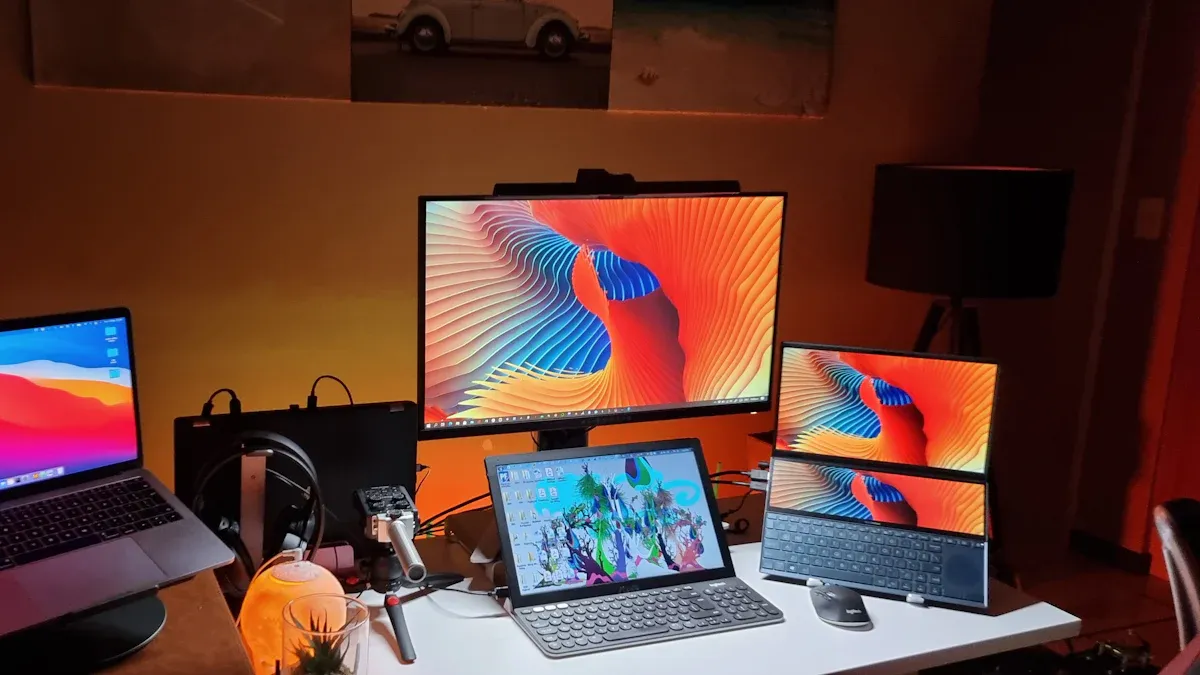
You see OLED technology in many modern TVs and computer monitors. OLED screens deliver deep blacks and vibrant colors, making movies and games look lifelike. Each pixel lights up independently, so you enjoy high contrast and sharp details. You notice that OLED TVs are thinner and lighter than older models. Many premium monitors use OLED panels for creative work, gaming, and watching videos. You get wide viewing angles, so the picture stays clear even when you sit off to the side. OLED screens also respond quickly, which helps when you play fast-paced games or watch sports.
Tip: OLED TVs and monitors show true blacks and vivid colors, making them ideal for home theaters and gaming setups.
Smartphones and Tablets
You find OLED displays in most high-end smartphones and tablets. The mobile and tablet segment drives the OLED panel market because people want high-resolution screens and superior visual quality. OLED screens provide lifelike images and deep blacks. You benefit from longer battery life since OLED panels use power only when pixels light up.
Benefit | Description |
|---|---|
OLED displays provide deep blacks and vibrant colors, resulting in lifelike images. | |
Energy Efficiency | OLED panels consume power only when pixels are illuminated, leading to longer battery life. |
Design Flexibility | The absence of a backlight allows for thinner and flexible designs, enabling innovative products. |
OLED displays enhance battery life due to their energy-efficient design.
They only use power for illuminated pixels, unlike traditional LCDs.
You see thinner devices and flexible screens because OLED does not need a backlight. Many smartphones and tablets now feature curved or foldable displays, thanks to OLED technology.
Wearables and Gaming Devices
You experience OLED screens in smartwatches, fitness trackers, and gaming devices. OLED panels produce pure blacks and stunning contrast, which makes dark scenes in games look realistic. You enjoy fast response times and high refresh rates, so motion blur and ghosting rarely occur. OLED displays support HDR, improving brightness and color gradients for lifelike gameplay.
OLED displays provide unparalleled color accuracy, contrast, and sharpness.
Self-emissive pixels create depth and realism unmatched by other technologies.
Low response time and high refresh rates reduce motion blur, enhancing gaming experiences.
Wide viewing angles maintain display quality from various perspectives.
Energy efficiency makes OLED a sustainable choice for long gaming sessions.
Display Type | Market Share in 2025 | Advantages |
|---|---|---|
43.0% | High resolution, lighter weight, shatter resistance, thinness, flexibility. |
You benefit from thin and flexible designs in wearables. OLED screens use less power, which is important for devices that need long battery life. You see innovative products like curved smart bands and foldable gaming consoles because OLED technology allows new shapes and features.
You learned how OLED displays use organic materials to create bright colors and deep blacks. OLED screens offer thin designs, fast response times, and wide viewing angles. You saw that OLED has advantages like superior image quality and energy efficiency. Disadvantages include higher cost, risk of burn-in, and shorter lifespan. If you want the best picture quality and flexible devices, OLED suits your needs.
Remember: OLED works best for home theaters, gaming, and creative tasks. Choose based on your budget and usage.
FAQ
What makes OLED displays different from LCD screens?
You see OLED screens use self-emitting pixels. LCD screens rely on a backlight. OLED gives you deeper blacks and better contrast. LCD screens offer higher brightness and durability.
Can OLED screens get burn-in?
You may notice burn-in if you keep static images on your OLED screen for long periods. This happens when pixels age unevenly. You can avoid burn-in by changing content often.
Are OLED displays safe for your eyes?
You benefit from OLED screens because they produce less blue light than many LCDs. This helps reduce eye strain. You can use night mode for extra comfort.
How long does an OLED display last?
You can expect OLED screens to last between 50,000 and 100,000 hours. The lifespan depends on usage and brightness settings. Lower brightness helps extend the life of your display.
See Also
Understanding OLED Displays: Functionality and Key Features Explained
Exploring Transparent OLED Technology: Its Uniqueness and Functionality
Comparing OLED and LCD Displays: Key Differences Explained
An Overview of Transparent OLED Technology and Its Applications
Essential Tips for Enhancing Your Project with OLED Displays
