What Is a Bezel in LCD Displays and Why Does It Matter
Add.: 2F, Bldg 10, Changfeng Industrial Park, Dongkeng, Fenghuang, Guangming, Shenzhen, China 518132
Mobile/WHATSAPP: 86-138 25769658
Email: marketing@topadkiosk.com topadkiosk@gmail.com
Skype: pghenry1
Wechat: adkioskhenry
English Web.: https://www.topkioskdisplay.com/
http://www.ad-kiosk.com/
https://www.toplcddisplay.com/
http://www.multitouchdigitalsignage.com/
https://www.youtube.com/channel/UCYVYNJHxLVEcQD8fuUxXNTA/videos?view_as=subscriber
https://www.facebook.com/TOPADKIOSKSHENZHEN/?ref=bookmarks
As long as we have the blueprints, Shenzhen TopAdkiosk Display Technology Co., Ltd no worse than anyone else.
please contact Shenzhen TopAdkiosk Display Technology Co.
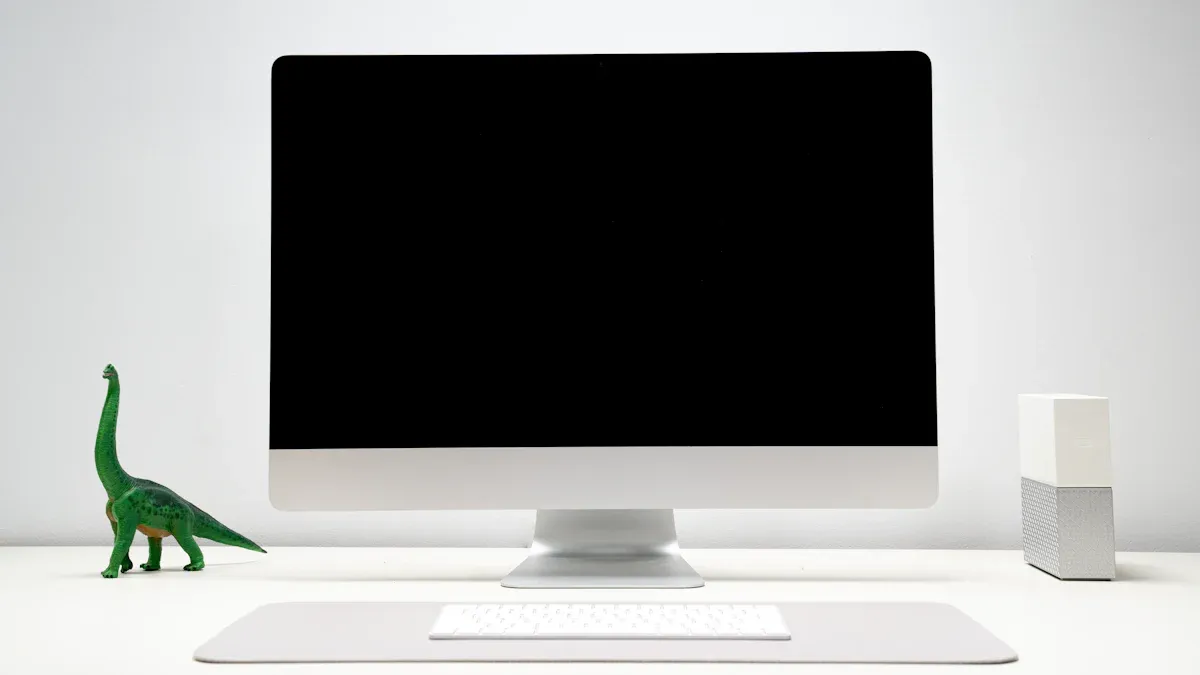
You see the bezel each time you look at an LCD screen. The bezel is the border around the part where you see pictures or words. It is important because it keeps the screen safe and makes the device strong. You can find bezels on many things, like monitors, TVs, and smartphones. The bezel lcd display design is not the same as old screens. The table below shows how the bezel's job changes for different screens:
Type of Display | Purpose of Bezel | Design Characteristics |
|---|---|---|
CRT Displays | Hides curved edges so images do not look strange | Bulky shape with a curved screen |
LCD/LED Displays | Keeps the screen safe and helps hold it together | Flat screens with smaller bezels |
When you know about the bezel, you can pick better devices. The bezel is important for more than just how it looks. It changes how you use your device every day.
Key Takeaways
The bezel is the edge around an LCD screen. It keeps the display safe and makes the device stronger. Thin bezels give you more screen to look at. They make devices seem new and exciting. Thick bezels protect the device better and are easier to hold. Bezels can be made from plastic or metal. The material changes how strong and good-looking the bezel is. This can help you pick which device you want. The bezel design changes how you use the device. It frames the screen and hides parts inside. It also changes how you touch and use the device. When you buy a device, think about the bezel type and size. This helps you get the right look, use, and safety.
Bezel LCD Display Basics

What Is a Bezel
You often ask, what is a bezel? The bezel lcd display is the border around the screen where nothing is shown. This border separates the visible area from the edge of the device. You see the lcd display bezel every time you use a monitor, TV, or smartphone. The bezel lcd display protects the screen and keeps the device strong. You notice that the bezel lcd display does not show any images or text. It acts as a frame for the lcd display, making the screen easy to see and use.
The lcd display bezel also affects the size of the device. When you see a device with a thin bezel, you get more screen space. A thick bezel lcd display gives you less visible area. The bezel lcd display helps keep the lcd safe from bumps and drops. You find that the lcd display bezel makes the device easier to hold and use.
You may wonder about the materials used for the lcd display bezel. Manufacturers use different materials to build the bezel lcd display. The table below shows common materials and their uses:
Material Type | Examples of Use |
|---|---|
Plastics | Housing for lcd display |
Metals | Machined aluminum, stainless steel |
Aluminum Composite Materials | Machine control bezels |
The lcd display bezel can be made from plastic, metal, or composite materials. Each material gives the bezel lcd display different strength and look.
Where Bezels Are Found
You see the lcd display bezel in many devices. The bezel lcd display is common in smartphones, TVs, monitors, and tablets. You also find the lcd display bezel in laptops and video walls. The bezel lcd display is important for creative tools like the Wacom Cintiq Pro series, which uses narrow bezels for better drawing space. LCD video walls use thin bezels to make images look seamless across screens.
Here are some devices where you find the lcd display bezel:
Smartphones: The bezel lcd display frames the screen and protects the edges.
TVs: The lcd display bezel keeps the screen safe and makes the device look neat.
Monitors: The bezel lcd display helps you focus on the screen and hides wires.
Tablets: The lcd display bezel gives you a place to hold the device.
Laptops: The bezel lcd display protects the screen and holds the camera.
LCD video walls: Thin bezels make the display look like one big screen.
Creative displays: Devices like Wacom Cintiq Pro use narrow bezels for more workspace.
The lcd display bezel plays a key role in each device. You notice that the bezel lcd display gives structure and protection. It also makes the lcd display easier to use and improves the look of the device. When you choose a device, you should check the lcd display bezel. A thin bezel lcd display gives you more screen area. A thick lcd display bezel may offer more protection.
You now understand what is a bezel and where you find the lcd display bezel. The bezel lcd display is more than just a border. It shapes how you use and enjoy your lcd display every day.
LCD Display Bezel Functions
Structural Integrity and Protection
You might wonder why every lcd display needs a bezel. The bezel gives your lcd display strength and support. When you hold a smartphone or move a monitor, the bezel keeps the fragile lcd panel safe. The edges of an lcd are very thin and can break easily. The bezel acts like a shield for these edges.
The bezel supports the lcd panel and stops it from bending or cracking.
It protects the corners and sides of the display from bumps or drops.
The bezel helps spread out heat from high-brightness lcd displays, so your device stays cool.
If you drop your device, the bezel absorbs some of the impact. This means your lcd display is less likely to get damaged. You can trust your device to last longer because the bezel guards the most delicate parts. The purpose of a bezel is to keep your lcd display working and looking good.
Visual Framing and Focus
The bezel does more than just protect. It also helps you focus on what you see. The bezel creates a border around the lcd display. This border gives your eyes a clear edge, so you do not get distracted by what is outside the screen.
Tip: A well-designed bezel can make your lcd display easier to use for reading, watching videos, or playing games.
You notice that the bezel acts as a frame for the lcd display. This visual framing makes the images and text stand out. You can pay attention to the content without your eyes wandering. When you use a monitor with a good bezel, you find it easier to work or study for long periods. The bezel helps you stay focused on the display.
Hiding Internal Components
You may not see what is inside your lcd display, but the bezel hides many important parts. The bezel covers screws, wires, and connectors that hold the lcd display together. You do not want to see these parts when you use your device. The bezel keeps the display looking clean and neat.
The bezel hides cables that connect the lcd panel to the rest of the device.
It covers up screws and brackets that keep the display in place.
The bezel makes sure you only see the screen, not the messy parts inside.
When you look at your lcd display, you see a smooth surface. The bezel makes this possible. You get a better user experience because the bezel hides everything that does not belong on the display. This design choice keeps your device simple and attractive.
You now understand how the bezel helps your lcd display. It gives strength, protects the screen, frames your view, and hides the parts you do not need to see. The bezel is a small part, but it has a big job in every lcd display.
Bezel Size and User Experience
Thick vs Thin Bezels
You notice that the size of the bezel changes how you see and use your lcd display. Thin bezels make the lcd display look bigger and more modern. When you watch videos or play games, a thin bezel gives you a larger viewing area. This makes the display feel more immersive and exciting. Many people think thin bezels show off advanced technology and a premium design. You also find that gesture navigation feels smoother with a smaller bezel, which improves your touch experience.
Thin bezels create a larger lcd display area for movies and games.
Devices with thin bezels often look more expensive and stylish.
You get a better touch experience with less bezel around the lcd display.
Some users still like thick bezels. They feel that thick bezels make the lcd display easier to hold and less likely to break. Thick bezels can add character to the design and help protect the lcd display from damage.
Aesthetics and Handling
Aesthetics play a big role in how you choose an lcd display. You may prefer thin bezels because they make the display look sleek and modern. Many users believe that thin bezels mean the lcd display uses the latest design. You see more of the screen and less of the border, which makes the lcd display feel open and bright. Thin bezels can make the lcd display stand out in any room.
Note: Some users like thick bezels for their unique look and the way they make the lcd display easier to grip.
You might find that thick bezels give the lcd display a sturdy feel. They can make the design look bold and strong. The choice between thick and thin bezels depends on what you value more—modern aesthetics or easy handling.
Durability and Usability
The size of the bezel affects how long your lcd display lasts and how easy it is to use. Thin bezels can make the lcd display more fragile. If you drop your device, a thin bezel may not protect the lcd display as well as a thick one. Some users worry about accidental touches on the lcd display when the bezel is very small. You may also find that thin bezels can cause problems with face unlock or other features.
Thin bezels can lead to accidental touches on the lcd display.
Some users report that pressing on the bezel can warp the lcd display and cause distortion.
Concerns about durability are common with very thin bezels.
You should think about how you use your lcd display every day. If you want a strong device, a thicker bezel might be better. If you want a modern look and a bigger screen, a thin bezel could be the right choice. The design of the bezel changes both the aesthetics and the way you use your lcd display.
Trends in LCD Bezel Design
Move Toward Thinner Bezels
LCD display designs change every year. Manufacturers try to make the bezel thinner. This gives you more screen space. New materials help with this trend. Glass LGP, like Corning Iris Glass, is very stable and works well for seeing through. XCV Glass is stiff and does not expand much when heated. These materials let you use lcd displays with narrow bezels that work well. Polymer LGP needs wider bezels because it is not stable. The table below shows how different materials change bezel width:
Material Type | Key Features | Impact on Bezel Width |
|---|---|---|
Polymer LGP | Not stable, needs wider bezels and thicker backlight | Wider bezels because it is not stable |
Glass LGP (Corning Iris Glass) | Very stable and clear for seeing | Makes thinner bezels possible |
XCV Glass (AGC) | Stiff and does not expand much with heat | Allows for narrow bezels and good strength |
LCD display technology keeps getting better. Thinner bezels make your device look cool and give you a bigger screen.
Bezel-Less and Edge-to-Edge LCDs
You hear about bezel-less lcd displays a lot. These designs push the screen to the edge of the device. Edge-to-edge lcd display technology looks sleek and feels more exciting. You see this in smartphones, monitors, and TVs. Many people like the style and bigger screen area.
Note: Ultra-thin bezel lcd displays have some downsides. Thinner bezels give less support to the panel. Drop tests show more cracks at the edges for monitors with bezels 2.0 mm or less. Thin bezels also make it harder for heat to escape, so brightness is limited to 300–350 cd/m². Repairs cost more because you must replace the whole lcd module and front glass.
The table below shows common problems with ultra-thin bezel lcd display designs:
Trade-off | Description |
|---|---|
Structural Integrity | Thinner bezels give less support, so more cracks happen in drop tests. |
Thermal Management Limitations | Less bezel means heat cannot escape well and brightness is lower. |
Serviceability & Repair Cost | Repairs need full replacement, which takes more time and parts are harder to find. |
Bezel Compensation in Multi-Monitor Setups
You use lcd displays in video walls and setups with many monitors. Bezels break up images across screens. Manufacturers use bezel compensation to fix this problem. You measure the screen area and bezel width for each panel. You use test images with markers to see how pictures break at the bezel. Player-level changes help each device show the right part of the picture. Software offsets and safe margins keep important text and logos safe.
Pick panels with the same bezel size for easier fixing.
Do not put small labels over joins; use bigger numbers and thicker lines.
Write down calibration settings and save presets for quick setup.
Make sure all players use the same firmware and drivers for best results.
LCD display technology keeps changing to make bezels less of a problem in setups with many screens. Narrow bezels make fixing easier and help the screens look smooth.
Tip: When you compare lcd display trends with OLED and MicroLED, you see OLED looks best and works well. LCD display technology is reliable and costs less. MicroLED has super high resolution and is efficient but is still new.
Display Technology | Key Features | Market Position |
|---|---|---|
OLED | Great color, saves energy, flexible | Best for looks and performance |
LCD | Reliable, costs less | Keeps growing in the market |
MicroLED | Super high resolution, efficient | New technology getting popular |
LCD display technology keeps improving. Thinner bezels, bezel-less designs, and bezel compensation make your experience better. You should think about problems like durability and repair costs when you pick your lcd display.
You now know why the bezel matters in every lcd display. The bezel shapes how you see, use, and protect your lcd device. You should look at the bezel type, lcd display features, and your needs before you buy. The table below shows what to keep in mind:
Bezel Type | What You Get | What to Watch For |
|---|---|---|
Thick | Strong, easy to hold | May look old |
Ultra-Thin | Modern, more lcd display area | Can be fragile |
Extremely Thin | Sleek, edge-to-edge lcd display | Risk of damage, touch mistakes |
You make a better choice when you understand how the bezel, lcd, and display work together.
What Is a Bezel on an LCD Display?
In simple terms, the bezel is the frame that surrounds the screen. It’s not just about looks – it’s a critical structural component that holds the display together.
🧐 The Bezel’s Job: More Than Just Decoration
Although it looks like a simple plastic or metal border, the bezel performs several essential functions:
Physical support & protection – Like a picture frame, it holds the fragile, multi‑layer LCD panel in place and protects the internal components (backlight, electronics) from damage.
Hides the “behind‑the‑scenes” hardware – The driver circuits, ribbon cables, and other electronic components sit at the edge of the panel. The bezel conceals them, keeping the front of the screen clean and attractive.
Prevents light leakage – Technically, the bezel adhesive must be precisely controlled to stop light from escaping around the edges, ensuring true blacks.
Helps contain liquid crystal material – Some designs rely on the bezel to help keep the liquid crystal layer properly aligned at the edges.
🔬 Bezel Evolution: From Thick to Nearly Invisible
The push for thinner bezels has been driven by several engineering advances:
Shrinking the “glue frame” – Early bezels were wide partly because the structural frame holding the panel was itself wide. The first step toward narrow bezels was compressing that frame.
Redesigning circuit layout – Traditionally, the driver circuits sat below the screen (the “chin”), taking up space. New “GOA” (Gate on Array) technology integrates those circuits directly onto the glass substrate, drastically reducing the bezel width.
So when a manufacturer advertises “narrow bezel”, it’s worth understanding the technology behind it.
🎨 From “Narrow Bezel” to “Bezel‑less” – What’s the Difference?
Term | Meaning | Characteristics |
|---|---|---|
Narrow / slim bezel | The physical frame is very thin (e.g., 1.8mm), but when the screen is on, there’s still a ~2‑3mm black border around the active area. | The border is still present but less noticeable. Screen‑to‑body ratio is typically around 90%. This is the current mainstream. |
Bezel‑less | A marketing term – not truly without a bezel. Often uses “hidden” designs such as full lamination (optical bonding) so that when the screen is off, the bezel visually blends with the glass. When on, a thin black border remains. | Sleeker appearance, “black‑panel” aesthetic when off. |
Full screen / edge‑to‑edge | Borrowed from smartphones – targets a screen‑to‑body ratio of over 90%, sometimes approaching 95% or more. | Represents the pursuit of a more immersive visual experience. |
🎯 How Does Bezel Width Affect Daily Use?
For everyday users, a thinner bezel means:
More immersive viewing – Especially when watching movies or gaming, the picture fills almost the entire field of view, increasing impact.
Better multi‑monitor setups – When using two or more screens side by side, ultra‑thin bezels minimise the visual gap, creating a more seamless panoramic view.
Compact footprint – For the same screen size, a narrower bezel makes the whole monitor smaller, saving desk space.
Modern, sleek design – Thin bezels have become the standard for contemporary industrial design.
📝 Buying Tips
Distinguish between physical bezel and inner black border – Don’t just look at the advertised “xx mm bezel”. Check real‑world photos or see the screen in person to understand how it looks when powered on.
“True bezel‑less” is rare – Even the best “bezel‑less” displays still have a very thin black border. Completely borderless LCDs are not yet commercially feasible.
Pay attention to full lamination (optical bonding) – For touchscreen devices, full lamination eliminates the air gap between layers, reducing reflections and improving the sense of unity. For non‑touch displays, the effect on image quality is minimal.
I hope this helps you better understand LCD display bezels. If you have a specific model or use case in mind (e.g., multi‑monitor gaming, professional video wall, or portable monitor), feel free to ask for more tailored advice
FAQ
What is the main purpose of a bezel in an LCD display?
You use the bezel to protect the screen and hold it in place. The bezel also hides wires and parts you do not need to see. It makes your device stronger and easier to use.
Why do some devices have very thin bezels?
Manufacturers design thin bezels to give you more screen space and a modern look. Thin bezels make movies and games feel bigger. You see more of the display and less of the border.
Does bezel size affect how you use your device?
Yes. A thin bezel gives you a larger viewing area and a sleek style. A thick bezel can make your device easier to hold and less likely to break. You should choose based on your needs.
Can you replace or repair a bezel if it breaks?
You can replace a bezel, but it depends on your device. Some bezels come off easily. Others need special tools or help from a technician. Always check your warranty before you try to fix it.
Are bezels important for multi-monitor setups?
Yes! Bezels can break up images across screens. You use bezel compensation to line up pictures and text. Choosing displays with thin, even bezels helps your setup look smooth and professional.
See Also
Exploring LCD Display Screens: Functionality and Features Explained
The Impact of Round LCD Displays on Signage Trends 2025
Comparing LED and LCD Video Walls: Key Differences Explained
