What is a digital poster and why it matters
Shenzhen TopAdkiosk Display Technology Co., Ltd.
Add.: 2F, Bldg 10, Changfeng Industrial Park, Dongkeng, Fenghuang, Guangming, Shenzhen, China 518132
Mobile/WHATSAPP: 86-138 25769658
Email: marketing@topadkiosk.com topadkiosk@gmail.com
Skype: pghenry1
Wechat: adkioskhenry
English Web.: https://www.topkioskdisplay.com/
http://www.ad-kiosk.com/
https://www.toplcddisplay.com/
http://www.multitouchdigitalsignage.com/
https://www.youtube.com/channel/UCYVYNJHxLVEcQD8fuUxXNTA/videos?view_as=subscriber
https://www.facebook.com/TOPADKIOSKSHENZHEN/?ref=bookmarks
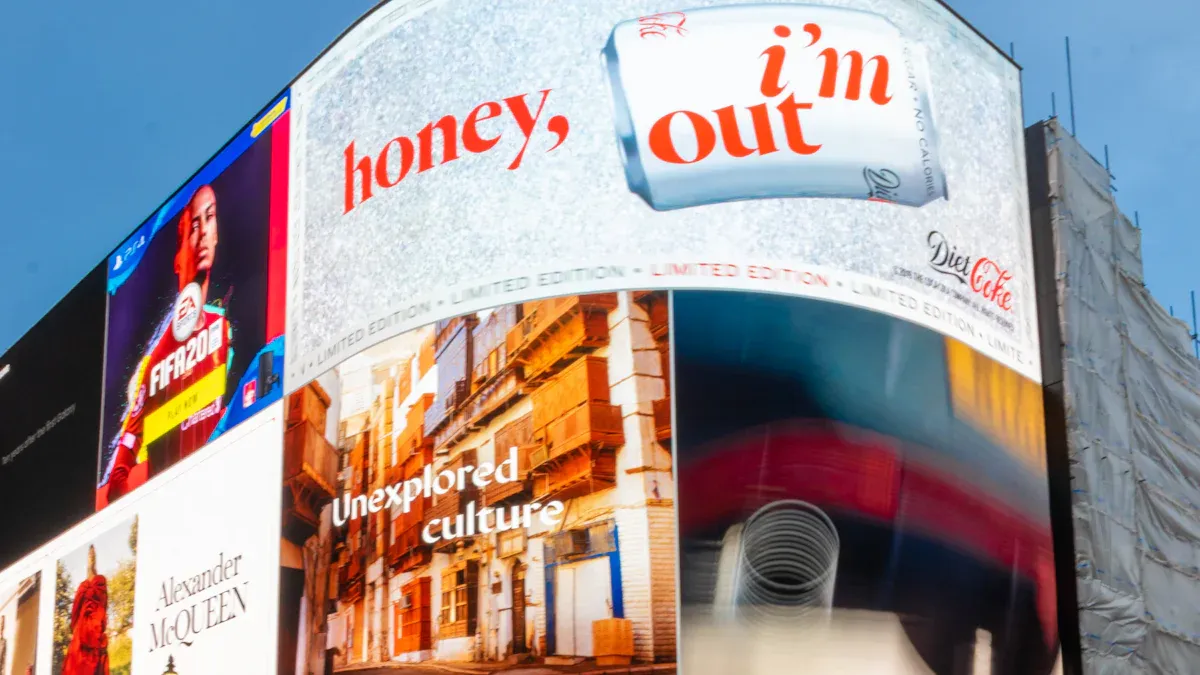
A digital poster, which is an electronic screen that shows moving and interactive content, is a modern way to communicate. So, what is a digital poster? You can use it to share videos, animations, and live information, effectively grabbing people’s attention. Over the last ten years, digital posters have evolved from simple print posters into powerful tools for sharing messages and engaging audiences. Today, you can find digital posters in schools, hospitals, and stores. In fact, stores that utilize digital posters experience up to a 24% increase in visitors. Additionally, 70% of U.S. hospitals have adopted digital communication systems. These digital posters not only help you connect with others but also save resources and allow for immediate updates of information.
Key Takeaways
Digital posters show content on screens. The content is interactive. This makes information fun and simple to change.
They are useful tools in many places. You can find them in schools, hospitals, and businesses. They help people talk and save resources.
You can update them quickly with real-time changes. Remote access lets you change messages fast. This keeps messages new and important.
You can customize digital posters. This helps match your brand and audience. Your message will be easy to notice.
Digital posters help more people see your message. They make people pay attention and remember information better. This leads to more audience interaction.
What is a digital poster
Definition
If you ask what a digital poster is, you want a simple answer. A digital poster uses a screen to show information instead of paper. It can display videos, animations, and interactive parts. You can touch, swipe, or click to see more details. Traditional posters do not change after printing. Digital posters can update their content anytime. They stand out with bright colors, moving pictures, and sound. You see them at conferences, schools, and stores. The design makes information easy to read and interesting. Experts use new layouts like #BetterPoster to make digital posters better for sharing messages.
A digital poster uses technology and creativity to share messages in a modern way.
How it works
You may wonder how a digital poster works. It starts with a screen, like an LCD or LED monitor. The screen connects to a media player that sends content to the display. Management software controls what shows up on the screen. You can update, schedule, or monitor the poster from anywhere. Design tools like Canva or Piktochart help you make the visuals. Many digital posters use a content management system to handle many screens. Cloud dashboards let you update posters in different places without being there. Some digital posters use smart technology to change content based on the environment or how many people are nearby.
Aspect | Description |
|---|---|
Content Management System | Lets you control many screens and keep them connected. |
Remote Control Capabilities | Lets you update, schedule, and monitor posters from anywhere using the cloud. |
IoT Integration | Changes content based on light, audience size, or other factors for better engagement. |
Common uses
Digital posters are used in many places because they are flexible. Businesses use them for ads, showing products, or sharing brand messages. At events, digital posters guide visitors, show schedules, or highlight sponsors. In schools, teachers use digital posters for lessons, research, or news. Airports and hospitals use digital posters for updates and safety messages. These posters show images, videos, and animations, making them more interesting than regular posters. You can update them quickly, which saves time and money. Digital posters are good for campaigns, announcements, and interactive learning.
Digital posters help brands reach more people and build awareness.
Schools use digital posters to make learning visual and fun.
Hospitals and public places use digital posters for fast, clear communication.
A digital poster is more than just a screen. It is a strong tool that changes how you share and get information today.
Key features of digital posters
Interactivity
When you use digital posters, you can interact with them. You can touch, swipe, or click to find information. You can rate things, search topics, or pick categories. Many posters have QR codes or touchscreens to make it more fun. You can zoom in, add videos, or see clear pictures. These features help you connect with the poster and learn more.
Interactive Feature | Description |
|---|---|
QR codes or touchscreens | Make the guest experience better |
Live updates and directions | Help users avoid confusion |
Integration with social media feeds | Keep students up to date with campus activities |
Interactive wayfinding posters | Make staff help less needed |
Visually appealing dashboards | Make data easier to see and use |
Studies show digital posters with interactivity make learning fun. You enjoy using them and talk about content with friends. Multi-touch screens are easy and useful.
Multimedia content
Digital posters use different types of media to get your attention. You see pictures, videos, animations, and news feeds. QR codes link you to more online resources. These features make information clear and interesting. You can watch videos, see animations, or read updates right on the screen.
To use multimedia content, you need the right tools. Screens like LCD or LED, media players, and special software help show and manage content. Wireless connections like Bluetooth and Wi-Fi make updates simple.
Category | Description |
|---|---|
Hardware | Screens and media players show content |
Software | Special software manages and improves displays |
Connectivity | Wireless or wired connections for devices |
Real-time updates
Digital posters let you update information right away. You can change messages fast, so they stay up to date. Digital signage helps you share news that matters now. You reach more people and keep everyone informed. You can make messages for different groups, which helps people pay attention.
Real-time scheduling keeps content new and important.
Cloud systems let you update posters from any device.
Phones and tablets give you control wherever you go.
Remote access
Remote access is an important feature for digital posters. You can control posters from anywhere, which saves time and work. Businesses use remote access to manage ads in many places. As your network grows, remote management gets more useful. You can handle many screens easily. LED poster systems use remote access for simple control.
Customization
Customization lets you make digital posters fit your needs. You can add logos, pick screen sizes, and change content for different uses. You can use posters as guides, event signs, or emergency notices. Customization makes your message clear and nice to look at.
Feature | Description |
|---|---|
Branding | Add company logos or keep the design simple |
Screen Size | Pick sizes for different display needs |
Dynamic Content | Change content as needed for different uses |
You can change text, plan layouts, and add artistic styles. Backgrounds can be plain or custom. Customization helps you make posters that fit your goals and audience.
Additional benefits
Digital posters are good for the environment. You save paper and make less waste. You update information fast, which saves money and resources. You can change content without printing new posters. These features make digital posters smart and efficient.
Tip: Digital posters help you share messages quickly, save resources, and reach more people.
Why digital posters matter
Advantages over traditional posters
There are many reasons why a digital poster is better than a traditional poster.
You can use animations and videos to make your message look cool and interesting.
You can change the information right away without printing new posters.
Over time, you save money, even if the first setup costs more.
Digital posters use less paper and ink, which is good for the planet.
Clickable links and QR codes make your poster fun and interactive.
Digital signage gets four times more views than regular signs. People remember digital information 83% of the time, which is almost twice as much as with normal posters. LED displays are easier to see and last longer, so your ads work better for a long time. Bright pictures and moving images grab attention fast and keep people watching.
Digital posters cost less and are easier to take care of.
You can update them right away, which saves time and money.
The first cost is higher, but updating the software is simple and cheap.
Impact in communication
A digital poster changes how you share news and ideas. Poster making machines help groups make big, high-quality prints that stand out. These tools make your message easy to see and remember. You can use a digital poster to help people talk and learn in schools, offices, and public places. Simple messages on digital posters help people remember what they see. If you leave a digital poster in one spot for a long time, people look at it often, which helps them learn and feel good about the message.
Role in education
Digital posters are important in classrooms. They help students pay attention and remember main ideas. Digital posters make learning fun and match the subject or teacher’s style. Changing posters often keeps lessons new and exciting. Digital posters also save paper and let teachers share news right away.
Evidence Description | Key Findings |
|---|---|
Digital signage makes classroom talks better | Students pay more attention and join in because of bright screens and fun features. |
Teachers think digital posters work better than old ways | Students learn more when they see pictures and videos. |
Digital posters give updates right away | Students know about schedule changes and events quickly. |
Interactive posters get more attention than still ones | Moving pictures and videos are more fun for students. |
Marketing benefits
You can use a digital poster to help your business grow. It makes a strong first impression and gets people’s attention fast. You can use digital posters on websites, in emails, and on social media. It is easy to change the content for different places. Digital posters help your brand look the same everywhere. You can print them or share them online.
Benefit | Description |
|---|---|
Makes people notice right away | Digital posters stand out and get attention fast. |
Good for many platforms | You can use them on websites, emails, and social media. |
Easy to change for different uses | You can use the same content in many ways without losing its power. |
Keeps your brand looking the same | Digital posters help your brand look the same everywhere. |
Works online and in print | You can print digital posters or use them on screens. |
A gym got 20% more members after using digital posters for ads. Digital poster boards show business names and logos, which helps people remember the brand. When your brand looks the same everywhere, you can make 33% more money. Digital signs get four times more views and people remember them 83% of the time. Fun pictures and videos can make people buy things on the spot 19% more often. Digital standee kiosks show videos and animations, which help people remember your business. You can make a great-looking poster that stands out and gets results.
Creating digital posters
Tools and platforms
There are lots of ways to make digital posters. Many tools give you templates that look professional. Canva has many templates and lets you drag and drop things easily. Adobe Spark helps you add videos and animations to your poster. ThingLink lets you put in interactive content for more learning. Piktochart is good for showing data and making infographic posters. Glogster mixes different types of media for your poster. Postermywall has templates you can change, plus animation and video choices. Google Slides is great for group work and making posters together. Prezi uses zooming to make posters more fun and interactive. Smore makes digital posters that look like newsletters. These tools give you design help, remote access, and software to show your posters the right way.
Design tips
You can make your digital posters better by using some simple rules. Pick templates made by experts to save time and look good. Keep your main message short, about seven words, so it is clear. Use big, bold fonts that are easy to see from far away. Add good pictures or graphics that match your brand. Make sure your words and pictures stand out from the background. The table below shows important design rules:
Principle | Description |
|---|---|
Simplicity | |
Readable Fonts | Use large, bold fonts for easy reading. |
Striking Visuals | Add images or graphics that fit your brand. |
Strong Contrast | Make text and visuals stand out from the background. |
Templates can help you set up your poster and make it look nice. Design tools let you change colors, fonts, and pictures for the best look.
Best practices
You should use best practices to keep your digital posters useful and looking good. Balance your design using the rule of thirds to make it look even. Pick fonts that match your message and are easy to read from far away. Use clear, high-quality pictures that go with your words. Leave empty space to stop your poster from looking messy and to help people focus. Check if your poster is easy to see and read in different places. Ask others what they think to make your poster better. Use expert templates to keep your posters looking the same and easy to update. Digital signage software helps you control your posters and make them look their best. Remote control saves you time and work. Always check how big your file is and how much space you need for your poster.
Tip: Use expert templates to make digital posters faster and better. 🎨
A digital poster gives you a smart way to share ideas. You can use videos, pictures, and live updates to grab attention. You control your message from anywhere. Digital posters help you save time and resources. They work well in schools, stores, and events. Try making your own digital poster. You will see how easy it is to connect with others and share what matters most.
Start your first digital poster today and make your message stand out! 🚀
A digital poster is an electronic display that shows visual content – such as images, videos, text, or animations – on a screen instead of printed paper. Unlike traditional posters, digital posters can be updated remotely, scheduled to change over time, and often incorporate motion and interactivity.
They are used in retail windows, lobbies, trade shows, restaurants, corporate offices, schools, and public spaces. Common examples include digital menu boards, lobby welcome screens, animated sale signs, and social media walls.
Why Does a Digital Poster Matter?
Digital posters matter because they solve the major limitations of printed paper while adding new capabilities that drive engagement, save money, and improve communication.
1. Superior attention capture
Movement, video, and brightness are naturally more eye‑catching than static ink on paper.
Studies show that digital signage is noticed by 4x more people than static posters, with 83% recall compared to 47% for print.
2. Real‑time updates & agility
Change a price, correct a typo, or update an event time instantly from any computer or smartphone.
No reprinting costs, no wasted inventory, no waiting days for delivery.
3. Cost savings over time
Printing large format posters can cost tens to hundreds of dollars per poster – especially if changed weekly.
A digital poster requires a one‑time screen investment and very low electricity cost, with near‑zero marginal cost per content change.
4. Scheduling (Dayparting)
Show breakfast menu from 6‑10 AM, lunch menu from 11 AM‑2 PM, and a happy hour menu in the evening – all automatically.
Printed posters would need three separate prints and manual replacement each day.
5. Reduced waste & environmental impact
Paper posters are used briefly and then thrown away. Digital posters eliminate this waste – no paper, no ink, no shipping.
6. Interactivity (optional)
Touchscreens allow viewers to explore product details, check availability, or sign up for events – impossible with paper.
7. Brand consistency across locations
A chain of stores or campuses can ensure every location shows the same professional content at the same time, from a single online dashboard.
8. Integration with live data
Display real‑time weather, stock quotes, flight status, social media feeds, or countdown timers for sales – dynamically updated.
9. Accessibility
Fonts, colours, and contrast can be designed for readability. Text‑to‑speech or QR‑to‑phone options can assist visually impaired viewers.
When Do Digital Posters Matter Most?
Scenario | Why Digital Poster Matters |
|---|---|
Fast‑food drive‑thru | Dynamic upselling, real‑time inventory, daypart menus – increases average order value. |
Airport / train station | Instant gate changes, delay notifications, wayfinding. Printed signs would be obsolete immediately. |
Retail promotion | Weekly or daily specials changed without printing new signs. QR codes lead to online sales. |
Corporate lobby | Welcoming visitors, showing KPIs, company news – creates a modern, agile image. |
Education campus | Event changes, exam schedules, emergency alerts – reaches students instantly. |
The Bottom Line
A digital poster is not just a fancy electronic picture frame. It is a dynamic communication tool that saves money, grabs attention, adapts instantly, and scales across many locations. In a world where speed and engagement matter more than ever, digital posters have become an essential upgrade from static paper. Whether you run a single coffee shop or a global enterprise, digital posters help you deliver the right message at the right time – without waste or delay.
FAQ
What is a digital poster?
A digital poster puts information on a screen. You can watch videos and see pictures. Words can move across the screen. You can touch or click to find out more. Digital posters are a new way to share messages.
Where can you use digital posters?
Digital posters can be used in many places. You might see them in schools, stores, or hospitals. People also use them at events. They are good for teaching, ads, and sharing news.
Tip: Digital posters work well in lots of places.
How do you update a digital poster?
You use software to change what is on the poster. You can do this from your computer or phone. You do not have to print anything new.
Update whenever you want
Save time and materials
Are digital posters eco-friendly?
Digital posters do not need much paper or ink. This helps the planet by making less trash.
Benefit | Description |
|---|---|
Less waste | No paper is needed |
Fast updates | No printing needed |
Can you customize a digital poster?
You can put your logo on the poster. You can choose colors and change how it looks. This helps the poster fit what you want.
Note: Customizing your poster makes your message special.
See Also
Understanding Digital Signage And Its Importance Today
Exploring The World Of Digital Signage Solutions
Innovations In Digital Signage Technology To Expect In 2026
