What Are Digital Signage Displays and How Do They Work
Add.: 2F, Bldg 10, Changfeng Industrial Park, Dongkeng, Fenghuang, Guangming, Shenzhen, China 518132
Mobile/WHATSAPP: 86-138 25769658
Email: marketing@topadkiosk.com topadkiosk@gmail.com
Skype: pghenry1
Wechat: adkioskhenry
English Web.: https://www.topkioskdisplay.com/
http://www.ad-kiosk.com/
https://www.toplcddisplay.com/
http://www.multitouchdigitalsignage.com/
https://www.youtube.com/channel/UCYVYNJHxLVEcQD8fuUxXNTA/videos?view_as=subscriber
https://www.facebook.com/TOPADKIOSKSHENZHEN/?ref=bookmarks
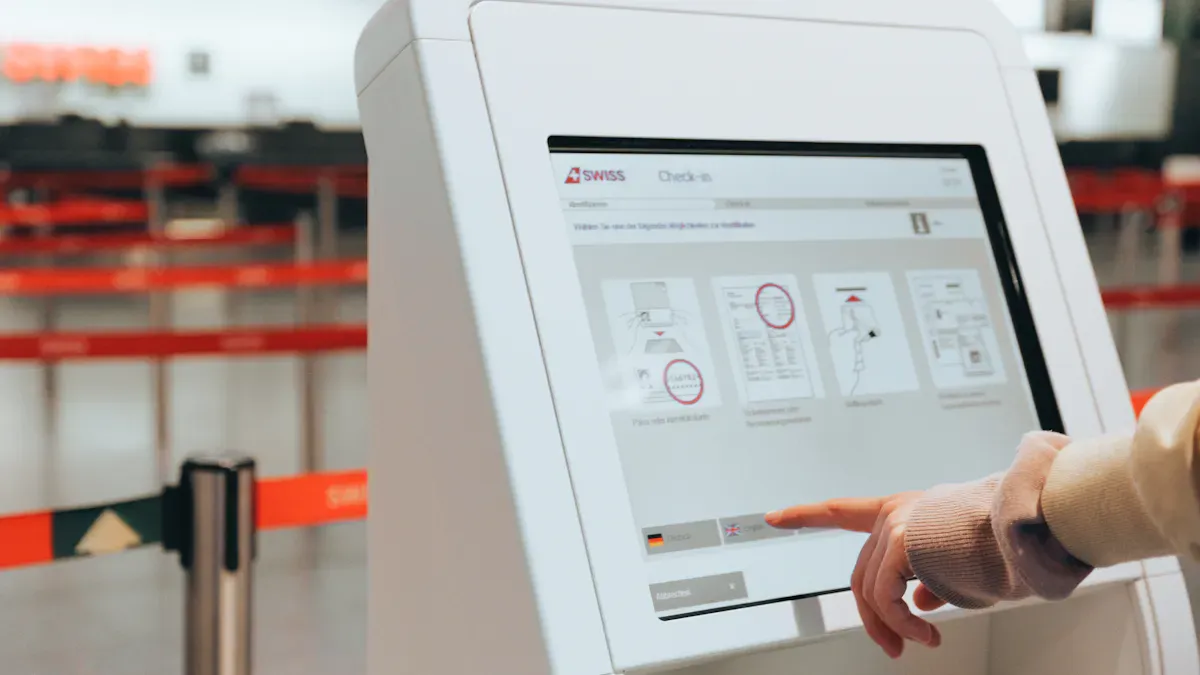
Digital signage displays are big screens that show information to people.
Many people call them digital signs or electronic signage.
These systems have parts that work together. They let you share things like pictures, videos, or messages fast.
Digital signage takes the place of posters that do not change. The screens can be updated with cloud tools and new technology. Lots of businesses use these screens to get attention and help people join in. Learn more at https://www.topkioskdisplay.com/.
Key Takeaways
Digital signage displays are screens that show changing things like videos and messages. They take the place of posters and can be updated fast.
You can control digital signage with a content management system. This lets you change what is shown from anywhere. It saves time and effort.
Digital signage is more interesting than old signs. It uses bright colors and moving pictures to grab attention. It helps businesses talk to people better.
Pick the right kind of digital signage for your needs. Think about where you will put it, how people use it, and how you manage content. This helps make it work best.
Update your content often to keep it new and useful. Use clear messages and good pictures to reach your audience.
What Are Digital Signage Displays

Definition and Key Features
You can see digital signage displays in lots of places now. These are screens like LCDs, LEDs, TVs, kiosks, or e-paper. They show information that changes often. People use them to share news, ads, directions, or other digital signage content. These screens update fast and can show videos, pictures, or live data. Old signs cannot do this.
Digital signage displays are special because they have cool features. Here is a table that explains what makes them different:
Feature | Description |
|---|---|
Panel Types | IPS, VA, TN, QLED, Mini-LED, dvLED, OLED, AMOLED, MicroLED, E-paper, DLP, LCoS |
Brightness | Indoor screens: 350-700 nits; Outdoor screens: 2500-5000+ nits for clear viewing |
Contrast Ratio | OLED and dvLED give deep blacks; QLED and Mini-LED boost LCD performance |
Viewing Angles | IPS panels keep colors true from many angles, so more people can see clear images |
Durability | Commercial screens last 50,000-100,000 hours; outdoor models have weather protection |
Integrated Players | Many screens have built-in systems for easy content management |
Pixel Pitch | Smaller pixel pitch means sharper images up close, but can cost more |
Refresh Rate | High rates (120 Hz+) make videos smooth and reduce blur |
HDR and Color Gamut | Supports vivid colors and future-proof content |
You can control digital signage displays with special software. This is called a content management system. It lets you plan, change, and manage what shows on the screens from anywhere. You do not have to be near the screen to change things. This makes digital signage solutions very useful for many jobs.
Tip: When you make your content, think about how it will look on different digital display screens. Brightness, color, and size help get people’s attention.
Digital vs. Traditional Signage
You may wonder how digital signage is different from old signs. Here are some main differences:
You can change digital signage right away. You do not need to print new posters.
Digital signage lets you use videos, animations, and things like touchscreens or QR codes. Old signs cannot do this.
You can set digital signage content to show at certain times. This helps you reach different people during the day.
Digital signage displays stand out with bright colors and moving pictures. People remember what they see on these screens more than on paper signs.
Evidence Description | Details |
|---|---|
Enhanced Recall Rate | Digital signage has a recall rate of 83%. People remember what they see. |
You can find digital signage in public and private places. In public, you see them in malls, airports, bus stations, and city centers. In private places, businesses use them in offices, schools, and hospitals. These screens help share important news, show products, or guide visitors. Digital signage also helps cities make money by renting ad space on big screens.
Digital signage helps more people see and join in with fun content.
It gives real-time updates and lets viewers interact.
Videos on digital signage can help sell more and make brands stronger.
Digital signage displays give you more control and let you do more than old signs. You can reach more people, share better content, and keep your messages new and interesting.
How Digital Signage Displays Work
Main Components
You need a few main parts for digital signage to work. Each part does something important. Most digital signage displays have these parts:
Content management systems
Network connectivity
The display screen is what people look at. It shows the digital signage content. You might use an LCD, LED, or a touchscreen. The media player keeps and sends content to the screen. It connects your content to the display. The content management system, or CMS, lets you pick what shows on each screen. You use it to make, plan, and change content. Network connectivity helps all the parts work together. This is helpful if you want to control many screens from one place.
Tip: When setting up digital signage, make sure each part fits your needs. Outdoor screens should be brighter and stronger than indoor screens.
Content Delivery and Management
You control what shows on your digital signage with content management. This means making, planning, and changing content. You can use a CMS to make new messages, upload videos, or design slides. The CMS sends your content to the media player. The media player puts it on the screen.
Here is how the system works:
Functionality | Description |
|---|---|
Content Management | You can make, upload, and control multimedia content for displays. |
Scheduling | You choose when and where content shows on your network. |
Monitoring | You check the health and status of screens and media players. |
Analytics | You collect data about hardware, software, and how people use the displays. |
You should think about your content plan. For example, you can set a schedule for different messages at different times or places. Short messages are best for people who move fast, like in a train station. You can change content every day, week, or month. This depends on what you want to share. Changing content often keeps your digital signage fun and new.
Cloud-based content management systems make things easier. You can change content right away and control many screens from one place. You do not have to go to each screen to make changes. This saves time and keeps your digital signage working well.
Note: Cloud-based systems help you control digital signage in many places. You can update, plan, and check everything from your computer.
Networked vs. Standalone Systems
You can set up digital signage as a networked system or a standalone system. Each type has good and bad points.
Feature | Standalone Systems | |
|---|---|---|
Content Management | Uses a CMS for remote updates | Uses local storage (USB, internal memory) |
Best Use Case | Good for places with lots of content changes | Good for places where content does not change much |
Networked systems let you control many screens from one spot. You can change content fast and manage everything from far away. This is good if you need to change messages a lot or have many places. You get more choices and can save money over time. But you need good internet and must keep your system safe from hackers.
Standalone systems are best if you do not need to change content often. You put content on the media player with a USB drive or memory. This setup is simple and does not need the internet. But you have to visit each screen to make changes, which takes more time.
Tip: Pick a networked system if you want to change content a lot or control many screens. Choose a standalone system for simple setups that do not need many changes.
Digital signage displays give you many ways to share information. You can choose the setup that works best for you. You can control one screen or hundreds. With the right tools, you can keep your digital display fun, interesting, and helpful for your audience.
Types and Uses of Digital Signage
Indoor and Outdoor Displays
Digital signage is found in lots of places. Some screens are made for inside spaces. Others are built to work outside. Indoor screens are used in malls, offices, and restaurants. Outdoor screens are good for billboards, bus stops, and stadiums. You must pick the best screen for your space.
Display Type | Description | Common Applications |
|---|---|---|
Shows clear pictures and nice colors. Most people can afford them. | Malls, retail stores, offices | |
LED Displays | Very bright and easy to see outside. | Outdoor ads, events |
OLED Displays | Thin screens with rich colors and quick changes. | High-end retail, immersive spaces |
Indoor Signage | Shares info in safe places like inside buildings. | Restaurants, malls, offices |
Outdoor Signage | Handles sun, rain, and wind. Stays bright in daylight. | Billboards, transport hubs |
Outdoor screens must handle bad weather. They can take sunlight, rain, snow, and strong winds. They work in cold and hot temperatures, from -20°F to over 110°F. You do not have to worry about humidity or dust because the screens are sealed.
Tip: Pick outdoor digital signage if you want your content seen outside, even when the weather is bad.
Interactive Screens and Video Walls
Interactive screens let you touch, swipe, or use your phone to see content. You can use these screens for kiosks, finding your way, or looking up products. Video walls use many screens to make one big picture. These walls stand out in busy places.
Interactive screens help you check in, find things, or answer surveys.
You can use gestures or your phone to control what you see.
Video walls show big ads or news in airports and shopping centers.
Some screens use 3D or augmented reality to make things more fun.
Interactive digital signage helps you connect with people. You can get feedback, show special offers, or see how people use your screens. This makes your content stronger and helps you improve your messages.
Common Applications
Digital signage displays are used in many fields. Here are some ways you might see them:
Environment | Application Type | Description |
|---|---|---|
Retail | Show menus, deals, and nutrition facts in restaurants. | |
Retail | Video Walls | Use big screens for ads and product launches in busy stores. |
Corporate | Internal Communications | Share news, updates, and goals with employees. |
Education | Campus Alerts | Post event schedules and safety alerts for students and staff. |
In schools, digital signage shows class times and event reminders.
In offices, you can see updates and company news right away.
In stores, digital signage helps sell new products and makes shopping more fun.
You can use digital signage for kiosks, catalogs, or feedback forms. Content for these screens can be videos, slides, or interactive tools. You can also use audience data to make your content better and more helpful.
Note: Digital signage solutions help you share the right content with the right people at the right time.
Benefits and Considerations
Key Advantages
Digital signage has many good points for your business. It helps you talk to people and share updates fast. You do not need to print new signs all the time, so you save money. Digital signage lets you show fun content that keeps your audience interested.
You can tell people about sales and events quickly.
Videos and bright pictures help keep customers watching.
You can show important alerts or memos right away.
Digital signage is important for urgent messages. It helps people know about emergencies or safety news fast.
Many companies sell more after using digital signage. Studies say 80% of brands see more sales with digital signage. You can also spend less on printing and admin work, saving up to 50%. Digital signage lets you control lots of screens at once. This makes updates easy and quick.
Choosing a System
When picking digital signage displays, think about a few things. The best digital signage solution depends on what you need and want. Use this table to compare your choices:
Factor | Description |
|---|---|
Display Type and Size | Choose the right screen type and size for your space. |
Content Management System | Pick a system that is simple and lets you update content fast. |
Location and Placement | Put screens where people will see them most. |
Interactivity Options | Touch screens or QR codes make your content more fun. |
Customization | Make sure your screens look like your brand. |
Cost and ROI | Think about the price and how much you will save later. |
Integration | Check if the system works with your other tools. |
Network and Security | Good networks and security keep your screens safe. |
Maintenance | Plan for regular checks and support. |
Think about how easy the system is to use and if it can grow with your business. Some systems can get bigger as your business grows, so you do not have to change later.
Content Management Tips
Managing your content well helps you get the most from digital signage. Start by making clear goals for your content. Know who will see your screens and design content for them. Use good pictures and short messages. Keep your branding the same on every screen.
Make a calendar to plan when you update content.
Use tools to automate updates and save time.
Change your content often so it stays fresh.
Set end dates for promotions so old offers do not show.
Look at data and feedback to make your content better.
A strong content management system lets you update screens from anywhere. You can group screens and send content to the right place. Cloud-based systems help you manage many screens easily and avoid mistakes.
Tip: Always check your content to make sure it is clear, up-to-date, and fits your goals.
Digital signage displays let you show ads, news, and updates. The screens are bright and you can touch or use them. You can change what is on the screen right away. This means you do not waste paper or time. You can talk to people in new ways.
Why Choose Digital Signage? | What You Gain |
|---|---|
Fast content changes | More customer engagement |
Energy-efficient screens | Lower costs and less waste |
Interactive features | Better communication |
You can use digital signage displays in any kind of business. Check out more resources to learn how these tools can help you.
Digital Signage Displays: A Complete Guide for 2026
Digital signage displays are the visual bridge between you and your audience. In 2026, the choice of this "canvas" is more diverse than ever, featuring not only different display technologies but also advanced capabilities like AI integration and cloud management. Understanding these core technologies and key specifications will help you make an informed purchasing decision.
🖼️ Core Display Technologies Compared
Technology | Key Features & Characteristics | Best Applications | Cost‑Effectiveness & Durability |
|---|---|---|---|
LCD (Liquid Crystal Display) | LED‑backlit technology common; reliable brightness and excellent resolution. Lower contrast due to backlight limitations. | Indoor applications: retail stores, offices, conference rooms, classrooms – controlled lighting environments. | Highest: mature technology, affordable pricing, the go‑to choice for most indoor commercial use. |
Direct‑View LED | Self‑emissive pixels; ultra‑high brightness (>5,000 nits), superior contrast, no burn‑in risk. | Outdoor & large‑format: billboards, sports stadiums, transportation hubs – long viewing distances and high brightness required. | Moderate to High: higher upfront cost, but long lifespan (~100,000 hours) and low long‑term maintenance, ideal for harsh outdoor conditions. |
OLED (Organic LED) | Each pixel emits its own light; perfect blacks, infinite contrast, ultra‑wide viewing angles, extremely thin design. | Premium indoor displays: luxury retail, high‑end brand showcases, indoor venues demanding the best image quality. | Lower: expensive, burn‑in risk (not suitable for static content over long periods). |
Emerging / Specialty | - e‑Paper: ultra‑low power, flexible placement | Niche applications: sustainability‑focused projects, high‑transparency needs, innovative flagship installations. | Varies by technology. |
Brand references: Major brands include Samsung, LG, NEC, Sony, ViewSonic, DynaScan, etc. For example, Samsung QMC series for indoor retail, LG UH5N series optimised for bright environments, and DynaScan as a specialist in high‑brightness outdoor displays.
🔑 Five Key Specifications & Industry Data
1. Brightness (Nits) – The Most Critical Factor for Visibility
Brightness determines how well your display performs in different lighting conditions. Under‑specifying brightness can make your content completely invisible.
Standard indoor (350–500 nits) – Controlled lighting in offices or shops.
Bright indoor (700–1,500 nits) – Window‑facing or mall environments with strong ambient light.
Outdoor shaded (1,500–2,500 nits) – Under awnings or semi‑outdoor areas.
Outdoor direct sunlight (2,500–5,000+ nits) – Mandatory for true outdoor deployment to ensure content remains legible.
2. Resolution – Image Clarity & Detail
Resolution determines sharpness and detail. Choosing the right resolution for your viewing distance balances cost and visual quality.
Resolution | Total Pixels | Common Name | Recommended Minimum Viewing Distance |
|---|---|---|---|
1920×1080 | ~2 million | Full HD | > 2 metres (6 feet) |
2560×1440 | ~3.7 million | 2K, QHD | > 1.2 metres (4 feet) |
3840×2160 | ~8.3 million | 4K, UHD | > 1 metre (3 feet) |
3. Run Time & Durability – Commercial vs. Consumer Grade
Consumer TVs are designed for a few hours of daily use. Commercial‑grade displays are built for 24/7 continuous operation. They typically come with longer warranties (3–5 years) and support portrait orientation mounting.
4. Pixel Pitch – Viewing Distance for LED Displays
For direct‑view LED displays, pixel pitch (measured in mm) determines the optimal viewing distance. The industry‑accepted "10× rule" is:
Minimum viewing distance (feet) = Pixel pitch (mm) × 10
5. Lifespan – Long‑Term Investment Value
Commercial display lifespan is typically measured as the time until brightness degrades to 50% of its original value.
Commercial‑grade LCD: ~50,000 – 60,000 hours
Direct‑view LED & high‑end LCD: Up to 100,000 hours (equivalent to 11+ years of continuous use)
📈 Cost Reference: Budgeting for Commercial Displays
The total cost of ownership (TCO) goes far beyond the hardware itself. Outdoor equipment typically costs 3–5 times more than indoor equivalents.
Category | Description | Estimated Cost (USD) |
|---|---|---|
Indoor Basic | 32–55″ commercial display, 350–500 nits, for standard environments | $800 – $2,500 per unit |
Indoor Pro | 55–86″ high‑brightness commercial display, 700–1,500 nits, for bright environments | $2,500 – $6,000+ per unit |
Outdoor Pro | 46–65″ high‑brightness (>2,000 nits) weatherproof display, for direct sunlight | $6,000 – $15,000+ per unit |
LED Video Wall | Per square metre, P2.5–P4 pitch, for premium retail or lobbies | $2,000 – $5,000+ per m² |
CMS Software | Cloud‑based content management for remote control and scheduling | $10 – $50+ per screen/month |
Installation & Cabling | Mounting, cable routing, and integration | $500 – $2,000+ per site |
💡 2026 Purchasing Action Plan
Define your business goals & use case – Retail promotion? Corporate communication? Transportation wayfinding? Clear objectives guide every subsequent decision.
Calculate total cost of ownership (TCO) – Don't focus only on hardware. Include software subscriptions, maintenance, electricity, and other operating costs over a 5‑year period.
Monitor emerging trends – Evaluate the potential of AI‑driven personalisation, automated content creation, energy‑efficient e‑Paper, transparent displays, and other innovations for 2026.
Pilot before scaling – Run a small‑scale trial before full deployment. This avoids major risks such as incorrect specification choices.
Commercial displays are a long‑term investment. Understanding the technology options, key specifications, and cost structure will help you make sound decisions and ensure your digital signage project succeeds in 2026 and beyond.
FAQ
What is a digital signage display?
A digital signage display is a screen for showing digital content. It can show videos, pictures, or messages. You can use it to share news fast in many places.
How do you update content on digital signage displays?
You use software called a content management system, or CMS. This tool lets you add, plan, and change what is on the screen from your computer. You do not have to stand by the screen to do this.
Can digital signage displays work outdoors?
Yes, you can use digital signage displays outside. Outdoor screens are made brighter so people can see them in sunlight. They are strong and can handle rain, snow, and hot or cold weather.
Are digital signage displays interactive?
Some digital signage displays let you touch the screen or scan QR codes. These features help you find information, answer questions, or get special deals.
See Also
Understanding Digital Signage And Its Importance Today
Steps To Properly Install Digital Display Signage
Exploring The World Of Digital Signage
