What Is Typically Covered Under Warranty for Commercial LCD Kiosks
Add.https://www.youtube.com/watch?v=-kv2cEOk1lM: 2F, Bldg 10, Changfeng Industrial Park, Dongkeng, Fenghuang, Guangming, Shenzhen, China 518132
Mobile/WHATSAPP: 86-138 25769658
Email: marketing@topadkiosk.com topadkiosk@gmail.com
Skype: pghenry1
Wechat: adkioskhenry
English Web.: http://www.topadkiosk.com/
https://www.topkioskdisplay.com/
http://www.ad-kiosk.com/
https://www.toplcddisplay.com/
http://www.multitouchdigitalsignage.com/
https://www.youtube.com/channel/UCYVYNJHxLVEcQD8fuUxXNTA/videos?view_as=subscriber
https://www.facebook.com/TOPADKIOSKSHENZHEN/?ref=bookmarks
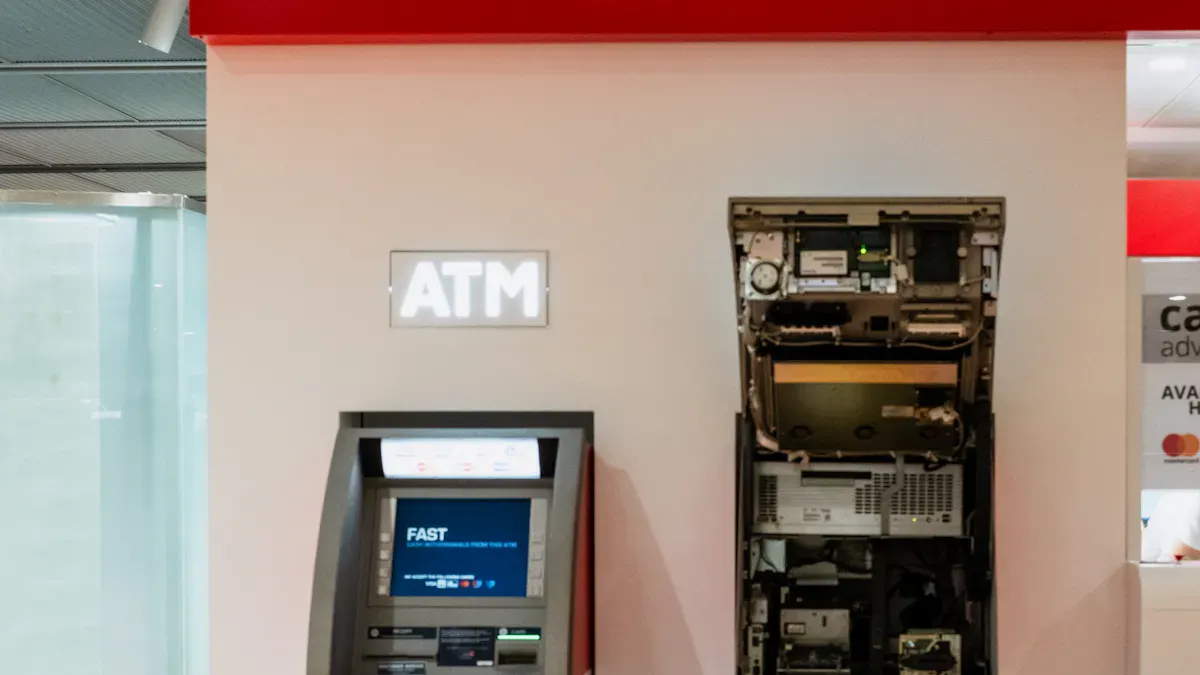
When you buy a commercial LCD kiosk, the warranty and support services for commercial LCD display kiosks help protect you. It covers problems with how the kiosk was made or built. Most warranties last from one to three years. They cover hardware, display screens, and computer parts. Warranty and support services often include fixing or replacing big parts. However, they do not cover damage from accidents or if you use it incorrectly. You should always look for things not covered before you buy. The table below shows common warranty types and what they cover for commercial kiosks:
Warranty Type | Typical Term | What’s Covered | Common Exclusions |
|---|---|---|---|
Standard OEM Warranty | 12 months | Parts & labor for major components | Consumables, accidental damage, software bugs |
Extended Warranty | Up to 3-5 years | Advance replacement parts, phone support | Consumables, improper operator use |
Service Contract | Multi-year + SLA | Preventive maintenance, remote monitoring | Wear & tear beyond contract, unauthorized modifications |
You can find more details about these warranty and support services for commercial LCD display kiosks from providers like http://www.topadkiosk.com/.
Key Takeaways
Learn about the kinds of warranties for commercial LCD kiosks. Each kind gives different help and coverage.
Look at what the warranty covers before you buy. Most warranties cover hardware and screen problems. They do not cover damage from misuse.
Keep records of maintenance and repairs. This helps when you need to use the warranty. It also makes sure you stay covered.
Follow the maker’s rules for using and caring for the kiosk. Using it right keeps your warranty safe. It stops the warranty from being canceled.
Think about getting extra warranties or service contracts. These choices give more protection. They can save you time and money on repairs.
Kiosk Warranty Types
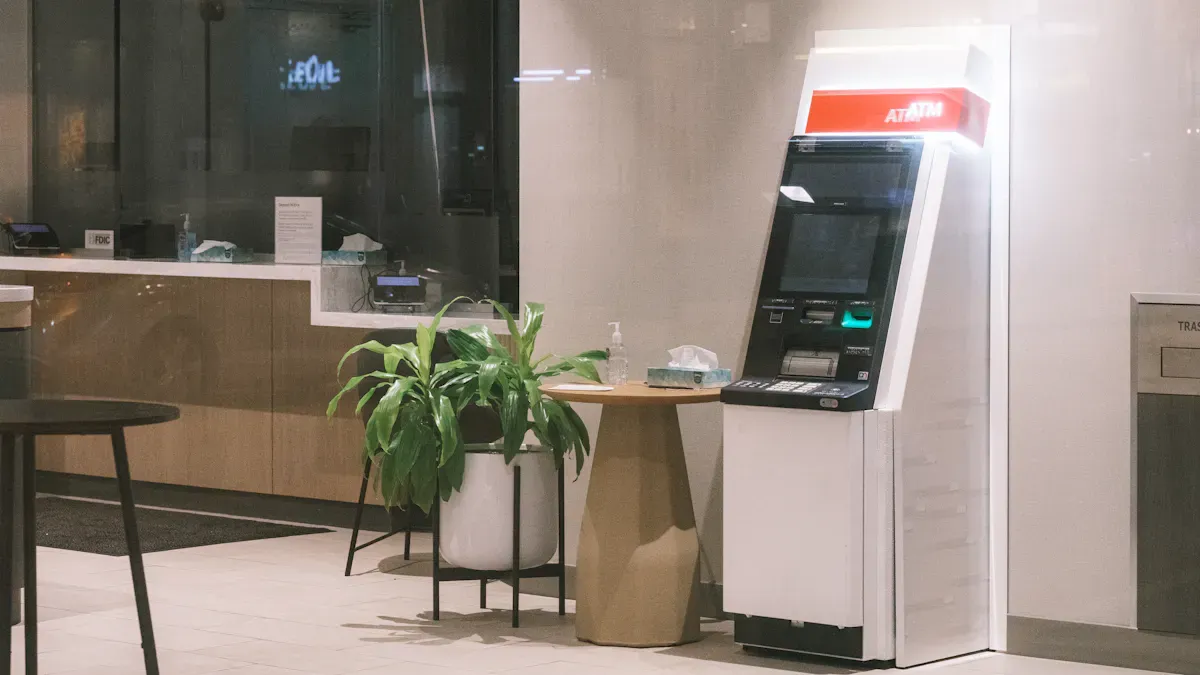
It is important to know about different kiosk warranty types. This helps you pick the best one for your commercial LCD kiosks. Each type gives you special benefits and covers different things. You should learn what each warranty includes before you choose.
Standard Warranty
Most commercial kiosks come with a standard warranty. This warranty protects you if something breaks or is made wrong. Many companies now give a three-year standard warranty, which is longer than just one year. The standard warranty usually covers big hardware parts and lets you get help from tech support. It does not include regular check-ups or maintenance. If your kiosk has a modular design, you can swap out broken parts easily. This can save you money on repairs after the warranty ends.
Tip: Always look at how long the warranty lasts and what parts it covers. A longer warranty means you will worry less about things breaking.
Extended Warranty
An extended warranty gives you more protection than the standard warranty. You can buy this extra coverage when you get your kiosk or before the first warranty ends. Extended warranties often pay for repairs or new parts that the first warranty does not cover. Some plans even pay you back for shipping or labor costs. Having an extended warranty can help your kiosk get fixed faster and save your IT team time. The table below shows how extended and standard warranties are different:
Aspect | Extended Warranty | Standard Warranty |
|---|---|---|
Component Quality | Consumer-grade components | Commercial-grade components |
Expected Lifespan | Designed for 1 year, often fails | Average lifespan of 4+ years |
Malfunction Rate | 50% chance of issues in 3 years | Lower malfunction rate |
Cost Implications | Higher costs due to anticipated failures | Lower costs, better reliability |
Time Consideration | Additional downtime and IT time required | Less downtime, quicker resolution |
Service Contracts
Service contracts give you extra help for your commercial kiosks. These contracts start when you buy your kiosk and might cover things like power surges or a "no lemon guarantee." Service contracts often include regular check-ups and remote watching. They are not the same as manufacturer warranties because they have their own rules and time limits. You should read the contract to see what is covered and what is not.
Note: Laws like the E-Warranty Act of 2015 and the Magnuson-Moss Warranty Act say that companies must make warranty details easy to find. You can look up warranty rules online or where you buy your kiosk.
You can pick the kiosk warranty type that works best for you. Compare what each covers, how long it lasts, and what support you get to keep your kiosk safe.
Warranty and Support Services for Commercial LCD Display Kiosks
Covered Components
It is important to know what parts the warranty covers. Most warranties protect the main hardware, computer parts, and the LCD display. Manufacturers say defects are problems that happen with normal use. If your kiosk has a defect, you can get it fixed or replaced for free. You must tell the company about the problem during the warranty period. You also need to show proof that you bought it. The warranty does not pay for damage from accidents or if you use it the wrong way.
Here is a table that explains how manufacturers talk about defects and warranty coverage:
Warranty Aspect | Description |
|---|---|
Definition of Defects | Problems or failures that happen with normal use. |
Coverage | Defects in the materials or how the product was made. |
Repair/Replacement Policy | Fixing or replacing broken units for free if reported in time. |
Conditions for Warranty Validity | You need proof of purchase. Warranty does not count if damage is from accidents or misuse. |
Some warranties also protect digital signage parts, like screens and housing. For example, The Display Shield gives up to seven years for housing and five years for the front shield. Other parts may only have a one-year warranty, like electrical parts.
Support Services
Warranty and support services for commercial lcd display kiosks give you technical help and repair choices. You can get help by phone, email, or online ticket. Many companies let you see product guides and a knowledge base. If your kiosk needs fixing, you might use a return-to-depot service. This means you send your kiosk to a repair center in the US or Canada during the warranty.
Here is a table that lists common support services:
Service Type | Description |
|---|---|
Three Year Warranty | Covers all kiosk hardware and computer parts, which is longer than most one-year warranties. |
Return-To-Depot Service | For products in the US or Canada, includes shipping during the warranty. |
Technical Support Options | Lets you use product guides, a knowledge base, and start a support ticket online. |
If you need help fast, some advanced warranties send a technician in 48 hours. You can also get remote checks and regular maintenance with service contracts. These services help your digital signage and kiosks work well.
Tip: Always follow the steps to make a claim. Give the right details and do what the company asks. This helps you get help faster.
Warranty Duration
Warranty and support services for commercial lcd display kiosks last for different times. Most standard warranties protect your kiosk for one to three years. Some companies give longer coverage for certain parts. For example, Havis gives five years for carts and kiosks without electrical parts and one year for those with electrical parts. The Display Shield gives seven years for housing and three years for other parts.
Here is a table that shows how long warranties last from top companies:
Manufacturer | Product Type | Warranty Duration |
|---|---|---|
Havis | Cart and Kiosk products (without electrical) | 5 years |
Havis | Cart and Kiosk products (with electrical) | 1 year |
The Display Shield | High molecular weight polyethylene housing | 7 years |
The Display Shield | Polycarbonate front shield | 5 years |
The Display Shield | All other components | 3 years |
Some advanced warranties give you faster help. You might get a technician in 48 hours or repairs in 3–7 business days. Always check what the warranty covers before you buy. This helps you plan for repairs and support.
Note: Some extra items, like payment devices, may only have a one-year warranty. Make sure you know what is covered for each part of your commercial kiosk.
You can trust warranty and support services for commercial lcd display kiosks to keep your investment safe. These services cover hardware, computer parts, and display screens. You get technical help, repair, and replacement options. How long the warranty lasts depends on the company and the product. Always read the warranty rules and follow the claim steps to get the best help.
Common Exclusions in Kiosk Warranty
When you check warranties for commercial LCD kiosks, you should know what is not included. Manufacturers list things that are not covered so you can see your risks. These rules help companies avoid paying for problems from accidents, misuse, or normal use over time.
Physical Damage
Physical damage is a very common thing not covered. If you drop your kiosk or hit it, the warranty does not pay for repairs. Manufacturers say physical damage means harm from bumps, bad handling, or moving it wrong. For example, LED modules are covered for dead pixels, but not if you hit them. Metal cabinets are safe from rust in normal use, but not from dents when you move the kiosk.
Component | Warranty Duration | Coverage Details | Exclusions |
|---|---|---|---|
LED Modules (Chips, PCB) | Covers dead pixels if there are many together. | Does not cover damage from hitting. | |
Metal Cabinet & Structure | 2 Years | Covers rust or bending in normal conditions. | Damage from moving or bad handling is not covered. |
Note: Always be careful with your commercial kiosk. If you break it by accident, the warranty will not help you.
Misuse and Neglect
Misuse and neglect also make your warranty not work. If you do not follow the rules or change things without asking, you lose coverage. Misuse can mean accidents, abuse, not caring for it, or blocking air flow. If your kiosk gets too hot or you change it without permission, the warranty will not pay for fixes.
Type of Misuse or Neglect | Description |
|---|---|
Accident | Damage from things you did not expect |
Abuse | Hurting it on purpose or using too much force |
Neglect | Not taking care of the product |
Improper Ventilation | Not enough air, so it gets too hot |
Unauthorized Modification | Changing it without asking or outside the rules |
Failure to Follow Instructions | Not doing what the guide says |
Tip: Read the guide and do what it says. Keep your commercial kiosk safe and do not change it without asking.
Limited Coverage for Touchscreens and Payment Devices
Touchscreens and payment devices usually have shorter warranties than other parts. Manufacturers give one year for mobile devices, but three years for all-in-one kiosks and touch monitors. Some parts like printers get four years, but single parts only get ninety days. You can see the differences in the chart below.
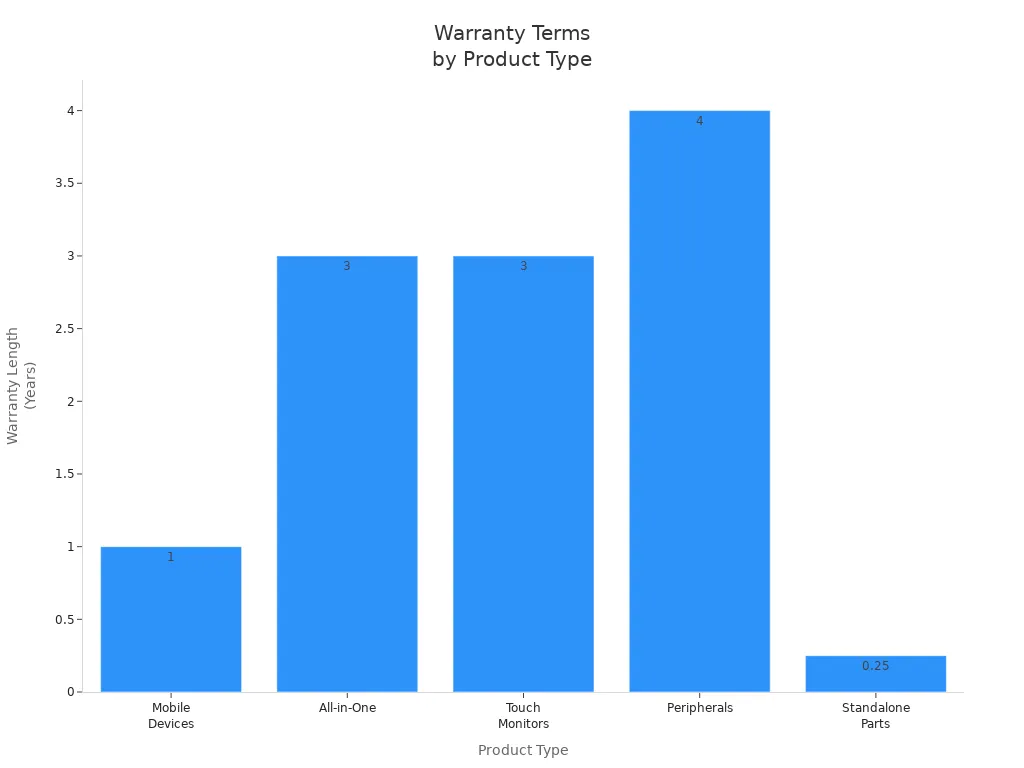
Product Type | Products Include | Length of Warranty |
|---|---|---|
Mobile Devices | Fusion Hybrid, Quest Series | 1 Year |
All-in-One | Acrobat, Atlas, Breeze Series, etc. | 3 Years |
Touch Monitors | Breeze Series, Pulse Ultra, etc. | 3 Years |
Peripherals | Epson Printers (TM-T88V, VI, VII) | 4 Years |
Standalone Parts | N/A | 90 Days |
Alert: Always look at the warranty for every part of your kiosk. Touchscreens and payment devices may need more care or new parts sooner.
Maintaining Warranty Coverage
Proper Use
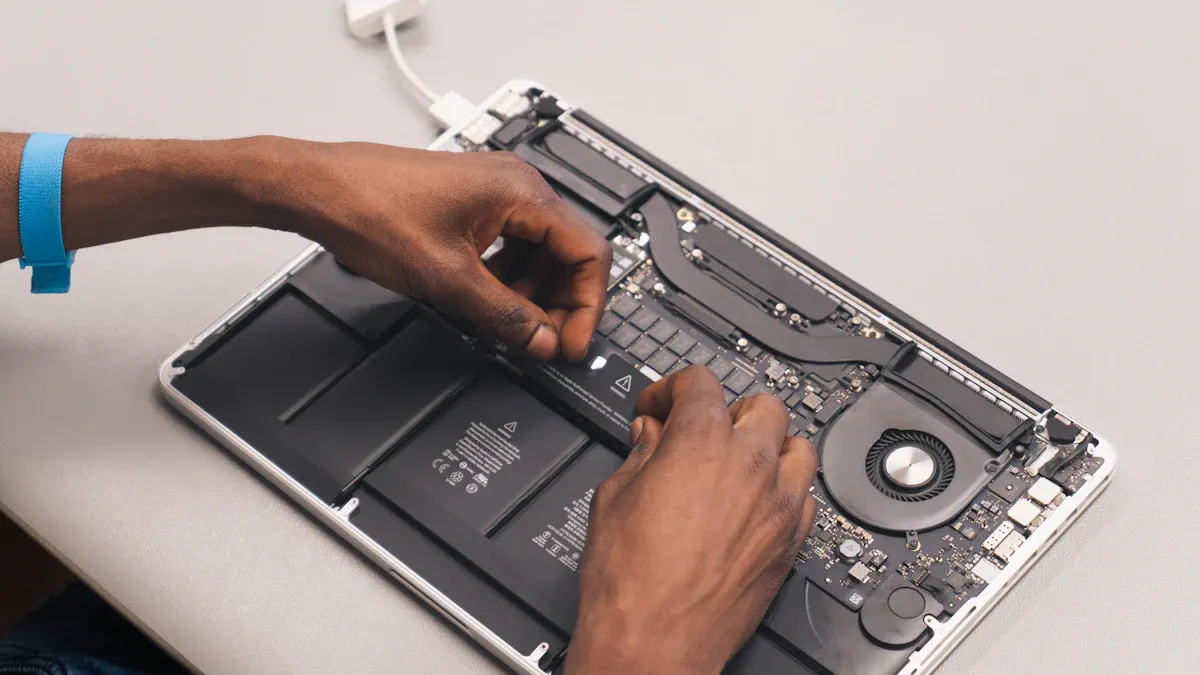
You need to use your commercial LCD kiosk the right way to keep your warranty. Always do what the manufacturer says for taking care of your kiosk. Make a schedule to check and clean your kiosk. Clean it every day. Check it once a week. Review it every month. Use special tools to watch how your kiosk is working. These tools help you find problems early. This means your kiosk will not stop working as much. If your kiosk is outside, look at the case and parts for weather damage. Update your software often and test your devices. This helps your kiosk work well and stops problems that could make your warranty not count.
Tip: Checking your kiosk often helps you find small problems before they get worse.
Here is a table that shows good ways to take care of your kiosk:
Best Practice | Description |
|---|---|
Clean every day, check every week, review every month | |
Monitoring Tools | Watch how your kiosk works and check from far away |
Proactive Servicing | Update software, fix bugs, and test devices |
Weather-Specific Tasks | Look for damage from weather on outdoor kiosks |
Incident Log | Write down all problems and repairs |
Service Contracts | Get help from pros for faster fixes |
Maintenance Documentation | Write down everything you do for maintenance |
Documentation
You must keep good records to help with any warranty claim. Write down every time you clean or fix your kiosk. Save all your receipts and reports from service. When you ask for help, give the company your name, the model and serial numbers, and a short note about the problem. Tell them where your kiosk is and any special numbers like incident or RMA numbers. Follow the rules for packing if you need to send your kiosk for repair.
Company Name
Model and Serial Numbers
Short note about the problem
Location/Address
Incident Number
Return Material Authorization Number (RMA#)
Packing Instructions
Note: Good records help you get help faster and keep your warranty safe.
Avoiding Warranty Voids
You can lose your warranty if you do not follow the rules. Do not put your kiosk together the wrong way or use it too much. Do not misuse, break, or forget to take care of your kiosk. Never change the product or let people who are not allowed fix it. Moving, testing, or changing your kiosk without permission can also make your warranty not count. Always use people who are allowed to fix your kiosk.
Here are things that can make your warranty not count:
Putting it together wrong
Using it too much
Misuse or breaking it
Not doing regular checks
Changing or fixing it without permission
Not being careful or having accidents
Alert: Always do what the manufacturer says to keep your commercial kiosk warranty.
Now you understand what a warranty for a commercial LCD kiosk covers and what it does not cover. Manufacturers write clear warranty agreements to show what is included and what is not. You should always read these details before you buy anything. Some things are not covered, like normal wear and tear, not taking care of the kiosk, and small marks or scratches:
Description | |
|---|---|
Wear and Tear | Normal aging is not included in the warranty. |
Lack of Maintenance | If you do not care for your kiosk and it breaks, you may not get help. |
Cosmetic Defects | Small scratches or marks are not covered by the warranty. |
You can ask about different warranty types, like white glove or manufacturer warranty, for your commercial kiosk. Always read the rules and do what is best. If you are not sure, ask the manufacturer for help.
Warranty & Support Services for Commercial LCD Display Kiosks
Choosing the right warranty and support plan is essential to protect your investment and minimize downtime. Below is a comparison of policies from major manufacturers (based on publicly available information as of early 2026). Always verify details with the vendor before purchase.
📊 Warranty Comparison Table
Manufacturer | Standard Warranty | Extended Options | Key Service Highlights |
|---|---|---|---|
OBOO | 2 years (indoor products, effective Feb 2026) | 1 year for custom/outdoor products | Nationwide coverage (2,000+ service points); permanent remote technical support |
Pzontek | 1–3 years (depends on product line) | 1–5 years extension available | Depot repair: 14 working days typical turnaround |
CTVS | 3 years total – 1st year free (parts & labor), years 2-3 at cost | Cost-based repair after year 1 | Free repair service in the first year |
TCL Commercial | 1 year (whole unit) | Contact for details | Follows national "Three Guarantees"; 24/7 customer service |
Lumous | 5 years free replacement for core parts (motherboard, touchscreen) | Not specified | 28 regional warehouses; 4h (provincial capital) / 8h (prefecture) delivery of new unit |
Rongda Crystal | 3 years (including LCD panel) | Negotiable | 3 years free maintenance (selected regions) |
Beijing Senke | 1 year (LCD panel 1 year) | Not specified | On-site service within 48 hours |
Yueyu Display | 1 year (whole unit) | Not specified | Replacement within 15 days; lifetime maintenance |
Chuangshixin | 1 year (whole unit) | Not specified | 24/7 response; lifetime technical support |
Shenzhen Fumu | 1 year (whole unit) | Not specified | Lifetime maintenance; monthly call-back during warranty |
KINGONE | 1 year (whole unit) | Not specified | Online video technical support |
Telpo | Labor & travel fees waived within warranty | Contact for details | Level‑2 technical support; on‑site engineer available |
⚠️ Note: Policies vary by product model and project. Always confirm final terms with the manufacturer.
🔍 Key Details to Understand
Warranty Type: Depot vs. On‑site
Type | Description | Best for |
|---|---|---|
Depot Repair | You ship the faulty unit to the vendor's repair center; they return it after fixing. | Lower cost; acceptable if you have backup units or non-critical use. |
On‑site Service | Technician comes to your location with spare parts. | Mission‑critical kiosks where downtime is expensive. |
Core Components vs. Consumables
Core components (LCD panel, motherboard, touchscreen, power supply) – longer warranty (1–5 years).
Consumables / wear parts (printer, cutter, card reader) – often shorter warranty or excluded. Check the fine print.
Shipping / Logistics Costs
Who pays for shipping to/from the repair center? Example policy (Beijing Senke): within 3 months, vendor pays both ways; after 3 months, each pays one-way. Clarify this upfront.
Warranty Start Date
Usually from the invoice date, factory shipment date, or project acceptance date. For large purchases, negotiate for project acceptance date as the start.
Software & Firmware Updates
Some vendors (e.g., Lumous) offer "lifetime system upgrades" for free. Others may charge or limit updates to paid service contracts. Ask specifically about software support.
💡 Buying Guide – How to Choose the Right Plan
Assess business impact – How much revenue do you lose per hour of downtime? High impact → on‑site service + strong SLA.
Calculate total cost of ownership – Don't just look at purchase price. Factor in potential repair, shipping, and downtime costs.
Consider future upgrades – If your business processes change frequently, a warranty that includes free software updates is valuable.
Know your internal IT capabilities – No on‑site tech staff? Then choose a vendor that offers on‑site service and hands‑on support.
Match service coverage to your location – Vendor's service network matters. If you are in a remote area, prioritize vendors with nationwide coverage.
✅ Final Recommendations
Your Situation | Recommended Warranty Focus |
|---|---|
Single kiosk, critical revenue | On‑site service + extended warranty (e.g., OBOO, Lumous, CTVS) |
Multiple kiosks in one city | Nationwide depot with fast turnaround (e.g., Pzontek) or on‑site option |
Outdoor or harsh environment | Extended coverage for outdoor‑rated components |
Tight budget, non-critical use | Standard 1‑year depot repair + lifetime remote support (e.g., Yueyu, Chuangshixin) |
FAQ
What does a typical commercial LCD kiosk warranty cover?
The warranty covers problems with materials, hardware, and computer parts. If something is wrong, you can get it fixed or replaced. It does not pay for damage from accidents or using it the wrong way.
How long does a commercial LCD kiosk warranty last?
Most warranties last one to three years. Some companies give longer coverage for some parts. Always check how long the warranty lasts before you buy.
Can you transfer the warranty if you sell your kiosk?
Some companies let you move the warranty to a new owner. You have to ask the company and follow their steps. Always find out about this before you sell your kiosk.
What should you do if your kiosk breaks during the warranty?
Call the company right away if your kiosk breaks. Show them your proof that you bought it and tell them what is wrong. Do what they say to get it fixed or replaced. Keep all your papers safe.
Are software issues covered under warranty?
Most warranties do not pay for software problems. They only cover hardware and display problems. For help with software, you might need a different service contract.
See Also
Leading Firms Providing Outdoor LCD Display Kiosks
Comparing Pricing of Freestanding LCD Display Kiosks by Brands
Top LCD Display Kiosks for Retail Spaces in 2026
Selecting the Right LCD Display Kiosk Installation Service Locally
