Tripleplay digital signage introduces Interactive Multiview for enhanced streaming
Shenzhen TopAdkiosk Display Technology Co., Ltd.
Add.: 2F, Bldg 10, Changfeng Industrial Park, Dongkeng, Fenghuang, Guangming, Shenzhen, China 518132
Mobile/WHATSAPP: 86-138 25769658
Email: marketing@topadkiosk.com topadkiosk@gmail.com
Skype: pghenry1
Wechat: adkioskhenry
English Web.: http://www.topadkiosk.com/
https://www.topkioskdisplay.com/
http://www.ad-kiosk.com/
https://www.toplcddisplay.com/
http://www.multitouchdigitalsignage.com/
https://www.youtube.com/channel/UCYVYNJHxLVEcQD8fuUxXNTA/videos?view_as=subscriber
https://www.facebook.com/TOPADKIOSKSHENZHEN/?ref=bookmarks
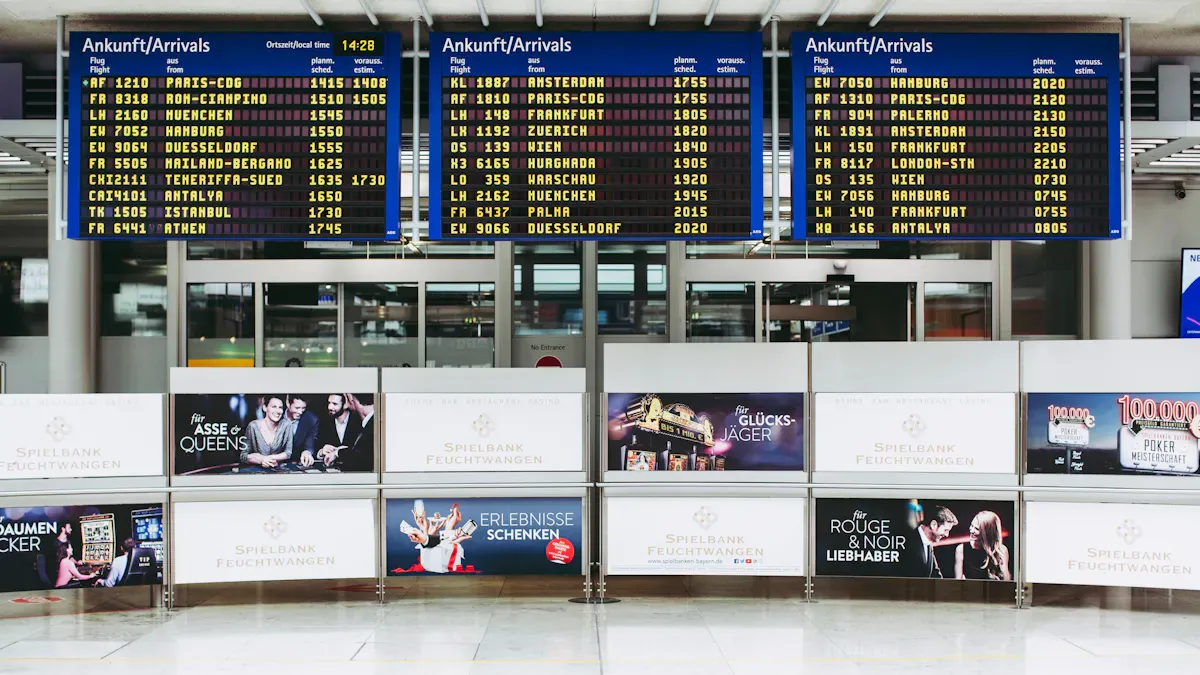
You can now use Interactive Multiview with the newest tripleplay digital signage software. This new version 26.1 lets you control many live streams on one digital signage platform. Interactive Multiview gives you more ways to show streams, better control, and works with many devices. Tripleplay makes enterprise digital signage easy for your digital signage network. You get strong updates from this release that help your platform do even more. Visit https://www.topkioskdisplay.com/ to learn more.
Key Takeaways
Interactive Multiview lets you watch four live streams at once on one screen. This makes watching more fun and interesting. The drag-and-drop layout editor helps you design your screen easily. Anyone can change their digital signage without trouble. You do not need extra hardware for multistream delivery. This saves you both time and money when setting up. Better event triggers make your screens react to real-world events. This helps people pay attention and interact more. Tripleplay's software works with many devices. This gives you more choices and makes sure your digital signage will work.
Interactive Multiview Overview
What Is Interactive Multiview?
You use tripleplay digital signage to show news, videos, and messages on screens. This software lets you manage everything from one spot. You can send updates or live events to many screens at once. The main goal is to keep people informed and interested with real-time content.
Interactive Multiview is a new feature in version 26.1. It lets you show up to four live video or TV streams at the same time. You see these streams in a 2x2 grid on one screen. You can switch between the grid view and a full-screen view for any stream. This means you choose what to watch and how to watch it. For example, you can follow different camera angles during a sports game. You can also watch several news feeds at once.
Tip: Interactive Multiview helps you watch many events or sources easily. You do not need extra equipment.
Some ways people use it are:
Sports fans can change camera angles during a game.
Traders can watch several market feeds at the same time.
Event moderators or trainers can see different sessions and join when needed.
Core Features in Tripleplay 26.1
The newest release brings many new features and improvements. Interactive Multiview is a big upgrade in this software. Here are the main features you get with this update:
You can show up to four live streams in a 2x2 layout.
You can switch between sources quickly and pick quad-view or full-screen modes.
The system uses BrightSign XT5 hardware. This helps places that need several live feeds.
You do not need extra video processing hardware. The setup is simple because of tripleplay integration. This makes things easier and cuts down on complex infrastructure.
The software now works with Samsung EDMX E-Paper screens. This gives you more choices for devices.
You get full interactivity. You can control streams right from the screen.
These features help you show more content, give better control, and make your digital signage network more flexible. With version 26.1, you can meet the needs of busy places like stadiums, trading floors, or training centers.
Tripleplay Digital Signage Features
Flexible Multistream Delivery
Tripleplay digital signage now lets you watch up to four live videos at once. The streams show in a 2x2 grid on your screen. You can pick any stream and make it full screen with one click. You also get to choose which audio you want to listen to. This helps you keep track of different things at the same time. Here is a simple table that shows what this feature does:
Feature | Description |
|---|---|
Multistream Capability | Tripleplay lets you watch four streams at once in a 2x2 grid. |
Remote Control Interactivity | You can switch between views fast and pick which audio to hear. |
Use Cases | Sports fans can see different camera angles, traders can watch many feeds, and trainers can follow more than one session. |
These updates give you more ways to control what you see. You do not need extra devices, so your setup is easy and saves money.
Drag-and-Drop Layout Editor
Tripleplay now has a drag-and-drop layout editor in version 26.1. You can move things around on your screen by dragging them where you want. This tool lets you make your own screen designs. You do not need to be an expert or have special training. Just drag, drop, and set up your streams or messages. This saves you time and makes your job easier. You can change layouts fast for any event or news.
Enhanced Event Triggers
Enhanced event triggers let you set your screens to react to real-world things. For example, your screen can change when a live event starts. You can also set it to change based on time or what someone does. These new tools give you more control over what people see. You can make your screens smarter and more fun to use. This is a big new feature in this update.
Note: Tripleplay works with many devices, like BrightSign XT5 and Samsung EDMX E-Paper screens. This means you can use these features on different kinds of hardware.
Tripleplay gives you a digital signage system that is simple, flexible, and full of new features. These tools help you show better content and keep people interested.
Multistream Delivery Benefits
User Control and Engagement
You want your screens to do more than just show information. With multistream delivery, you can pick what you see and how you see it. Tripleplay digital signage lets you switch streams, choose your favorite view, and pick the audio you want. This makes your experience feel more personal and fun. You can join live events, news, or training sessions as they happen.
You get user control features that help you stay focused and interested. When you choose which stream to watch, you feel more involved. This feature is great for sports fans, traders, and learners. You can follow different camera angles, market feeds, or lessons without missing anything.
Here are some ways multistream delivery helps you engage:
You can use remote control or touch to interact with the screen.
You can switch between quad-view and full-screen modes.
You can pick audio from any stream.
You can connect with content that matters most to you.
These features make your digital signage more than just a display. You get experiences that keep you connected and informed.
Simplified Infrastructure
You do not need extra equipment to use multi-stream features. Tripleplay makes your setup simple and efficient. The system uses BrightSign XT5 hardware and works with Samsung EDMX E-Paper screens. This means you can use different devices without worrying about tricky connections.
You save time and money because you do not need extra video processors or cables. The platform handles everything for you. You can manage streams, layouts, and events from one place.
Here is a table that shows how simplified infrastructure helps you:
Benefit | How It Helps You |
|---|---|
Fewer Devices Needed | You use less hardware and save space |
Easy Setup | You set up your screens quickly |
Operational Efficiency | You manage everything from one platform |
Device Compatibility | You use different screens and hardware |
Tripleplay gives you a digital signage solution that is easy to use and flexible. You get operational efficiency and a system that grows with your needs.
Use Cases for Tripleplay
Sports and Live Events
Tripleplay digital signage changes how fans watch games. Stadiums use it to show many camera angles and stats on one screen. Fans at SoFi Stadium use Interactive Multiview to pick what they see. You can switch between feeds before, during, and after the game. The system shows updates and visual aids while the action happens. This makes the event more exciting and keeps fans interested.
You can pick different camera angles.
You can see stats and updates live.
You can have a more interactive experience.
Fans feel closer to the game when they choose what to watch. Every trip to the stadium feels special.
Corporate and Hospitality
Offices, hotels, and conference centers use these tools to share information. In offices, you can show news, company updates, or live talks at the same time. Hotel lobbies can display welcome messages, event times, and local news together. You can change layouts fast for meetings or guests. These tools help keep everyone up to date and make spaces look modern.
You can show updates as they happen.
You can change content for different groups.
You can make your space lively and friendly.
Training and Education
Interactive Multiview helps people learn and train better. In classrooms, you can show lessons, demos, or live feeds all at once. Multiview images help you see hard topics in new ways. In technical training, you can view equipment from many sides. In driver classes, you can watch traffic and lane tasks live. These tools make learning easier and more fun.
You can mark many images at the same time.
You can train with real-life examples.
You can learn more with views that work together.
Using these tools makes learning more fun and helps people remember things faster.
Technical Aspects
Hardware and Software Support
Tripleplay digital signage helps you manage content on many screens. It works with BrightSign XT5 hardware for strong live streaming. You can also use Samsung EDMX E-Paper screens. This lets you show things on regular screens and e-paper devices. You do not need extra video processors. The software does all the work, so setup is easy.
Tripleplay connects to a central management system called CMS. You control screens, layouts, and streams from one spot. The CMS lets you plan content, check device status, and update screens fast. You can use many devices, so your network can grow. The platform gives you interactivity. You can switch views and control streams right from the screen.
You get more device choices and strong hardware support. Your signage network stays flexible and works well.
User Interface and Remote Control
Tripleplay digital signage has a simple interface. You see clear menus and can move around easily. You can use remote control to change streams, pick audio, and switch layouts. The platform works with phones, so you can join live webcasts using the Tripleplay Mobile Media App.
You get new features that make things easier. The software now works with Power BI. You can see business dashboards and tiles on your screens. You use new event triggers with Site Profiles. This makes screens react to real-world events. The new API lets other systems check your signage hardware in real time.
Here is a table with some new features:
Feature | Description |
|---|---|
See business dashboards and tiles on your screens. | |
New API | Check hardware status with other systems. |
Updated Event Triggers | Make screens react to events with Site Profiles. |
Webcasting Enhancements | Join live webcasts from your phone. |
UI Enhancements | Enjoy better usability and platform design. |
You get support for remote control, webcasting, and interactivity. These updates help you run your signage network easily.
Comparison to Traditional Solutions
Multiview vs. Standard Setups
Standard digital signage setups show one stream per screen. You cannot change views or control what you see. If you want more content, you need extra hardware or screens. This makes things harder and costs more money.
Interactive Multiview lets you show four live streams on one screen. You can switch between quad-view and full-screen with one click. You pick which audio you want to hear. You do not need extra devices or cables. The platform does all the work for you.
Interactive Multiview gives you more control and flexibility. You choose what to watch and how to watch it. You save space and money by using fewer devices.
Here is a table that shows the differences:
Feature | Standard Setup | Interactive Multiview |
|---|---|---|
Streams per Screen | One | Up to Four |
User Control | Limited | Full Interactivity |
Hardware Needed | Multiple Devices | Single Device |
Layout Flexibility | Fixed | Drag-and-Drop Editor |
Tripleplay’s Competitive Edge
Tripleplay digital signage gives you a strong way to manage content. You use a central system to control screens, layouts, and streams. The software works with BrightSign media players for better performance. You can use Samsung EDMX E-Paper screens for more display choices.
Tripleplay stands out because it helps big clients like The Associated Press. You get advanced features like Power BI integration and better webcasting. The company keeps making its software better with new releases like Caveman 3.3.
You manage everything from one place.
You use fewer devices and save money.
You get new features that help your business grow.
You rely on a platform trusted by industry leaders.
Tripleplay helps you build a digital signage network that is flexible, easy to use, and ready for the future.
You can make your digital signage better with Tripleplay 26.1 and Interactive Multiview. This platform lets you control many live streams. You can switch views fast and make your setup easier. The system works with lots of devices and in different places.
Better interactivity helps your audience stay interested.
Watching many streams is good for sports, business, and schools.
“Organizations don’t just want more content – they want smarter control over it.” — Matt Goche, CEO at Uniguest
Try Tripleplay to keep your signage ready for the future and stay ahead as digital displays change.
What Is Tripleplay Digital Signage and How Does It Work?
Tripleplay is a powerful enterprise‑grade digital signage platform. What makes it unique is that it is not just a digital signage system, but a unified solution that combines digital signage, IPTV (Internet Protocol Television), and video streaming into a single platform.
🧠 Core Definition: More Than Just Digital Signage
Owned by Uniguest, Tripleplay is a professional AV integration solution designed for enterprise environments. With its "three‑in‑one" design, it allows you to securely and simply distribute any media content to any device, over any network, all from one platform.
⚙️ How It Works: A Clear Three‑Step Process
Content Input – Content can come from multiple sources: locally stored advertising videos, live TV signals via IPTV, live camera feeds, real‑time data (social media, weather, stock tickers), and even EPOS (electronic point of sale) data for real‑time pricing.
Central Processing (CMS) – All content is brought into Tripleplay’s Content Management System (CMS, called Caveman). Here you can create playlists, design layouts, and set playback schedules using a user‑friendly drag‑and‑drop editor.
Content Distribution & Playback – The central server (or cloud) distributes the processed content over the IP network to individual endpoint players. The endpoint devices decode the signal and display it on screens.
🚀 Two Core Capabilities: CMS + IPTV Integration
Tripleplay’s power comes from the fusion of two core capabilities:
Digital Signage – The Caveman CMS
Flexible deployment – Supports on‑premise, cloud, or hybrid deployment to meet different security and flexibility requirements.
Powerful design tools – Drag‑and‑drop layout editor, playlist creator, and event triggers (e.g., when the home team scores, all screens can instantly show a celebratory graphic).
Headless CMS – A technical highlight. It allows the CMS to integrate seamlessly with other systems (e.g., EPOS). When menu prices are changed at the point of sale, digital menu boards automatically sync – no manual intervention, dramatically improving efficiency.
Enterprise integrations – Deep integration with Power BI (data visualisation), Microsoft Teams Rooms, and other enterprise applications.
IPTV (Internet Protocol Television)
Tripleplay is particularly strong in enterprise IPTV. Key advantages:
Signal acquisition & distribution – Capture multiple sources (cable TV, satellite, in‑house channels), encode them, and distribute over IP networks.
Multi‑device coverage – Not only screens but also desktop apps, mobile apps, and interactive IPTV portals.
Low‑latency streaming – End‑to‑end latency below 300 milliseconds with low‑latency encoders – ideal for live sports and other real‑time events.
Security & compliance – Supports encryption technologies like Pro:Idiom, meeting content security requirements for industries such as hospitality.
Unified platform management – Manage both digital signage content and IPTV live streams from the same CMS – no need to switch systems.
🏟️ Typical Use Cases: From Stadiums to Corporate Lobbies
Tripleplay serves demanding, large‑scale customers. Over 4,000 organisations worldwide have chosen it.
Sports venues & large entertainment sites – This is a signature application. Tripleplay powers venues such as Rogers Arena in Vancouver (900+ screens), Berlin’s Mercedes‑Benz Arena, Manchester City Football Club, and Coca‑Cola Arena in Dubai. It is used to manage every screen in the venue, enabling powerful “Moments of Exclusivity” (e.g., instant celebratory content across all screens when a goal is scored), dramatically enhancing the fan experience.
Retail & quick‑service restaurants (QSR) – Particularly well‑suited for chain restaurants. The deep EPOS integration allows staff to update menus and prices directly from the checkout touchscreen, ensuring consistency and eliminating manual errors.
Corporate & education – In corporate headquarters or university campuses, Tripleplay leverages existing IP networks for internal communications, live corporate TV, or lecture video‑on‑demand – no dedicated player hardware per screen, simplifying management and cabling.
📊 Quick Decision Reference
Aspect | Details |
|---|---|
What is it? | All‑in‑one enterprise digital signage platform – signage, IPTV, and enterprise video streaming |
Primary customers | Sports stadiums, retail chains / QSRs, large corporations, hospitality, government, education |
Parent company | Uniguest |
CMS name | Caveman |
Supported devices | Samsung Tizen, LG webOS, BrightSign, Android, Windows, and more |
Deployment options | Cloud, on‑premise, or hybrid |
Pricing model | Typically enterprise licensing (quote‑based) |
💎 Summary
Tripleplay is a professional‑grade platform designed for large, complex, and high‑demand environments. If you need a unified platform that combines digital signage, IPTV, and video management – and you value enterprise‑level stability, security, and integration capabilities – Tripleplay is a solution worth serious consideration.
Let me know if you would like a comparison with other enterprise digital signage platforms or more detailed technical specifications
please contact Shenzhen TopAdkiosk Display Technology Co.
FAQ
What is Tripleplay digital signage and how does it work?
Tripleplay digital signage lets you show videos, news, and messages. You control all your screens from one spot. The software sends updates to many screens at once. You can change layouts, switch streams, and update messages fast.
Can I use Interactive Multiview on any device?
Interactive Multiview works on BrightSign XT5 media players and Samsung EDMX E-Paper screens. The system supports lots of devices. You do not need extra hardware.
How do I switch between streams in Interactive Multiview?
You use remote control or touch to pick a stream. You can switch between quad-view and full-screen modes. You choose which audio to hear. The interface is simple and easy.
Is the setup complicated for multistream delivery?
You set up your screens fast. You do not need extra video processors or cables. The platform handles everything for you. You manage streams and layouts from one central system.
What are the main benefits for organizations?
You get flexible streaming, easy control, and device compatibility. You save money by using fewer devices. You keep your audience interested with interactive features.
See Also
Best 10 Digital Signage Solutions for Video Walls in 2026
An In-Depth Look at In-Store Digital Signage Options
The Role of Digital Signage in Restaurant Efficiency for 2026
Understanding Digital Signage and Its Applications
Seven Emerging Trends in Digital Signage Player Technology for 2026
