TRANSPARENT OLED Display KIOSK WITH PCAP TOUCH SCREEN
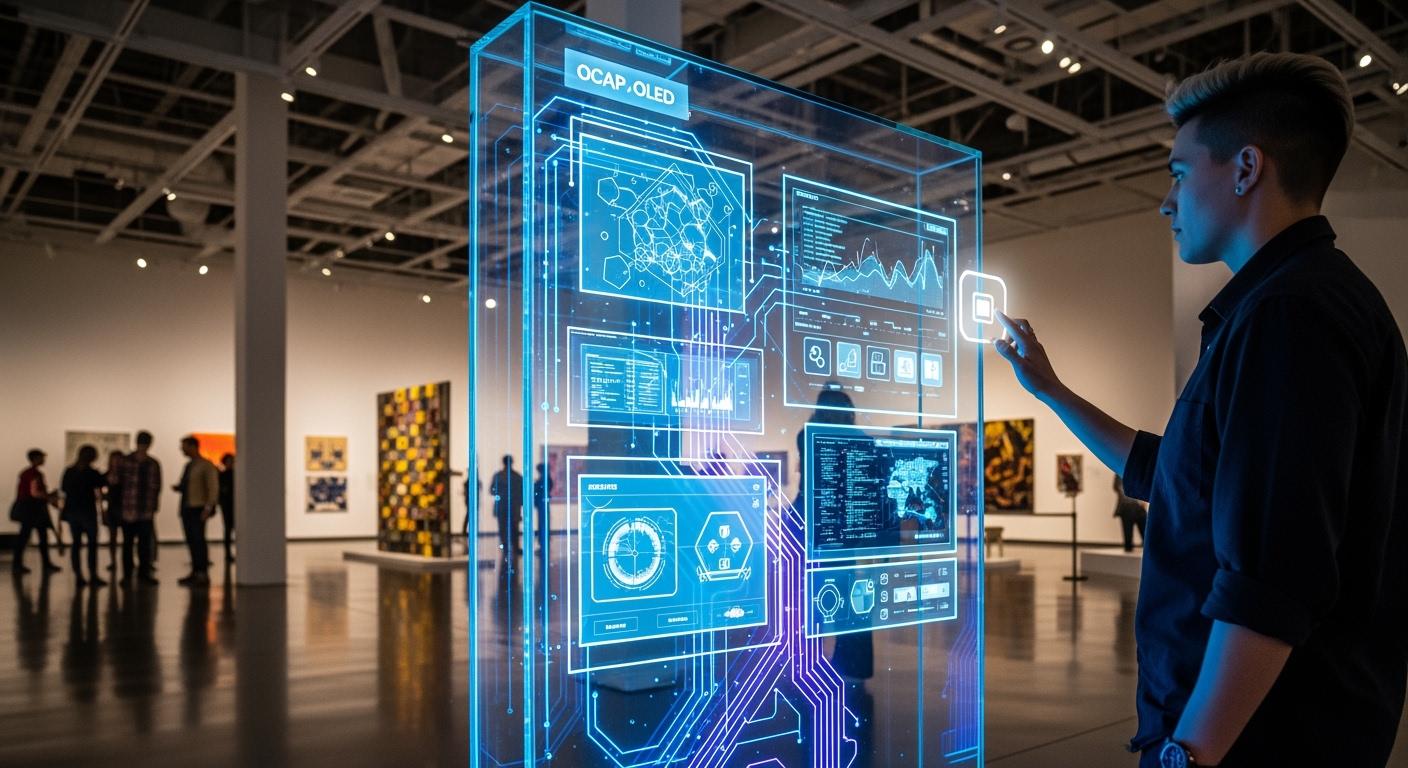
You use a TRANSPARENT OLED Display KIOSK WITH PCAP TOUCH. It mixes a transparent oled display with smart touch technology. OLED display panels have pixels that light up by themselves. You see bright colors and deep blacks without a backlight. This technology lets you touch the screen easily. It reacts fast to your movements. You see sharp, clear pictures even outside. These kiosks are thin and look modern. They help make spaces interactive and cool.
Shenzhen TopAdkiosk Display Technology Co., Ltd.
Add.: 2F, Bldg 10, Changfeng Industrial Park, Dongkeng, Fenghuang, Guangming, Shenzhen, China 518132
Mobile/WHATSAPP: 86-138 25769658
Email: marketing@topadkiosk.com topadkiosk@gmail.com
Skype: pghenry1
Wechat: adkioskhenry
English Web.: http://www.topadkiosk.com/
https://www.topkioskdisplay.com/
http://www.ad-kiosk.com/
https://www.toplcddisplay.com/
http://www.multitouchdigitalsignage.com/
https://www.youtube.com/channel/UCYVYNJHxLVEcQD8fuUxXNTA/videos?view_as=subscriber
https://www.facebook.com/TOPADKIOSKSHENZHEN/?ref=bookmarks
Key Takeaways
Transparent OLED kiosks show digital images and real things together. This makes the experience more interesting for people.
PCAP touch lets you use many fingers at once. It makes kiosks easy to use and quick to respond.
These kiosks can be used in many places. You can find them in stores, museums, and airports.
OLED displays are very clear and bright. You can see them well even when it is sunny.
Buying transparent OLED kiosks helps brands connect with people. It also makes customers remember their visit.
What Is a Transparent OLED Kiosk
A transparent OLED kiosk uses new display technology and touch features. The screen looks like it is floating in the air. You can touch digital things and still see what is behind the screen. This kiosk works well in museums, airports, and fancy stores. The design feels modern and fun.
OLED Display Technology Explained
An oled display gives you a special way to see things. Each pixel lights up on its own. You get bright colors and deep blacks. The screen does not need a backlight. The display is thin and has no frame. The oled display is self-emitting, so it is truly see-through. About 43% of light goes through, so you see both the screen and what is behind it.
Here is a table that shows how transparent oled displays compare to traditional screens:
Feature | Transparent OLED Displays | Traditional Displays |
|---|---|---|
Light Emission | Self-emitting (each pixel generates its own light) | Requires backlighting |
Transparency | Designed to be see-through | Blocks transparency |
Brightness and Contrast | Superior brightness and contrast | Limited brightness and contrast |
Color Accuracy | Enhanced color accuracy | Less accurate colors |
Power Consumption | Lower power consumption | Higher power consumption |
You can see that transparent oled displays are brighter and show better colors. They also use less power because each pixel works by itself. The kiosk looks thin and modern with no frame. You can put it anywhere without blocking your view.
PCAP Touch Screen Integration
The PCAP touch screen makes the kiosk even more interactive. You can tap, swipe, or use your fingers to move things. The touch part sits on top of the display and uses special technology. The screen can feel your finger through the glass. You get quick and smooth reactions every time you touch it.
The kiosk has both hardware and software parts. Here is a quick overview:
Component | Description |
|---|---|
Hardware | Has the screen, body, and extra things like printers or card readers. The transparent OLED touch screen makes the kiosk look cool and simple to use. |
Software | Runs on Windows or Android. You can add apps and features easily. |
You get a floating, high-tech look. The kiosk fits into any room and stands out. It is easy to use, even if you have never used one before. You can use many fingers at once to move things on the screen. The strong glass keeps the screen safe from scratches and damage.
Tip: You can use these kiosks in lots of places where you want to mix digital things with real objects. The see-through design helps you make a cool and special experience.
Key Features of Transparent OLED Displays
High Transparency and Visual Impact
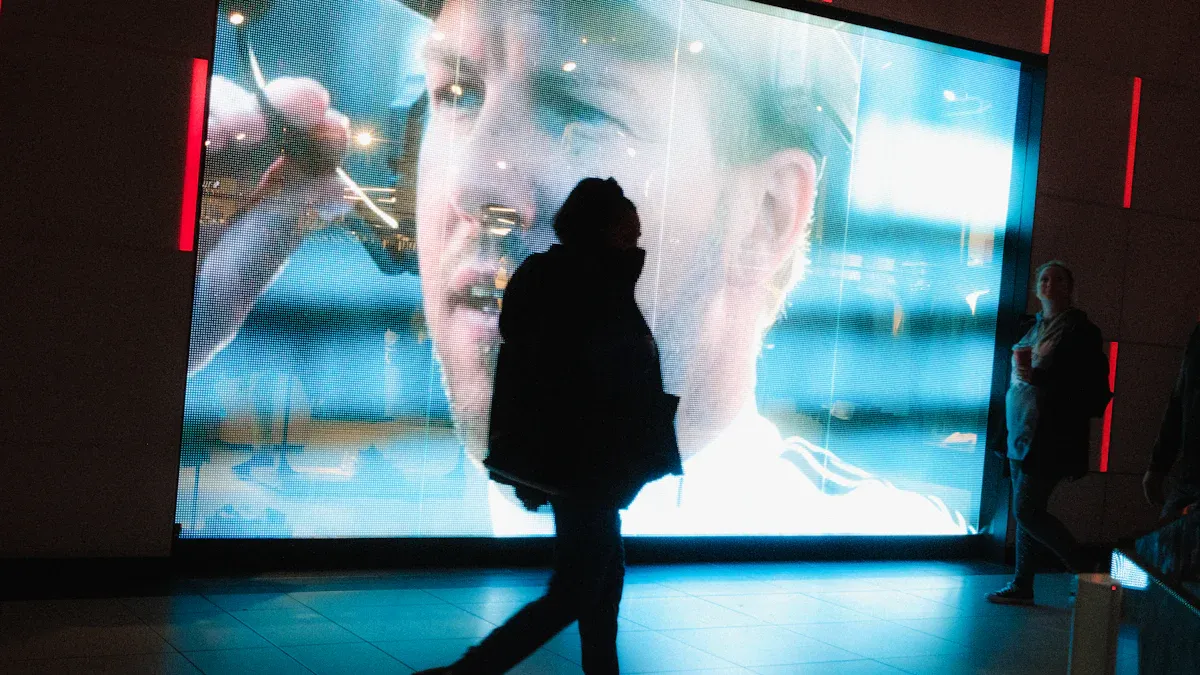
You can see the difference with transparent oled displays. These screens show digital images and let you see what is behind them. Some models are very clear, with up to 95% transparency. This makes the images look like they float in the air. You can use these screens where you want to mix digital and real things.
Here is a table that shows how clear each display type is:
Display Type | Transparency Rate |
|---|---|
High-end Transparent OLED | 90%-95% |
Standard LED Mesh Screens | 70%-85% |
These screens create a special look that gets people’s attention. They fit right into glass and make your setup unique. You can use them to make displays that really stand out and impress people.
Tip: Try using transparent oled displays in museums or showrooms. They make your displays look cool and interesting.
Contrast, Brightness, and Viewing Angles
You want your screen to look good from every side. Transparent oled displays have strong contrast, bright pictures, and wide viewing angles. Each pixel lights up by itself, so you see deep blacks and bright colors. The contrast ratio is 150,000:1, and the brightness can reach 600 cd/㎡. You can see the screen clearly from almost any direction, up to 178°.
Here is a quick look at the main features:
Feature | Measurement |
|---|---|
Contrast Ratio | 150,000 : 1 |
Brightness Level | 600 cd/㎡ |
Viewing Angle | 178° |
These screens have better contrast, color, and speed than regular ones. Your images always look sharp and clear, even in bright rooms.
Flexible and Frameless Design
You can put a transparent oled display in many different places. The screen is very thin and light because it does not need a backlight. You can bend or curve it to fit special spaces. The frameless design lets you add the screen to glass walls or custom cases.
Here is a table that shows why this design is helpful:
Feature | Benefit |
|---|---|
Ultra-thin profile | Fits smoothly into building designs |
Lightweight construction | Simple to hang up or move |
Flexible substrate | Can be curved for creative shapes |
Frameless design | Looks modern without thick edges |
You can use these screens in curved glass, frameless boxes, or even inside furniture. The thin layers make the screen less bulky and give designers more options.
Light and bendy design fits many places
No frame gives a modern look
Thin layers help with creative setups
Note: OLED screens light up by themselves, so you do not need a backlight. This lets you make cool and different designs.
Benefits of Transparent OLED Display Kiosks
Enhanced Interactivity with PCAP Touch
PCAP touch technology lets you interact in new ways. You can tap, swipe, and use many fingers at once. The screen reacts quickly and feels smooth. It works even if you wear gloves. The display stays clear and bright, so you see everything. The surface does not scratch easily and keeps out dust. This makes it good for busy places. You can use these kiosks inside or outside. They keep working in any weather.
Advantage | Description |
|---|---|
Display Brightness and Clarity | Keeps the screen bright and clear, making things easy to see. |
Scratch and Impact Resistance | Does not scratch or break easily, so it lasts longer. |
Surface Contaminant Resistance | Dust, grease, and water do not affect the screen much. |
Weather Resistance | Works well in all kinds of weather if designed right. |
Multi-Touch Functionality | Lets you use more than one finger for fun apps. |
Glove Compatibility | Works even if you wear gloves, so it is useful anywhere. |
Large Format Display Compatibility | Can be used for big screens, making large kiosks interactive. |
Tip: Try using transparent oled display kiosks for maps, product displays, or digital menus.
Space Efficiency and Modern Aesthetics
Transparent oled displays help you save space and look modern. These kiosks fit into glass walls or windows. They do not block light or your view. The design is light, so you can install it easily. You can put them in stores, offices, or hotels. The screen blends in and makes the place look cool. Your space feels open and bright.
Fits well into glass walls and windows
Does not block what you see or sunlight
Makes spaces look modern and stylish
Note: Transparent oled displays help you make any place look nice and use space well.
Brand Differentiation and Engagement
Transparent oled display kiosks help your brand stand out. You can show digital things while people see products behind the glass. This grabs attention and gets customers interested. Stores use these kiosks to make shopping fun and different. You can show videos, animations, or product info. Customers touch the screen and remember your brand. This technology helps you connect with people and get them engaged.
Callout: Use transparent oled display kiosks to make your brand special and get more customers interested.
Applications of Transparent OLED Displays

Retail and Showroom Installations
Transparent oled displays are changing how stores get customers. These screens show videos and ads on shop windows. People can still see the products inside the store. Many big stores use them instead of old posters. The moving images catch people’s eyes. For example, Sky’s stores use these screens to get more sales. In big malls, these screens light up the store front. They also keep the space bright. A fancy mall in Kuwait used a transparent display for a perfume shop. The window looked pretty and was useful too.
Store windows show digital ads and let people see inside.
Malls use these screens to get crowds and keep sunlight.
Museums and Exhibitions
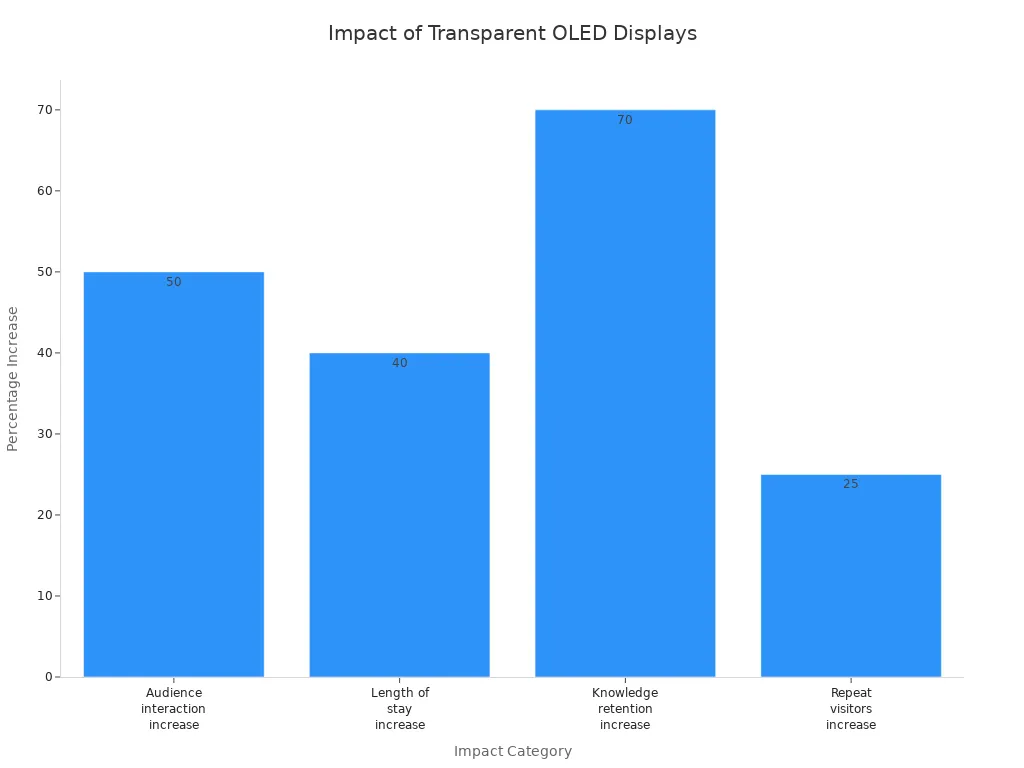
Museums use transparent oled lighting to make exhibits more fun. You can put digital facts or animations on the glass in front of an artifact. This helps visitors learn more and stay longer. The Tech Museum of Innovation saw people stay 40% longer in the exhibit area. Student groups remembered 70% more when using these screens.
Evidence Description | Impact |
|---|---|
Augmented reality with exhibits increases audience interaction by 50% | More immersion and learning |
Longer stays in exhibition areas | Higher engagement |
Higher knowledge retention for students | Better education |
More repeat visitors | Improved satisfaction |
Corporate and Hospitality Use
You can use transparent oled lighting in hotels, airports, and offices. These screens share information but do not block views. In hotel lobbies, you can set up check-in kiosks or digital helpers. Airports use them for maps and flight info. Restaurants and bars use these screens for digital menus and ordering. You get better customer engagement, a nicer look, and save energy.
Interactive kiosks in lobbies and airports
Digital menus in restaurants and bars
Guest room entertainment and information
Innovative Uses and Transparent OLED Lighting
Transparent oled lighting brings new ideas to many places. In stores, you can make virtual fitting rooms or cool shop windows. Car makers use these screens for dashboards and heads-up displays. At home, you can have smart windows or glowing furniture. Hospitals use this lighting for better medical pictures and patient care. In entertainment, you can play games and watch stories with augmented reality.
Tip: Try transparent oled lighting to make your space look cool and smart. You can use it in fun ways for work or play.
Comparing Transparent OLED Kiosks to Traditional Displays
OLED Display vs. LCD/LED
You may wonder how transparent OLED kiosks are different from regular LCD or LED displays. OLED screens have pixels that light up by themselves. This lets them show true black colors because the pixels can turn off all the way. LCD and LED screens always let some light through, so black looks more gray. OLED displays also have a higher contrast ratio. Pictures look sharper and more real.
You can see the main differences in this table:
Feature | Transparent OLED Displays | Traditional LCD and LED Displays |
|---|---|---|
Blackness Level | Can produce true black imagery by turning off pixels completely. | Always emits some light, resulting in less deep blacks. |
Contrast Ratio | Superior contrast due to true black pixels. | Lower contrast ratio, less realistic image quality. |
Energy Consumption | More efficient as they do not require a backlight and can turn off individual pixels. | Energy consumption varies with backlight settings, generally higher. |
Viewing Angle | Larger viewing angles, maintaining quality from wider perspectives. | Limited viewing angles, quality diminishes at angles. |
Interactivity | Multi-touch capabilities enhance user engagement. | Typically lacks interactive features. |
You get better pictures, use less energy, and the screen looks good from almost any angle.
PCAP Touch vs. Other Touch Technologies
Touch screens make kiosks easy and fun to use. PCAP touch technology is very sensitive. You can use a light touch, and the screen will react. Some other touch screens need you to press harder. PCAP lets you use many fingers at once, so you can pinch, zoom, or turn things.
Here is a table to help you compare:
Feature | PCAP Touch Technology | Other Touch Technologies |
|---|---|---|
Sensitivity to Touch | High sensitivity, detects light touches | Varies, often requires more pressure |
Multi-Touch Capabilities | True multi-touch functionality available | Limited in some technologies |
Durability | Excellent resistance to scratches and impacts | Varies, often less durable |
Operational Requirements | Works in various conditions with proper design | May have limitations based on environment |
Cost | Typically more expensive | Generally less expensive |
Electromagnetic Interference | More sensitive to interference | Generally less sensitive |
With PCAP, you get a smooth, fast, and strong touch experience. It works well in busy places and lasts a long time.
Unique Selling Points
Transparent OLED kiosks have features you do not find in other displays. You can see digital images and real things at the same time. The screens can bend or even roll, so you can use them in creative ways. You can also connect these kiosks to smart systems and special apps.
Unique Selling Point | Description |
|---|---|
Increased Transparency and Brightness | New panel designs achieve transparency rates above 50-70% while maintaining visibility. |
Form Factor Flexibility | Development of larger, curvable, and even rollable transparent OLEDs enhances versatility. |
Integration with IoT and SDKs | Screens function as smart nodes, compatible with custom software for interactive experiences. |
Tip: If you want a display that stands out and fits in modern spaces, a transparent OLED kiosk gives you more choices and a cool look.
Installation and Usability Considerations
Setup and Integration
You can put a transparent OLED display kiosk in many places. First, look at your space and decide where it will go. Check what kind of glass you have and how big the kiosk should be. Find out where you will plug it in for power. Good lighting makes the display look better. Choose the right display technology for your needs. Transparent OLED is great for modern rooms. LED walls or holographic displays might work for other spaces. Put the panels on glass or frames. Make sure they are lined up so you see clearly. Connect the power and turn on the screen. Adjust the pixels so pictures look sharp. Play some videos or images to test everything. Teach your team how to use the kiosk and keep it working well. Many companies, like a big pharmaceutical brand, follow these steps. They use kiosks to show real-time production and share info with visitors. This helps people see your brand as modern and shows you use new technology.
Typical uses include:
Transparent booths at trade shows
Interactive screens for customer engagement
User Experience and Accessibility
You want your kiosk to be easy and fun for everyone. Transparent OLED kiosks let you touch the screen to move things. You can tap, swipe, and look at content with your fingers. The design is sleek and fits into modern spaces. The graphics stay bright and clear, even though the screen is see-through. These kiosks save space and do not block your view.
Feature | Transparent OLED Kiosks | Traditional Kiosks |
|---|---|---|
User Interaction | Touch capabilities for engaging experiences | Limited interactivity |
Aesthetic Design | Sleek, minimalistic, integrates into spaces | Often bulky and less appealing |
Visual Experience | High-quality graphics with transparency | Standard displays, no transparency |
Space Efficiency | Space-saving, fits modern settings | Larger and more obtrusive |
Tip: Put your kiosk where people can reach it easily. Make sure the screen is at a good height for everyone.
Maintenance and Longevity
Transparent OLED kiosks do not need much care. The screens last a long time, between 30,000 and 50,000 hours. You only need to clean the glass and check the system sometimes. The touch surface does not scratch or get dusty easily, so it stays clear and bright. With simple care, your kiosk will keep working and looking good for years.
Note: Clean your kiosk often and check it quickly. This helps your kiosk stay nice and gives users a great experience.
Challenges and Considerations
Cost and ROI
You should think about the price before picking a transparent OLED kiosk. These kiosks use new technology, so they cost more than normal screens. You pay more at first, but you get a cool look and help your brand stand out. Many companies get their money back because people spend more time at the kiosk and remember it. You can use the kiosk for ads, product info, or maps. This brings in more visitors and helps you sell more.
Durability and Environmental Factors
Transparent OLED displays work in lots of places, but you need to keep them safe from tough weather. Optical bonding helps protect the screen from wet air and big temperature changes. This keeps the display clear and working well. Stronger screens mean less time fixing them and fewer repairs. The table below shows how different things can change the screen’s life:
Environmental Factor | Impact on OLED Durability |
|---|---|
Temperature | High heat wears out the screen faster, and every 10°C above room temperature makes it wear out twice as fast. |
Humidity | If the air is wetter than 60%, the screen may not last as long, especially if it is also hot. |
Oxygen Exposure | Makes the colors change and the screen less bright. |
Optical bonding keeps the screen safe and easy to see.
Stronger screens mean you do not have to fix them as much.
Performance in Ambient Light
You want your kiosk to look good no matter how bright the room is. Transparent OLED displays can be 150 to 500 nits bright. This is good for most indoor rooms. In very bright places or sunlight, the screen might not look as clear. Transparent LED screens work better in really bright rooms, so you might pick them for fancy stores. You can put your kiosk away from strong lights to keep the pictures sharp.
Tip: For best results, use transparent OLED kiosks where you can control the lighting.
Content Creation Needs
You need to make special content for transparent OLED kiosks. The screen lets you show digital pictures without hiding what is behind it. You can use touch or hand movements to make it fun. Bright pictures and custom designs help you get people’s attention. You can change the size and shape of the screen for your space. The table below shows what you need for great content:
Feature/Advantage | Description |
|---|---|
Transparency | Lets you show things without covering up what is behind. |
Interactivity | Touch and hand movement features make it more fun. |
Visual Appeal | Bright pictures and see-through screens get people to look. |
Customization | You can pick the size and shape that fits your ideas. |
Note: Make your content use the see-through and touch features. This helps you get the best out of your kiosk.
Transparent OLED display kiosks with PCAP touch let you mix digital things with real places. The screens are strong and clear. They last a long time. They react fast when you touch them.
Advantage | Description |
|---|---|
Durability | Keeps out dust, water, and scratches so it lasts longer. |
Touch Accuracy | Very sensitive, so you can use it easily and smoothly. |
Image Clarity | The glass is clear, so pictures look sharp and bright. |
You can use these kiosks for check-ins, menus, or museum displays. If you want your space to look modern and be interactive, try transparent OLED kiosks to help your business grow.
FAQ
What is a transparent OLED display kiosk?
You see a kiosk that uses a see-through OLED screen. It lets you view digital images and real objects at the same time. The PCAP touch feature allows you to interact with the screen using your fingers.
How does PCAP touch work on these kiosks?
PCAP touch uses a grid of sensors under the glass. When you touch the screen, the sensors detect your finger. You get a fast and accurate response. You can use many fingers at once.
Where can you use a transparent OLED kiosk?
You can use these kiosks in stores, museums, hotels, and airports. They work well for digital menus, product displays, and interactive maps. You can also use them for check-in stations or showrooms.
How do you clean and maintain the kiosk?
You should use a soft, dry cloth to clean the glass. Avoid harsh chemicals. Check the system for updates and keep the area around the kiosk clear. Regular cleaning keeps the screen bright and clear.
Can you use the kiosk in bright rooms?
Yes, you can use the kiosk in most indoor spaces. The screen stays clear and bright. For best results, place the kiosk away from direct sunlight or very strong lights.
See Also
Touch Screen LCD Kiosks Available in 2026
Top LCD Kiosks for Retail Spaces in 2026
Best Places to Purchase Sturdy LCD Kiosks for Malls
Leading Brands Providing Outdoor LCD Display Kiosks
Comprehensive Instructions for Setting Up Touch Screen Kiosks
