How Trade Show Touch Screen Kiosks Improve Attendee Engagement
Shenzhen TopAdkiosk Display Technology Co., Ltd.
Add.: 2F, Bldg 10, Changfeng Industrial Park, Dongkeng, Fenghuang, Guangming, Shenzhen, China 518132
Mobile/WHATSAPP: 86-138 25769658
Email: marketing@topadkiosk.com topadkiosk@gmail.com
Skype: pghenry1
Wechat: adkioskhenry
English Web.: http://www.topadkiosk.com/
https://www.topkioskdisplay.com/
http://www.ad-kiosk.com/
https://www.toplcddisplay.com/
http://www.multitouchdigitalsignage.com/
https://www.youtube.com/channel/UCYVYNJHxLVEcQD8fuUxXNTA/videos?view_as=subscriber
https://www.facebook.com/TOPADKIOSKSHENZHEN/?ref=bookmarks
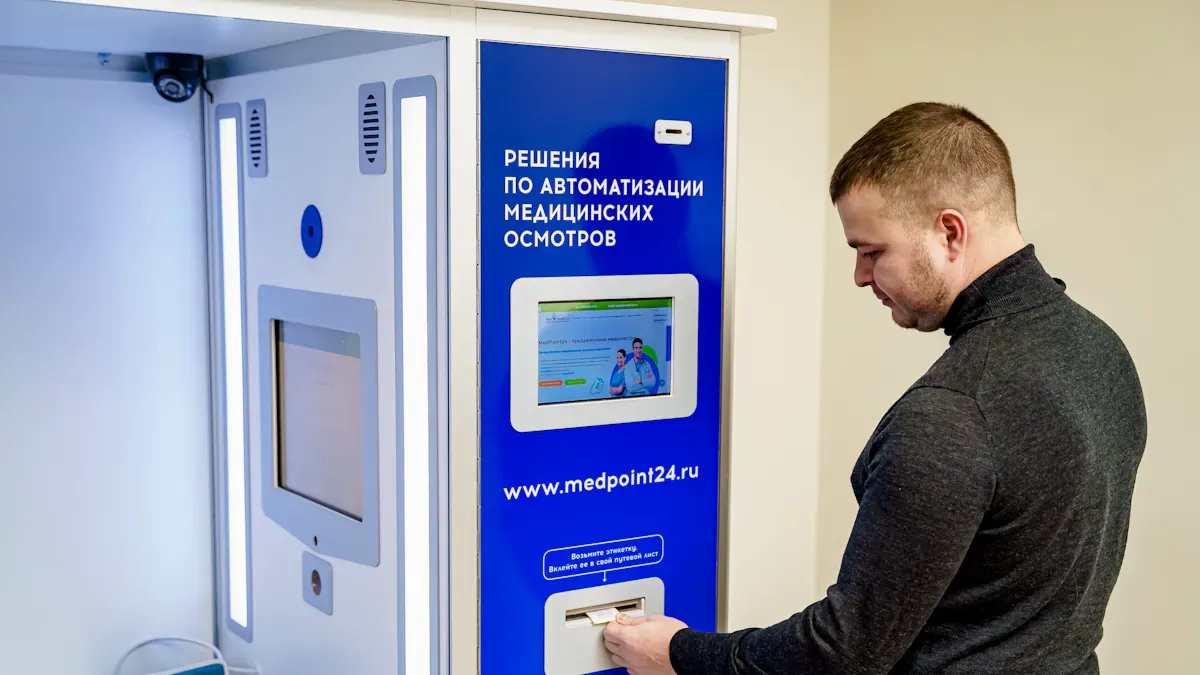
You want people to remember your booth and like your brand. A trade show touch screen kiosk lets people use it, play games, and look at content when they want. With touch screen kiosks, you make it easy for people to join in and get more people to take part. The table below shows how digital kiosks do better than old ways in getting leads, having good data, and getting people involved:
Aspect | Traditional Methods | Interactive Digital Kiosks |
|---|---|---|
Engagement | Only one-on-one talks | Self-service, fun experiences |
Lead Capture | People write data, mistakes happen | Data is taken fast and automatically |
Participation | Fewer people join because it is hard | More people join because it is easy |
Key Takeaways
Touch screen kiosks help people get involved. They let visitors use self-service. This makes it simple to look at content and join in.
Kiosks use games to keep visitors busy. Games make people stay longer. This helps you talk more and get better leads.
Kiosks give custom tips to each visitor. This makes people feel special. It also makes them want to learn more about products.
Kiosks have features for everyone. This means all people can join in. Your booth feels friendly and open to all.
Kiosks give feedback right away. This helps you see what works best. You can use this to make your next event better.
Interactive Trade Show Touch Screen Kiosk Experiences
Hands-On Content and Demos
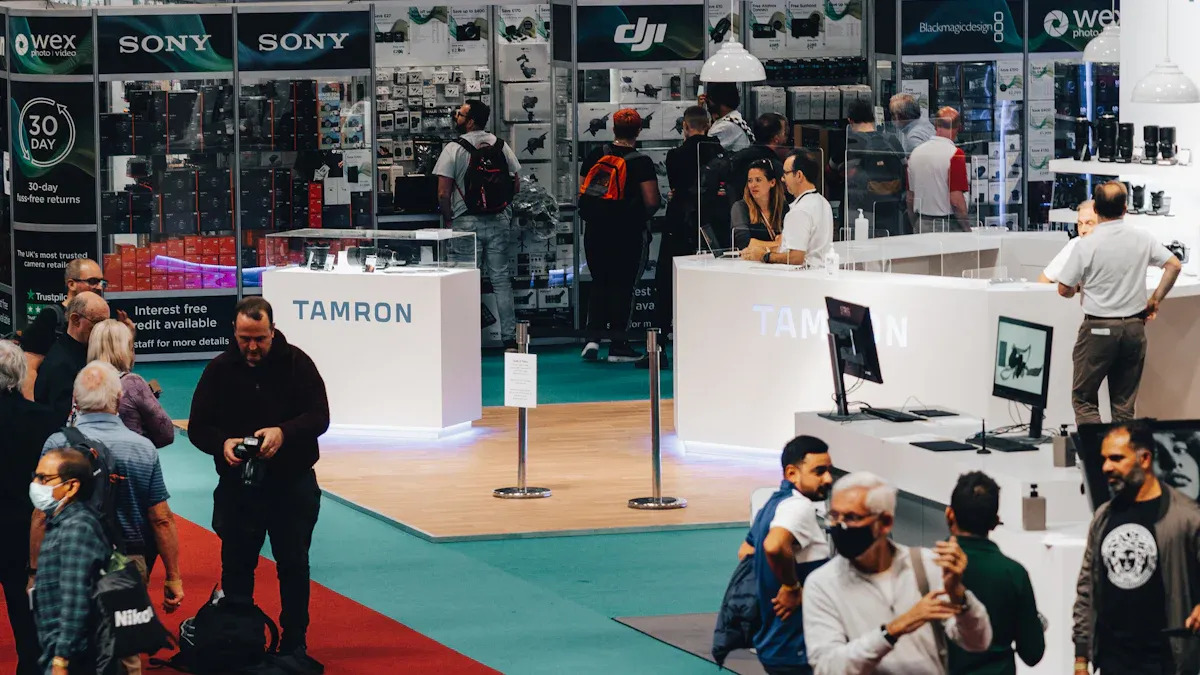
A trade show touch screen kiosk can turn your booth into a place to learn. People can use the kiosk to try out products and see demos by themselves. The screens are big and clear, so everyone can see details. Multi-touch overlays let many people use the kiosk at the same time. This makes the booth feel lively. Guests can swipe, pinch, or tap to move around easily.
Feature | Description |
|---|---|
Touchscreen Technology | Large, high-resolution touchscreens that allow hands-on interaction with content. |
Multi-Touch Capability | Detects multiple points of contact for advanced interactions. |
Touch Gestures | Uses swiping, pinching, and tapping for intuitive navigation and engagement. |
Interactive Product Demos | Engages attendees with hands-on demonstrations of products. |
Visitors get to learn by doing things, not just watching. This helps people pay attention and remember your brand better. Companies say they get 40-60% more leads with touch screen kiosks. Digital kiosks also bring in 20% more people to events. If people only listen, they remember less than 10%. Hands-on demos help them remember more.
Tip: Track how people use the kiosk to get better leads and work faster. Let guests explore on their own to help them learn more.
Gamification and Participation
Games make your booth exciting and easy to remember. Touch screen kiosks let you add games and challenges with your brand. You can use quiz games, spin wheels, or scavenger hunts to get people to join in. These games turn visitors into active players.
Evidence Type | Description |
|---|---|
Branded Touchscreen Games | Successful event marketing strategy, enhancing booth engagement and lead generation. |
Interactive Kiosk Games | Captivate attendees, drive engagement, and foster friendly competitions. |
People who play games stay at your booth longer and talk more. Longer visits mean better conversations and stronger connections. Games also help you collect information for follow-up. About 67% of people use games to learn about products. Active players give better leads.
Games help visitors join in and interact.
They make it easier to collect information for follow-up.
Playing games leads to better leads.
Note: Use QR code forms to quickly get data. Tablet kiosks help you have longer talks and get better leads.
Attracting Booth Traffic
Touch screen kiosks bring more people to your booth than regular displays. Interactive parts keep people interested two to three times longer. Young professionals like hands-on activities, and 64% take part in product demos and booth games. New technology attracts visitors, and 68% think booths with cool tech can do anything.
Evidence Type | Statistic | Description |
|---|---|---|
Attendee Engagement | 2-3 times longer | Interactive elements keep attendees engaged longer than static displays. |
Perception of Technology | 68% | Attendees believe booths with innovative technology have limitless potential. |
Positive Feedback | 43% | Young professionals share positive feedback about hands-on experiences. |
You can count booth visitors by checking how long they stay, how many finish activities, and how many leads you get. Interactive kiosks make people stay 40-60% longer, get up to 40% more leads, and help people remember your brand 30% better. Real-time feedback from users shows what visitors like and helps you change your booth.
Interactive kiosks turn visitors into active participants.
Longer stays mean staff can talk more with guests.
Real-time feedback shows what visitors enjoy.
Tip: Art displays and digital projections make your booth fun for many senses. Scent and special sounds give guests a unique experience and help them remember your booth.
Personalized Engagement with Touch Screen Kiosks
Custom Recommendations
You want each visitor to feel important at your booth. Custom recommendations help you do this. When people use a trade show touch screen kiosk, you can collect their information as they interact. You can ask easy questions about what they like or let them choose topics they care about. The kiosk then shows products or services that fit their needs. This saves time and shows you understand what each person wants.
You gather visitor information as they use the kiosk.
The kiosk uses this information to show content that fits their interests.
Attendees see only the products or services that matter most to them.
This method makes people feel special and increases the chance they will look at your products.
Touch screen kiosks make lead capture easier. People find it simple to connect with your booth. When you give custom recommendations, you show you care about each visitor. This leads to better talks and more leads for your team.
Tip: Let visitors share what they like. This makes the experience personal and helps your booth stand out at any event.
Self-Paced Exploration
You give visitors control when you let them explore at their own speed. Some people like to go slow. Others want to move fast. Touch screen kiosks let everyone choose how they learn about your products. You can offer videos, picture galleries, and interactive guides. Visitors can tap, swipe, or scroll to find what interests them most.
Interactive displays keep people interested 40-60% longer than regular displays.
Visitors who spend more than 10 minutes exploring show stronger interest in buying.
Kiosks help you get better leads than traditional brochures.
Self-guided tours let people learn without pressure from sales staff.
Libraries use self-service kiosks to help people manage their accounts. This same idea works at your event. You give visitors freedom to explore. They feel comfortable and learn more. You can track what people look at and use this information to improve your booth for the next event.
Note: Self-paced exploration makes people feel calm. They remember your booth better and are more likely to come back.
Accessibility Features
You want everyone to enjoy your booth, no matter their needs. Accessibility features in touch screen kiosks help you reach more people. These features make your booth open to all, including people with disabilities or those who speak different languages.
Feature Type | Specific Features |
|---|---|
ADA WCAG 2.1 AA Compliance | Keyboard navigation, screen reader compatibility, color contrast, alt text, adjustable text size, no time limits |
Physical Accessibility | Wheelchair-friendly mounting height, angled displays, clear floor space, audio descriptions, QR code access, multilingual support |
International Audience | Language selection, unit and currency toggles, cultural imagery, icon navigation, local compliance info |
Accessibility features do more than follow rules. They help everyone join your event. Adjustable font sizes and color contrast help people with vision problems. Simple user interfaces and physical buttons help people with limited movement. Screen readers and audio descriptions make information clear for all. Video captions and color-blind modes make sure no one misses out.
Accessibility Feature | Impact on Engagement and Inclusivity |
|---|---|
Adjustable Font Sizes and Contrast | More people can read and use the kiosk. |
Condensed User Interface | Wheelchair users find it easier to use the kiosk. |
Physical Buttons | People with dexterity issues can still take part. |
Screen-Reader Compatibility and Narration | People with vision or reading difficulties get the information they need. |
Video Captions and Audio Descriptions | Everyone can access multimedia content. |
Color Blind Modes | Color-blind users can navigate and use the content. |
You make your booth more welcoming when you use these features. More people can join in and learn about your products. This leads to higher engagement and better results for your event.
Tip: Always check that your kiosk meets accessibility standards. This helps you include everyone and makes your booth a favorite at any event.
Efficient Information and Lead Capture
Quick Product Access
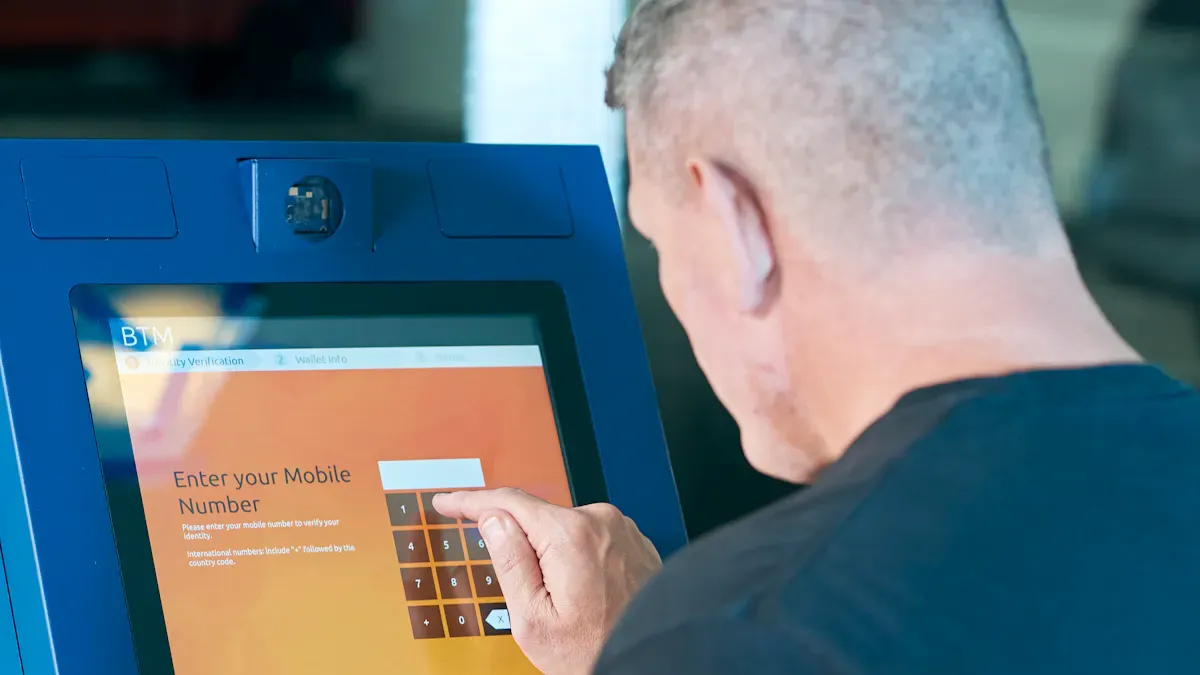
You want visitors to find product info fast at your booth. A trade show touch screen kiosk gives people an easy way to look up products. They do not have to wait for staff to help them. Many people like to help themselves. In fact, 77% of people like brands that let them use self-service. This means people get answers faster and feel less annoyed. Kiosks also make lines shorter and save time. People can look at products, read about them, and decide what they want by themselves.
Feature | Importance | Statistics |
|---|---|---|
User-Friendly Interface | Makes customers happy and helps them interact |
You help guests get info quickly. This makes your booth work better and keeps everyone happy at the event.
Lead Collection Tools
Touch screen kiosks make it simple to get leads. You can use digital apps to collect visitor info. These apps are better than paper forms and help you keep track of data. Fun screens get people to share their details. RFID and NFC can follow what visitors do without stopping them. Social media lets you stay in touch with guests after the event.
Digital apps make lead capture and data easy.
Fun screens collect info through games and activities.
RFID and NFC watch what visitors do for better follow-up.
Social media links turn short visits into longer connections.
You can use small touchscreens to get leads and feedback fast. This saves time and lets you talk more with real people.
Feedback and Data Insights
You need to know what works at your booth. Touch screen kiosks help you get feedback right away. Survey tools let visitors share ideas before they leave. Staff and guests can both give feedback, so your data is better. You can see how many people used the kiosk, how many became leads, and what content was most liked.
Metric Type | Description |
|---|---|
How many times people used the kiosk | |
Conversion rates | How many uses turned into leads |
Most popular content | What got the most attention |
Average engagement time | How long people used the kiosk |
Lead quality distribution | How good the leads were |
ROI calculations | How much value you got from leads and conversions |
You can send leads to your CRM right away. This helps you start follow-up messages soon after the event. You can also sort leads by how good they are. Data helps you plan better for next time. You see what works and how long people stay. This helps you make your booth better each time.
Tip: Use feedback and data from every event to make your next booth even better.
Real-World Examples and Best Practices
Case Study Highlights
You can find out how touch screen kiosks help at trade shows. Many companies use kiosks to show products and get more leads. Custom Exhibits uses touchscreen catalogs to show pictures and graphics. Visitors use the kiosk and give their contact info for follow-up. Booths often have VR and AR to make things feel real. These tools let people try products in a virtual world. Attendees feel closer to your brand when they use these features.
Here is a table that shows how some groups did better with touch screen kiosks:
Organization | Improvement Metrics |
|---|---|
Plug’n Drive | 53% more test drives, 40% EV purchase rate within six months |
Allstate | Up to 4x more leads, 68% growth in conversions |
Granville Island Brewing | 231% database growth, 32% better event attendance, 70% higher email clicks |
Hyundai | 122% increase in hot leads at Auto Shows |
These examples show how kiosks help you get more leads and keep visitors interested at events.
Effective Kiosk Deployment Tips
You want your kiosk to work well and bring in visitors. Put touchscreens in busy spots so more people stop. Use printed guides and friendly staff to help guests use the kiosk. Make sure everyone can use the kiosk, even people with disabilities. Test your kiosk with real people before the event starts. This helps you find problems early. Make sure the kiosk works fast and plan for problems just in case.
Here are some best ways to set up touch screen kiosks:
Put kiosks where lots of people walk.
Give out printed guides and have staff help.
Make kiosks easy for everyone to use.
Test with real people before the event.
Check if the kiosk works well and plan for tech problems.
You can see how well you did by checking visitor engagement, lead quality, and brand awareness. Use surveys and media checks after the event to see how your booth did.
KPI Type | Description |
|---|---|
Visitor Engagement Metrics | Measures how long attendees interact with kiosks and what actions they take during their visit. |
Lead Quantity and Quality | Tracks the total number of leads and the percentage of those that are qualified. |
Immediate Sales vs. Long-Term | Compares closed deals from the event with follow-up opportunities added to the CRM pipeline. |
Brand Awareness and Recall | Assesses brand impact through surveys and media tracking post-event. |
Tip: Always look at your results after each event. This helps you make your booth better and get even better results next time.
You can make your booth stand out with trade show touch screen kiosks. These tools help you engage visitors, collect leads, and build your brand. Interactive displays let people learn and play. Personalization makes each guest feel special. Data collection helps you improve your results. In the future, you will see kiosks with AI, voice commands, and touchless controls. Start using kiosks to create a better experience for everyone at your next event.
🚀 Trade Show Touchscreen Kiosks – 2026 Guide
For short‑term, high‑intensity events like trade shows, renting is often a more flexible and cost‑effective strategy than buying. Below are the key options and trends for 2026.
📊 Hardware Recommendations & Emerging Brands
Large‑Format Interactive Touch Screens (55–85 inches)
Ideal for interactive product catalogs, wayfinding, and engagement quizzes. Notable 2026 innovators include:
Samsung: Their Spatial Signage won six awards at ISE 2026, featuring immersive “glasses‑free 3D.”
TCL: Showcased a full range of digital signage products at ISE 2026, from standard displays to innovative MicroLED.
Promethean: The ActivPanel 10 (AP10) won the ISE 2026 Best Installation award – great for collaborative work environments.
Compact / Professional All‑in‑One (≤27 inches)
DTEN D7X 27″ (in partnership with Appspace): Supports room booking, interactive wayfinding, digital signage, workspace analytics, and optional mobile stands.
Ultra‑Compact Kiosks (laptop‑size / ≤15 inches)
Pyramid Computer POLYTOUCH® PIXI (15.6″): Lightweight and innovative, perfect for booths with limited space or as a menu board.
Cutting‑Edge / Concept Kiosks
For exhibitors wanting visual impact:
AI Avatar Kiosks: Featured at NRF 2026 – 24/7 tireless “digital ambassadors” that engage visitors interactively.
faytech: Demonstrated transparent OLED kiosks at CES 2026 for a sci‑fi like visual effect.
💡 Rent vs. Buy – Why Renting Wins for Trade Shows
Aspect | Renting | Buying |
|---|---|---|
Upfront cost | Low (pay only for show days) | High (US$3,000–8,000 for 3–5 units) |
Logistics | Vendor handles shipping, setup, teardown | You manage storage, transport, insurance |
Support | On‑site tech support + hot‑swap spares | You fix it or find local repair |
Flexibility | Choose different hardware per event | Locked into what you own |
Obsolescence | None – always get current models | Risk of aging / outdated tech |
Bottom line: Renting frees your team to focus on engaging visitors, not managing equipment.
🧠 Software Platforms & Content Management
What to Show
Modern visitors expect self‑guided interactive experiences – simple slide decks or looping videos no longer work. Consider:
Product navigator / configurator – let visitors explore features and specs using touch.
Interactive games / quizzes – run a prize draw or trivia contest.
Virtual / AI assistant – use an AI avatar to pre‑qualify leads and answer initial questions.
How to Manage (2026 Platform Landscape)
Category | Examples | Strengths |
|---|---|---|
All‑in‑one experience platforms | Connected Apps, RX NOW | Beyond the screen – integrate LinkedIn QR scanning, CRM, and analytics |
Universal digital signage + touch | SignageOS Supra | Drive powerful interactivity on any hardware; real‑time 3D and high‑performance interactions |
Industry‑specific platforms | Rocket Alumni Solutions | Tailored for museums, brand experiences, and niche verticals |
Selection criteria: Prioritise ease of use (quick on‑floor changes), hardware flexibility, and data integration (lead capture, analytics).
💎 Final Summary
Investing in trade‑show touchscreen kiosks is ultimately an investment in a successful exhibiting experience – empowering your team to win more high‑quality interactions.
By choosing rental hardware + a flexible software platform, your team can focus on what they do best: connecting with people, not fighting logistics and technical issues.
If you tell me your booth size, primary goal (lead generation, product demo, brand awareness), and rough budget, I can provide more tailored hardware + software recommendations.
FAQ
How do touch screen kiosks help you get more leads at trade shows?
Touch screen kiosks collect visitor information quickly. You can use digital forms, games, or quizzes to gather names and emails. This helps you follow up with people after the event.
Can you update kiosk content during the event?
Yes, you can update content on most kiosks at any time. You can add new products, change images, or fix mistakes. This keeps your booth fresh and accurate.
Are touch screen kiosks easy for everyone to use?
Most kiosks have simple menus and clear instructions. Many include features for people with disabilities, like larger text or audio help. This makes your booth open to all visitors.
What types of content work best on trade show kiosks?
Videos, product demos, interactive guides, and games work well. You can also use surveys or digital catalogs. These options keep people interested and help them learn about your brand.
Do you need special staff to run a touch screen kiosk?
You do not need special staff. Most kiosks work on their own. You can have team members nearby to help if someone has questions.
