Business Touch Screen Kiosks Compared for Performance and Value
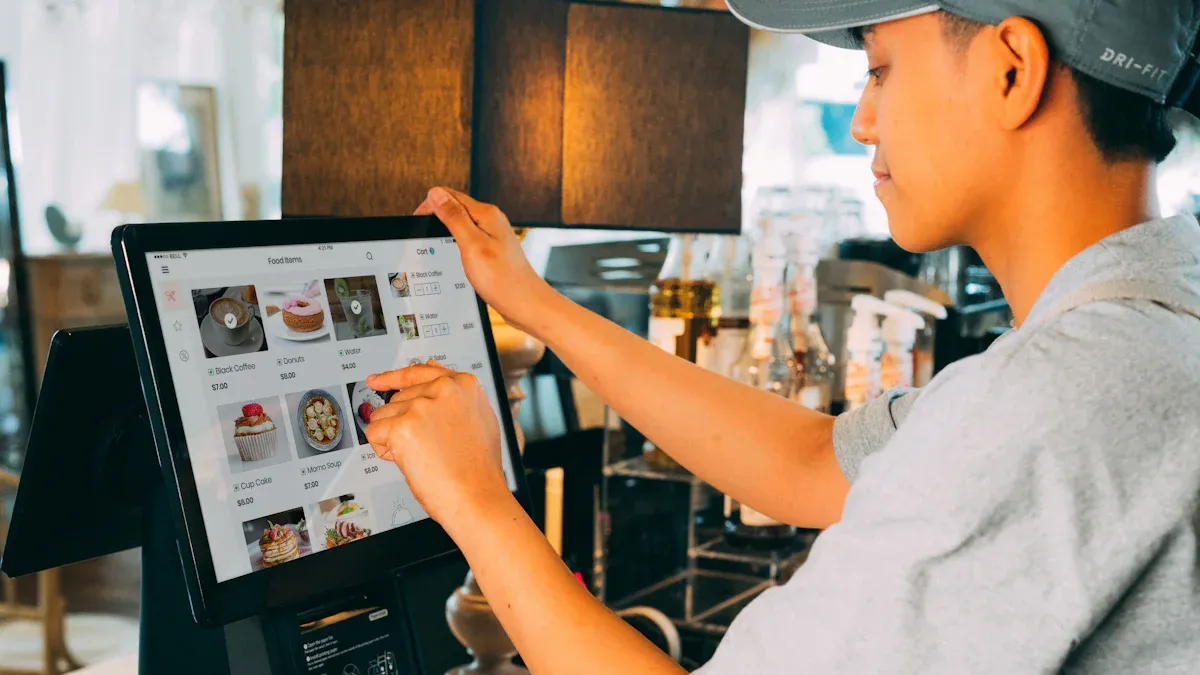
If you want great performance and value, you need a touch screen kiosk that helps your business grow and keeps customers happy. The market is getting bigger. It will reach USD 30.1 billion in 2026. You can see the real results in these numbers:
Metric | Value |
|---|---|
Customer satisfaction | 23% higher |
Customer loyalty | 19% greater |
Wait time reduction | Up to 40% |
Average order value |
Every business is different. You should pick a kiosk that fits your needs. Get ready for a simple and fair comparison.
Key Takeaways
Touch screen kiosks can make customers happier by 23%. They can also make people spend 20-30% more. Pick a kiosk that makes the customer experience better.
Self-service kiosks can cut wait times by up to 40%. They can also lower labor costs by 30%. This can help your business make more money.
Pick kiosks with hardware that can change and software that is easy to update. This helps your kiosks grow with your business over time.
Always make sure your kiosks are easy for everyone to use. Follow rules like WCAG 2.2 so all customers can use them well.
Think about vendor support and how reliable the kiosk is. Good support can stop problems and keep your business working well.
Why Touch Screen Kiosks Matter in 2026
Customer Experience Impact
You want your customers to feel happy and in control. In 2026, touchscreen digital signage kiosk features help make this happen. People want service that is fast, simple, and made just for them. Touchscreen kiosks give users what they want. They let people look around, order, and pay when they are ready. This self-service style gets people more involved and makes things easier for everyone.
Did you know? More than 72% of people now like using a touchscreen digital signage kiosk. Last year, only 59% felt this way. Over 49% pick self-service because it is faster. About 34.7% want shorter lines. These kiosks help people find new things to buy. Around 76% end up buying more than they planned. This is great for your business.
Efficiency and ROI
Touchscreen digital signage kiosk features do more than look cool. They help you save money and work better. You can lower labor costs by up to 30% since people do things themselves. Changing what is on the kiosk is fast and easy. This cuts printing and work costs by 70%. You also get 15% more space for products, so you can sell more. With touchscreen kiosks, your plan works better and you make more money back.
Scalability for Multi-Location Businesses
If you have more than one store, you need a plan that works everywhere. Touchscreen digital signage kiosk features help you manage all your stores at once. You can change menus, deals, or info in every store right away. Modular software lets you add new things when you need them. API integrations link your kiosks to other systems. Cloud-based management keeps everything the same. AI and digital twins help you get people interested and make things run smoother, no matter where they are.
Touchscreen digital signage kiosk features help you beat your rivals.
You make things easy for users and get them more involved.
Your plan is ready for the future and any new changes.
Touch Screen Kiosk Comparison Criteria
When you pick a touch screen kiosk, you need to look at some key features. The system should match your business, help people get involved, and be easy to set up. Let’s see what is most important.
Performance & Responsiveness
Your digital signage kiosk should react quickly. How fast it works depends on how it senses touch, sends signals, moves data, runs the system, and updates the screen. If it is slow, people will not want to use it. For apps you can touch, you want the screen to sense touch in 1-5 milliseconds. The screen should update in 16-33 milliseconds. Good kiosks let people use them without waiting.
Component | Time (milliseconds) |
|---|---|
Touch Detection | 1-5 |
Signal Processing | 2-8 |
Data Transmission | 1-3 |
System Processing | 5-20 |
Display Update | 16-33 |
Interactive Touchscreen Experience
The type of interactive touchscreen you use is important. Capacitive screens are quick and let you use more than one finger. Resistive screens work with gloves but are not as fast. Surface Acoustic Wave screens are tough and clear, so they are good outside. Projected capacitive screens are very sensitive and great for stores. Optical screens are clear and work well in busy places. You want a touchscreen that is easy and fun for everyone.
Capacitive: Quick, accurate, multi-touch
Resistive: Works with gloves, not as quick
SAW: Strong, clear
Projected Capacitive: Very sensitive, multi-touch
Optical: Clear, good for many places
Hardware Flexibility
Your digital signage kiosk should be flexible. You should be able to change what is on the screen, add new things, or change the look without getting new hardware. This helps you keep up with new people or change times fast. Flexible hardware means your kiosk will last longer.
Deployment & Multi-Location Management
Setting up a kiosk is more than just putting it in place. You need a system that works in many places. Ways like drop-shipping or sending many at once make setup faster. Planning when and where to install helps you put kiosks in the best spots. You can check how kiosks are working from far away. Cloud-based tools help you keep everything the same everywhere. Managing many places lets your business grow.
Best Practice | Description |
|---|---|
Drop-shipping, bulk shipping, sending in steps | |
Installation Scheduling | Flexible times to save money |
Site Surveys | Find best spots, check power, follow ADA rules |
Remote Monitoring | Watch system health, stop problems early |
Warranty Management | Fast swaps for broken parts |
Accessibility & Compliance
Accessibility is very important. Your digital signage kiosk should follow rules like WCAG 2.2 AA or AAA. It needs to be easy to reach, have clear space, bright colors, and big buttons. Pictures and captions help everyone use it. Simple words and the same layout make it easy for all. New rules are coming soon, so make sure your kiosk is ready.
Cost & Value
Price is important, but what you get matters more. The cost depends on hardware, CPU/RAM, case design, extra parts, software, and changes you want. Simple kiosks cost a few thousand dollars. Fancy ones can be over $15,000. The total cost includes setup, teaching, fixing, and updates. You want a kiosk that helps you sell more, pay less for workers, and get people more interested.
Aspect | Details |
|---|---|
Pricing Structure | Price is based on what you need |
Influencing Factors | Hardware, CPU/RAM, case, extras, software, changes |
General Range | Simple: thousands; Fancy: $15,000+ |
Total Cost of Ownership | Setup, teaching, fixing, updates |
ROI | More sales, less worker cost, better engagement |
Vendor Support & Reliability
Good vendor support and strong kiosks help your setup work well. Pick vendors with good uptime and tough hardware. Good help means easy fixes and less trouble. Companies like NCR, Zebra Technologies, and Advanced Kiosks have strong systems and help you set up. Test projects show if a system works before you buy a lot. You want a partner who helps you and keeps your kiosks working.
Tip: Always ask about warranty, fixing, and help with setup before you pick a vendor.
Best Touch Screen Kiosks for Business
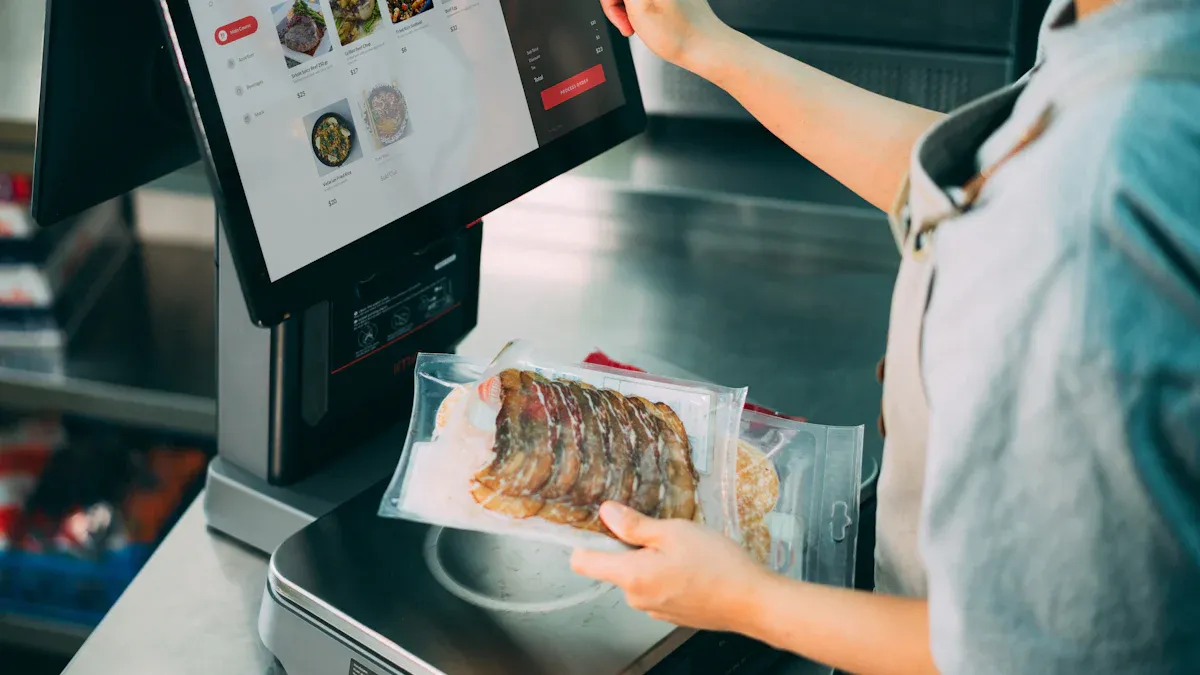
Picking the right digital signage kiosk can change your business. You need a system that fits your needs. It should help people get involved and keep things running well. Let’s check out the best choices for different industries.
Retail & Food Service Leaders
Retail and food service businesses want kiosks that are fast and easy. These kiosks help customers order or pay without waiting. You need a digital signage kiosk that makes things simple and fun. Here are some top picks:
Kiosk Name | Features |
|---|---|
Toast | Easy-to-use kiosks for ordering and better experience. |
Ziosk | Tablets for ordering and paying, with interactive features. |
NCR Aloha | Kiosks with custom options, good for big chains. |
Square for Restaurants | Simple kiosk system that works with other Square tools. |
GRUBBRR | Easy interfaces with AI that suggest extra items. |
Flexible kiosks for retail, strong hardware, custom branding. |
Toast and Square for Restaurants let you order and pay on a touchscreen. Ziosk puts tablets on tables so guests can order and pay anytime. NCR Aloha is good for big chains that need custom features. GRUBBRR uses AI to suggest more items, which can help sales. Topadkiosk has flexible hardware, custom branding, and strong support for stores.
Most kiosks use analytics to track what people buy and when. They help you see trends and make better choices. AI features, like in GRUBBRR, can suggest items and raise order value. Prices start at $2,000 for basic kiosks. Advanced systems with custom features can cost $10,000 or more.
Tip: To boost sales and engagement, pick a digital signage kiosk with AI upselling and easy POS integration.
Hospitality & Self-Service Options
Hotels, airports, and entertainment places need kiosks that help guests check in, find their way, or get info fast. You want a touchscreen that is easy for everyone, even if they are in a hurry.
Topadkiosk has self-service kiosks for hotels and airports. Their kiosks let guests check in, print tickets, or get directions. You can add your logo and pick the look you want. NCR and Advanced Kiosks also have strong options for hospitality. They offer interactive touchscreens and support many languages.
These kiosks often use AI to answer questions or help guests find what they need. Analytics show which services people use most, so you can improve them. Most hospitality kiosks cost between $3,000 and $12,000, depending on features.
Note: Interactive kiosks in hotels and airports can cut wait times and make guests happier by up to 30%.
Healthcare & Secure Environments
Healthcare needs kiosks that protect privacy and keep data safe. You want a touchscreen that is easy to clean and secure for patient check-in.
Here’s how top healthcare kiosks stay safe:
Experts check for security risks and test for weak spots.
They look at privacy risks since kiosks often stand alone.
Kiosks should be in well-lit areas for safety.
Privacy screens stop others from seeing personal info.
Kiosks block access to hardware to prevent hacking.
Internal parts are locked in secure cases.
They avoid extra devices that could be used for hacking.
Kiosks use special networks and security tools to keep data safe.
They run on systems made just for kiosks, so people can’t use them for other things.
Topadkiosk builds kiosks for healthcare that meet these needs. Their kiosks support touchless check-in, secure payment, and patient privacy. You can add custom branding and pick materials that are easy to clean. Prices start at $4,000 and go up with more security features.
Security Alert: Always pick a kiosk with strong privacy controls and secure network options for healthcare.
High-Traffic Public Spaces
Busy places like malls, transit stations, and stadiums need kiosks that handle lots of users. You want a touchscreen that works fast and keeps lines short.
Let’s compare how kiosks work in these places:
Metric | Cashier Checkout | Touch Screen Kiosk for Stores |
|---|---|---|
Transaction Time | 5-8 minutes | 1-2 minutes |
Staff Required | 1 per register | 1 attendant per 4 kiosks |
Order Accuracy | 90% | 99% |
Impulse Purchases | 10% | 22-28% |
Space Utilization | 35 sq ft per lane | 15 sq ft per kiosk |
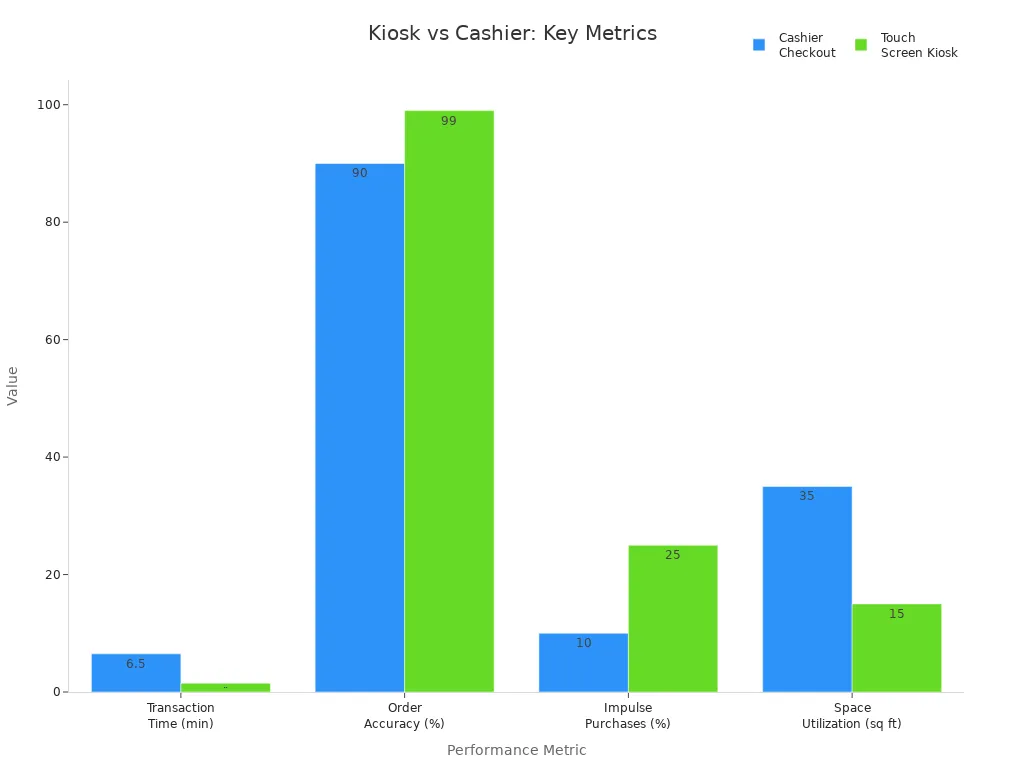
Kiosks in public spaces cut wait times and help more people. You need fewer staff to serve more customers. These kiosks also increase impulse buys, which means more money for you. Topadkiosk and NCR have tough kiosks for outdoor and indoor use. They support fast touchscreen response and easy updates. Prices start at $3,500 and go up for rugged models.
Callout: In busy places, a kiosk with fast touchscreen and strong analytics can help you manage crowds and boost engagement.
Customizable OEM Solutions
Sometimes, you need a kiosk that fits your exact needs. OEM solutions let you pick the size, look, and features you want. Topadkiosk leads in this area, offering full customization for hardware, software, and branding.
Here’s what you can customize:
Customization Dimension | Description |
|---|---|
Color | Many color options for your brand. |
LOGO | Custom logo placement and design. |
Appearance | Tailored look and feel. |
Configuration | Choose hardware that fits your needs. |
Interface | Custom user interface designs. |
Size | Pick the right size for your space. |
Module | Add special modules for extra features. |
Material | Select materials for durability or style. |
Screen | Choose screen type and specs. |
Installation Method | Pick how you want to install the kiosk. |
You can get custom glass sizes, special screen designs, and dedicated software. Topadkiosk offers fast prototyping and engineering support. You get a kiosk that matches your vision. These kiosks work well for banks, airports, and stores that want something unique. Prices depend on your choices, but most custom projects start at $5,000.
Pro Tip: Custom kiosks can make your business stand out and boost engagement by matching your brand and workflow.
No matter your industry, the right kiosk can help you get more people involved, speed up service, and grow your business. Look for interactive touchscreen features, strong analytics, and options that fit your needs.
Best Digital Signage Software for Kiosks
You want good digital signage software for your touch screen kiosks. The right software makes your kiosk simple to use. It keeps your content new and helps you reach your goals. Let’s look at three top choices and see which one is best for you.
Intuiface Overview
Intuiface is a top digital signage software for interactive kiosks. You can make custom experiences without hiring developers. The platform lets you set up kiosks fast, so you save time and money. You control the design, so your kiosk matches your brand. Intuiface works for small shops and big companies. Visitors stay interested with touch and gesture features. The software connects with CRM and marketing tools, so your data is always current. Security is strong. You can use Intuiface for trade shows, events, or permanent setups.
You do not need coding for content strategy development.
Data syncs in real time with your content management system.
It supports touch, gesture, and other interactive features.
Tip: If you want to make your kiosk special and get people involved, Intuiface helps you do it quickly.
OptiSigns Features
OptiSigns is another good digital signage software for businesses. You can add interactive features that let users check in, look at products, or find their way. The platform makes self-service easy and means you need fewer staff. You can use QR codes for quick info, and users scan them from the screen. OptiSigns lets you make interactive content without coding. You can plan your content strategy to fit your business. The software works well for stores, offices, and public places.
Users can check in, look at catalogs, and move around spaces.
QR code scanning gives extra info fast.
It connects easily with your content management system.
Note: OptiSigns helps you make fun, user-driven experiences that keep customers coming back.
Google Slides for Business
Google Slides is a simple way to manage kiosk content. You can update slides from anywhere, so your info is always new. The platform is cloud-based, so you do not need special hardware. You can use Google Slides for menus, news, or product displays. It is good for small businesses or anyone new to digital signage software. You can share slides with your team and update them together.
Software | Best For | Interactive Features | Ease of Use | Customization |
|---|---|---|---|---|
Intuiface | All business sizes | Touch, gesture | High | Full |
OptiSigns | Retail, offices, public | QR, check-in | High | Moderate |
Google Slides | Small business, simple | Basic navigation | Very High | Limited |
If you want a fast, low-cost choice, Google Slides gives you flexibility and easy updates.
You have many choices for digital signage software. Think about your business size, your content strategy, and how you want users to interact. Pick a platform that works with your content management system and fits your goals.
Feature Comparison Matrix
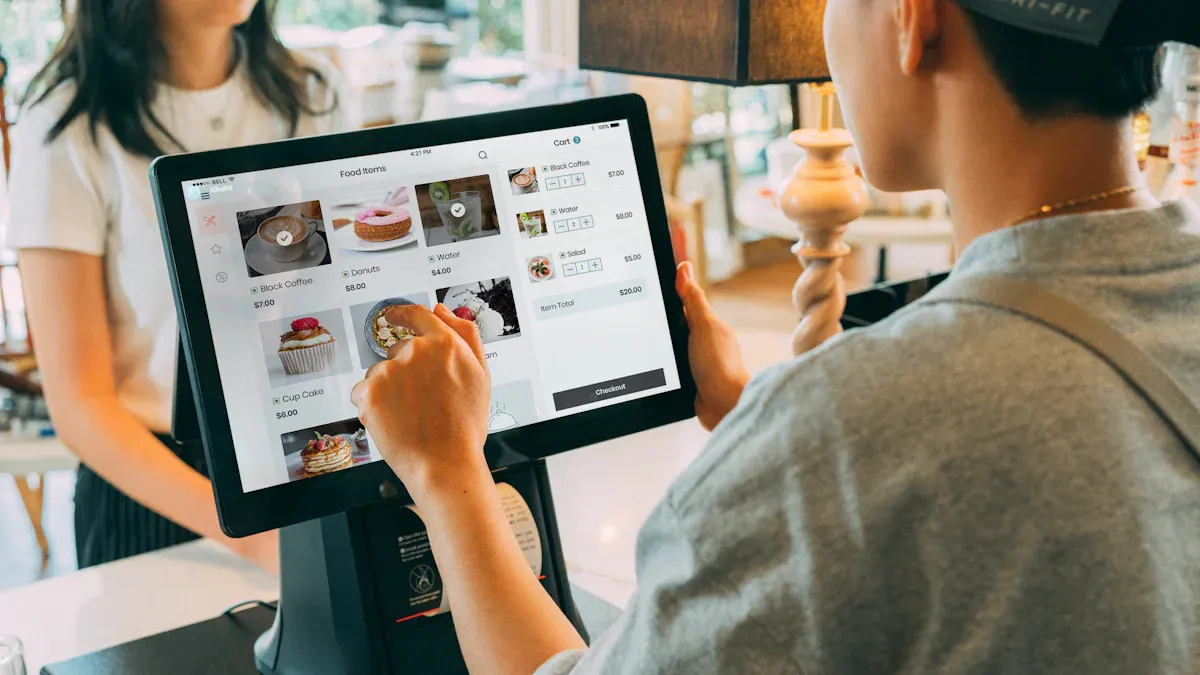
You want to pick the best touch screen kiosk for your business. A feature comparison matrix helps you see the differences fast. You can check which kiosk or software fits your needs and budget. Here’s a simple table that compares top options across important features:
Solution | Performance | Interactivity | Analytics | Security | Cost | Support |
|---|---|---|---|---|---|---|
Topadkiosk | High | Multi-touch | Advanced | Strong | $-$$ | Reliable |
Toast | High | Easy order | Good | Strong | $-$$ | Good |
Rise Vision | Good | Custom apps | Basic | Moderate | $-$ | Moderate |
ScreenCloud | Good | QR codes | Basic | Moderate | $-$ | Moderate |
NoviSign | High | Touch, QR | Advanced | Strong | $-$$ | Good |
Square | High | Simple POS | Good | Strong | $-$$ | Reliable |
Intuiface | High | Touch, gesture | Advanced | Strong | $-$$ | Good |
OptiSigns | Good | QR, check-in | Good | Moderate | $-$ | Moderate |
Google Slides | Basic | Simple nav | None | Moderate | $ | Limited |
Tip: You can use this matrix to quickly spot which features matter most for your business. If you need strong analytics and security, look at Topadkiosk, NoviSign, or Intuiface. If you want low cost and easy updates, Google Slides or Rise Vision might work.
When you use a feature comparison matrix, you make smart choices. Here’s how you can do it:
Define your main use case. Are you selling, guiding, or checking in?
Check your technical resources. Do you have IT staff or need simple tools?
Set your budget. How much can you spend?
Think about growth. Will you add more kiosks later?
Look at your content. Is it simple or complex?
Make sure your kiosk is accessible for everyone.
Choose vendors who offer good support.
You can see all your options side by side. This makes your decision easier and faster. You get a kiosk that fits your goals and helps your business grow.
Deal-Breakers & Mistakes to Avoid
Picking a touch screen kiosk can be hard. You do not want to make mistakes that hurt your business. Let’s see the most common deal-breakers and how to avoid them.
Ignoring Scalability
You may start with one kiosk, but your business could grow. If you forget about scalability, you might have trouble later. Some kiosks need extra parts or assembly. Pre-integrated units are easier and work well in many places. Always ask vendors about their end-of-life policy. You should get at least five years of hardware support. Look for cloud-based management and easy software updates. This makes adding new kiosks simple.
Deal-Breaker Type | Description |
|---|---|
Modular Kiosks | Do not pick kiosks that need assembly; pre-integrated units save time and stop compatibility problems. |
Vendor Viability | Make sure vendors give long-term support and keep updates coming. |
Tip: Think about what you will need later. Choose a kiosk that can grow with your business.
Overlooking Software Compatibility
Software is just as important as hardware. If you ignore compatibility, you could lose sales and have downtime. Old software can cause big issues. Always check for new firmware and security patches. Make sure your kiosk meets PCI-DSS Level 1, ADA/WCAG 2.1 AA, and EMVCo rules. Ask for a service level agreement for bug fixes—less than four business hours is best.
Pick platforms that can update easily.
Ask for proof of compliance certifications.
Underestimating Support Needs
Support keeps your kiosks working. If you do not plan for support, you could have long outages. Ask vendors for a clear end-of-life policy. Get a service level agreement for quick fixes. Good support means less worry and more uptime.
Ask about warranty and repair choices.
Check if the vendor offers remote monitoring.
Focusing Only on Upfront Cost
Cheap kiosks may cost more later. Low-quality screens can break or need repairs. Bad user interfaces upset customers. Not thinking about sunlight or dirt can cause failures. Test the kiosk in real life before buying.
Note: Price should not be your only reason. Quality, support, and compliance are more important.
If you avoid these mistakes, your business will do better. Smart choices now mean fewer problems later.
Recommendations for Decision-Makers
You want to make the best choice for your business. Picking the right touch screen kiosk and software can feel overwhelming, but you can break it down into simple steps. Here’s a clear path to help you move forward:
Define Your Main Goals
Decide what you want your kiosk to do. Are you looking to speed up checkout, improve customer service, or boost sales?Know Your Audience
Think about who will use your kiosk. Will it be customers, staff, or visitors? What do they expect from the experience?Review Your Content
Make a list of what you already have. Check if you need new menus, product info, or interactive guides.Check Your Tech Setup
Look at your power sources, network connections, and current IT systems. Make sure your space is ready for a kiosk.Set Success Targets
Pick clear goals. You might want shorter wait times, higher sales, or better customer feedback.
Tip: Write down your goals and share them with your team. This helps everyone stay focused.
Once you know what you need, you can take action:
Request Demos
Ask vendors for live demonstrations. You can see how the kiosk works and ask questions.Consult Vendors
Talk with experts. They can help you find the best fit for your business.Try Pilot Programs
Test a kiosk in one location. You can measure results and make changes before rolling out more units.
If you want more details or custom options, check out sites like Topadkiosk. You can find flexible solutions and expert advice.
You have the tools to make a smart choice. Take your time, ask questions, and test before you commit. Your business will thank you.
You’ve seen how touch screen kiosks can boost your business. Make sure you pick features that match your needs. Use the comparison matrix and checklist before you buy. Try demos, talk to vendors, or run a pilot program.
Ready to take the next step? Visit Topadkiosk for expert advice and flexible solutions.
Stay smart and invest in a kiosk that helps your business grow in 2026! 🚀
FAQ
What is a touch screen kiosk?
A touch screen kiosk is a self-service device with a digital display. You can use it to order food, check in, or get information. It helps you do things faster without waiting for staff.
How do I keep my kiosk secure?
You should use strong passwords and update your software often. Place your kiosk in a well-lit area. Pick a vendor that offers privacy screens and secure network options.
Can I customize my kiosk for my business?
Yes! You can choose colors, logos, and features that match your brand. Companies like Topadkiosk offer full customization for hardware and software.
What happens if my kiosk breaks?
Most vendors offer warranties and support. You can call for repairs or get replacement parts. Ask about service agreements before you buy.
How much does a business kiosk cost?
Prices start at a few thousand dollars. Custom or advanced models can cost $10,000 or more. Always check what features and support come with your kiosk.
See Also
Discover The Essential Features Of Today's Touch Screen Kiosks
Uncover 10 Unexpected Applications For Touch Screen Kiosks In 2026
An In-Depth Comparison Of Digital Signage Solutions For Retail
Selecting The Ideal LCD Digital Signage For Your Business In 2026
