How to Select the Perfect Place for Your Information Kiosk
Add.: 2F, Bldg 10, Changfeng Industrial Park, Dongkeng, Fenghuang, Guangming, Shenzhen, China 518132
Mobile/WHATSAPP: 86-138 25769658
Email: marketing@topadkiosk.com topadkiosk@gmail.com
Skype: pghenry1
Wechat: adkioskhenry
English Web.: https://www.topkioskdisplay.com/
http://www.ad-kiosk.com/
https://www.toplcddisplay.com/
http://www.multitouchdigitalsignage.com/
https://www.youtube.com/channel/UCYVYNJHxLVEcQD8fuUxXNTA/videos?view_as=subscriber
https://www.facebook.com/TOPADKIOSKSHENZHEN/?ref=bookmarks
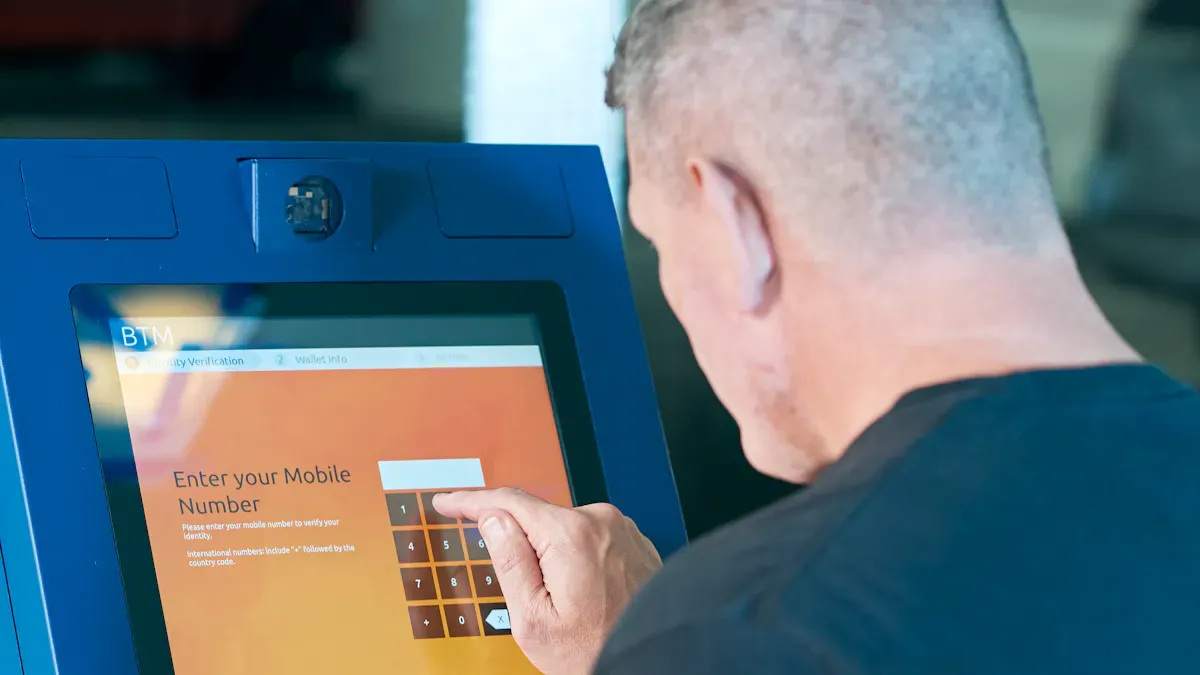
Imagine you walk into a busy mall and spot an information kiosk right where everyone gathers. You stop, check directions, and move on with ease. That’s the power of smart placement! If you want people to actually use your kiosks, you need to put them where they can see and reach them easily. Recent studies show that:
Strategic placement in high-traffic spots boosts engagement.
People use kiosks more when they’re convenient.
Hard-to-reach kiosks often get ignored.
Think about your customers and what your business needs. Find the best places to deploy information kiosks by focusing on visibility, convenience, and user habits. For more inspiration, check out https://www.topkioskdisplay.com/.
Key Takeaways
Pick busy spots for your kiosks so more people see and use them.
Learn about your main users by collecting numbers and stories about them.
Make sure kiosks are easy for everyone to use, even people with disabilities.
Try out different spots and ask users what they think to find the best place for your kiosk.
Put kiosks where they help your business and make customers happy and things run smoothly.
Understanding Customer Needs
Identifying Target Users
You want your information kiosks to help many people. To do this, you must know who will use them. Look at the people who come to your space each day. Are they families, students, tourists, or business workers? Each group wants different things and acts in their own way.
You can gather two kinds of data to learn about your users:
Data Type | Description |
|---|---|
Quantitative | Uses numbers like age and gender. It answers questions like 'what' and 'how often'. |
Qualitative | Uses words to explain the 'why' behind what people do. |
Quantitative data shows how many people walk by, their ages, and how often they visit. Qualitative data tells you why people stop at some places or what they ask most. When you use both, you understand your users better. This helps you pick the best spots for your kiosks, so they help real people.
Aligning Kiosk Placement with Business Goals
You want your kiosks to do more than just sit there. They should help your business and make things easier for your customers. Think about what you want to happen. Do you want to make service faster, cut down wait times, or sell more?
Here are some ways good placement helps you reach your goals:
Studying where people walk helps you find the best places. This way, more people see and use your kiosks. It makes lines move faster and keeps people happy.
Putting kiosks in line can make waiting less boring. People can get info or order while they wait.
Making sure kiosks fit with the store or restaurant keeps things smooth. Customers get help without stopping what they are doing.
Let’s see some common business goals and how kiosks help:
Statistic | Impact on Business Goals |
|---|---|
65% of customers would visit more often if self-service kiosks are available | Makes customers happier |
30% of customers prefer kiosks over cashiers | Helps sell more |
400% drop in order accuracy complaints | Makes things run better |
Kiosks at the counter see 90% of orders | Sells more with good placement |
Average 15% increase in spending when ordering via kiosks | Helps sales and money go up |
You should always know your goals and your users before picking a spot. Ask experts for help if you need it. When you match your goals with what customers want, your kiosks will do well.
Analyzing Foot Traffic for Best Places to Deploy Information Kiosks

You want your information kiosks to get noticed and used. The best way to do this is by understanding where people walk, pause, and gather in your space. When you know these patterns, you can pick the perfect spot for your kiosks.
Mapping High-Traffic Zones
Start by looking for high-traffic locations in your building or area. These are the spots where people pass by the most. You can walk around and watch where crowds form. Entrances, exits, and popular displays often attract the most people. You might see groups waiting near elevators or lining up at service counters.
Here are some simple ways to map these zones:
Watch and track where people walk during busy hours.
Notice where customers stop or gather, like near maps or main doors.
Use floor plans to mark these busy spots.
Ask staff where they see the most people.
When you place kiosks in these high-traffic locations, you make it easy for everyone to find and use them. You also help your business by putting help right where people need it.
Observing Customer Flow
After you find the busiest spots, you need to see how people move around them. Customer flow means the path people take as they walk through your space. If you watch closely, you will see where people slow down, turn, or wait. These are great places for kiosks.
You can use these tips to observe customer flow:
Track foot traffic to see where people pause or gather.
Place kiosks where people already stop, like near entrances or popular displays.
Make sure kiosks are easy to see from far away.
Group kiosks together to create a self-service zone.
Tip: Try watching at different times of day. Morning, lunch, and evening crowds may move in different ways.
You want your kiosks to fit into the natural flow. If you put them where people already stop, you make it easy for them to get help or information. This also means less waiting and more happy customers.
Here are some key indicators that show you have picked a good spot for your kiosks:
Indicator | Explanation |
|---|---|
User Engagement | See how users interact with the kiosk and if they explore its content. |
Information Accuracy | Make sure the kiosk shares correct info and works well with your other systems. |
Customer Satisfaction | Ask for feedback or check reviews to see if people like using the kiosk. |
Bounce Rate | A low bounce rate means people feel comfortable using the kiosk and do not walk away quickly. |
Scalability | The kiosk should handle more users and more info without slowing down. |
When you pay attention to these signs, you can tell if your kiosks are in the right place. If not, you can move them to a better spot. Always look for ways to make things easier for your customers.
Visibility and Accessibility of Kiosks
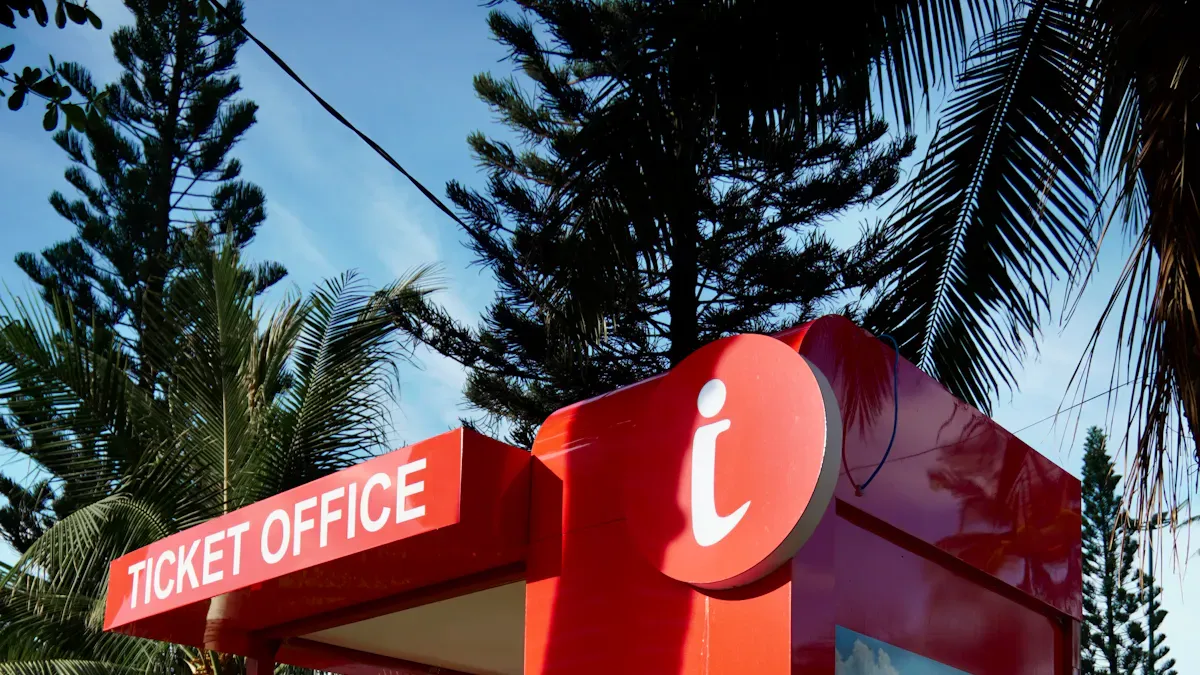
Front-and-Center Placement
You want people to see your kiosks right away. The best way is to put them where everyone looks first. If you place a kiosk at the entrance, people will notice it fast. This makes it easy for users to get help quickly.
"With thousands of successful kiosk deployments, the best way to get people to use kiosks is to put them Front and Center, so users see them as soon as they walk in. Self-service kiosks are for convenience, but if you hide the kiosk, it won’t help anyone."
Here are some ways to make kiosks easy to see:
Description | |
|---|---|
Effective Signage | Use big, clear signs that show where kiosks are. |
Strategic Placement | Put kiosks in busy places where lots of people walk by. |
Clean Environment | Keep the area around kiosks neat and not messy. |
Adequate Lighting | Make sure the kiosk area is bright and the screen is easy to see. |
Accessibility Considerations | Place kiosks where everyone, even people with disabilities, can reach them. |
Freestanding kiosks can go in many places. You can put them in the middle of a hallway or near doors. This helps people see and reach them easily.
Ensuring Easy Access
You want everyone to use your kiosks without problems. Make sure nothing blocks the way to the kiosk. Do not put racks, signs, or chairs in front of it. Check that people in wheelchairs can reach the screen and buttons.
Here are some common problems and how to fix them:
Barrier Type | Description |
|---|---|
Screens or buttons are too high for people in wheelchairs. | |
Hearing Impairments | No headphone jack for people who are deaf or hard of hearing. |
Vision Impairments | No sound or Braille for people who are blind. |
You can follow these steps to make kiosks easy to use:
Put kiosks on wide, clear paths.
Update kiosks so everyone can use them.
Add simple instructions for special features.
Make sure screens are between 15 and 48 inches high.
When you make kiosks easy to see and use, more people will use them. This makes customers happier and helps your business do better.
Integrating Kiosks with the Environment
Blending with Layouts
You want your kiosks to fit in with the space around them. When you blend them with your layout, people feel comfortable using them. You can match the style of your kiosks to the colors and shapes in your building. This helps them look like they belong.
Here’s a table with design principles that help kiosks blend in:
Design Principle | Description |
|---|---|
Clarity and Simplicity | Show information in a clear way. Avoid confusing words or busy graphics. |
Consistency | Use the same style for all kiosks and signs. This makes things look neat. |
Accessibility | Make sure everyone can use the kiosk, including people with disabilities. |
Context | Give information that fits the place and the people who visit. |
Hierarchy | Show the most important info first. Guide users step by step. |
Legibility | Use big, easy-to-read text and pictures. Make sure people can see them from far away. |
You should also think about where you put your kiosks. Choose high-traffic spots with enough space for people to stand and wait. Make sure the height works for everyone, and the screen tilts for easy viewing. If your building gets hot or humid, keep your kiosks cool and dry.
Avoiding Obstructions
You want people to reach your kiosks without trouble. Watch out for things that block the way. Common obstructions include:
Barriers in the walkway, like trash cans or displays, can stop people from getting close.
Controls that are too high or too low make it hard for some users, especially those in wheelchairs.
Missing features, like voice help or high-contrast screens, can make kiosks hard to use for people with disabilities.
Keep the area around your kiosks clear. Place controls between 20 and 44 inches from the ground. Add features that help everyone, like sound or Braille. When you remove obstacles, more people can use your kiosks, and you get better results.
Technical and Security Considerations for Smart City Kiosks
Power and Connectivity
When you pick a spot for smart city kiosks, you need to think about power and internet. Without these, your kiosk will not work well. You want your kiosk to give real-time information and help people make good choices. Most kiosks use standard Android devices and simple parts, so you can set them up quickly. You should always check that your location has steady power and a strong connection.
Here are some things to look for:
Free Wi-Fi should reach at least 150 feet around the kiosk. This helps many people connect at once.
Wired internet should have a speed of at least 1 gigabyte. If you cannot use wires, you can use a SIM card or a 4G/5G hotspot.
Your kiosk should stream video if needed, so pick a spot with good signal strength.
Make sure your data stays safe and correct. This keeps users’ information private and helps your kiosk work smoothly.
If you choose a place with weak power or poor internet, your kiosk may not help anyone. Always test the spot before you set up your kiosk.
Security and Maintenance
You want your smart city kiosks to stay safe from damage and cyber threats. Good security keeps your kiosk working and protects user data. You can use cameras, alarms, and strong locks to stop theft or vandalism. For extra safety, use cameras with facial recognition and alarms that alert you right away.
Here’s a table with top security steps:
Security Measure | Description |
|---|---|
Access Control | Use mobile access for doors and limit who can enter. |
Video Surveillance | Place high-definition cameras at entry points and key spots. |
Perimeter Security | Add strong doors and motion lights to keep out intruders. |
Intrusion Detection | Set up alarms and sensors to warn you of problems. |
Visitor Management | Track guests with self-check-in systems. |
Emergency Preparedness | Mark exits clearly and practice safety drills. |
Periodic Security Audits | Check all security tools often to make sure they work. |
You should also keep your kiosks clean and working. Clean them every day. Check parts every week or month to find problems early. Watch for system warnings and check paper or cash levels often. Every two weeks, look at device reports to see if people use the kiosk. If not, you may need to move it to a better spot.
Smart city kiosks work best when you pick safe, connected, and easy-to-maintain locations. This way, your kiosks help more people and last longer.
Testing and Optimizing Kiosk Placement
You want your kiosk placement to work right from the start, but sometimes you need to test before you know for sure. Piloting locations helps you see what works best in your space. You can try different spots and designs to find the perfect fit for your self-service kiosks.
Piloting Locations
Start by testing several types of self-service kiosks in different areas. You might place one interactive kiosk near the main entrance and another by the elevators. Try putting kiosks in busy places like city center hotels or airport hotels. Each location has its own needs, so you want to see which spot gets the most use.
Follow these steps to pilot your kiosk placement:
Test different kiosk designs in several layouts.
Place kiosks in a variety of environments to see what works best.
Check how well each kiosk connects with your building’s systems.
Watch how people use the kiosks and note what they like or dislike.
See if staff save time or if guests get help faster.
You can learn a lot by watching how people interact with each interactive kiosk. If you see long lines or happy faces, you know you picked a good spot. If a kiosk sits empty, you may need to move it.
Gathering Feedback
Feedback helps you improve your kiosk placement. You can ask users for their thoughts right after they use a kiosk. Many kiosks let people give feedback in just 10 seconds. This quick response helps you catch problems early.
Here are some ways to gather feedback:
Let users share their opinions while the experience is fresh.
Offer anonymous surveys to get honest answers.
Use tracking software to see how many people use each kiosk.
You can use a simple process to keep improving your kiosk placement:
Stage | Description |
|---|---|
Product Deployment | Set up your kiosks for everyone to use. |
Gather feedback from users, both what they say and how they act. | |
Model Enhancement | Use what you learn to make your kiosks even better. |
Tip: Keep testing and moving your kiosks until you find the best places. The right kiosk placement means more people get help, and your business runs smoother.
You can find the perfect spot for your information kiosk by following a few simple steps:
Watch where people walk and gather.
Place kiosks in high-traffic, visible areas like entrances or near busy sections.
Make sure everyone can reach and use them easily.
Test different spots and ask for feedback.
Here’s a quick look at common challenges and how you can solve them:
Challenge | How to Fix |
|---|---|
Misuse or security risks | Use lockdown software and regular updates |
Accessibility issues | Add large text, audio help, and clear paths |
Have you tried placing kiosks in your space? Share your story or ask a question below! 😊
How to Select the Perfect Place for Your Information Kiosk
Choosing where to put your self‑service information kiosk is just as important as choosing the kiosk itself. Even the most advanced, feature‑rich kiosk will fail if people cannot find it, reach it, or comfortably use it.
Follow this step‑by‑step framework to evaluate and select the ideal location.
📋 1. Understand Your Kiosk’s Primary Purpose
Before scouting locations, define what the kiosk is meant to do. Different purposes demand different placements.
Primary Purpose | Best Location Characteristics |
|---|---|
Wayfinding / navigation | Entrances, elevator banks, stairwells, intersection points – where people make directional decisions. |
Check‑in / registration | Near the main entrance or reception area, before queues form. |
Information / directory | High‑traffic central areas (atrium, food court, main corridor). |
Ticketing / payment | Near transportation hubs, event entrances, or parking exits – where transactions naturally occur. |
Employee / internal use | Break rooms, locker areas, or near time clocks – where staff already gather. |
🚶 2. Analyse Foot Traffic Patterns
High foot traffic does not always mean high kiosk usage. The quality of the traffic matters.
What to look for:
Natural stopping points – Areas where people already slow down or pause (e.g., near escalators, restrooms, seating areas).
Decision points – Where visitors must choose a direction (e.g., lobby intersections, hallway junctions).
Waiting areas – Queues, lobbies, or reception zones where people have idle time.
Entry/exit paths – The main flow from entrances to elevators or key destinations.
What to avoid:
Rush corridors – Narrow hallways where people walk quickly and do not stop.
Obstructed zones – Behind pillars, columns, or large planters.
Dead ends – Locations that require a deliberate detour off the main path.
Tip: Spend 2–3 hours observing the space at different times (morning rush, lunch, late afternoon) to see where people naturally congregate or hesitate.
👁️ 3. Ensure Clear Visibility
A kiosk that is not seen will not be used.
Visibility checklist:
Line of sight from 15–30 metres – The kiosk should be noticeable from a distance, especially in large spaces.
Avoid visual obstructions – No pillars, large displays, planters, or permanent fixtures blocking the view.
Lighting – The kiosk should be well‑lit, not in a dark corner. For outdoor kiosks, ensure the screen is readable in direct sunlight (high brightness ≥2,500 nits).
Contrast with background – A white kiosk against a white wall disappears. Choose a colour or frame that stands out.
Pro tip:
Place a small sign or floor decal near the kiosk for the first few weeks to draw attention until users learn its location.
♿ 4. Verify Accessibility (ADA / Local Compliance)
A kiosk that is not accessible to all users is not only poor design – it may violate the law.
Key accessibility requirements (based on ADA / universal design):
Clear floor space – At least 30″ × 48″ (760 mm × 1220 mm) of unobstructed space in front of the kiosk.
Reach range – Touchscreen should be accessible to wheelchair users:
Forward reach: maximum height 48″ (1220 mm)
Side reach: maximum height 54″ (1370 mm)
Knee clearance – If the kiosk has a recessed area, minimum 27″ (685 mm) high, 30″ (760 mm) wide, and 19″ (485 mm) deep.
Contrast and font size – High contrast between text and background; minimum 18‑point font for primary information.
Audio / voice guidance – For users with visual impairments, consider a headphone jack or built‑in voice output.
Also consider:
Child accessibility – If children will use the kiosk, ensure a lower touch height or a step stool.
Language options – Place the kiosk where multilingual support is most needed (e.g., near tourist information desks).
🔌 5. Check Technical & Environmental Requirements
A perfect location on paper is useless if you cannot power or network the kiosk.
Power and data:
Nearby power outlet – Within 1.5–2 metres of the intended spot. Avoid long cable runs across walkways (tripping hazard).
Network connectivity – Strong Wi‑Fi signal or an active Ethernet port. For outdoor locations, consider 4G/5G as a backup.
Cooling / ventilation – Indoor kiosks need airflow. Do not place them inside sealed enclosures or against heat sources.
Outdoor considerations – If outdoors, the location must support weatherproofing: IP65+ rating, shade from direct sun (or high‑brightness screen), and protection from rain.
Security:
Near security cameras – Deter vandalism and provide evidence if incidents occur.
Well‑lit at night – If the kiosk operates 24/7, ensure the area is illuminated after dark.
Not isolated – In public spaces, avoid placing kiosks in hidden corners or unmonitored hallways where they become targets.
📏 6. Allow Enough Physical Space
Crowding around a kiosk discourages use. People need personal space.
Space guidelines:
One kiosk – At least 1 metre (3 feet) of clear space on all sides.
Multiple kiosks – If placing two or more side by side, leave 1.2–1.5 metres (4–5 feet) between them to prevent queue confusion.
Queue area – If the kiosk is transactional (ticketing, check‑in), allow 2–3 metres (6–10 feet) in front for a queue line that does not block walkways.
Example: In a hospital lobby, a check‑in kiosk placed too close to the main entrance will cause a bottleneck. Move it 3–5 metres inside, next to a seating area – patients can queue without blocking the door.
🧪 7. Test Before Finalising (Pilot Placement)
The best way to validate a location is to test it.
How to run a pilot:
Place the kiosk temporarily – Use a portable stand or existing power outlet.
Monitor for 1–2 weeks – Track usage (number of sessions, average duration, abandoned sessions).
Observe user behaviour – Do people see it? Do they hesitate? Is the queue blocking anything?
Survey users – Ask a simple question: “Was this kiosk easy to find?”
What to adjust:
If usage is low, move the kiosk closer to the main traffic flow.
If people walk past without noticing, add a sign or change the orientation.
If queues block walkways, shift the kiosk slightly to the side or add a second unit.
📊 8. Use a Location Scoring Sheet
To compare multiple candidate locations objectively, use a simple scoring system (1–5 points per category).
Criteria | Score (1–5) | Notes |
|---|---|---|
Foot traffic volume | High traffic at relevant times | |
Visibility from distance | Clear line of sight | |
Accessibility (ADA) | Meets reach/space requirements | |
Power / network availability | Easy connection | |
Safety / security | Well‑lit, near cameras | |
Space for queue | No walkway blockage | |
Proximity to decision points | Near entrances, elevators, restrooms |
Action: Score each candidate location. The one with the highest total is your best choice.
❌ Common Placement Mistakes
Mistake | Why It Fails |
|---|---|
Placing the kiosk right at the entrance | Blocks flow; people are in “go” mode, not “stop” mode. |
Hiding it behind a pillar or column | Reduces visibility; users must actively search for it. |
Putting it in a low‑traffic corner | Low usage; wasted investment. |
Ignoring power cord hazards | Cables across walkways create trip risks and violate safety codes. |
Placing it directly in the sun (outdoor) | Screen glare makes it unusable; heat may damage components. |
Forgetting the queue | Transactional kiosks need space for a line – otherwise, frustrated users walk away. |
💎 Summary – The Perfect Placement Formula
The perfect kiosk location is:
Along the natural path – Not forcing a detour.
At a decision or waiting point – Where people already pause.
Highly visible – No obstructions, good lighting.
Accessible – Within reach for all users, including wheelchairs.
Safe and secure – Well‑lit, monitored, not isolated.
Technically ready – Power, network, cooling.
Spacious enough – Room to use and queue.
Before you commit, pilot the location for one week. Watch real users. Adjust if needed. The extra effort will pay off in higher adoption and better ROI.
FAQ
What are the best places to deploy information kiosks in a public space?
Pick a spot where many people walk by. Good places are entrances, exits, or near elevators. These areas help your kiosk get seen by more people. When you choose busy spots, your kiosk works better. This makes your kiosk project more likely to succeed.
How do I know if my kiosk deployment location is working?
Watch how people use your kiosk. If people stop and use it, you picked a good spot. You can also ask for feedback from users. Try different places to see which one works best. This helps you improve your kiosk project.
Why does strategic kiosk placement matter for a successful kiosk project?
Putting your kiosk where people need it most is important. This helps you reach your business goals. The best spots make your kiosk more useful. Good placement leads to better kiosk installations.
What should I consider for optimal functionality in kiosk deployment?
Make sure your spot has power and internet. Check that the user interface design fits the area. The best places help your kiosk work well. Good deployment means your kiosk helps more people.
How can market research help with kiosk deployment?
Market research shows where people gather. It helps you pick the best spots for your kiosk. When you use research, you find the right place. This makes your kiosk project more successful.
See Also
6 Essential Guidelines For Selecting Interactive Kiosks
Finding The Top LCD Display Kiosk Installation Services Nearby
Selecting The Perfect Event Kiosk Rental For Your Requirements
