Top Smart Whiteboard Brands Compared for Schools and Offices
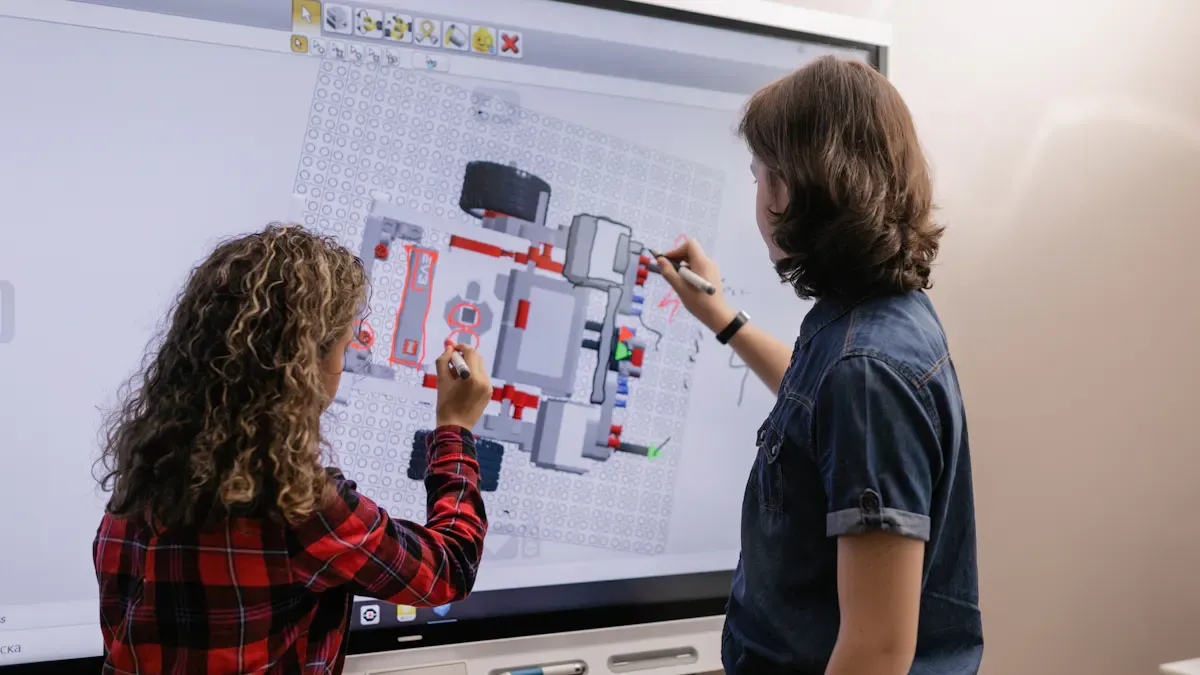
You want the best smart white board for your school or office, right? Choosing the right smart white board can really help you teach, learn, or work better every day. In schools, classroom technology like a smart white board can make students pay more attention by up to 35%. It can also help all kinds of students do well. You will notice students are more excited and lessons are more fun. In offices, the right smart white board can help teams work together and make meetings better.
Shenzhen TopAdkiosk Display Technology Co., Ltd.
Add.: 2F, Bldg 10, Changfeng Industrial Park, Dongkeng, Fenghuang, Guangming, Shenzhen, China 518132
Mobile/WHATSAPP: 86-138 25769658
Email: marketing@topadkiosk.com topadkiosk@gmail.com
Skype: pghenry1
Wechat: adkioskhenry
English Web.: http://www.topadkiosk.com/
https://www.topkioskdisplay.com/
http://www.ad-kiosk.com/
https://www.toplcddisplay.com/
http://www.multitouchdigitalsignage.com/
https://www.youtube.com/channel/UCYVYNJHxLVEcQD8fuUxXNTA/videos?view_as=subscriber
https://www.facebook.com/TOPADKIOSKSHENZHEN/?ref=bookmarks
Key Takeaways
Picking the best smart whiteboard helps students and workers learn and work together.
SMART Technologies and Promethean are great for classrooms. Samsung and Vibe Board work well in offices.
Check things like how clear the screen is, how well it responds to touch, and how it connects to other devices.
Think about how much money you can spend and how big your room is. This helps you choose a smart whiteboard that fits.
Use training tools and customer help to get the most out of your smart whiteboard.
Top Smart White Board Brands
You want to find out which smart white board brands are best for schools and offices. Let’s check out some top interactive whiteboard choices. Each brand has special features and strengths. Some are better for classrooms, while others are great for offices.
Samsung Interactive Display
Samsung has interactive displays for schools and offices. The screens show clear pictures and respond to touch well. You can pick from different sizes to fit your space. Many teachers and office managers like Samsung because it looks modern and is simple to use. You can connect devices fast and share things with your team or class. Samsung is a favorite in offices that want advanced tech and strong performance.
SMART Technologies
SMART Technologies is a top brand for interactive whiteboards in education. Their boards are in lots of classrooms. The best interactive whiteboard from SMART lets you write, draw, and move things with your fingers or a pen. Teachers like the software that comes with the board. It helps make lessons and share ideas with students. SMART boards work in offices too, but schools use them more because they help with interactive learning.
ViewSonic
ViewSonic gives you interactive displays for schools and offices. The screens show sharp images and respond to touch quickly. The best interactive whiteboard from ViewSonic lets you connect laptops and tablets easily. You can use the board for lessons, meetings, or group work. ViewSonic is a good pick if you want a smart white board for many uses. Their boards are in classrooms and conference rooms.
Promethean
Promethean is well-known for interactive whiteboards in classrooms. Their boards are found in schools all over the world. The best interactive whiteboard from Promethean helps teachers make lessons fun and interesting. You can use pens or touch to write and draw. The board has software for interactive activities. Promethean boards work in offices too, but they are most popular in schools.
BenQ
BenQ has smart white boards with great displays. You get interactive features to help teach or run meetings. The best interactive whiteboard from BenQ lets you write, erase, and share ideas fast. You can connect devices and use cloud storage. BenQ boards are strong and last a long time. Both offices and schools use BenQ, but you see them more in meeting rooms.
Vibe Board
Vibe Board gives you a modern smart white board for offices and creative spaces. You get tools that help your team work together. The best interactive whiteboard from Vibe lets you draw, write, and share ideas right away. You can use apps and connect to the cloud. Vibe Board is popular in offices that want flexible and easy interactive displays.
TIBURN R2
TIBURN R2 is a newer brand in smart white boards. You get interactive features and a cool design. The best interactive whiteboard from TIBURN R2 works in schools and offices. You can use touch or a pen to write and draw. The board lets you connect devices and share wirelessly. TIBURN R2 is getting popular because it gives good value and modern tech.
Newline
Newline makes interactive whiteboards for schools and businesses. The screens are clear and respond to touch smoothly. The best interactive whiteboard from Newline lets you connect devices and use teamwork tools. Teachers and office workers like Newline because it is easy to use and helps with interactive learning. You see Newline boards in classrooms and conference rooms.
Tip: If you want interactive whiteboards for classrooms, check out SMART Technologies and Promethean. For offices, Samsung and Vibe Board are great choices. You can find the best interactive whiteboard for you by comparing features and seeing which brands are popular where you work or learn.
Hardware Features
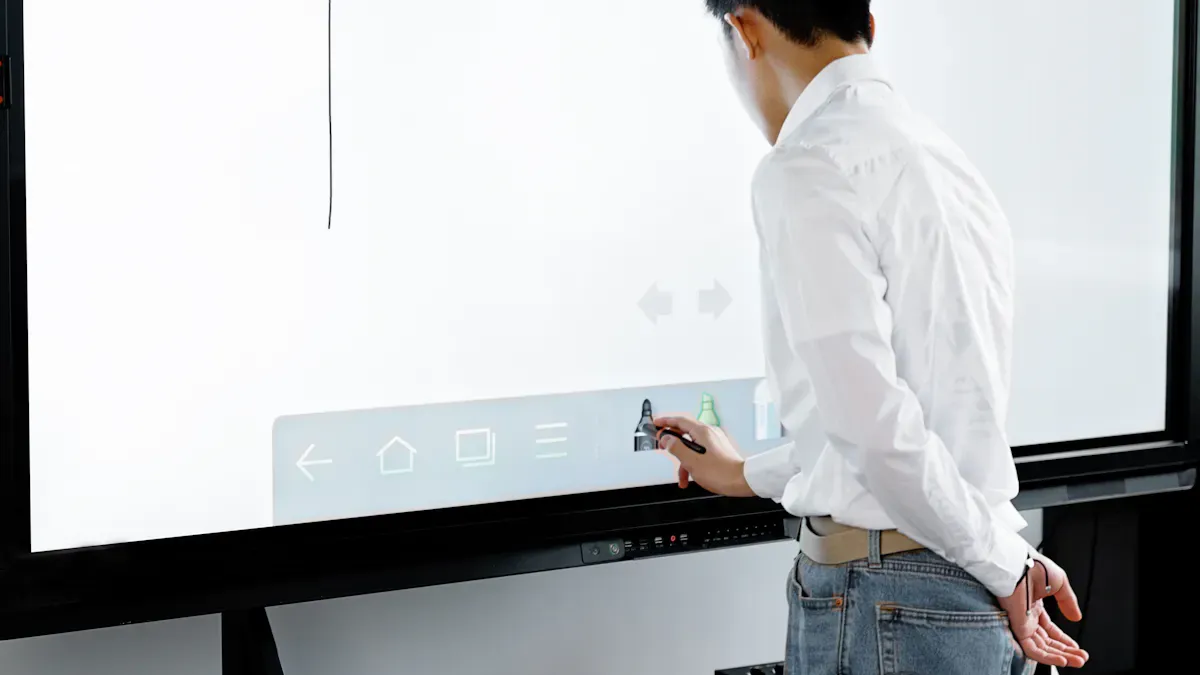
Display Quality & Size
You want a screen that is clear and fits your room. Most brands have many sizes, so you can choose what you need for your classroom or meeting room. Many interactive whiteboards now have 4K resolution, which makes pictures and words look sharp. You can find this in Promethean, Ricoh, and Samsung displays. Some boards, like Newline, also have bright screens and surfaces that stop glare. These features help students see well, even if the classroom is very bright. Here is a quick chart to compare:
Brand | Display Size Options | Display Quality |
|---|---|---|
SMART Board | Various sizes | High-quality interactive displays |
Promethean | 55″, 65″, 75″, 86″ | 4K resolution |
Samsung | 65″, 75″, 86″, 105″ | High-quality interactive displays |
Ricoh | 55″, 65″, 75″, 86″ | 4K resolution |
Tip: If your classroom gets a lot of sun, look for screens that are easy to see in sunlight and have anti-glare coatings.
Touch & Pen Input
You want your board to react fast when you write or draw. Most boards let many people use them at the same time. Vibe Board and SMART Board let up to 40 people touch the board at once. You can use your finger, a pen, or your palm to erase. This makes lessons more fun in classrooms. Some boards can read your handwriting and turn it into digital text, so teachers can save notes.
Connectivity Options
It should be simple to connect your devices. Most interactive whiteboards have HDMI ports, USB-C, WiFi, and Bluetooth. You can share your screen from a laptop or tablet without wires. This is helpful for group work in class. Ethernet keeps your board online during busy school days.
Connectivity Type | Description |
|---|---|
HDMI Ports | Connect computers and media devices |
USB-C Connections | Modern device connectivity and charging |
WiFi/Bluetooth | Wireless connections and screen sharing |
Wireless Screen Sharing | Share content from phones and tablets |
Ethernet Support | Stable internet for busy classrooms |
Durability
You want your whiteboard to last a long time. Many brands use strong materials that do not scratch or glare. These keep the board looking good, even after years of use. Cleaning your board often helps it last longer. You can count on these boards to handle daily use in classrooms.
Note: Strong materials and good care help your interactive whiteboard stay useful for many years.
Software & Integration
Built-in Apps & OS
You want your interactive whiteboard to be easy to use. Most brands use Android OS, so you can add many apps. You can use interactive whiteboard software for class, meetings, or group ideas. Some boards, like TR3DJ models, react fast to touch and let you get more apps. You get tools like a web browser, ink tools, and SMART Mirror for sharing screens. These features help you teach, show, or share ideas quickly.
Brand | Operating System | Features |
|---|---|---|
Various Brands | Android OS | Flexible app installations |
TR3DJ Models | Android OS | Responsive IR touch system, third-party app downloads |
You can use interactive whiteboard software to write, draw, and share. Many boards also work with Google Workspace and Microsoft 365. This makes your work easier.
Collaboration Tools
Working together is important in school and at work. You get tools to write and draw with different pens, colors, and sizes. Some boards change handwriting into digital text. You can use templates for group ideas or planning. Boards work with apps like Slack, Zoom, and Google Workspace. The screen is simple to use. You can move things around and use different devices. AI features help you sort notes and do tasks faster. You and your team can work on the board at the same time.
Feature | Description |
|---|---|
Annotation Capabilities | Multiple pen styles, colors, thicknesses, and handwriting-to-text conversion for effective communication. |
Template Libraries | Pre-designed layouts for tasks like brainstorming and project planning to enhance user experience. |
Integration with Tools | Smooth integration with apps like Slack, Zoom, and Google Workspace for seamless collaboration. |
Ease of Use | User-friendly interfaces with drag-and-drop features and cross-device compatibility. |
AI-Powered Features | Automation of tasks, handwriting recognition, and dynamic content organization to boost productivity. |
Real-time Collaboration | Tools like the Vibe Board S1 enable collaboration across devices with multi-touch technology. |
Tip: Try interactive whiteboard software that lets you work together in real time. This helps your class or team stay connected and get more done.
Cloud & Device Integration
Cloud features make your interactive whiteboard stronger. You can save your work and share files with your team. Boards like LG CreateBoard let you share wirelessly and get updates easily. NearHub S Series lets you save to the cloud without trouble. You can join meetings with Zoom, Teams, or Google Meet. ELMO Interactive Board works with meeting tools and is easy to use. You can use up to 20 touch points for group work. This makes it simple and quick to use with other devices.
Brand | Cloud Integration Features | Device Compatibility Features |
|---|---|---|
LG CreateBoard | Wireless sharing, firmware updates over the air | Supports multitouch with up to 20 touch points |
NearHub S Series | Cloud syncing for automatic session saving | Seamless integration with Zoom, Teams, Google Meet |
ELMO Interactive Board | Integration with conferencing tools like Zoom and Microsoft Teams | Intuitive design for easy workflow integration |
You can use interactive whiteboard software to share screens, connect devices, and work together. Cloud and device features help you get the most from your interactive whiteboard.
Support & Training
Training Resources
You want to feel sure when using your smart whiteboard. Many brands give training that helps you learn fast. You can find guides online, watch videos, and join programs for certificates. ViewSonic lets you use the myViewBoard Knowledge Base. It has easy guides and helpful tips. Teachers can try the Teacher Certification Program. You can learn at your own pace. You can join the ViewSonic Educator Community. Here, you share ideas and join webinars. Their YouTube channel has many videos to help you set up and use your board. Parmetech Support gives expert help if you need it. Good visuals and teamwork tools make training more fun. You can keep your training materials safe and talk with others. This works in classrooms or when you work from home.
Customer Support
When you buy a smart board, you want help if something breaks. Brands give different support and warranty plans. Some support is free with your board. Others cost extra for better packages. Here is a chart to show support and warranties:
Brand | Customer Support Level | Warranty Terms |
|---|---|---|
Brand A | Comprehensive support | 3 years |
Brand B | Limited support | 1 year |
Brand C | Premium support (fee) | 2 years |
Some brands charge yearly fees for premium support. These fees can be $200 to $800. You should check what you get before you buy.
Ease of Use
You want your smart board to be easy and fun. Interactive whiteboards help groups talk and make learning exciting. Teachers and students say they are simple to use. You can write notes on the board, save them, and share later. These boards work with tools you already know. You do not need to learn new things. In offices, smart boards help teams share ideas and work together. You can move things, write ideas, and everyone can join. The design makes it easy for anyone to start, even if you are new to tech.
Tip: Try training and support options before you buy. You will feel ready and get the most from your smart board.
Brand Strengths & Weaknesses
Best for Schools
You want a smart whiteboard that makes teaching simple and fun. Some brands are great in classrooms because they help you connect with students and keep everyone focused. Let’s check out the top picks for schools:
Brand | |
|---|---|
BenQ | Focuses on classroom safety, eye care, and smooth digital writing. |
SMART Technologies | Widely recognized for intuitive teaching and collaboration. |
Promethean | Built for engagement, collaboration, and flexible teaching styles. |
ViewSonic | Balances performance and affordability, popular in budget-conscious settings. |
BenQ boards are found in many classrooms. They protect your eyes and make writing feel easy. SMART Technologies gives you tools for teamwork and simple teaching. Promethean boards let you change how you teach and keep students interested. ViewSonic is a good choice if you want a board that is not too expensive.
Here’s a quick list of the best smart whiteboards for schools: 1. SMART Board – Good for teaching and working together. 2. Promethean ActivPanel – Makes lessons fun and flexible. 3. ViewSonic ViewBoard – Nice balance of price and features. 4. BenQ Interactive Flat Panel – Safe for eyes and easy to write on.
You want features that help you teach better. Look for boards with real-time feedback, menus that are easy to use, and lots of ways to connect devices. These features help you reach every student, even if you are teaching online.
Best for Offices
If you work in an office, you need a smart whiteboard that helps your team share ideas and work together. Some brands are best for business. You want tools for meetings, brainstorming, and working with people who are not in the room.
Samsung Interactive Display: Has a clear screen and lets many people write at once. It works well for hybrid meetings and remote learning.
Vibe Board: Makes teamwork simple. You can draw, write, and share ideas fast. It’s good for remote learning and creative sessions.
BenQ: Gives smooth writing and strong touch accuracy. It helps with project management and team planning.
ViewSonic: Balances price and features. It works for meetings and remote learning.
You want to run meetings, train new staff, and work with clients. These boards let you do all that. They support real-time project management, brainstorming, and office planning. You can connect with remote teams and save your work to the cloud. This makes remote learning and hybrid work easy.
Budget-Friendly Choices
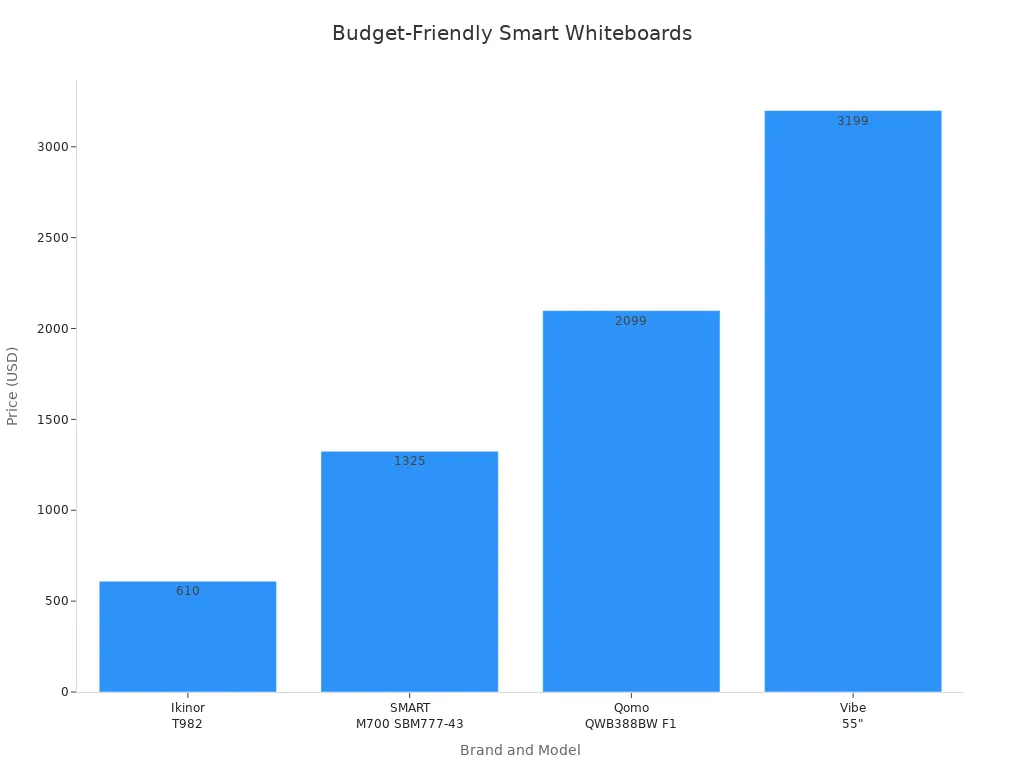
You might want a smart whiteboard that fits your budget. Some brands give you good features without a high price. Here’s a table to help you compare:
Brand/Model | Price | Features |
|---|---|---|
Ikinor T982 Interactive Whiteboard | $610 | Affordable touchscreen model |
SMART M700 SBM777-43 | $1,325 | Essential interactive features |
Qomo QWB388BW F1 (88") | $2,099 | Mid-range option for classrooms |
Vibe 55" Interactive Whiteboard | $3,199 | High-end 4K all-in-one solution |
Samsung 86" WA86C | Premium | Excellent display quality and collaboration |
You can also look at these models:
Model | Key Features | Ideal Use Case | |
|---|---|---|---|
ELMO Interactive Board | $300 to $1,000 | Simple setup, works with many devices | Small spaces, budget-conscious users |
SMART Board MX Series | $1,000 to $3,000 | Up to 20 touch points, SMART Learning Suite | Education and corporate settings |
Promethean ActivPanel | $1,000 to $3,000 | 4K resolution, supports many users, built-in ClassFlow software | Collaborative learning environments |
BenQ Board | $1,000 to $3,000 | Classroom management tools, eye-care tech | Health-conscious environments |
Samsung Flip Pro | $3,000 and above | Flexible setup, multi-user writing, wireless | Dynamic business and educational settings |
Budget models give you the basics. They work well for small classrooms or offices. You can use them for remote learning, too. If you want more features, you may need to spend more.
Premium Features
Some smart whiteboards have advanced tools and high-end displays. These features help you do more, especially if you want the best for your school or office. Here are some brands known for premium features:
SMART Technologies: Has top collaboration software and smooth writing.
Promethean: Specializes in interactive displays for education and remote learning.
Samsung: Gives you 4K displays and tools for team communication.
Ricoh: Delivers high-quality 4K screens for real-time teamwork.
LG CreateBoard: Lets you control with touch and access the cloud.
BenQ: Supports smart writing and many users at once.
MAXHUB: Combines projectors, whiteboards, and audio/video tools.
ViewSonic: Has a wide range of interactive displays.
Premium models last longer—often 6 to 10 years. You pay more at first, but you save money on repairs and get better performance. These boards have features like AI voice assistants, auto wake/sleep, built-in recording, and real-time annotation. Some even recognize handwriting in many languages. You can use them every day without problems. Schools and offices report fewer tech issues and less downtime.
Feature | |
|---|---|
AI voice assistants | Hands-free operation |
Auto wake/sleep motion sensors | Saves energy and adds convenience |
Built-in recording/live-streaming | Makes remote learning and sharing easy |
Real-time annotation | Speeds up teamwork and feedback |
Multilingual handwriting recognition | Helps diverse groups use the board |
Note: Premium smart whiteboards cost more, but they give you better tools for remote learning, teamwork, and long-term use.
Here’s a quick look at strengths and weaknesses for top brands:
Brand | Strengths | Weaknesses | Cost Range |
|---|---|---|---|
BenQ | Ultra-responsive touch, smooth writing | Limited built-in Android system, fewer software options | Starts at $3,000 |
Samsung Flip Pro | 4K display, multi-user support, works with Google and Microsoft | Fewer teaching tools, not many educational apps | Starts at $2,190 |
SMART Boards | Trusted brand, works with Google/Microsoft, SMART Ink tech | Expensive, needs recalibration sometimes | Starts at $4,999 |
Clevertouch IMPACT | 4K touchscreen, built-in apps, cloud ready | Higher price, touch sensitivity issues | Varies by model |
You want to pick a smart whiteboard that fits your needs. If you teach, look for boards that help with remote learning and classroom engagement. If you work in an office, choose one that makes meetings and teamwork easy. Budget-friendly models work for basic needs. Premium boards give you more features and last longer.
You have lots of great smart whiteboard choices. For schools, SMART Technologies and Promethean make teaching easy and fun. Offices often pick Samsung or Vibe Board for teamwork and meetings. Think about your budget, room size, and tech needs before you decide. Here’s a quick look:
What Matters Most | Why It Helps You |
|---|---|
Boosts teamwork and keeps everyone engaged | |
Cloud Syncing | Lets you access notes from anywhere |
Helps you pick the right board for your space |
Try a demo or talk with a vendor to see what fits you best!
FAQ
What is a smart whiteboard?
A smart whiteboard is a digital board you can write on with your finger or a pen. You can show lessons, draw, and share ideas. It connects to your devices and helps you work or learn together.
Can I use my own laptop or tablet with a smart whiteboard?
Yes! You can connect your laptop or tablet to most smart whiteboards. Many boards support wireless sharing. You can show your screen, share files, and work with your team or class.
How do I clean a smart whiteboard?
Use a soft, dry cloth to wipe the screen. If you see smudges, use a screen-safe cleaner. Never use harsh chemicals or rough materials. You want to keep your board looking new.
Do smart whiteboards need special software?
Most smart whiteboards come with their own software. You can also use popular apps like Google Workspace or Microsoft 365. Some boards let you download more apps from an app store.
Are smart whiteboards hard to set up?
No, you can set up most smart whiteboards quickly. Just follow the instructions from the brand. Many boards come with guides or videos. If you need help, customer support is there for you.
See Also
Evaluating Business Touch Screen Kiosks For Quality And Cost
Best Video Wall Digital Signage Options To Consider In 2026
Leading Providers Of Outdoor LCD Display Kiosks Available Today
Must-Have High-Resolution LCD Display Kiosks For Exhibitions
Thorough Analysis Of In-Store Digital Signage Options Available
