Top LED Backlit LCD Monitors to Buy in 2026
Shenzhen TopAdkiosk Display Technology Co., Ltd.
Add.: 2F, Bldg 10, Changfeng Industrial Park, Dongkeng, Fenghuang, Guangming, Shenzhen, China 518132
Mobile/WHATSAPP: 86-138 25769658
Email: marketing@topadkiosk.com topadkiosk@gmail.com
Skype: pghenry1
Wechat: adkioskhenry
English Web.: http://www.topadkiosk.com/
https://www.topkioskdisplay.com/
http://www.ad-kiosk.com/
https://www.toplcddisplay.com/
http://www.multitouchdigitalsignage.com/
https://www.youtube.com/channel/UCYVYNJHxLVEcQD8fuUxXNTA/videos?view_as=subscriber
https://www.facebook.com/TOPADKIOSKSHENZHEN/?ref=bookmarks
You want to get the best led backlit lcd monitor for you in 2026. Choosing the right monitor is important if you play games, work, or just look at websites. Led monitors are still popular because they have bright screens, strong colors, and work well. Many people use led monitors for work and gaming. If you do coding or use spreadsheets, an IPS LCD led monitor gives you a bright and even background. Gamers who compete like led monitors because they have high refresh rates and do not get burn-in problems. You will get real advice and an easy guide to help you pick your next led monitor.
As long as we have the blueprints, Shenzhen TopAdkiosk Display Technology Co., Ltd no worse than anyone else.
please contact Shenzhen TopAdkiosk Display Technology Co.
Use Case | Preferred Technology | Description |
|---|---|---|
Office Productivity | IPS LCD | Bright and even backgrounds and high brightness for jobs like coding and spreadsheets. |
Competitive Gaming | IPS LCD / OLED | High refresh rates and no burn-in worry with IPS LCD; better response time and contrast with OLED. |
Key Takeaways
LED backlit LCD monitors have bright screens and strong colors. They are great for work and gaming.
Pick an IPS LCD monitor for office jobs like coding or spreadsheets. It gives better color and brightness.
For gaming, find monitors with high refresh rates like 144Hz or more. Also, get low response times under 1ms. These help you play better.
Cheap LED monitors show good pictures and have important features. They are good for students and home offices.
Look for ergonomic features and USB-C connections. These make your workspace more comfortable and easier to use.
Why Choose a LED Backlit LCD Monitor in 2026
LED Technology Overview
You might wonder what makes a led backlit lcd monitor special. This type of monitor uses a layer of tiny led lights behind the lcd panel. These led lights shine through the lcd screen to create the images you see. The lcd panel controls how much light passes through, so you get clear pictures and bright colors. In 2026, led backlit lcd monitors still lead the market because they mix strong performance with good value. You can use a led monitor in almost any room, even if the sun shines right on your desk. The led lights give you a bright screen that stands out in both dark and bright spaces.
Benefits Over Other Displays
When you look for a new monitor, you see many choices. Led backlit lcd monitors stand out for several reasons:
Led monitors usually cost less than oled models.
You get a longer lifespan with a led monitor, which means you do not need to replace it as often.
Led backlit lcd monitors shine brighter, so you can use them in rooms with lots of light.
You do not have to worry about burn-in problems that can happen with oled screens.
Led monitors are tough and last a long time, making them a smart pick for home or office.
Let’s compare led backlit lcd monitors and oled monitors:
Feature | LED Backlit LCD Monitors | OLED Monitors |
|---|---|---|
Brightness | Higher, great for bright rooms | Lower, struggles in bright light |
Lifespan | Longer, more durable | Shorter, can wear out faster |
Energy Use | Less efficient | More efficient |
Tip: If you want a monitor that works well in any light and lasts for years, a led backlit lcd monitor is a solid choice.
You get a monitor that fits your budget, works in any space, and stays bright and clear for a long time. That’s why so many people still pick led monitors in 2026.
Best Gaming LED Backlit LCD Monitors
Top Picks for Competitive Play
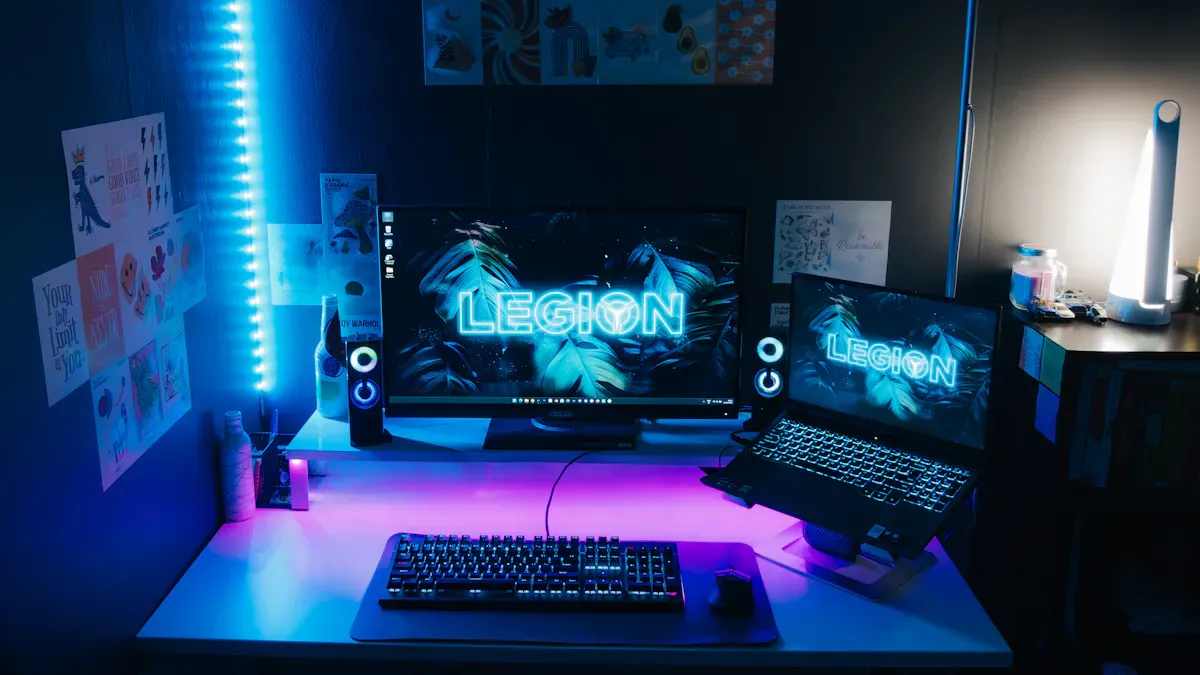
If you want the best gaming monitor for fast action, you need a led monitor with a high refresh rate and low response time. Gaming enthusiasts love monitors that keep up with every move. You can find led monitors that give you sharp images and smooth gameplay. Let’s look at some top choices for 2026.
Monitor Name | Screen Size | Resolution | Refresh Rate | Type |
|---|---|---|---|---|
Samsung Odyssey Neo G9 | 49 inches | 5120 x 1440 | 240Hz | mini-LED |
Alienware AW3821DW | 38 inches | 3840 x 1600 | 144Hz | LCD |
M27P6 | 27 inches | 4k | 165Hz | IPS LCD |
AOC Q27G40XMN | 27 inches | 4k | 180Hz | IPS LCD |
ASUS ROG Swift OLED PG27UCDM | 27 inches | 4k | 240Hz | OLED |
You see that led monitors like the Samsung Odyssey Neo G9 and Alienware AW3821DW stand out for gaming. The Neo G9 uses mini-LED tech and has 2048 dimming zones. This gives you deep blacks and bright highlights. The Alienware AW3821DW supports hdr and offers a high refresh rate. Gaming enthusiasts want a monitor that reacts fast. You get that with these led monitors.
If you play games that need quick reflexes, you should check the response time. Here’s a simple table to help you compare panel types:
Panel Type | Typical Response Time | Best Case Response | Motion Blur Level | Optimal Use Case |
|---|---|---|---|---|
TN | 0.5ms | Minimal | Competitive Esports | |
Fast IPS | 1-4ms | 1ms | Low | Balanced Gaming |
VA | 3-5ms | 3ms | Moderate | Cinematic Gaming |
OLED | <0.1ms | 0.03ms | None | Premium All-Purpose |
You want a led monitor with a fast IPS or TN panel for competitive gaming. These monitors give you low motion blur and high refresh rates. Gaming enthusiasts often pick the best gaming monitor with a refresh rate of 144Hz or higher. You get smoother action and less lag.
Tip: If you want a monitor for esports, look for a led monitor with a refresh rate of at least 165Hz and a response time under 1ms.
Mini-LED and QD-OLED Options
Mini-LED and QD-OLED monitors bring new features for gaming enthusiasts. You get better brightness and color with these led monitors. Mini-LED monitors reach peak brightness of 2,000 nits. This is much higher than QD-OLED panels, which peak at about 810 nits. If you want the best gaming monitor for hdr, mini-LED is a strong choice.
Mini-LED monitors have more dimming zones. The Samsung Odyssey Neo G9 has 2048 dimming zones. This means you see less blooming and more detail in dark scenes. You get a led monitor that keeps colors bright and sharp. Gaming enthusiasts who want hdr color grading will like mini-LED. You get 95% DCI-P3 coverage at 1,000 nits.
QD-OLED monitors give you perfect blacks and great motion clarity. You see every detail in fast games. Gaming enthusiasts who want the best gaming monitor for contrast and motion pick QD-OLED. You get a led monitor that shows deep blacks and smooth movement. However, QD-OLED may not keep high brightness as well as mini-LED.
Here are some features you should look for in a led monitor for gaming:
High refresh rate (144Hz or higher)
Low response time (under 1ms)
4k resolution for sharp images
Many backlight zones for better hdr
Strong color coverage for vivid games
If you want the best gaming monitor, you should match your needs to the features. Gaming enthusiasts who play fast games need a led monitor with a high refresh rate and low response time. If you want bright colors and deep blacks, mini-LED and QD-OLED led monitors are top picks.
Note: You can find a led monitor that fits your style, whether you play esports or enjoy cinematic games. The best gaming monitor in 2026 gives you smooth action, sharp images, and bright colors.
Best LED Monitors for Professionals

Graphic Design & Content Creation
You want your work to look great. If you make graphics or edit photos, you need a led monitor that shows colors just right. Color accuracy is very important for professionals. You can trust a led monitor with high accuracy to show every color and detail. Many monitors are factory-calibrated, so you get good results right away.
Let’s check out some top led monitors for professional use in 2026:
Monitor Name | Size | Resolution | Key Features |
|---|---|---|---|
ASUS ProArt PA32UCR-K | 32" | 4K mini-LED | Built-in calibrator, hardware LUT control, pro-grade stability |
Eizo ColorEdge CG2700X | 27" | 4K UHD | Built-in calibrator, hardware LUT control, pro-grade stability |
ASUS ProArt PA32DC | 31.5" | 4K OLED | True 10-bit OLED, built-in colorimeter |
Apple Studio Display | 27" | 5K | 218 ppi P3 panel, Retina companion for Mac |
Samsung ViewFinity S9 | 27" | 5K | High resolution for detailed work |
BenQ SW272U | 27" | 4K | 99% Adobe RGB, hardware calibration |
Dell UltraSharp U2725QE | 27" | 4K | Deeper blacks, 120 Hz refresh rate, Thunderbolt/USB-C hub |
These led monitors are great for showing colors. You get high resolution and steady screens. If you want the best display, check the color accuracy numbers. Most professional led monitors cover almost all DCI-P3, Adobe RGB, and sRGB. Delta E values are low, so colors look true.
Monitor Type | Delta E | |
|---|---|---|
27-inch 4K IPS Monitor | 99% DCI-P3, 99% Adobe RGB, 100% sRGB | < 2 |
Tip: You can count on a led monitor with high color accuracy for graphic design. Standards like sRGB and Adobe RGB help you check color accuracy. For steady results, pick a led monitor with hardware calibration and built-in colorimeters.
Color gamut coverage shows how many colors your led monitor can display.
Factory-calibrated led monitors give you steady accuracy for work.
Delta E values under 2 mean colors look real.
Full-array backlighting and mini-LED make screens brighter and last longer. You do not worry about burn-in. But you might see grayish blacks and blooming in some scenes. Viewing angles can change color accuracy, so sit straight in front of your led monitor for the best view.
Advantage/Disadvantage | Description |
|---|---|
Full array LED displays can get very bright, good for different lighting. | |
Long lifespan | LED backlights are made to last a long time. |
No burn-in issues | Full array LED screens do not have image retention problems. |
Limited black levels | Backlighting can make blacks look gray instead of true black. |
Blooming effect | Bright spots may cause a glow in dark areas, changing contrast. |
Viewing angle limitations | Colors can shift if you look from the side. |
You want a led monitor that shows colors well, has high resolution, and stays steady. If you work with graphics, you need strong performance and reliable color. You can trust these led monitors for your job.
Office & Productivity Use
You spend lots of time at your desk. You need a led monitor that keeps your eyes safe and your body comfortable. For work, look for ergonomic features. You can change height, tilt, swivel, and pivot. This helps you avoid neck and back pain.
Ergonomic stands let you set your led monitor at the right height.
Flicker-free screens and low blue light modes protect your eyes.
You get HDMI, DisplayPort, and USB-C ports for easy connections.
If you want a led monitor for office work, check the refresh rate. Many led monitors now have 120 Hz or more. This makes scrolling and typing smoother. You get better screen quality and less eye strain.
You want a led monitor with high accuracy for text and spreadsheets. IPS panels give you bright backgrounds and sharp details. Full-array backlighting keeps your screen clear and even. You do not worry about burn-in or fading. You get a monitor that lasts for years.
Note: You can pick a led monitor with mini-LED for even brightness and strong performance. If you work in bright rooms, you need high brightness and steady quality.
You want a led monitor that fits your workspace. You get features like easy cable management and built-in USB hubs. You can connect your laptop and phone with one cable. This keeps your desk neat and your work smooth.
If you want the best led monitor for work, focus on accuracy, screen quality, and comfort. You get a monitor that helps you work better and keeps you healthy.
Top Budget LED Monitors
Value Picks Under $300
You want a led monitor that fits your budget and still gives you vibrant visuals. You do not have to spend a lot to get a good screen for your home or office. Many affordable led monitors in 2026 offer strong features for daily use. Here are some top choices you can trust:
Samsung Essential S3 (S36GD): This led monitor costs just $137.61. You get a curved screen, TÜV certified eye care, a 100Hz refresh rate, and a special Game Mode. Many users love its vibrant visuals and smooth performance.
LG UltraWide 26WQ500-B: For $250, you get a wide 21:9 led monitor. It is great for multitasking and gaming. The vibrant colors and extra screen space make it a favorite for a budget home-office monitor.
You can find affordable led monitors that give you a bright display and clear visuals. These models work well for students, families, and anyone who wants a budget home-office monitor.
Essential Features for Budget Buyers
When you shop for a budget home-office monitor, you want to know what to expect. Most affordable led monitors in 2026 give you Full HD resolution and a 60Hz refresh rate. You get vibrant visuals for web browsing, streaming, and work. Here is a quick look at what you get compared to higher-end models:
Specification | Budget LED Monitors (2026) | Higher-End Models (2026) |
|---|---|---|
Resolution | Full HD | 4K |
Refresh Rate | 60Hz | 144Hz |
You may notice some trade-offs when you pick a budget home-office monitor. You get a smaller screen size, fewer ports, and basic stands. The visuals still look vibrant, but you may not see the same sharpness as on a premium led monitor. You should check the screen size and make sure it fits your desk.
Tip: Always look for a led monitor that matches your needs. If you want vibrant visuals for movies or games, pick a model with a higher refresh rate and a wide screen size.
You can enjoy a budget home-office monitor for work, school, or fun. Affordable led monitors give you the essentials without breaking the bank. You get a led monitor that brings vibrant visuals and solid performance to your space.
Ultrawide and Portable LED Monitors
Best Ultrawide Monitors
Do you want more space on your desk? An ultrawide led monitor can change the way you work or play. You get a wide view that helps you see more windows at once. This makes multitasking easy. You can drag your apps side by side and keep everything in sight. If you love games or movies, an ultrawide led monitor pulls you into the action. The screen wraps around your view and feels immersive.
Here are some top ultrawide monitors you should check out in 2026:
The 4 Best Ultrawide Monitors of 2026 give you sharp images and smooth performance.
Best 4K and Ultrawide Monitors in 2026: Work & Productivity Edition help you get more done at work.
Best 34 Inch Ultrawide Monitor Under $300 (2026) lets you enjoy a big screen without spending too much.
You can find a led monitor that fits your needs, whether you want to game, work, or just enjoy a bigger view.
Top Portable Picks
Do you travel or work from different places? A portable led monitor makes your life easier. You can set up a second screen anywhere. This helps you stay productive on the go. You do not need a heavy setup. You just need a light and slim led monitor.
Here are some of the best portable monitors for 2026:
Mobile Pixels Duex Float 2 Pro gives you a large, high-resolution portable screen. You can use it in many ways and connect it easily.
ViewSonic VG1655 has a built-in stand and a sturdy design. It weighs about 1.8 pounds, so you can carry it in your bag.
A portable led monitor helps you work better when you travel. You can use it for meetings, coding, or watching videos. You get a bright and clear screen wherever you go.
Tip: Pick a led monitor that matches your style. If you want more space, go ultrawide. If you want to move around, go portable.
LED Monitor Buying Guide 2026
Key Features to Consider
You want to find the best productivity monitor for you. Start by looking at the basics. Check the resolution, refresh rate, panel type, and backlight zones. These things change how your monitor works each day.
Here’s a simple table to help you compare:
Monitor Model | Resolution | Refresh Rate | Panel Type | Extra Features |
|---|---|---|---|---|
Samsung G7 (G75F) | 5120×2160 | 180Hz | VA | 1000R curve, 3,000:1 contrast, DisplayHDR 600, FreeSync, ergonomic stand |
Acer XZ403CKR | 5120×2160 | 288Hz | VA | 3300:1 contrast, 400-nits brightness, VRR, MBR, USB-C with 90W PD, speakers |
A higher resolution means pictures look sharper. A fast refresh rate makes motion look smooth. VA panels show deep contrast. IPS panels show colors really well. If you want the best productivity monitor, pick a led screen with a high refresh rate and good color.
Tip: For work, a refresh rate of 120Hz or more helps your eyes feel less tired after long hours.
Ports and Connectivity
You need the right ports to connect your stuff. Most led monitors in 2026 have HDMI 2.1, DisplayPort 1.4, and USB-C. Some also have USB hubs and headphone jacks. These features make your desk neat and easy to use.
HDMI 2.1 lets you use high refresh rates and 4K.
USB-C can charge your laptop and move files with one cable.
Built-in speakers and headphone jacks are handy.
If you want the best productivity monitor, look for USB-C with power delivery. This keeps your desk tidy and helps you work better.
Matching a Monitor to Your Needs
You want a monitor that fits your life. This buying guide helps you pick the right one for your daily tasks. Here’s a table to make it simple:
Monitor Category | Key Features |
|---|---|
Budget | Good for everyday use, low price, basic features |
Business/Professional | High color accuracy, big screen, best productivity monitor choices |
Touch Screen | Great for art or Windows touch apps |
General Use/Multimedia | Good for movies, web, and some work |
Gaming | High refresh rate, low lag, led backlight for fast games |
For office work, get a led monitor with a big screen and good color.
For home use, look for built-in cameras and USB hubs.
For gaming, choose a led monitor with a high refresh rate and quick response.
Price is important too. You can buy a general use monitor for less than $200. If you want the best productivity monitor, plan to spend $300 or more. This buying guide makes it easy to find a led monitor that helps you work and fits your budget.
Note: Always pick a monitor that matches what you do most. The right led monitor can make work, play, and creating things easier every day.
You have lots of choices when picking the best monitors for 2026. Think about what you need most—maybe sharp 4K resolution, bright colors, or a high refresh rate for games. The best monitors for 2026 use led tech for better picture quality, longer life, and lower prices. You can find a monitor that fits your budget and style. If you want more tips or want to share your setup, check out the Reflective LCD subreddit. Use this guide to find the best monitors for 2026 and enjoy your new led monitor!
How It Works (Step by Step)
Backlight – A panel of white LEDs (or sometimes blue LEDs with yellow phosphor) shines light from behind the LCD layer.
Polarizers – Light passes through a rear polarizer that filters it into a specific orientation.
Liquid crystal layer – Thousands of tiny liquid crystal cells twist or untwist when voltage is applied, controlling how much light passes through each pixel.
Color filters – Each pixel is divided into red, green, and blue subpixels. The light that passes through these filters creates the final colour.
Front polarizer – Works with the rear polarizer and the twisted crystals to either block or transmit light.
Because the liquid crystals don’t produce light themselves, the backlight is always on, and the LCD layer works like a series of tiny shutters to create the image.
🔦 Types of LED Backlighting
Type | Description | Pros | Cons |
|---|---|---|---|
Edge‑lit | LEDs placed along the edges of the panel; light is spread across the screen with a diffuser. | Thinner, lighter, cheaper. | Less uniform brightness, limited local dimming (usually only zones along edges). |
Full‑array (Direct‑lit) | LEDs arranged in a grid behind the entire screen. | Better uniformity, can support local dimming (turning off individual zones) for deeper blacks. | Thicker, heavier, more expensive. |
Full‑array with local dimming | Many independently controlled LED zones that can dim or turn off in specific areas. | Improved contrast ratio (approaching OLED in high‑end models). | Blooming effect (halos) around bright objects on dark backgrounds. |
📺 LED Backlight vs. Older CCFL Backlight
Feature | LED Backlight | CCFL Backlight |
|---|---|---|
Lifespan | 50,000 – 100,000 hours | 30,000 – 60,000 hours |
Energy efficiency | Very efficient (low power) | Less efficient (higher power) |
Thickness | Very thin (edge‑lit) | Thicker due to tube shape |
Warm‑up time | Instant full brightness | Takes seconds to minutes to warm up |
Colour gamut | Very good (especially with quantum dots) | Good but often narrower |
Toxicity | No mercury | Contains small amount of mercury |
Dimming | Easy to dim (PWM or DC) | Difficult; usually only full brightness |
❗ Important: LED Backlit ≠ OLED
Many people confuse LED‑backlit LCD with OLED (organic light‑emitting diode). The key difference:
LED LCD uses a separate backlight (always on) + liquid crystals to block light → black appears dark grey (due to backlight bleed).
OLED each pixel emits its own light and can turn off completely → true absolute black and infinite contrast.
So when you see a monitor marketed as “LED monitor”, it is almost always an LCD with LED backlight, not an OLED.
✅ In a Nutshell
An LED‑backlit LCD monitor is still an LCD, just with modern, efficient, long‑lasting LED backlights instead of old fluorescent tubes.
The image is created by liquid crystals twisting to control light from the backlight, passing through colour filters.
Types include edge‑lit (thin, cheaper) and full‑array (better contrast, local dimming).
It is not the same as OLED, which has no backlight at all.
If you’re shopping for a monitor, “LED” is now the standard backlight technology – almost all LCDs sold today are LED‑backlit. The real choice is between IPS / VA / TN panels and whether the monitor has local dimming or uses Mini‑LED for improved contrast.
FAQ
What makes LED backlit LCD monitors better than OLED for most users?
You get brighter screens and longer life with LED backlit LCD monitors. You do not worry about burn-in. LED monitors cost less and work well in bright rooms.
Can I use an LED monitor for gaming and work?
Yes, you can. LED monitors offer high refresh rates for gaming and clear visuals for work. You switch between tasks easily. Many models fit both needs.
How do I clean my LED monitor safely?
Use a soft, dry cloth. Gently wipe the screen. Do not spray water or cleaner directly. If needed, dampen the cloth slightly. Avoid harsh chemicals.
Are budget LED monitors good for students?
Budget LED monitors work well for students. You get clear visuals for homework and videos. Most models offer eye care features and easy setup.
What ports should I look for in a new LED monitor?
Look for HDMI, DisplayPort, and USB-C. These ports help you connect laptops, PCs, and other devices. USB-C can charge your laptop and transfer data.
See Also
Top LCD Kiosks For Retail Spaces To Consider In 2026
Selecting The Perfect LCD Digital Signage For Your Business In 2026
Essential LCD Display Innovations To Discover In 2026
Key Trends In Transparent OLED Displays To Monitor In 2026
Best OLED Monitors To Purchase For Exceptional Display Quality
