Top Free Windows Digital Signage Software Picks for 2026
Shenzhen TopAdkiosk Display Technology Co., Ltd.
Add.: 2F, Bldg 10, Changfeng Industrial Park, Dongkeng, Fenghuang, Guangming, Shenzhen, China 518132
Mobile/WHATSAPP: 86-138 25769658
Email: marketing@topadkiosk.com topadkiosk@gmail.com
Skype: pghenry1
Wechat: adkioskhenry
English Web.: https://www.topkioskdisplay.com/
http://www.ad-kiosk.com/
https://www.toplcddisplay.com/
http://www.multitouchdigitalsignage.com/
https://www.youtube.com/channel/UCYVYNJHxLVEcQD8fuUxXNTA/videos?view_as=subscriber
https://www.facebook.com/TOPADKIOSKSHENZHEN/?ref=bookmarks

You want the best free Windows digital signage software for 2026. The top choices are PosterBooking, Yodeck, Screenly, ScreenCloud, OptiSigns, Rise Vision, Displai, REACH Media Network, Play Digital Signage, Signagelive, DigitalSigns.ai, Nento, and Vodigi. Each platform lets you manage content for free. Setup is easy. You can use a free forever plan or a free single screen plan.
Feature | DIY Methods | Open Source | |
|---|---|---|---|
Setup Time | Instant | Hours | 5 Minutes |
Remote Management | No | Yes | Yes |
Reliability | Low | Medium | High |
Cost | Free | Free* | Free |
Scalability | None | Difficult | Seamless |
You should check features, usability, and pricing before you choose software. Free options help businesses share signage content quickly. Not all free plans are the same.
Key Takeaways
Pick software that is simple to use. Find platforms with easy dashboards and drag-and-drop tools. These features help you save time. - Watch out for extra costs before you decide. Some free plans may show ads or limit what you can do. Always check the price details first. - Think about growing in the future. Choose software that lets you add more screens or features as your business gets bigger.
Evaluation Criteria for Free Windows Digital Signage Software
When you pick free digital signage software, you want it to help your business. Not every free choice is the same. Let’s see what is important when you compare each one.
Ease of Use
You want a system that is easy to use. If you can add pictures or videos fast, you save time. Many people like Yodeck, OptiSigns, and Rise Vision because they are simple. Some tools, like Xibo, need more tech skills. If you want to add team members or use drag-and-drop, look for those features.
Evaluation Criteria | Software Examples |
|---|---|
Content Management Ease | Yodeck, OptiSigns, Rise Vision (easy to use); ScreenCloud, NoviSign (a bit harder); Xibo (needs tech skills) |
Features and Customization
You need features that match your goals. Good free signage software lets you use templates, set times for content, and show live info like weather. Here are some features people like:
Simple design tools and templates
Set times for different days
Connect to live updates
Reliability and Support
You want your signs to work all the time. Free software usually gives basic help. Paid plans give more support. Most free plans only have online guides or forums. If you need quick help, check what support each one gives.
Feature/Support Type | Free Digital Signage Software | Paid Digital Signage Software |
|---|---|---|
Support | Basic help | Fast help available |
Scalability
If your business gets bigger, you may need more screens. Free plans often limit how many screens you get. Some let you control screens from anywhere, which helps if you have many places. Look for upgrades so you do not need to change software later.
Feature | Importance for Scalability |
|---|---|
Unlimited playlists | Add more content as you grow |
App integrations | Add new tools easily |
Remote screen control | |
Free storage and limits | Know how much you can store |
True Cost and Limitations
Free does not always mean no cost. Some free software puts ads or logos on your content. Others limit storage or screens. You might pay for main features or better help. Always check the pricing page for hidden costs.
Hidden Cost | Description |
|---|---|
Paywalls for Core Features | Must pay for extra tools |
Advertisements and Branding | Free plans may show ads or logos |
Usage Restrictions | |
Data Harvesting | Some collect and sell your data |
Infrastructure Burdens | You may need to buy hardware or hosting |
Tip: Think about what your business needs now and later. Free software is good for trying, but you may want to upgrade as you grow.
Best Free Windows Digital Signage Software for 2026
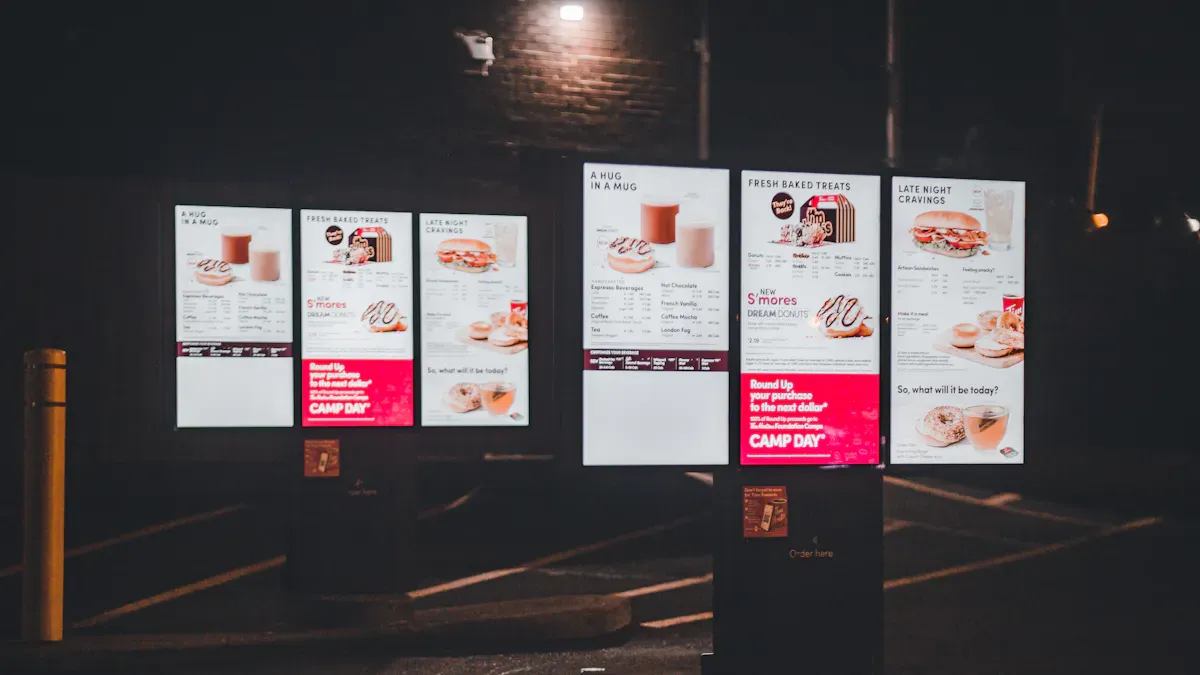
PosterBooking – Best for Most Industries
PosterBooking works for almost any business. The free plan lets you use one screen and upload as much as you want. You can set up your display in just a few minutes. The dashboard is easy to use, so you do not need lessons. You can schedule content, use templates, and control screens from anywhere. Many people like how simple it is to add more screens as their business grows. If you want a free and reliable windows digital signage software, PosterBooking is a good pick.
Yodeck – Best for Small Businesses
Yodeck is great for small businesses. The interface is easy to use and helps you set up your first screen quickly. The free plan gives you unlimited cloud storage and one screen. This is perfect for a small shop or office. Yodeck keeps your data safe with strong security. You can use over 70 app integrations to show things like social media, news, or menus. If you want something simple, Yodeck has media players that are ready to use with annual plans.
Feature | Description |
|---|---|
Lets you manage screens without tech skills. | |
Cost-effective pricing | Free plan with one screen and unlimited cloud storage. |
Robust security measures | Custom password policies and SSO integration. |
Pre-provisioned media players | Plug-and-play setup for quick deployment. |
App integrations | Over 70 apps for more business needs. |
Screenly – Best for Raspberry Pi Users
Screenly is best if you use Raspberry Pi devices. You can turn a Pi into a digital sign with the free plan. Setup is fast, and you can control your screens from the cloud. Screenly supports images, videos, and web pages. The dashboard is simple and helps you manage your content. Many schools and small businesses like Screenly because it is cheap and flexible.
ScreenCloud – Best for Enterprise Testing
ScreenCloud is good for testing digital signage in big companies. The free plan lets you try features before you pay. The platform works with many devices, including Windows PCs. You get tools for team management, scheduling, and app integrations. ScreenCloud makes it easy to add more screens as your business grows. If you want to see if digital signage fits your company, try ScreenCloud first.
OptiSigns – Versatile Free Solution
OptiSigns gives you a flexible way to control your screens. The interface is easy for anyone to use. You can show images, videos, and playlists. You can update content from anywhere, so you do not have to be in the office. OptiSigns gives you real-time updates and templates you can change. You can also schedule content for special times.
Feature | Description |
|---|---|
User-friendly interface | Easy for all skill levels. |
Support for various formats | Show images, videos, and playlists. |
Remote management capabilities | Update content from anywhere. |
Real-time updates | Change content instantly. |
Customizable templates | Fit your brand or message. |
Flexible content scheduling | Set times for content to display. |
You can connect with Google Slides, Instagram, and Facebook.
OptiSigns works for many industries because it is flexible.
Rise Vision – Education and Nonprofits
Rise Vision helps schools and nonprofits share messages easily. You get templates made for education, so you can show lunch menus, events, or safety tips. The drag-and-drop editor makes it easy for staff to make content. Rise Vision works with Google Classroom and PowerPoint, so you can use tools you already know. You can update screens from anywhere with cloud management.
Feature | Description |
|---|---|
Ease of Use | Drag-and-drop templates for quick content creation. |
Integration Ecosystem | Works with Google Classroom and PowerPoint. |
Educational Focus | Templates for school events, menus, and more. |
Cloud-Based Management | Update screens from any device. |
Displai – Simple and User-Friendly
Displai gives you an easy way to show content on your screens. You can set up your display in just a few minutes. The dashboard is clean, so you will not get confused. Displai supports images, videos, and live feeds. You can control your screens from the web. Many small businesses like Displai because you do not need training.
REACH Media Network – Feature-Rich Free Plan
REACH Media Network has a free plan with lots of features. You get templates, scheduling, and remote management. The platform supports live news, weather, and social media feeds. You can control many screens from one dashboard. REACH Media Network is good for businesses that want more than basic signage.
Play Digital Signage – Flexible Free Option
Play Digital Signage gives you a flexible way to control your screens. You can use the free plan for one screen. The editor lets you drag and drop content. You can schedule playlists and use templates. Play Digital Signage supports images, videos, and web pages. You can control your screens from anywhere.
Signagelive – Scalable Free Platform
Signagelive helps you grow your digital signage network. You can start with a free plan and add more screens as your business gets bigger. The platform works with many devices, including Windows. You get tools for scheduling, content management, and analytics. Signagelive is good for companies that want to grow over time.
DigitalSigns.ai – AI-Powered Free Software
DigitalSigns.ai uses artificial intelligence to help you manage content. You can make smart playlists that change based on time or weather. The platform supports images, videos, and live data. You get a free plan for one screen. DigitalSigns.ai is good for businesses that want advanced features without paying a lot.
Nento – Cloud-Based and Scalable
Nento uses a cloud-first design for fast publishing and high reliability. You can control all your screens and playlists from one dashboard. Nento lets you add screens, brands, or regions quickly. You get strong security with encryption and role-based access. The platform updates itself, so you do not have to worry about maintenance.
Feature | Description |
|---|---|
Cloud-first design | Fast publishing and reliable service. |
Centralized management | Control all screens from one dashboard. |
Unmatched agility & scale | Add screens, brands, or regions quickly. |
Enterprise-grade security | Encryption and role-based access. |
Low maintenance | Regular updates and easy scaling. |
Vodigi – Open Source and Interactive
Vodigi gives you a free and open-source way to use digital signage. You can make interactive content that helps customers learn about your products. Vodigi acts like a virtual sales team and gives information any time. The software supports image slideshows and video playlists. Customers can look at and use your content. Vodigi stays on all the time, so your screens never go dark.
Feature/Benefit | Description |
|---|---|
Free and Open Source | Anyone can use and customize the software. |
Interactive Digital Signage | Create engaging content for your audience. |
Virtual Sales Team | Help customers with product info any time. |
Multimedia Support | Show slideshows and video playlists. |
Customer Interaction | Let customers browse and interact with content. |
Detailed Product Information | Give guides and demos for better understanding. |
24/7 Availability | Your screens stay on all the time. |
Tip: Try a few options before you choose. Each free windows digital signage software has its own strengths. Think about what your business needs, what content you want to show, and how you want to grow. Always check digital signage pricing pages for any limits or hidden costs.
Comparison of Free Digital Signage Software for 2026
Feature Overview
You want to know what each free digital signage software can do. Here’s a quick look at the main features:
Software | Templates | Scheduling | Remote Control | App Integrations | Analytics |
|---|---|---|---|---|---|
PosterBooking | Yes | Yes | Yes | Basic | No |
Yodeck | Yes | Yes | Yes | Many | Yes |
Screenly | Yes | Yes | Yes | Few | No |
Rise Vision | Yes | Yes | Yes | Education tools | Yes |
OptiSigns | Yes | Yes | Yes | Many | Yes |
Vodigi | Yes | Yes | Yes | Open Source | No |
You get templates, scheduling, and remote control with most options. Some give you analytics or special tools for schools.
Usability Comparison
You want software that feels easy. Yodeck and OptiSigns have simple dashboards. You can drag and drop content. PosterBooking is also easy for beginners. Rise Vision helps teachers and staff with ready-made templates. Vodigi is open source, so you need more tech skills. If you want to set up fast, try Yodeck or PosterBooking. For schools, Rise Vision is a smart pick.
Tip: Try the platform that matches your team’s skills. You can always switch if you need more features.
Cost and Limitation Analysis
Free plans sound great, but you should check for limits. Most free digital signage software lets you use one screen. Some put their logo on your content. Others limit storage or features. If you want more screens, you pay extra. Always check digital signage pricing before you decide. Free works well for small businesses, schools, or testing. Bigger businesses may need to upgrade as they grow.
Best for small businesses: Yodeck, OptiSigns
Best for education: Rise Vision
Best for open source fans: Vodigi
You can start free, but plan for the future.
In-Depth Overviews of Top Free Digital Signage Software
PosterBooking Overview
You want a quick way to get your screens up and running. PosterBooking gives you that. This free signage tool lets you upload unlimited content and manage one screen without paying. The dashboard feels simple. You can drag and drop images or videos. You can schedule what shows and when. Many businesses like how easy it is to add more screens as they grow. If you want a no-fuss start, this software works well.
Tip: You can control your display from anywhere. That means you do not need to be in the office to update your content.
Yodeck Overview
Yodeck helps you set up your first digital sign in minutes. The free plan gives you one screen and unlimited cloud storage. You can use ready-made templates or upload your own content. Yodeck supports many apps, so you can show menus, news, or social media. Small businesses love the simple controls. You do not need tech skills to use this signage platform.
Screenly Overview
Screenly turns a Raspberry Pi into a digital sign. You can use the free plan to show images, videos, or web pages. The dashboard is clean and easy to use. You can manage your screens from the cloud. Many schools and small businesses pick Screenly because it is affordable and flexible. You can set up your signage in just a few steps.
ScreenCloud Overview
ScreenCloud lets you test digital signage for your company. The free plan helps you try features before you pay. You can manage teams, schedule content, and use app integrations. The platform works with Windows and other devices. If you want to see if digital signs fit your business, ScreenCloud is a smart choice.
OptiSigns Overview
OptiSigns gives you a flexible way to show content on your screens. You can use images, videos, and playlists. The free plan lets you update your signage from anywhere. You can connect with Google Slides or Facebook. Many businesses like the real-time updates and easy templates. You can set schedules for special events or promotions.
Rise Vision Overview
Rise Vision helps schools and nonprofits share messages fast. You get free templates made for education. You can use a drag-and-drop editor to make content. Rise Vision works with Google Classroom and PowerPoint. You can update your screens from any device. This signage software makes it easy for staff to keep everyone informed.
Displai Overview
Displai keeps things simple. You can set up your screen in minutes. The dashboard is clean and not confusing. You can show images, videos, and live feeds. You control your signage from the web. Many small businesses like Displai because you do not need training to use it.
REACH Media Network Overview
REACH Media Network gives you a feature-rich free plan. You get templates, scheduling, and remote management. The platform supports live news, weather, and social media feeds. You can control many screens from one place. Businesses that want more than basic signage features often choose REACH.
Play Digital Signage Overview
Play Digital Signage gives you a flexible way to manage your screens. The free plan works for one screen. You can drag and drop content in the editor. You can schedule playlists and use templates. Play Digital Signage supports images, videos, and web pages. You can update your screens from anywhere.
Signagelive Overview
Signagelive helps you grow your digital signage network. You can start with a free plan and add more screens as your business grows. The platform works with Windows and other devices. You get tools for scheduling, content management, and analytics. Signagelive is a good pick for businesses that want to scale up.
DigitalSigns.ai Overview
DigitalSigns.ai uses artificial intelligence to help you manage your screens. You can make smart playlists that change based on time or weather. The free plan lets you use one screen. You can show images, videos, and live data. Businesses that want advanced signage features without a big cost like this software.
Nento Overview
Nento uses the cloud to make publishing fast and reliable. You can control all your screens and playlists from one dashboard. You can add screens, brands, or regions quickly. Nento gives you strong security and updates itself. Many businesses like how easy it is to scale their signage with Nento.
Vodigi Overview
Vodigi gives you a free and open-source way to use digital signage. You can make interactive content for your customers. Vodigi acts like a virtual sales team and gives information any time. The software supports slideshows and video playlists. You can let customers browse and interact with your content. Vodigi keeps your screens on all the time.
Note: If you want to customize your signage, Vodigi lets you change the software to fit your needs.
Common Pitfalls with Free Digital Signage Software
Hidden Costs and Limitations
Free signage tools do not always mean no cost. Many businesses find extra costs after they start using a free platform. Some features you want might need payment. You could see ads or watermarks on your screens. Sometimes, you can only use one or two screens before you must pay. Here are some common problems:
Pitfall | Description |
|---|---|
Performance Issues | You might see slow loading, especially with videos. |
Hidden Costs | Some tools hide features or add ads, so you pay more. |
Technical Limitations | You may not get advanced scheduling or API support. |
Scalability Challenges | If your business grows, you may need to pay for more. |
Tip: Always check what you get in the free plan before you start.
DIY vs. Professional Solutions
You might want to make your own signage system. DIY can seem cheap at first, but it can be hard to manage. Free digital signage software often gives you more help and features than a homemade system. Here is how they compare:
Feature | Free Digital Signage Software | Paid Digital Signage Software |
|---|---|---|
Cost | Free but has limits | Pay once or pay each month |
Screens Supported | One or two | As many as you want |
Content Options | Basic images and videos | Widgets, live data, and more |
Monitoring | Rare or not included | Real-time reports |
Team Access | One user | Many users |
Analytics | Little or none | Full reports |
Support | Community forums | 24/7 help |
Professional platforms give you more help and work better. Businesses often need to upgrade from DIY fast.
Limitations of Free Plans
Free plans sound good, but they have limits. You may only get basic features. Most free signage tools let you use just one or two screens. You might see watermarks that make your business look less professional. Real-time monitoring is often missing, so you may not know if your screen stops working. Usually, only one person can manage the content, so teamwork is hard. Advanced scheduling is also rare.
You can only use a few features.
Only one or two screens are allowed.
Watermarks may show on your screens.
No real-time monitoring.
Only one user can manage content.
No advanced scheduling.
Note: Free digital signage software helps many businesses start, but you should know these limits before you pick a platform.
How to Choose the Best Corporate Digital Signage Software
Assessing Business Needs
You want your digital signage to help your business. First, think about what you want to show on your screens. Do you need to share news, menus, or live data? Write down the features you must have. Many companies want a system that is simple and easy to use. Check if the software lets you upload images, videos, or slides. Ask if you need your content to update by itself. If you have a big team, see if many people can use the platform.
Uploading common file types
Automation for updating content
Support for teams of any size
Matching Features to Use Cases
Not every free digital signage tool works the same way. Some tools are good at scheduling, while others let you control screens from far away or give you reports. You should pick features that fit your needs. For example, if you have screens in many places, choose remote management. If you want to know how your signs are doing, pick software with analytics and reports. It is important to check if the software works with your screens or media players.
Feature | Why It Matters |
|---|---|
Scheduling | Makes content change by itself |
Remote control | Lets you manage screens anywhere |
Analytics | Shows how people use your signs |
Integrations | Connects with other tools |
Planning for Future Growth
Your business might get bigger soon. The best digital signage software should grow with you. Free plans often limit how many screens or users you get, so look at upgrade choices. Pick a platform that is flexible. You want to add more screens or brands without starting over. Good digital signage helps you plan for the future. Think about cost, support, and how easy it is to add more. If you plan ahead, you will not have problems later.
Tip: Try a free plan first. Make sure it works for you before you pay for more.
You have many free signage options for Windows in 2026. Each platform helps businesses share content fast. Start by checking your hardware and thinking about your signage goals. Test a free plan with your team. Businesses grow when they pick signage that fits their needs and future plans.
Free Windows Digital Signage Software
Open‑source free Xibo, professionally free BrightAuthor, and generously free CloudShow each have their trade‑offs. More importantly, several platforms offer free trials that let you start with zero risk.
To help you compare efficiently, here is a side‑by‑side comparison of mainstream options with meaningful free tiers.
🖥️ Free Digital Signage Software Comparison
Software | Key Features | Free Plan Details | Main Limitations / Considerations |
|---|---|---|---|
BrightAuthor (BrightSign) | Built for BrightSign players, powerful, user‑friendly interface | Free player management software | Usually requires BrightSign hardware – value comes from the integrated hardware system |
Castit | Cloud management, intuitive interface, “Slide generator” tool | 1 player free forever | Free tier limited to 1 player – multi‑screen requires paid plan |
CloudShow | Developed by DisplayFusion team, lightweight, easy to use | 1 device free | Only 1 device free – suitable for single‑screen scenarios |
Generous free tier, simple operation, AI‑assisted content creation | Up to 4 screens free forever, no watermark | Free plan missing advanced features like remote monitoring | |
FloSync | Specialises in multi‑screen synchronisation and video walls | Completely free synchronisation software | Focused on sync and tiling – limited general signage features |
FrontFace | Feature‑rich professional software, supports kiosk mode and touch | 14‑day full‑feature trial | Trial has time limit; free version may restrict multi‑zone or multi‑screen layouts |
SignageStudio / SignPlayer | Fully open‑source, flexible deployment, can self‑brand | Completely free + open‑source (cloud hosting costs extra) | High technical barrier – self‑manage servers, databases, and network storage |
Xibo | Powerful open‑source community edition; Windows player is free | Windows player and community edition free forever | Self‑hosted server required; commercial features (Android, WebUI) need paid subscription |
Yodeck | Well‑regarded, clean interface, many design templates | 1 screen free forever | Free version includes a brand watermark on the screen |
Additional notes: Besides the above, options like Mandoe Media and Sklera also offer free Windows player downloads. You can cross‑check on platforms like Capterra or SoftwareWorld.
Based on your core needs, here are several clear paths:
💸 Absolute Zero Cost & Full Control (Tech‑Friendly)
If your team has some technical skills, consider open‑source options like Xibo and SignStudio. They offer powerful community editions and give you full control over your data and servers – great long‑term freedom.
🆓 Simple, Ready‑to‑Use Free Plans
If you want the easiest way to run 1‑2 screens, look at platforms like Yodeck or CloudShow that offer a “first screen free forever”. They work out‑of‑the‑box – no self‑hosted server or technical maintenance required.
🛠️ Powerful Features & Professional Support (Budget‑Aware)
If your project needs commercial‑grade stability and technical support, but you are not yet ready to commit, take advantage of full‑feature free trials like FrontFace. This lets you evaluate capabilities thoroughly before deciding.
✅ Decision Checklist
Define your needs: How many screens? Need multi‑screen sync or touch interactivity? How often will content change?
Assess your team’s technical ability: Can you maintain a self‑hosted server, or do you prefer a SaaS platform?
Match to the right solution: Based on the above, pick from the comparison table.
💡 Trial tip: Focus on platforms with “full‑feature trial” or “permanent free tier” – they let you start risk‑free. If a plan does not mention “remote monitoring” or “scheduling”, those professional capabilities are likely missing from the free version.
I hope this comparison helps you find the right starting point. If you share roughly how many screens you need and your primary use case, I can offer more targeted suggestions
FAQ
What does “free” mean for Windows digital signage software?
You get to use the software without paying. Some free plans let you manage one screen. You may see limits or watermarks.
Can I use free digital signage software for my business?
Yes, you can start with a free plan. Many small businesses use free tools to test features. Upgrade later if you need more screens.
Will I see ads on my free digital signage screen?
Some free plans show ads or logos. You should check the details before you choose. Look for a plan that fits your needs.
See Also
Best Video Wall Digital Signage Options to Consider in 2026
Leading Digital Signage Solutions for Retail Spaces in 2026
Most Popular Digital Signage Players Gaining Attention in 2026
Latest Innovations in Digital Signage Tech for 2026
Selecting The Perfect LCD Digital Signage For Your Business in 2026
