Top 5 MDM Solutions for Digital Signage in 2026
Shenzhen TopAdkiosk Display Technology Co., Ltd.
Add.: 2F, Bldg 10, Changfeng Industrial Park, Dongkeng, Fenghuang, Guangming, Shenzhen, China 518132
Mobile/WHATSAPP: 86-138 25769658
Email: marketing@topadkiosk.com topadkiosk@gmail.com
Skype: pghenry1
Wechat: adkioskhenry
English Web.: http://www.topadkiosk.com/
https://www.topkioskdisplay.com/
http://www.ad-kiosk.com/
https://www.toplcddisplay.com/
http://www.multitouchdigitalsignage.com/
https://www.youtube.com/channel/UCYVYNJHxLVEcQD8fuUxXNTA/videos?view_as=subscriber
https://www.facebook.com/TOPADKIOSKSHENZHEN/?ref=bookmarks
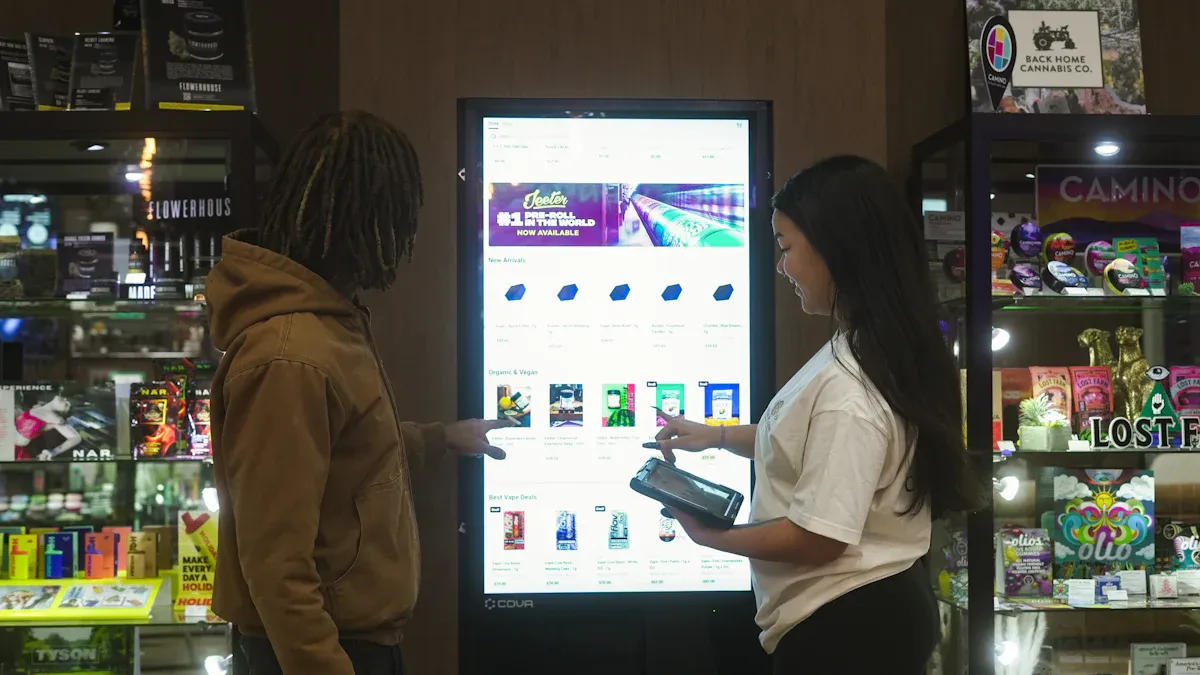
Here are the top 5 MDM digital signage solutions for 2026:
ScreenCloud
Yodeck
Look Digital Signage
Hexnode
Scala
These names are special because they are easy to use. They have cool features and make customers happy. IT workers like these choices because they work well. They are also very dependable. Picking a good and simple digital signage solution keeps your network safe. It also keeps your screens up to date. Think about what you need most from mdm digital signage. This will help you find the best digital signage solutions for your business.
Key Takeaways
MDM digital signage solutions like ScreenCloud and Yodeck make it easy to manage screens from far away. This saves time and work for people using them.
Centralized management lets businesses control many screens from one place. This helps keep content and branding the same everywhere.
Strong security features in MDM solutions keep your network and devices safe. They also help you follow data safety rules.
Picking the right digital signage software should match what your business needs. This makes sure it is easy to use and can change as your business grows.
Regular updates and fixing problems from far away keep your digital signage working well. This helps customers stay interested.
What Is MDM Digital Signage
Definition and Core Functions
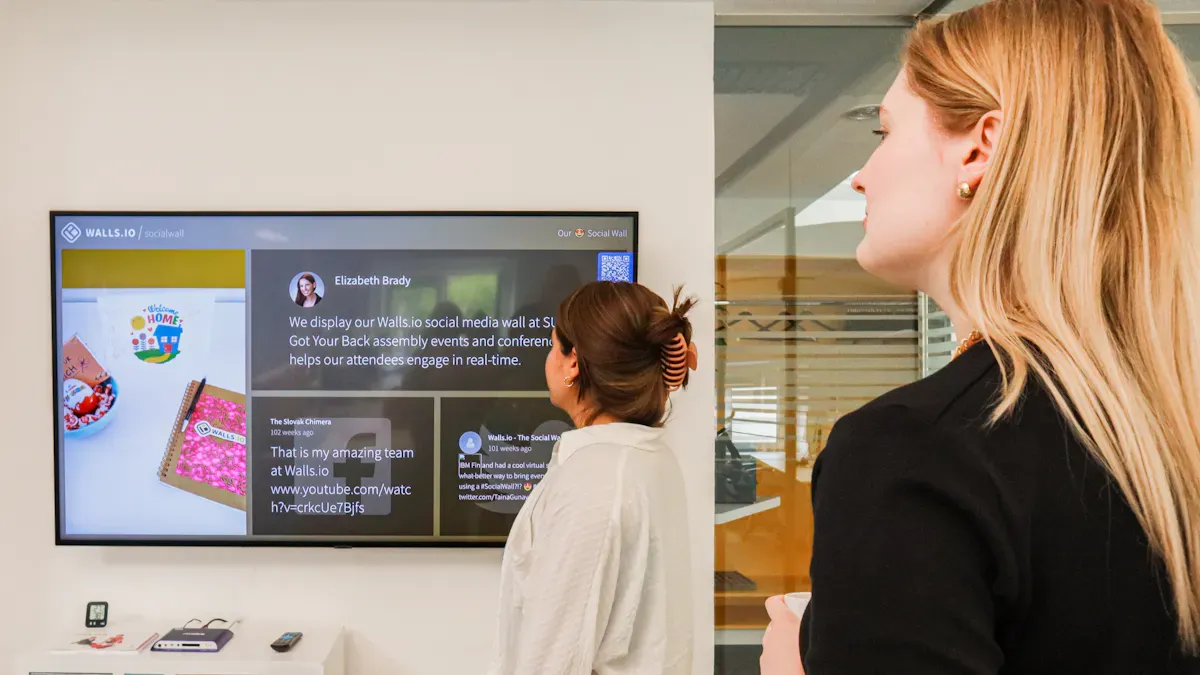
MDM digital signage helps you control digital screens from one spot. You can manage lots of devices, like Android displays, in your company. It lets you show ads, deals, or messages on screens in many places. The system has hardware, like screens and media players, and software for managing content and devices.
MDM lets you make digital signage easy and special for Android devices.
You can control many kinds of devices in your business.
Digital signage uses screens to show fun or useful content.
The system uses hardware, software, and a main tool for control.
MDM digital signage lets you reach your screens from far away. You can change content, fix settings, and check device health without being there. This is done with a safe dashboard. You can plan content, set rules, and see device status right away. These tools save time and stop you from doing updates by hand.
Core Function | Description |
|---|---|
Centralized Signage Management | Plan and control content on many screens from one dashboard. |
Controlled Messaging | Make sure every screen shows the right message and follows your brand. |
Consistent Branding | Keep your brand looking the same on all screens. |
Why MDM Matters for Digital Signage
MDM digital signage keeps your network safe and your screens new. You can control devices in many places from one spot. You can send updates, fix problems, and set safety rules from anywhere. This system helps you keep content fresh and devices safe.
MDM gives you one place to control devices, so they stay safe and updated.
You can handle many screens in different places with less work.
One set of rules helps you support all devices and keep your network strong.
Tip: MDM digital signage helps you grow your network and keep every screen working well.
Key Benefits of MDM Digital Signage Solutions
Centralized Management
Centralized management lets you control all screens from one spot. This makes your job easier and helps you save money.
You use one dashboard for every screen, which saves time and money.
Workflows get simpler, so customers pay more attention and your team works better.
You do not have to do things by hand, so screens always show the right content and look the same.
Security and Compliance
Security is very important for every business. Top MDM solutions help you follow tough security rules and keep your network safe.
Description | |
|---|---|
Kiosk Mode Security | A strong kiosk mode stops people from leaving the locked app, so devices stay safe. |
Remote Control Capabilities | You can control and fix devices from far away, and everything is safe and private. |
You also need to follow data safety rules. MDM solutions have tools that help you do this.
Description | |
|---|---|
Device Security | Makes you use strong passwords and locks to keep data safe. |
Access Control | Only lets the right people use company tools and data. |
Incident Management | Lets you erase or lock devices fast if there is a problem. |
Software and Patch Management | Updates devices by itself, so they follow the rules. |
Robust Policy Enforcement | Gives you lots of control over device settings for safety. |
Strong Encryption | Keeps data safe when stored or sent, so you follow the rules. |
Comprehensive Reporting | Makes reports to help with safety checks. |
Integration with Security Tools | Works with other safety tools to make your system even safer. |
Compliance-Specific Features | Has special tools for different safety needs. |
Remote Monitoring and Updates
You can check and update your screens from anywhere. This keeps your network working well and always ready.
Feature | Advantage |
|---|---|
Real-time Monitoring | You can see what is on your screens right now and find problems fast. |
Remote Troubleshooting | You can fix things like frozen screens without going to the store, so people stay interested. |
Centralized Management | It is easy to control many screens, so you do not need to travel. |
Device Monitoring | You can check all screens and content from far away, which saves time and money. |
Software Updates | Sends updates and safety fixes to every device, so your network stays safe and new. |
Remote Control | You can restart or fix devices from your desk. |
Scheduled Reboots | You can plan restarts, so screens always work well. |
Visual Feedback | You get pictures of screens to make sure content looks right. |
If a screen in your store stops working, you can fix it from your office. You do not have to send someone to the store. You can also change all your screens with new ads at the same time, so people see fresh and fun content.
Scalability for Growing Networks
The real value comes after you set up your screen. You need to see, control, and update messages on one or many screens from one place. A cloud-based CMS helps you do this easily.
You can start with just a few screens and add more as you grow. This helps your business get bigger and keeps your content exciting.
Best Digital Signage Solutions in 2026
ScreenCloud
ScreenCloud is one of the best digital signage solutions for businesses that want to use the cloud. You can control your screens from any place. This makes remote management easy and safe. ScreenCloud works with top MDM providers like Jamf. It has features that help you grow your network without trouble.
Feature | |
|---|---|
MDM (Jamf, Mosyle, Kandji) | Jamf supported |
Zero-touch deployment | Varies by plan |
Role-based access | Yes (varies by plan) |
Dedicated onboarding | Enterprise |
Pros and Cons
Pros | Cons |
|---|---|
Hardware compatibility constraints | |
Broad content and app support | Advanced features may cost more |
Role-based collaboration workflows | Limited offline-first operation |
Ideal Use Cases
Pick ScreenCloud if you need to control many screens in different places. It works well for stores, schools, and offices. The platform helps you keep your content new and your devices safe, even if your team is not in the same place.
Tip: You can use ScreenCloud’s cloud dashboard to change content and check device health without going to each site.
Yodeck
Yodeck is a top digital signage solution for groups that want something flexible and not too expensive. You can use Raspberry Pi devices, so setup is fast and does not cost a lot. Yodeck lets you schedule content and use many free apps. You can make your screens look how you want for any place.
Advantage | Description |
|---|---|
Yodeck, combined with Raspberry Pi, offers a powerful and affordable digital signage option with advanced scheduling and hundreds of free apps. | |
Customization | Raspberry Pi allows extensive customization for network settings, display resolutions, and more, optimizing performance for various environments. |
Quick deployment | Raspberry Pi's availability ensures rapid delivery, crucial for businesses needing to scale their digital signage networks quickly. |
Compatibility | Yodeck’s OS is compatible with even older Raspberry Pi models, extending device lifecycles and preventing obsolescence. |
Reliability | Yodeck enhances reliability by using premium components, minimizing hardware failures and ensuring consistent operation. |
Pros and Cons
Feature | Yodeck |
|---|---|
User Interface | Competent but complex; learning curve noted |
Content Management | Straightforward for basic tasks; limited for complex setups |
Common themes: 'Learning Curve' (70 mentions), 'Complexity' (68 mentions) |
Ideal Use Cases
Yodeck is good for businesses that want to set up lots of screens fast and save money. You can use it in schools, restaurants, and small shops. The platform lets you change content and fix devices from your office.
Note: Yodeck works with old hardware, so you can use your devices longer and save money.
Look Digital Signage
Look Digital Signage is one of the best digital signage solutions for companies that want things to be simple. You can control your screens from far away and set up content to update by itself. The platform uses the cloud, so you can manage devices from anywhere.
Main Features
Cloud-based dashboard for remote device management
Automated content scheduling
Real-time monitoring and reporting
Pros and Cons
Drawback | Description |
|---|---|
Screens can get disconnected and require in-person resets. | |
Limitations in Functionality | Lack of bulk functionality and frequent technical glitches, such as signage going out of sync. |
Ideal Use Cases
Look Digital Signage is best for small and medium businesses that want to update content without much work. You can use it in hotels, hospitals, and stores. The platform helps you keep screens working, but sometimes you may need to reset them by hand if there are problems.
Callout: If you want easy scheduling and remote updates, Look Digital Signage is a good choice.
Hexnode
Hexnode is a top digital signage solution for groups that need strong security and rules. You can make password rules, use device encryption, and keep network connections safe. Hexnode lets you block some apps and websites. You can also lock or erase devices from far away if you need to.
Hexnode uses security rules to stop people from getting in without permission.
It makes you use passwords, device encryption, and safe network connections.
Admins can block apps or websites that are not allowed.
You can lock or erase devices from far away to keep data safe if a device is lost or stolen.
Use Case | Description |
|---|---|
Remote Management | Administrators can provision, configure, and monitor digital signage devices in real-time. |
Content Management | Allows for easy distribution and management of content across multiple screens. |
Security | Enforces security policies and provides remote locking and wiping capabilities for data protection. |
Scalability | Supports business growth by allowing easy scaling of digital signage networks. |
Automated Playlists | Automatically creates playlists from specified folders, simplifying content scheduling. |
Cloud-based Management | Provides a comprehensive management platform accessible from any internet-enabled device. |
Ideal Use Cases
Hexnode is great for big companies, hospitals, and banks that need strong security. You can control and watch devices from far away, send out content, and add more screens as your business grows.
Tip: Hexnode’s remote tools help you keep every device safe and new, no matter where your screens are.
Scala
Scala is one of the best digital signage solutions for big companies that need advanced tools and control. You can use proof-of-play reports to make sure your content shows up right, which is important for following rules. Scala lets you give different people special permissions, so local managers can change content without changing everything.
Feature | Description |
|---|---|
Proof-of-Play Reporting | Provides verifiable evidence that content was displayed correctly, essential for compliance in regulated industries. |
Granular User Permissions | Allows for specific access controls, enabling local managers to update content without affecting the entire network. |
Robust Integration Ecosystem | Includes ERP feeds, scheduling APIs, and hardware certifications, ensuring compatibility and flexibility in enterprise environments. |
Reported Limitations
Setting up Scala can take more steps than simple tools.
Templates and workflows can feel too much for small jobs.
Connecting Scala to other systems can be hard for big companies.
Scala uses a layered system for scheduling, which can make setup tricky.
You need to set up device endpoints and playback settings, which adds to the work.
Ideal Use Cases
Scala is good for big companies, store chains, and groups that need to connect with other business systems. You can use it in places where proof-of-play and following rules are important. The platform has advanced tools for big networks, but setup can take longer.
Note: Scala lets you connect with ERP systems and APIs, so it is a strong pick for big company needs.
You can see that the best digital signage solutions in 2026 have many features for remote control, safety, and growing your network. Each platform lets you control devices from anywhere, update content fast, and keep your network safe. Picking the right solution helps your business do well.
Digital Signage Software Comparison
Features Overview
You want digital signage software that is simple to use. The best software gives you a dashboard to control your screens from anywhere. You can change what shows on the screens and check if they work. You can also plan when messages show up. If there is a problem, you can fix it without going to each place. Security tools keep your screens and information safe. You can choose who can change things and see what is on each screen. The top software lets you watch screens in real time and sends updates by itself. This means your screens always show the newest stuff.
Tip: You can update and fix screens from far away. This saves you time and keeps everything working well.
Pricing and Licensing
When you look at the best digital signage software, you see prices are flexible. Most software charges you for each device you use. This helps you know how much you will spend. You pay every month for each device. This makes it easy to plan your budget. Some software gives extra IT help, but this can cost more. You need to pick if you want to make your own system or buy one that is ready. Many companies buy ready-made software because it is faster and follows safety rules. Hybrid work and new laws make strong MDM solutions more needed.
You pay for each device, so you can add or remove screens.
Monthly device licenses make costs easy to guess.
IT help and safety tools can make the price go up.
Compatibility and Integration
The best digital signage software works with many devices and systems. You can use Android, iOS, macOS, and Windows screens. It is easy to connect with your other tech tools. For example, Philips Professional Displays use Android TV, so you do not need more hardware. Samsung Tizen Commercial Displays use Tizen, so setup is simple. Moki MDM works with tablets and screens and keeps them safe on different systems. You can control all your devices from one place. Extra security tools keep your network safe.
Partner | Integration Details |
|---|---|
Philips Professional Displays | Uses Android TV, so you do not need more hardware. |
Samsung Tizen Commercial Displays | Uses Tizen, so setup is easy and no extra hardware is needed. |
Moki MDM | Works with tablets and screens, and keeps them safe on iOS, Android, and BrightSign devices. |
Note: Software that works on many systems and lets you control everything from one spot is great for growing businesses.
How to Choose the Right Solutions
Assessing Business Needs
First, think about what your business needs from digital signage. Every company wants something different from digital signage software. Some businesses want to show ads. Others need to share news or updates. Pick a platform that matches your goals and is simple to use. Good digital signage software lets you control screens from one place. You can also update content fast. Use this table to help you choose:
Factor | Description |
|---|---|
Flexibility | Pick a platform that lets you add screens or change hardware easily. |
Security | Look for digital signage software with strong data protection and user checks. |
Content Control | Make sure you can update and manage content from anywhere. |
Expertise | Choose a platform that feels simple and clear for your team. |
Tip: A flexible platform helps you save time and money as your business gets bigger.
Industry Considerations
Your type of business affects which digital signage software is best. In healthcare and hotels, you need to share updates quickly. This helps visitors and workers know what is happening. Digital signage software in these places must let you update messages fast and keep information correct. You want a platform that makes it easy to talk to customers and make their visit better.
Healthcare and hotels need fast updates for important news.
The right platform helps you give visitors the right information every time.
Digital signage software should fit your industry’s rules and needs.
Support and Scalability
When your business grows, your digital signage software should grow too. Start with a few screens and add more when you need them. Many platforms have good prices, so you can add screens without spending too much. Centralized control lets you manage all screens from one place. This makes remote management easy and keeps your network strong.
Pick a platform that gives you help when you need it.
Make sure your digital signage software can handle more screens as you grow.
Centralized tools let you update and fix screens from your office.
Note: The best solutions make it easy to manage, support, and grow your digital signage network.
Picking the right MDM digital signage solution helps your business do well for a long time. You can control all your screens from far away. This keeps your network safe and your content new. Studies show these tools help a lot over time:
Feature | Benefit |
|---|---|
Makes it easy to manage and set rules in many places. | |
Content scheduling | Shows the right information at the right time, so people pay more attention. |
Remote device management | Lets IT teams fix and control devices fast, so things break less and cost less. |
Kiosk mode or screen lockdown | Stops people who should not use the screens from getting in. |
Multi-platform support | Works with different systems, so your business can do more things easily. |
Scalable deployment | Lets you add more screens as you grow, without spending a lot more money. |
Here are some steps to begin:
Plan what you want to show on your screens.
Check and take care of your devices and software often.
Buying strong MDM digital signage software helps you control, protect, and grow your network without worry.
How MDM Enables Remote Management of Digital Signage Devices
MDM (Mobile Device Management) is like an "air traffic control centre" for digital signage devices spread across different locations. It allows you to deploy, monitor, update, and secure all screens from a central platform without having to visit each site in person.
MDM is not just a tool – it is the foundation for scalable, intelligent digital signage operations. Its core value lies in five key dimensions.
🛡️ 1. Lockdown & Security – One‑Click Dedicated Devices
The core of MDM is transforming a standard device into a dedicated digital signage player using Kiosk Mode, ensuring both security and focus.
Single‑App Mode – Locks the device to a single application (e.g., playing promotional videos), preventing anyone from exiting, touching, or changing system settings. Ideal for pure information display.
Multi‑App Mode – Allows the device to run a whitelisted set of applications (e.g., scanning, enquiry, payment). Suitable for interactive kiosks like self‑order terminals or check‑in stations.
Feature restrictions – Remotely disable physical buttons, Wi‑Fi, Bluetooth, USB ports, etc., eliminating any accidental or intentional interference.
📡 2. Centralised Management – One Platform, All Devices
Through a central management console, you can perform various remote operations on all devices.
Bulk policy deployment – Create a configuration (e.g., Wi‑Fi settings, security policies) and apply it to hundreds or thousands of devices at once, ensuring uniform compliance.
Remote real‑time monitoring – View online status, battery level, storage space, and health of all devices from one dashboard, identifying potential risks early.
Remote diagnostics & remediation – With remote control capabilities, IT staff can directly operate the remote device’s desktop and resolve issues as if they were on site – dramatically reducing operational costs.
🔄 3. Content Updates – Remote Distribution & Real‑Time Management
The vitality of digital signage lies in dynamic content updates, and MDM provides powerful support for this.
Remote app & file distribution – Remotely install, update, or uninstall apps. Also, push new advertising images or videos to all or selected devices with one click, ensuring content synchronisation.
Smart content scheduling – Advanced MDM solutions can integrate with CMS, allowing content playback tasks to be scheduled by time of day or location – enabling efficient, automated content management.
📈 4. Efficiency Gains – Scalable Deployment & Cost Reduction
MDM solves the efficiency challenge of large‑scale operations, delivering significant ROI.
Zero‑touch deployment – When a new device is powered on and connected to the network, MDM automatically recognises it and pushes the configuration – no manual setup required. Particularly friendly for retail chains.
Clear cost benefits – Reduces operational costs by minimising on‑site maintenance and printing expenses. For example, a small business can run MDM on an old tablet, getting a professional digital signage system at very low cost.
Quantifiable ROI – One automotive manufacturer integrated MDM with its Manufacturing Execution System (MES), achieving automatic distribution of production instructions and significantly improving approval efficiency and accuracy.
🏢 5. Industry Applications – Enabling Multiple Sectors
MDM’s management model plays a critical role across various industries.
Industry | Typical Use & Value | Key MDM Features |
|---|---|---|
Retail | Manage in‑store promotional screens, digital menu boards, and advertising displays – respond quickly to campaigns | Remote content push, Kiosk Mode lockdown |
Transportation | Manage airport flight information screens, railway station real‑time boards – ensure accuracy and device stability | Bulk configuration, central monitoring, failure alerts |
Healthcare | Manage self‑service kiosks for registration, payment, and wayfinding – improve patient experience | Multi‑app Kiosk Mode, data security |
Manufacturing | Manage shop floor electronic dashboards – display real‑time production data and integrate with MES for efficiency | Remote device control, enterprise policy management |
Corporate | Manage meeting room booking screens, lobby welcome screens – enhance brand image | Remote configuration, unified updates |
🚀 Advanced Evolution – From MDM to UEM
As device types become more diverse, modern device management has evolved from MDM to UEM (Unified Endpoint Management).
Scope of management – MDM primarily manages smartphones, tablets, and other mobile devices. UEM is a platform that manages all endpoints, including laptops, desktops, POS terminals, and even dedicated digital signage players.
Unified platform – UEM provides a single “cockpit” where IT administrators can apply cross‑platform management policies to all devices, dramatically simplifying operations.
💎 Summary
MDM is the foundation for building an efficient, secure, and scalable digital signage network. It frees you from tedious on‑site maintenance, allowing you to focus on creating greater value through your content.
Let me know if you would like a comparison of popular MDM solutions for digital signage or a step‑by‑step deployment guide.
FAQ
What is MDM digital signage?
MDM digital signage helps you control lots of screens from one spot. You can change what shows on the screens and check if they work. It also keeps your network safe. This tool is good for stores, schools, or offices.
How does MDM enable remote management of digital signage devices?
MDM lets you reach your screens even if you are far away. You can send updates, fix problems, and change what is on the screens. You do not have to go to each place. This saves time and helps your network work well.
Tip: Remote management means you do not have to travel to every place for updates.
Which devices work with top MDM digital signage solutions?
Most top solutions work with Android, iOS, Windows, and macOS devices. You can use tablets, TVs, and special displays. Always check the software’s list to make sure your device works.
Device Type | Supported Platforms |
|---|---|
Tablets | Android, iOS |
TVs/Displays | Android TV, Tizen, Windows |
Media Players | Raspberry Pi, BrightSign |
Why should you choose cloud-based digital signage software?
Cloud-based software lets you manage screens from anywhere. You get updates right away, can add more screens easily, and have strong safety. You do not need to set up servers at your office.
See Also
Best Digital Signage Solutions for Retailers in 2026
Popular Digital Signage Options Gaining Attention in 2026
Key Factors That Make Digital Signage Essential for Success in 2026
