Top 5 Digital Menu Board TVs to Buy in 2026
Shenzhen TopAdkiosk Display Technology Co., Ltd.
Add.: 2F, Bldg 10, Changfeng Industrial Park, Dongkeng, Fenghuang, Guangming, Shenzhen, China 518132
Mobile/WHATSAPP: 86-138 25769658
Email: marketing@topadkiosk.com topadkiosk@gmail.com
Skype: pghenry1
Wechat: adkioskhenry
English Web.: https://www.topkioskdisplay.com/
http://www.ad-kiosk.com/
https://www.toplcddisplay.com/
http://www.multitouchdigitalsignage.com/
https://www.youtube.com/channel/UCYVYNJHxLVEcQD8fuUxXNTA/videos?view_as=subscriber
https://www.facebook.com/TOPADKIOSKSHENZHEN/?ref=bookmarks
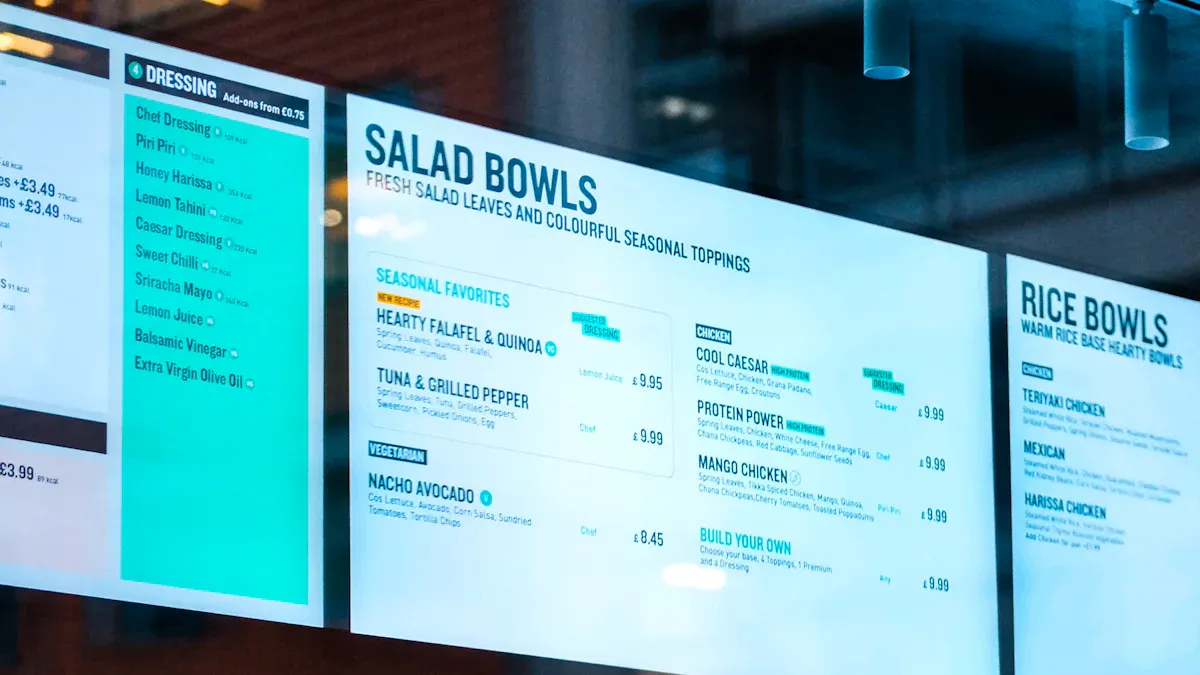
You want your business to thrive. The top 5 digital menu board TVs for 2026, based on their digital menu board TV specs, are Samsung QM Series, LG UH5F Series, Sony BRAVIA Professional Displays, Philips D-Line, and Xiaomi TV P1E. These screens are the best because they are very bright, have a long lifespan, and are easy to connect. You should choose a digital menu board TV that meets your business needs. This will help you achieve excellent results.
Specification | Details |
|---|---|
Commercial vs. Consumer Grade | Made for all-day use, not just for homes. |
Brightness | 400-700 nits is good for inside; up to 2,500 nits is best for outside menus. |
Resolution | Full HD is common; 4K looks clearer and is better for the future. |
Size and Viewer Distance | 43" to 55" is good if people are close; bigger screens help if people are far away. |
Orientation & Mounting | You can use landscape or portrait to display your menu in different ways. |
Connection and Control | Many HDMI, USB, and Wi-Fi/LAN ports help you stay connected. |
Operation and Warranty | A 3-year warranty or more keeps your business safe. |
Key Takeaways
Pick a digital menu board TV that matches your business needs. Think about brightness, resolution, and how strong the TV is for the best results.
Find screens with high brightness, especially if you use them outside. This helps your menu stay clear and easy to read in any light.
Choose models with good ways to connect. Having more HDMI and USB ports makes updates and managing your digital signage simple.
Why These Are the Best TVs for Digital Signage
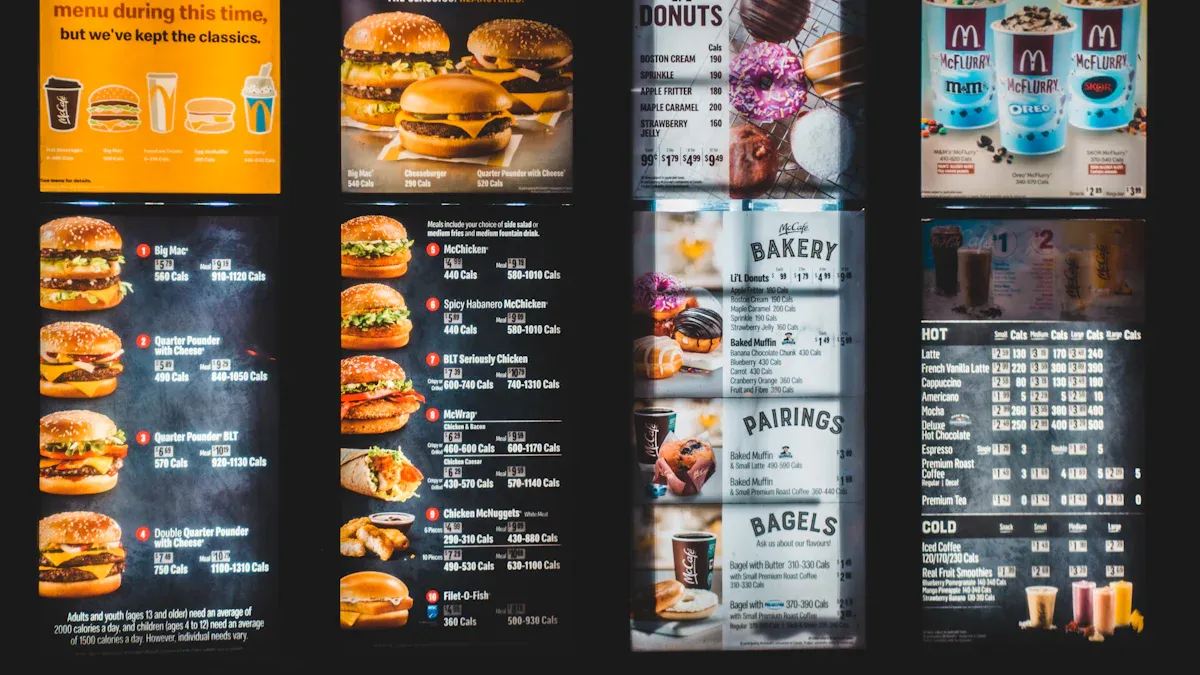
Selection Criteria
When picking the best TVs for digital signage, you want screens that look great anywhere. High brightness helps your menu stay easy to see, even in sunlight. A strong resolution like 4K makes pictures and words look clear. Colors should stay the same on every screen, so your brand always looks right. You need a TV that can run all day without problems. Good connections let you change your menu fast. Commercial features like portrait mode and remote control make your work easier.
Here is a quick look at the main criteria experts use:
Criteria | Why It Matters for Digital Signage |
|---|---|
Brightness | Makes menus readable in bright or outdoor spaces |
Resolution | Delivers crisp images and easy-to-read text |
Color Consistency | Keeps your brand colors accurate |
Size | Fits your space and grabs attention |
Connectivity | Lets you update content quickly |
Durability | Handles long hours and tough conditions |
Warranty | Protects your investment |
Evaluation Process
You want the best TVs for digital signage, so we used a careful plan to choose these top models. First, we checked each TV’s features using official guides and trusted reviews. Then, we watched videos and read what real users said about them. We also used AI models to see how different businesses might use each TV. Last, our expert team looked at all the facts and picked the winners.
Tip: Always check if the TV can handle your business hours and menu updates before you buy.
These steps help you get digital signage that works hard for your business.
Samsung QM Series Overview
Digital Menu Board TV Spec
You want a digital menu board TV spec that is easy to notice. The Samsung QM Series has a high resolution screen. Pictures and colors look sharp and bright. This model is very bright, so menus are easy to read even when it is sunny. The display looks good all day, so your menu always looks new. There are different brightness levels, so people can see your menu in sunlight. The Samsung QM Series has many ways to connect, so you can update your signs fast. Samsung SSSP is built-in, so you do not need extra devices to manage content. The design is slim and modern, so it fits in any business.
Pros and Cons
You should know what is good and bad before you buy. Here is a quick list:
Pros | Cons |
|---|---|
Built-in Samsung SSSP | N/A |
Aesthetic design | N/A |
Great for indoor use | N/A |
Note: The Samsung QM Series does not have big problems, so it is a good choice for most businesses.
Ideal Use Cases
You can use the Samsung QM Series in many places. In hotels, it works for lobby signs, meeting rooms, and event signs. Hospitals use it for waiting rooms and emergency messages. Offices use it for boardrooms, staff news, and store ads. The digital menu board TV spec makes it great for any place that needs a clear, bright, and strong digital sign.
LG UH5F Series Review
Key Features
You want a screen that people notice. The LG UH5F Series has a bright and clear 4K screen. It is thin, so it fits in small or big spaces. You can turn the screen sideways or keep it upright. This helps you show your menu in different ways. You can plug in many things with HDMI, USB, and LAN ports. The anti-glare layer stops strong lights from making the menu hard to see. You can update what is on the screen with a built-in system. These displays come with a 3-year warranty, so you know your money is safe.
Tip: Pick commercial displays that are bright and easy to hang up for the best results.
Digital Signage Performance
You need a screen that works all day long. The LG UH5F Series does not get too hot, even after many hours. The colors and pictures stay sharp, so your menu looks nice. You can change the menu from far away with remote management. These screens work well in restaurants, cafes, and stores. The anti-glare feature keeps the menu easy to see, even when it is busy. You can count on these screens to work well every day.
Pros and Cons
Here is a simple list of good and bad things:
Pros | Cons |
|---|---|
Menus are clear because the screen is bright | The price might be high |
You can use the screen in many ways | You may need help to set it up |
You can connect lots of devices | |
It works well for a long time | |
The warranty is good for businesses |
You want a display that helps your business look great. The LG UH5F Series has the features you need for top digital signage.
Sony BRAVIA Professional Displays
Best TVs for Digital Signage
You want your digital signage to get noticed. Sony BRAVIA Professional Displays help you do this. These screens use 4K X-Reality PRO processing. This makes menus and pictures look sharp and bright. Motionflow XR technology keeps fast videos smooth. This helps catch people’s eyes. The anti-glare coating cuts down on reflections a lot. Your menu stays easy to read, even in bright rooms. You can use these displays all day and night. The tamper-proof design keeps your content safe in public places. Many reviews like the Multi Display Setting app. It lets you make video walls for a bigger effect. Sony uses recycled materials, so you help the planet when you buy.
Tip: Pick Sony BRAVIA if you want a screen that works all day and keeps your menus looking new.
Main Specs
You should know the specs before you buy. Sony BRAVIA Professional Displays have features that make digital signage simple and strong:
Specification | Details |
|---|---|
Display Quality | 4K X-Reality PRO upscaling |
Motion Handling | Motionflow XR for smooth action |
Anti-Glare | Deep black non-glare coating, reduces reflections by 45% |
Brightness | 700 Nits, energy-efficient |
Touch Capability | Multi-touch with TSI Touch solution |
Storage | 32GB internal storage |
Operation | 24/7 commercial-grade performance |
Security | Tamper-proof, disables inputs and remote functions |
Eco-Friendly | SORPLAS recycled plastic |
Many reviews say these displays are easy to set up and work well.
Use Cases
You want a display that fits your business. Sony BRAVIA Professional Displays work in many places:
Corporate offices: Share news and schedules with staff and guests.
Retail stores: Show deals and help shoppers.
Quick service restaurants: Show menus and specials with bright screens.
Entertainment venues: Give info to guests at museums and attractions.
Schools and colleges: Show events and news for students.
Transportation hubs: Give travelers updates and alerts.
People who use Sony BRAVIA in these places are happy with their choice. You can count on these displays to help your business and keep your content looking great.
Philips D-Line Series
Features Overview
You want a display that gets noticed and keeps people interested. The Philips D-Line Series has a 32-inch screen that fits in many places. This display uses Android 11, so you can add apps and change your menu easily. The screen is made to stand out, so it is great for digital signage in restaurants, cafes, or stores. The D-Line Series helps you catch people’s eyes and keeps your menu looking new every day.
Tip: Pick a display that matches your brand’s style and makes your menu easy to see.
Here is a quick list of what makes the Philips D-Line Series special:
Feature | Description |
|---|---|
Size | 32-inch display for flexible placement |
Operating System | Android 11 for smooth software integration |
Versatility | Works well in any setting, ideal for digital menu boards |
Audience Engagement | Designed to attract and delight your customers |
Digital Menu Board TV Spec
You need a digital signage screen that works all day and keeps your menu clear. The Philips D-Line Series is very bright, so your menu is easy to see even in bright rooms. The 4K resolution makes pictures and words look sharp. You can put the screen up and down or sideways to show your menu in different ways. There are many HDMI and USB ports, so you can connect devices and update your menu fast. The D-Line Series is made for businesses, so it works for long hours without problems.
Pros and Cons
You want to make a good choice for your business. Here are the main pros and cons:
Pros:
Simple to use with Android 11
Bright and clear display for digital signage
Many ways to mount the screen
Good for long-term use
Cons:
Only comes in 32-inch size
May cost more than regular TVs
If you want a digital signage display that works well and keeps your menu looking good, the Philips D-Line Series is a smart choice.
Xiaomi TV P1E for Digital Signage
Best Screens for Digital Signage
You want your business to get noticed. Xiaomi TV P1E is one of the best screens for digital signage. This TV has a modern look that fits anywhere. You can use it in restaurants, cafes, or stores. The thin frame and wide viewing angle help everyone see the menu. Many business owners pick this model because it is not expensive and works well. You can count on it for many signage applications, like daily menus or special deals.
Tip: Pick the best screens for digital signage so your menu is easy to read and your brand looks good.
Specs and Performance
You need a TV that helps your business every day. Xiaomi TV P1E gives strong performance for digital signage. It has a 4K UHD display, so pictures and words look clear. The brightness is 350 nits, which is good for most indoor signs. You get many HDMI and USB ports to update content easily. The TV lets you use both landscape and portrait modes. This makes it easy to create the best screens for digital signage for any menu style. The built-in Android TV system lets you run apps and manage content simply.
Essential Specs | Details |
|---|---|
Resolution | 4K UHD |
Brightness | 350 nits |
Connectivity | HDMI, USB, Wi-Fi |
Orientation | Landscape/Portrait |
Operating System | Android TV |
Pros and Cons
You want to know if Xiaomi TV P1E is good for your signage applications. Here are the main points:
Pros:
Good price for digital signage
4K resolution makes menus clear
Many ways to mount the TV
Content is easy to update
Cons:
Not as bright as some commercial models
Not made for use all day and night
If you want one of the best screens for digital signage and want to save money, Xiaomi TV P1E is a smart choice. You can use it for many signage applications and keep your business looking nice.
Comparison Table: Digital Menu Board TV Specs
You want a digital signage display that works well for your business. It is smart to check how each TV is different before you buy. The table below shows the main specs for each digital signage display. You can use this table to pick the best screen for your menu board.
Model | Brightness (nits) | Resolution | Connectivity | Durability (Hours) | Orientation | Price Range |
|---|---|---|---|---|---|---|
Samsung QM Series | 500-700 | 4K UHD | HDMI, USB, LAN, Wi-Fi | 50,000+ | Landscape/Portrait | $$ |
LG UH5F Series | 500 | 4K UHD | HDMI, USB, LAN, Wi-Fi | 50,000+ | Landscape/Portrait | $$ |
Sony BRAVIA Pro Displays | 700 | 4K UHD | HDMI, USB, LAN, Wi-Fi | 24/7 Operation | Landscape/Portrait | $$ |
Philips D-Line | 400 | 4K UHD | HDMI, USB, LAN, Wi-Fi | 50,000+ | Landscape/Portrait | $$ |
Xiaomi TV P1E | 350 | 4K UHD | HDMI, USB, Wi-Fi | 20,000 | Landscape/Portrait | $ |
Tip: Pick a digital signage display with high brightness if your menu board gets sunlight. This helps your menu stay clear and easy to read all day.
You should get a digital signage display that lasts a long time. Long hours mean your digital signage display will not break when your store is busy. Flexible orientation lets you use your digital signage display for any menu style. Good connectivity helps you update your digital signage display quickly. Price is important, but you should buy a digital signage display that matches your business needs.
This comparison table helps you find the best digital signage display for your restaurant, café, or store. The right digital signage display makes your menu stand out and brings in more customers.
Buying Guide: Choosing the Right Digital Menu Board TV
Assessing Business Needs
You want your digital menu boards to help your business. Think about your space and how many hours you are open. Also, look at how customers move around your store. If your place gets lots of sunlight, pick a screen with high brightness. Busy restaurants need screens that work all day without problems. Make sure your menu matches your brand and style. People who plan ahead get the best results.
Tip: Do not just set up your menu and leave it. Change your digital signage content often so customers stay interested.
Key Features to Consider
You need the right specs for your digital signage screen. Look for screens that last a long time and are bright. Easy controls help you manage your menu fast. The table below shows what buyers should look for:
Feature | Why It Matters |
|---|---|
Durability | Works long hours and stops screen burn-in |
Brightness | 300 nits is good for inside, 500+ nits for bright places |
Control Settings | Built-in controls make management simple |
Connectivity | HDMI and USB ports help you update your menu |
Pick screens you can mount in different ways. Strong media player support is important. Good contrast and bold fonts make menus easy to read. Do not use bad visuals. Buy a screen that makes your food look great.
Budget and Value
You want the best deal for your digital menu boards. Compare prices and how well each screen works. The table below helps you see which models are best:
TV Model | Price Range | Working Hours |
|---|---|---|
$750–$3110 | 16/7 | |
Sony Bravia EZ20l Series | $650–$3000 | 16/7 |
Sony BZ30L/BZ35L Series | $710–$3,940 | 24/7 |
Higher prices usually mean the screen lasts longer and has more media player options. You save money over time with reliable screens. Pick a screen that fits your budget and keeps your menu boards working well.
You need a tv that works for your business. Samsung QM Series and LG UH5F Series are very bright and last a long time. Sony BRAVIA Professional Displays show clear pictures. Philips D-Line lets you use the screen in different ways. Xiaomi TV P1E costs less money. Pick tv specs that fit what you want. Use digital signage software and the comparison table to find the best screen. Small cafes can use Xiaomi TV P1E. Big restaurants like Samsung QM Series. If you want to save money, pick Philips D-Line. Set up your tv, add digital signage software, and make your menu look great for the best results.
Step | Description |
|---|---|
1 | |
2 | Choose digital signage software that is easy to use. |
3 | Make your menu with a clear display. |
4 | Put the tv where people can see it. |
5 | Show staff how to use the tv system. |
Check the guide and comparison table to look at screen size, how long it lasts, how it connects, and price. Pick digital signage software and make a menu that is easy to read. Your tv display will help your business get noticed.
Essential Specifications for Digital Menu Board TV
Choosing a TV for digital menu boards requires balancing image quality, durability, environment adaptability, and cost. Below are the core specifications and recommended values.
1. Brightness – Ensuring Readability in Daylight
Installation Environment | Minimum Recommended Brightness | Notes |
|---|---|---|
Indoor against wall / no direct sunlight | 350–400 cd/m² | Standard commercial display; suitable for walls away from windows |
Near windows / with natural light | 500–700 cd/m² | Semi‑outdoor or very bright restaurants; overcomes ambient light |
Outdoor / under canopy | 1,500–2,500+ cd/m² | For outdoor windows or exterior order points; must be high‑brightness and anti‑glare |
Common mistake: Consumer TVs typically have only 250–350 cd/m². In a sunlit window, they become unreadable. Must choose commercial high‑brightness displays.
2. Resolution – Sharpness of Text and Images
Minimum: 1920×1080 (Full HD / 1080p)
For 32″–55″ menu boards, 1080p is sufficient for customers 2–3 metres away to clearly see prices and dish names.Consider 4K upgrade: When screen size ≥55″ and customers view from <1 metre (e.g., sushi bar, counter), 4K (3840×2160) provides sharper text and image edges.
Avoid 1366×768 or lower: Text will have noticeable jagged edges, harming professional image.
3. Size & Viewing Distance
Screen Size | Recommended Max Viewing Distance | Typical Placement |
|---|---|---|
32″ | 1.5–2.5 m | Small café near POS |
43″ | 2–3.5 m | Fast‑food ordering wall |
49″–55″ | 2.5–5 m | Main menu board in large restaurants |
65″+ | 4–8 m | Food court feature wall |
Golden rule: Text height (mm) ≈ Viewing distance (m) × 25. For 3 metres away, minimum text height is 75 mm.
4. Durability – Commercial vs. Consumer
Feature | Commercial Display | Consumer TV |
|---|---|---|
Operating hours | Designed for 16/7 or 24/7 | ~6–8 hours per day |
Cooling | Active fans + heat sinks, no vents | Passive cooling, relies on chassis openings |
Protection | Dust‑resistant, moisture‑resistant back cover | No special protection |
Lifespan | ≥5 years | ~2–3 years (in restaurant environment) |
Warranty | 3 years (on‑site often included) | 1–2 years carry‑in |
Conclusion: Restaurants typically run displays 12–16 hours/day. Consumer TVs will degrade within 1–2 years (backlight dimming, image retention). Strongly recommend commercial displays – long‑term costs are lower.
5. Panel Type
IPS (or ADS): Wide viewing angle (178°). Side customers can also see clearly. Recommended for menu boards.
VA: High contrast, deep blacks, but colours wash out at an angle. Suitable for front‑only viewing.
TN: Low cost but very narrow viewing angle – not recommended.
Recommendation: Choose IPS or at least VA.
6. Anti‑Glare Coating
Must be matte with an anti‑glare (AG) coating.
Avoid glossy / mirror finishes – they reflect ceiling lights and window shadows, making content unreadable.
7. Connectivity (Inputs)
HDMI (at least 2) – to connect media players (Fire Stick, Android stick, Raspberry Pi, PC).
USB port – for direct playback from USB drive (low‑cost option) or to power peripherals.
RJ45 Ethernet – for cloud‑based CMS, wired is far more stable than Wi‑Fi.
RS232 – advanced commercial displays support remote power on/off and batch control.
8. Built‑in System vs. External Player
Option | Description | Best For |
|---|---|---|
No OS (display only) | Requires external player (Fire Stick, Android stick, PC) | Already have media players, or want hardware‑independent upgrades |
Built‑in SoC (Android / webOS / Tizen) | Install CMS app directly (OptiSigns, Yodeck, ScreenCloud) | Single or few screens, no external device, clean look |
Note: Built‑in SoC is usually Android or proprietary (LG webOS, Samsung Tizen). Beware of cheap Android displays with low‑end processors that may become sluggish over time.
9. Cooling & Mounting
Wall mounting: Ensure at least 2–5 cm (1–2 inches) gap between screen and wall for airflow.
Cooling fans: Commercial displays usually have temperature‑controlled fans. Check that noise is below ~30 dB (not disruptive in dining areas).
Avoid heat sources: Do not mount directly above ovens, fryers, or steamers.
10. Recommended Minimum Configuration (2026)
Scenario | Recommended Specs |
|---|---|
Small café / bubble tea shop | 43″ commercial IPS, 350 cd/m², 1080p, built‑in Android + Yodeck / OptiSigns |
Fast‑food / Chinese restaurant main menu | 55″ commercial IPS, 500 cd/m², 1080p (or 4K), HDMI external Fire Stick, anti‑glare |
Bright / window‑adjacent | 55″ high‑brightness commercial, 700–1000 cd/m², 4K, RS232 control |
Outdoor / semi‑outdoor window | 49″ high‑brightness, 1500+ cd/m², waterproof (IP65 enclosure), wide temperature (-10°C to 50°C) |
Summary Checklist
Brightness ≥400 cd/m² (≥700 if near windows)
Resolution ≥1920×1080
Commercial‑grade (rated for 12+ hours/day)
IPS panel (or at least VA)
Anti‑glare matte coating
Sufficient ports: HDMI + USB (+ optional RJ45/RS232)
Wall‑mount gap 2‑5 cm (1‑2 inches)
Decide on built‑in OS vs. external player
Following these guidelines, your digital menu board will operate reliably for 3–5 years without issues like poor readability, overheating, or backlight dimming. If you provide your budget and installation environment, I can recommend specific sizes and models.
FAQ
What are the essential specs for a digital menu board TV?
You need a tv that is very bright. The screen should have 4K resolution. It must be strong and last a long time. Pick a digital signage tv you can hang in different ways. It should be easy to change what is on the screen. These things help your digital signage work well.
Can you use a regular TV as a digital signage tv?
You should not pick a regular TV for this. A digital signage tv works longer and stays bright. It lets you control what shows on the screen better. Your business will look more professional with it.
How do you update content on a digital signage tv?
You can change what is on your digital signage tv with built-in software. You can also use cloud tools to do this. This makes it easy to keep your digital signage new every day.
See Also
Explore 10 Innovative Digital Menu Board Designs for 2026
Discover 10 Leading Video Wall Signage Options for 2026
Best Digital Signage Tools for Retail Outlets in 2026
Most Popular Digital Signage Players to Use in 2026
Selecting The Perfect LCD Digital Signage For Your Business in 2026
