Top 3 LCD display for ebike picks you’ll love
Shenzhen TopAdkiosk Display Technology Co., Ltd.
Add.: 2F, Bldg 10, Changfeng Industrial Park, Dongkeng, Fenghuang, Guangming, Shenzhen, China 518132
Mobile/WHATSAPP: 86-138 25769658
Email: marketing@topadkiosk.com topadkiosk@gmail.com
Skype: pghenry1
Wechat: adkioskhenry
English Web.: https://www.topkioskdisplay.com/
http://www.ad-kiosk.com/
https://www.toplcddisplay.com/
http://www.multitouchdigitalsignage.com/
https://www.youtube.com/channel/UCYVYNJHxLVEcQD8fuUxXNTA/videos?view_as=subscriber
https://www.facebook.com/TOPADKIOSKSHENZHEN/?ref=bookmarks

You want the best e-bike display for your ride, right? Check out these top picks for 2026: BAFANG DP C231 CAN, actbest Multi-Function, and C965 LCD. Each lcd display for ebike brings something special. You’ll see colorful display options, Bluetooth, and NFC unlock. These lcd screens connect easily and work with many e-bikes. You get smart features that make every ride better. Want more info? Visit https://www.topkioskdisplay.com/ to explore the best e-bike displays for your needs.
Key Takeaways
Pick the right LCD display by making sure it works with your e-bike’s motor and controller. Check if the protocol, voltage, and connectors are the same for a smooth ride.
Think about how you ride when picking a display. Basic models are good for casual riders. Smart displays with GPS and app features help riders who like data.
Look for important features like battery level and speed tracking. Make sure the display is easy to use. A bright and colorful screen helps you see in any light.
Choose a display that is strong and water-resistant. A tough, weatherproof display will work well in all kinds of weather.
Check out what makes each top pick special: BAFANG DP C231 CAN has smart features, actbest Multi-Function is very flexible, and C965 LCD is simple to use.
Quick Comparison of Top LCD Displays
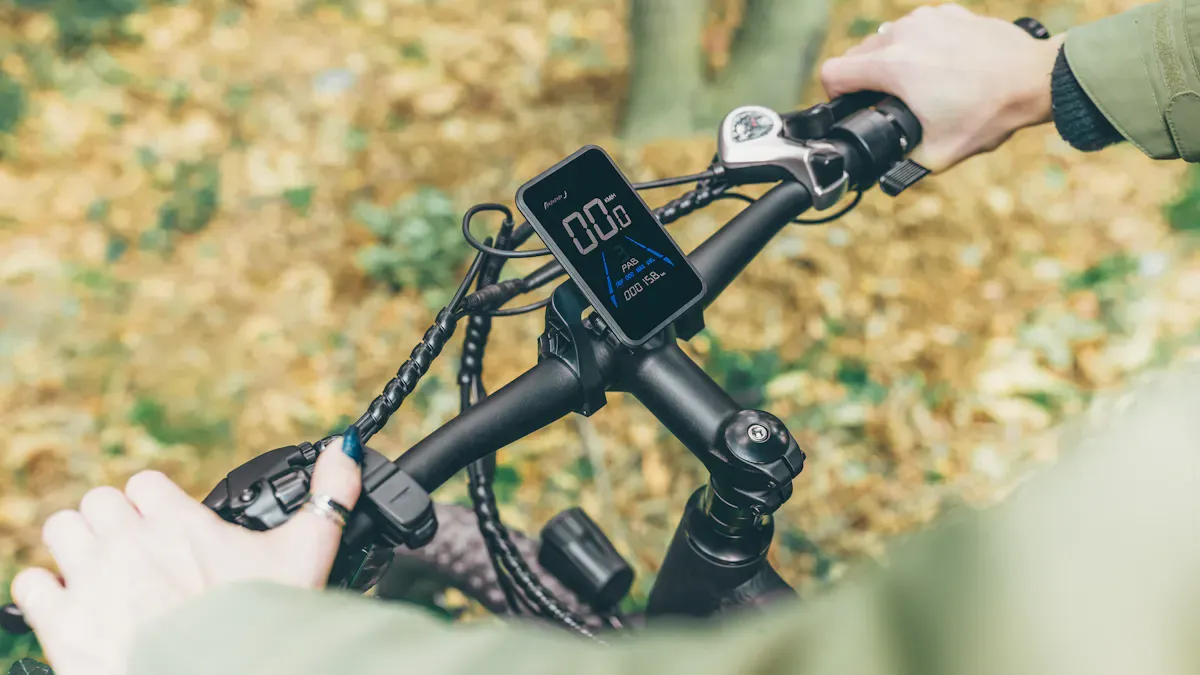
Specs and Features Overview
Do you want to know how these e-bike displays compare? The table below shows the main specs and features for BAFANG DP C231 CAN, actbest Multi-Function, and C965 LCD. This helps you see what is different and choose the one that works best for your bike.
LCD Display | Screen Type | Connectivity Options | Compatibility Protocol | Unique Features |
|---|---|---|---|---|
BAFANG DP C231 CAN | Colorful display | Bluetooth, NFC | CANBUS | Easy to use, tracks speed, measures distance, shows battery, water resistant, has backlight |
actbest Multi-Function | Full Color TFT | Bluetooth, USB port | CANBUS/UART | Smart connection, charges with USB, lets you change settings, shows ride stats, has backlight |
C965 LCD | Monochrome | UART | Simple and strong, shows battery percent, tracks top speed, records total distance, has backlight |
Tip: If you want a bright screen with smart tools, pick actbest Multi-Function or BAFANG DP C231 CAN. The C965 LCD is good if you want something simple for basic rides.
Connectivity and Compatibility
You have to check if your e-bike display works with your motor and controller. It is important to match them. Some brands, like Bosch and Bafang, have strict rules. Always look at the protocol, connector, pinout, and voltage before you buy a new lcd. Firmware locks can stop other displays from working, so make sure everything matches.
Most e-bike displays use CANBUS or UART protocols. BAFANG DP C231 CAN and actbest Multi-Function use CANBUS, which is common in new e-bikes. C965 LCD uses UART, so it works well for many DIY and older bikes. You can find other options, but always check if they fit.
Note: If you want to get a new lcd, check your bike’s specs first. Matching the protocol and voltage helps your ride stay safe and smooth.
Best LCD Display for Ebike: In-Depth Reviews
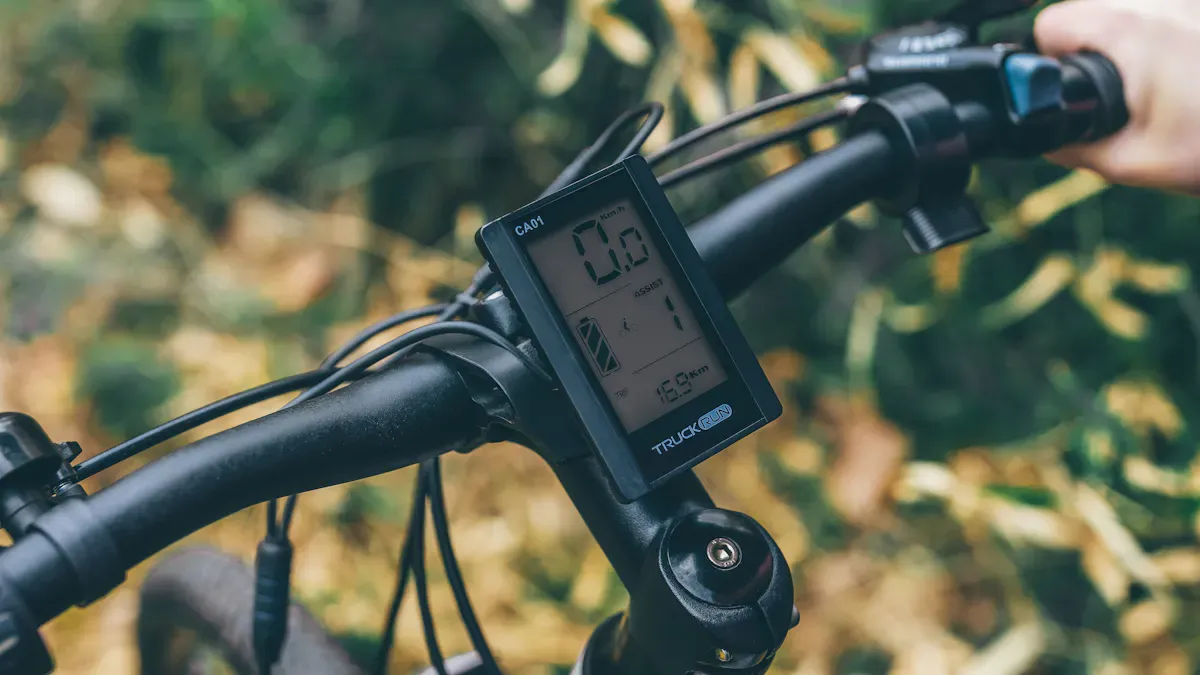
BAFANG DP C231 CAN Review
If you want a smart e-bike display, this one is great. The BAFANG DP C231 CAN has a bright, colorful screen. It comes with Bluetooth and NFC unlock. You can use your phone or tap to unlock your bike. The display shows speed, distance, and battery level clearly. You can ride in the rain because it is water resistant. The backlight lets you see at night.
Pros:
The color screen is bright and easy to see.
Bluetooth and NFC make it easy to connect.
It works in all weather because it is water resistant.
The controls are simple and easy to use.
Cons:
It only works with CANBUS, so check your bike first.
It costs more than basic displays.
Compatibility:
This lcd display for ebike works best with new bikes using CANBUS. If your bike uses something else, you might need an adapter or another display.
User Experience:
You will like how easy it is to connect. Riders say it feels modern and fun to use. The clear screen helps you see your stats without trouble.
actbest Multi-Function LCD Review
If you want lots of features, try the actbest Multi-Function LCD. The full color TFT screen looks sharp in sunlight and at night. This e-bike display has Bluetooth and a USB port. You can charge your phone or connect to apps. You can change settings, check stats, and see battery level with a few taps.
Features you’ll love:
The full color TFT screen is clear and bright.
Bluetooth and USB help you connect easily.
It works with CANBUS and UART, so it fits more bikes.
You can change settings and track your rides.
Pros:
It fits many e-bikes because it is versatile.
Menus and controls are easy to use.
You can charge your devices with the USB port.
Cons:
The display is bigger, so it may not fit all bikes.
Some bikes need careful setup to use it.
Compatibility:
This lcd display for ebike supports CANBUS and UART. You can use it with many e-bikes, so it is flexible for riders.
User Experience:
Menus are simple to move through. The interface is easy for everyone. Riders like the smart features and charging on the go.
C965 LCD Display Review
Do you want something simple and strong? The C965 LCD gives you the basics in a small size. The monochrome screen is easy to read. You can see speed, distance, and battery status quickly. It uses UART protocol and works with many older or DIY e-bikes.
Here’s a quick look at the main features:
Feature | Description |
|---|---|
Speed Meter | 0~99.9 Km/h or MPH |
Trip Distance | 0~99999.9 Km/Mile (resettable) |
ODO | 0~99999.9 Km/Mile (restartable) |
Average Speed | 0~99.9 Km/h or MPH (resettable) |
Maximum Speed | 0~99.9 Km/h or MPH (resettable) |
Time | 0~99:59:59 (restartable) |
Temperature Indicator | Displays temperature |
Power Indicator | Shows power status |
PAS Levels | 0~3 |
Walk Mode | 6 Km walk feature |
Battery Indicator | Shows battery status |
Backlight | Adjustable brightness |
Water Resistance | IP65 rating |
Operating Buttons | 5-way button for easy operation |
Strengths | Weaknesses |
|---|---|
The backlight is helpful at night. | The button pad can break easily. |
The interface is simple to use. | The wire is not very long. |
You can swivel it for better viewing. | Button covers are not very strong. |
Compatibility:
The C965 LCD works with 36V-52V systems and uses UART. You can use it on many e-bikes, especially DIY or older ones.
User Experience:
You will like the simple design and easy controls. The display swivels so you can see it better. Some riders say the buttons feel weak, so be gentle. The clear screen makes it easy to check your stats while riding.
Tip: If you want a basic lcd that does the job, pick the C965 LCD. It does not have smart features, but it works well every time.
How to Choose an LCD Display for Ebike
Picking the right lcd for your e-bike can seem hard. But you can make it easy if you focus on a few things. Let’s look at what helps you get the best display for your bike and how you ride.
Compatibility and Protocols
You want your new display to work with your e-bike. First, check if the display matches your bike. Look at these important things:
Communication protocols: Your display and controller must both use CANBUS or UART.
Firmware: Make sure the firmware on your display and controller can talk to each other.
Voltage: Match the voltage of your display, controller, and battery.
Connectors: Check that the connector types and pinouts line up.
Here is a table that shows how CANBUS and UART are different:
Protocol | Key Features | Typical Use | Pros & Cons |
|---|---|---|---|
UART | High compatibility, simple wiring | Entry & mid-level models | Stable, low cost, but limited expansion |
CANBUS | Fast, anti-interference, scalable | High-end & smart e-bikes | Powerful, flexible, but higher cost |
Tip: Most problems happen when the protocol does not match. Always check before you buy anything.
Key Features to Consider
You want a display that gives you the info you need. It should also make your ride better. Here are some features to look for:
Basic riding info: Speed, battery level, and assist mode.
Extra metrics: Trip distance, average speed, and estimated range.
Controls and settings: Change assist levels and access bike settings.
Connectivity: Bluetooth or NFC for app use, updates, and security.
Navigation: Some displays offer GPS and maps when linked to your phone.
Size and clarity: Pick a colorful display if you want to see it in all light.
Durability: Look for water resistance and strong mounting.
A display with Bluetooth or NFC unlock lets you start your ride fast. It also keeps your bike safe. You can get alerts in real time for more peace of mind.
Matching Display to Riding Style
How you ride matters when you pick a display. This table shows which display fits your style:
Display Type | Key Features | Best For... | Considerations |
|---|---|---|---|
Basic LED Indicators | Simple battery and PAS lights | Minimalist or budget riders | No speed data, hard to read in sun |
Monochrome LCD Display | Shows speed and battery | Commuters and casual cyclists | Less color, limited angles |
Color LCD / TFT Display | Customizable, high visibility | Data lovers and tech fans | Higher cost, more battery use |
Smart Displays & App Link | Navigation, tracking, app features | Urban and performance riders | Needs phone battery and connection |
If you ride for fun or just want the basics, a simple lcd is enough. If you like data or want smart tools, pick a display with more features.
You have learned about the top 3 lcd display for ebike picks. Each one has something cool for your ride. Before you pick, think about what you need most. Also, think about how you like to ride your ebike. This table can help you see what is important:
Feature | Why It Matters |
|---|---|
High Resolution and Contrast | Easy to read in any light |
Backlighting and Anti-Glare | Less eye strain, better visibility |
Data Display | Shows speed, battery, assist levels |
User-Friendly Interface | Quick, simple adjustments |
Durability | Handles weather and rough rides |
Check the comparison and buying guide to find the best lcd display for ebike for you. Do you have questions or want to tell us your thoughts? Leave a comment below so we can help make every ride better!
LCD Display for Ebike: A Complete Buying Guide
Choosing the right LCD display for your electric bike (e‑bike) is an important decision that many riders carefully consider. A good display not only makes your riding data clear at a glance but also helps you manage battery life and enhance your overall riding experience.
📊 Quick Overview: Popular e‑Bike LCD Displays Comparison
Here is a side‑by‑side comparison of popular mainstream models.
Model | Screen Type | Key Features | Protocol | Compatibility | Price Range (approx.) |
|---|---|---|---|---|---|
KT-LCD3 | Monochrome LCD | Speed, mileage, battery voltage, assist level, motor power/temperature; rich parameter settings | UART | Dedicated to KT series controllers | Mid (¥100-150) |
SW900 | Colour LCD | Colour screen; speed, power, voltage; USB charging; adjustable backlight; configurable parameters | UART | Broad compatibility, often used with KT controllers | Mid (¥90-130) |
S866 | Monochrome LCD | Speed, battery, assist level, mileage; compact, clean interface | “No.2” protocol | Highly versatile, works with many controllers | Low (¥50-80) |
KT-LCD8H | Colour TFT | Colour TFT, finer display quality, USB charging, richer graphical data | UART | Dedicated to KT series controllers | Higher (¥250-350) |
DPC18 | Colour TFT | Bafang original mid‑to‑high end display; rich content, customisable interface, USB charging | UART (typically) | Dedicated to Bafang UART protocol motors | Higher (¥300-450) |
Tuttio Smart LCD | Colour LCD | Designed for Tuttio; clear display, custom riding parameters, lightweight | Proprietary | Dedicated to Tuttio brand e‑bikes | Higher ($89-99 USD) |
🤔 Key Considerations Before Buying
Before deciding, a few critical questions will directly influence your choice.
🔌 Compatibility: The Most Important “Language” Issue
The display and controller must speak the same “language” – that is, the communication protocol. The most common is UART, but different brands and models have their own “dialects”. For example, the S866 display explicitly requires the controller to support the “No. 2 Protocol”. If the protocols do not match, the display may power on but not work properly, or may not respond at all. Therefore, before purchasing, always verify the protocol supported by your controller.
📈 Features & Use Case: Start with Your Needs
Daily commuting – If you only need basic information like speed, battery level, assist level, and mileage, a monochrome LCD (e.g., S866) is perfectly adequate – simple, reliable, and great value.
Performance monitoring – If you want to track real‑time power output (watts) or motor temperature, choose a feature‑rich model like KT-LCD3.
Tech experience – If you prefer a better visual and interactive experience, a colour TFT screen (e.g., KT-LCD8H or DPC18) is for you – richer information, nicer interface, and some include USB charging.
💪 Quality & Durability: All‑Weather Reliability
Your display must withstand sun, rain, and vibration. Look for IP ratings (e.g., IP65/IPX5 for splash/rain resistance), impact‑resistant ABS housing, and anti‑vibration design – these directly affect long‑term reliability.
📋 Buying Checklist & Upgrade Guide
Checklist
✅ Protocol matching – Ensure your controller and display use the same communication protocol.
✅ Voltage range – Confirm the display’s supported voltage (e.g., 36V/48V) matches your battery.
✅ Connector type – Verify the plug type (e.g., 5‑Pin) and pin assignment match the controller.
✅ Mounting size – Check that the handlebar clamp diameter matches your handlebar (commonly 22.2mm).
✅ Feature requirements – Does the display have the functions you need (USB charging, power display, etc.)?
✅ Firmware & parameters – Does the new display require a controller firmware update or parameter reconfiguration for full compatibility?
How to Upgrade Your e‑Bike Display (for universal models like KT‑LCD3, SW900, S866)
Identify your current setup – Note your controller brand and model, and confirm its protocol, voltage, and connector type. This is the most critical step.
Research compatible options – Based on your controller, look for displays explicitly marked as compatible. For example, KT controllers typically pair with KT‑LCD series. Some third‑party displays like SW900 may also work with KT controllers, but double‑check.
Connect and test – With power off, unplug the old display and connect the new one to the controller. Power on and test if data is displayed correctly and all functions work.
Parameter settings – If the display works, you may need to set parameters such as wheel size to ensure accurate speed and mileage.
Note: For proprietary systems (Bosch, Bafang, etc.), display upgrades usually require original brand parts and may involve professional programming.
🔧 Troubleshooting Tips
When an error code appears, don’t panic – the system is “talking” to you. Common error codes generally mean the following (always refer to your specific manual):
E01 / E07 – Motor Hall sensor fault.
E02 / E08 – Throttle fault.
E03 – Brake cut‑off switch fault.
E04 – Motor phase wire fault.
E05 / E10 – Communication error (between controller and display).
📈 2026 Market Trends
Understanding market trends helps you make a forward‑looking choice. The global e‑bike smart display market is expected to reach $1.19 billion in 2026, with a CAGR of 14.4%. Key trends driving this growth:
Smarter features – Modern displays are evolving into IoT‑enabled devices, offering navigation, anti‑theft tracking, remote diagnostics, and more.
Higher visual quality – TFT‑LCD technology is becoming mainstream, offering higher resolution, better brightness, and superior colour for clearer, more intuitive user interfaces.
Connector standardisation – The 5‑Pin connector is becoming an industry standard, simplifying installation and replacement.
💎 Summary
Choosing an e‑bike display is ultimately a trade‑off between compatibility, features, and budget. Here are three clear paths:
Practical commuter – Prioritise value and basic functions. S866 or KT-LCD3 are solid, durable choices.
Performance enthusiast – Want colour display and USB charging on top of basic data? SW900 is a popular choice among DIY riders.
Professional / power user – For the ultimate data experience and customisable interface, a colour TFT like KT-LCD8H better meets your needs.
When shopping, the communication protocol supported by your controller is the most important reference. If your controller is from KT, the KT‑LCD series is usually the best‑compatible companion.
I hope this guide helps you make the right choice. If you are still unsure, feel free to share your budget and primary riding use (e.g., commuting vs. weekend off‑road) – I can offer more tailored advice.
please contact Shenzhen TopAdkiosk Display Technology Co.
FAQ
Can I upgrade my e-bike display myself?
You can upgrade your e-bike display if you match the protocol and voltage. Always check the connector type. If you feel unsure, ask a bike shop for help.
What does CANBUS or UART mean for my display?
CANBUS and UART are ways your display talks to your bike.
CANBUS works for newer bikes. UART fits older or DIY models. Check your bike’s manual to see which one you need.
Will a color LCD drain my battery faster?
A color LCD uses more power than a monochrome screen. You might notice a small drop in battery life. If you ride long distances, keep an eye on your battery.
How do I know if my display is water resistant?
Look for an IP rating in the specs.
IP65 or higher means your display can handle rain.
If you ride in wet weather, pick a display with good water resistance.
Can I use Bluetooth features without a smartphone?
You need a smartphone to use Bluetooth features like app control or ride tracking. If you don’t use a phone, you can still see basic stats on the display.
See Also
Explore High-Quality LCD Kiosks Perfect for Your Exhibitions
Leading LCD Screen Brands to Consider for Your Upcoming Project
Selecting the Ideal Round LCD Display for 2025 Projects
Top-Rated Outdoor LCD Kiosks to Consider for 2026
Best OLED Monitors to Purchase for Exceptional Display Quality
