Top 10 Touch Screen LCD Displays for 2026
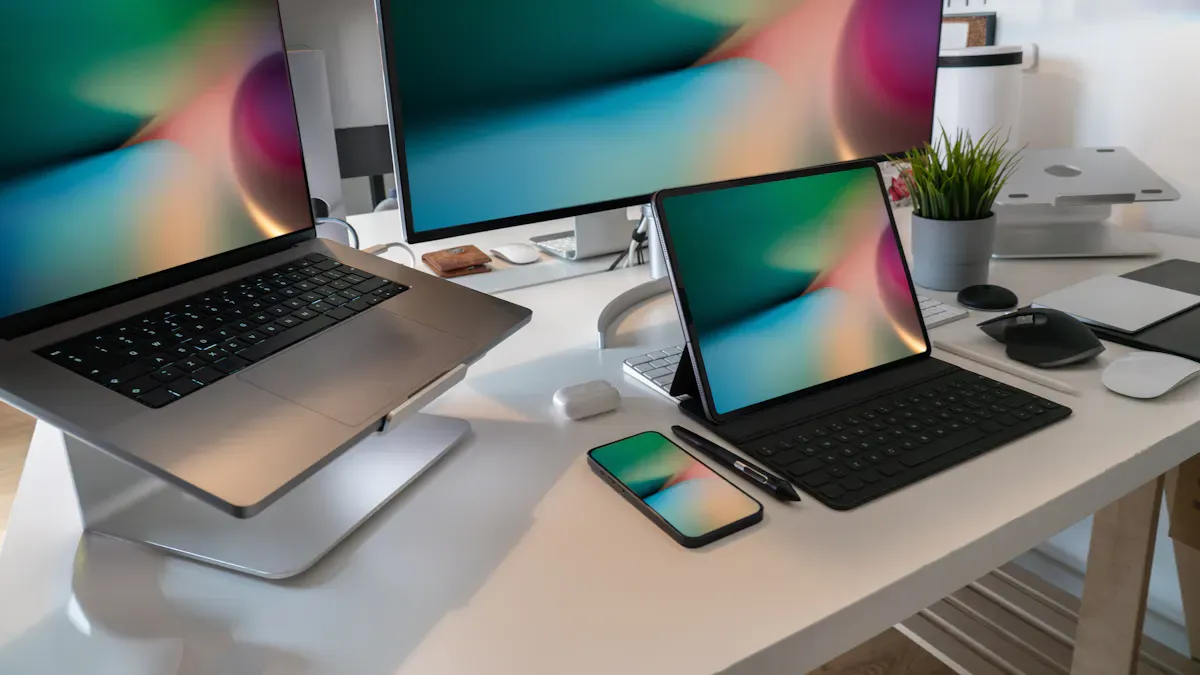
Here are the top touch screen LCD displays for 2026: ASUS VT229H, XPPen Artist Pro 16TP, Amazon Echo Show 8, Google Nest Hub Max, Dell P2418HT, Samsung FT45 Series, Elo 2703L, ViewSonic TD2230, Lenovo ThinkVision M14t, and Acer T272HUL. You need clear pictures, fast touch, and options for any job. The market is growing quickly. It was worth almost $70 billion in 2025. It will be twice as big by 2032.
Key Takeaways
Pick a touch screen monitor with high resolution. This gives sharp images and bright colors. Choose 4k resolution if you want clear details.
Make sure the monitor responds quickly to touch. This helps you use it smoothly. Capacitive touchscreens are good for fast reactions.
Look at the connectivity options like HDMI and USB-C. This makes sure your devices can connect. A versatile monitor works with laptops, tablets, and phones.
Shenzhen TopAdkiosk Display Technology Co., Ltd.
Add.: 2F, Bldg 10, Changfeng Industrial Park, Dongkeng, Fenghuang, Guangming, Shenzhen, China 518132
Mobile/WHATSAPP: 86-138 25769658
Email: marketing@topadkiosk.com topadkiosk@gmail.com
Skype: pghenry1
Wechat: adkioskhenry
English Web.: http://www.topadkiosk.com/
https://www.topkioskdisplay.com/
http://www.ad-kiosk.com/
https://www.toplcddisplay.com/
http://www.multitouchdigitalsignage.com/
https://www.youtube.com/channel/UCYVYNJHxLVEcQD8fuUxXNTA/videos?view_as=subscriber
https://www.facebook.com/TOPADKIOSKSHENZHEN/?ref=bookmarks
As long as we have the blueprints, Shenzhen TopAdkiosk Display Technology Co., Ltd no worse than anyone else.
please contact Shenzhen TopAdkiosk Display Technology Co.
Selection Criteria for Touch Screen LCD Displays
A touch screen display lets you use your device by touching it. Sensors under the glass can feel your finger or a stylus. You see pictures on the LCD and touch the screen to control things. This makes touchscreen monitors simple for work, games, or home use.
Display Quality & Resolution
You want a display that shows sharp pictures and bright colors. If you need clear detail, look for 4k resolution or higher. Many top brands now use Mini-LED backlighting. This helps the screen look better and saves energy. Big screens are good for homes and offices. High resolution lets you see and do more.
Touch Responsiveness
A fast touch screen is important. You want it to react right away. Here is a table to compare some top models:
Model | Screen Size | Resolution | Touch Technology | Customer Rating |
|---|---|---|---|---|
Model A | 15.6 inches | 1920 x 1080 | Capacitive | 4.5/5 |
Model D | 17.3 inches | 2560 x 1440 | Capacitive | 4.8/5 |
Model C | 10.1 inches | 1920 x 1200 | Capacitive | 4.0/5 |
Capacitive touchscreens are usually the fastest and best.
Connectivity & Compatibility
You want your touchscreen to work with all your devices. Look for HDMI, USB-C, and wireless choices. 4k touch screen display models often have many ways to connect. They work well with laptops, tablets, and phones.
Durability & Build
A good touch screen display should last a long time. Many use Gorilla Glass or tempered glass to make them strong. Some have a Mohs 7 or higher, so they do not scratch easily. High brightness, over 1000 nits, helps if you use it outside.
Price & Value
You want the best deal for your money. LCDs are still a good price because they are easy to make. 4k touchscreen monitors now cost less, so you get good quality for less money. Always check if the brand gives a warranty and support.
Tip: Think about how often you get new devices. New 4k touchscreen monitors have better features and quality every year.
Top 10 Best Touchscreen Monitors of 2026
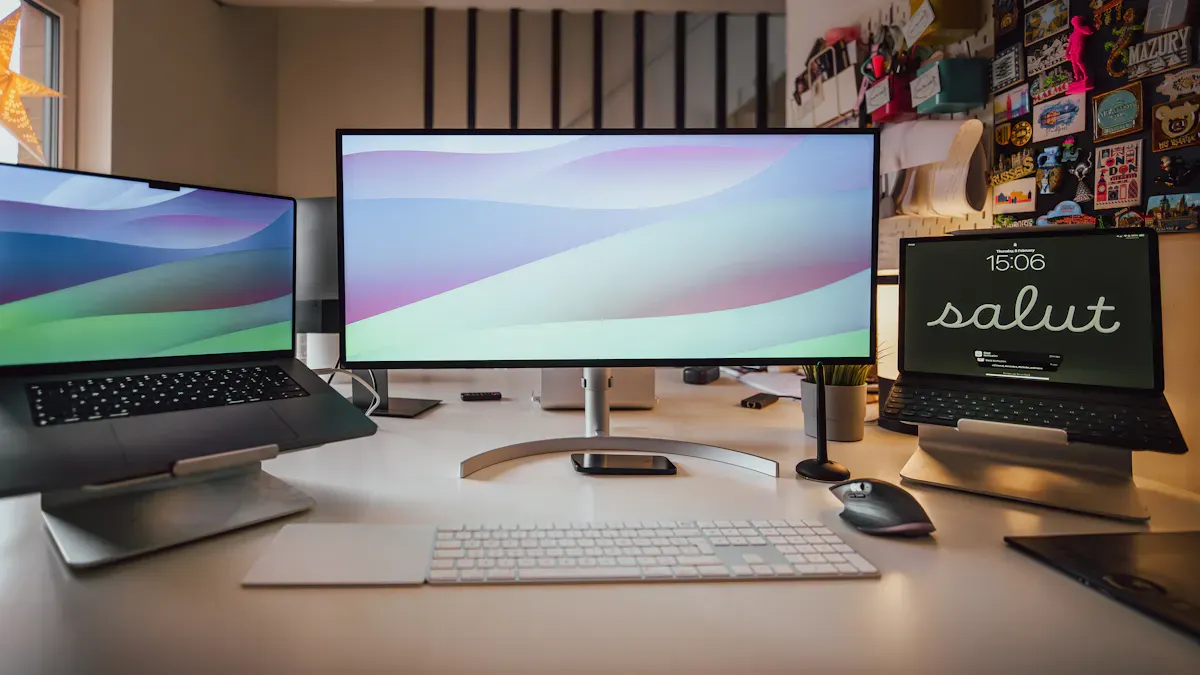
1. ASUS VT229H 21.5" FHD Touch Screen LCD Display
You want a monitor that feels smooth and looks sharp. The ASUS VT229H gives you a 21.5-inch screen with full hd resolution. This display uses projective capacitive 10-point touch, so you can tap, swipe, and zoom with ease. The screen shows 16.7 million colors and has a 1000:1 contrast ratio, making images pop. You get a fast 5ms response time and a 60Hz refresh rate, which helps with both work and play. The built-in speakers and VESA wall mounting make it flexible for any setup. If you care about energy use, this monitor only draws 18.56W and drops below 0.5W in power-saving mode. Many users say it’s one of the best touchscreen monitors for home and office in 2026.
Specification | Details |
|---|---|
250 cd/㎡ | |
Contrast Ratio | 1000:1 |
Display Colors | 16.7M |
Response Time | 5ms (GTG) |
Refresh Rate | 60Hz |
Touch | Projective Capacitive 10-point |
Protection Glass | Yes |
Flicker-free | Yes |
Power Consumption | 18.56W |
Power Saving Mode | <0.5W |
Dimensions | 49.15 x 36.77 x 20.44 cm |
Weight | 3.7 kg (8.16 lbs) |
VESA Wall Mounting | 100x100mm |
Audio Speaker | Yes (1.5Wx2) |
Tip: If you want a reliable touchscreen with full hd resolution and solid build, this ASUS model stands out.
2. XPPen Artist Pro 16TP Touchscreen Monitor
If you love drawing or graphic design, you’ll want a touchscreen that feels as natural as paper. The XPPen Artist Pro 16TP gives you a glossy, reflective surface that makes finger gestures smooth. The image quality is crisp, with no grain or color noise, so your art looks true to life. You can switch between three touch modes. The second mode, which favors the pen, helps you avoid accidental marks while drawing. The fully laminated screen means there’s no gap between your pen and the display, so every stroke lands exactly where you want. Many artists call this the best 4k pen display for 2026.
Feature | Description |
|---|---|
Surface Texture | Glossy and reflective, smooth for gestures |
Image Quality | High, no grain or color noise |
Tactile Experience | No tactile feedback when drawing |
The touch function works almost like your smartphone.
You get three modes:
Touch On
Touch On – Pen Is Favored (best for drawing)
Touch Off
You’ll find this touchscreen monitor perfect for creative work, thanks to its 4k resolution and precise touch.
3. Amazon Echo Show 8 Smart Touch Screen Display
Looking for a smart display that fits right into your home? The Amazon Echo Show 8 gives you a bright touchscreen with full hd resolution. You can control your smart home, watch videos, or make video calls. The touchscreen feels quick and easy to use. Alexa responds to your voice, and the display shows helpful info at a glance. This model is great for kitchen counters or desks, making it one of the best touchscreen monitors for home management in 2026.
4. Google Nest Hub Max Touchscreen Display
You want a smart display that does more than just show the time. The Google Nest Hub Max stands out with its advanced user recognition and proactive suggestions. It adapts to your habits, learns your routines, and even suggests actions before you ask. The touchscreen is responsive, and the full hd resolution makes photos and videos look sharp. You get seamless smart home integration, including support for new devices with Thread. This makes it a top pick for anyone who wants a predictive, connected home.
Feature | Google Nest Hub Max | Other Smart Displays |
|---|---|---|
Smart Home Integration | Yes | Varies |
Advanced | Basic | |
Proactive Suggestions | Yes | Limited |
Compatibility with New Devices | Yes (Thread support) | Varies |
Adapts to your behavior
Responds to time-based patterns
Suggests actions based on your routine
You’ll find this touchscreen monitor perfect for anyone who wants a smarter, more helpful home in 2026.
5. Dell P2418HT Touch Screen Monitor
If you need a touchscreen for work, the Dell P2418HT is a strong choice. You get a vivid display with full hd resolution and responsive multi-touch support. Many users say it’s great for fast-paced work, like design or editing. One lighting designer said this monitor made it easy to adjust lighting setups quickly, saving time and effort. The flexible stand lets you tilt and move the screen for the best angle. This model is one of the best touchscreen monitors for productivity in 2026.
Vivid display with full hd resolution
Responsive multi-touch
Flexible stand for easy adjustment
6. Samsung FT45 Series Touchscreen Monitor
You want a touchscreen that looks good and feels fast. The Samsung FT45 Series gives you a sharp display with full hd resolution. The touchscreen responds quickly, so you can swipe, tap, and drag without lag. This monitor works well for both home and office. You get a clean design and reliable performance, making it a favorite in many 2026 review lists.
7. Elo Touchscreen Monitor 2703L
If you need a touchscreen for tough jobs, the Elo 2703L is built to last. It has an IP-54 rating, so it stands up to dirt, dust, and spills. The TouchPro PCAP technology lets you use the touchscreen with gloves, wet or dry. You get a 10-touch experience, which is great for busy workspaces. The monitor is easy to clean and comes with a 3-year warranty. Many businesses use this model for medical, retail, and industrial tasks. It’s one of the best touchscreen monitors for commercial use in 2026.
Feature | Description |
|---|---|
IP-54 Rating | Sealed against dirt, dust, and liquids |
Integrated Touch | TouchPro™ PCAP, 10-touch, works with gloves |
Built-to-Last | 3-year warranty |
Easy to Clean | Designed for easy sanitization |
Enhancing Workflow | Improves efficiency in clinical and industrial environments |
8. ViewSonic TD2230 Touch Screen Display
You want a touchscreen that connects to everything. The ViewSonic TD2230 gives you HDMI, DisplayPort, and VGA, so you can hook up new and old devices. The touchscreen works with Windows 10, Windows 11, some Android, and Linux systems. The full hd resolution makes images and videos look clear. This monitor is a top pick for anyone who needs flexibility and compatibility in 2026.
Connectivity Type | Description |
|---|---|
HDMI | Connects to game consoles, Blu-ray players, and more |
DisplayPort | Works with many digital devices |
VGA | Supports older video input devices |
Compatible with Windows 10, Windows 11, some Android, and Linux
9. Lenovo ThinkVision M14t Portable Touchscreen Monitor
If you travel or work on the go, you’ll love the Lenovo ThinkVision M14t. This portable touchscreen is only 0.17 inches thick and weighs just 1.54 lbs. You can pack it flat, so it fits in almost any bag. The slim design makes it easy to carry, and the battery lasts long enough for a full day’s work. Many users say it’s the best touchscreen monitor for business trips or casual use in 2026.
Note: The M14t is lighter than most laptops and folds flat for easy travel.
10. Acer T272HUL 27" Touch Screen LCD Display
You want a big screen with sharp detail. The Acer T272HUL gives you a 27-inch display with 2560 x 1440 resolution. The 16:9 aspect ratio and 300 nits brightness make everything look bright and clear. The 10-point touch lets you use all your fingers for gestures. With a fast 5 ms response time and a huge 100,000,000:1 contrast ratio, this monitor is perfect for work, games, or streaming. Many 2026 review lists call it one of the best touchscreen monitors for those who want a large, high-resolution display.
Specification | Detail |
|---|---|
Resolution | 2560 x 1440 |
Aspect Ratio | 16:9 |
Brightness | 300 nits |
Response Time | 5 ms |
Contrast Ratio | 100,000,000:1 |
Touch Functionality | 10-point touch |
You have many choices for the best touchscreen monitors in 2026. Whether you want a portable display, a smart home hub, or a 4k creative tool, there’s a touchscreen for you. Look for full hd resolution, fast touch response, and the right features for your needs. The 4k options keep getting better, and you’ll find the best touchscreen monitors for every use case this year.
Touch Screen Display Features & Use Cases
Graphic Design & Creative Work
A good touchscreen helps you make art easily. Artists and designers like screens with 4k resolution and bright, true colors. You can see small details and use your fingers to zoom or turn your work. Here is a table of top touchscreen monitors for creative jobs:
Monitor Name | Key Features | Best For |
|---|---|---|
Alogic Clarity Pro Touch 27" | 99% Adobe RGB, 4k UHD, built-in webcam | Professional designers |
Lenovo ThinkVision M14t Gen 2 | 100% sRGB, portable, active stylus | Frequent travelers |
espresso Display 15 Touch | Premium build, optimized for macOS | Mac users |
XPPen Artist Pro 16TP | 4k, 92% Adobe RGB, 8192 pressure levels | Digital illustrators |
ASUS ZenScreen MB16AMT | Battery-powered, portable | Presentations on the go |
Productivity & Office Use
A touchscreen can help you work better and feel good. People in offices want easy cables, strong connections, and comfy screens. Circular screens help your neck feel better. Here are some features:
Feature | Benefit |
|---|---|
Connectivity Options | HDMI, USB-C, display ports for compatibility |
Easy Cable Management | Simplifies setup |
Ergonomics | |
Immersive Design | Boosts focus and multitasking |
Home Management & Entertainment
Touchscreen displays make your home smart and fun. You can control things, see cameras, and play games. Here is what you can do:
Use it as a dashboard for your devices
See what your cameras and doorbells show
Make video calls and watch videos online
Play games and solve puzzles
Show photos and the time like a digital frame
Crestron’s 80 Series touch screens look nice, work fast, and let you control your room easily.
Portable Touchscreen Monitors
A portable touchscreen is great for busy people. High-resolution portable screens let you work anywhere. The lightest ones are easy to carry. Here is a chart that compares the best portable touchscreen monitors:
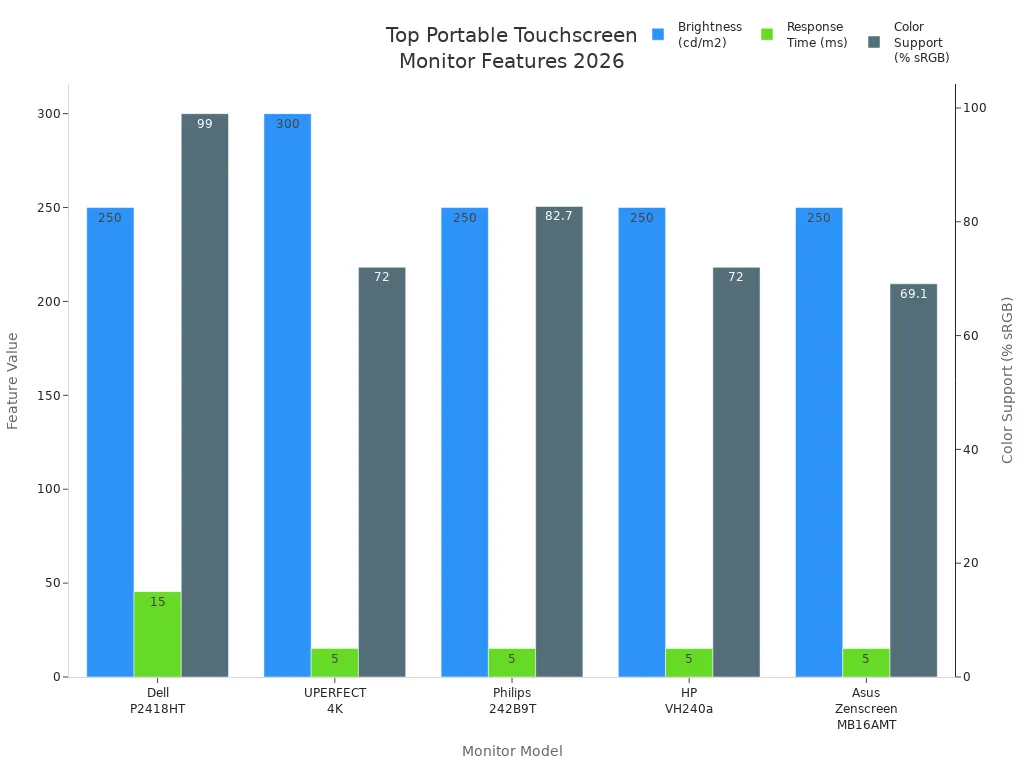
You can pick portable touchscreens with 4k resolution, quick response, and wide viewing angles. These screens help you get work done wherever you are.
Buying Guide for Touchscreen Monitors
Assessing Your Needs
You need a touchscreen that fits your life. First, think about where you will use it. Is it for a bright office, a cozy living room, or travel? Check the lighting and space in your area. If you want a portable monitor, pick one that is light and thin. For creative work, 4k desktop displays with good color accuracy help a lot. If you need a touchscreen for home, look for easy setup and smart features. For work, see if you need extra cooling or a special case. Always choose the right touch features and size for your main tasks.
Look at your space and lighting.
Pick the touch screen technology that fits your needs.
Think about how you will set it up. Will you need cooling or a special case?
Tip: If you travel often, portable touchscreen monitors are great. They fit in your bag and work anywhere.
Comparing Key Specs
You should check specs before buying. The table below shows what matters most for touchscreen monitors:
Specification | Importance | Notes |
|---|---|---|
Resolution | Higher resolution gives sharper images and better user experience. | Not all high-res screens are equal—check reviews. |
Brightness | Needed for clear viewing in different places; balance is key. | Too much brightness can tire your eyes. |
Color Depth | Shows more shades for vivid, accurate colors. | Not every job needs the highest color depth. |
Pick 4k if you want sharp detail. Display size and resolution are important for work and play. Portable touchscreen monitors are smaller, but top brands now offer 4k in portable models. Always check touch features and touchscreen technology for a fast and smooth experience.
Brand Reputation & Support
You should buy from a trusted brand. Brands with new ideas give better support and updates. For work, pick a brand known for reliability. For home, choose brands that make setup easy and help customers. Read reviews and ask friends about their favorite brands.
Note: New ideas bring the best features. Top brands lead in 4k, portable, and smart touchscreen monitors.
Warranty & Lifespan
You want your touchscreen to last a long time. Check the warranty before you buy. Top brands give longer coverage and quick help if something breaks. If you use your touchscreen every day, a strong warranty means less worry. For portable monitors, pick models with tough glass and a strong frame. New materials help screens last longer, even for portable displays.
If you want the best for office work, pick a touchscreen with a long warranty and strong build.
There are lots of touchscreen LCD displays you can pick in 2026. Look at the table to see which ones work for different things:
Application Type | Key Features |
|---|---|
Classroom Instruction | Multi-touch, easy software, strong warranty |
Recognition & Achievement | Simple use, multimedia, public interaction |
Both | Durable build, future-ready, pro support |
The buying guide shows how to match features to your needs.
You also get advice for choosing the best software and setup.
Are you ready to find the right touchscreen? Check out your choices and pick the one that works best for you! 😊
What Is a Touch Screen LCD Display?
A touch screen LCD display is an interactive screen that combines a standard liquid crystal display (LCD) with a touch‑sensitive overlay or integrated touch sensor. This allows users to interact directly with the displayed content by touching the screen with a finger, stylus, or other input, eliminating the need for a separate mouse or keyboard.
In other words: the LCD shows the image, and the touch system detects where and how you touched it. Together, they create a seamless input/output device.
How Does It Work?
The LCD part works exactly like any other LCD: a backlight shines through liquid crystals and colour filters to form an image. The “touch” part adds a transparent sensor layer on top of (or inside) the display. When you touch the screen, the sensor detects the location and sends that information to a controller, which translates it into coordinates the computer can act upon (like a mouse click or a swipe gesture).
Different touch technologies achieve this in different ways. The three most common types are:
1️⃣ Resistive Touch Screens
Construction: Two flexible transparent layers separated by a tiny air gap, coated with a conductive material (typically indium tin oxide, ITO).
How it works: When you press the screen, the top layer bends and makes contact with the bottom layer. This creates a voltage divider; the controller measures the voltage change at that point to calculate the X and Y coordinates.
Pros: Works with any input (finger, gloved hand, stylus); low cost; resistant to dust and water.
Cons: Lower optical clarity (more reflections), can wear out over time, generally single‑touch only (though multi‑touch versions exist).
Typical use: Industrial controls, medical devices, older PDAs, outdoor kiosks.
2️⃣ Capacitive Touch Screens (Projected Capacitive – PCAP)
Construction: A glass panel with a grid of transparent electrodes (ITO) etched on it. The electrodes are covered by a protective glass layer.
How it works: Your finger (which is conductive) creates a capacitance change when it approaches or touches the screen. The controller measures the change in capacitance at each electrode intersection to pinpoint the touch location. This works even with a non‑conductive glove if sensitivity is high enough, but best with bare finger.
Pros: Excellent optical clarity, high durability (glass front), supports multi‑touch (10+ points), very responsive.
Cons: More expensive; typically requires bare finger or special capacitive stylus; can be affected by water droplets.
Typical use: Smartphones, tablets, modern kiosks, ATMs, POS systems.
3️⃣ Surface Acoustic Wave (SAW)
Construction: Glass plate with transmitting and receiving piezoelectric transducers along the edges.
How it works: Ultrasonic waves are sent across the glass surface. When a finger touches the glass, it absorbs part of the wave energy. The controller detects the drop in signal and calculates the touch position.
Pros: Very high optical clarity (no coating on glass), extremely durable, works with finger, glove, or soft stylus.
Cons: Dirt, dust, or water on the surface can cause false triggers; not suitable for outdoor or dirty environments.
Typical use: Indoor kiosks, gaming machines, public information displays in clean environments.
4️⃣ Infrared (IR) Touch
Construction: A frame with rows of IR LEDs and photodetectors around the edges of the display, just above the glass.
How it works: The LEDs create an invisible grid of light beams across the screen. When a finger or object breaks one or more beams, the controller detects the missing beams and calculates the touch position.
Pros: Works with any input (finger, glove, stylus, even a paintbrush); very durable (no overlay on glass); can be made very large.
Cons: Bezel can collect dust, performance degrades in direct sunlight (ambient IR interference), can be less accurate near edges.
Typical use: Large interactive whiteboards, outdoor kiosks (with sunlight filtering), industrial HMIs.
Summary Table: Touch Technologies Compared
Technology | Input Method | Multi‑Touch | Durability | Optical Clarity | Cost | Typical Environment |
|---|---|---|---|---|---|---|
Resistive | Any (finger, gloved, stylus) | Usually no | Good (but wears) | Fair | Low | Industrial, medical, outdoor |
Capacitive (PCAP) | Bare finger or special stylus | Yes (10+ points) | Excellent | Excellent | Medium–High | Smartphones, modern kiosks |
SAW | Finger, soft stylus | Limited | Good (glass) | Excellent | High | Clean indoor kiosks |
Infrared (IR) | Any object | Yes (up to 32+ points) | Very good (no overlay) | Very good | Medium | Large displays, outdoor |
The Flow of a Touch Interaction
Touch occurs – You tap a button on the screen.
Sensor detects – The touch technology (resistive, capacitive, etc.) measures the change in voltage, capacitance, or light beams at that location.
Controller processes – The touch controller converts the raw analog signal into digital coordinates (X, Y) and, if supported, pressure or multi‑touch data.
Driver & OS – The operating system (Windows, Android, Linux) receives the touch data via USB, I²C, or serial, and translates it into a mouse‑click, swipe, or gesture event.
Application responds – The software reacts (e.g., highlights a button, scrolls a page, or sends a command).
All of this happens in milliseconds – typically 10–30 ms – so the interaction feels instant.
Key Takeaway
A touch screen LCD display is an LCD panel with a transparent touch sensor layered on top (or integrated into it). The sensor detects touches using one of several technologies (resistive, capacitive, SAW, IR), and a controller translates that physical input into digital signals that a computer can understand. This allows you to interact directly with what you see on the screen, making devices like smartphones, ATMs, kiosks, and interactive whiteboards possible.
FAQ
What is a touch screen LCD display and how does it work?
A touch screen LCD display lets you control your device by touching the screen. Sensors under the glass detect your finger or stylus and send signals to the device.
How do you choose the best touch screen monitor for your needs?
You should look at screen size, resolution, touch features, and compatibility. Think about where you will use it and what tasks you want to do.
How do you clean a touch screen monitor safely?
Use a soft, dry cloth. Avoid harsh chemicals. If needed, dampen the cloth slightly. Gently wipe the screen. Never spray liquid directly on the display.
See Also
Discover LCD Kiosks With Touch Screen Features for 2026
Leading Firms Focused on Touchscreen Kiosks in 2026
Optimal LCD Kiosks for Retail Spaces in 2026
