Top 10 Digital Signage Software for Managing Display Content
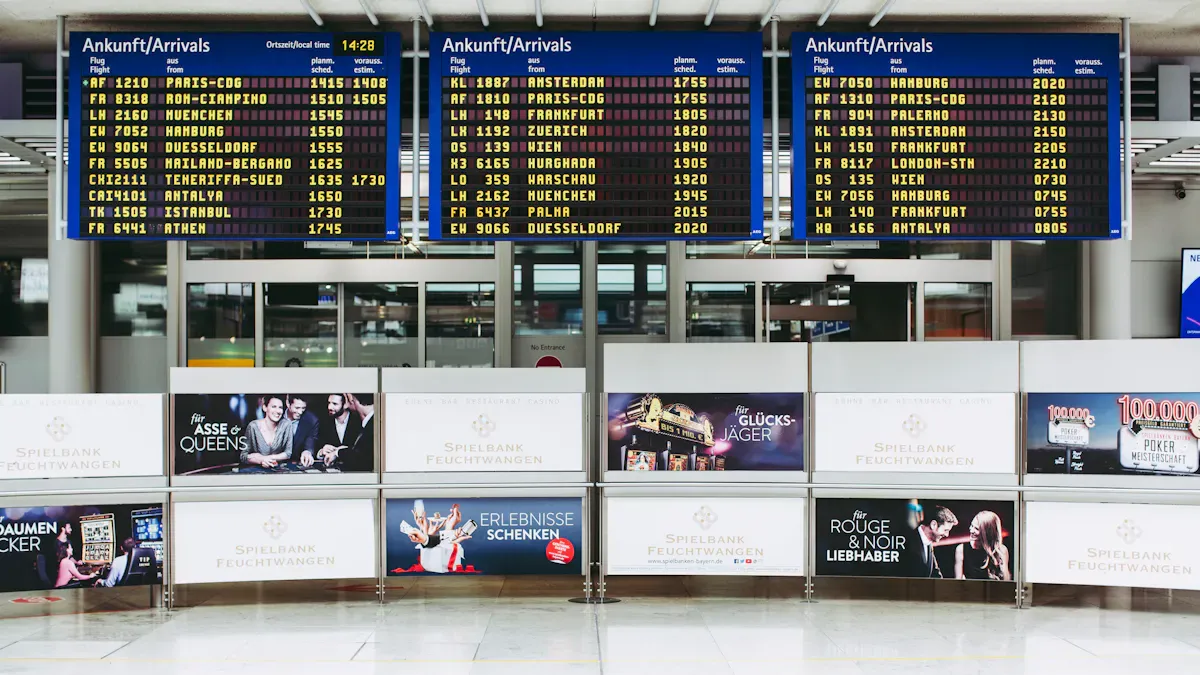
You want great tools for your screens. This list showcases the best software for managing display content. It assists you in selecting software that effectively manages your display content. You can find one that suits your needs. Many businesses utilize these solutions, including topadkiosk signage. The market is expanding rapidly. Data-driven choices enable you to capture more attention and keep up with emerging trends.
Key Takeaways
Digital signage software lets you control content from far away. This saves time and helps you work better.
Pick software that matches what you need. Think about how easy it is to use. Look at the price. Make sure it works with your devices.
Use templates and scheduling tools to keep your content new. This makes your audience interested and excited.
Digital Signage Software Overview
What Is Digital Signage?
You see digital signs in many places you visit. Digital signage uses screens to show news, ads, or other info. These screens can be large or small. You might spot them in stores, restaurants, hospitals, and schools. Old signs use paper or metal and do not change. Digital signs can switch what they show at any time.
Retail stores use digital signs to show sales or new items.
Restaurants use them to show menus and specials.
Hospitals use them to give updates to visitors.
Hotels use them to greet guests and show event times.
Digital signage helps you get people’s attention fast. It lets you share messages in many places, like food service, hotels, and hospitals.
Why Use Software for Managing Display Content?
You need digital signage software to control what is on your screens. This software lets you change messages, add videos, or set times for content. You do not need to be near the screen to make changes.
Here is a quick look at what digital signage software can do:
Function/Benefit | Description |
|---|---|
Remote Management | Change screens from your office or home. |
Scheduling | Choose when and where your content shows. |
Content Management | |
Analytics | Find out what works by seeing how people use your signs. |
Integration | Connect with other tools for more options. |
You get more control and save time. Digital signage software helps you keep your content new and your viewers interested.
Top Digital Signage Software in 2026
Picking the best digital signage software can be hard. You want something simple, dependable, and that can do a lot. The top choices in 2026 use cloud technology, smart scheduling, and save energy. Here are the best options to help you find what works for your network.
ScreenCloud
ScreenCloud is flexible and connects with many tools. You can use Google Workspace, Microsoft 365, and more. This lets you show live data on your screens easily. You make and plan content right from your computer. You do not need special programs. ScreenCloud works with almost any screen, so you can choose what fits your budget.
Tip: Tech companies use ScreenCloud to share dashboards and news. Retail stores like it for showing content in many places. Service businesses use it for live schedules and data.
Main Features | Description |
|---|---|
App Marketplace Integration | Connects with business tools for live data displays. |
Studio Design Tools | Create and schedule content in your browser. |
Device Agnostic | Works with many types of screens and hardware. |
Yodeck
Yodeck makes digital signage easy for everyone. You get drag-and-drop tools, templates, and simple scheduling. You can control one screen or hundreds at once. Yodeck works with Raspberry Pi, Android, and smart TVs. You do not need to buy expensive screens.
Retail stores use Yodeck to show sales everywhere. Restaurants use it for menus that update fast. Small businesses like the low price and easy setup. Big companies use Yodeck for office news.
Main Features | Description |
|---|---|
Intuitive Content Management | Drag-and-drop, templates, and multi-screen support. |
Hardware Flexibility | Works with many devices, including Raspberry Pi and smart TVs. |
App and Widget Ecosystem | Add Google Slides, social feeds, weather, and more. |
OptiSigns
OptiSigns is fast and gives you good value. You can set up your screens in under ten minutes. The template library helps you make content quickly. You do not need to be a designer. OptiSigns works with hardware partners, so your screens will work well. The price starts at $10 per screen each month, which is good for small businesses.
OptiSigns is great for small shops, medical offices, or service businesses. It is easy to use and does not cost much. If you want advanced analytics or lots of branding, you may need other software.
Main Features | Description |
|---|---|
Rapid Deployment | Get started in under 10 minutes. |
Template Library | Customizable templates for quick content creation. |
Hardware Partnerships | Tested devices for easy setup. |
Rise Vision
Rise Vision is made for schools and education. You get templates for news, lunch menus, and events. K-12 schools can use it for free, which helps save money. You can make content with Google tools, so teachers feel comfortable. Everything runs in the cloud, so you do not need to install anything.
If you work at a school, Rise Vision is a great choice. It is not the best for stores or offices, since it is made for education.
Main Features | Description |
|---|---|
Education Templates | Ready-made for school needs. |
No cost for schools. | |
Google Workspace Integration | Easy content creation with familiar tools. |
Xibo
Xibo gives you lots of control and options. You can change content right away and plan it for different times. Xibo lets you make messages for different groups, so you connect with people. You can use it to boost sales, share news, or send alerts in schools.
Xibo works with Windows, Android, ChromeOS, and Linux. You can use almost any screen, which saves money. Xibo is good for businesses, schools, and anyone who wants flexible software.
Main Features | Description |
|---|---|
Change content instantly. | |
Flexible Scheduling | Set playlists and schedules for different times. |
Multi-User Support | Secure access for teams. |
Hardware Agnostic | Works with many types of screens. |
Signagelive
Signagelive helps you make eye-catching displays. You can show live data, trigger content by events, and take over screens for urgent news. The platform works with many devices, so you can use what you have. The interface is simple, so your team can use it without training.
Signagelive is good for marketing, menus, and company news. You can share KPIs, run sales, or make interactive displays.
Main Features | Description |
|---|---|
Show live insights and KPIs. | |
Real-Time Events | Run marketing campaigns and branded content. |
Screen Takeovers | Push urgent messages instantly. |
Broad Hardware Support | Use many types of devices. |
NoviSign
NoviSign gives you a cloud platform for any size network. You get a studio to make content, a player app for screens, and cloud tools for everything else. NoviSign replaces old, hard systems with one easy solution. You can start with one screen and add more as you grow.
NoviSign works in hotels, offices, schools, and hospitals. It is a good pick if you want one system for all your screens.
Main Features | Description |
|---|---|
Manage content anywhere, anytime. | |
Unified System | One platform for all your screens. |
Scalability | Grows with your needs. |
Kitcast
Kitcast gives digital signage a modern look. You can design content with drag-and-drop tools and plan when it shows. Kitcast works with Apple TV and other devices, so you do not need special hardware. The platform has analytics to show what works best.
Kitcast is great for stores, hotels, and offices. If you want stylish displays and easy tools, Kitcast is a smart choice.
Main Features | Description |
|---|---|
Drag-and-Drop Editor | Simple content creation. |
Apple TV Support | Use affordable, common devices. |
Analytics | Track what content gets attention. |
Carousel
Carousel is known for easy content tools and strong connections. Hospitals use Carousel to share tips and reminders with patients. The software works for one screen or hundreds. Carousel supports emergency messages, which is important for schools and government.
You can use Carousel in schools, offices, government, and healthcare. It is a top pick for groups that need reliable software.
Main Features | Description |
|---|---|
Send urgent alerts quickly. | |
Content Management | Easy tools for creating and updating content. |
Enterprise Deployments | Manage large digital signage networks. |
PosterBooking
PosterBooking gives you a free, cloud platform for digital signage. You can turn any screen into a sign with just a web browser. The platform is simple, so you do not need IT skills. PosterBooking is good for small businesses, cafes, and community groups.
You can upload images, videos, and schedules from anywhere. If you want a free way to start, PosterBooking is a great choice.
Main Features | Description |
|---|---|
Free Cloud Platform | No cost for basic use. |
Easy Setup | Turn any screen into a sign with a browser. |
Remote Management | Update content from anywhere. |
Note: When you compare these software options, look for easy use, dependability, flexibility, and price. Cloud platforms, smart scheduling, and saving energy are important in 2026. The right software helps you grow your network and keep people interested.
Comparing Features of Digital Signage Solutions
Content Management Tools
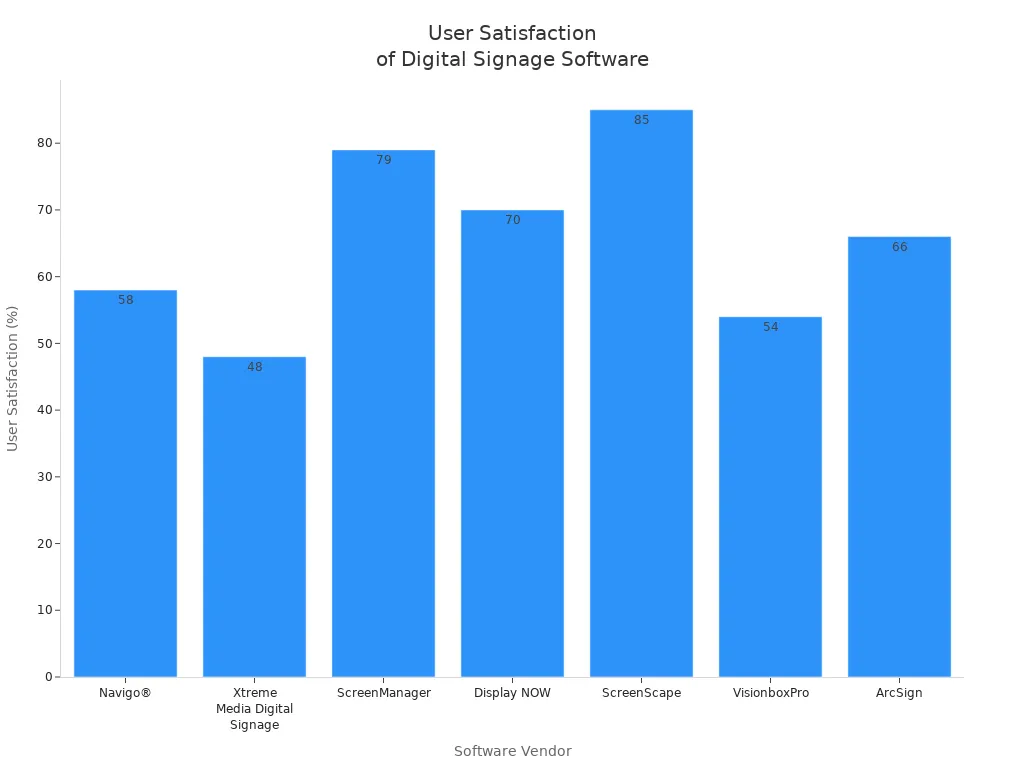
You need a system to keep your signs neat and new. Some platforms let you upload pictures, videos, and dashboards. Others help you share files and manage calendars. The table below shows how the software compares. ScreenScape has 85% user satisfaction. ScreenManager and Display NOW also have high scores. A strong content management system makes things easier and keeps screens looking good.
Software Vendor | User Satisfaction | Dashboard | File Sharing | Scheduling | Social-Media Integration |
|---|---|---|---|---|---|
Navigo® | 58% | * | * | * | * |
ScreenManager | 79% | * | * | * | * |
Display NOW | 70% | * | * | * | * |
ScreenScape | 85% | * | * | * | * |
Scheduling & Automation
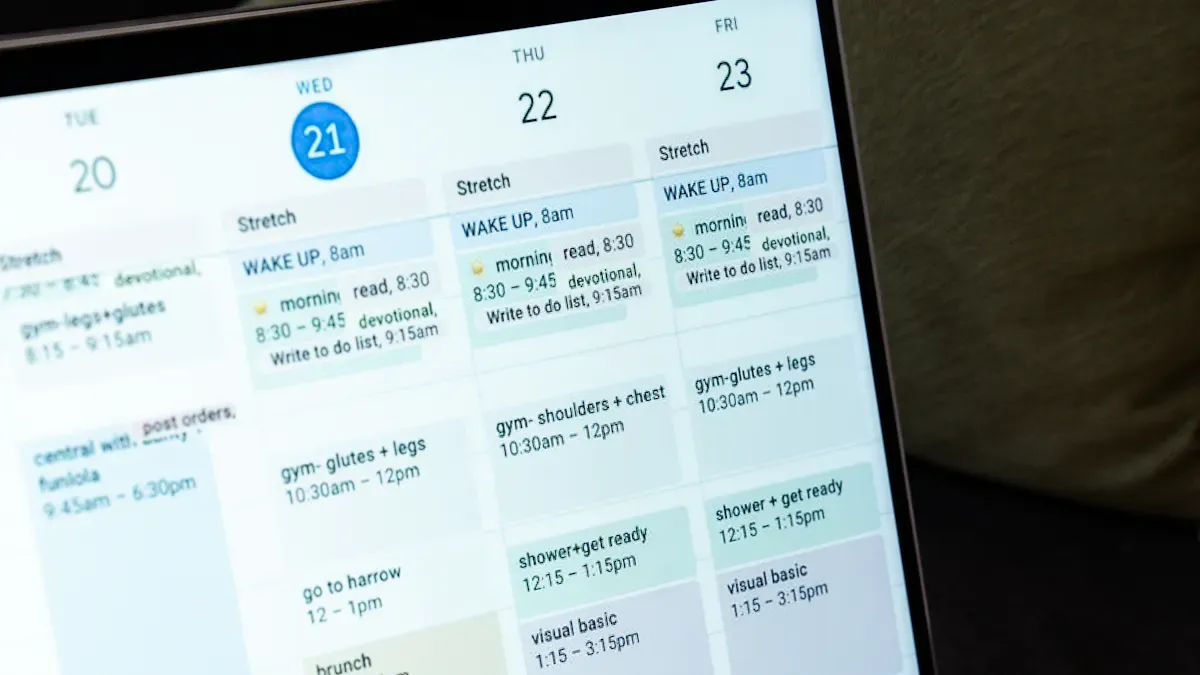
You want your content to show up at the right time. Good systems let you schedule messages and automate updates. TelemetryTV helps you schedule screens easily. NoviSign lets you rotate content by time and playlists. You can set rules for when things appear. Automation tools trigger content for special events or urgent news. This saves time and keeps your platform running well.
TelemetryTV schedules content across screens.
NoviSign rotates content by time and playlists.
Automation triggers show info when needed.
Integration & Compatibility
You want your platform to work with other tools. Many systems offer APIs and SDKs to sync with POS software or databases. Some connect with IoT sensors and triggers. This means signs can respond to motion or touch. Regular updates and strong support help your solution stay reliable. The table below shows main integration features.
Feature | Description |
|---|---|
Connect with CRM, POS, or data feeds. | |
IoT Compatibility | Use sensors for dynamic content. |
Software Updates | Stay current with industry standards. |
Customer Support | Get help from a strong user community. |
Ease of Use
You want a system that feels easy to use. Yodeck gets high ratings for its simple interface. It offers basic scheduling and lots of templates. NoviSign is good for beginners with drag-and-drop tools. You can make content fast and manage screens without stress. Cloud-based solutions make updates simple and let you work anywhere.
Yodeck scores 4.9 on Capterra and 4.8 on G2.
Yodeck has a simple interface and templates.
Tip: Try a signage platform with a free trial. You can see if the system fits your needs before you decide.
How to Choose Software for Managing Display Content
Assessing Your Needs
You want to pick the best software for your screens. First, think about how big your business is and what you do. Make a list of things you need. Do you want to control all screens from one place? Maybe you want to change messages fast or set times for content. Check if you need the software to work with tools like CRM or ERP. Security is important, so look for good protection. Think about the future. If you will add more screens or places, choose software that can grow with you.
Tip: Write down the most important features before you look at choices. This will help you remember what you need.
Pricing & Plans
You need a plan that matches your money limits. Many software tools have different ways to pay. Some charge every month for each screen. Others let you pay one price for many screens. Some have free versions, but you pay more for extra tools. Big companies can get special prices for lots of screens.
Pricing Model | Description |
|---|---|
Subscriptions | Pay every month or year for updates, help, and cloud use. |
Perpetual Licensing | Pay once, but pay more for new features or help later. |
Freemium Models | Use basic tools for free, pay for better ones. |
Enterprise Pricing | Get a special plan if you have many screens. |
Yodeck and OptiSigns are good if you want to save money when you start.
Support & Updates
You want help when you have problems. Pick software that gives good help and updates often. Good companies give you lessons and guides. Updates keep your system safe and add new things. Ask when you can get help and how fast they answer.
Hardware Compatibility
You want your screens to work well. Check if the software works with your devices. Make sure your screens can show clear videos and apps. Pick screens with fast chips and enough memory. If you want to use smart signs or lots of screens, get hardware that can handle it.
Consideration | Description |
|---|---|
Works with your screens and devices. | |
Integration Options | Connects with other apps and data. |
Performance | Shows content without slowdowns or crashes. |
Note: If you want software for a big company, look for strong connections and fast performance.
You can use top digital signage software to do many things. Look at the table below to see what each one does best:
Software | Strengths |
|---|---|
Visix | Flexible, dynamic displays |
Scala | Rich design tools, analytics |
BrightSign | Reliable hardware, remote control |
Xibo | Customizable, cost-effective |
NoviSign | Easy drag-and-drop, cloud-based |
Choose software that matches what you want to do. Try out free demos so you can see how the features work. Ask others what they think about the software. First, decide what you want to achieve, figure out your budget, and make a plan for your content.
FAQ
What is digital signage and how does it work?
Digital signage shows things on screens. You send pictures, videos, or messages from your computer. The screens get the content right away.
Can I use digital signage for a small business?
Yes, small shops and cafés can use digital signage. It helps you share deals, menus, or news with customers. You can do this quickly and easily.
How do I update content on my digital signage screens?
You log in to your digital signage software. You upload new content or change the schedule. The screens update fast, so you always show new information.
Tip: Try a free demo before picking your digital signage platform. You can check if it works for you.
Digital signage works in schools, hospitals, and offices.
You can control digital signage from anywhere.
Digital signage lets you set times for content.
Many digital signage tools have templates for quick setup.
Use Case | How digital signage helps |
|---|---|
Retail | Shows sales and new arrivals |
Restaurants | Updates menus and specials |
Offices | Shares news and dashboards |
See Also
Best Digital Signage Solutions For Simple Content Control
Easy Steps To Set Up Digital Signage Software
Best Video Wall Digital Signage Options For 2026
