Top 10 Inexpensive Digital Signage Solutions for Small Businesses in 2026
Shenzhen TopAdkiosk Display Technology Co., Ltd.
Add.: 2F, Bldg 10, Changfeng Industrial Park, Dongkeng, Fenghuang, Guangming, Shenzhen, China 518132
Mobile/WHATSAPP: 86-138 25769658
Email: marketing@topadkiosk.com topadkiosk@gmail.com
Skype: pghenry1
Wechat: adkioskhenry
English Web.: https://www.topkioskdisplay.com/
http://www.ad-kiosk.com/
https://www.toplcddisplay.com/
http://www.multitouchdigitalsignage.com/
https://www.youtube.com/channel/UCYVYNJHxLVEcQD8fuUxXNTA/videos?view_as=subscriber
https://www.facebook.com/TOPADKIOSKSHENZHEN/?ref=bookmarks
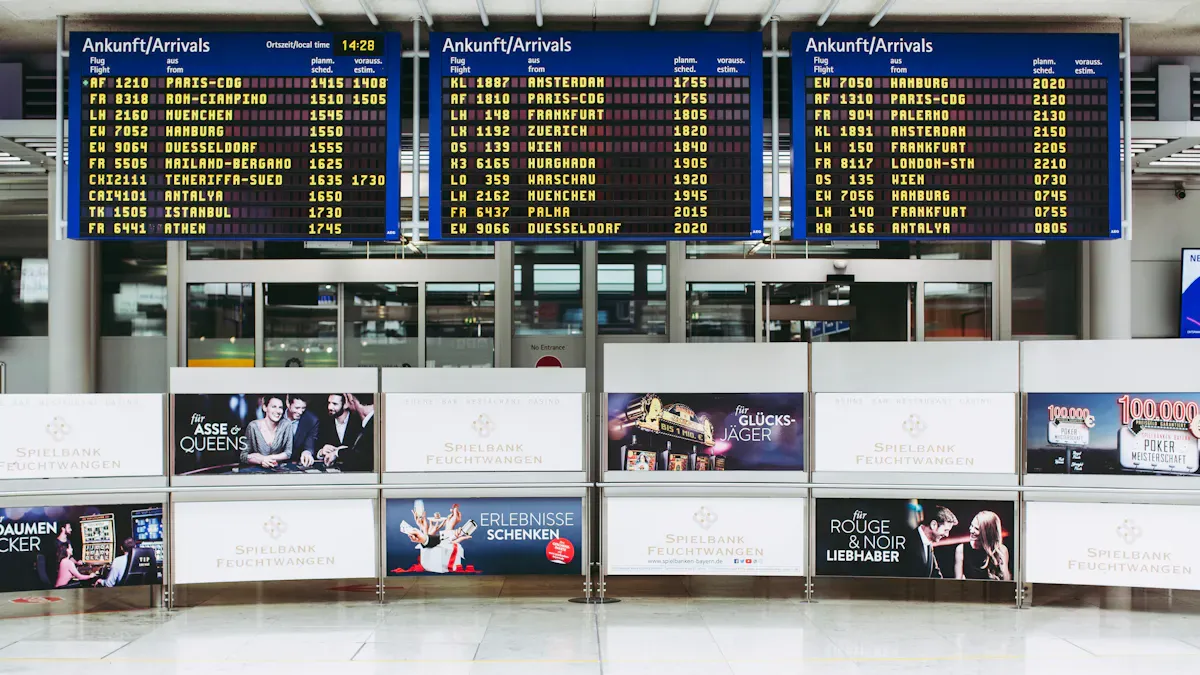
Looking for inexpensive digital signage? Here are the top 10 low-cost digital signage solutions for small businesses in 2026: Brix, Yodeck, PosterBooking, OptiSigns, Play Digital Signage, TelemetryTV, Rise Vision, Scala, OnSign TV, and ScreenCloud.
Digital signage gets people’s attention and helps sales go up. Look at these numbers:
Impact | Percentage |
|---|---|
Customers come in because of digital signage | |
People buy things on impulse with dynamic displays | Up to 27% |
Sales rise with digital menus | 30-50% |
Many people are influenced in restaurants | Over 60% |
You want a solution that is inexpensive, dependable, simple to use, and has good features. Each content management solution here works well with cloud-based digital signage, so your business gets the most for its money.
Key Takeaways
Digital signage helps get more customers interested and can help stores sell more. About 80% of customers go into stores because they see digital signage.
Pick a digital signage solution that does not cost too much, is simple to use, and can grow with your business. Find features that let you update signs fast and work with your current devices.
Begin with a small project to see if digital signage works well. Make clear goals and check both starting and future costs before you do more.
Digital Signage Trends for Small Businesses

2026 Market Overview
Digital signage will change quickly in 2026. New technology helps you get people’s attention. It also helps you connect with customers. Here are some big trends for small businesses:
Trend | Description |
|---|---|
AI and Predictive Personalization | Smart tools let you show the best message to each person at the right time. |
Immersive and Interactive | Touchless screens and augmented reality make fun and cool experiences for everyone. |
Cloud-First Platforms | Cloud-based digital signage lets you control screens from anywhere and grow your business fast. |
These trends help you stay ahead. They make your displays work better for you.
Why Digital Signage Matters
You want your business to be noticed. Digital signage is a great way to do that. It grabs attention with bright pictures and moving videos. You can change your messages anytime. Customers always see your newest offers.
Digital signage lets you talk to customers with pictures, motion, and live updates.
Videos and animations get more attention than old signs.
People remember digital ads more. The recall rate can reach 83%.
Digital displays make wait times feel shorter by over 35%.
You can boost sales with dynamic promotions and keep customers coming back.
If you want your business to grow and make a strong impression, digital signage is a smart idea.
Budget-Friendly Digital Signage Criteria
Affordability and Value
You want to make your money go far. When you pick digital signage software, look at all the costs. Do not just check the price you see first. Here is what you might pay:
Cost Category | Price Range |
|---|---|
Basic Installation (single screen) | $200 – $500 |
DIY Installations | $50 – $200 per screen |
Hardware Maintenance | $100 – $500 per year/screen |
Software Support | $50 – $500 |
$50 – $150 per screen |
You can spend less by doing the setup yourself. Cloud-based digital signage also saves money. These choices cost less at the start. They are easier to keep working. Small businesses need to watch their spending. Picking the right solution helps you grow without worry.
Features and Usability
You need digital signage software that is easy to use. Look for these features:
Simple setup and use, even if you are not good with computers.
Tools to change what shows on screens quickly.
Ability to add more screens as your business grows.
A dashboard that is easy to use saves time. You can plan what shows on screens. You can check screens and get updates right away. This lets you spend less time fixing things. You can help customers more.
Compatibility and Support
Your digital signage software should work with your devices. It should fit your screens and your network. Good solutions give you:
Easy connection with your hardware.
Help from customer support when you need it.
Tools to plan content and check screens.
Support is important for small teams. Fast help keeps your business running well. With the right digital signage, you worry less. You have more time to reach your goals.
Top 10 Inexpensive Digital Signage Companies
Brix
Brix is easy to use for digital signage. You can set up screens fast. The dashboard is simple to manage content. You do not need to know a lot about tech. You can make playlists, add pictures, and show videos easily.
Best for:
Cafés, retail shops, and salons
People who want quick setup
Pros:
No hard installation
Good price plans
Works with most screens
Pricing:
Plans start at $7 per screen each month
Why choose Brix?
You get a cheap and reliable digital signage solution. Brix helps you save money and time.
Yodeck
Yodeck is popular for small businesses. You can control all screens from one place. The cloud dashboard lets you update content anywhere.
What makes Yodeck special?
Layered content and cloud sync
One dashboard for everything
Easy for anyone to use
Best use cases:
Restaurants, gyms, and waiting rooms
Businesses that change content a lot
What do users say?
Setup is easy
Price is low
Updates are fast
Platform | Rating | Number of Reviews |
|---|---|---|
4.9 | 732 | |
G2 | 4.8 | 200 |
Pricing:
Free for one screen
Paid plans start at $7.99 per screen each month
Why is Yodeck great for you?
You get strong features for a low price. You do not need tech skills to use it.
PosterBooking
PosterBooking is good for many screens. You can manage everything in your browser. PosterBooking lets you make playlists and upload content in order.
Key features:
Manage in your browser
Set up playlists
Upload content in queues
Best for:
Retail chains
Businesses with lots of screens
Pros:
Free plan
Simple to use
Grows with your business
Pricing:
Free for basic use
Premium starts at $2.50 per screen each month
Why pick PosterBooking?
You get a cheap digital signage platform that grows with you.
OptiSigns
OptiSigns is flexible for digital signage. You can make playlists and set who can use them. OptiSigns is good for ads and company messages.
Advantages | Limitations |
|---|---|
User-friendly interface | Not many interactive options |
Affordable | Needs good internet for some features |
Versatile features |
Best for:
Offices, schools, and stores
People who want easy control
Pros:
Easy for non-tech users
Good for small budgets
Many features for different jobs
Pricing:
Starts at $10 per screen each month
Why choose OptiSigns?
You get a flexible and cheap digital signage tool for many needs.
Play Digital Signage
Play Digital Signage is great for its drag-and-drop editor. You can design screens without trouble. It supports many file types and shows previews right away.
Best for:
Creative businesses
Shops and restaurants
Pros:
Drag-and-drop design
Real-time preview
Works on most devices
Pricing:
Free trial
Paid plans start at $8 per screen each month
Why Play Digital Signage?
You get creative freedom and a cheap digital signage solution.
TelemetryTV
TelemetryTV is easy to use for digital signage. You can set up screens fast with automatic device setup. TelemetryTV lets you control hardware with special commands.
Feature | Benefit |
|---|---|
Makes setup fast and easy for small businesses. | |
Serial Port Commands | Lets you control hardware from far away. |
Focus on Ease of Use | Makes digital signage simple for small business owners. |
Best for:
Offices, schools, and clinics
Teams with little IT help
Pricing:
Starts at $12 per screen each month
Why TelemetryTV?
You get a simple and cheap digital signage platform that saves time.
Rise Vision
Rise Vision is liked for its flexible pricing. You only pay for the screens you use. Rise Vision gives you scheduling and remote control for free.
Why small businesses love Rise Vision:
Pricing grows with you
No hardware cost if you use your own screens
Works with many devices
Easy to add more screens
Best for:
Schools, churches, and small offices
Pricing:
Starts at $10 per screen each month
Why Rise Vision?
You get a cheap digital signage solution that fits your budget and grows with you.
Scala
Scala is a well-known digital signage company. You get control and strong design tools. Scala lets you schedule content and manage team permissions.
Feature | Description |
|---|---|
Design Tools | Many tools for making great content. |
Analytics | Built-in tools to see how your content does. |
Creative Control | Lets you make bold digital signage. |
Best for:
Businesses that want creative displays
Teams that need analytics
Pricing:
Custom quotes, but good plans for small businesses
Why Scala?
You get creative power and control from a top digital signage supplier.
OnSign TV
OnSign TV is easy to set up and has flexible templates. You can drag and drop content and get updates fast. OnSign TV works for many types of businesses.
Strengths | Weaknesses |
|---|---|
Easy to use | Playlists can be confusing for new users |
Flexible templates | Mobile app could be better |
Reliable performance | Some parts are hard to understand |
Drag-and-drop functionality | Pricing is not always clear |
Instant updates and notifications |
Best for:
Retail, transportation, and hotels
Pricing:
Starts at $7.99 per screen each month
Why OnSign TV?
You get a reliable and cheap digital signage platform with many features.
ScreenCloud
ScreenCloud is very easy to use. You can manage content even if you are not good with tech. ScreenCloud has data connectors and dashboard analytics.
Why ScreenCloud stands out:
Simple interface
Works for any business size
Easy content scheduling
Good price
Best for:
Internal communications
Retail displays
Pricing:
Starts at $20 per screen each month
Why ScreenCloud?
You get a cheap digital signage solution that is easy to use and manage.
💡 Tip: Try free trials from these digital signage suppliers before you choose. You can see which one works best for your business.
Choosing the Right Digital Signage Solution
Assessing Your Budget
You want to spend your money wisely. First, think about what you want your digital signage to do. Set clear goals for your project. Try starting with just one or two screens. See how well it works before adding more. Look at both the first costs and the costs you will pay later. This helps you know how much you will spend.
Set your goals.
Begin with a small project.
Think about both first and future costs.
💡 Tip: Test a small project before buying more screens.
Considering Scalability
Pick a solution that can grow with your business. Check if the software lets you add more screens or users. Look for pricing that changes as you grow. Make sure you can group screens for easy control.
Factor | Description |
|---|---|
Lets you add more screens or users as needed. | |
Flexible Pricing | Costs change as your business gets bigger. |
Multi-location Management | Makes it easy to handle many places. |
Screen Grouping | Helps you control what shows on different screens. |
Evaluating Ease of Use
Choose a platform that is easy for anyone to use. You want a simple interface that does not need much training. Some solutions, like Yodeck, make managing content simple.
Checking Compatibility
Check that your screens and software work well together. Make sure the software works with your devices. Look for software that can run on many systems. You want everything to fit together easily.
Requirement Type | Description |
|---|---|
Works with the devices you already have. | |
Software Flexibility | Runs on many types of systems. |
Integration Capability | Connects with your current network. |
It is important that everything works together.
Flexible software lets you add new technology later.
Support and Updates
Pick a provider that gives you help and updates. Good support keeps your screens working well. Look for services with almost no downtime and regular fixes.
Support and updates come with your plan.
Your screens stay up-to-date and work well.
🛠️ Note: Good support means your screens work better and you worry less.
You can find affordable digital signage for your business today. Many small businesses see better customer engagement and lower costs. Try free trials to see what fits your goals. If you wait, you might fall behind. Take action now and keep your business ahead in 2026.
Top 10 Inexpensive Digital Signage Solutions for Small Businesses in 2026
Choosing a digital signage solution can be overwhelming for small businesses trying to balance cost, features, and ease of use. To help you make a clear decision, I’ve compiled the 10 most cost‑effective options for 2026, including updated pricing and ideal use cases – so you can avoid common pitfalls and get started easily.
🎯 Top 10 Value Digital Signage Solutions at a Glance
Rank | Solution | Key Features | Best For | Starting Price |
|---|---|---|---|---|
🥇 | Trillboards (2026 dark horse) | Completely free, content monetisation, no dedicated hardware needed | Single‑location businesses with zero budget (e.g., cafes, small retail) | $0 /1 screen |
🥈 | PiSignage | Great value, 2‑screen lifetime free, unlimited features | DIY enthusiasts, tech‑savvy teams willing to self‑host | 2 screens free |
🥉 | Yodeck | Stable, feature‑rich, user‑friendly interface | Single‑location bars, restaurants wanting pro cloud features | 1 screen free |
4 | AdCast | Extremely simple, manage via mobile app | Owners who want to manage content themselves with minimal IT burden | Free download |
5 | AIScreen | AI‑assisted content creation, rich template library, analytics | Businesses wanting engaging content; scales to small chains | $10 /month |
6 | OptiSigns | Balanced features, strong ecosystem integrations | Multi‑screen deployments needing POS or social media connections | $10 /screen/month |
7 | Look Digital Signage | Excellent value, easy‑to‑use cloud platform | Price‑sensitive small businesses seeking best price‑feature balance | $5.40 /month |
8 | Displai | Powerful, modern interface, excellent reviews | Users who want a modern UI and strong software experience | Contact for quote |
9 | SignageStudio | Powerful, low‑risk free version | Growing small businesses that need higher stability and features | Free trial |
10 | Rise Vision | Specialised for education | Schools, training centres – internal announcements, event promotion | Contact for quote |
💡 Note: Some free/entry‑level plans (e.g., Rise Vision) require custom quotes. After initial research, contact sales via the official website or fill out an inquiry form to get accurate pricing and package details.
🗺️ How to Choose – Four Cost‑Effective Paths
💎 Path 1: Freemium – The Best Entry Point from Zero
Perfect for single‑location businesses with zero budget. Several solutions let you build a full system for free and pay only when you need advanced features.
Trillboards (completely free) – Offers a professional CMS, MDM, and premium content (YouTube Premium etc.) at no cost. Also provides ad revenue sharing – turning your screen from a cost centre into a revenue generator.
Yodeck (solid all‑rounder) – Free for 1 screen. Clean interface, great for first‑time users wanting a professional cloud experience at zero cost.
PiSignage (DIY choice) – Lifetime free for 2 screens, unlimited features. Requires initial setup on Raspberry Pi – best for tech‑savvy owners.
🔌 Path 2: Low‑Cost Hardware – Turn Consumer TVs into Professional Displays
Invest a small amount in hardware to transform ordinary TVs into powerful advertising screens.
Fire TV Stick – For around $30‑$50. Trillboards and AdCast are optimised for it, making it easy to turn any TV into a digital signage player – excellent value.
⚙️ Path 3: Software Subscription – Small Monthly Fee, Professional Features
When free plans aren’t enough, a few cups of coffee per month can unlock significantly better functionality.
AIScreen – Uses AI to help you quickly generate and optimise content – great for small teams without in‑house designers.
Look Digital Signage – Provides a stable cloud platform at a very low price – ideal for budget‑conscious small businesses.
OptiSigns – Known for its rich app ecosystem – easily connect social media feeds and real‑time data to your screens.
💎 Path 4: Open Source – The Ultimate Low‑Cost Challenge
If your team has technical skills, open‑source solutions offer maximum control at zero software cost.
Xibo (Community Edition) and Screenly OSE are completely free. Xibo’s community edition is powerful but requires self‑hosting and ongoing technical maintenance.
🤔 How to Decide – Two Steps
Step 1: Assess Your Core Needs
Is budget the bottom line? Do you need a completely free solution, or can you pay a small monthly fee for more features?
What is your technical level? Does your team have the skills to set up a Raspberry Pi or server, or do you need a plug‑and‑play, idiot‑proof solution?
What is your primary use? Simple menu boards, promotional videos, or do you need social media integration, sales data, or interactivity?
Future plans? Do you intend to add more screens at multiple locations later?
Step 2: Calculate the True Cost – Smart Hardware Choices
Low‑cost plans often have hidden considerations:
What “free” really means – Many free plans limit the number of screens, display the platform’s brand watermark, or offer no technical support.
DIY hardware example – Assembling your own player (Raspberry Pi + SD card + case) plus a software subscription (e.g., PiSignage) can cost as little as $70‑$90 total for the most economical setup.
Repurpose old devices – Another low‑cost approach is to use an old laptop or idle Android tablet, install an app like AdCast, and turn discarded devices into valuable signage.
💎 Summary
In 2026, even with a limited budget, there are plenty of affordable digital signage solutions that combine hardware and software in smart ways. The key is to clarify your business needs, budget range, and technical requirements – then find the right balance between price, features, and ease of use.
If you’re willing to share your approximate budget, number of screens, and main use case (e.g., café, retail shop, gym), I can help you compare the most suitable options in more detail.
FAQ
What devices can I use for digital signage?
You can use smart TVs, tablets, or even old monitors. Most platforms work with many devices, so you can start with what you have.
Do I need special skills to set up digital signage?
No, you do not. Most solutions have simple guides. You can set up your screens and manage your business content without tech experience.
How fast can I update my screens?
You can update your screens in minutes. Just log in, change your message, and your business displays new content right away.
See Also
Best Retail Digital Signage Solutions to Explore in 2026
Leading Video Wall Digital Signage Options for 2026
Key Benefits of Digital Signage for Business Growth in 2026
Popular Digital Signage Devices Gaining Attention in 2026
Selecting The Ideal LCD Digital Signage For Your Business in 2026
