Top 10 Applications of Bar LCD Displays for Modern Businesses
Shenzhen TopAdkiosk Display Technology Co., Ltd.
Add.: 2F, Bldg 10, Changfeng Industrial Park, Dongkeng, Fenghuang, Guangming, Shenzhen, China 518132
Mobile/WHATSAPP: 86-138 25769658
Email: marketing@topadkiosk.com topadkiosk@gmail.com
Skype: pghenry1
Wechat: adkioskhenry
English Web.: http://www.topadkiosk.com/
https://www.topkioskdisplay.com/
You see bar lcd displays everywhere now, from busy stores to transit hubs. Businesses love them because they grab attention and make sharing updates easy. These displays help you connect with customers and keep your team in sync. Take a look at how fast this market is growing:
Year | Market Size (USD) | CAGR (%) |
|---|---|---|
2025 | N/A | |
2026 | 684.57 million | 8.86 |
2032 | 1,138.92 million | N/A |
Bar lcd displays do more than just look good. They boost sales by showing dynamic ads and help you make quick decisions with real-time data. If you want to stay ahead, check out solutions from https://www.topkioskdisplay.com/.
Key Takeaways
Bar LCD displays help customers pay attention by showing moving ads and live deals. This makes more people buy things and gets them interested.
These displays show clear and new information in places like train stations and airports. They help travelers find their way in busy places and feel less worried.
In restaurants, bar LCD menu boards let workers change menus fast and suggest extra items. This makes menus look better and helps sell more food.
Bar LCD in Retail
Dynamic Advertising
You want your store to stand out, right? Bar lcd displays make that easy. Imagine walking down an aisle and seeing bright, moving ads instead of old paper signs. One London store chain swapped out big end-caps for slim bar lcd screens. The result? Quick buys jumped by 18%, and shoppers paid more attention to the products. These displays save shelf space and keep your store looking modern.
Here’s how retailers use bar lcd screens for dynamic ads:
Example Description | Impact |
|---|---|
Bar displays on aisles replace large end-caps with lively ads. | Boosts quick buys by 18% and saves shelf space. |
36.6″ LCD Stretched Bar Monitor in supermarkets. | Engages customers with real-time promotions and navigation. |
You can update promotions in seconds. No more printing or swapping signs. Customers see fresh deals every time they visit.
Product Information
Bar lcd displays do more than show ads. They help shoppers find what they need fast. You can use these screens to show prices, product details, and even special offers right on the shelf.
Show real-time prices and promotions.
Highlight product features and benefits.
Make it easy for shoppers to compare items.
Did you know that 62% of shoppers make impulse buys because of eye-catching displays? When you use bar lcd screens, you grab attention and help customers make quick decisions. Products look more appealing, and shoppers feel informed.
Tip: Place bar lcd displays at eye level for the best results. Keep content short and easy to read.
Bar LCD for Transportation
Real-Time Passenger Info
You know how stressful it feels when you rush through a busy airport or train station and can’t find your gate? Bar lcd displays make your journey smoother. These screens guide you with clear, up-to-date information right where you need it. You see flight details, boarding gate instructions, and even baggage claim areas at a glance. Travelers rely on these displays because they:
Show instant updates on departures and arrivals
Alert you to delays or emergencies right away
Help you find your way with dynamic gate or platform changes
You don’t have to worry about missing important announcements. The elongated shape of these displays means you can read them from far away, even in a crowded terminal. This design helps everyone stay informed and calm.
Schedules and Directions
Bar lcd displays do more than just show flight numbers. They keep you on track with real-time schedules and directions. You get accurate updates, so you always know when your train or bus will arrive. These displays also show passenger density, which helps you plan your wait and avoid crowded spots.
Digital signage updates schedules in real time
Cloud control makes it easy to keep information fresh
Clear directions help you move quickly through the station
Tip: Place displays in high-traffic areas and check them regularly to keep them running smoothly. Clean screens and update software for the best results.
Menu Boards in Food Service
Live Menu Updates
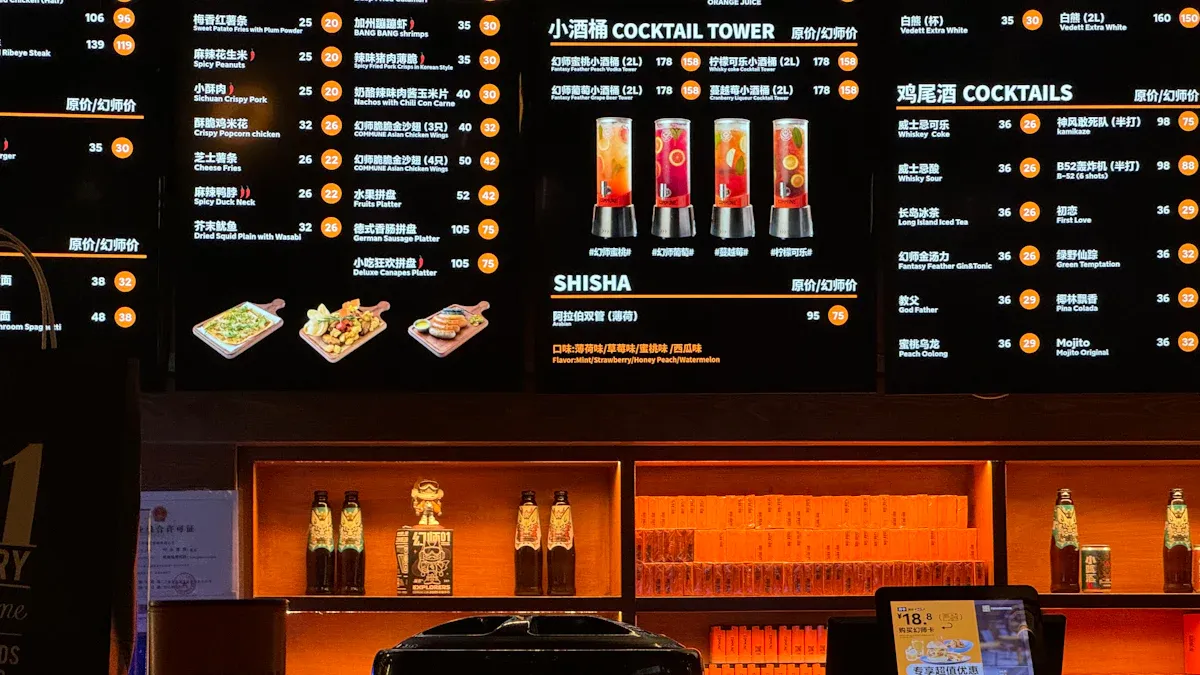
You want your menu to look fresh and exciting every day. With bar lcd menu boards, you can change your menu in seconds. You don’t need to print new signs or worry about messy chalkboards. These displays let you update prices, add new items, or show daily specials with just a few clicks. Customers notice the bright images and clear text right away.
Here’s why restaurants love using these displays:
Advantage | Description |
|---|---|
Modern Appearance | Makes your place look stylish and organized. |
Attention-Grabbing | Bright, sharp images catch the eye and deliver your message clearly. |
Flexibility | Fits in tight spaces and shows any content you want. |
Space-Saving | Leaves more room for food and guests. |
Durability | Lasts longer, so you don’t have to replace them often. |
Tip: Clean your screens often and check for software updates to keep your menu running smoothly.
Upselling Opportunities
You can boost your sales by showing the right items at the right time. Bar lcd menu boards help you highlight combos, desserts, or limited-time offers. You can use videos or bright photos to make food look even tastier. When you update your menu in real time, you can push high-margin items or suggest add-ons when you have extra stock.
Show off your best-sellers with colorful images.
Move items around to catch attention and drive sales.
Respond quickly to changes, like selling hot drinks on a cold day.
Restaurants have seen great results. For example, a juice bar put premium smoothies in the center of the menu with bold visuals and saw more customers choose them. A bar used slow-motion videos of cocktails to draw in guests. Many owners say digital menu boards helped them increase sales and keep customers happy.
Medical Monitoring Displays
Patient Data
You want to keep your patients safe and informed at all times. Bar lcd displays help you do just that. These screens show vital signs, medication schedules, and other important details right at the bedside. Nurses and doctors can check a patient’s heart rate, oxygen level, or temperature with just a glance. This makes it easier to spot changes and act fast. You can also use touch screens to update information quickly, which helps you focus more on caring for your patients and less on paperwork. The smooth surface of these displays makes cleaning simple, so you keep germs away and protect everyone’s health.
Tip: Place displays where staff can see them easily. Clean screens often and check for software updates to keep everything running smoothly.
Critical Alerts
You never want to miss a warning sign. Bar lcd displays make sure you see every alert right away. These screens show alarms for things like low oxygen, high heart rate, or medication reminders. You can monitor several patients at once and respond quickly when something changes. Here’s how these displays help you stay on top of critical alerts:
Show vital signs and medical alerts in real time
Let you monitor multiple patients at once
Help you respond fast to emergencies or sudden changes
Bar lcd displays give you the information you need, right when you need it. This helps you keep patients safe and improve your workflow every day.
Automotive Dashboards
Streamlined Driver Info
You want your dashboard to give you the right info at the right time. Bar lcd displays make this possible. These screens show everything you need in one place, so you can focus on the road. You get clear, easy-to-read updates, even when the sun is shining or it’s dark outside. Here’s what you can expect:
Automatic brightness and contrast adjustment keeps the display clear in any light.
You can customize what you see, so your dashboard fits your style.
All your important vehicle data appears together, which helps you stay focused and safe.
Real-time updates from safety systems pop up right when you need them.
You can connect your phone for music, calls, or maps without taking your eyes off the road.
Navigation becomes easier with big, sharp maps and live directions.
The modern look of these displays makes your car feel high-tech and valuable.
Tip: When you install a new display, make sure it’s secure and update the software often. This keeps your dashboard running smoothly.
Fleet Management
If you manage a fleet, you know how important clear information is for your drivers. Bar lcd displays help you keep every vehicle organized and efficient. Check out how these displays improve your fleet:
Feature | Benefit for Fleet Management |
|---|---|
Fits in tight dashboards, leaving more room for controls. | |
Enhanced visual communication | Shows info clearly, so drivers make better choices. |
Flexible design integration | Works with many vehicle types and layouts. |
Reliable long-term performance | Runs smoothly for years, cutting down on repairs. |
You can trust these displays to keep your team informed and your vehicles on the road.
Smart Home Interfaces
Home Automation Control
You want your smart home to feel easy and modern. Bar lcd displays help you control everything with just a touch. You can turn on lights, adjust the temperature, or lock your doors from one spot. These displays show clear icons and menus, so you always know what’s happening in your home.
Here are some popular options for smart home control:
Product Name | Size | Resolution | Features |
|---|---|---|---|
6.86 Inch | 480x1280 | Sharp visuals, saves energy, fits home automation well | |
12.3 Inch TFT LCD Display | 12.3 Inch | 720x1920 | Bright colors, wide viewing angle, made for smart homes |
3.9 Inch IPS Bar TFT Smart Touch Display | 3.9 Inch | 480x128 | Small size, easy to see from any angle, great for devices |
You can place these displays in your hallway, kitchen, or even your bedroom. They blend in with your home and make life simpler.
Tip: Mount your display at eye level and keep it away from water or heat. Wipe the screen with a soft cloth to keep it looking new.
User Notifications
You never want to miss an important update at home. Bar lcd screens send you quick alerts about everything. You get reminders for open windows, package deliveries, or even when someone rings the doorbell. The long shape of the display makes messages easy to read, even from across the room.
See security alerts right away.
Get weather updates before you head out.
Check energy use and save money.
You can set up your display to show only the notifications you care about. This way, you stay in control and never feel overwhelmed.
Note: Update your display’s software often. This keeps your smart home running smoothly and safely.
Gaming and Entertainment
Immersive Game Info
You want your gaming setup to feel exciting and modern. Bar lcd displays help you see game stats, health bars, and maps right where you need them. You can place these screens above your monitor or on your desk. They show real-time info without blocking your main screen. This makes your games feel more immersive and fun.
Many gamers use these displays for racing games, flight simulators, or even streaming. You get quick updates on your speed, lap times, or chat messages. You can also customize the colors and layout to match your style. When you play with friends, everyone can see the action and stay in the game.
Tip: Mount your display securely and keep it clean. Check for software updates to make sure everything works smoothly.
Event Displays
You see bar lcd screens in theaters, amusement parks, and stadiums. These displays show event times, seat numbers, and directions. They help you find your way, even in a big crowd. You never miss a show or a ride because the info is clear and easy to read.
Here’s how these displays make your experience better:
Feature | Benefit |
|---|---|
High Brightness | You see info clearly, even in bright light |
Readability | Messages look sharp and easy to understand |
Versatility | Works in many places and for many events |
Used in theaters, amusement parks, and stadiums
Communicate events and schedules clearly
Placed for maximum visibility in crowded spaces
You can trust these displays to keep you informed and entertained. If you install one at home or in your business, make sure to follow the instructions and clean the screen often. This keeps your display looking great and working well.
Payment Terminal Displays
Transaction Processing
You want your checkout process to feel smooth and safe. Bar lcd displays make this possible. These screens show clear instructions and payment details, so you always know what to do next. You can tap your card or phone for contactless payments. The display confirms your transaction right away.
You get seamless user interaction with easy-to-read prompts.
Data transfer stays secure, especially on NFC terminals. Your information is encrypted and protected from hackers.
You can trust the system to keep your payment safe every time.
Bar lcd displays work well in busy stores, coffee shops, and even vending machines. You see your total, rewards, and payment status in real time. This helps you feel confident and keeps lines moving fast.
Tip: Mount your display at a comfortable height and check for software updates often. Clean the screen with a soft cloth to keep it working well.
Customer Interaction
You want to feel valued when you pay. Bar lcd displays help you connect with the business. These screens show personalized messages, special offers, or thank-you notes after your purchase. You might see a coupon for your next visit or a quick survey to share your thoughts.
Enhanced customer engagement makes you feel noticed.
The display can deliver content that matches your preferences.
You get a versatile experience, whether you pay at a counter or a kiosk.
Bar lcd displays make payment simple and friendly. You leave with a positive impression and maybe even a reason to come back.
Elevator Panel Displays
Journey Information
You step into an elevator and want to know where you are going. Bar lcd displays make this easy. These screens show your current floor, direction, and even estimated arrival time. You do not have to guess or feel lost. The information updates in real time, so you always know what is happening.
Many buildings use these displays to help everyone, including people with vision problems. You see bright colors and clear text. Some elevators add beeps when you select a floor. This sound helps people who cannot see well. You might also find a help button with braille. This button gives you extra support if you need it.
Here is how these features improve your ride:
Feature | Description |
|---|---|
Visual Contrast | High-contrast screens make text easy to read for everyone. |
Audio Feedback | Beeps confirm your selection, helping people with vision challenges. |
Help Button | Braille labels guide you to get help or learn how to use the display. |
Tip: Clean your display often and check for loose wires. This keeps your elevator running safely.
Floor Notifications
You want to know when you reach your floor. Bar lcd displays show clear floor numbers and messages. You see which floor you are on, and you hear a beep or see a light when you arrive. This helps you get off at the right spot.
Some displays even show building news or safety tips while you ride. You stay informed and safe. If you manage a building, make sure to update the software and keep the screens bright. This makes your elevator look modern and helps everyone feel comfortable.
Note: Install your display at eye level and test the audio often. This helps all riders, including those with special needs.
Office and Meeting Signage
Room Scheduling
You know how hard it can be to find an open meeting room. Bar lcd displays make this simple. You see the schedule right outside the door. The screen shows if the room is free or busy. You can even book a spot with just a tap. This saves you time and stops double bookings.
Many offices use split-screen displays. You see the meeting schedule on one side and a welcome message or company news on the other. This helps everyone stay informed. You can update all the screens from one computer. No need to walk around the building. The timer switch lets you set the display to turn off at night. This saves energy and keeps your office green.
Tip: Mount your display at eye level near the door. Clean the screen with a soft cloth to keep it clear.
Corporate Announcements
You want your team to know what’s happening. Bar lcd displays help you share news fast. You can show company updates, event reminders, or safety alerts. Everyone sees the same message at the same time. This keeps your team connected.
Here’s how these features help your office:
Feature | Benefit |
|---|---|
Show news and schedules together | |
Remote control management | Update every display from your desk |
Timer switch function | Save power and run displays only when needed |
You can trust these displays to keep your office running smoothly. Check for software updates often. If you see a problem, restart the display or call support.
You see how bar LCD displays change the way you run your business. They boost communication and make your space look modern. Want an edge? Try them in your store or office.
Tip: Mount displays at eye level and clean screens often for best results.
Tips for Installing and Maintaining Bar LCD Displays
Bar LCD displays are distinctive for their ultra‑wide, unique shape. They can be installed in various ways – wall‑mounted, countertop, or recessed into surfaces. To ensure optimal performance and longevity, follow this practical guide on installation and maintenance.
🛠️ Core Installation Guidelines
🗺️ 1. Pre‑Installation Planning & Positioning
Tools you may need – Depending on the mounting method, prepare: hammer drill, screwdriver set, tape measure, spirit level, marker pen. For non‑load‑bearing walls, a stud finder helps locate wall studs.
Environmental requirements – Ensure the installation location meets these conditions:
Temperature: 0°C to 40°C (32°F to 104°F)
Relative humidity: 30% to 80%
Keep away from moisture, high heat, strong electromagnetic interference, and direct sunlight for best image quality.
🧱 2. Wall Mounting Procedure
Attach the wall mount bracket – Use a spirit level to keep it level. Mark drill holes on the wall.
For drywall/plasterboard, the bracket must be fixed to wooden studs.
For concrete or brick walls, use expansion bolts for a secure hold.
Install the display – After securely fixing the bracket, carefully hang the display onto it and tighten with the included screws. (Note: steps may vary slightly by bracket type.)
🛋️ 3. Countertop & Recessed Installation
Countertop (desk) mounting – Ideal for reception desks or information counters. Use a desk stand compatible with both the display and the surface, and ensure it is stable.
Recessed (flush) mounting – When embedding the display into a wall or counter, pull‑out or scissor‑arm brackets are highly recommended. They allow you to pull the display forward for future access to ports and cables without damaging the wall. Also leave even gaps around the display for aesthetics and stability.
♨️ Thermal Management – The Key to Long Life
Due to their ultra‑thin, elongated shape, bar displays rely heavily on good heat dissipation.
Maintain adequate clearance – Leave at least 10 mm (0.4 inches) between the display back and the wall. For high‑brightness or high‑performance models, 20–30 mm may be needed.
Ensure airflow – Never block the ventilation holes on the housing. When installing in a tight or enclosed space, you must consider forced convection – for example, installing small intake and exhaust fans to create effective air circulation.
Leverage built‑in cooling – Many commercial bar displays come with efficient cooling systems (e.g., heat sinks, silent fans). Make sure those cooling paths are unobstructed.
Check temperature settings – Periodically verify that cooling fans are working properly to ensure effective heat dissipation.
Long‑term maintenance – Regularly clean dust from ventilation holes and fans – this is the single most important maintenance task to prevent overheating.
🧼 Daily Cleaning & Maintenance Guide
Before cleaning – Turn off the display and unplug the power cord to avoid electric shock or internal damage.
Cleaning tools –
First choice: Soft, lint‑free microfiber cloth.
Cleaning solution: Distilled water or a dedicated screen cleaner. Never use alcohol, ammonia, or other chemical cleaners – they will damage the anti‑glare coating.
Cleaning steps –
Dampen the cloth slightly with the cleaning solution – it should not drip.
Wipe the screen gently in one direction.
Do not spray any liquid directly onto the screen – liquid can seep into the bezel and cause damage.
Routine inspection – Perform a check every 3 to 6 months: ensure power and signal cables are secure, ventilation holes are clear, and there are no unusual noises or odors.
⚠️ Common Troubleshooting Guide
Symptom | Possible Cause | Solution |
|---|---|---|
Black spots on screen | External pressure on the LCD panel | Avoid pressing on the panel; do not insert fingers into screen gaps. |
Screen flicker | Magnetic interference, unstable power, loose signal cable | Remove magnetic sources; ensure stable power; reseat or replace the signal cable. |
No power / no display | Loose or damaged power cable, driver board failure | Check and reseat power cable; try a different power cord; if no change, contact a professional to inspect the driver board. |
Display anomalies (noise, out of range) | Poor signal connection, mismatched refresh rate / resolution | Check signal cable connection; adjust output resolution/refresh rate from the source (computer, media player). |
💎 Summary – The Foundation of Long‑Term Operation
Proper installation and maintenance of bar LCD displays comes down to three things: right environment, careful installation, and consistent upkeep. Never forget: good thermal management is the lifeline of a bar display’s longevity, and correct cleaning protects its image quality. Follow these tips, and your bar display will deliver its unique visual charm reliably for years to come.
If you’re willing to share your specific installation scenario (e.g., behind a bar counter, on a retail wall, or recessed into a kiosk), I can offer more tailored advice.
FAQ
How do you install a bar LCD display?
You should mount the display at eye level. Use the right brackets. Check for power and data connections. Test the screen before finalizing.
What are some tips for maintaining bar LCD displays?
Clean screens with a soft cloth.
Update software often.
Check cables for damage.
Avoid direct sunlight.
Fix loose mounts right away.
What are the main benefits of using bar LCD displays?
You grab attention fast. You update info in seconds. You save space. You make your business look modern and professional.
See Also
Leading LCD Kiosk Manufacturers You Should Know in 2026
Top LCD Display Kiosks Perfect for Retail Spaces in 2026
Best Companies Providing Outdoor LCD Display Kiosks Today
