Essential Tips for Picking Digital Signage Software for Small Businesses
Add.: 2F, Bldg 10, Changfeng Industrial Park, Dongkeng, Fenghuang, Guangming, Shenzhen, China 518132
Mobile/WHATSAPP: 86-138 25769658
Email: marketing@topadkiosk.com topadkiosk@gmail.com
Skype: pghenry1
Wechat: adkioskhenry
English Web.: https://www.topkioskdisplay.com/
http://www.ad-kiosk.com/
https://www.toplcddisplay.com/
http://www.multitouchdigitalsignage.com/
https://www.youtube.com/channel/UCYVYNJHxLVEcQD8fuUxXNTA/videos?view_as=subscriber
https://www.facebook.com/TOPADKIOSKSHENZHEN/?ref=bookmarks

When you pick the right software for digital signage, you help customers pay attention and make work easier. Small businesses can use digital signage software to share messages, save money on ads, and set up signs people can use themselves. Be careful not to make these mistakes when buying software:
Choosing a hard-to-use platform that upsets workers
Not thinking about growth, which stops your business from getting bigger
Not caring about customer support, which makes fixing problems hard
Not remembering security, which can let hackers steal data
Think about what you need, what equipment you have, and how you want to use digital signage. Making smart choices when buying helps your business talk to customers and get bigger. For more tips, go to https://www.topkioskdisplay.com/.
Key Takeaways
Pick software that is easy to use. This will help your team feel good. It also makes updates simple.
Make sure your digital signage software works with what you already have. This can help you save money. It also saves time.
Find software with good customer support. This helps fix problems fast. It keeps your displays working well.
Ease of Use in Digital Signage Software
User-Friendly Interfaces
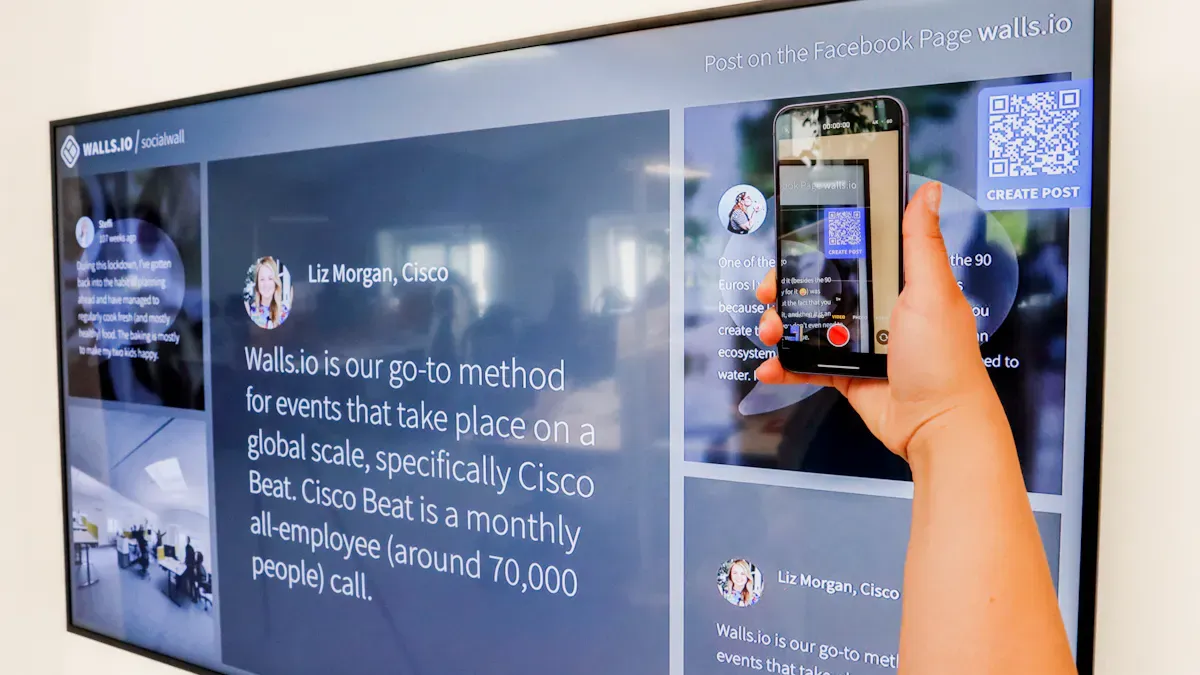
When you look for digital signage software, you want something that feels easy from the start. Many small businesses do not have tech experts on staff. You need a platform that anyone can use without frustration. A user-friendly interface lets you update screens fast and keeps your team happy.
Here are some features that make an interface easy to use:
Pre-designed templates for quick content updates
Simple scheduling and automation for changing messages
You can see how these features help in the table below:
Feature | Description |
|---|---|
Rapid Deployment | Set up your screens in under 10 minutes and get started right away. |
Template Library | Use ready-made templates for different business needs. |
Affordable Pricing | Plans start at $10/month per screen, which fits most budgets. |
Tip: A user-friendly interface means everyone on your team can help keep your displays fresh and up to date.
Drag-and-Drop Tools
Drag-and-drop tools make digital signage software even easier. You do not need to know design or coding. You just pick what you want, drag it onto your screen, and drop it in place. This simple method saves time and cuts down on training. Even if you have never used digital signage before, you can create professional displays in minutes.
Drag-and-drop tools help you manage content with no stress.
You spend less time learning and more time showing your message.
Your team can jump in and help, even if they are not tech-savvy.
When you choose software with these tools, you make sure your business can move fast and stay flexible.
Content Management and Scheduling
Flexible Content Options
You want your digital signage software to handle all kinds of content. This means you can show images, videos, text, or even run video walls for big displays. When you mix different types of content, you keep your screens interesting and fresh.
Here are some tips to make your content stand out:
Use your brand’s colors, fonts, and logo every time.
Make sure text stands out from the background.
Pick easy-to-read fonts like sans-serif.
Try the ‘3x5 rule’: no more than three lines of five words, or five lines of three words.
Remember: Simple, clear messages work best. People notice your screens when they can read them fast.
Scheduling Tools
Scheduling tools help you decide when your content appears. You can set up messages for certain times of day or special events. This makes your signs more useful and helps you reach customers at the right moment. Flexible scheduling lets you update your screens quickly, so you can share news or deals right away.
You can show different content in the morning and evening.
Real-time updates let you respond to customer needs fast.
You get to plan ahead and save time.
With these tools, small businesses can connect with customers better and work more efficiently. Good scheduling helps you grow and keeps your displays working for you.
Operating System Compatibility
Hardware Integration
You need your digital signage software to work with your current devices. This helps you save money and start using it quickly. Many small businesses use different devices like computers, tablets, or Raspberry Pi for their screens. Not all software works with every device. Before you pick one, check if it supports your hardware.
Here’s a simple table showing what some popular options support:
Software Solution | Supported Operating Systems |
|---|---|
Xibo | Windows, Linux, Android |
Screenly OSE | Raspberry Pi |
PiSignage | Raspberry Pi |
If you want to use video walls, make sure your software can do that on your devices. Choosing the right software means you do not have to buy new equipment.
Seamless Performance
When your software and hardware work well together, your screens work smoothly. If they do not, you could have big problems. Devices that do not match can crash, go black, or make you buy new ones. These problems waste your time and money.
Here are some problems you might face:
Risk Type | Description | Impact |
|---|---|---|
Forced Hardware Replacement | You must buy new devices if the software does not fit | Lose lots of money; stuck with one company |
Cascading Compatibility Issues | Crashes and network problems | Frustration and wasted time |
Maintenance Costs & Downtime Spirals | Broken hardware causes outages | Tired staff and lost sales |
Artificial Complexity | Software only works with certain devices | Harder to manage your screens |
Hidden Total Cost of Ownership (TCO) | Bundled prices hide real costs | Pay much more over time |
Tip: Always check if your devices and software work together before buying. This keeps your digital signage working well and helps your business grow.
Remote Access and Control
Manage Displays Anywhere
You do not need to be near your screens to update them. Digital signage software lets you control displays from your laptop or phone. You can do this from anywhere with internet. This saves time and keeps your messages new. You can change what shows on screens very quickly. You can also plan what to show weeks ahead. You do not have to worry about old signs confusing people.
Here are ways remote management helps you:
You can control all screens from any place with internet.
You can make changes right away without going to each store.
You keep your brand looking the same on every screen.
You can react fast to new sales or events.
Changing printed signs can take a long time. With remote access, you can update your message in just minutes. This helps you get customers interested right away.
Feature | Benefit |
|---|---|
Automated Scheduling | You can plan content early and do less work each day. |
Remote Access | You can control screens from anywhere and keep branding the same. |
Quick Updates | You can make changes fast and skip waiting for new signs. |
Multi-Location Support
If you have more than one store, it is hard to keep things the same. Multi-location support lets you control all screens from one spot. You can show the same message everywhere if you want. You can also pick special messages for each store. This makes your job easier and keeps your brand strong.
Advantage | Description |
|---|---|
Centralized Control | You can see and manage all screens from one dashboard. |
Consistency in Branding | You make sure every store matches your brand style. |
Hardware Flexibility | You can use different devices at each store. |
Rapid Scalability | You can add new stores or screens fast. |
Enhanced Analytics | You can track what works best for customers at all stores. |
Small businesses can use these tools to grow and save money. You can also try interactive signage. This lets customers look at products or services by themselves. It helps your business stand out and brings people back.
Customer Support and Training
Reliable Help Resources
You want to know help is always there for you. If your screens stop working, fast support can fix things quickly. Most small businesses do not have IT teams. You need a provider who answers fast and solves problems easily.
Picking a provider with good technical support and remote troubleshooting is important. This helps you avoid long waits and keeps your screens working well.
Find companies that have a good history. Read what other people say in reviews. Ask other business owners about their support experiences. A provider with lots of experience will help you avoid problems and keep your digital signage software running well.
Onboarding and Tutorials
Starting with new software can feel hard. Good training makes it much easier. You want training that is simple and clear. This helps you and your team learn fast and use all the features.
Here are some training resources that help most:
Hands-on learning lets you try things and remember better.
Practice spaces give you feedback and make you feel sure.
A clear onboarding plan helps new team members feel ready.
Ongoing training and updates help everyone keep up with changes.
When you pick a provider with strong support and good training, your business can do well with digital signage software.
Scalability for Growing Businesses
Adding More Screens
Your business might start with just one screen, but what happens when you want to grow? Good digital signage software lets you add more screens or even new locations without a headache. Cloud-based solutions make this easy. You can manage everything from one place, so you do not need to set up a new system every time you expand. This helps small businesses save time and money.
You can add screens in new stores or offices with just a few clicks.
Video walls become possible as your needs change.
Central control means you keep your branding and messages the same everywhere.
If your software cannot grow with you, you might have to switch later. That can cost more and slow you down.
Upgrading Features
As your business grows, you will want more from your digital signage. Look for software that lets you upgrade features when you need them. Some platforms connect with your POS system. This means you can show real-time prices, deals, or product info on your screens. AI tools can help you learn what your customers like and change your content to match.
Here are some ways feature upgrades support your growth:
Real-time updates for prices and promotions
AI-driven content that reacts to customer behavior
Dynamic content that changes without you doing extra work
A basic solution might work now, but you could outgrow it fast. Pick software that grows with you, so you never feel stuck.
Customization and Branding
Tailored Templates
You want your screens to look unique and match your business style. Customizable templates help you do this fast. You can pick a template, change colors, add your logo, and make it fit your brand. Many digital signage software tools give you design tools that let you create and change visual content with ease. You can also manage images, videos, and text in one place. This means you can build custom playlists and schedule content for different times or events.
Here’s a quick look at what small businesses value most:
Customization Option | Description |
|---|---|
Design Tools | Create and change your own visuals easily. |
Customizable Templates | Start with a template and make it your own. |
Flexible Content Management | Change and schedule content to fit your needs. |
If you use rigid, generic designs, your screens can look boring. Customers might not remember your business. You want displays that stand out and show your brand’s personality.
Brand Consistency
Keeping your brand the same on every screen builds trust. When you use the same colors, fonts, and logo, people know it’s your business. High-quality visuals and clear messages make your business look modern and reliable. Customers feel good when they see the same style every time they visit.
Consistent branding helps people remember you.
It makes your business look professional.
Customers trust you more when your signs look sharp and match your brand.
You can use widgets and quick upload tools to keep your content fresh. This helps you stay ahead and keeps people interested in what you offer.
Digital Signage Software Integration
Connecting with Other Tools
You want your digital signage software to work with the tools you already use. When you connect your screens to platforms like social media or your point-of-sale system, you get more out of every display. For example, you can show live updates from your Facebook or Instagram feed right on your screens. This keeps your content fresh and grabs attention.
If you run a store, connecting your POS system can make a big difference. Here’s what happens when you link your digital signs with your checkout:
You reach customers right where they make decisions. About 74% of buying choices happen at the point of sale.
People remember your messages. POS digital signage has an 83% recall rate and boosts brand awareness by almost 48%.
You sell more. Studies show that POS digital signage can raise purchase rates by 45%. Customers often buy more or pick higher-value items.
You can also connect your screens to show real-time deals, menus, or even video walls for big promotions. This makes your business stand out and keeps people coming back.
Streamlined Workflows
When you integrate your digital signage with other platforms, your work gets easier. You can manage all your screens from one dashboard. You do not need to update each screen by hand. This saves you time and helps you keep your message the same everywhere.
You can update content instantly, even if you have many stores or outdoor screens.
Centralized control means you see everything in one place.
Automation lets you set up content changes ahead of time, so you do less manual work.
Tip: Streamlined workflows help small businesses stay organized and focus on what matters most—serving your customers.
Integration gives you a smooth, cohesive experience. Your team works faster, your brand looks sharp, and your customers get the right message every time.
When you pick good software, your business can do well. Check these things before you decide:
Why It Matters | |
|---|---|
Ease of Use | Helps you work faster and feel calm |
Compatibility | Works with the devices you already own |
Support | Gets help quickly when things break |
Scalability | Lets your business get bigger easily |
Choosing smart digital signage software helps you talk to customers, spend less, and stay on top.
How Small Businesses Can Choose the Right Digital Signage Software
The digital signage market is expected to exceed $27 billion in 2026. Choosing the right software is about finding the tool that helps you achieve your business goals with the least amount of time and money.
This guide will help you clarify your thinking and, in the most intuitive way, find the best digital signage software for your small business.
🗺️ Before You Choose – Ask Yourself Three Questions
Before diving into the many options, clarifying your needs will make the decision much easier.
What is my goal? Increase in‑store atmosphere? Promote special offers? Guide customers to a specific area? Your goal determines the basic features you need.
How many screens do I have now (and in the future)? This is the most important cost driver. Most free plans limit the number of screens, and paid plans usually charge per screen per month.
How tech‑savvy is my team? If everyone is busy and doesn't have time to learn complex systems, a drag‑and‑drop, intuitive cloud platform is your best choice. No on‑premise servers needed – you can manage everything from anywhere.
💰 How Much Does Digital Signage Software Really Cost?
The cost consists of three parts: hardware, software, and hidden fees.
Hardware (one‑time cost)
Each screen needs a media player.
Budget‑friendly options: Amazon Fire TV Stick (approx. $35–$50) or Raspberry Pi (approx. $35–$70).
Display device: An entry‑level 4K TV (approx. $300–$400) works for most indoor scenarios. For 24/7 operation, commercial‑grade displays cost $800–$1,500.
Software (ongoing cost)
The mainstream model is per‑screen monthly subscription, ranging from $7.99 to $20+ per screen/month. Annual payment usually offers a 10–20% discount.
Hidden costs
Content creation: Tools like Canva cost about $12.99–$15 per month.
Installation: DIY with a TV mount ($30–$80) or hire a professional – roughly $150–$300 per screen.
🧩 Quick Match – Find Your Best Solution
Based on your needs and budget, the table below helps you quickly find the most suitable solution.
Your Core Need | Recommended Solution | Why It Fits | Price Reference (April 2026) |
|---|---|---|---|
Best value for entry (1 screen) | Yodeck Free Plan | Completely free, fully featured. Includes 200+ templates and full scheduling – more than enough for a single screen. | $0 (1 screen) |
Cost‑effective multi‑screen (2–10 screens) | PosterBooking Free Plan | Very generous free tier – supports 10 screens. Ideal for very tight budgets but multiple screens. | $0 (up to 10 screens) |
Best balance of features & price (paid) | Kitcast / OptiSigns / SignPresenter | Kitcast: Optimised for Apple ecosystem, beautiful design. | Approx. $7–$10/screen/month |
DIY / open‑source enthusiast | Screenly OSE / Xibo CE | Completely open‑source and free, no screen limits. Tech‑savvy users get maximum freedom and control. | $0 (requires your own time and technical skills) |
Note: Prices are market references. Always check the official website for the latest pricing.
✨ Advanced Features – Make Your Screen "Come Alive"
Once basic features are covered, these advanced capabilities can take your signage to the next level.
AI content generation: Platforms like PosterBooking are integrating AI that can generate designs based on your prompts, saving you from starting from scratch.
Real‑time data integration: Connect to POS systems (auto‑sync menu prices), social media (display live customer posts), weather forecasts, etc., for dynamically updated content.
Enterprise security & integration: When managing many screens with multiple team members, look for role‑based permissions, single sign‑on (SSO), and API access to integrate with your existing systems.
"Turnkey" solutions: If you don't want to worry about hardware pairing, consider brands like SEAVIEW whose commercial displays come with a free, powerful content management system built‑in – no additional subscription, one‑time purchase.
🎯 How to Make the Final Decision
Follow these steps to confidently choose the right software:
Try before you buy – Most software offers free trials. Spend time actually using it – that's the only way to test ease of use.
Ask for details – When contacting sales, ask: Does the free plan have watermarks? Which pricing tier includes the features I need? Does it support my intended player (e.g., Fire TV Stick)?
Check compatibility – Confirm the software works with the hardware you plan to buy, and whether it supports offline playback in case of network interruptions.
Read real reviews – Visit software review sites and read feedback from other small business owners, especially about "customer support" and "long‑term stability".
FAQ
What is digital signage software?
Digital signage software lets you show messages, images, or videos on screens. You control what appears from your computer or phone. It helps you reach customers fast.
Can I use my old screens with new digital signage software?
Most digital signage software works with many types of screens. You should check if your current screens are compatible before you buy.
How much does digital signage software cost?
Prices start as low as $10 per screen each month. Some companies offer free trials. You can pick a plan that fits your budget.
See Also
Selecting The Ideal Outdoor Digital Signage For Your Company
Easily Set Up And Configure Digital Signage Software
Your Complete Guide To Choosing Outdoor Digital Signage
Detailed Comparison Of In-Store Digital Signage Options
Step-By-Step Guide To Setting Up Local Server Digital Signage
