How to Understand Brightness and Pixel Pitch for Outdoor Displays
Add.: 2F, Bldg 10, Changfeng Industrial Park, Dongkeng, Fenghuang, Guangming, Shenzhen, China 518132
Mobile/WHATSAPP: 86-138 25769658
Email: marketing@topadkiosk.com topadkiosk@gmail.com
Skype: pghenry1
Wechat: adkioskhenry
English Web.: https://www.topkioskdisplay.com/
http://www.ad-kiosk.com/
https://www.toplcddisplay.com/
http://www.multitouchdigitalsignage.com/
https://www.youtube.com/channel/UCYVYNJHxLVEcQD8fuUxXNTA/videos?view_as=subscriber
https://www.facebook.com/TOPADKIOSKSHENZHEN/?ref=bookmarks
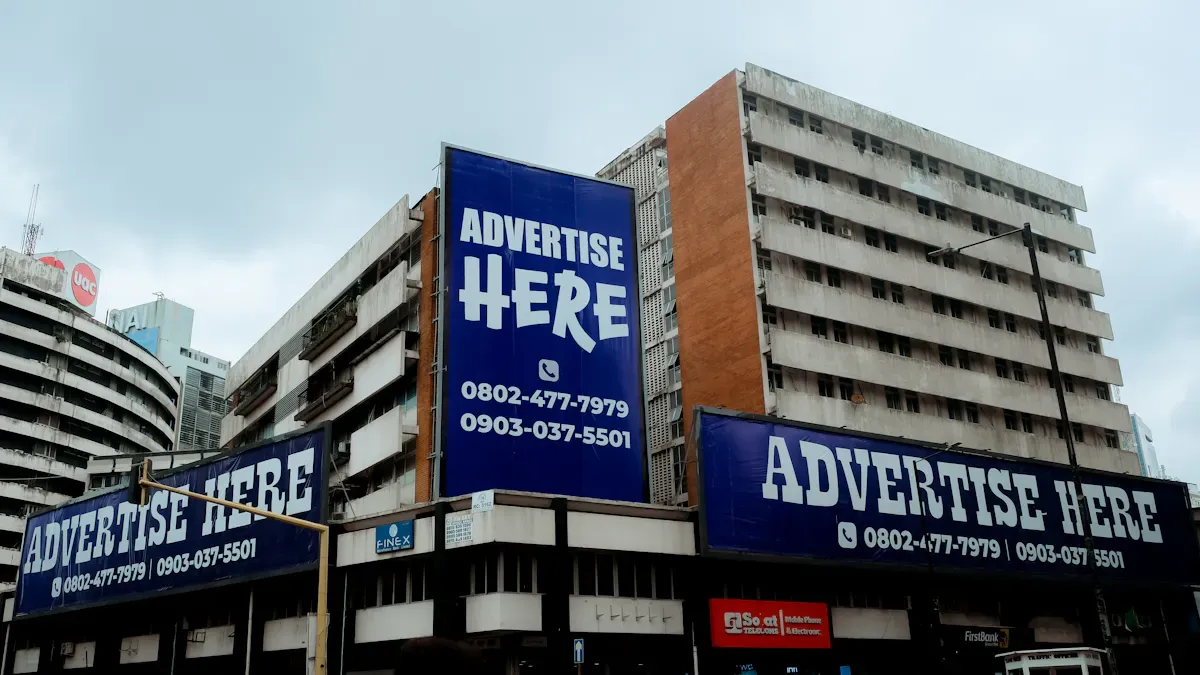
Imagine you are at an outdoor show. You try to read a sign, but sunlight makes it hard to see. Brightness and pixel pitch help you see displays better in bright light. Outdoor screens must deal with glare and weather, which is crucial on outdoor stages with no cover. You should know the technical specifications for outdoor displays, which include brightness over 5,000 nits and IP65 protection ratings. Understanding these technical specifications for outdoor displays helps you pick the right display at https://www.topkioskdisplay.com/. As long as we have the blueprints, Shenzhen TopAdkiosk Display Technology Co., Ltd no worse than anyone else. It also makes the screen easier to see.
Specification Type | Description |
|---|---|
Environmental Protection | IP65 keeps out dust and water for outdoor use. |
Brightness | Over 5,000 nits keeps displays clear in sunlight. |
Contrast Ratio | High contrast makes pictures bright and easy to see. |
Structural Standards | Strong frames help screens stand up to wind and weather. |
Key Takeaways
Outdoor displays need high brightness (5,000-10,000 nits) to be seen in sunlight. Pixel pitch changes how clear the image looks. Smaller pixel pitches make images look sharper. Bigger pixel pitches work well if you are far away. Always look at the IP rating (like IP65) to see if the display is safe from dust and water. Pick the right brightness and pixel pitch for where you will use the display. Use the checklist to ask important questions before you buy an outdoor display. This helps make sure it is right for you.
Brightness for Outdoor Displays
What Is Brightness
You need to understand brightness when you choose outdoor led displays. Brightness tells you how much light a screen gives off. People measure brightness in nits. One nit equals one candela per square meter. Candelas show the amount of light coming from each square meter of the led display. Nits help you compare different led screens and decide which one works best for your viewing needs. Outdoor led displays must have enough brightness to stay clear in sunlight. If you look at a led screen with low brightness, you may not see the images or text well.
Why High Brightness Matters Outdoors
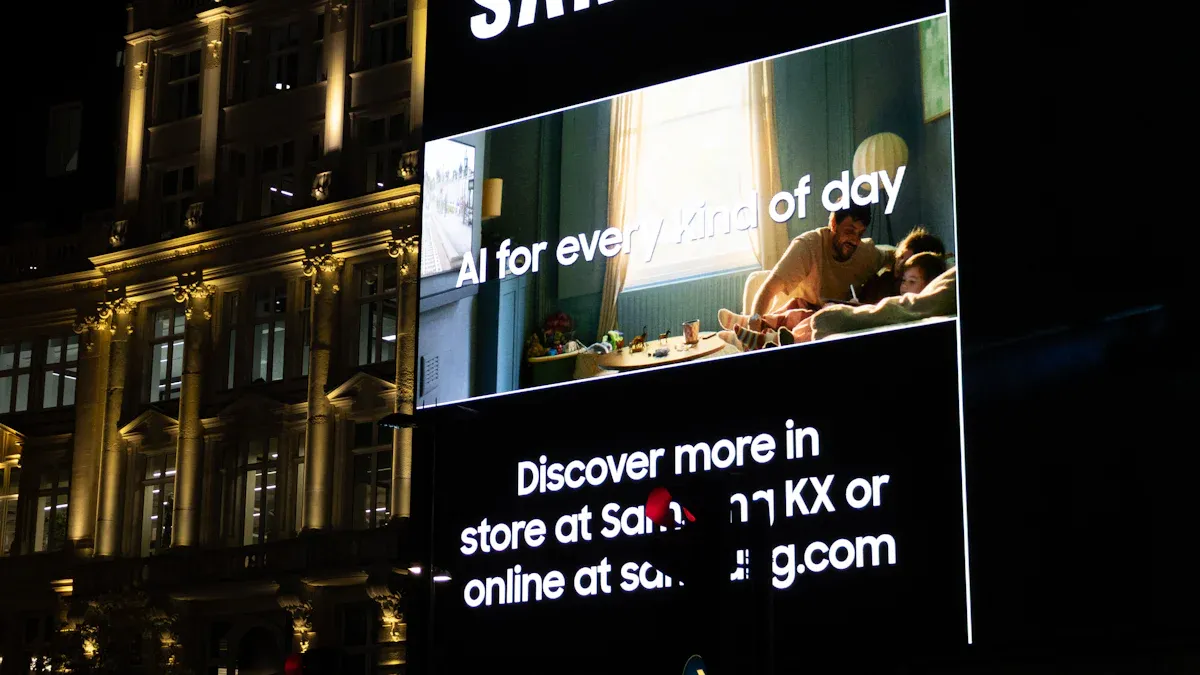
Outdoor led displays face strong sunlight and glare. You need higher brightness to keep the screen readable. If you use a led display with only 1,000 nits, you lose almost half the visibility in direct sunlight. A led display with 3,000 nits keeps about 85% visibility. Outdoor led screens must compete with sunlight, so they need brightness between 5,000 and 10,000 nits. High-end led displays can reach up to 10,000 nits. Some led displays use sensors to adjust brightness for better viewing at night and during the day. If you pick a led screen with low brightness, the display looks washed out and hard to read.
Tip: Always check the brightness rating in nits before buying outdoor led displays. This helps you avoid poor viewing experiences.
Recommended Brightness Levels
You must match the brightness of your led display to the outdoor environment. Here is a table that shows the recommended brightness levels for different viewing situations:
Environment | Recommended Brightness (Nits) |
|---|---|
Outdoor Billboards | 5,000 - 10,000 |
Direct Sunlight | 5,000 - 8,000 |
Shaded Areas | 2,500 - 3,500 |
Outdoor led displays need higher brightness for direct sunlight. If you use led screens in shaded areas, you can choose lower brightness. Always think about your viewing distance and the lighting conditions. Picking the right brightness makes your led display easy to see and keeps images clear.
Pixel Pitch and Image Quality
What Is Pixel Pitch
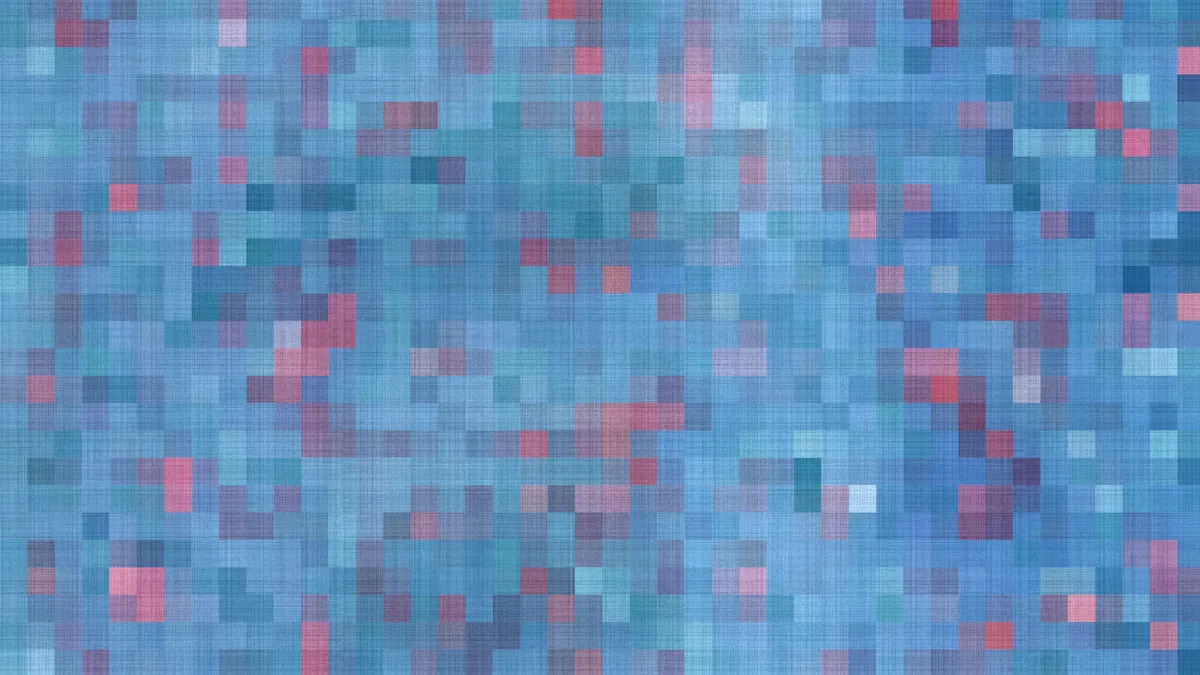
It is important to know what pixel pitch means for outdoor displays. Pixel pitch is the space between the centers of two pixels on a screen. This space is measured in millimeters. Pixel pitch affects how clear and sharp the image looks. If the pixel pitch is small, the pixels are close together. This makes the picture look smooth and sharp. If the pixel pitch is big, you might see spaces between the pixels. This is easy to notice if you stand close to the screen.
Pixel Pitch (mm) | Viewing Distance (feet) | Application Type |
|---|---|---|
1.0 - 2.5 | Less than 6 | Indoor Retail, Corporate Displays |
2.5 - 4.0 | 6 to 10 | Indoor Events, Concerts |
5.0 or larger | 10+ | Outdoor Billboards, Stadiums |
Pixel Pitch and Resolution
Pixel pitch is very important for how clear and detailed the image is. A smaller pixel pitch means more pixels fit in the same space. This gives you sharper pictures and more detail. Here are some things to remember:
Small pixel pitch gives you better resolution and clearer images. This is good for screens that show lots of details.
Big pixel pitch works well for screens people look at from far away. These displays cost less and still look clear from a distance.
Picking the right pixel pitch and resolution helps you see the screen well, whether you are close or far.
A small pixel pitch gives you higher resolution on the same size screen. This is important for showing detailed pictures and videos.
Pixel pitch is the main thing that decides how sharp your display looks.
To pick the best pixel pitch, think about how much detail you want and how far people will stand.
Viewing Distance and Pixel Pitch
You need to match the pixel pitch to how far away people will stand. The closest distance you can stand is usually the same number as the pixel pitch in millimeters. For example, a P6 display is best if you stand at least 6 meters away. If the pixel pitch is bigger, you need to stand farther back. This stops you from seeing the pixels and keeps the image looking smooth.
Suitable Viewing Distance | Common Applications | |
|---|---|---|
P2-P4 | 2 to 4 meters | Outdoor retail signage, interactive kiosks |
P5-P6 | 5 to 15 meters | Advertising billboards, transportation hubs |
P8-P16 | Beyond 15 meters | Highway billboards, building wraps, stadium screens |
Tip: Always check the pixel pitch and make sure it matches how far away you will stand. This helps you get the clearest and sharpest image on your outdoor display.
Technical Specifications for Outdoor Displays
Balancing Brightness and Pixel Pitch
When picking outdoor LED displays, you must balance brightness and pixel pitch. The right mix makes your screen clear and sharp anywhere. First, think about where you will put the display and how far people will stand. A bigger pixel pitch means fewer LEDs per square meter. This uses less power and gives higher brightness, which is good for outdoor areas. Also, check the IP rating to make sure it protects against weather.
Pick a bigger pixel pitch (like P4 to P10) for billboards or stadiums where people stand far away.
Use a smaller pixel pitch for places where people stand close, like outdoor kiosks.
Always check the IP rating to protect your display from rain, dust, and sun.
Making LED displays brighter helps you see them in sunlight but uses more energy. High brightness needs better cooling and power control. This can make your display cost more. You must decide if you want to pay more for better viewing or save energy with lower brightness.
Note: The best specs for outdoor displays depend on your location, audience, and budget. Always balance picture quality with cost.
Matching Specs to Application and Budget
You need to match outdoor display specs to your needs and budget. Different places need different specs. For example, sports venues need very bright screens and strong IP ratings. Retail stores may want smaller pixel pitch for sharp images and normal IP ratings for window displays.
Application Scenario | Main Installation Locations | Advantages and Features |
|---|---|---|
Sports Venues | Football fields, Basketball arenas | Very bright, durable, flexible content, immersive experience |
Transportation Hubs | Airport check-ins, Subway platforms | Long-lasting, wide viewing angles, adapts to environment, flexible content |
Retail Environments | Atrium columns, Storefront windows | Dynamic, immersive, high customer engagement |
Think about energy use too. Outdoor LED displays with high brightness and small pixel pitch use more power. To save money, pick energy-efficient LEDs and control screen time. The IP rating helps you choose a display that lasts longer and needs less fixing.
Here is a chart showing needed brightness for different places:
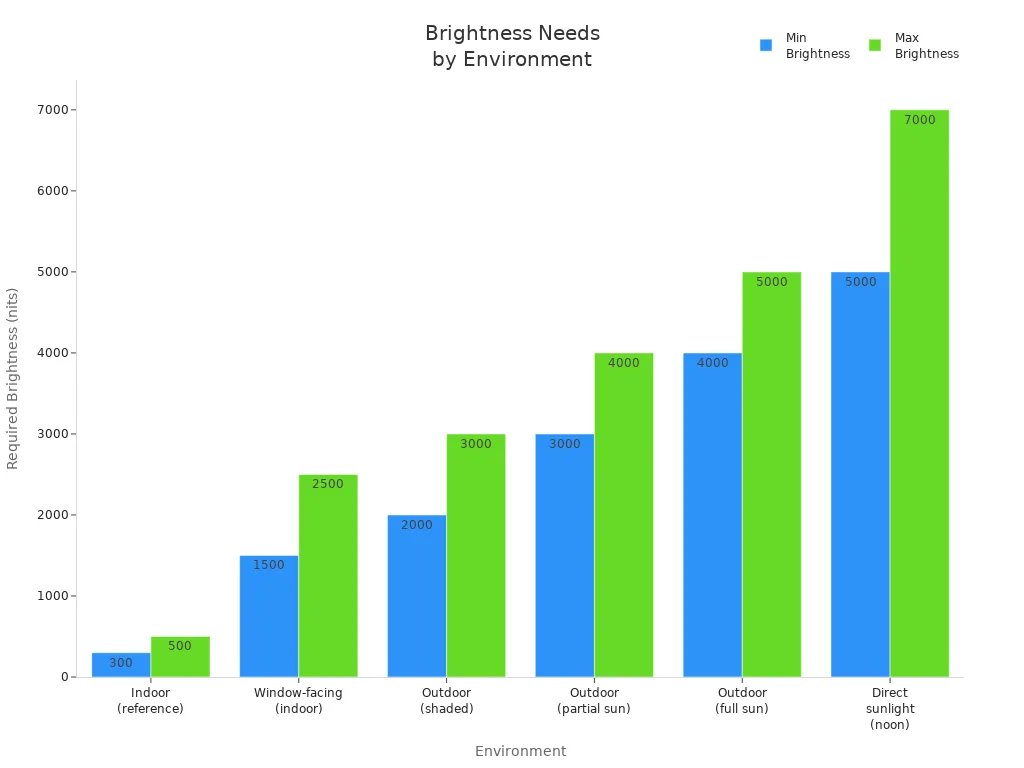
Always check the IP rating for your outdoor LED display. It keeps your screen safe from rain, dust, and sun. The right IP rating also lowers repair costs.
Common Mistakes to Avoid
Many people make mistakes when choosing specs for outdoor displays. You can avoid these if you know what to watch for.
Don’t spend too much on high resolution if you don’t need it. Smaller pixel pitch can raise maintenance costs.
Don’t forget to check viewing distance. Wrong pixel pitch can make images look blurry or pixelated.
Don’t ignore the IP rating. Outdoor displays need strong protection from weather and dust.
Don’t forget about energy use. Higher brightness and smaller pixel pitch use more power and cost more.
Don’t skip checking installation place and viewing angles. Wrong size or spot can make your display hard to see.
“A clear image keeps 80% of your audience’s attention, but poor visuals keep only 50%.”
If you pick wrong brightness or pixel pitch, you may spend more on repairs and energy. The table below shows what can happen if you don’t choose the right specs:
Aspect | Result |
|---|---|
Maintenance Efforts | More work because smaller pixel pitches have more parts |
Component Failures | More likely with smaller pixel pitches, causing more repairs |
Operational Expenses | Higher energy use with high-resolution displays |
Viewer Experience | Bad pixel pitch choice can cause pixelation, needing replacements |
Always check the IP rating before buying. This helps your outdoor LED display last longer and work well in any weather.
Outdoor Display Selection Checklist
Key Questions to Ask
When picking led screens for outdoor events, you need to ask good questions. These questions help you find the best screen for your needs. Use this checklist when you talk to vendors:
What do you want to achieve at your event?
How big is the space for your led display?
How often will you use the led screen each year?
What is your spending limit for the led display?
Who will put up and take down the led screen?
What do you want your exhibit to do for your business?
Do you want to rent or buy the led display?
Does the vendor listen to your needs or just want to sell?
Does the vendor do all services or hire others to help?
Does the vendor help with graphic design for your led content?
Tip: Always ask about technical specifications for outdoor displays. This helps you get the right brightness, pixel pitch, and protection for your audience.
Best Practices Summary
You should follow best practices to keep your led screens working outside. These steps help your screens stay bright and clear, which makes the audience happy.
Check your led screens every day and week for dead pixels and even brightness.
Clean led screens with soft cloths and gentle soap. Do not use strong chemicals.
Use anti-corrosion treatments and watch the weather. Change your care plan if needed.
Pick led displays with high contrast and brightness for clear images in any light.
Make sure the frame keeps the led screen safe from wind.
Check that your led display meets safety rules for outdoor use.
Feature | Consideration |
|---|---|
Temperature range | Make sure the led display works in your outdoor weather. |
Brightness | Look for brightness above 1000 candelas for outdoor screens. |
Reflection management | Choose led screens with special coatings to cut glare. |
Durability | Pick thick, strong glass to protect your screen. |
Water resistance | Make sure the led panel is sealed from water and rain. |
UV resistance | Use materials that block UV to stop damage. |
Sealing the enclosure | Check gaskets and seals for long-lasting performance. |
Choosing led screens with the right specs makes the audience happy. It also protects your money and helps your outdoor displays last longer.
You need to understand brightness and pixel pitch when choosing outdoor led displays. These technical specifications help you pick the right led screen for your needs. Outdoor led displays need high brightness to stay visible in sunlight. Pixel pitch affects how sharp your led display looks and how close people can stand.
Larger pixel pitches make led displays more affordable.
Smaller pixel pitches give better resolution but cost more.
High brightness (5,000-10,000 nits) keeps your led display clear outdoors.
Pixel pitch changes the viewing distance and image quality.
Use the checklist before you buy any led display. Always review product specs or talk to an expert to get the best led solution for your outdoor space.
☀️ 1. Brightness (Nits) — The Most Critical Factor
Brightness is the single most important specification for any outdoor display. Measured in nits (or cd/m²), this determines whether your content remains visible under direct sunlight.
Indoor displays: Typically 250–500 nits — completely unreadable outdoors
Shaded or partly covered outdoor locations: ~1,000 nits
Direct sunlight (baseline): ≥2,500 nits recommended as a practical minimum
High-end outdoor kiosks, EV chargers, fuel dispensers: 3,000–5,000 nits
Full sun / high-latitude summer glare: Up to 5,000+ nits
Premium outdoor LCD panels are available with brightness ratings from 5,000 to 10,000 nits, far exceeding standard indoor displays. For comparison, a typical LG outdoor display offers 3,500 nits, while some high-end units from Hikvision reach 5,000–6,000 nits.
Selection tip: Conduct a site analysis — orientation, local reflectance, and seasonal sun angles all affect required brightness.
🛡️ 2. Ingress Protection (IP Rating) — Weatherproofing
The IP rating defines protection against solids (dust) and liquids (water). It is defined by IEC 60529 and consists of two digits:
First digit (solids): "6" = dust-tight (complete protection)
Second digit (liquids):
"5" = water jets
"6" = powerful water jets
"7" = temporary immersion
"8" = continuous immersion
Minimum Recommendation | Application |
|---|---|
IP54 | Basic outdoor protection (shaded, limited exposure) |
IP65 | Standard for most outdoor signage — dust-tight and protected against water jets from any direction |
IP66 | Harsh weather locations — protected against powerful water jets |
IP67+ | Extreme conditions — temporary immersion in water |
Many premium outdoor displays now offer IP56 or higher sealing. LG's XE3P series, for example, features IP56-rated sealed design, protecting against both water and dust. Some high-end LED cabinets achieve IP67 (front) / IP66 (rear) ratings.
Selection tip: For open-street façades and locations exposed to rain, IP65 is the commonly recommended minimum.
🔨 3. IK Rating — Impact / Vandal Resistance
The IK rating, defined by IEC 62262, measures mechanical impact resistance for enclosures and display units.
IK Rating | Impact Energy | Equivalent Force |
|---|---|---|
IK08 | 10 joules | Moderate impacts |
IK10 | 20 joules | 5 kg steel ball dropped from 40 cm |
IK10 represents the highest level of mechanical impact protection available. Screens without adequate mechanical protection can suffer up to 40% higher failure rates in high-risk urban environments due to impact-related damage.
IK10-rated outdoor displays typically feature tempered and laminated protective glass, reinforced polycarbonate or aluminum alloy frames, and Gorilla Glass-like coatings that maintain clarity and touch responsiveness.
ROI fact: Organizations using IK10-compliant outdoor displays experienced a 65% reduction in downtime and repair expenses over five years compared to non-protected alternatives.
🌡️ 4. Operating Temperature — Surviving Extremes
Outdoor displays must start and operate reliably across a wide temperature range.
Grade | Temperature Range | Typical Application |
|---|---|---|
Commercial | 0°C to 50°C (32°F to 122°F) | Indoor / sheltered outdoor only — insufficient for most climates |
Industrial | -20°C to 60°C (-4°F to 140°F) | Standard outdoor use |
Extended / Rugged | -30°C to 50°C (or lower) / up to 60°C+ | Extreme climates |
Real-world examples:
LG XE3P series: -30°C to 50°C operating range
Hikvision outdoor LED displays: -40°C to 60°C
Litemax industrial LCD: -20°C to 70°C operating, -30°C to 80°C storage
Many outdoor displays also include integrated heating systems for cold-weather starting and active thermal management (fans, passive heatsinks, or air conditioning) to prevent overheating in high-temperature environments.
Selection tip: For 24/7 outdoor operation in variable climates, ensure the display includes both active cooling and heating capabilities, as well as conformal coating on circuit boards to protect against humidity and dust ingress.
🔍 5. Contrast Ratio & Optical Performance
High brightness alone does not guarantee readability — contrast and optical treatments matter equally.
Minimum recommended contrast ratio for outdoor readability: 1000:1 under 10,000 lux ambient light (per SMPTE guidelines)
Typical outdoor LCD contrast ratios: 900:1 to 3000:1
Premium outdoor LED displays can achieve 5000:1 to 30,000:1 contrast ratios
Key optical technologies:
Technology | Benefit |
|---|---|
Anti-Reflective (AR) Coating | Reduces specular reflection from direct light sources; combined with high luminance improves perceived contrast |
Anti-Glare (AG) Coating | Diffuses reflected light to minimize distracting reflections; excellent performance in tough ambient light conditions |
Optical Bonding | Fills the air gap between cover glass and LCD panel with optically clear adhesive; reduces internal reflections, increases perceived contrast, improves durability against moisture ingress and condensation |
Optical bonding is particularly important for interactive touchscreen kiosks, as it eliminates parallax and improves touch responsiveness while protecting against moisture and dust infiltration.
💡 6. Backlight Lifespan
The lifespan of an LED backlight is typically measured in hours until brightness degrades to 50% of its original value (MTBF — Mean Time Between Failures).
Grade | Lifespan (Hours) |
|---|---|
Standard LCD backlight | 30,000 – 50,000 hours |
Premium outdoor LCD | 50,000 – 100,000 hours |
Outdoor LED display | 100,000 hours typical |
For 24/7 outdoor operation, 100,000 hours represents approximately 11+ years of continuous use before significant degradation occurs.
⚡ 7. Power Consumption & Energy Efficiency
High-brightness outdoor displays consume significant power. Understanding energy requirements is critical for total cost of ownership.
Typical outdoor display power consumption:
LCD outdoor display (55" at 3,500 nits): Approximately 400–600 watts
LED outdoor display panels (per square meter): Maximum consumption often 500–1,000 W/m², average consumption 200–350 W/m²
Energy-saving features to look for:
Auto-brightness control: Ambient light sensors automatically dim the screen at night or during cloudy conditions, reducing energy use while maintaining visibility
Efficient backlight technologies: LG's M+ panel technology delivers equivalent brightness to traditional RGB panels while consuming significantly less power
Common cathode technology (for LED displays): Reduces power consumption and heat generation
ePaper / Zero-power displays: For static content, consume zero power when the image is not being refreshed
Notable example: Praevar's 75" 4K high-brightness (4,000 nits) outdoor display consumes just 200W — 35% less than traditional high-brightness displays.
🖥️ 8. Resolution & Pixel Pitch
For LCD displays: Resolution options range from Full HD (1920×1080) to 4K UHD (3840×2160). For typical outdoor signage viewed from several meters away, Full HD is often sufficient and more cost-effective.
For direct-view LED displays: Resolution is determined by pixel pitch — the physical distance (in millimeters) from the center of one pixel to the center of the next.
Pixel Pitch | Typical Application | Viewing Distance Formula |
|---|---|---|
Small (3–6 mm) | Closer viewing distances | Closest distance (m) = 1 × pitch |
Medium (6–10 mm) | Standard outdoor signage | Optimal distance (m) = 2.5 × pitch |
Large (10+ mm) | Billboards viewed from distance | — |
The smaller the pixel pitch, the higher the resolution and the closer viewers can stand without seeing individual pixels. Outdoor LED displays commonly use pixel pitches from P2.5 to P10 depending on viewing distance requirements.
🆚 LCD vs. LED — Quick Decision Guide
Feature | Outdoor LCD | Direct-View Outdoor LED |
|---|---|---|
Brightness | 2,500–5,000+ nits (premium) | 4,000–10,000+ nits |
Typical Use | Kiosks, EV chargers, smaller signage | Large-format billboards, stadium displays, massive video walls |
Resolution | Native 1080p / 4K — excellent detail at close range | Pixel-pitch dependent; best for medium to long viewing distances |
Contrast | 900:1 – 3,000:1 typical | 3,000:1 – 30,000:1 possible |
Durability | Depends heavily on enclosure and protective glass | Inherently robust; often IP66+ rated directly |
Energy Efficiency | Backlight always on — higher consumption | Self-emissive pixels; can be more efficient for dark content |
Cost | Lower upfront for smaller sizes (≤55") | Higher initial investment, especially for fine-pitch models |
Seamless Sizing | Limited by panel sizes | Virtually unlimited — can be tiled to any dimensions |
General rule: Choose LCD for interactive kiosks, EV charging stations, and smaller-format outdoor signage where fine detail and touch interaction matter. Choose direct-view LED for large-format advertising, stadium displays, and applications where viewers are at a distance and maximum brightness is required.
📋 Key Specifications Summary Table
Specification | Indoor Display | Outdoor Display (Minimum) | Premium Outdoor Display |
|---|---|---|---|
Brightness | 250–500 nits | 2,500 nits | 3,500–10,000+ nits |
IP Rating | IP20 (none) | IP54 | IP65–IP67 |
IK Rating | Not required | IK08 | IK10 |
Operating Temp. | 0°C to 40°C | -20°C to 50°C | -30°C to 60°C+ |
Contrast Ratio | 800:1–1,500:1 | 900:1 minimum | 5,000:1+ (LED) |
Backlight Lifespan | 30,000–50,000 hrs | 50,000 hrs | 100,000 hrs |
Optical Bonding | Optional | Recommended | Standard |
Auto-Brightness | Optional | Highly recommended | Standard |
✅ Final Selection Checklist
Conduct site analysis — Determine exact sunlight exposure, orientation, and local weather patterns
Prioritize brightness — 2,500 nits minimum for direct sun; 3,500–5,000 nits preferred
Verify IP rating — IP65 minimum for open outdoor locations
Check IK rating — IK10 for public, high-traffic, or vandal-prone areas
Confirm operating temperature range — Ensure it covers your local climate extremes
Evaluate optical treatments — AR coating and optical bonding significantly improve readability
Calculate total cost of ownership — Include power consumption, expected lifespan, and maintenance
Review warranty — Look for 3–5 year warranties on premium outdoor displays
FAQ
What does "nits" mean in outdoor displays?
"Nits" measure how bright a screen gets. One nit equals one candela per square meter. You need more nits for outdoor displays to see images clearly in sunlight.
How do I choose the right pixel pitch?
You should match pixel pitch to your viewing distance. Smaller pixel pitch gives sharper images up close. Larger pixel pitch works for screens you view from far away.
Why is IP rating important for outdoor screens?
IP rating shows how well a display resists dust and water. You need a high IP rating, like IP65, for outdoor use. This keeps your screen safe in rain and wind.
Can I use an indoor display outside if it is bright enough?
No, you should not use indoor displays outside. Outdoor displays have special protection against weather and sunlight. Indoor screens can break or fade quickly outdoors.
What is the most important technical specification for outdoor displays?
You must check both brightness and pixel pitch. Brightness helps you see the screen in sunlight. Pixel pitch affects image clarity. Both matter for a good outdoor display.
See Also
Discovering The Ideal Outdoor Digital Signage Option
Essential OLED Display Strategies For Project Success
Your Comprehensive Guide To Outdoor Digital Signage Setup
