Step-by-Step Guide to Using Digital Signage Displays for Advertising and Public Information
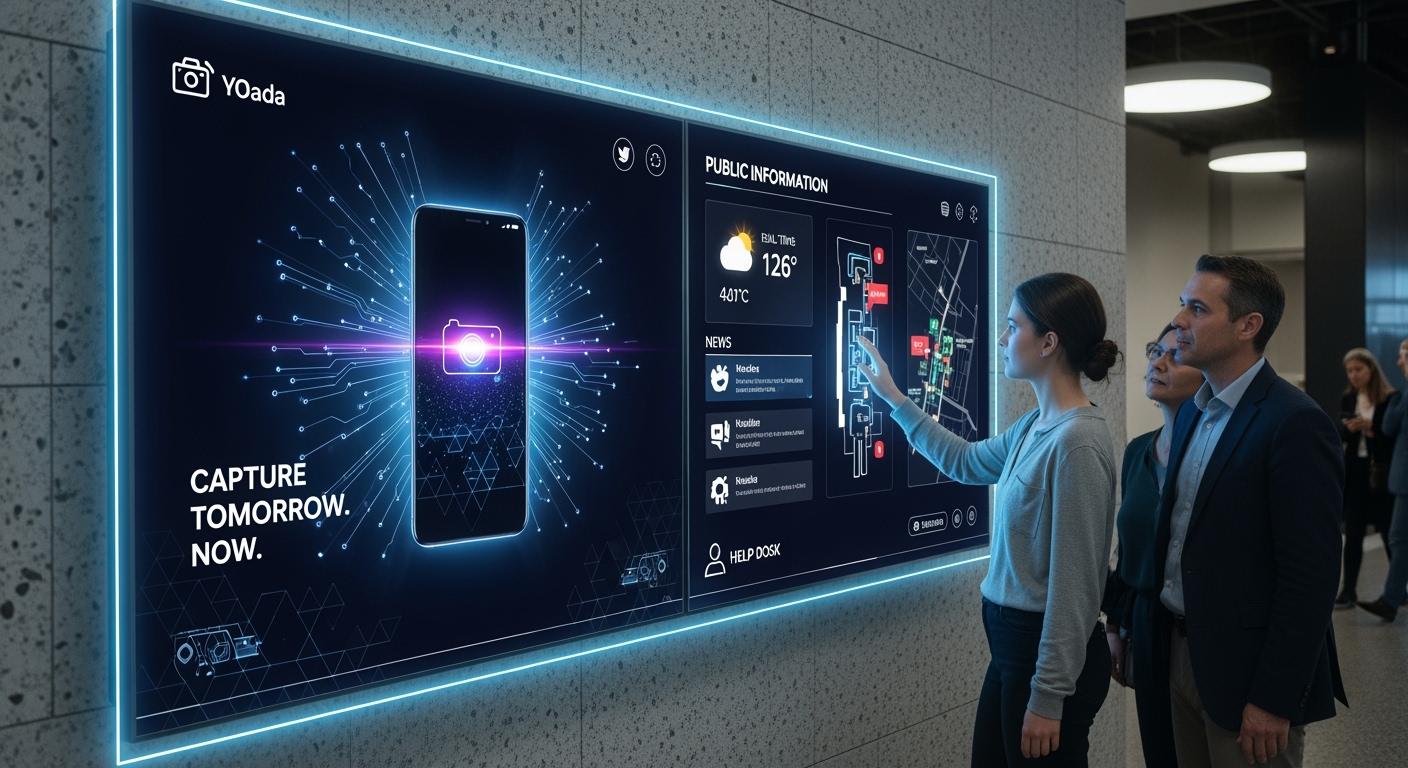
A digital signage display uses a screen and software to show things like videos, pictures, and words. You can use digital signage for ads and sharing news with the public. It helps you reach people in stores, city halls, and other public places. Digital signage is different from old signs. It shows live updates and lets people use features like touchscreens. Many shoppers say digital displays help them decide what to buy. The market for digital signage is growing quickly.
Shenzhen TopAdkiosk Display Technology Co., Ltd.
Add.: 2F, Bldg 10, Changfeng Industrial Park, Dongkeng, Fenghuang, Guangming, Shenzhen, China 518132
Mobile/WHATSAPP: 86-138 25769658
Email: marketing@topadkiosk.com topadkiosk@gmail.com
Skype: pghenry1
Wechat: adkioskhenry
English Web.: http://www.topadkiosk.com/
https://www.topkioskdisplay.com/
http://www.ad-kiosk.com/
https://www.toplcddisplay.com/
http://www.multitouchdigitalsignage.com/
https://www.youtube.com/channel/UCYVYNJHxLVEcQD8fuUxXNTA/videos?view_as=subscriber
https://www.facebook.com/TOPADKIOSKSHENZHEN/?ref=bookmarks
Example | Description |
|---|---|
Digital Bulletin Board | Shows public news and event details with fun pictures. |
City Hall Information Kiosks | Lets people use city services and see schedules. |
Command Centers | Helps people run things well with live updates. |
Think about how digital signage display can help your group share things and connect with people.
Key Takeaways
Digital signage displays use screens to show ads and information. They are more interesting than regular signs.
Real-time updates let people share news fast. This is helpful in emergencies. It keeps everyone informed and safe.
Good content should be easy to understand and look nice. It should be updated often to keep people interested.
Where you put digital signage matters a lot. Put screens where many people are. This helps more people see them and makes a bigger impact.
Analytics help check how well digital signage works. This lets you make changes and get people more involved.
Digital Signage Display Basics
What Is a Digital Signage Display?
A digital signage display shows ads, news, and updates on screens in public places. It uses both hardware and software to share information fast and clearly. You can see digital signage in places like stores, airports, schools, and hospitals. The main parts work together to make the display work well.
Function | |
|---|---|
Display Hardware | Shows content to people. |
Media Player | Plays videos, pictures, and other things smoothly. |
Content Management System (CMS) | Lets you plan, control, and change content from far away. |
Content | Has pictures, videos, animations, and things you can touch or use. |
Key Features and Content Types
Digital signage has many cool features. You can plan when things show up, change displays from anywhere, and connect with other apps. Some displays let you touch the screen to get info or use services. You can show different things:
Videos and pictures catch people’s eyes.
Text messages give important news.
Social media feeds show live updates and posts.
Live dashboards show things like sales or weather right now.
User-made content helps people trust and feel part of a group.
Tools like Walls.io help you put social media feeds together easily. Live updates make sure your content is always new and useful.
Common Use Cases
You can find digital signage in lots of places. Each way you use it helps share ads or news in a special way.
Application in Settings | |
|---|---|
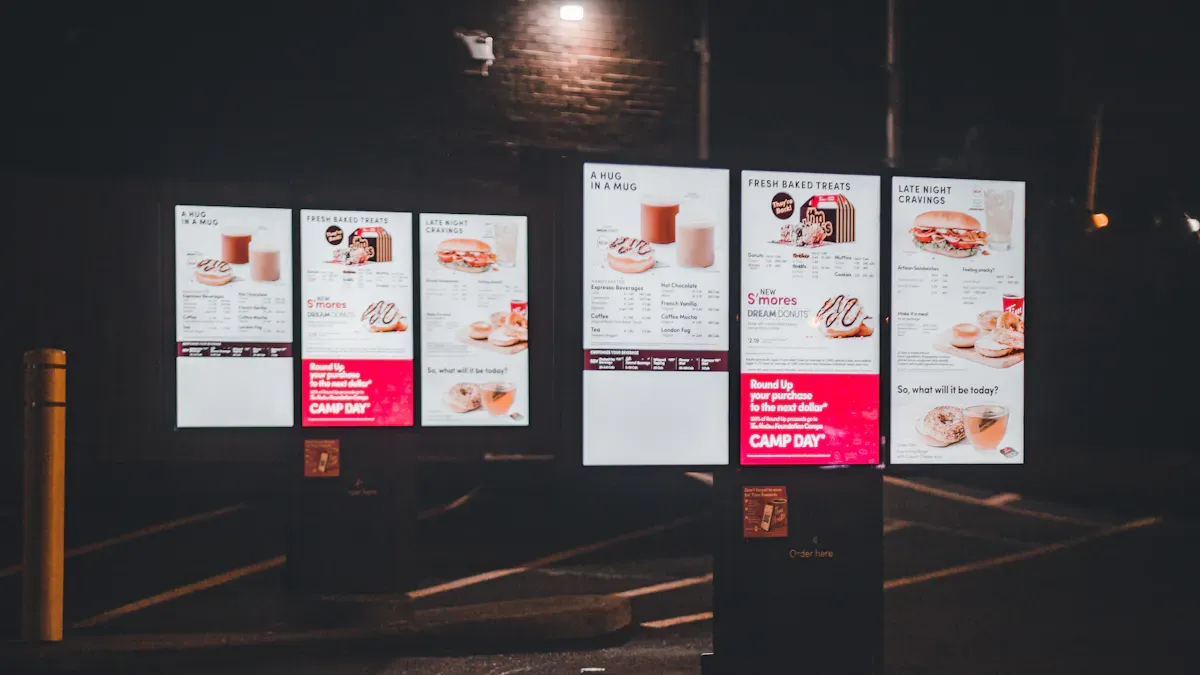
Outdoor Signage | Used for billboards, bus stops, and drive-thru menus. |
Retail Signage | Used for posters, shelf screens, and smart mirrors. |
Corporate Signage | Used for lobby boards and meeting room schedulers. |
Healthcare Signage | Used for waiting room screens and wayfinding kiosks. |
Hospitality Signage | Used for menu boards and event signs. |
Educational Signage | Used for campus screens and cafeteria menus. |
Use Cases | |
|---|---|
Retail | Makes visits better, shows what’s offered, and gives schedules. |
Transportation | Shows travel info, arrivals, departures, and safety alerts right away. |
Government | Shares emergency alerts, crowd control info, and updates in command centers. |
Digital signage displays help you share the right news at the right time. You can use them for ads, public news, and things people can use or touch.
Benefits of Digital Signage
Enhanced Engagement for Advertising
Digital signage helps you get people interested in your ads. It does things that regular signs cannot do. When you show moving pictures and changing words, people notice more.
Digital displays stand out more than posters or banners.
People look at digital signage longer, so your ads work better.
Customers remember what they see on digital signage more than old signs. This means your brand and message stay in their minds.
You can also show different things to different groups. For example:
Some digital signage uses cameras and AI to pick what to show based on who is watching.
You can set rules so the right people see the right message.
The content can change right away, so your ads are always interesting and fit the moment.
Real-Time Information Delivery
You can change what is on a digital signage display right away. This helps you share news, schedules, or emergency alerts fast.
In emergencies, digital signage networks can quickly warn staff and the public. They can take over every screen in a building with emergency messages. These messages can show maps, give directions, and share updates as things happen.
These digital tools let you update things right away. This is very important in emergencies or when you need to talk to people fast.
This makes digital signage great for city halls, schools, or hospitals. You can keep everyone safe and let them know what is happening.
Improving Customer and Citizen Experience
Digital signage makes things better for people in public places. You can help visits go smoothly and be more fun. Here is how digital signage helps:
Improvement Type | Description |
|---|---|
Streamlined Service Flow | Automated ticketing and digital screens make lines shorter and help people move faster. |
Improved Communication | Real-time voice and screen updates keep visitors in the loop, so they do not get confused in busy places. |
Higher Staff Efficiency | Dashboards and automatic lines help staff serve more people in less time. |
Enhanced Visitor Experience | People wait less, know what is going on, and feel like the place is run well. |
Data-Driven Operations | The Spectra Dashboard gives managers live info to see how things are going, spot problems, and use resources better. |
You can use digital signage in public places to share news, help people find their way, and make every visit nicer.
Digital Signage System Setup
Setting up a digital signage system lets you share news and cool content in public places. You can use these steps to make a good digital signage system for ads or government projects.
Define Goals and Audience
You should know what you want before you begin. Ask yourself some questions. What do you want your digital signage display to do? Do you want to give news, show ads, or get people involved? Who will look at your displays? Think about workers, guests, or shoppers. Make a user persona to learn what they like. Where will you put your displays? Pick spots that fit your goals and reach the right people.
Your audience might be many groups. Change your content to fit what each group wants and likes.
Set clear goals, like making more money or getting people interested.
Make sure your content plan matches your goals.
Decide if you want to give live updates or let people use touch features.
Choose Hardware and Displays
You need to pick the best hardware for your digital signage system. Think about these things:
Display technology: LCD, LED, or OLED.
Durability: Pick displays that last in busy places.
Image quality: Brightness and contrast help your content pop.
Environmental needs: Pick displays that work inside or outside.
Total cost: Think about energy use and fixing costs.
Other things to look at are:
Size and shape
Bezel width and thickness
How easy it is to put up
Inputs and built-in processing
Display control
Resolution and refresh rate
Viewing angle
Warranty
Saving energy
Reliable supply
Best Practice | Description |
|---|---|
Hardware Selection | Use DVLED for big displays. LCD flat panels are good for normal signs. Make sure displays work with your software and inputs. |
Professional Installation | Work with AV experts for good setup and matching parts. |
Connectivity | Pick a media player that fits your content and connection needs. |
Select Content Management Software
You need a content management system (CMS) to run your digital signage. The CMS lets you plan, change, and control content from anywhere.
Pick a CMS that lets you update things right away.
Make sure it works with your hardware and media players.
Look for things like remote access, easy planning, and working with other apps.
Pick a CMS that can grow with you.
Install and Connect the System
You need to set up your digital signage system the right way to keep it safe and working well. Follow these steps:
Put up displays so they do not stick out more than 4 inches. This keeps your setup safe and follows ADA rules.
Connect your media players to the displays and the internet.
Use WPA3 and firewalls to keep your network safe.
Work with your IT team to fix network problems and keep your system safe.
Technical Standard | Requirement |
|---|---|
Wall displays must not stick out more than 4 inches. | |
Network Security | Use WPA3 and firewalls for safe access. |
Use encryption and strong passwords to stop cyber attacks.
Split your network and watch for strange things.
Update your system often to fix safety problems.
Getting pros to install your system helps it work well. Experts know how to connect displays, media players, and CMS for the best results.
Test and Launch
You need to test your digital signage system before you start using it. Follow these steps:
Go over your goals and audience again to make sure your system fits.
Check your content. Make sure videos, pictures, and live data show up right.
Look at your space. Test displays in different lights and places.
Make sure your hardware and CMS work together.
Plan how you will make and update content.
Make sure your system can grow if you add more displays or content.
Set your budget for hardware, software, setup, and fixing.
Teach your team how to use the system.
Put in and test everything. Fix problems before you start.
Make a timeline with steps for planning, making content, setup, and testing.
Start your system when you know it all works well.
Testing helps you find problems early. You can fix things before your digital signage system starts.
You can use these steps to set up digital signage for ads, government, or public places. You will reach people with cool content and live news.
Advertising Content Best Practices
Designing Effective Messages
Your ads should be simple and easy to understand. Use clear pictures and text that is easy to read. Pick colors that look different from each other. Sans-serif fonts are best because they are easy to see. Make your main message the biggest and brightest part. Do not put too much on one screen. Show only one idea at a time. Use sharp images and videos to get attention. Keep your messages short so people can read them fast.
Tip: Use light words on dark backgrounds or dark words on light backgrounds. This makes your digital signage easier for everyone to read.
Principle | Description |
|---|---|
Typography and Colour | Use light words on dark backgrounds and only a few font types. This helps people read better. |
Visual Hierarchy | Make the most important message stand out with size, color, and where you put it. |
Simplicity | Do not crowd the screen. Show just one message for each screen. |
High-Quality Images and Videos | Use sharp and clear pictures and videos for the best effect. |
Readable Text | Pick clear fonts and make sure the text is big enough to read from far away. |
Color Contrast Techniques | Use colors that are very different for text and backgrounds. This helps people read easily. |
Animation and Motion Use | Use small movements to get attention but do not use too much. |
Keep It Simple and Scannable | Make your messages clear and short. Do not make them hard to read. |
Design for Readability | Make sure your messages are easy to understand and quick to read. |
Content Variety and Scheduling
Change your content often to keep people interested. Show different ads so people do not get bored. Use moving content to catch people’s eyes. Real-time updates make your info important right now. Change how often you update based on how long people stay near your screens. Match your content to holidays or special events. Mix fun things and helpful info to make people enjoy your displays.
Key Point | Explanation |
|---|---|
Content Rotation | Changing what you show keeps people interested and stops boredom. |
Dynamic Content | Showing different things works better than always showing the same thing. |
Timely Information | Real-time updates make your content important and keep people watching. |
Frequency of Updates | Change how often you update based on how long people look at your screens. |
Seasonal Scheduling | Show content that matches holidays or events so your messages do not get old. |
Balance of Content | Mix fun and helpful things to make people enjoy your screens more. |
Note: Do not use the same pictures or layouts for a long time. New content helps keep people interested.
Placement for Maximum Impact
Put your digital screens where people make choices. Place them at eye level and near places like service desks or doors. Busy spots like lobbies and stations help you reach more people. Using more than one screen can help tell a story and get people to pay attention. In emergencies, use digital signage to show alerts where everyone can see them. Good placement helps you show ads to the right people and change ads when you need to.
Put screens at eye level so people can see them better.
Use busy places to show your screens to more people.
Place screens where people make choices to help them decide.
Remember: Where you put your screens and what you show makes your digital signage work better.
Maintaining and Optimizing Digital Signage
Regular Updates and Monitoring
You need to keep digital signage new so people pay attention. Change your displays often to share the right information. Here is an easy plan for updates:
Update news and weather every day.
Change restaurant menus and employee spotlights once a week.
Retail stores should update signs each month for new products.
Change business content for holidays and special events.
Remote updates let you change screens from anywhere. You can watch screens with real-time data. This helps you see how people use your signage. You can change your messages fast. Track how long people look at screens and what they touch.
Tip: Put screens in busy places to get more feedback and help more people see them.
Measuring Effectiveness
You can see how well your digital signage works by tracking numbers. Use analytics tools and sensors to get data. Connect sales numbers to your ads for better results. Here is a table with important numbers and tools:
Metric | Definition | Why It Matters | Measurement Tools |
|---|---|---|---|
Conversion Rate | Percent of visitors who buy something | Shows how ads help sales | Centra Analytics, Google Analytics |
Cart Abandonment Rate | Percent of carts not finished | Finds problems in checkout | Funnel analysis tools |
Average Order Value | Average money per order | Shows if upselling works | Revenue reports |
You can also count viewers, watch time, and touches. Link business tools to signage data for a full view.
Continuous Improvement
Always try to make your digital signage better. Use live customer data to change displays. Mix ecommerce numbers with survey answers to see what works. AI can use old data to suggest new content. Show results and insights to workers so they understand more.
Get feedback from viewers by looking at live data and surveys. Change your messages based on what people like and do. Good planning and smart screen placement help you reach more people. These steps keep your signage interesting and useful.
You can make your digital signage system work well by doing these things: First, learn about your audience. Make content that they will enjoy. Put screens in places where lots of people go. Set a budget and check your IT setup. Make a good plan to update and take care of your content.
Fun content and smart screen spots help you reach more people. Keep your displays new by updating them often. Use features that let people interact with the screens. New trends like AI and modular designs help your system stay ready for changes.
Benefit | Result |
|---|---|
More people pay attention | |
Real-time updates | Quick response to new events |
Start planning your digital signage now. You can connect with your audience and share important news.
FAQ
What is digital signage?
Digital signage uses screens and special software to show things. It can show videos, pictures, and messages. You can use it in stores, schools, or other public places. It helps you share news or ads with people.
How do you update content on digital signage?
You can use a content management system to change what is on the screen. This tool lets you pick new videos or messages from your computer. You can do this even if you are not near the screen.
Where should you place digital signage screens?
Put screens where people stand together or make choices. Good places are by doors, in lobbies, or near service desks. If you put screens at eye level, more people will see them.
Can you use digital signage for emergencies?
Yes, you can use digital signage to give emergency alerts. The screens can show warnings, maps, or directions. This helps people know what to do during an emergency.
What types of content work best on digital signage?
Videos, pictures, and short messages are good for screens. You can also show live updates, social media posts, or things people can touch and use. This keeps people interested.
See Also
A Comprehensive Guide to Installing Digital Display Signage
Your Complete Guide to Choosing Outdoor Digital Signage
Step-by-Step Instructions for Local Server Digital Signage Setup
Easy Steps to Install and Configure Digital Signage Software
