What is a smart display and how does it work in 2026
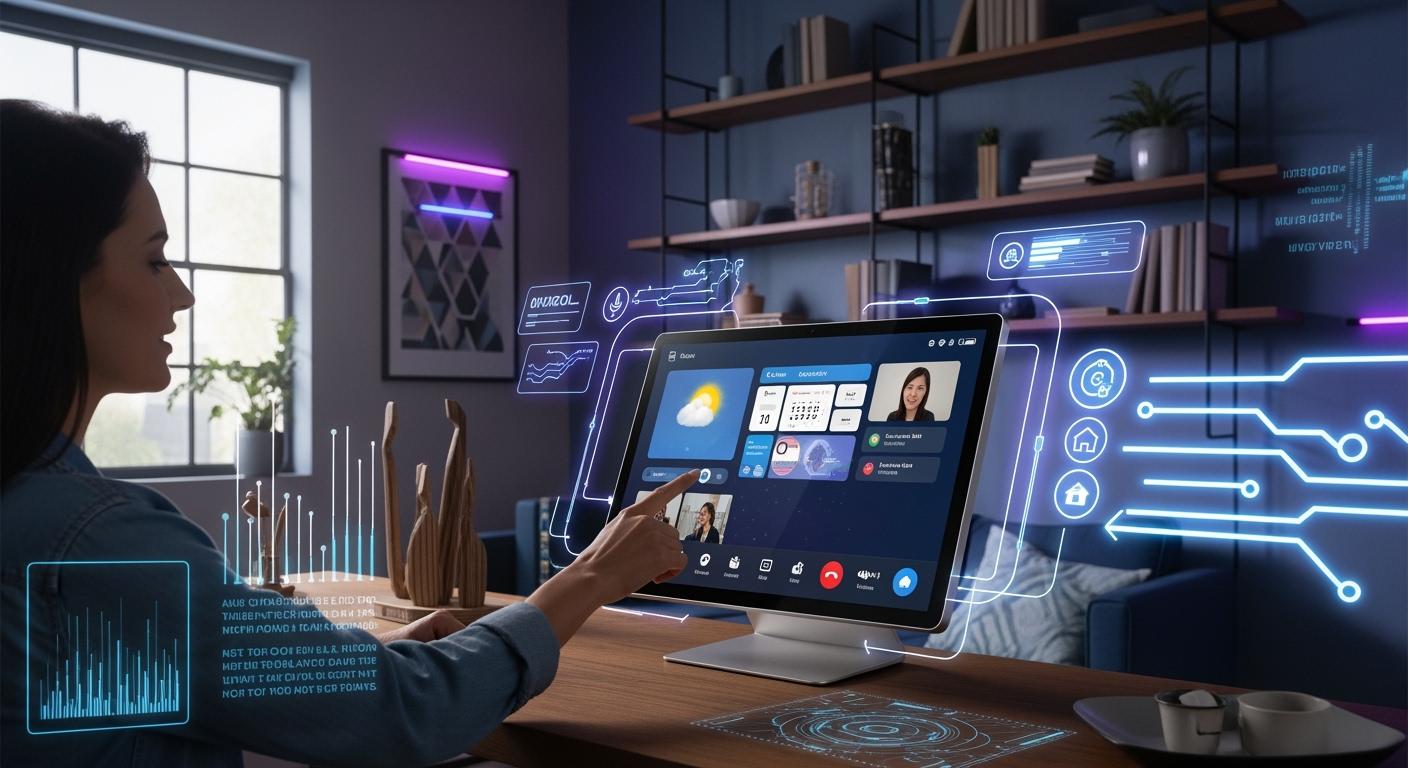
A smart display has a touchscreen and a voice assistant. This makes it easy to control your smart home or enjoy entertainment. You can use it to stream media, manage smart devices, or make video calls. In offices and classrooms, smart displays help people connect and work together. In stores, smart monitors help engage customers. The table below shows how people use these devices in 2026:
Shenzhen TopAdkiosk Display Technology Co., Ltd.
Add.: 2F, Bldg 10, Changfeng Industrial Park, Dongkeng, Fenghuang, Guangming, Shenzhen, China 518132
Mobile/WHATSAPP: 86-138 25769658
Email: marketing@topadkiosk.com topadkiosk@gmail.com
Skype: pghenry1
Wechat: adkioskhenry
English Web.: http://www.topadkiosk.com/
https://www.topkioskdisplay.com/
http://www.ad-kiosk.com/
https://www.toplcddisplay.com/
http://www.multitouchdigitalsignage.com/
https://www.youtube.com/channel/UCYVYNJHxLVEcQD8fuUxXNTA/videos?view_as=subscriber
https://www.facebook.com/TOPADKIOSKSHENZHEN/?ref=bookmarks
Application Area | Common Uses |
|---|---|
Residential | Streaming media, smart home control, video calls |
Commercial | Digital signs, engaging customers |
Healthcare | Monitoring patients, telemedicine |
Education | Improving learning, engagement |
Automotive | Navigation, entertainment |
Office | Video calls, collaboration tools |
Key Takeaways
Smart displays have touchscreens and voice assistants. They help you control smart homes and watch shows easily.
In 2026, smart displays do many things. You can make video calls, watch videos, and control smart devices at home, work, or school.
Pick a smart display if you want hands-free use or to make video calls. Smart monitors are better if you need to do computer work.
When you pick a smart display, check the screen size, sound quality, and privacy options. These features help you find the best one for you.
Smart displays make life easier by helping with tasks, keeping you connected, and keeping your information safe.
Smart Display Overview
What is a Smart Display
A smart display lets you use a touchscreen and talk to a voice assistant. It shows pictures and plays sounds to help you with daily things. You can look at info, tap the screen, or say commands out loud. With a smart home display, you can turn lights on or off, check cameras, and play music. The voice assistant answers you fast, so everything feels easy.
A smart display is not the same as a smart monitor. A smart monitor is mostly for connecting to a computer or watching shows. It does not have a voice assistant or smart home controls built in. Smart displays let you talk to people, watch videos, and control devices in more ways.
Tip: Pick a smart display if you want to control your smart home easily. A smart monitor cannot do as much.
Here is a table that lists the main hardware and software features of a smart display in 2026:
Characteristic | Description |
|---|---|
Display Size | The size changes for different rooms. Big screens are good for kitchens, small ones for bedrooms. |
Audio Quality | Good sound matters for music. Devices need strong speakers and microphones. |
Voice Assistant Integration | Voice assistants should answer quickly and help you use the device. |
Smart Home Compatibility | You can control smart devices and check security cameras. |
AI and Edge Processing | New AI makes the device work better and faster. |
Core Functions and Technology
You can do many things with a smart display. It helps you find recipes, keep track of your plans, and change the lights or temperature by talking. You can see info and touch the screen, which makes things simple. For example, you can follow steps on the screen or look at your calendar.
Smart displays mix the best parts of smart speakers and tablets. You can hear and see things at the same time. This makes using the device better. You can check the weather, pick songs, or make video calls. The touchscreen lets you tap and swipe, and the voice assistant answers fast.
Here are some main things smart displays do that other smart devices do not:
You see things on the touchscreen.
You can make video calls and watch shows.
The table below shows how smart displays are different from other smart devices:
Feature | Smart Displays | Other Smart Devices |
|---|---|---|
Visual Feedback | Yes (touch screen) | No (audio only) |
Device Management | Yes | Limited (usually via app) |
Video Calls | Yes | No |
Streaming Content | Yes | No |
A smart monitor does not have these features. It is best for showing computer stuff or playing videos. You do not get a voice assistant or smart home controls with a smart monitor. If you want to control your home, make video calls, or use smart features, a smart display is the better pick.
Note: Smart displays use new AI and edge processing to work faster and keep you safe. You get quick answers and safer use.
In 2026, smart displays help you run your home, stay in touch, and have fun. You use them for things that need both touch and voice. Smart monitors are for showing pictures and connecting to computers.
How Smart Displays Work
Voice and Touch Controls
You can control a smart display in two ways. You can talk to it or touch the screen. Voice assistants help you give commands easily. You just say what you want, and the device listens. In 2026, you can pick from different voice assistants. The most popular ones are:
Google Assistant
Apple Siri
Josh.ai
You can ask your smart display to play music or show the weather. You can also tell it to turn off the lights. The device understands your words and answers fast. If you want, you can tap or swipe the screen. This helps you find apps or change settings. You can also follow recipes step by step. You do not need a remote or a phone. The smart display makes it simple to control your home.
A smart monitor does not have voice controls. You need a keyboard, mouse, or remote for a smart monitor. You cannot talk to it or touch the screen to control things. This makes a smart display much easier for daily tasks.
Tip: If you want to use your voice to control your home, a smart display is the best pick.
Connectivity and Integration
Smart displays can connect to many devices and services. This is called connectivity. You can link your smart display to lights, cameras, and thermostats. The device works as a hub for your smart home. You can control everything from one place.
Companies use new rules to make connectivity better. For example, smart displays from Amazon and Google work as Matter hubs. Matter is a new rule that lets devices from different brands work together. You do not need to worry about the brand you buy. Your smart display will connect to all your devices.
The table below shows how smart displays connect with other devices and platforms:
Source | Evidence |
|---|---|
Reviewed | Smart displays from Amazon and Google function as Matter hubs, connecting Matter-enabled devices. |
CNET | Smart displays serve as gateways for smart home devices, using standards like Matter, Thread, and Zigbee. |
You also get support for many wireless types. This makes connections strong and steady. Here is a table of the most common wireless standards in 2026:
Wireless Technology | Supported |
|---|---|
Wi-Fi | Yes |
Zigbee | Yes |
Z-Wave Plus | Yes |
Bluetooth Low Energy | Yes |
Infrared | Yes |
Matter | Yes |
Thread | Yes |
For example, the new Dreame smart display uses both Wi-Fi and Zigbee. You can connect to almost any smart device in your home. You do not need extra hubs or bridges.
A smart monitor does not have this kind of connectivity. You can use a smart monitor to show your computer screen or play videos. You cannot use it to control your smart home or connect to many devices. If you want full control and easy setup, a smart display is the better choice.
Note: Good connectivity means you can add new devices to your home without trouble. Your smart display will find them and help you set them up.
Privacy and Security
You want your smart display to keep your information safe. Companies use many tools to protect your privacy. They build security features into the device. These features keep your data safe and easy to use.
Here is a table that shows how companies protect your smart display:
Security Measure | Description |
|---|---|
Built-in security features | SMART solutions provide exceptional privacy and security without compromising interactivity. |
Trusted data storage & processing | Customer data is hosted using best-in-class Amazon Web Services and Google Cloud data centers. |
GDPR compliance | European customers can use SMART products in compliance with GDPR, with options for data storage. |
Remote management capabilities | Administrators can manage SMART Boards remotely, limiting functionality based on user roles. |
Default privacy settings ON | SMART products come with privacy settings enabled by default, minimizing data sharing. |
Secure personalization with single sign-on | Users can securely access personal settings using existing Google and Microsoft accounts. |
Regular security audits | SMART performs internal security audits quarterly and third-party audits annually to maintain standards. |
You get privacy settings turned on from the start. You can use your Google or Microsoft account to sign in safely. Companies store your data in safe data centers. They follow rules like GDPR to protect your rights. They also check their systems often to fix problems.
A smart monitor does not have these privacy tools. You may need to set up your own security. If you want a device that protects your data, a smart display gives you more peace of mind.
Alert: Always check your privacy settings. Make sure your smart display uses the newest updates for the best protection.
A smart display gives you easy controls, strong connections, and good security. You can use your voice or touch, connect to many devices, and trust that your data stays safe. A smart monitor cannot do all these things.
Smart Display vs. Smart Monitor
Key Differences
You see big differences when you compare a smart display and a smart monitor. A smart display gives you a touchscreen and a voice assistant. You can control your smart home, make video calls, and use hands-free commands. A smart monitor works best as a screen for your computer. You use a keyboard and mouse to control it. Most smart monitors do not have voice assistant integration.
Here is a table that shows how each device fits different needs:
Feature | Smart Display | Smart Monitor |
|---|---|---|
Integration with Smart Home | Excellent for controlling devices | Limited integration |
Video Calling | Built-in capabilities | Requires external software |
User Interface | Touchscreen and voice control | Primarily keyboard and mouse |
Usability | Designed for hands-free use | More suited for productivity tasks |
A smart display lets you control lights, check cameras, and play music with your voice. You can use routines like "Cinema Night" to dim lights and start movies. A smart monitor can show your computer screen and help you work, but you need to use your hands for most tasks.
Tip: If you want to control your home with your voice, pick a smart display. If you need a bigger screen for work, choose a smart monitor.
Use Cases Compared
You use a smart display for hands-free video calls with family and friends. You can stream videos while cooking or cleaning. You track sleep and control smart home gadgets easily. A smart monitor helps you with work and school. You open productivity apps and use a keyboard and mouse. You can set up routines like "Work Mode" to turn on a desk lamp and open apps, but you must use your hands.
Here are some examples:
You call your grandma using a smart display without touching anything.
You watch a recipe video while cooking and adjust the lights with your voice.
You use a smart monitor to write a report or edit photos.
You start "Cinema Night" on a smart monitor, but you need to click to dim the lights and play the movie.
You see that smart display vs tablet is also a common question. A tablet gives you touch control and apps, but it does not work as a smart home hub or offer voice routines like a smart display. You get more smart home features with a smart display.
Note: Choose a smart monitor for work and school. Choose a smart display for home control, video calls, and entertainment.
Features and Everyday Uses
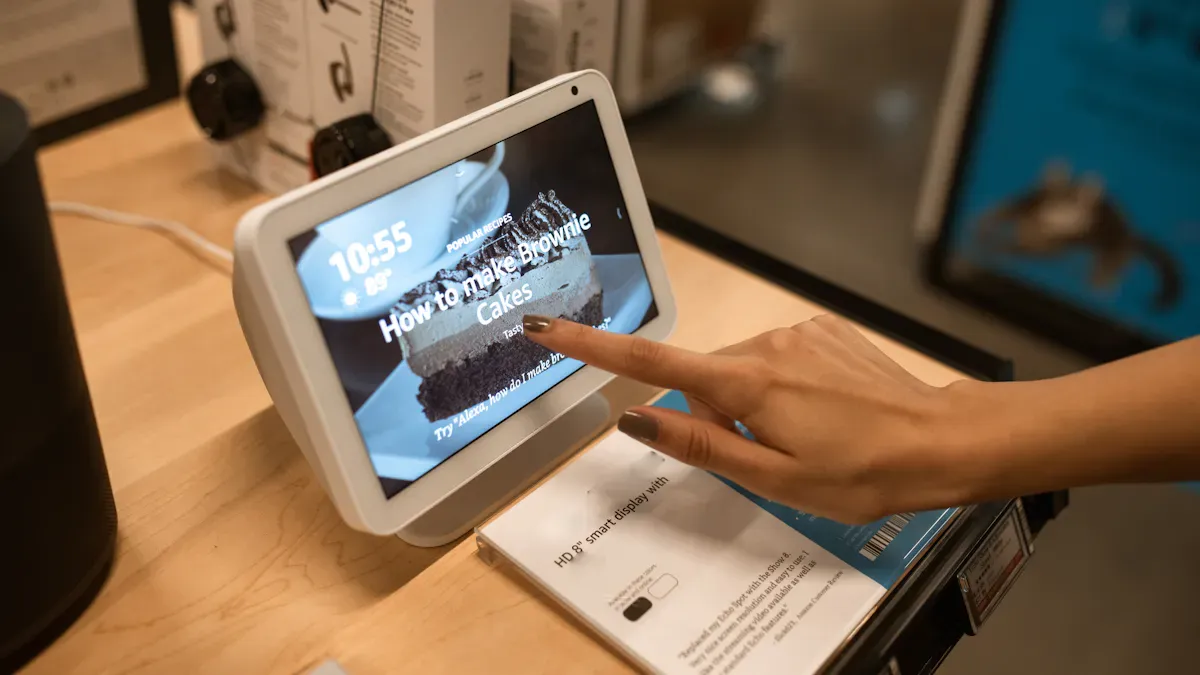
Video Calls and Communication
Smart home displays let you make video calls. You can talk to friends, family, or coworkers. It is easy to join meetings or chat with loved ones. You just tap the screen or use your voice to start a call. Many people use video calls for work, school, or to stay in touch. You can see everyone clearly and hear them well. You can do other things during calls, like check your calendar or send a message.
Tip: You can use video calls to talk to your team or help your child with homework. You do this all from one device.
Streaming and Entertainment
Smart home displays let you use streaming services. You can watch shows, listen to music, or enjoy videos. You do not need to switch devices. Some services you can use are:
Apple Music
Netflix
Hulu
YouTube
These displays do more than play music or videos. You can switch between watching and other tasks. Smart home displays mix entertainment and productivity tools. They are not like regular smart TVs. You can also use ports like DisplayPort and USB-C for extra devices.
Smart Home Control
Smart home displays help you manage your home easily. You can look up recipes while cooking or make grocery lists. You can check your appointments too. These displays let you control lights, thermostats, and cameras. You can tap the screen or use your voice. You can handle busy weeks or set reminders for important events. It is easy to switch between tasks.
Note: Smart home displays help you keep your home running well, even when you are busy.
Productivity and Assistance
Smart home displays help you get more done at home or work. Many models have tools for managing tasks and schedules. Here is a table showing some popular options:
Smart Display | Integrated Tools | Key Features |
|---|---|---|
DAKboard | Trello, Google Lists | Real-time progress tracking, widgets |
Google Nest Hub Max | Google Calendar, Tasks | Scheduling, task management, voice commands |
Smart home displays help you follow routines and reminders. You get visual feedback, so you do not miss a task. You can use your voice to control your day without using your hands. In homes with shared displays, everyone can see their schedules. This helps families stay organized and avoid conflicts.
Choosing a Smart Display in 2026
Selection Criteria
When you want to find the best smart display for your home, you should look at several important features. Each one can change how you use the device every day. Here is a table to help you compare the main criteria:
Criteria | What to Look For |
|---|---|
Screen size | Pick a size that fits your room and how you plan to use it. |
User interface | Make sure it works well with your smart home system. |
Sound and audio quality | Choose strong speakers if you love music or clear calls. |
Touchscreen | Check if the screen is easy to use and responds quickly. |
Connectivity | Look for Wi-Fi and Bluetooth for easy setup and device pairing. |
Video calling | See if it supports your favorite video call apps. |
Smart home hub | Pick one that can control all your smart devices from one place. |
Privacy | Make sure it has good privacy settings and security features. |
Tip: You should always check if the best smart display matches your needs before you buy it.
Notable Models and Trends
In 2026, you will see many choices when you shop for the best smart display. Top brands like Google, Amazon, and Apple lead the market. You may also find new models from Samsung and Lenovo. These companies focus on better screens, faster voice assistants, and improved privacy tools.
Here are some trends you will notice:
Larger screens for kitchens and living rooms
Better microphones for clear voice commands
More support for Matter and other smart home standards
Cameras with privacy shutters for safe video calls
Customizable widgets and home screens
You will see the best smart display offer more ways to connect with your home and family. Many models now use AI to learn your habits and suggest helpful routines. You can expect easier setup and more choices for voice assistants. If you want the best smart display, look for one that fits your space, works with your devices, and keeps your data safe.
You get many benefits when you choose a smart display. You enjoy easy controls, quick setup, and helpful features for your home. These devices work better than smart monitors because you can use your voice and touch. Many people like how simple they are to use and how well they fit into daily life. Before you buy, think about what you need and look for the newest trends. This helps you make the best choice for your home in 2026.
FAQ
What can you do with a smart display in 2026?
You can control smart home devices, make video calls, stream music or shows, and check your calendar. You use your voice or the touchscreen. Smart displays help you manage daily tasks and stay connected.
How do you keep your smart display private and secure?
Most smart displays have privacy settings turned on by default. You can mute the microphone or cover the camera. Companies use secure data centers and regular updates to protect your information.
Can you use a smart display without a smart home?
Yes, you can use a smart display for video calls, streaming, and reminders. You do not need smart lights or cameras. The device works well on its own.
What is the difference between a smart display and a tablet?
A smart display stays in one place and connects to your smart home. It has a built-in voice assistant and always-on features. A tablet is portable and does not control smart devices as easily.
Do smart displays work with devices from different brands?
Most smart displays in 2026 support Matter and other standards. You can connect devices from many brands. This makes setup easy and flexible.
See Also
Discovering Latest Developments in Digital Signage for 2026
New Trends in Interactive Display Technology for 2026
Exploring Current Digital Signage Trends Influencing 2026
