What Skills Do You Need for Digital Signage Jobs
Shenzhen TopAdkiosk Display Technology Co., Ltd.
Add.: 2F, Bldg 10, Changfeng Industrial Park, Dongkeng, Fenghuang, Guangming, Shenzhen, China 518132
Mobile/WHATSAPP: 86-138 25769658
Email: marketing@topadkiosk.com topadkiosk@gmail.com
Skype: pghenry1
Wechat: adkioskhenry
English Web.: https://www.topkioskdisplay.com/
http://www.ad-kiosk.com/
https://www.toplcddisplay.com/
http://www.multitouchdigitalsignage.com/
https://www.youtube.com/channel/UCYVYNJHxLVEcQD8fuUxXNTA/videos?view_as=subscriber
https://www.facebook.com/TOPADKIOSKSHENZHEN/?ref=bookmarks

To excel in digital signage jobs, you need a variety of skills. Technical knowledge is essential for effectively using equipment and software. Creative skills are important for producing visually appealing content that stands out on screens. Additionally, business skills are necessary for planning projects and collaborating with clients. The digital signage industry requires a diverse skill set for technicians, content creators, and managers. Many employers prefer candidates with a Digital Media Associate Degree or a Digital Marketing Certificate. It's wise to assess your strengths and seek further education to prepare for digital signage jobs in 2026.
Key Takeaways
Build good technical skills so you can use and fix digital signage equipment well.
Grow your creative skills by learning design tools like Canva and Adobe Creative Suite to make interesting content.
Learn business skills to handle projects, money, and work with clients in a good way.
Get important certifications to show your skills and help you get noticed in digital signage jobs.
Keep up with new trends and always learn new tools so you can do well in digital signage careers.
Technical Skills for Digital Signage Jobs
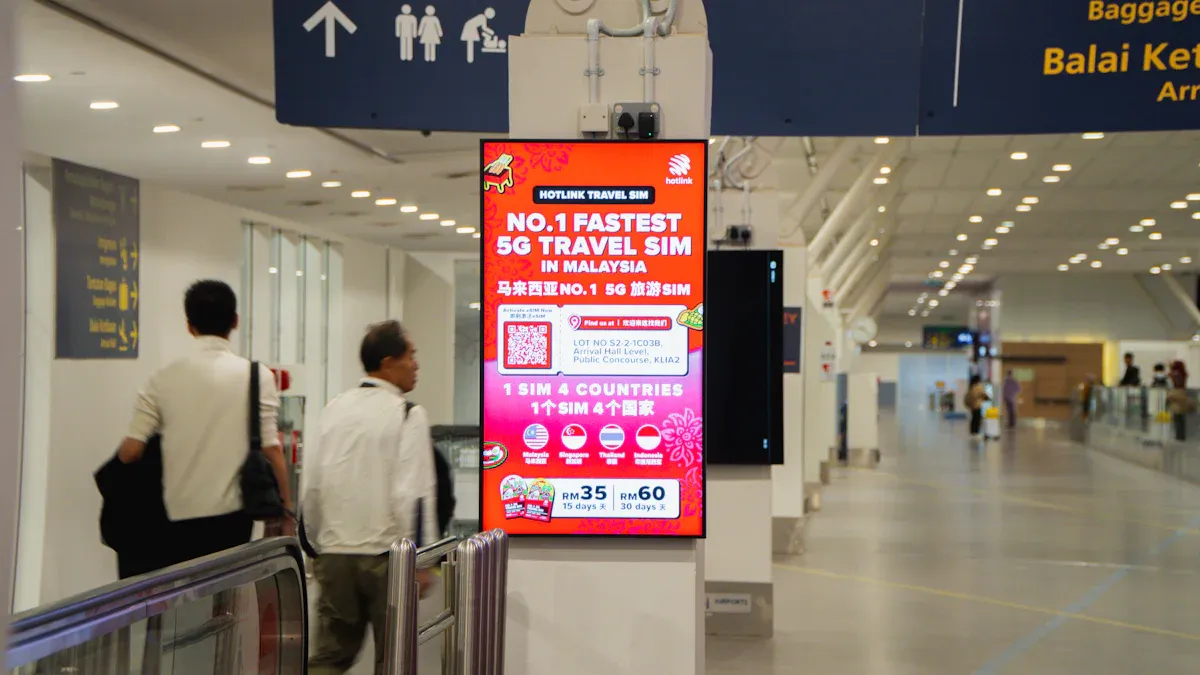
Digital signage technician jobs need strong technical skills. You must know how to use audiovisual equipment. You also need to install and fix systems. It is important to connect devices to networks. You should be able to manage content on many screens. These skills help you give good digital signage solutions. They also get you ready for more jobs in the future.
Audiovisual Technology
You have to know how to use and take care of the main tools in digital signage. The most common things you will use are:
Display screens (LCD or LED)
Media players
Mounting equipment
Cables and connectivity tools
You will work with screens and connect media players. You will use software to control what shows on each screen. You need to know about both hardware and software choices. Many digital signage solutions need you to use design tools like Canva or Adobe Creative Suite. These tools help you make cool pictures and videos. You may also need some coding skills, like HTML5 or JavaScript, to change how displays look.
Skill Type | Description |
|---|---|
Installation Expertise | Install digital signage systems the right way. |
Troubleshooting | Find and fix problems with digital signage. |
Network Integration | Connect digital signage to network systems. |
Content Management | Control and plan content on many screens. |
Familiarity with Software/Hardware | Know about different digital signage software and hardware. |
Design Tools Proficiency | Use Canva and Adobe Creative Suite for making visuals. |
CMS Platforms Knowledge | Know CMS platforms like AIScreen for content control. |
Coding Skills | Use HTML5, JavaScript, and APIs to change digital signage. |
Soft Skills | Use creativity, talking, and problem-solving to work well with others. |
Learning these skills now will help you get noticed as a digital signage technician in 2026.
Installation & Troubleshooting
You are important in setting up digital signage. You must follow steps to make sure systems are safe and work right. Here is a normal process:
Check if there is enough power and if circuits can handle it.
Look at the network to see if it is fast and safe.
Get the right permits and follow local rules.
Use laser tools to mount things in the right spot.
Put cables in places where they will not get in the way.
Match display serial numbers with your list.
Set up network settings, like static IP or DHCP.
Put in first content and test the schedule.
Write down what you did for later.
When you have problems, you need to know how to find and fix them. Some common problems are network issues, glare, and trouble updating content. You can fix these by checking cables, moving screens, or using cloud software for updates.
Challenge | Solution |
|---|---|
Use a good internet connection and check network strength. | |
Glare or Poor Visibility | Add anti-glare screens or move displays. |
Difficult Content Updates | Use cloud software that lets you update from far away. |
High Installation Costs | Start with simple hardware and add more later. |
You will often fix things by checking network wires, testing DNS, and looking at firewall settings. These steps help you keep digital signage working well.
Network Integration
You must connect digital signage to networks to send content and control it from far away. You will use things like RS232, TCP, and UDP to connect and control devices. You also need to know about RESTful APIs, JSON, and HTML5 for sharing data and showing content.
To keep systems safe, you should:
Put signage devices on their own VLAN.
Use strong logins, like Single Sign-On.
Protect data with SSL/TLS.
Keep the digital signage network away from the main company network.
You should always check if the network is fast enough for videos and live feeds. These network skills are important for setting up digital signage and will help you with bigger projects later.
Content Management Systems
A content management system (CMS) lets you make, plan, and control content for digital signage. You will use platforms like EnGage or truDigital to pick what shows on each screen. A good CMS gives you:
Feature | Description |
|---|---|
Centralized control | Control all screens from one place. |
Instant updates | Send messages right away to every screen. |
Customizable content | Change messages for different people. |
Seamless integration | Connect with other systems to make work easier. |
You can plan, change, and watch content from a safe web page. Many CMS platforms also show you how well your content is doing. Learning these tools will make you a better digital signage technician and get you ready for harder jobs in 2026.
Tip: Start learning about CMS platforms now. This skill will help you control digital signage for any business and keep you ahead in the digital signage field.
Creative Skills in Digital Signage Careers

You need creative skills to do well as a content creator or designer. These skills help you make content that gets attention and keeps people interested. Employers like when you can use design tools, solve problems, and talk clearly with others. Creative skills also help you work on projects in different places.
Graphic Design & Animation
You use graphic design and animation to make digital signage look special. Tools like Canva and Adobe Creative Suite help you make good pictures and videos. You should make visuals simple and clear. Try using the 3x5 rule: three lines of text, five words each. This makes your message easy to read. Animation adds movement and fun, so your content is more exciting.
Skill Type | Description |
|---|---|
Make cool visuals with Canva and Adobe Creative Suite. | |
Creativity | Come up with new ideas that grab attention. |
Communication | Share ideas and feedback with your team. |
Problem-Solving | Fix design problems and keep your message the same. |
Typography & Color Theory
Typography affects how people read and feel about your message. Pick clear fonts and use big text so people can read from far away. Change font sizes to show what is most important. Color theory helps you choose colors that fit your brand and are easy to see. Use dark backgrounds with light text or the other way around. Follow the 60-30-10 rule: one main color, one secondary color, and one accent color.
Guideline | Description |
|---|---|
Dark Backgrounds | Use dark colors for backgrounds to lower brightness. |
Make sure text is easy to see on the background. | |
Bold Color and Contrast | Use bright colors and strong contrast for better visibility. |
Align with Brand Colors | Pick colors that match your brand so people recognize it. |
60-30-10 Rule | Balance colors for a good design. |
UI/UX for Displays
UI and UX design help you make displays that are easy to use and understand. Use visual hierarchy by making main messages bigger and easier to see. Strong contrast between text and background makes reading easier. Make your design accessible by following ADA guidelines. Make sure your displays work well for everyone.
Principle | Description |
|---|---|
Intuitive User Interface (UI) | Use clear symbols and layouts so displays are easy to use. |
Seamless User Experience (UX) | Make sure interactions are smooth and quick. |
Robust Technology | Use strong hardware and high-resolution screens. |
Psychology of Interaction | Make experiences fun with feedback and direct actions. |
“Digital signage is changing how customers connect with brands,” said Chris Gilder, CEO of Meridian Kiosks.
Content Creation
You make content that connects with your audience. Start with a clear goal and know who will see your displays. Use high-quality images and videos to get attention. Keep fonts big and colors bold so reading is easy. Update your content often to keep it fresh. Put displays in busy places for the best results. Make your content easy for everyone to use, including people with disabilities.
Know your audience to make content just for them.
Use moving visuals and videos.
Keep fonts big and colors bright.
Stay true to your brand.
Update content often.
Add touchscreens and QR codes for more interaction.
You check success by seeing how many people use your signage, how long they watch, and if they do something after. These creative skills will help you get ready for digital signage jobs in 2026 and make your work shine.
Business & Soft Skills for Digital Signage Jobs
Business and soft skills help you do well in digital signage jobs. You need these skills to run projects, lead teams, and work with clients. These skills also help you talk to sales and marketing teams. Many jobs in digital signage ask you to fix problems fast and make good choices. You will use these skills every day at work.
Project Planning & Leadership
You must plan each project one step at a time. Good planning helps you finish your work on time. Leadership means helping your team and making sure everyone knows what to do. You need to look at each project and not promise too much. A strong team helps your project go well. You will work with people from sales, marketing, and technical jobs.
Key Area | Why It Matters |
|---|---|
Helps you finish projects on time and reach goals. | |
Helps your team and builds trust. | |
Multidisciplinary Team | Brings together experts for better results. |
Budget & Timeline Management
You must watch money and time closely. Set clear goals and deadlines for each part of the job. Use tracking tools to see progress and find delays. Digital workflow tools help you keep papers and approvals in one place. Always have a backup plan for common problems. Check your marketing plans often to stay on track.
Set deadlines for important steps.
Decide what the project needs, like displays and content.
Use dashboards to track permits and installation.
Plan for delays and keep extra time in your schedule.
Communication & Customer Service
You need good communication skills to work with your team and clients. Clear messages help everyone know their jobs. Good communication also helps people work better together. Customer service skills help you fix problems and keep clients happy. You will talk with sales and marketing teams to share news and ideas.
Share updates with your team often.
Listen to clients and answer their questions.
Work with sales and marketing to get better results.
Build trust with clients by talking clearly.
Quality Control
You must check your work to make sure it is good. Pick the right hardware and software for each job. Make clear and easy-to-read signage content. Keep data safe and protected. Set up a schedule to check systems and keep them working well.
Quality Control Process | Description |
|---|---|
Hardware and Software Selection | Pick the best tools for each job. |
Content Design | Make visuals clear and simple to understand. |
Security and Data Integrity | Keep information safe and backed up. |
Maintenance and Support | Check systems often to stop problems. |
Tip: Start building these business and soft skills now. These skills will help you stand out in digital signage jobs in 2026. You will be ready to lead projects, manage sales and marketing, and keep clients happy.
Certifications & Qualifications
You can get better jobs in digital signage if you earn the right certifications and degrees. Employers want people who have learned the skills for this industry. When you finish a certification or degree, you show you are ready for new technology and changes. These steps help you stand out and get ready for digital signage jobs in 2026.
Industry Certifications
Industry certifications show you know special things. Many groups give certificates for different jobs. Here are some top certifications you can get:
Certification Name | Description | Target Audience |
|---|---|---|
A one-day class for people in the industry. | AV, IT, signage, advertising, out-of-home marketing, and content creation professionals. | |
Digital Signage Display Expert (DSDE) | This certificate is about display technology. | Professionals in display technology. |
Digital Signage Network Expert (DSNE) | This certificate is for network management. | Network operators and integrators. |
Digital Signage Content and Media Expert (DCME) | This one is about making content for digital signage. | Content creators and marketers. |
Digital Signage Sales Professional (DSSP) | This is for sales people in digital signage. | Sales professionals in digital signage. |
You can pick a certification that fits your job plans. These certificates help you learn new things and keep up with changes.
Relevant Degrees
A college degree can help you start in digital signage jobs. Many employers want to see a bachelor’s degree in a related subject. If you do not have a degree, you can use work experience instead. Here is a quick look at what matters:
Degree Type | Relevance to Digital Signage |
|---|---|
Good for a career in digital signage | |
Equivalent years of experience | Can be used instead of a degree |
You can study digital media, marketing, or information technology. These subjects teach you about design, networks, and content. You can use what you learn to fix real problems at work.
Professional Development
You should keep learning even after you get a job. The digital signage industry changes quickly. You can join workshops, online classes, or webinars. You can read news and join groups to meet other people in the field. Try to learn new tools and software every year.
Tip: Try to earn one new certification or skill each year. This will help you stay ready for digital signage jobs in 2026.
You can build a strong career by getting certifications, degrees, and always learning new things.
You need many different skills to do well in digital signage jobs. If you mix technical, creative, and business skills, you can learn new technology fast. This helps you stand out from others in the digital signage field. People with lots of skills can use big data and handle hard systems. They also keep up as things change in the industry. To have a strong career, learn new tools and get certifications. Practice telling stories with pictures and videos. Keep up with new trends and make fun content. Update your skills often. These steps will help you get a good job in 2026.
How to Land a Digital Signage Job in 2026
Digital signage is a booming industry – global market size is over $29 billion, growing at nearly 8.3% annually, and being reshaped by AI and cloud technologies. The competition is less fierce than in pure tech fields like AI/ML development, and roles are both creative and stable.
Here’s your step-by‑step roadmap.
1. Understand the Three Main Role Types
Role Family | Focus | Example Job Titles | Key Skills |
|---|---|---|---|
Operations & Content | Content management, scheduling, creativity, UX | Digital Signage Coordinator, Visual Communications Analyst | CMS proficiency, project management, design sense, communication |
Technical & Engineering | Hardware installation, networking, integration, maintenance | Field/Installation Technician, Network Engineer | System config, networking, troubleshooting, AV basics |
Sales & Solutions | Understanding client needs, proposing solutions | Sales Engineer, Account Manager, Solution Architect | Communication, business insight, technical understanding, RFP process |
💡 Search these titles on LinkedIn, Glassdoor, or Indeed to see real‑time salary ranges and requirements in your region.
2. Build the Four Core Competencies
🛠️ Hard Skills
CMS (Content Management System): Learn popular platforms like Appspace, Scala, Korbyt. Many offer free online training – completing them shows initiative.
Hardware & Networking: Understand media players (e.g., BrightSign), displays, TCP/IP, firewalls. Cloud‑based deployments make networking knowledge essential.
Basic Creative Tools: Even for technical roles, familiarity with Adobe Creative Suite helps collaboration.
📜 Certifications
Digital Signage Certified Expert (DSCE): The industry’s most recognised credential (8‑hour course covering design, tech selection, content, ROI).
AVIXA CTS (Certified Technology Specialist): Highly valued for hardware‑heavy roles. Many vendor trainings (e.g., SpinetiX) offer CTS renewal units (RUs).
Platform‑specific certifications: e.g., Korbyt Academy – proves hands‑on ability.
🖼️ Portfolio (for content/design roles)
Show only your best work – quality over quantity. Beginners can include well‑done course or mock projects.
Tell the story: Briefly explain why you did it (context), how (process), and what results (e.g., “viewed by X people”).
Use high‑quality videos rather than static screenshots – motion content shines.
Keep it updated – replace older pieces whenever you complete something better.
🧩 Transferable Backgrounds
IT / Networking: great for platform management, monitoring, diagnostics.
AV Integration: physical installation, cabling, signal flow, on‑site debugging.
Marketing / Design: understanding audience needs, creating engaging content.
Retail / Hospitality / Corporate Comms: quickly grasp industry pain points and propose practical solutions.
3. Smart Job Search Tactics
🌐 Network Actively
Many roles come through referrals or industry events.
Top trade shows: ISE (Barcelona), InfoComm (Las Vegas), DSS Europe (Munich). Great for learning trends and meeting employers.
Industry organisations: Digital Signage Federation (DSF) runs regular “Mix & Mingle” events.
🔍 Use the Right Channels
Specialised sites:
ITJobWatch(salary trends by region)General boards: LinkedIn, Indeed, Glassdoor, Dice – all have digital signage listings.
📄 Craft a Winning Resume
Quantify achievements – not “managed content” but “scheduled content for 100+ screens with 99.9% uptime”.
Highlight cross‑functional ability: For design roles, mention understanding of “CMS technical constraints”. For tech roles, show how you solved problems combining tech and content.
Add a “Technical Highlights” and “Soft Skills” section – bullet points that let recruiters grasp your value in seconds.
4. Know the Salary Landscape (2026 estimates)
Role / Region | Salary Range |
|---|---|
Entry‑level / Junior (US) | ~52,000–52,000–87,000 / year |
Installation Technician (UK) | ~£30,000 – £35,000 / year |
Template Designer (US) | ~$30–35 / hour |
Canada (average) | ~C56,833(topearners C56,833(topearners C86,179) |
UK remote / hybrid (median) | ~£41,500 |
Singapore | Entry‑level technical roles available (0 years exp) |
France | Roles open to those with CAP or similar technical qualifications |
5. Final Advice for 2026
Success in digital signage comes down to knowing the role types + building targeted skills + preparing strong application materials + networking smartly. The industry evolves quickly – staying curious and continuously learning will give you an edge.
Do you have a background in IT, design, marketing, or something else? Or a specific role you’re aiming for? Let me know and I can help you tailor your strategy further.
FAQ
What skills do you need for a digital signage job?
You need technical skills to use equipment and software. Creative skills help you make content that people like. Business skills let you plan projects and work with clients. These skills get you ready for new jobs in digital signage.
How can you land a digital signage job in 2026?
Start building your skills now. Get certifications and learn new tools. Practice making content and managing projects. Keep up with new trends. Meet people in the industry and apply early. Employers want people who are ready for changes.
What certifications help you stand out?
You can earn certifications like Digital Signage Certified Expert or Digital Signage Content and Media Expert. These show you have important skills. Employers like candidates who keep learning and know new technology.
Which software should you learn for digital signage?
Learn tools like Adobe Creative Suite, Canva, and content management systems. These help you make and control digital signage content. Knowing these tools makes you more valuable to employers.
Why are business and soft skills important?
Business and soft skills help you lead teams and plan projects. They help you talk with clients and solve problems. These skills help you do well in digital signage jobs and get bigger roles later.
See Also
Understanding Digital Signage And Its Importance Today
Steps To Properly Install And Set Up Digital Signage
Defining Digital Signage And Its Significance In Business
