Self Service Terminal With Metal Key Board and mouse makes payments easy
Shenzhen TopAdkiosk Display Technology Co., Ltd.
Add.: 2F, Bldg 10, Changfeng Industrial Park, Dongkeng, Fenghuang, Guangming, Shenzhen, China 518132
Mobile/WHATSAPP: 86-138 25769658
Email: marketing@topadkiosk.com topadkiosk@gmail.com
Skype: pghenry1
Wechat: adkioskhenry
English Web.: http://www.topadkiosk.com/
https://www.topkioskdisplay.com/
http://www.ad-kiosk.com/
https://www.toplcddisplay.com/
http://www.multitouchdigitalsignage.com/
https://www.youtube.com/channel/UCYVYNJHxLVEcQD8fuUxXNTA/videos?view_as=subscriber
https://www.facebook.com/TOPADKIOSKSHENZHEN/?ref=bookmarks
You walk up to a Self Service Terminal With Metal Key Board and mouse. You see that making payments is very easy. This setup makes every payment faster. It also keeps your information safe. You do not need to worry about the keyboard or mouse breaking. The metal keyboard and mouse are strong and last a long time. They are also easy to clean and stay hygienic.
Payments are done faster because of automatic processing.
Employees can help you more since they do not handle cash.
The next time you use a Self Service Terminal With Metal Key Board and mouse, notice how much easier paying is for you.
Key Takeaways
Self-service terminals with metal keyboards and mice help payments go faster. You can finish your transaction quickly.
The stainless steel is strong. It keeps the terminals safe from spills, dust, and rough handling. This makes them good for busy places.
The design is easy to use. You can change the layout. The terminals work with many operating systems. This makes using them better.
Cleaning metal surfaces is simple. It helps keep things clean. It stops germs from spreading in public areas.
These terminals mean you do not need staff help as much. Employees can do other important jobs. Customer service gets better.
Self Service Terminal With Metal Key Board and mouse: Key Features
Durability and Reliability
When you use a Self Service Terminal With Metal Key Board and mouse, you notice right away how solid it feels. The metal keyboard and mouse use stainless steel, which gives them a strong and sturdy build. This makes them perfect for places where many people use the terminal every day, like train stations or busy stores.
Here’s a quick look at why stainless steel stands out:
Feature | Description |
|---|---|
Waterproofing | Protects against liquid damage, so spills are not a problem. |
Dustproofing | Keeps dust out, making sure the terminal works even in busy, dusty places. |
Corrosion Resistance | Stops rust and keeps the terminal looking new, even after years of use. |
Impact Resistance | Handles bumps and knocks, which is great for public spaces. |
Easy Cleaning | Smooth surface lets you wipe it down fast, helping keep things hygienic. |
You can count on these terminals to work in all kinds of environments. The metal keyboard and mouse resist water and dust much better than plastic ones. This means you do not have to worry about damage from spills or dirt. The solid construction also helps the terminal last longer, even if people use it all day.
Tip: If you want a terminal that lasts, look for one with a stainless steel keyboard and mouse. You will spend less time on repairs and cleaning.
Some models, like the KH-K85-262, are made for tight spaces and heavy use. They fit well in ticket machines, vending machines, and information kiosks. The flat-key design and SUS304 stainless steel make them both tough and reliable.
User-Friendly Design
A Self Service Terminal With Metal Key Board and mouse does more than just last a long time. It also makes your experience easy and smooth. The keyboard and mouse connect with a simple USB interface, so you can use them with many different systems.
You do not need to worry about what kind of computer runs the terminal. These devices work with Windows XP, Windows 7, Windows 8, Linux, Ubuntu, and Android. This wide compatibility means you can find these terminals in many places, from ATMs to access control systems.
Here are some user-friendly features you will notice:
The keyboard layout can be customized to fit your needs.
You get 40 full travel keys, which feel comfortable to press.
The compact size saves space, so the terminal fits almost anywhere.
The exposed parts use stainless steel, which stands up to heavy use.
The terminal meets IP65 standards when mounted right, so it stays safe from dust and water.
Feature | Description |
|---|---|
Layout Customization | Change the keyboard layout to match your business or language needs. |
Key Features | 40 full travel keys, compact size, strong build. |
Material | Stainless steel parts for extra strength. |
Compliance |
You can also ask for special layouts or extra features to match your business. This makes the Self Service Terminal With Metal Key Board and mouse a smart choice for many different uses.
Note: Customization helps you get the most out of your terminal. You can make it fit your brand or your customers’ needs.
With all these features, you get a terminal that is both tough and easy to use. You can trust it to work well, no matter where you put it.
Security and Hygiene Benefits
Vandalism and Tamper Resistance
You want a payment terminal that can handle rough use. In busy places, some people try to damage machines. A Self Service Terminal With Metal Key Board and mouse keeps your mind at ease. The metal keyboard and mouse use stainless steel. Stainless steel is very hard to break or bend. This strong material protects the terminal from scratches and dents. It also stops sharp objects from hurting it.
You do not need to worry about someone pulling off keys or breaking the mouse. The design makes it hard for anyone to remove parts. It is tough for people to mess with the inside. This keeps your payment information safe. You can trust the terminal to work every day, even if it gets rough treatment.
Tip: If your business is in a busy place, a metal keyboard and mouse protect your equipment. You spend less time fixing or replacing broken machines.
Easy Cleaning for Public Use
Cleanliness is important when many people use the same terminal. You want to stop germs and keep everyone healthy. Metal keyboards and mice make cleaning simple. You can wipe them with disinfectant whenever you need. The smooth surface does not hold dirt or germs. Cleaning only takes a few seconds.
Here’s why metal keyboards and mice are good for hygiene:
You can disinfect them often, which lowers the risk of spreading germs.
They help protect you and others from harmful bacteria and viruses.
Regular cleaning stops infections from spreading in places like hospitals, airports, and stores.
Some models are even dishwasher-safe or can be fully washed without damage.
These features support safer and cleaner public spaces.
You do not need to worry about cleaning too much. The metal parts can handle lots of wiping and deep cleaning. The terminal keeps working, no matter how often you sanitize it.
Note: A Self Service Terminal With Metal Key Board and mouse helps you keep your space clean and safe for everyone.
Streamlined Payment Experience
Fast Transactions
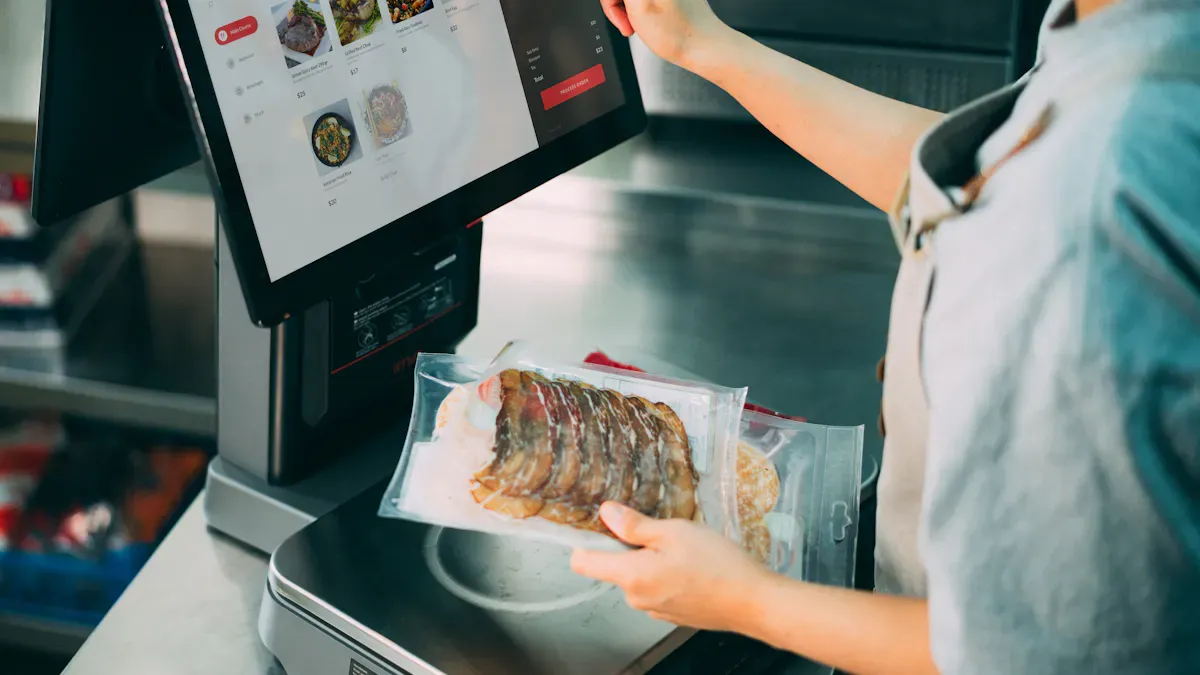
You want to pay fast and move on with your day. A Self Service Terminal With Metal Key Board and mouse helps you do this. The terminal makes payments quick, so you do not wait long. You can tap, swipe, or scan your payment method. The system answers right away. The WiFi keeps the terminal online, so payments go through fast.
You have many ways to pay. Here are some common ones you can use:
QR Code
Credit/Debit Card
NFC
Apple Pay
Cash
Coin
You pick the way that works best for you. The terminal handles each one easily. You do not worry about slow payments or if your card will work. The metal keyboard and mouse help you type fast and correct. You finish paying in just a few seconds.
Tip: If you want to skip long lines, use terminals with many payment choices and WiFi. You will see how much faster it is.
Minimal Staff Assistance
You do not need to wait for a cashier or worker. The terminal shows you what to do step by step. You follow easy instructions on the screen. The metal keyboard and mouse make it simple to type or confirm your payment. You stay in charge the whole time.
Let’s look at how self-service kiosks cut down on staff help:
Cons of Self-Service Kiosks | |
|---|---|
Reduces labor costs | Significant upfront investment |
Improves order accuracy | Requires clear UI design |
Decreases wait times | May need occasional staff assistance |
Allows for upselling opportunities | Not suitable for all business types |
Available 24/7 (if applicable) |
You see fewer workers needed for payments. The terminal works all day and night, so you can pay anytime. You get the right results, and your order goes through without mistakes. Staff can help customers with other things.
Note: Self-service terminals make paying easier for you and let staff help with more important jobs.
Real-World Applications
Retail, Transportation, and Hospitality
You see Self Service Terminals with Metal Key Board and mouse in many places. They pop up in your favorite stores, busy train stations, and even hotels. These terminals help you pay for groceries, buy tickets, or check in for your stay. You do not have to wait in long lines. You just walk up, follow the steps, and finish your payment in seconds.
Here are some common places where you might use these terminals:
🛒 Retail Stores: You scan your items and pay without talking to a cashier. The metal keyboard and mouse make it easy to type your PIN or select options.
🚉 Train Stations: You buy tickets or recharge your travel card. The terminal works fast, even when lots of people use it.
🍔 Restaurants and Cafés: You order food, split the bill, or leave a tip. The terminal keeps things clean and simple.
🏨 Hotels: You check in, pay for your room, or print a receipt. The strong design stands up to heavy use.
Tip: If you run a business, you can ask for special features. You can choose the keyboard layout, add your logo, or pick extra security options.
User Feedback and Testimonials
People like you share good things about these terminals. They say payments feel safe and quick. Many users mention that the metal keyboard and mouse feel solid and clean. Staff members like that they do not have to fix broken machines often.
Here’s what some users say:
User Type | Feedback Example |
|---|---|
Shopper | "I paid for my groceries in less than a minute!" |
Traveler | "The ticket machine worked even after a spill." |
Restaurant Guest | "The keyboard was easy to clean and use." |
Business Owner | "We saved money on repairs and cleaning supplies." |
You might wonder about the cost. Prices can start around $300 and go up, depending on what you need. If you want custom features, you can talk to the supplier. They will help you design a terminal that fits your business.
Note: Real users trust these terminals because they work well in busy places and last a long time.
You see how self-service terminals with metal keyboards and mice make paying simple and safe. These features help you finish transactions quickly and keep your information secure. You spend less time waiting and more time doing what matters.
Strong metal parts last longer and stay clean.
Easy-to-use design fits many places and needs.
Fast payments mean less stress for you.
Next time you pay, look for these features. They make your experience better and easier.
FAQ
How do you clean the metal keyboard and mouse?
You can wipe the metal keyboard and mouse with a disinfectant cloth. The smooth surface makes cleaning quick and easy. You keep germs away and the terminal stays safe for everyone.
Are these terminals compatible with different operating systems?
Yes! You can use these terminals with Windows, Linux, Ubuntu, and Android. The USB interface lets you connect to many devices. You do not need to worry about compatibility.
What payment methods can you use?
You can pay with QR codes, credit cards, NFC, Apple Pay, cash, or coins. The terminal supports many options. You choose what works best for you.
Is the metal keyboard and mouse durable?
Absolutely! Stainless steel makes the keyboard and mouse strong. You can use them every day. They resist water, dust, and bumps. You do not need to worry about damage.
See Also
Exploring Essential Features of Today's Touch Screen Kiosks
Evaluating Touch Screen Kiosks for Business Efficiency and Cost
Understanding Self-Service Kiosks: Functionality and Operation Explained
Comprehensive Installation Guide for Touch Screen Kiosks
Six Essential Tips for Selecting Interactive Kiosks Effectively
