Self service kiosk solutions for smoother business and government operations
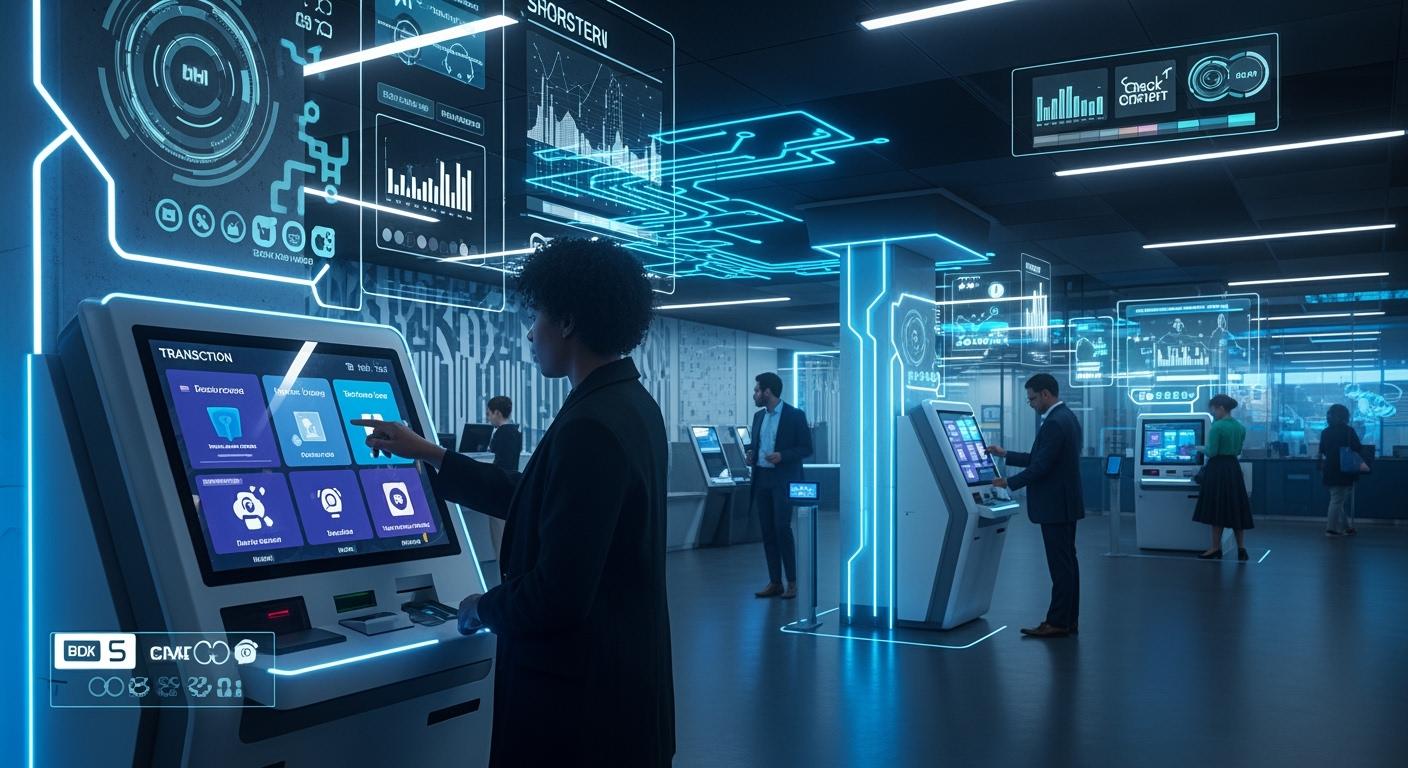
You can change how your business works with a self service kiosk. Many businesses and government groups use self-service kiosks fast. Self-checkout kiosks help make things run better and help customers. Self-service kiosks make lines shorter and help manage crowds. They also make visits better for everyone. Studies show kiosk orders make people spend more money. Kiosks also let more people buy things at once. Automated check-in tools help control lines and make planning easier. These main benefits of self-service kiosks save money and help more people get services.
The U.S. interactive kiosk market grows 7% each year. It will reach $9.53 billion by 2030.
Patient self-service kiosks may reach $7.68 billion by 2037.
Shenzhen TopAdkiosk Display Technology Co., Ltd.
Add.: 2F, Bldg 10, Changfeng Industrial Park, Dongkeng, Fenghuang, Guangming, Shenzhen, China 518132
Mobile/WHATSAPP: 86-138 25769658
Email: marketing@topadkiosk.com topadkiosk@gmail.com
Skype: pghenry1
Wechat: adkioskhenry
English Web.: http://www.topadkiosk.com/
https://www.topkioskdisplay.com/
http://www.ad-kiosk.com/
https://www.toplcddisplay.com/
http://www.multitouchdigitalsignage.com/
https://www.youtube.com/channel/UCYVYNJHxLVEcQD8fuUxXNTA/videos?view_as=subscriber
https://www.facebook.com/TOPADKIOSKSHENZHEN/?ref=bookmarks
Key Takeaways
Self-service kiosks help people wait less and feel happier. They make things faster and easier. Kiosks can help businesses sell more. They let customers buy extra items. Kiosks must be easy for everyone to use. This includes people with disabilities. Security is very important. Follow rules like PCI compliance to keep user data safe. Pick a kiosk that works for your needs. Make sure it connects well with your systems. This helps your business run better.
Comparing Self-Service Kiosk Solutions
When you look at self service kiosk choices, you should think about a few key things. These are usability, security, integration, customization, cost, and support. Each one helps you pick the right self-service kiosk for your business or agency.
Usability
You want your self-service kiosk to be easy for everyone. Good usability means people can use it fast and without getting confused. You should plan for people with disabilities from the start. This saves money and makes the kiosk better for all. If you ask people with disabilities to help design, you make sure it works for them.
Here are some things that make kiosks easier to use:
Feature Type | Description |
|---|---|
Accessibility Modes | Kiosks should work for people who cannot see, hear, or move well. |
Cognitive Accessibility | Simple steps help people with learning or language problems. |
Following Section 508 helps many people use kiosks. | |
User Testing | Testing with real users, including those with disabilities, is important. |
Tip: Put screens where wheelchair users can reach them. Do not set time limits that rush people who need more time.
If you do not think about usability, some people may not be able to use your kiosk. For example, touchscreens without bumps are hard for people with vision problems. Screens that are too high are hard for wheelchair users. Always test your kiosk with many different people before you open it.
Security
Security is very important for every self-service kiosk. You must keep user data safe and stop attacks. Kiosks can have problems like hacking, malware, and stolen data. Bad people may try to take credit card numbers or personal info.
Here are some common security problems:
Data breaches and hacking, like man-in-the-middle attacks.
Malware that tries to steal important data.
Data sniffing if the info is not locked.
People messing with the kiosk, like using skimmers to steal card info.
Open USB ports that let people get in without permission.
Weak passwords and bad access controls.
You can make these risks smaller by following security rules. For example, UL Kiosk Standards help keep kiosks safe, especially outside. PCI compliance is needed for kiosks that take payments. Many government groups want UL certification. If you use kiosks in Europe, you need CE marking.
Standard | Description |
|---|---|
UL Kiosk Standards | Makes sure kiosks are safe, especially outside. |
PCI Compliance | Keeps cardholder data safe for payment kiosks. |
Note: Always update your kiosk software and use strong passwords to keep your system safe.
Integration
Your self-service kiosk should work with your other systems. Good integration helps your business or agency run better. For example, your kiosk may need to connect with point-of-sale systems, inventory, or scheduling tools.
Importance | |
|---|---|
POS platforms | Works with your sales and payment systems |
Kitchen display systems | Helps restaurants manage orders |
Inventory management | Keeps track of stock levels |
CRM and loyalty programs | Helps you connect with customers |
Scheduling and booking | Makes appointments easier |
Many kiosks use APIs or middleware to connect with other systems. This lets you use product lists, prices, and reports again. Some vendors have ready-to-use solutions, but others need custom work. Always ask your vendor if the kiosk will work for you.
Tip: Integration can be hard. You might have tech problems, especially with POS systems. Outdoor kiosks need extra care for weather and heavy use.
Customization
You want your self-service kiosk to match your needs. Customization lets you add features that help your business or agency. For example, you can add check-in tools, special graphics, or different languages.
Custom check-in kiosks can make service faster and lines shorter.
Special features make kiosks work better for your industry.
Custom graphics and logos match your company style.
Multilingual support helps you serve more people.
Connecting to backend systems gives you real-time data.
A custom self-service kiosk gives users a better experience and helps your team work better.
Cost
Cost is a big thing when you pick a self-service kiosk. You need to look at the price to buy it and the cost to keep it working. Here is a table to help you compare:
Model Type | Price Range (USD) |
|---|---|
Basic Models | $1,500 - $5,000 |
Mid-Range Models | $5,000 - $10,000 |
High-End Models | $10,000 - $20,000 |
You also need to think about setup, repairs, software updates, and support. These costs add up over time.
Description | |
|---|---|
Purchase Price | What you pay to buy the kiosk |
Installation | Setting up and getting the kiosk ready |
Maintenance | Repairs and regular care |
Software Updates | Keeping the system up to date |
Support | Help when you need it |
A self-service kiosk can save you money over time. You may see bigger sales, faster service, and fewer mistakes. This can help you use your staff better and grow your business or agency.
Support
Support keeps your self-service kiosk working well. Good support includes setup, training, and help when things break. Most vendors give warranties, regular care, and tech support.
Type of Service | Description |
|---|---|
Warranty Options | Covers parts and software, usually for 12 months or more |
Preventive Maintenance | Regular cleaning and updates to keep kiosks working |
Technical Support Services | Help with setup, training, and fixing problems |
You should also check how fast you can get help. Some vendors offer next-business-day service, while others promise help in four to eight hours. Premium plans may give you same-day or even two-hour help.
Tip: Pick a vendor with strong support and clear service rules. This will help you avoid problems and keep your self-service kiosk working for everyone.
By looking at these things, you can find the best self service kiosk for you. Whether you run a business or a government agency, focusing on usability, security, integration, customization, cost, and support will help you make a smart choice.
Business Kiosk Solutions

Leading Self Service Kiosk Options
There are many self service kiosk choices for businesses. Most kiosks have touch screens that are simple to use. Some kiosks can be used outside because they resist bad weather. You will find kiosks with LCD, QLED, or OLED screens. Screen sizes go from small 7-inch to big 98-inch displays. You can get custom designs that fit your needs. Many vendors give help all day and night.
Feature | Description |
|---|---|
Touch Screens | Interactive screens for easy use |
Outdoor Capabilities | Weather-resistant kiosks for outside use |
Display Technologies | LCD, QLED, OLED screens for different uses |
Size Range | Screens from 7" to 98" |
Customization Options | Designs that match your business |
24/7 Service | Help and support at any time |
Strengths & Weaknesses
Self-service kiosks have many good points. They make service faster and cut down mistakes. Customers can control their orders or checkouts. You save money by needing fewer workers for easy jobs. Kiosks can be changed to match your business style.
Tip: Self-service kiosks let you help more people at once. You must keep them safe and updated.
There are some weak points too. Kiosks need regular care and fixing. Some people may find kiosks hard if they are not designed well. Outdoor kiosks need extra care for weather. You must protect kiosks from hackers and keep user data safe.
Best Use Cases
Self-service kiosks work in many places. Stores use kiosks for self-checkout and finding products. Restaurants use kiosks for ordering food and paying. Healthcare centers use kiosks for patient sign-in and scheduling. Hotels use kiosks for fast check-in and getting room keys. Transportation hubs use kiosks for tickets and checking bags.
Industry | Use Case Description |
|---|---|
Retail | Self-checkout, product lookup, in-store ordering |
Quick-Service Restaurants | Custom orders, fast payment, fewer errors |
Healthcare | Patient registration, appointment scheduling, insurance checks |
Hospitality | Express check-in/out, room key dispensing, booking services |
Transportation | Ticketing, baggage check-in, boarding pass printing |
You can use kiosks for ordering food, self-checkout, product lookup, and ticketing.
Self-service kiosks help your business work better and faster.
Government Kiosk Solutions
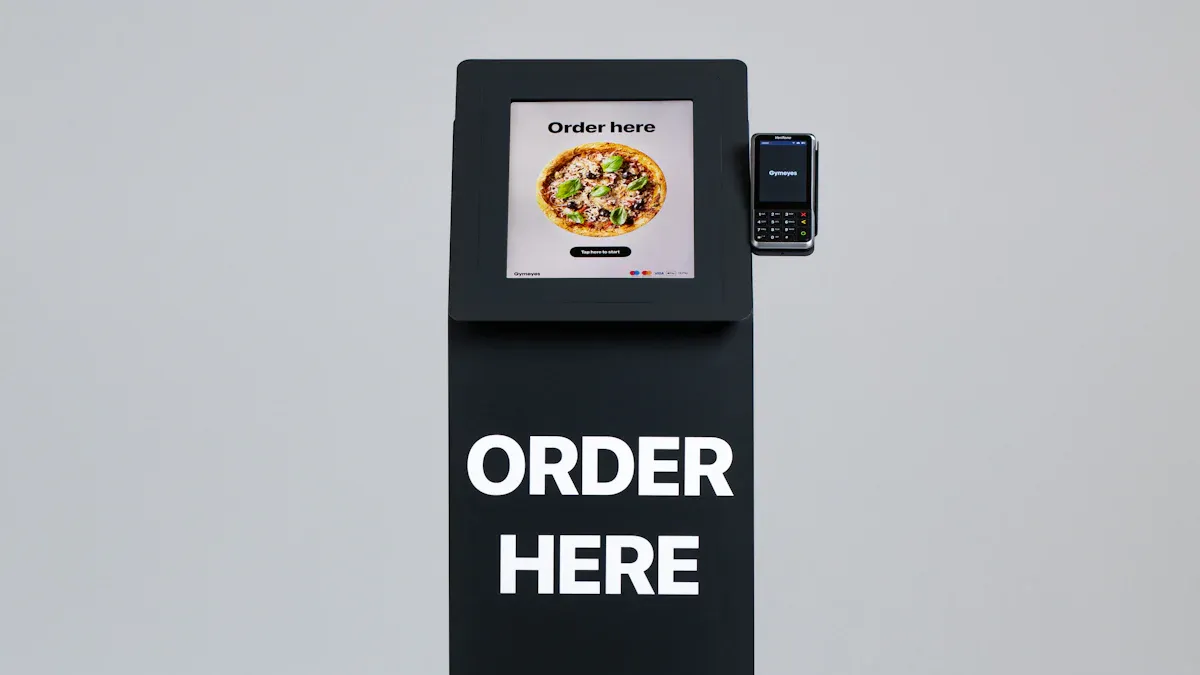
Leading Self-Service Kiosk Options
Self service kiosk solutions are found in many government offices. These kiosks help make lines shorter and easier to manage. Standard kiosks are good for quick setups and basic needs. Custom kiosks let you add special features for your agency. Outdoor kiosks work all day and night, even in bad weather. DMV services kiosks help you renew licenses and update registrations. They also help you reinstate insurance. Bill payment kiosks let you pay fines or utility bills quickly. Information kiosks show directions and event details in public places. Check-in kiosks help you manage visitors and keep things safe. Court services kiosks let you get documents and pay court fees. This helps staff have less work.
Type of Kiosk | Features |
|---|---|
Standard Kiosks | Quick setup, basic features |
Custom Kiosks | Unique features, branding options |
Outdoor Kiosks | Weather-resistant, 24/7 operation |
DMV Services | License renewals, registration updates, insurance reinstatement |
Bill Payment | Fast payment for fines and utilities |
Information Kiosks | Directions, event details |
Check-In Services | Visitor check-in, security badge issuance |
Court Services | Document retrieval, court fee payment |
Strengths & Weaknesses
Self-service kiosks in government offices help make lines shorter and easier to manage. New designs make it easier for people to use kiosks. These kiosks help serve more people and save money. You see fewer mistakes and faster service. Some kiosks are hard for people with disabilities to use. It can be tough to use braille or reach screens. You need to test kiosks with many users to fix these problems.
Tip: Always check if your self-service kiosk follows accessibility rules. This helps everyone use the kiosk and makes DMV lines shorter.
Best Use Cases
Self-service kiosks are used in many government places. DMV kiosks help make DMV lines shorter and easier to manage. Corrections kiosks let inmates check their accounts or schedule visits. WIC kiosks help families get benefits faster. Accounts payable kiosks let you pay bills without waiting in line. Information kiosks help you find your way and learn about events. Check-in kiosks make visitor management easy and keep things safe. Court kiosks help you pay fees and get documents. This makes DMV lines shorter and gives staff less work.
DMV: License renewal, registration updates, insurance reinstatement
Corrections: Inmate account access, visit scheduling
WIC: Benefit distribution, appointment check-in
Accounts Payable: Bill payment, fee processing
Information: Directions, event details
Court: Document retrieval, fee payment
Self-service kiosks help make lines shorter, manage crowds, and give better access to public services. These kiosks make visits easier and help government agencies serve people better.
Kiosk Solution Comparison Table
Business vs. Government Criteria
When you look at self-service kiosks for business and government, you will see some big differences. You need to pick a kiosk that matches what you need and helps you handle lines. The table below shows the main things to think about when choosing a self-service kiosk for your group.
Criteria | Business Kiosks | Government Kiosks |
|---|---|---|
Platform Compatibility | Works with your store or office systems. | Supports government hardware and software. |
Feature Set Alignment | Focuses on sales, customer service, and easy use. | Handles many services, like payments, check-ins, and document access. |
Scalability | Grows with your business as you add more kiosks. | Expands to serve more citizens and new services. |
Total Cost of Ownership | Looks at price, setup, and support costs. | Considers long-term costs, including security and compliance. |
Vendor Support and Stability | Needs strong support for fast repairs and updates. | Requires stable vendors who can meet strict rules. |
Integration Capabilities | Connects to sales, inventory, and loyalty programs. | Links with appointment, queue, and government data systems. |
User Experience Quality | Easy to use, fast, and looks good. | Must be simple for all, including people with disabilities. |
Security and Compliance | Protects customer data but rules are less strict. | Follows strong rules to keep citizen data safe. |
Queue Management | Helps you serve more customers and reduce wait times. | Essential for managing large queues and improving public service flow. |
Data and Analytics | Tracks sales and customer behavior. | Measures service delivery and queue performance. |
Always check if your self-service kiosk can manage lines in real time. This helps people move through lines faster and makes visits better. In government offices, line management is very important because many people need help at once. In business, you want short lines so customers are happy.
Look for kiosks that everyone can use. Screens that move and buttons that are easy to reach help people with disabilities.
Good kiosks work well with line systems so you can see wait times and make service better.
Security is important for both business and government, but government kiosks have to follow more rules.
If you pick the right self-service kiosk, you can handle lines better, spend less money, and give better service to everyone.
Choosing the Right Kiosk Solution
Step-by-Step Selection Guide
You can pick the best self-service kiosk by following some steps. First, think about what you want your kiosk to do. Set goals for your project. Maybe you want faster check-in or shorter lines. You might want happier customers. Write down things you will measure, like ticket size or how many people use the kiosk.
Next, learn about your customers or visitors. Find out what they need and how they use your services. Draw a map of their visit, from when they arrive to when they leave. Look for places where a kiosk can help. For example, you might put a kiosk at the front desk or in a payment area.
Pick hardware that fits your space and can handle your users. Make sure it works well for check-in and other jobs. Choose a vendor with a good record for fixing problems. Ask about repairs and how fast they help.
Check the software choices. Make sure the kiosk software connects to your other systems. Look for software that lets you change screens and steps. Make sure it keeps data safe and follows privacy rules.
Plan your network and power. Make sure the kiosk has strong internet and enough power. Test the kiosk in one place first. Try a pilot and collect data on check-in times and user feedback.
Change the kiosk if you find problems. Update screens and add signs to help people. Train your staff to help with check-in and fix small issues.
Put the kiosk in more places after testing. Keep watching your goals. Look at reports from the kiosk software. Track how many people use check-in and how fast lines move. See if people are happy with the service.
Tip: Do not pick a kiosk that costs too much or does not fit your needs. Always check if the vendor is good at fixing things. Make sure the software can change as you need.
Aligning Features with Goals
You should match kiosk features to your goals. If you want faster check-in, pick a kiosk with easy screens. If you want better efficiency, pick a kiosk that does simple jobs like check-in or payments. This lets your staff help with harder tasks.
Find kiosks that work all day and night. This helps people check-in anytime and gives them privacy. You can save money by using kiosks for easy jobs. Kiosks can handle many check-ins for less money than hiring more staff.
Kiosks also collect helpful data. You can learn what customers like and how well things work. Use this data to make check-in better.
Here is a table to show how kiosk features help your goals:
Benefit | Description |
|---|---|
Streamlining Operations | Kiosks do simple jobs fast, so staff can help with harder needs. |
Enhancing Customer Experience | Kiosks work all day, making things easier and more private. |
Reducing Labor Costs | Kiosks do many jobs for less money, so you save fast. |
Collecting Valuable Data | Kiosks give you info about what people like and how things work. |
You can see if your kiosk works by tracking things like ticket size, orders per hour, labor cost, order accuracy, customer happiness, and how many people use the kiosk. Look at reports in your kiosk software. Check daily, weekly, and monthly use. Track things like check-ins, payments, and documents.
Metric | Target/Goal |
|---|---|
Average ticket size | 15-30% more |
Order volume per hour | More during busy times |
Labor cost as percentage | Should go down |
Order accuracy rate | Should be almost perfect |
Customer satisfaction scores | Should get better |
Kiosk adoption rate | More people using kiosks |
Note: Always make your kiosk fit your needs. Do not use a one-size-fits-all kiosk. Pick a vendor that lets you choose the best software for your goals.
You can help your business or agency work better by picking the right kiosk. Match features to your goals for better service and lower costs. Keep checking your numbers and make changes as you learn more.
You can make your business run better with the right self-service kiosk. Kiosks help you cut down wait times by almost half. They also help you sell more things to customers. If you plan and test first, you will not waste money. Pick kiosk features that fit what you need. This makes your work faster and helps people more. Put kiosks where lots of people go. Choose software that matches your goals. Look at data and ask vendors for help when picking a kiosk.
Key Takeaway | Why It Matters |
|---|---|
Reduced Wait Times | Faster service for everyone |
Higher Revenue | More sales with upsell prompts |
Careful Planning | Avoids costly errors |
Feature Alignment | Improves efficiency and access |
Follow the step-by-step guide and compare your choices. This will help you pick the best kiosk for your business or agency.
FAQ
What is a self-service kiosk?
A self-service kiosk is a machine that lets you complete tasks without help from staff. You can check in, pay bills, or get information. Businesses and government offices use kiosks to make service faster.
How do self-service kiosks improve efficiency?
You use kiosks to speed up check-in and payment. Kiosks help reduce wait times and let staff focus on harder jobs. You see fewer mistakes and faster service.
Are self-service kiosks secure?
You keep your data safe with strong passwords and regular software updates. Kiosks follow security standards like PCI and UL. Vendors help you protect information from hackers.
Can kiosks work for people with disabilities?
You find kiosks with accessible screens, voice guides, and easy-to-reach buttons. Vendors test kiosks with many users. You make sure kiosks follow rules like Section 508.
How much does a self-service kiosk cost?
You pay $1,500 to $20,000 for a kiosk. The price depends on features and size. You also pay for setup, maintenance, and software updates.
See Also
Understanding Self-Service Kiosks: Functionality and Operation
Effective Solutions for Common Kiosk Problems and Maintenance
Evaluating Touch Screen Kiosks: Performance and Cost Analysis
Essential Features to Look for in Modern Touch Kiosks
Six Essential Tips for Selecting Interactive Business Kiosks
