Reflective LCD vs E Ink Which Display Is Best for Your Eyes in 2026
Shenzhen TopAdkiosk Display Technology Co., Ltd.
Add.: 2F, Bldg 10, Changfeng Industrial Park, Dongkeng, Fenghuang, Guangming, Shenzhen, China 518132
Mobile/WHATSAPP: 86-138 25769658
Email: marketing@topadkiosk.com topadkiosk@gmail.com
Skype: pghenry1
Wechat: adkioskhenry
English Web.: http://www.topadkiosk.com/
https://www.topkioskdisplay.com/
http://www.ad-kiosk.com/
https://www.toplcddisplay.com/
http://www.multitouchdigitalsignage.com/
https://www.youtube.com/channel/UCYVYNJHxLVEcQD8fuUxXNTA/videos?view_as=subscriber
https://www.facebook.com/TOPADKIOSKSHENZHEN/?ref=bookmarks
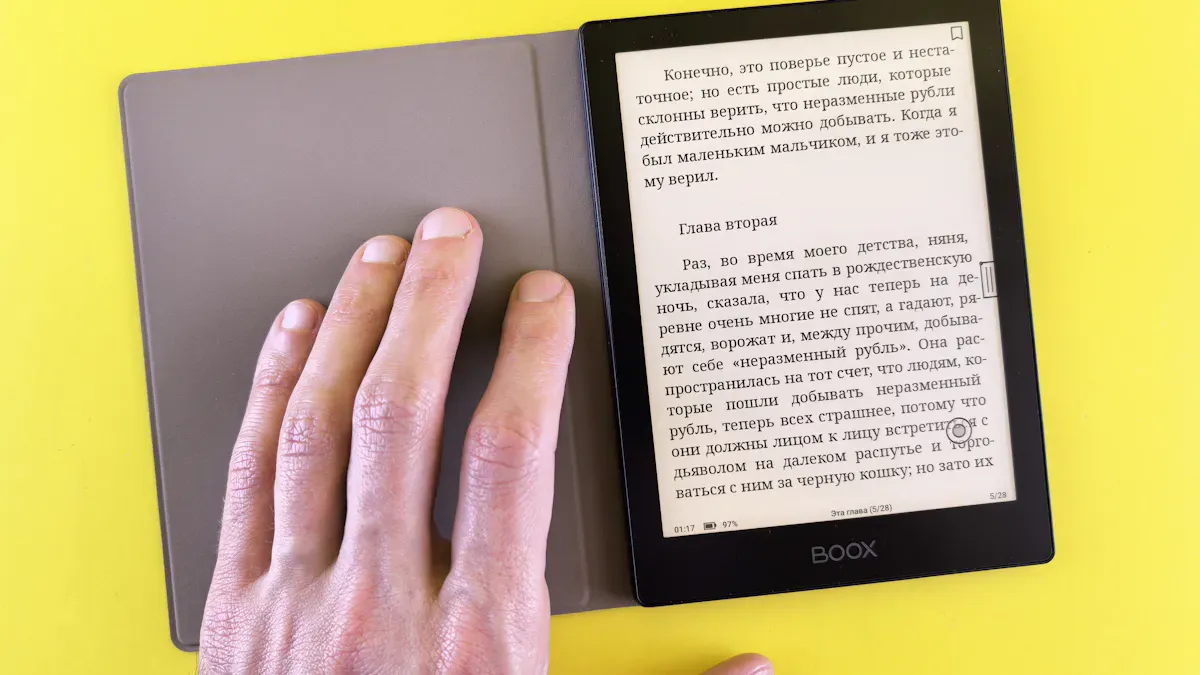
You want a screen that is good for your eyes in 2026. E Ink is great for eye comfort because it cuts down blue light. It also helps stop your eyes from getting tired and helps you sleep better. Reflective lcd display uses the light around you to show pictures. This means it has less glare and strain than old screens. E Ink has a matte finish and an anti-glare surface. This makes reading easy even when the sun is bright. Eye health and comfort are very important when picking your device.
E Ink lowers stress on your eyes and the chance of nearsightedness.
Reflective lcd display gives clear pictures without strong backlighting.
Key Takeaways
E Ink displays help your eyes feel less tired. They do not give off much blue light. This makes them great for reading for a long time.
Reflective LCD screens use the light around you. This cuts down on glare. It helps you see well when it is bright outside.
E Ink screens look like paper. They are easy to read and do not flicker or glare. You can use them outside with no problem.
Pick E Ink if you want to read or study. Reflective LCD is better if you need color or must see in different lights.
Both types save energy. But E Ink can last longer on one charge. You can use it for a long time without charging often.
E Ink vs LCD: Quick Comparison
Eye Comfort Overview
You want a screen that keeps your eyes safe and comfy. When you look at e ink vs lcd, you notice big changes in how they affect your eyes. E Ink screens do not make blue light. They use the light in the room, just like paper does. This helps your eyes feel less tired and lets you read longer without pain. LCD screens, even reflective lcd, use backlights. Most lcd screens make blue light between 415 and 455 nanometers. This can make your eyes tired, give you headaches, and make it hard to sleep if you use them for a long time.
Many people get digital eye strain from using screens. You might get dry eyes, blurry vision, or headaches after looking at a screen. E Ink screens help stop these problems because they do not shine light right into your eyes. LCD screens, even with new tech, still use light that shines out. Reflective lcd tries to cut down glare by using room light, but it is not as comfy as E Ink for long reading.
Here is a table to show you the main differences:
Feature | E Ink Displays | LCD Displays |
|---|---|---|
Eye Comfort | Emit no blue light, reducing eye strain. Mimics natural light reflection. | Emit blue light (415–455 nm), contributing to eye strain and fatigue. |
Readability | Offers a paper-like reading experience, ideal for extended reading. | Relies on backlighting, which can cause glare and discomfort. |
Health Implications | Minimal blue light exposure, recommended for prolonged use. | Prolonged exposure can disrupt sleep cycles and increase discomfort. |
Tip: If you read for many hours, E Ink screens will keep your eyes healthy and comfy.
Key Differences in 2026
Both lcd and E Ink screens have new tech in 2026. Reflective lcd screens now use room light to show pictures. This means you see less glare than old lcd screens. The screen does not shine bright light into your eyes. It uses the light around you instead. This makes reflective lcd better for your eyes than old lcd, but it still makes some blue light.
E Ink screens are now faster and show colors. You can see color pictures and turn pages quickly. Flexible screens make devices lighter and easy to carry. Ghosting reduction helps E Ink screens show clear pictures with no leftover marks. These upgrades make E Ink screens even more comfy for your eyes.
When you use a device outside, E Ink screens are the best. They use room light so you can read in bright sun. Reflective lcd screens also work well outside, but E Ink gives you no glare. E Ink looks like ink on paper and is easy to see in bright places. LCD screens, even reflective lcd, cannot be as clear or comfy as E Ink.
Here is another table to show eye strain and benefits:
Display Type | Eye Strain Level | Additional Benefits |
|---|---|---|
E-Ink Monochrome | Reflects ambient light, mimics paper | |
E-Ink Color | Less strain | Reflects ambient light, mimics paper |
Traditional LCD | More strain | Emits blue light, can cause dryness and headaches |
Traditional OLED | More strain | Emits blue light, can cause dryness and headaches |
New things in lcd and E Ink screens in 2026:
Better color pictures
Flexible screens
Lower costs to make
Smoother picture changes
Reflective lcd screens use a special layer to bounce room light. The screen shows pictures without strong backlights. This cuts down glare and makes the screen easier on your eyes. You see clear pictures in bright rooms and outside. But E Ink still gives the best comfort for long reading.
Note: If you want to read outside or study for a long time, E Ink screens will protect your eyes better than lcd screens.
How Reflective LCD Display Affects Your Eyes

Eye Comfort with Reflective LCD
You might ask what a reflective LCD display is. This screen uses a layer that bounces light from the room. It does not shine a bright backlight into your eyes. The screen reflects the light around you. You see pictures and words clearly because the screen matches the room’s brightness. Tiny liquid crystals change how light moves through the screen. When you look at a reflective LCD display, you see less glare and softer images. This helps you focus better when reading for a long time.
Many people who use reflective LCD display for work or school say their eyes feel calm. Carly, a writer, said she is sensitive to backlit screens. She thinks reflective LCD display is much easier for long reading and work. Voja from MyDeepGuide said the difference between reflective LCD and old screens is big. You can use reflective LCD display for hours and not feel eye strain. A Reddit user also said reflective LCD keeps their eyes calm during long reading.
Here is a table that shows how reflective LCD display helps your eyes:
Advantage | Description |
|---|---|
No blue light emission | Reflective LCD display does not make blue light, so your eyes feel less tired. |
No backlight flickering | You do not see flickering like on backlit screens, so your eyes feel good. |
Matches ambient illumination perfectly | The screen changes to match the room’s light, so you see clear pictures and feel comfy anywhere. |
Tip: You can use reflective LCD display for long reading and not worry about headaches or tired eyes.
Reflective LCD in Different Lighting
Reflective LCD display works well in many kinds of light. Inside, you see sharp words and pictures because the screen uses room light. You do not need to make the screen brighter. Outside, reflective LCD display uses sunlight to show clear pictures. You can read or work outside without glare or faded colors. The screen stays easy on your eyes even in bright sunlight.
You get the best results when you use reflective LCD display in places with good light. The screen does not make your eyes tired like old LCD screens. You can study, read, or work for a long time. You notice less dryness and fewer headaches. Reflective LCD display gives you comfort and clear pictures in all kinds of light.
Note: If you want a screen that keeps your eyes safe during long reading, reflective LCD display is a smart choice for inside and outside.
E-Ink and Eye Health
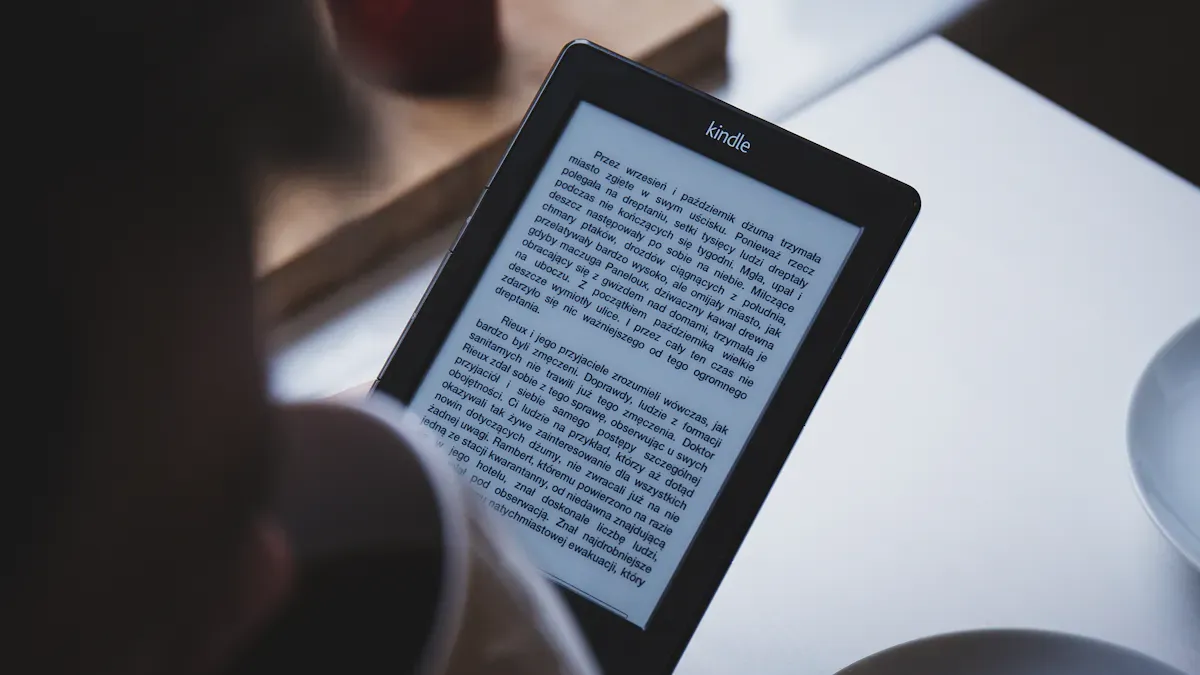
E-Ink for Reading and Comfort
You want a screen that feels easy on your eyes. E Ink displays give you that comfort. These screens do not shine blue light into your eyes when the front light is off. Even with the front light on, E Ink gives off much less blue light than LCD screens. This means you can read for hours without feeling tired or getting headaches.
E Ink screens look like paper. They do not flicker or glare. You can read books, study, or look at notes for a long time. Your eyes stay relaxed. Many people say E Ink displays are up to three times healthier for your eyes than LCD screens. E Ink also uses ComfortGaze™ technology. This special light keeps your eyes safe by lowering blue light even more.
Here is a table that shows how E Ink helps your eyes:
Feature | How E Ink Helps You |
|---|---|
Blue Light Emission | Almost none, so your eyes feel less tired. |
Eye Strain | Much lower than LCD, so you can read longer. |
Reading Comfort | No glare or flicker, just like real paper. |
Retinal Stress | Less stress on your eyes over time. |
Tip: If you want to protect your eyes during long reading, E Ink is the best choice.
E-Ink in Sunlight and Low Light
You can use E Ink screens almost anywhere. In bright sunlight, E Ink stays clear and easy to read. The screen does not reflect harsh light, so you do not squint or move to find shade. At night or in low light, you can turn on the front light. This light is soft and does not disturb your sleep.
E Ink devices also last much longer on one charge. You do not need to worry about the battery running out quickly. You can read for weeks without charging. E Ink screens help you sleep better, too. They do not keep your brain awake like bright LCD screens.
E Ink gives you long battery life.
You get less eye strain in any light.
You sleep better because E Ink does not disturb your body’s clock.
You spend less time on screens, which helps you relax.
Note: E Ink screens let you read, study, or work anywhere—inside, outside, day, or night—while keeping your eyes healthy.
Real-World Use Cases
Reading and Study
You read every day for school or work. You look at books, articles, and notes. E Ink displays help your eyes when you read a lot. They use room light and look like paper. Your eyes feel less tired. Reflective LCD displays shine light right at you. This can make your eyes hurt if you read for a long time. Reflective LCD uses more power while you read. E Ink only uses power when you turn the page. E Ink shows clear words in any light. Reflective LCD can be hard to see in bright light.
Here is a table to help you pick the best screen for reading and study:
Feature | E Ink Displays | Reflective LCD Displays |
|---|---|---|
Light Emission | Uses room light, looks like paper | Shines light, can make eyes tired |
Eye Fatigue | Makes eyes 50% less tired after long use | Makes eyes more tired from blue light |
Power Consumption | Uses power only when you change pages | Uses more power while you read |
Reading Comfort | Shows clear words in all kinds of light | Can be hard to see in bright light |
Tip: E Ink is best for reading and study. It keeps your eyes feeling good and helps you focus longer.
You can use many things for reading. Teachers can change screens for all students. You see labels with words and pictures. You find things like Braille and signs you can touch. You enjoy stories and facts. E Ink displays make reading easier for everyone.
Work and Productivity
You do tasks that need you to focus. You look at screens for many hours. E Ink displays cut down blue light. You see less glare. Your eyes feel comfortable. LCD screens make blue light that can hurt your eyes. This makes your eyes feel bad after long work. Harvard says E Ink with ComfortGaze™ is three times easier on your eyes than LCDs.
You should pick E Ink for work that needs reading. You keep your eyes safe and get more done. Reflective LCD is better than old LCD screens. It still makes some blue light. You may feel tired after using it for a long time. E Ink gives you a better experience.
Outdoor and Travel
You go outside and travel. You need screens you can see in sunlight. E Ink displays are easy to see in bright sun. You see clear words and pictures. E Ink saves energy. It uses less power than LCD screens. You get information even if the power goes out. E Ink keeps pictures on the screen without power.
Bus and train screens show real-time info.
Maps help you find your way in public places.
Menus are easy to read outside and can change from far away.
You get the best outdoor screens with E Ink. Reflective LCD works well outside. It is not as clear as E Ink in sunlight. You should use E Ink for reading and travel outside. You save battery and keep your eyes feeling good.
Note: Pick E Ink for reading, work, and outside use. You keep your eyes safe and see clear screens everywhere.
Pros and Cons: Reflective LCD vs E Ink
Reflective LCD Pros and Cons
You want a screen that keeps your eyes safe. Reflective LCD uses room light to show pictures. This helps cut glare and lowers blue light. Your eyes feel better after using it for a long time. You can see the screen outside in sunlight. The screen uses very little power, so your device lasts longer.
Helps stop eye strain and pain
Lets you see well in sunlight with less glare
Uses much less energy than old screens
There are some problems with reflective LCD screens. The table below shows the main issues:
Disadvantage | Description |
|---|---|
Colors may not look as bright as other screens. | |
Refresh rates | Pictures may not move as smoothly because of slow refresh rates. |
Potential eye strain | Bad lighting or wrong use can still make your eyes hurt. |
Note: You get clear pictures and less glare, but colors and contrast may not be as strong sometimes.
E Ink Pros and Cons
E Ink screens feel like reading real paper. You see less glare and get a natural reading experience. The screen reflects light, so you avoid blue light and eye strain. You can use your device for a long time without charging. The table below shows the main good points:
Advantage | Description |
|---|---|
Reduced Eye Strain | The screen reflects light like paper, so you get less blue light and glare. |
Natural Reading Experience | You get comfy viewing with high contrast, just like reading a book. |
Energy Efficiency | You can use your device for weeks before charging again. |
There are some downsides to E Ink screens.
Some screens show weak contrast, so reading is harder.
Bad front lights can make the screen look washed out and cause discomfort.
Flickering on some models can make your eyes hurt and cause glare.
Tip: E Ink screens are great for your eyes and give high contrast, but make sure you have good lighting and avoid screens that flicker.
Who Should Choose Which Display?
Best for Readers and Students
You spend many sessions reading, studying, or doing homework. You want comfort for your eyes during long sessions. E Ink displays give you the best comfort because they mimic paper and reduce eye strain. You can read for hours without feeling tired. Bookworms love E Ink because it helps you focus on your sessions and keeps your eyes healthy. You also get long battery life, so you do not worry about charging during study sessions. E Ink displays work well in bright sunlight and low light, making them perfect for classrooms, libraries, and outdoor reading. If you want comfort and clear words for your sessions, E Ink is the best choice.
Best for Professionals
You join many work sessions every day. You need comfort for your eyes while you look at screens for meetings, emails, and reports. Reflective LCD displays help you see clear images in bright offices and outside. These displays use ambient light, so you get comfort without harsh backlighting. You save energy during long sessions because reflective LCDs use less power than old screens. Some features, like stable contrast and multicolor support, make your sessions more productive. E Ink displays also help professionals who need comfort and eco-friendly options. You can use E Ink for retail shelves or signs that stay on for many sessions without using much power.
Reflective LCDs give you comfort in sunlight and bright rooms.
E Ink displays offer comfort for long reading or static sessions.
Both displays help you work better and protect your eyes during busy sessions.
Best for Outdoor Use
You spend sessions outside, traveling, or working in the sun. You want comfort for your eyes and a screen you can see in any light. E Ink displays give you the best comfort outdoors. You see clear words and images, even in direct sunlight. Bookworms who read outside love E Ink for its comfort and easy viewing. Reflective LCD displays also work well outdoors. They reflect sunlight, so you get comfort and bright images during your sessions. Both displays use less power, so you can enjoy long sessions without charging often.
E Ink Displays | Reflective LCD Displays | |
|---|---|---|
Outdoor Comfort | Excellent in sunlight | Good in sunlight |
Power Use in Sessions | Very low | Low |
Eye Comfort | High | High |
Best for Bookworms | Yes | Sometimes |
Tip: Choose E Ink for the most comfort during outdoor sessions. Pick reflective LCD if you want color and comfort in many lighting conditions.
You want the best display for your eyes. In 2026, E Ink gives you the most comfort for long reading and study. Reflective LCD also protects your eyes and works well in sunlight. Choose E Ink for reading and study. Pick reflective LCD if you need color or use your device outside often.
Tip: Think about how you use your device. The right screen will keep your eyes healthy and help you enjoy every session.
🪞 How It Works
Ambient light enters the front of the display.
It passes through the liquid crystal layer, which rotates the polarisation of the light based on the voltage applied to each pixel.
The light then reaches a reflective layer (usually a metallic mirror or a diffuse reflector) at the back of the panel.
The reflector sends the light back through the liquid crystal layer and the front polariser, forming an image.
Because no backlight is used, reflective LCDs consume very little power – often just microwatts – making them ideal for battery‑powered devices.
✅ Advantages
Extremely low power consumption – no backlight, so energy is used only for switching pixels.
Excellent sunlight readability – the brighter the ambient light, the clearer the display (no glare or wash‑out).
Thin and lightweight – no backlight module reduces thickness.
❌ Disadvantages
Poor visibility in dim or dark environments – needs external light to be seen.
Lower contrast and colour saturation compared to backlit (transmissive) displays.
Slower response times – not suitable for video or fast‑moving content.
🔄 Comparison with Other LCD Types
Type | Light Source | Power Consumption | Sunlight Readability | Dark Environment Use |
|---|---|---|---|---|
Reflective | Ambient light only | Very low | Excellent | Poor (needs external light) |
Transmissive | Built‑in backlight | High | Poor (washed out) | Excellent |
Transflective | Ambient light + backlight | Medium | Good | Good |
🏢 Typical Applications
E‑readers (non‑backlit models like early Kindle).
Outdoor instruments (solar panels, industrial gauges, parking meters).
Smartwatches (some solar‑assisted models).
Digital signage in very bright environments (where backlight would be overpowered).
In summary, a reflective LCD is a specialised display that trades off low power and sunlight readability for limited use in dark conditions. It works by reflecting ambient light off a mirror‑like layer instead of generating its own light.
FAQ
What is a reflective LCD display and how does it work?
You see a reflective LCD display use ambient light to show images. The screen reflects light from your surroundings. Liquid crystals change the way light passes through. You get clear pictures without harsh backlighting. This helps you enjoy excellent readability and reduced eye strain.
Why do e-ink screens help your eyes during prolonged reading sessions?
You benefit from e-ink screens because they mimic paper. These screens emit almost no blue light. You avoid glare and flicker. You read for hours with less discomfort. E-ink screens support prolonged reading sessions and keep your eyes healthy.
Are e-ink displays good for media consumption?
You use e ink for reading, but media consumption works best on color e-ink screens. You see images with high contrast and glare-free screens. Cutting-edge e-ink tablets now support videos and comics. You enjoy battery efficiency and superb battery life.
How do e-readers with e-ink compare to reflective LCD for outdoor use?
You use e-readers with e-ink outside and see clear text in sunlight. E-ink screens reflect light, so you avoid glare. Reflective LCD also works well outdoors. E-ink gives you better readability and comfort for your eyes.
What makes e-ink displays energy efficient?
You notice e-ink displays use power only when you change pages. E-readers with e-ink last weeks on one charge. You enjoy superb battery life and battery efficiency. E-ink screens help you read longer without worrying about charging.
Tip: You get the best experience for prolonged reading sessions and outdoor use with e-ink screens.
See Also
Top Retail Kiosks Featuring LCD Displays for 2026
Essential LCD Display Innovations to Discover in 2026
New Developments in Interactive Screen Tech for 2026
