How to Streamline Queuing with Self Service Terminals in 2026
Shenzhen TopAdkiosk Display Technology Co., Ltd.
Add.: 2F, Bldg 10, Changfeng Industrial Park, Dongkeng, Fenghuang, Guangming, Shenzhen, China 518132
Mobile/WHATSAPP: 86-138 25769658
Email: marketing@topadkiosk.com topadkiosk@gmail.com
Skype: pghenry1
Wechat: adkioskhenry
English Web.: http://www.topadkiosk.com/
https://www.topkioskdisplay.com/
http://www.ad-kiosk.com/
https://www.toplcddisplay.com/
http://www.multitouchdigitalsignage.com/
https://www.youtube.com/channel/UCYVYNJHxLVEcQD8fuUxXNTA/videos?view_as=subscriber
https://www.facebook.com/TOPADKIOSKSHENZHEN/?ref=bookmarks
You want quicker service and smaller lines. Queuing Self Service Terminal technology helps make this happen. In 2026, about eight out of ten restaurants with self-service kiosks have shorter waits. Customers finish their orders almost 40% faster. Advanced kiosks and virtual queuing help you get through lines easily.
Key Takeaways
Self-service kiosks cut wait times by 40%. This helps customers finish orders faster. People can have a better experience.
Virtual queuing lets customers join lines on their phones. They do not have to wait in person. This makes things easier for everyone.
Clear signs and helpful staff can make people feel better. More people will want to use self-service terminals.
Queuing Self Service Terminal Overview
Core Functions & Operation
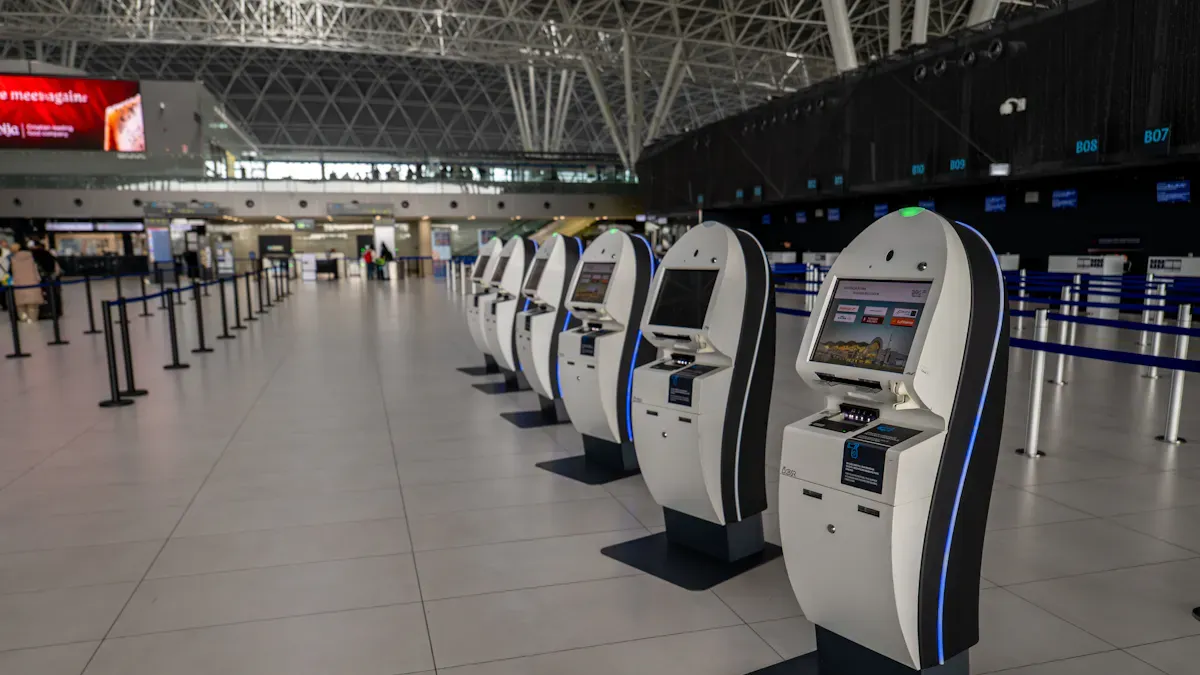
You see Queuing Self Service Terminals almost everywhere now. These smart kiosks let you check in for appointments, order food, or buy tickets without waiting for staff. You just walk up, tap a few buttons, and get what you need. This system helps you move through lines faster and gives you more control over your experience. Many people like using these terminals. In fact, 73% of customers say they prefer self-service over talking to staff. You get to follow simple steps on the screen, which makes things easy and quick.
Here’s what you can do with a Queuing Self Service Terminal:
Check in for appointments at clinics or banks.
Order food at restaurants.
Print tickets for movies or events.
Get a queue number for government services.
Key Features in 2026
In 2026, these terminals have become even smarter and more helpful. You will notice lightweight kiosks that fit in small spaces. Many places now use virtual queuing, so you can join a line with your phone by scanning a QR code. You don’t have to stand around and wait.
Let’s look at some top features:
Advancement Type | Description |
|---|---|
Virtual Queuing | Join lines using QR codes—no need to touch a screen or wait in person. |
Contactless Experiences | Use your phone or gestures for a cleaner, safer process. |
Enhanced Backend Analytics | Businesses can predict busy times and adjust staff to help you faster. |
Multimedia Interactive | Watch helpful tips or ads while you wait, making the time go by quickly. |
With these upgrades, Queuing Self Service Terminals make your day smoother and your wait shorter.
Benefits & Best Practices
Faster Check-In & Reduced Wait Times
You want to finish fast and not wait long. Queuing Self Service Terminal technology helps you do this. Airports, banks, and clinics use these kiosks to make check-in faster. You notice the change right away.
Airports with self-service kiosks cut wait times by 40% during busy times.
Dubai International Airport made passenger processing faster with these terminals.
Most passengers—about 85%—like kiosks because they move quickly and skip long lines.
You save time every time you visit. Self-service kiosks lower wait times from 12 minutes to just under 5 minutes. That means you get back about 7 minutes each visit. Banks with queue management systems help more people in less time. Staff can help you more instead of just checking you in.
"I used to wait a long time at the clinic. Now, I check in myself and see my spot in line. It feels less stressful."
Staff Efficiency & Cost Savings
Queuing Self Service Terminal systems help staff do their jobs better. They keep customers moving and stop crowds from building up. Staff spend more time helping you and less time watching lines. Here’s how these systems help:
Benefit | Description |
|---|---|
Streamlined Customer Flow | Queuing systems keep lines moving and make service faster. |
Reduced Wait Times | You wait less, so staff can help more people. |
Real-time Analytics | Businesses use data to plan shifts and handle busy times. |
Improved Resource Allocation | Staff go where they are needed most, based on real needs. |
Increased Staff Productivity | Staff focus on helping, not just managing lines. |
Banks say staff work up to 90% better with smart queue management. Data helps businesses plan shifts and cut down on overtime. You get better service, and businesses save money.
Data Collection & Personalization
Queuing Self Service Terminal kiosks gather helpful information. You pick your language, choose your service, and enter what you need. Businesses use this data to make your visit better.
Evidence Point | Description |
|---|---|
Data Collection | You give details like language and service, so businesses know what you want. |
Personalization | The system remembers your visits and gives you services you like. |
Efficiency | Your visit is smoother, and you feel happier with the process. |
Security is important too. These kiosks lock your data and use safe logins. Only staff with permission can change settings. Your privacy stays safe.
Industry Applications & Examples
You see Queuing Self Service Terminal kiosks in many places. Healthcare clinics use them for self-check-in. Patients check in, update their info, and pick their language. This keeps the lobby clear and helps everyone, even those who speak other languages.
Sector | Example Description | Key Benefits |
|---|---|---|
Healthcare | Outpatient clinic with queue kiosks for self-check-in. | Fast check-in, fewer lobby crowds, updates before visits, support for many languages. |
Government | City permit office with self-service kiosks for signing in. | Faster check-ins, better routing, support for many languages, better service. |
Single line queue systems and self-service kiosks keep customers moving. You get a smooth experience, and staff help more people. Arapahoe County Clerk’s office cut wait times by 75% after using these systems.
Benefit | Description |
|---|---|
Reduce waiting times | Self-service kiosks keep lines short and move people fast. |
Enhance customer experience | You get a calm, personal service. |
Improve operations | Staff help where needed, and customers do not wait too long. |
Increase sales | Faster service means more chances to sell. |
Proven results | Real offices see big drops in wait times and happier customers. |
Best Practices for Implementation
You want your Queuing Self Service Terminal to work well for everyone. Try these ideas:
Put kiosks at entrances where people line up.
Use clear signs that show you what to do.
Make QR codes easy to see and scan.
Connect check-in data to your analytics for a full view.
Test if everyone, even those new to tech, can use it.
Group services into clear sections and sort visitors by appointment or need.
Choose if one line works or if you need special lines for some services.
Set rules for urgent cases or people who need extra help.
Tip: Make sure your kiosks follow ADA rules. Things like raised buttons and sound cues help everyone use the system. Customers like fair and easy service.
You get a better visit, and businesses run smoother. Queuing Self Service Terminal technology keeps lines short, staff focused, and customers happy.
Challenges & Solutions

Hardware & Software Limitations
Not all kiosks work the same way. Some have old screens or slow internet. These problems can make things slower for you. Here are some common issues you might see:
Limitation Type | Description |
|---|---|
Hardware Compatibility | Some kiosks need special parts to work well. |
Display Lifespan | Commercial screens last longer than normal ones. |
Processing Power | Harder tasks need more power and memory. |
Network Connectivity | Bad internet makes updates and check-ins slow. |
Peripheral Integration | Adding printers or scanners can be hard for some kiosks. |
You can fix many of these problems with smart ideas. Cloud software updates keep your system new. Virtual queue management lets you join a line on your phone. Digital screens and live dashboards show your place in line and help things move.
Customer Awareness & Adoption
Some people feel nervous about new technology. You can help by making kiosks easy to spot and use. Put them near doors or busy places, about every 150 to 200 feet. Add voice help, bright screens, and many languages. These things make it simple for everyone.
Tip: Friendly staff and clear signs help more people use kiosks.
Actionable Steps for 2026
You want your Queuing Self Service Terminal to work well right away. Here are some steps you can take:
Actionable Step | Benefit |
|---|---|
Implement SMS or email alerts | Customers know when it is their turn. |
Display queue numbers at service counter | Easy move from waiting to service. |
Utilize queue analytics | Better staffing and faster help. |
Automate check-in, ordering, and payment | Less waiting and quicker visits. |
Ensure 24/7 availability of kiosks | Use kiosks anytime, even late at night. |
Minimize human error through automation | Orders and payments are more correct. |
Manage queues efficiently | Less crowding and less confusion. |
Scale kiosks with business growth | Help more people without hiring more staff. |
If you already use a queuing system, look for upgrades like real-time tracking or mobile alerts. Train staff to manage lines, talk clearly, and find ways to improve. This keeps lines short and customers happy.
Queuing Self Service Terminals change how you handle lines. You see shorter waits, less staff stress, and lower costs. Check out the impact below:
Evidence Type | Description | Impact |
|---|---|---|
Wait Time Reduction | Urgent care center cut waits from 12 to under 5 minutes. | Happier customers, smoother workflow. |
Staff Workload Decrease | Outpatient clinic saw 30% less front-desk workload. | Staff focus on important tasks. |
Cost Savings | Retail chain lowered payroll costs with kiosks. | More savings, same great service. |
You can review your current system, try new kiosks, and keep improving in 2026.
FAQ
How do I use a Queuing Self Service Terminal?
You just walk up, tap the screen, and follow the steps. The terminal guides you through check-in, ordering, or getting a queue number.
Can I join a queue with my phone?
Yes! Many places let you scan a QR code with your phone. You join the line without touching the Queuing Self Service Terminal.
Are Queuing Self Service Terminals safe for my information?
Absolutely. These terminals use secure logins and protect your data. Only staff with permission can see or change your information.
See Also
Enhancing Restaurant Efficiency Through Digital Signage Solutions
Top LCD Kiosks Ideal for Retail Spaces in 2026
Seven Strategies to Enhance Customer Interaction Using Digital Signage
Leading Digital Signage Solutions for Retail Outlets in 2026
