What is LCD: Discover the Ups and Downs
Shenzhen TopAdkiosk Display Technology Co., Ltd.
Add.: 2F, Bldg 10, Changfeng Industrial Park, Dongkeng, Fenghuang, Guangming, Shenzhen, China 518132
Mobile/WHATSAPP: 86-138 25769658
Email: marketing@topadkiosk.com topadkiosk@gmail.com
Skype: pghenry1
Wechat: adkioskhenry
English Web.: https://www.topkioskdisplay.com/
http://www.ad-kiosk.com/
https://www.toplcddisplay.com/
http://www.multitouchdigitalsignage.com/
https://www.youtube.com/channel/UCYVYNJHxLVEcQD8fuUxXNTA/videos?view_as=subscriber
https://www.facebook.com/TOPADKIOSKSHENZHEN/?ref=bookmarks

You see LCD screens everywhere—on TVs, laptops, and even in your pocket. LCD stands for liquid crystal display. When you ask what is LCD, think of a flat, light, and bright screen that uses liquid crystals to show images. LCD technology makes up about 60% of the world’s display sales, which means most people use it daily. Over the past decade, you have watched LCDs replace bulky old screens, making devices slimmer and more energy efficient. You now enjoy bigger, clearer displays at home or work, thanks to these advances.
Key Takeaways
LCD means liquid crystal display. It is a technology in many devices like TVs and smartphones. LCD gives clear and bright pictures.
LCD screens save energy. They use less power than older screens. This can help you pay less for electricity.
These screens are thin and light. You can move or hang them easily. They help save space at home or work.
LCDs have sharp pictures and good quality. But they may not show deep blacks well. They also have small viewing angles.
Think about what you need before picking an LCD screen. LCDs are good for daily use. But they may not work best in dark rooms or for jobs needing perfect colors.
What is LCD Display
Basic Definition
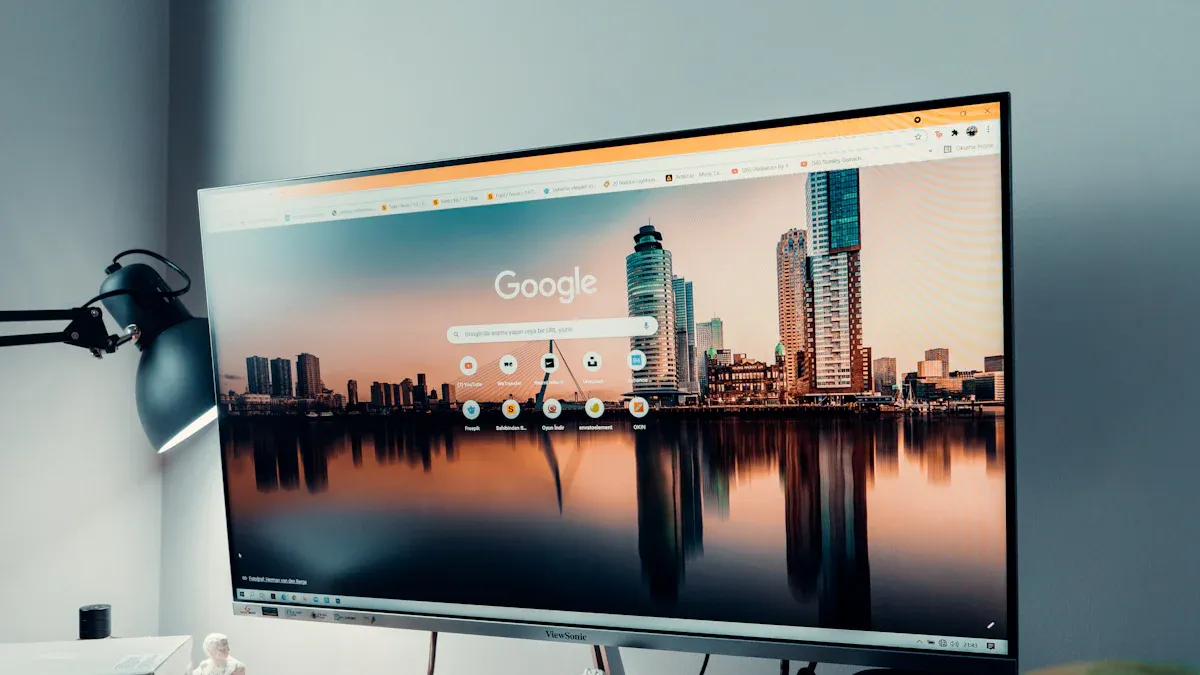
Many people ask what is LCD when they see screens. LCD means liquid crystal display. This uses liquid crystals between glass panels. When you turn on a device, the lcd display shows pictures. It controls light through the crystals. The screen is flat and light. It looks bright and clear. LCDs do not make light. They use a backlight to light up the screen. You see lcd displays in TVs, computers, and phones.
How LCD Works
LCD technology controls light with liquid crystals. A backlight shines through the screen first. Light goes through polarizer films. These films filter and guide the light. The liquid crystal layer changes when voltage is added. This change lets light pass or blocks it. It makes pixels bright or dark. Transparent electrodes help control each pixel. Color filters split pixels into red, green, and blue. This lets you see full-color images. The TFT array helps the screen react fast. Spacer beads keep parts in place. Alignment layers stop visual problems. Rear polarizers make contrast and clarity better. When you ask what is LCD, you learn this system gives sharp, colorful pictures.
Common Uses
LCD displays are used in many places and devices. You use them every day without noticing. Here are some places where lcd technology is found:
Industry | Applications |
|---|---|
Industrial Automation | Human-Machine Interfaces, Process Monitoring, Control Rooms, Industrial IoT Dashboards |
Retail | Advertising and Promotions, Interactive Kiosks, Wayfinding Solutions, Customer Engagement |
Automotive | Vehicle Dashboards, Infotainment Systems, Fleet Management Displays, Passenger Information Systems |
Medical | Diagnostic Imaging, Patient Monitoring, Surgical and Operating Rooms, Healthcare Kiosks |
Outdoor and Harsh Environments | Various applications suitable for outdoor use |
You see lcd displays in homes, offices, cars, hospitals, and stores. When you ask what is LCD, you find out it powers screens you use every day.
LCD Advantages
High Resolution
LCD screens show sharp pictures and clear words. Modern lcd displays have high resolution. This means you see more details in every image. Many lcd panels have pixel densities over 800 PPI. Some even go past 1000 PPI. This clarity is great for graphic design or watching movies. Look at the table to compare lcd with other screens:
Display Technology | Pixel Density (PPI) |
|---|---|
LCD | >800 to >1000 |
RGB OLED | ~500 |
High resolution makes your viewing better. You see smooth lines and clear pictures. This is a big advantage of lcd screens.
Excellent Picture Quality
LCD displays show bright colors and sharp images. Color filters and backlighting help make colorful pictures. You get good picture quality, especially in bright rooms. LCD screens may show grayish blacks because of backlighting. They still give strong contrast and clear images. See how lcd compares to other screens:
Display Type | Black Levels | Contrast Ratio | Best Use Case |
|---|---|---|---|
LCD | Grayish blacks due to backlighting | Inferior to OLED and Plasma | Bright rooms |
OLED | True blacks, emits own light | Infinite contrast ratio | Dark rooms |
Plasma | True blacks, emits own light | Excellent contrast | Dark rooms |
LCD displays work well in classrooms, offices, and living rooms. You get clear images and steady performance in bright places.
Energy Efficiency
LCD screens use less energy than old screens. The backlight stays on but uses less power. You can change the brightness to save energy. Look at the table to compare lcd with other screens:
Display Type | Power Consumption Characteristics |
|---|---|
OLED | Varies significantly based on content; darker images consume less power as pixels can be turned off. |
LCD | Consistent power consumption; backlight is always on, with power draw depending on brightness settings rather than content. |
Energy efficiency helps lower your electricity bills. This is a smart choice for homes and businesses.
Slim and Lightweight
LCD monitors are thin and easy to carry. The technology lets makers build slim screens. These screens weigh much less than old models. See the table to compare:
Monitor Type | Size Specification | Weight Specification |
|---|---|---|
CRT | Bulky | Heavy |
LCD | Slim | Lightweight |
LCD screens are easy to mount or move. Slim and light design is a big advantage if you need to save space or move devices often.
High Brightness
LCD displays show bright images even in sunny rooms. Premium lcd panels can reach up to 2,000 nits of brightness. This is much higher than most other screens. OLED panels usually reach about 600 nits, with some models up to 500 nits. Compare the brightness levels:
Technology | Maximum Brightness (nits) |
|---|---|
LCD | 2,000 |
OLED | 600 (up to 500) |
LCD panels can reach up to 2,000 nits in premium models.
OLED panels usually reach about 600 nits, with some models up to 500 nits.
High brightness lets you see the screen clearly in any light. This makes lcd displays popular in public places and outside.
No Burn-In Issues
LCD screens do not have burn-in problems. The technology uses inorganic materials and does not emit light directly. Static images do not leave marks. OLED screens can get burn-in if static images stay too long. See the table to compare:
Display Type | Burn-in Issues | Reason |
|---|---|---|
LCD | No | Non-emissive technology using inorganic materials prevents permanent image retention |
OLED | Yes | Organic compounds can degrade over time, leading to burn-in when static images are displayed for long periods |
LCD displays do not get burn-in because they are non-emissive.
OLED displays can get burn-in if organic parts break down from static images.
You feel safe knowing your lcd screen will last longer. This is a key advantage for people who use screens for work or fun.
LCD Disadvantages
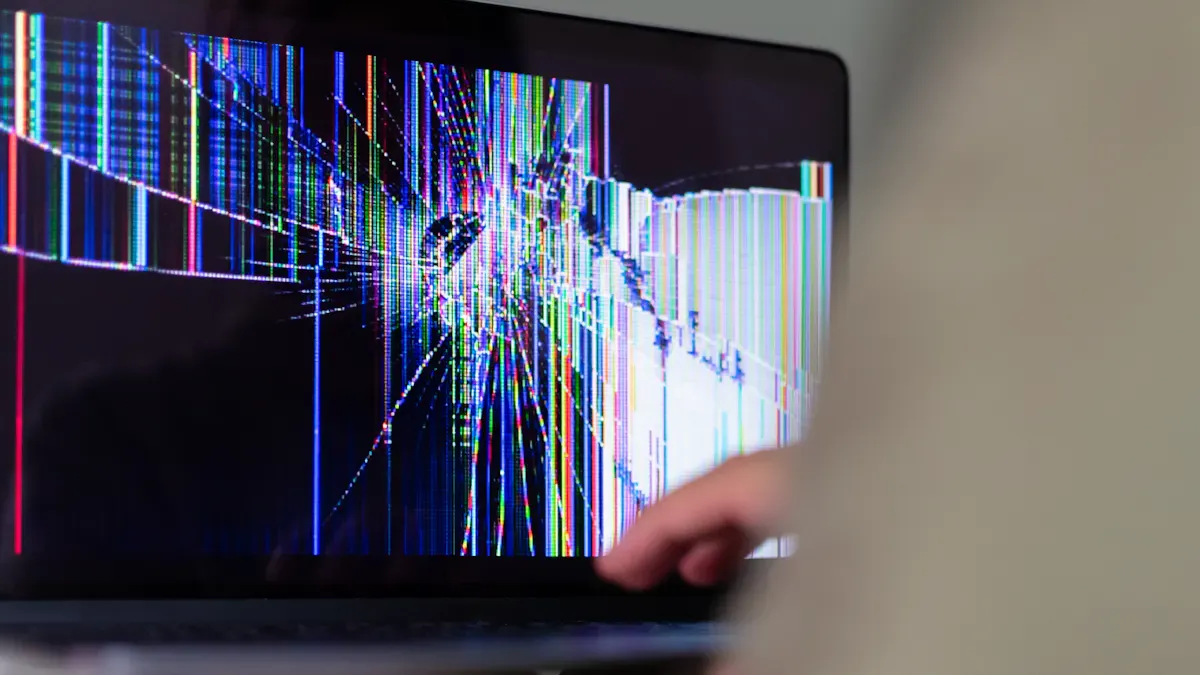
When you choose a display, you should know the disadvantages of lcd technology. These drawbacks can affect your viewing experience and help you decide if lcd is right for you.
Limited Viewing Angles
You may notice that lcd screens look different when you view them from the side. The colors and brightness can change. This happens because lcd panels have limited viewing angles. If you sit off to the side, the picture may look faded or washed out.
Here is a table that shows how lcd compares to other display types:
Display Type | Typical Viewing Angle (degrees) |
|---|---|
OLED | Up to 84 |
LCD | Up to 54 |
IPS panels improve viewing angles compared to older lcd types like TN panels.
IPS also gives you better color accuracy and a wider color range.
If you want the best picture from every seat, lcd may not always deliver.
Contrast Ratio Limits
Lcd screens often struggle to show deep blacks. The backlight can leak through, making dark scenes look gray. This limits the contrast ratio, which is the difference between the brightest white and the darkest black.
See how lcd compares to other displays:
Display Type | Contrast Ratio Characteristics |
|---|---|
LCD | Lower contrast ratios due to inability to produce true blacks and light leakage. |
OLED | Superior contrast ratios with true black levels, leading to higher values. |
Plasma | Generally better contrast ratios than LCD, but not as high as OLED. |
You may notice this disadvantage when you watch movies in a dark room. The picture may not look as rich or lifelike.
Color Accuracy Issues
Some lcd screens do not show colors perfectly. You might see colors that look uneven or less vibrant. This happens because lcd panels can have luminance variation across the screen.
Here is a table with examples from calibration tests:
Display Model | Medium Luminance Variation | High Luminance Variation |
|---|---|---|
CG247X | 5.1% | 3.5% |
Dell U2415b | 8.1% | 8.5% |
If you work with photos or videos, you may find this disadvantage important. Accurate colors matter for creative work.
Motion Blur
When you watch fast-moving scenes on an lcd, you may see motion blur. This means moving objects look smeared or less sharp. Lcd screens have slower response times than some other technologies.
Conventional lcd TVs show more motion blur than old CRT TVs.
Motion blur is a big issue in lcd displays because of their response times.
Gaussian edge times (GETs) for lcds range from about 7 to 22 ms.
Here are some response time measurements:
LCD Model | Mean Rise Time (ms) | Mean Fall Time (ms) | Gray-to-Gray (ms) | Black-to-White (ms) |
|---|---|---|---|---|
CG247X | 13.64 | 17.10 | 10 | N/A |
U2415b | 8.21 | 7.80 | 8 | 19 |
You may notice this disadvantage when you play games or watch sports.
Backlight Bleeding
Some lcd panels have backlight bleeding. This means light leaks around the edges or corners of the screen. You may see bright spots, especially in dark scenes.
Backlight bleeding reduces picture quality by lowering contrast.
It can make colors look washed out in affected areas.
You may feel more eye strain or discomfort after long use.
If you watch movies at night, this disadvantage can be distracting.
Durability Concerns
Lcd screens can be sensitive to pressure and impact. If you press too hard or drop the device, the screen may crack or show permanent marks. The liquid crystals and thin glass layers need careful handling. Over time, the backlight can also dim, which affects brightness.
You should handle lcd devices with care to avoid damage.
Cost
You may think lcd screens are always cheap, but prices can vary. Lcd displays are usually more affordable than OLED screens of the same size. They are a good choice if you want to save money. However, some high-end lcd models can cost more than basic LED screens.
Here is a price comparison:
Display Type | Price Comparison | Characteristics |
|---|---|---|
LCD | Generally more affordable than OLED | Good for budget-conscious buyers |
OLED | More expensive, prone to burn-in | Superior color and contrast |
LED | Often brighter and more affordable than LCD | Great for well-lit environments |
You should compare prices and features before you buy. This helps you avoid paying too much for features you do not need.
Tip: Always check the display type and features before you buy. This helps you avoid common disadvantages and choose the best screen for your needs.
LCD Pros and Cons Table
Quick Comparison
When you shop for a new screen, you want to know what is good and bad about each type. LCD means liquid crystal display. This kind of screen uses liquid crystals and a backlight to make pictures. You find LCD screens in lots of devices because they give you good quality for the price.
To help you pick if LCD is right for you, here is a table that compares the main pros and cons. The table is based on reviews from people who use electronics:
Pros | Cons |
|---|---|
Affordability | Lower brightness |
Versatility | Lower contrast compared to OLED |
Good color reproduction | |
High resolution | Limited viewing angles |
Energy efficiency | Motion blur in fast scenes |
Slim and lightweight design | Backlight bleeding |
No burn-in issues | Color accuracy can vary |
Note: LCD screens are slim and light. You can use them in many places like schools and offices. They save energy and do not have burn-in problems. But you might see lower contrast, narrow viewing angles, and some motion blur when things move fast.
If you want a screen that costs less and works well in bright rooms, LCD is a good pick. You get nice colors and clear pictures for most things. Think about what you need and where you will use your screen. This table helps you see the good and bad points fast.
LCD screens are great for everyday use, homework, and office work.
If you want deep blacks or perfect colors for art or movies, you might want to try another type.
LCD technology stands for liquid crystal display. LCD screens show sharp pictures and bright colors. They use less energy than old screens. Sometimes, you might see problems like blurry movement or colors changing from the side. LCD screens are used in hospitals, cars, factories, and stores. They are good for showing data, ads, and checking patients. You should think about what you need before picking a screen. If you want a screen that works well and does not cost too much, LCD is a good choice for daily use.
What Is LCD Technology and Its Meaning?
LCD stands for Liquid Crystal Display. It is a flat‑panel display technology that uses the light‑modulating properties of liquid crystals to produce images. Unlike older cathode‑ray tube (CRT) displays, LCDs are thin, lightweight, energy‑efficient, and suitable for a wide range of electronic devices, from digital watches to large television screens.
🔍 How Does an LCD Work?
An LCD does not emit light directly. Instead, it relies on a backlight (usually LED‑based) to provide illumination. The basic structure consists of several layers:
Backlight – A uniform light source behind the screen (often white LEDs).
Polarising filters – Two filters arranged at perpendicular angles. Normally, they would block all light.
Liquid crystal layer – A thin layer of liquid crystal molecules that can be electrically twisted to change the polarisation of light passing through.
Thin‑film transistor (TFT) array – A grid of tiny transistors that control the voltage applied to each individual pixel (or sub‑pixel).
Colour filter – For colour displays, each pixel is divided into red, green, and blue sub‑pixels.
How it produces an image:
The backlight shines through the first polariser, becoming polarised in one direction.
The liquid crystals, under voltage control from the TFT array, twist the polarisation to varying degrees.
The second polariser blocks or passes the light depending on its new polarisation angle.
By adjusting the voltage to each sub‑pixel, the display controls how much red, green, or blue light reaches the viewer.
Combining these sub‑pixels creates a full‑colour image.
Key point: LCDs are transmissive – they require a backlight. This is different from OLED (organic light‑emitting diode), where each pixel produces its own light.
📜 Meaning of the Term
Liquid Crystal: A state of matter that has properties between a conventional liquid and a solid crystal. Liquid crystals can flow like a liquid but also align in an ordered way like crystals. Their orientation can be changed by applying an electric field.
Display: The device that shows visual information.
Thus, LCD literally means a display that uses liquid crystals to control light and form images.
⚙️ Common Types of LCD Technology
Type | Description | Typical Use |
|---|---|---|
TN (Twisted Nematic) | Fast response, low cost, but narrow viewing angles and poor colour reproduction. | Budget monitors, basic laptops. |
IPS (In‑Plane Switching) | Excellent colour accuracy and wide viewing angles. Slightly slower response and higher cost. | Smartphones, tablets, high‑end monitors. |
VA (Vertical Alignment) | High contrast ratio (deep blacks), good viewing angles (better than TN, poorer than IPS). | Televisions, gaming monitors. |
PLS (Plane to Line Switching) | Samsung’s version of IPS – similar performance. | Samsung monitors. |
AD‑PLS (Advanced PLS) | Improved version of PLS with higher brightness and lower power. | Modern Samsung displays. |
✅ Advantages of LCD
Thin and lightweight – Much slimmer than CRT.
Low power consumption – Especially compared to plasma or CRT.
Long lifespan – Backlight (LED) can last 50,000+ hours.
No burn‑in – Unlike OLED or plasma, LCDs do not suffer permanent image retention under normal use.
Cost‑effective – Mass production makes LCDs very affordable.
❌ Disadvantages
Limited viewing angles (except IPS/VA types).
Black levels are not truly black – Backlight always leaks a little light.
Slower response than OLED (though modern LCDs are fine for most uses).
Requires a backlight – Adds thickness and energy use (compared to self‑emissive technologies).
💡 Summary
LCD technology uses liquid crystals sandwiched between polarising filters to modulate light from a backlight, creating images on a flat panel. Its meaning reflects the two core elements: liquid crystals (the active material) and display (the device). LCDs dominate the display market because of their balance of cost, performance, and reliability, appearing in everything from calculators to 4K televisions.
FAQ
What is LCD technology and what does it mean?
LCD stands for Liquid Crystal Display. You see it in many screens. It uses liquid crystals and a backlight to show images. You get clear pictures and bright colors with this technology.
Can you use LCD screens outside?
You can use LCD screens outside. Many LCDs have high brightness. This helps you see the screen in sunlight. Some models work better outdoors than others.
Do LCD screens use a lot of electricity?
LCD screens use less electricity than older screens. You save energy with LCDs. You can also adjust the brightness to use even less power.
Why do colors look different on some LCD screens?
You may notice color changes if you look from the side. Some LCDs have limited viewing angles. The type of LCD panel affects color accuracy.
How long does an LCD screen last?
Most LCD screens last many years. You get a long life if you handle the screen with care. The backlight may dim over time, but the display keeps working.
See Also
Understanding The Pros And Cons Of LCD Display Screens
Exploring The Benefits And Drawbacks Of LCD Displays
Key Innovations In LCD Displays To Watch For In 2026
Defining LCD Display Screens And Their Functionality Explained
Leading Brands And Manufacturers Of LCD Display Screens Today
