Pros and Cons of Android Digital Signage for Singapore Businesses
Addhttps://www.youtube.com/watch?v=mczraTLvFR0.: 2F, Bldg 10, Changfeng Industrial Park, Dongkeng, Fenghuang, Guangming, Shenzhen, China 518132
Mobile/WHATSAPP: 86-138 25769658
Email: marketing@topadkiosk.com topadkiosk@gmail.com
Skype: pghenry1
Wechat: adkioskhenry
English Web.: https://www.topkioskdisplay.com/
http://www.ad-kiosk.com/
https://www.toplcddisplay.com/
http://www.multitouchdigitalsignage.com/
https://www.youtube.com/channel/UCYVYNJHxLVEcQD8fuUxXNTA/videos?view_as=subscriber
https://www.facebook.com/TOPADKIOSKSHENZHEN/?ref=bookmarks
You want digital signage that helps your business in Singapore. Android digital signage singapore has some great benefits. You can save money. You can control screens without much trouble. You can change displays to match what you need.
Cost, reliability, and flexibility are very important.
Digital signage features help you get more customers. It also helps your business work better. You may have problems with security. You may need the internet all the time. Hardware can have limits too. You should see if this is right for your business. For more information, go to https://www.topkioskdisplay.com/.
Key Takeaways
Android digital signage does not cost much. It helps businesses save money on hardware and software.
It is easy to use. You can control your screens from your phone or computer. This saves you time.
You can change the content to match your brand. This helps you connect with customers better.
Think about security risks and internet needs before you use digital signage in your business.
Pick the best hardware and software. This makes sure your digital signage works for your business and follows local laws.
Android Digital Signage Singapore: Key Benefits
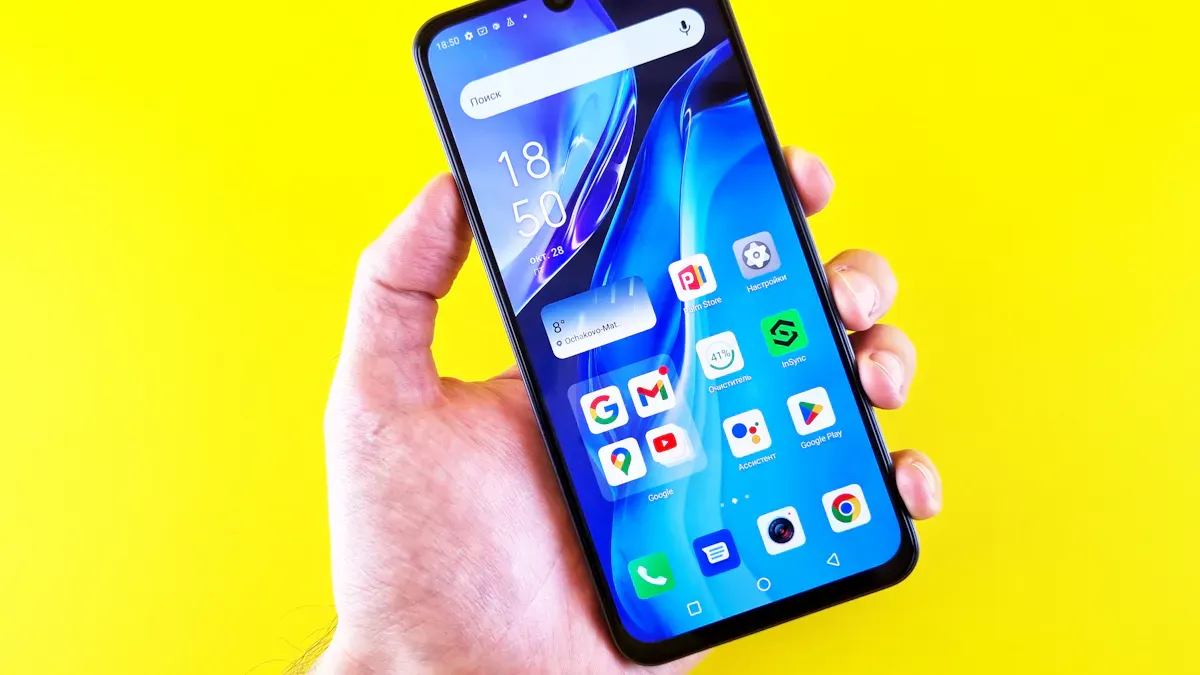
If you have a business in Singapore, you want tools that help you. Android digital signage singapore gives you lots of good things. You get choices that do not cost much money. It is easy to use and change. These things help you get more customers. They also make your work easier every day. Here are the main good things you can get.
Cost-Effective Solutions
You want to save money and see good results. Android digital signage singapore is special because it saves you money. You do not need to buy expensive hardware. Android devices usually cost less than other systems. This is good for small shops and big companies. You can use tablets, smart TVs, or old phones as screens. You also save money on software. Many digital signage apps for Android are free or cheap. This means you can start your marketing without spending too much.
Here’s why businesses in Singapore choose Android digital signage for savings:
Android devices do not cost a lot and are easy to find.
You can use old phones or tablets as screens.
Many digital signage apps are free or cheap.
You do not need special hardware, so you save money.
When you spend less money at the start, you can use more money for your products or services. This helps your business grow faster.
User-Friendly Management
It should not be hard to manage digital signage. Android digital signage singapore makes it simple to control your screens. The Android platform is easy to use. You can change your content with just a few taps. You do not need to be a tech expert. Most digital signage solutions let you control everything from your phone or computer. You can change menus, show sales, or update info right away.
Tip: With remote management, you can control your signage from anywhere. This saves you time and keeps your displays new.
Easy management means you spend less time setting up. You have more time to help your customers. This gets more people interested and keeps your business working well.
Flexible Customization
Every business is not the same. You want signage that fits your brand and needs. Android digital signage singapore lets you change your screens easily. You can pick from many apps in the Google Play Store. These apps help you make menus, show videos, or display news. You can change how things look to match your style.
You can change content anytime, from anywhere.
You can use different apps for different things.
You can set content to play at certain times.
You can show special deals or new products.
Flexible customization helps you talk to your customers. You can show the right message at the right time. This gets more people interested and helps you stand out.
Versatile Hardware Options
You do not need special screens for android digital signage singapore. You can use many kinds of hardware. This makes it easy to set up signage in any place, from small kiosks to big stores.
Device Type | Examples | Notes |
|---|---|---|
Android Tablets | Samsung Galaxy Tab A, Lenovo Tab M | |
Smart TVs with built-in Android | Sony, Philips, TCL, Hisense | Install signage apps directly, no extra player needed. |
Repurposed Android Phones | Old Pixel or mid-range phone | Use for small signs if you already own them. |
Minimum Specs | Android 10+, 2 GB RAM, 16 GB storage | Needed for smooth and reliable playback. |
You can also pick hardware for your business type:
Hardware Manufacturer | Target Business Type | Key Features |
|---|---|---|
LG | Premium Retail | |
Philips | Cost-efficient orgs | Good performance, sustainable |
ViewSonic | SMBs | Reliable and easy to use |
This means you can find the best choice for your space and money. You can add more screens or use fewer as your business changes.
App and Service Integration
You want your signage to do more than show pictures. Android digital signage singapore lets you use many apps and services. The Google Play Store has lots of choices. You can add weather, news, or social media posts. You can even connect your signage to booking or loyalty programs.
Use apps to show live data or special deals.
Connect to your business tools for real-time updates.
Add interactive features to get more people interested.
When you use apps and services, your signage becomes a strong tool. You can keep your customers updated and interested. This helps you build better relationships and improve your business.
Digital Signage Drawbacks for Singapore Businesses
It can be fun to use digital signage in your business. But you should know about some problems that come with it. Many businesses in Singapore have the same issues with digital signage. Let’s see what you need to think about before you start.
Security and Privacy Risks
Using digital signage can bring security and privacy problems. Hackers might try to get into your signage systems. They could steal data or control your screens. In Singapore, there are strict privacy laws. If your signage collects customer data, you must keep it safe.
Here are the most common risks:
Risk Type | Description |
|---|---|
Data Collection | Kiosks may collect personal information from users, which can be exploited for identity theft. |
Ransomware | Cyber attackers can infect kiosk systems with ransomware, demanding payment to unlock systems. |
Network Access | Kiosks connected to larger networks can serve as entry points for attackers to compromise networks. |
If you do not protect your digital signage, customers may stop trusting you. You could also get fined in Singapore if you break privacy rules.
Tip: Always update your signage software and use strong passwords to keep your screens safe.
Internet Connectivity Dependence
Most digital signage needs a good internet connection. If your internet stops working, your signage might not show new content. In busy places like Singapore, even a short problem can hurt your business. Customers might not see important messages or deals.
Check your internet speed and how reliable it is before you install digital signage.
Some signage systems can work offline, but they do not have all features.
If you have many screens, a weak connection can make updates slow.
You should have backup plans, like mobile data or offline content, to keep your signage working.
Hardware Compatibility Limits
Not all devices work well with digital signage. You might want to use cheap tablets or old phones, but these can have trouble with hard tasks. In Singapore, the weather can be hot and wet. Regular devices might not last long in these conditions.
Aspect | Impact on Scalability |
|---|---|
Performance boundaries | Standard Android players may struggle with complex content, limiting scalability. |
Durability in extreme conditions | Consumer devices may fail in harsh environments, necessitating industrial-grade hardware for scalability. |
Regular Android tablets are not made for tough places, which can make it hard to use them outside or in hot spots.
You may need special Android players or cases to keep your signage working well.
If your signage hardware breaks, you might have to spend more money to fix or replace it. This can slow down your business and make it harder to grow your signage network.
Feature Limitations
Sometimes, digital signage cannot do everything you want. Some systems do not have many features. This can make it hard to run cool ads or show moving content. In Singapore, where there is a lot of competition, you want your signage to be special.
Evidence Type | Description |
|---|---|
Restrict effectiveness of advertising strategies, hindering customer engagement and dynamic content delivery. | |
Hardware and Software Constraints | Limitations in these areas can prevent businesses from utilizing the full potential of digital signage. |
Interactivity | Lack of interactive features reduces the ability to engage customers effectively in a competitive market. |
If your signage cannot do interactive things, you might not get customers interested. You could also miss chances to update your content fast or show live info.
Maintenance and Support Issues
Keeping your digital signage working takes effort. Devices can break or need updates. If you do not have a tech team, fixing problems can be hard. Many businesses in Singapore have these problems:
Device downtime: Hardware or software problems can make screens go offline, which stops your ads and messages.
Scalability issues: Using many devices can make it hard to keep everything set up the same way and watch all screens.
Maintenance and technical expertise: You need tech skills for updates and fixing problems, which is tough if you do not have IT staff.
Note: If your signage stops working, you could lose sales or confuse your customers.
You should plan for regular check-ups and make sure you have help when you need it. This will keep your digital signage working and your business running well.
Suitability for Singapore Businesses
Best-Fit Business Types
You might wonder if smart digital signage is good for your business in Singapore. Many local businesses use android digital signage singapore and find it helpful. You can see it in places like retail stores, restaurants, hotels, and airports. These businesses use screens to catch people’s attention and share news quickly.
Here’s a simple table that shows which businesses get the most from using it:
Business Type | Benefits of Android Digital Signage |
|---|---|
Retail Stores | Better marketing and more customer interest |
Restaurants | Menus you can touch and ways to give feedback |
Hotels | Sharing information and helping people find their way |
Airports | Live updates and helping travelers stay informed |
If you own a shop or hotel, you can use smart digital signage to show menus, deals, or directions. You can also help customers find things or learn about your services. Local support makes it easy to set up and take care of your screens.
Local Compliance Factors
You have to follow the rules when you use smart digital signage in Singapore. The laws protect people’s privacy and their data. You must keep customer information safe. If you ask for feedback or use screens people can touch, you need to follow privacy rules.
Local experts can help you keep up with these laws. They know Singapore’s rules and can help you set up good displays and keep your business safe.
Tip: Always talk to local officials before you start using new screens. This helps you avoid problems.
Singapore Use Cases
You can see many businesses in Singapore using android digital signage singapore every day. Stores use screens to show cool content and get more customers. Restaurants use smart digital signage for menus you can touch and fast updates. Hotels use screens to give guests info and directions. Airports use big screens for live updates and to help travelers.
Local support helps you fix problems fast and keeps your screens working. You can pick displays that fit your business. Touch screens let customers get info quickly.
Hotels make guests feel special with custom messages.
Restaurants use screens to get feedback and show new meals.
Stores use smart digital signage to sell more and share deals.
If you want your business to be noticed in Singapore, you can use smart digital signage with help from local experts. You get displays that fit your needs and help you connect with customers.
You get bright pictures, easy control from far away, and setups you can change with Android digital signage. These things help your ads look better and make your marketing stronger in Singapore. You may have problems with security and hardware, but the good things are usually more important than the bad ones. Look at the table below to see the main features:
Feature | Benefit |
|---|---|
Clear display for marketing | |
Remote management | Saves time and effort |
Flexible orientation | Fits any business space |
If you want to choose the best option, think about these questions:
Who do you want to reach?
What will you show on the screens?
How many times will you change the content?
How much money can you spend?
You can help your business do better by choosing the right system and making a good plan.
For Singaporean businesses, Android digital signage offers a cost-effective and flexible way to reach customers, but it requires careful navigation of specific local regulations and a clear-eyed assessment of its technical trade-offs.
📈 Advantages: Why Android is a Smart Choice
Cost-Effective to Deploy: The Android ecosystem is built for value. Android players are significantly cheaper than Windows-based alternatives, starting from under $200 compared to $500+ for Windows. Similarly, a basic setup, including a screen, player, and mounting, can start around $680-$800, with high-volume deployments further lowering per-unit costs.
Low-Cost and Accessible Software: Android-based cloud software subscriptions are affordable, with options starting as low as $9 per screen per month, making digital signage accessible even for small businesses. Many platforms also offer free trials or 14-day money-back guarantees, allowing you to test the service risk-free before committing.
Flexible and Scalable: Android can run on almost any screen, from tablets to large displays, making it easy to scale from one screen to hundreds. A cloud-based CMS lets you manage your entire network from anywhere, with an intuitive interface that requires little training.
Easy to Manage: A user-friendly dashboard offers drag-and-drop editors, templates, and simple content scheduling. This empowers non-technical staff to manage messaging, freeing up IT teams for other tasks.
⚠️ Disadvantages: The Trade-Offs to Consider
Enterprise Software Integration: For complex tasks like integrating with custom CRM, ERP, or HR systems, Android can be more challenging. In contrast, Windows is often the standard platform for such enterprise-level software, making integration more seamless.
Hardware Reliability and Downtime: While commercial-grade Android players are available, cheaper consumer-grade components can lead to system crashes, malfunctions, and screen freezes. When evaluating hardware, pay close attention to its mean time between failures (MTBF) rating to assess its reliability, as frequent downtime can undermine your communication goals.
Security Considerations: Like any connected device, Android players are vulnerable to malware if not properly secured. When using enterprise-grade hardware, these risks are usually mitigated through robust security features, but it's a factor to consider.
🇸🇬 Singapore-Specific Considerations
Deploying Android digital signage in Singapore requires adhering to specific local guidelines:
Hardware Certification (IMDA): For all telecom, wireless, and IoT devices, including the network modules in your players, IMDA certification is mandatory. This ensures devices meet local technical standards and helps prevent network interference.
Licensing (IMDA Class License): If you operate a network of digital display panels, you automatically fall under the IMDA's Class License upon commencement of service. You must register this license with IMDA within 14 days of starting your service, so ensure you understand the terms.
Approvals for Outdoor Signage: For outdoor or exterior signage, additional permits are required from the Building and Construction Authority (BCA) and the Urban Redevelopment Authority (URA), which oversee signboard licenses and safety standards.
Data Privacy (PDPA): If your screens use cameras or sensors, you must comply with the Personal Data Protection Act (PDPA), which governs the collection and use of personal data. This includes obtaining consent where necessary.
🇸🇬 Local Resources & Pricing
Local Supplier: Zoom Visual is an example of a trusted local provider offering end-to-end solutions to retail, education, and government clients.
Software Pricing (SGD): The Look Digital Signage platform is a popular cloud-based CMS, priced at S$13.50 per screen per month (with an annual plan).
Hardware Cost Components: An LCD screen typically makes up 50-60% of the total hardware cost, while the mainboard (Android vs. Windows) accounts for roughly 20%.
📝 A Simple Decision Framework
Use this quick guide to see if Android aligns with your needs:
Choose Android if... | Consider Other OSes (e.g., Windows) if... |
|---|---|
☑️ Your primary goal is cost-effective advertising and communication. | ☑️ You need deep, complex integration with custom enterprise software (CRM, ERP). |
☑️ You value simplicity and want non-technical staff to manage content. | ☑️ Your content requires high-end 4K video processing or complex animations. |
☑️ You are deploying a small-to-medium sized network (e.g., 1-50 screens). | ☑️ Your digital signage is part of a mission-critical system where zero downtime is a requirement. |
Android Digital Signage for Singapore Businesses – Pros and Cons
The Asia-Pacific digital signage market is projected to grow at 9.5% annually from 2025 to 2030, and Singapore, as a regional technology hub, is at the forefront of this expansion. Android-based solutions have emerged as a particularly attractive option for local businesses. However, choosing Android is not a one-size-fits-all decision. Here is a balanced look at the advantages and potential drawbacks for Singapore businesses.
✅ Advantages of Android Digital Signage
1. Cost-Effective Hardware and Software
Android runs on cheaper hardware than Windows—you can find a decent Android digital signage player for under $200, whereas a Windows-based one may start at $500+. A basic Android tablet setup costs roughly $300–800, making it accessible even for small businesses with limited budgets.
On the software side, Android is a free, open-source OS with no licensing fees. Cloud-based CMS subscriptions can start as low as $9 per screen per month, and platforms like Rise Vision offer entry-level plans from $7 per screen monthly. For Singapore businesses, software options like Look Digital Signage are priced around S$13.50 per screen monthly (annual plan). With transparent per-screen pricing, smaller businesses can start small and scale without sticker shock.
2. Low Entry Barrier and Ease of Use
Android's intuitive interface makes it simple for non-technical staff to manage and update content without extensive training. The platform's familiarity—since most people already use Android on their personal devices—means marketing or operations teams can handle daily content management without relying heavily on IT support. Many CMS platforms offer drag-and-drop editors and ready-made templates, further simplifying the process.
3. Flexible and Scalable Deployment
Android can run on almost any screen—from small tablets to large commercial displays—making it easy to scale from a single screen to hundreds across multiple locations. Cloud-based CMS platforms allow you to manage your entire network from anywhere, whether your screens are spread across a single mall or multiple sites across Singapore. This flexibility is particularly valuable for Singapore's space-constrained retail environment, where businesses often operate across several locations.
4. Rich App Ecosystem and Customization
The Google Play Store offers thousands of applications specifically designed for digital signage, allowing businesses to customize their displays according to their unique needs. From weather widgets and social media feeds to custom-built apps for loyalty programs or queue management, the Android ecosystem provides extensive options. Additionally, AirDroid Business now allows businesses to remotely transform any Android device into a centrally managed digital sign or kiosk, further expanding possibilities for repurposing existing hardware.
5. Cloud Integration and Remote Management
Android digital signage solutions typically come with robust remote management capabilities, enabling businesses to update and control content from anywhere. With Southeast Asia-based cloud infrastructure and uptime guarantees (some platforms offer 99.8%+), Singapore businesses can ensure reliable, real-time content delivery across their networks. This is especially critical in a city where mall networks can sprawl across neighborhoods and quick content updates are often required to respond to promotions or events.
6. Reliable for 24/7 Operations (When Using Commercial-Grade Hardware)
When paired with commercial-grade hardware designed for continuous operation, Android systems provide dependable, long-term performance with less intrusive updates and fewer crashes compared to Windows alternatives. For businesses deploying signage in high-traffic environments like Changi Airport, MRT stations, or large shopping malls, selecting industrial-grade Android players ensures the reliability required for mission-critical displays.
⚠️ Potential Disadvantages and Considerations
1. Security Fragmentation and Update Risks
Because Android runs on a wide variety of hardware from different manufacturers, security practices vary significantly. Consumer-grade Android devices may not receive regular security patches, and many Android TVs do not ship with the Google Play Store, forcing businesses to sideload apps via APK files. This creates manual update headaches and scalability issues.
For signage deployments, verifying that the device runs a supported version of Android (currently Android 13 or newer) is critical—older versions no longer receive security updates from Google. The fragmented nature of the Android ecosystem means businesses must carefully vet hardware vendors to ensure consistent security across their entire signage network.
2. Hardware Reliability and Longevity
While commercial-grade Android players are built for 24/7 operation, cheaper consumer-grade components can lead to system crashes, screen freezes, or premature failure. The typical lifecycle for consumer Android devices used in signage is only 2–3 years, compared to 5–7+ years for dedicated signage hardware like BrightSign players. Warranty support also varies significantly—many consumer Android devices come with limited or no warranty for commercial use.
For outdoor or semi-outdoor signage in Singapore's humid, tropical climate (humidity above 80%, daytime temperatures regularly crossing 32°C), businesses must select hardware with IP56+ ratings and high brightness (2,500+ nits) to ensure reliability.
3. Complex Enterprise Software Integration
For businesses that require deep integration with legacy enterprise systems—custom CRM, ERP, or HR platforms—Windows often remains the standard due to its broader compatibility with enterprise software. While Android can integrate via APIs, Windows offers more seamless plug-and-play connectivity with external peripherals like specialized printers, scanners, and payment terminals used in retail and hospitality settings.
4. Performance Limitations for Demanding Content
For content requiring high-end 4K video processing, complex animations, or resource-intensive interactive applications, Windows-based players may offer superior processing power and advanced compatibility. Android devices, particularly lower-cost models, can struggle with demanding content or multiple concurrent tasks.
5. Support and Maintenance Variability
Unlike dedicated signage platforms that offer global support networks and structured RMA processes, support for Android signage solutions can be "spotty" depending on the hardware vendor. For enterprise-scale deployments requiring 24/7 technical support and fast replacement parts, this variability can become a significant operational risk.
🇸🇬 Singapore-Specific Considerations
Regulatory Compliance
Licensing: Nearly all exterior ads and commercial signboards in Singapore require a license under BCA and URA regulations, including digital signage screens. Businesses must apply through the Advertisement Licensing System (ALS) portal.
IMDA Guidelines: Singapore's IMDA regulates display brightness levels, particularly after 7 PM in residential areas where brightness must not exceed 300 cd/m².
PDPA Compliance: If signage uses cameras or sensors to collect personal data (e.g., audience analytics), businesses must secure explicit consent under the Personal Data Protection Act.
Hardware Certification: For telecom, wireless, and IoT devices including network modules in players, IMDA certification is mandatory to ensure compliance with local technical standards.
Local Climate and Environment
Singapore's tropical climate—high humidity, intense sun, and frequent rain—poses specific challenges for outdoor signage. Deployments require:
IP56+ rated hardware for dust and water resistance
Brightness levels of 2,500+ nits for direct sunlight readability
Thermal management systems to prevent overheating
Local Provider Options
Several Singapore-based providers offer Android digital signage solutions with local support and compliance expertise:
Zoom Visual: Full-service provider working with government, real estate, education, and retail sectors since 2016
Best View Media: Comprehensive solutions including interactive touchscreens, video walls, and menu boards with over 10 years of local experience
Scala: Global leader with 31+ years in digital signage, offering stable, secure, large-scale network deployment
Uniconnect Systems: Provider of software, hardware, and content services with custom solutions
💡 Decision Framework for Singapore Businesses
Choose Android If... | Consider Windows or Other OS If... |
|---|---|
☑️ Primary goal is cost-effective advertising and communication | ☑️ Need deep integration with custom enterprise software (CRM, ERP) |
☑️ Value simplicity and want non-technical staff to manage content | ☑️ Content requires high-end 4K video or complex animations |
☑️ Deploying small-to-medium sized network (1–50 screens) | ☑️ Digital signage is mission-critical with zero downtime requirements |
☑️ Already have Android devices that can be repurposed | ☑️ Operating in highly secure environments (government, defense, finance) |
☑️ Need flexibility to customize with Android apps | ☑️ Require long-term (5+ years) hardware lifecycle support |
📊 Quick Comparison: Android vs. Windows
Cost Factor | Android | Windows |
|---|---|---|
Initial licensing fee | Generally lower or free | Higher, depending on edition |
Hardware cost | Lower ($200–800 per player) | Higher ($500+ per player) |
Maintenance costs | Lower, due to free updates | Higher, due to costly updates and professional services |
Long-term support | Varies by device manufacturer | Generally offers extended support options |
Customization costs | Lower, open-source nature | Higher, often more limited |
🚀 Future Outlook for Android in Singapore
The Singapore digital signage media player market by operating system (Android, Windows, Linux) is expected to see continued growth through 2031, with Android positioned as a major segment. As 5G connectivity expands and AI-powered features become more common, Android's flexibility and cost advantages will likely drive further adoption among Singapore SMEs and enterprises alike. However, businesses must remain vigilant about hardware selection, security management, and compliance with local regulations to maximize the benefits while mitigating potential risks.
FAQ
What makes android digital signage singapore a good choice for small businesses?
Small shops can use these solutions because they do not cost much. You can use tablets or smart TVs as screens. These tools help you show menus, deals, or news to people. You do not need to spend a lot of money. You can start with one screen and add more later if you want.
How do I keep my digital signage secure?
You should always update your digital signage when you can. Use strong passwords on all your devices. Pick top digital signage solutions that have good security tools. You can ask local experts for help if you need it. They know how to keep your screens safe in Singapore. This helps protect your business and your customers’ data.
Can I use my own devices with these solutions?
Yes, you can use your own Android tablets or phones for this. Many solutions let you set up screens with devices you already own. Top digital signage solutions work with many types of hardware. This helps you save money and makes it easy to begin.
How do these solutions help with customer engagement?
You can show videos, menus, or live updates on your screens. These solutions let you change what you show very quickly. Top digital signage solutions have tools for feedback and talking with customers. This keeps people interested and helps your business get noticed.
See Also
Evaluating Digital Signage Options in Singapore: Features and Costs
An In-Depth Look at In-Store Digital Signage Options
Selecting the Ideal Video Wall Signage for Singapore in 2026
Uncovering Key Advantages of Digital Signage in Dining
Understanding the Functionality of Outdoor Digital Signage Today
