Power Board Solutions Every Commercial Display Needs
Shenzhen TopAdkiosk Display Technology Co., Ltd.
Add.: 2F, Bldg 10, Changfeng Industrial Park, Dongkeng, Fenghuang, Guangming, Shenzhen, China 518132
Mobile/WHATSAPP: 86-138 25769658
Email: marketing@topadkiosk.com topadkiosk@gmail.com
Skype: pghenry1
Wechat: adkioskhenry
English Web.: http://www.topadkiosk.com/
https://www.topkioskdisplay.com/
http://www.ad-kiosk.com/
https://www.toplcddisplay.com/
http://www.multitouchdigitalsignage.com/
https://www.youtube.com/channel/UCYVYNJHxLVEcQD8fuUxXNTA/videos?view_as=subscriber
https://www.facebook.com/TOPADKIOSKSHENZHEN/?ref=bookmarks
You use a power board for commercial display to keep screens bright. This helps people see the content all day and night. If you pick a good power board, you protect your money and keep things running well. New designs put power and signal modules together. This means there are fewer problems and it is easier to fix. Out-of-band remote management and fast recovery features help you keep things working in busy places. These features make the system more reliable:
Feature | Benefit |
|---|---|
Fewer problems, easier to fix | |
Remote management | Faster problem solving, better uptime |
Recovery acceleration | Less time stopped after interruptions |
Key Takeaways
Pick a power board that gives your display enough power. This helps stop flickering or sudden shutdowns. - Find power boards with safety features like surge protection. These features help stop damage and keep your equipment working. - Choose modular power boards so you can add more later. This makes it easy to grow your system as your business gets bigger. - Use remote monitoring to spot problems fast and fix them quickly. This saves you both time and money. - Take care of your power board often to keep it working well. This helps your displays last longer and work their best.
Power Board Functions in Commercial Displays
Power Distribution and Regulation
You need a strong power board to keep displays working all the time. These boards give power to LED and digital signage displays. They make sure every part gets the right amount of electricity. This helps your screens stay bright and clear all day.
A good power board also works with backup solutions. If the main power stops, battery backups or uninterruptible power supplies can help. Your displays will keep working even if there is a blackout. Keeping cables neat is another important job. It makes wires tidy, lowers risks, and makes your setup look nice.
Makes sure displays work all the time
Helps during power outages with backup power
Keeps cables neat and safe
Protection Mechanisms
You want your equipment to last a long time. Protection features in a power board help you avoid expensive repairs. Overload prevention, surge protection, and short circuit safeguards are very important. These features lower the chance of downtime, damage, and safety problems.
Risk | Without SPDs | With SPDs |
|---|---|---|
Downtime | Happens a lot, lasts longer | |
Equipment Damage | High | Low |
Safety Incidents | More likely | Less likely |
With these protections, your commercial displays stay safe and work well.
Energy Efficiency and Heat Management
Saving energy is important in busy places. A power board with good heat management helps displays use less energy and last longer. Displays get hot when they run. If you do not control the heat, parts can break faster.
Advanced thermal systems, like passive cooling, keep things cool. This stops damage and helps your displays work for years.
Displays get hot when they are on.
Heat management keeps temperatures safe.
Your displays work better and last longer.
Choosing a smart power board saves energy and protects your money.
Essential Features of Power Boards
Modular and Flexible Design
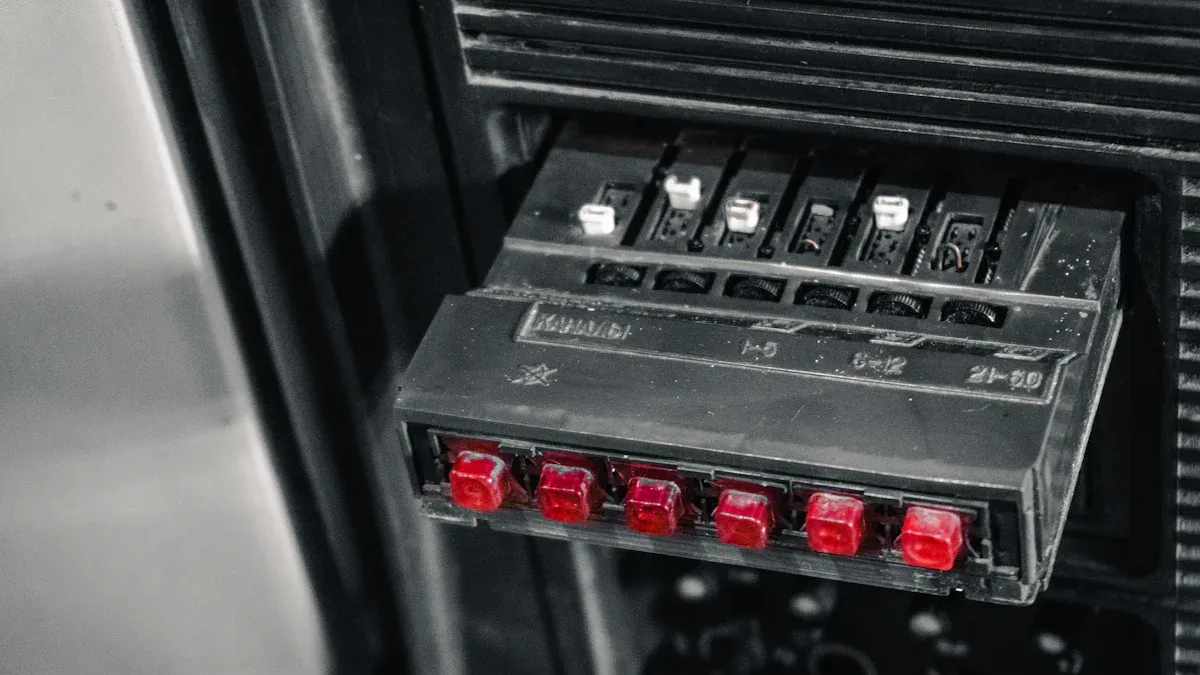
A power board should grow with your business. Modular design lets you add or swap parts as you need. You do not have to buy a new system to add screens. You can upgrade technology without replacing everything. This helps you add new screens fast. You can put them where you need them most.
"Power distribution must keep up with modern AI and high-performance computing," said Kyle Keeper, senior vice president at Vertiv. "As customers face more power needs and less space, they need flexible solutions."
A modular power board gives you many benefits:
You can set up and change the system quickly.
You can make changes without turning off your displays.
You get steady performance in busy places.
Mounting options give you more choices. You can pick what works best for your space. Here is a quick look at some mounting options:
Mounting Option | Flexibility Impact | Maintenance Accessibility | Visual Impact |
|---|---|---|---|
Ground-Supported | Good for different setups and easy to move. | May be harder to reach high panels for fixing. | Can make cool and different looks. |
Wall-Mounted | Not as flexible, best for one spot, not easy to move. | Easy to fix with front access panels. | Looks smooth and fits in well. |
Flown | Good for cool looks from above, fits many setups. | Needs careful planning to reach for repairs. | Can make big effects from high up. |
You can choose ground-supported, wall-mounted, or flown. Each one helps you fit your display to your space and how you fix it.
Remote Monitoring Capabilities
You want your displays to work well all the time. Remote monitoring lets you check your power board from anywhere. You see live data about power and energy use. If something is wrong, you get alerts right away. This helps you fix problems before your displays stop working.
You can watch power use and see trends.
You get alerts if something is wrong.
You can check each load and find issues early.
Remote monitoring saves you time and money. You do not have to check each display by hand. You can act fast and keep your displays running.
Safety Compliance
Safety is always important. You need a power board that follows safety rules. These rules protect your equipment, workers, and customers. The main rules are the National Electrical Code (NEC) and OSHA regulations.
Standard | Description |
|---|---|
National Electrical Code (NEC) | Sets rules for electrical safety in buildings, including how to install and check systems. |
OSHA Regulations | Focuses on safe work steps and makes employers use safety programs. |
You should also look for third-party certifications like UL. Certified power boards fail less and lower fire risks. For example, UL-certified devices are safer than ones without certification. Picking a certified power board helps you avoid recalls and keeps your displays safe.
Tip: Always look for safety labels and certifications before you buy a power board for your display.
A safe, certified power board protects your money and helps you worry less.
Choosing the Right Power Board
Assessing Display Needs
First, look at your display setup. Think about how many screens you have. Also, check how big each screen is. Large video walls need more power. Many digital signs also use lots of power. Add up the total power for all your displays. This helps you pick a power board that can handle everything.
Next, look at where your displays are. Busy places like airports need strong boards. Shopping centers also need boards that work well all day. If your screens run all the time, pick a board made for long hours. Some spaces need extra cooling or backup power. Make sure to check for these needs.
Tip: Write down how many screens you have. Write their power ratings and how long they run each day. This list helps you find the best power board.
Comparing Solutions
There are many power board choices for commercial displays. Each one has different features. Some boards work with AC and DC power. Others use a 3-in-1 design for better stability. Mounting options are important too. Some boards fit on walls, desks, or poles. Others are simple and easy to set up.
You should also check video input options. Some boards support USB-C, HDMI, and VGA. Others have a built-in video board. Use the table below to compare two common types:
Feature | Industrial Display Solutions | Business-Ready Display Solutions |
|---|---|---|
Power Input Compatibility | Integrated 3in1 board for stability | |
Mounting Options | VESA, wall, rear, pole, and desk mounts | Simplified design for signage |
Video Input Options | USB-C, HDMI, and VGA | Integrated video board |
Pick the board that fits your display and space. Always check if the board works with your display type and mounting style.
Installation and Maintenance
Good installation keeps your power board safe. Make sure you leave space for air flow. Make it easy to reach the board. Use the right size busbars and conductors. This helps handle the current. Organize cables and label them for safety. This makes repairs faster. Tighten all connections so they do not get too hot. Always use lock out and tag out steps to keep workers safe.
Regular maintenance keeps your displays working well. The best schedule depends on your space. Offices need checks once a year. Busy places like airports need checks every few months. Older systems may need more checks. Use the table below to plan your maintenance:
Environment Type | Recommended Maintenance Frequency |
|---|---|
Standard Office | |
High-Use Environments | Quarterly or Monthly |
Medical Offices | More Frequent Inspections |
Manufacturing Offices | Bi-Annual Maintenance |
Older Electrical Systems | Bi-Annual Inspections |
Newer Systems | Annual Maintenance |
Note: Regular checks help you find problems early. This keeps your displays bright and safe.
A good power board makes installation and upkeep easier. You save time and avoid downtime when you follow these steps.
Common Pitfalls to Avoid
Underpowered Boards
You need to choose a power board that matches your display’s power needs. If you pick a board that cannot handle the load, your screens may flicker or shut down. This can cause downtime and damage your equipment. Many people make the mistake of guessing the power requirements. You should always check the wattage and amperage for each display.
Tip: Add up the total power for all your screens. Choose a power board that supports more than your current needs. This gives you a safety margin.
Here is a quick checklist to help you avoid underpowered boards:
Check the power rating for each display.
Add extra capacity for future screens.
Look for boards with overload protection.
Compatibility Issues
You must make sure your power board works with your display type and mounting style. Some boards only fit certain screens or use specific connectors. If you choose the wrong board, you may face installation delays or need extra adapters. Compatibility problems can also affect signal quality and safety.
Compatibility Factor | What to Check |
|---|---|
Connector Type | Match plugs and ports |
Mounting Options | Fit your space and display |
Voltage Support | Match display requirements |
⚠️ Always check the specs before you buy. Ask your supplier if you are not sure.
Planning for Expansion
You should plan for growth when you select a power board for commercial displays. Many businesses add new screens or upgrade technology over time. If your board cannot handle more displays, you will need to replace it. This costs extra money and time.
You can avoid this by picking a modular board. Modular boards let you add new parts easily. You can upgrade without shutting down your displays.
Choose boards with extra capacity.
Look for modular designs.
Make a list of future display needs.
Note: Planning ahead saves you money and keeps your displays running smoothly.
You need a good power board for your commercial display. This keeps your screens bright and safe. High-quality boards help you spend less on repairs. They also stop your screens from turning off too much. Good boards last a long time. Use the table below to remember what is important:
Consideration | Description |
|---|---|
Backup Power | Keeps displays working when the power goes out |
Cable Management | Stops dangers and keeps wires tidy |
Safety Compliance | Keeps people and property safe |
Ongoing Maintenance | Helps your system work well for a long time |
Think about what you need. Pick the right board. Try not to make common mistakes so your displays work their best.
FAQ
What does a power board for commercial display do?
A power board sends electricity to your screens. It keeps your displays bright and safe. It also protects your equipment from power problems.
How do you choose the right power board for your display?
You should check your display’s size and power needs. Look for safety features and mounting options. Pick a board that can handle more screens if you plan to expand.
Why is safety compliance important for power boards?
Safety compliance keeps your equipment, workers, and customers safe. Certified boards lower fire risks and help you follow local rules.
Can you add more screens to your power board later?
Yes, you can add more screens if you choose a modular power board. This design lets you upgrade without replacing the whole system.
How often should you check or maintain your power board?
You should check your power board at least once a year. In busy places, check it every few months. Regular checks help you find problems early.
See Also
Leading Providers of Outdoor LCD Display Kiosks
Best Video Wall Digital Signage Options for 2026
Optimal LCD Display Kiosks for Retail Spaces in 2026
