How PCAP Touch Enhances LCD Display Signage Solutions
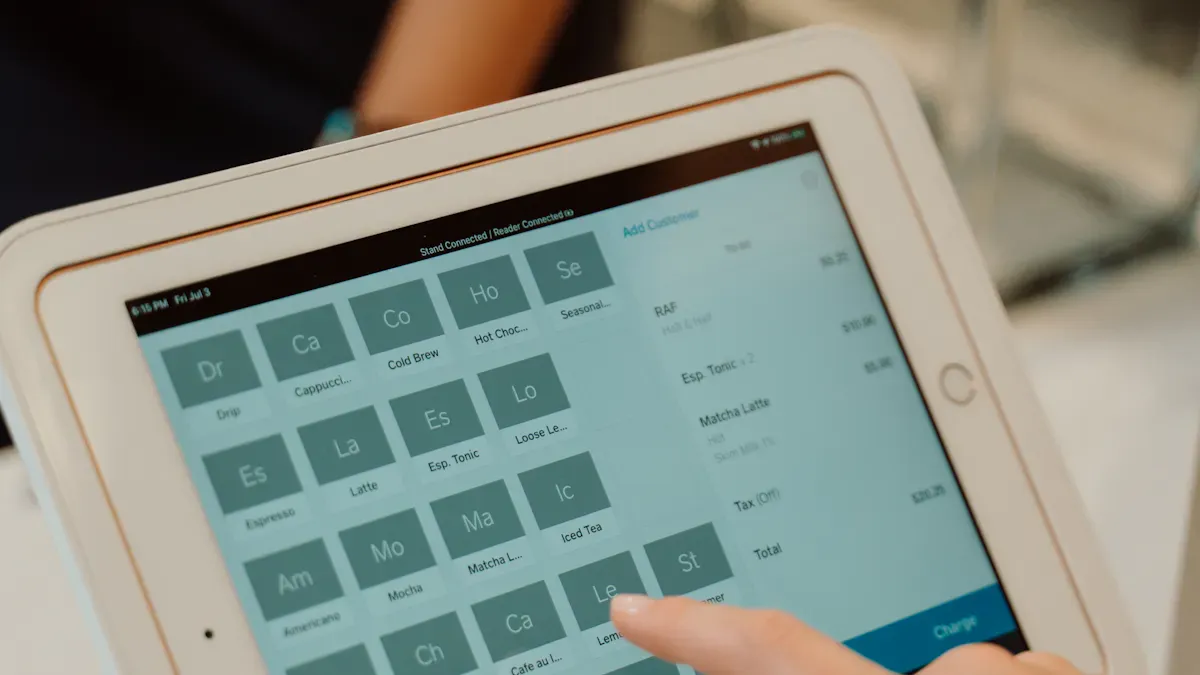
You can try a new way to interact with pcap touch in LCD display signage. Commercial displays with this technology last longer and stay quick, even in busy places. Users get fast and correct touch because capacitive sensing finds your finger right away. The pcap touch lcd screen and pcap touch oled both use thin, clear layers for strong touch and clear pictures. Shenzhen TopAdkiosk Display Technology Co., Ltd. gives these solutions, showing how pcap touchscreens are great for modern signage.
Shenzhen TopAdkiosk Display Technology Co., Ltd.
Add.: 2F, Bldg 10, Changfeng Industrial Park, Dongkeng, Fenghuang, Guangming, Shenzhen, China 518132
Mobile/WHATSAPP: 86-138 25769658
Email: marketing@topadkiosk.com topadkiosk@gmail.com
Skype: pghenry1
Wechat: adkioskhenry
English Web.: http://www.topadkiosk.com/
https://www.topkioskdisplay.com/
http://www.ad-kiosk.com/
https://www.toplcddisplay.com/
http://www.multitouchdigitalsignage.com/
https://www.youtube.com/channel/UCYVYNJHxLVEcQD8fuUxXNTA/videos?view_as=subscriber
https://www.facebook.com/TOPADKIOSKSHENZHEN/?ref=bookmarks
Key Takeaways
PCAP touchscreens react quickly and correctly to touch. This helps people use them easily in busy places. The glass on PCAP touchscreens is strong and does not scratch easily. This means they last a long time. Businesses can change the displays to fit their needs. This makes the screens more interesting and matches their brand. Multi-touch lets people use simple moves like pinch and zoom. This makes using the screen more fun. PCAP touch is tough, so it does not break often. This helps save money on repairs over time.
PCAP Touch Benefits for LCD Signage
User Experience Improvements
You want your digital signage to be easy to use. Pcap touch makes the screen very accurate and quick. You can swipe, tap, and zoom without trouble. Older resistive touchscreens need you to press hard and can be slow. Infrared touch sometimes does not notice fast moves or small touches. Pcap touchscreens let you use more than one finger at a time. You can pinch to zoom, just like on your phone. This makes using the screen more fun and interesting for everyone.
Tip: Pcap touchscreens help you make displays that react right away. They are great for busy places like malls, airports, and hotels.
Performance and Reliability
You want your signage to work well every day. Pcap touch gives strong performance and lasts a long time. The glass surface is tough and does not wear out fast. You see clear pictures and bright colors that catch people’s eyes. Many people can use the screen at once with no problems. There are no moving parts, so the touchscreen stays good for a long time.
Here is a table that shows why pcap touch is a smart pick for lasting and working well:
Advantage | Description |
|---|---|
No soft layers that wear out, so it lasts longer. | |
Excellent optical clarity | Shows clear images, which is important for signs. |
Multi-touch support | Lets you use gestures like pinch and zoom. |
No mechanical movement | Less wear and tear, so it stays strong. |
Shenzhen TopAdkiosk Display Technology Co., Ltd. has pcap touch solutions with cool features. Their products have multi-touch, fast response, and work with Android and Windows. You can trust their touchscreens to work well for a long time.
Customization Options
You can make your signage special with custom choices. Pcap touch displays let you put your company logo or pick special colors on the glass. These options help your display look like your brand and get more attention. Customizing also makes your signage feel friendly and personal. This can make people want to use it more.
Customization Option | Effect on User Engagement |
|---|---|
Custom colors printed on glass | Makes the display look better and stand out. |
Corporate logos printed on glass | Makes the display yours and gets more use. |
Shenzhen TopAdkiosk Display Technology Co., Ltd. gives these custom options for both OLED and LCD signage. You can pick what you need and make a special experience for your customers.
Pcap touch can also help you spend less money over time. The technology works well and does not break easily, so you do not need much repair. When your signage works better and lasts longer, you save money and keep people happy.
Capacitive Sensing Principles
Conductive Grid Technology
A projected capacitive touch screen has a special grid. This grid is made of tiny wires that can carry electricity. The grid sits between glass or film layers. Most grids use Indium Tin Oxide, or ITO. ITO lets electricity flow and also lets light pass through. This keeps the screen bright and clear when you touch it.
The see-through grid made from ITO helps the screen feel your finger. It does not block the picture.
Each place where the wires cross acts as a sensor. These spots can notice changes in electricity.
The screen has a top glass layer, ITO wires, and a strong base to hold everything.
This technology helps your LCD or OLED sign look sharp and work well. Shenzhen TopAdkiosk Display Technology Co., Ltd. uses these smart materials in their touch screens for both LCD and OLED displays.
Description | Benefits | |
|---|---|---|
GG (Glass–Glass) | Two glass layers are stuck together. One is a cover, and one has ITO wires. | Very strong, hard to scratch, and stays good for a long time. Great for places that need tough screens. |
GFF (Glass–Film–Film) | One glass cover and two films with ITO wires. | Easier to see in sunlight, can take hits, and lasts a long time. |
Touch Detection Mechanism
Projected capacitive touch screens make an electric field over the grid. When your finger gets close, it changes the field at that spot. The controller feels this change and knows where you touched right away.
The controller sends power to the grid. This makes an electric field.
Your finger can carry electricity, so it pulls a tiny current and changes the field.
The system checks these changes to find the exact spot you touched.
You do not have to press hard. Just touch or hover your finger. The screen answers fast and gets it right. Projected capacitive touch can also sense more than one finger. Each crossing point in the grid can feel a different touch. You can use moves like pinch and zoom. This makes using the screen easy and fun.
Capacitive sensing is special because it feels even a soft touch. It gives you quick feedback and lets many people use it at once. That is why projected capacitive touch screens are used in new signs, especially in busy places where speed and being right are important.
PCAP Touchscreen Construction
Key Components and Materials
A pcap touch screen has many important parts. Each part helps the screen work well and last longer. The materials used make the screen clear and accurate. Here is a table that shows the main parts and how they help:
Component/Material | Impact on Performance |
|---|---|
Indium Tin Oxide (ITO) | Lets lots of light through. Thin layers make pictures clearer. |
Polyester (PET) film | Used in different ways. Laminated films help the sensor work and keep the screen thin. |
Glass | Makes the screen strong and clear. Special glass makes it tough. |
Matrix/Diamond Patterns | Diamond shapes help pictures look better and lower resistance. This makes the system work well. |
Index-matched ITO | Makes the screen look nicer. Stops light from bending too much for better contrast. |
Protective Cover Lens | Keeps the electrodes safe. The lens must break before the screen stops working. |
The screen looks sharp and answers quickly. Shenzhen TopAdkiosk Display Technology Co., Ltd. uses these materials in their pcap touch screens for OLED and LCD displays.
Layer Structure Integration
Building a capacitive touchscreen sensor needs careful steps. Makers follow several steps to make sure the sensor works well. Here is how the layers are put together:
Workers get the glass ready and treat the surface for best results.
They make electrodes with ITO and put them in diamond or matrix shapes.
PET films are added to help the sensor work and keep the screen thin.
A cover lens goes on top to protect the sensitive parts.
Quality checks look for problems and make sure the screen is clear.
The factory must stay clean during making. Dirt or dust can cause trouble with sticking the layers. The process needs careful control so every layer fits right. This gives you a screen that works well in busy places.
Shenzhen TopAdkiosk Display Technology Co., Ltd. pays close attention to these steps. Their screens use good materials and careful methods. You get a product that lasts and works well.
PCAP Touchscreen Advantages
Responsiveness and Multi-Touch
You want your digital sign to answer fast and right. PCAP touchscreens give you quick feedback when you touch them. You can swipe, tap, or use gestures, and the screen reacts fast. Multi-touch lets you use two or more fingers at once. This means you can pinch to zoom or turn pictures, just like on a phone. Studies show this technology makes LCD signs more fun to use. The sensors are inside the glass, so the screen stays clear and bright. The surface is also strong and works well in busy places.
Note: PCAP touchscreens from Shenzhen TopAdkiosk Display Technology Co., Ltd. give smooth and correct touch for LCD and OLED screens.
Durability and Maintenance
You need a touchscreen that lasts in busy spots. PCAP touchscreens use tough glass and a sealed build. This keeps the screen safe from scratches, hits, and dirt. The table below shows how these features help your sign stay good:
Durability Characteristic | Description |
|---|---|
Scratch Resistance | Hard glass stops damage from daily use |
Impact Protection | Strong glass takes bumps and drops |
Wear Resistance | No moving parts, so nothing breaks |
Environmental Protection | Sealed design keeps out dust and water |
PCAP touchscreens are easy to clean. You just wipe the glass to get rid of marks or stains. This makes them great for places that must be clean, like hospitals or restaurants. You also save money because you do not need to fix or change parts often.
PCAP touchscreens only need wiping to stay clean.
The glass meets strict rules for hygiene.
Maintenance costs stay low because the design is strong.
Limitations and Challenges
You may have some problems when using PCAP touchscreens in your signs. The table below lists common issues and how they can affect your project:
Limitation | Impact on Deployment |
|---|---|
Higher Cost | Makes it hard to use in cheap projects |
Environmental Sensitivity | Can work less well in tough places |
Glove Compatibility | Cheaper types may not work with gloves |
Complex Integration | Needs careful setup and good parts |
You can fix many of these problems with the right features. Some PCAP touchscreens block UV light and stop scratches. Others work well in bad weather or with special controllers. You can also change the screen to fit what you need. Shenzhen TopAdkiosk Display Technology Co., Ltd. has solutions that work in hard places and keep going every day.
You can see how pcap touch makes LCD signs smarter and easier. Capacitive sensing helps the screen answer fast when you touch it. You can use gestures like pinch and zoom with these screens. This is better than old touch screens.
Capacitive screens feel easy and quick for people to use.
Multi-touch and gesture controls let you use signs in new ways.
LCD signs with pcap touch work well in busy places.
When you pick a company, check for these things:
Criteria | Description |
|---|---|
Specialization | Shenzhen TopAdkiosk has LCD and OLED signs with pcap touch screens. |
Quality Control | They do careful checks and tests to make sure products last. |
Certifications | Their products pass FCC, CE, RoHS, and CCC rules. |
Customer Service | You get help any time, before or after you buy. |
You can count on Shenzhen TopAdkiosk Display Technology Co., Ltd. for good pcap touch screens that fit what you need.
FAQ
What is a PCAP touch screen?
A PCAP touch screen uses a grid of sensors to detect your finger. You get fast and accurate touch. The screen stays clear and strong.
Can I use a PCAP touch screen in public places?
Yes. You can use PCAP touch screens in malls, airports, and hotels. The tough glass resists scratches and damage. Shenzhen TopAdkiosk Display Technology Co., Ltd. offers screens for busy areas.
How do I clean a PCAP touch screen?
You can clean the glass with a soft cloth. The surface does not absorb dirt. You keep your screen looking new with simple wiping.
Does PCAP touch work with multi-touch gestures?
You can use two or more fingers at once. Pinch, zoom, and rotate images easily. PCAP touch screens from Shenzhen TopAdkiosk Display Technology Co., Ltd. support these gestures.
Are PCAP touch screens available for OLED and LCD displays?
Yes. You can choose PCAP touch screens for both OLED and LCD displays. Shenzhen TopAdkiosk Display Technology Co., Ltd. provides solutions for different display types.
See Also
Top Touch Screen LCD Kiosks Available in 2026
Leading LCD Kiosks for Retail Spaces in 2026
Essential Features of Contemporary Touch Screen Kiosks
