Payment information Self Service kiosk helps you pay bills fast and safe
Shenzhen TopAdkiosk Display Technology Co., Ltd.
Add.: 2F, Bldg 10, Changfeng Industrial Park, Dongkeng, Fenghuang, Guangming, Shenzhen, China 518132
Mobile/WHATSAPP: 86-138 25769658
Email: marketing@topadkiosk.com topadkiosk@gmail.com
Skype: pghenry1
Wechat: adkioskhenry
English Web.: http://www.topadkiosk.com/
https://www.topkioskdisplay.com/
http://www.ad-kiosk.com/
https://www.toplcddisplay.com/
http://www.multitouchdigitalsignage.com/
https://www.youtube.com/channel/UCYVYNJHxLVEcQD8fuUxXNTA/videos?view_as=subscriber
https://www.facebook.com/TOPADKIOSKSHENZHEN/?ref=bookmarks
You want to pay your bills quickly and safely. The Payment information Self Service kiosk gives you just that. You can walk up, follow easy steps, and finish in minutes. You pick your favorite way to pay:
Cash
Card
Check
Mobile
The clear screen guides you, so you never feel confused. You get a receipt right away. Try it next time—see how simple and secure bill payment can be!
Key Takeaways
You can pay your bills fast and safe at the kiosk. It takes only 2 to 5 minutes to pay. At a service counter, it takes 10 to 40 minutes.
You can pick how you want to pay. Use cash, card, check, or mobile. This lets you pay in the way you like best.
The kiosk is open all day and night. You can pay bills anytime you want. You do not have to wait for business hours.
Your information is kept safe and private. The kiosk uses encryption and biometric checks. These features help protect you.
The screen is easy to use and follow. The kiosk shows you each step to pay. This makes it simple for everyone.
Faster Bill Payments
Quick Account Access
You want to pay your bills without waiting in long lines. The Payment information Self Service kiosk helps you do that. You can walk up and start right away. You do not need to wait for a staff member. The kiosk gives you several ways to access your account. You can scan a code, enter your account number, or use your phone.
Here’s how the kiosk makes account access fast and easy:
Feature | Description |
|---|---|
You pick how you want to pay—cash, card, check, or mobile. | |
Real-Time Data Transmission | Your payment posts the same day, so you see updates right away. |
Multilingual Instructions | You can choose your language, so you understand every step. |
Full Cash Management | The kiosk handles cash quickly and safely, so you do not need to worry about mistakes. |
Safe and Efficient Payment | The kiosk keeps your information safe and reduces errors. |
You do not have to wait for someone to help you. You can finish your payment in just a few minutes. In fact, using the kiosk can take only 2 to 5 minutes, while manual check-in at a service counter might take 10 to 40 minutes.
Method | Time Taken |
|---|---|
Manual Check-In | 10-40 minutes |
Kiosk Check-In |
Streamlined Steps
You do not need to remember a lot of steps. The Payment information Self Service kiosk guides you with clear instructions. You just follow the screen and finish your payment fast. Here’s what you do:
Select the service or bill you want to pay.
Review your account or enter your information.
Choose your payment method.
Confirm your payment.
Collect your receipt.
Tip: You can finish all these steps in less than five minutes. The kiosk’s simple process means you spend less time paying bills and more time doing what you enjoy.
Self-service kiosks can reduce wait times by up to 40%. You will see shorter lines, and more people can pay their bills each hour. This means you get in and out quickly, even during busy times.
Kiosks can cut queues by 25–40%.
More payments happen every hour, so you do not have to wait.
24/7 Availability
You do not have to rush to pay your bills during business hours. The Payment information Self Service kiosk is ready whenever you are. Most kiosks stay open 24/7. You can pay your bills early in the morning, late at night, or even on weekends.
The kiosk’s design lets you finish your payment in under a minute.
The kiosk helps you stay on time with your payments, even if you have a busy schedule.
You do not need a bank account to use the kiosk, so everyone can pay bills easily.
Note: The kiosk also helps you feel safe. You do not need to worry about privacy or germs from handling cash with other people.
You get more chances to pay on time. You do not have to worry about missing a payment because the kiosk is always there for you.
Payment Security
When you pay bills, you want to know your information stays safe. The Payment information Self Service kiosk uses strong security features to protect you every step of the way. Let’s look at how the kiosk keeps your payments secure.
Secure Authentication
You need to prove who you are before you pay. The kiosk uses several ways to make sure only you can access your account:
Multi-factor authentication (MFA) asks for two types of proof, like a PIN and a fingerprint.
Biometric security checks things like your fingerprint or face. These features make it hard for anyone else to use your account.
End-to-end encryption keeps your login details safe while you enter them.
Automatic session timeouts log you out if you walk away, so no one else can use your session.
Role-based access control means only trained staff can change important settings.
Biometric methods work well because they use things that are unique to you. They give you more security than just a password or PIN. When the kiosk uses both biometrics and another method, it becomes even harder for someone to break in.
Data Protection
You want your payment details to stay private. The kiosk uses advanced tools to keep your data safe during every transaction.
Encryption Type | Description |
|---|---|
Symmetric Encryption | Uses one key for both locking and unlocking your data. |
Asymmetric Encryption | Uses a public key to lock and a private key to unlock, so only the right person can see your data. |
End-to-End Encryption (E2EE) | Protects your data from the kiosk all the way to the server, so no one can read it along the way. |
The kiosk also uses Magnesafe technology. This means your card data gets scrambled right at the card reader. No one can see your card number on the network. Your data travels through a secure tunnel with strong encryption, like Triple DES, so hackers cannot get in.
The kiosk keeps track of who logs in and what they do. This helps stop fraud and keeps your information safe. Regular updates make sure only the right people can use special features.
Privacy Features
You want to know your personal details stay private. The kiosk uses several privacy features to protect you:
Privacy Feature | Description |
|---|---|
The kiosk asks for your permission before collecting your data. | |
Session Timeout and Data Purge Mechanisms | The kiosk logs you out and deletes your info after you finish, so no one else can see it. |
End-to-End Encryption | Your payment info stays safe during the whole process. |
Physical Privacy Measures | Privacy screens and smart placement keep others from seeing your info as you use the kiosk. |
The kiosk follows privacy laws like GDPR and CCPA. You get clear messages about what data the kiosk collects and how it uses your info. You can choose to say no to data collection. The kiosk always tells you when it collects your data and explains how it will use it.
Tip: Always check for privacy screens and read the consent messages. This helps you stay in control of your information.
You can trust the kiosk to keep your payments safe, your data secure, and your privacy protected.
Using the Payment information Self Service kiosk
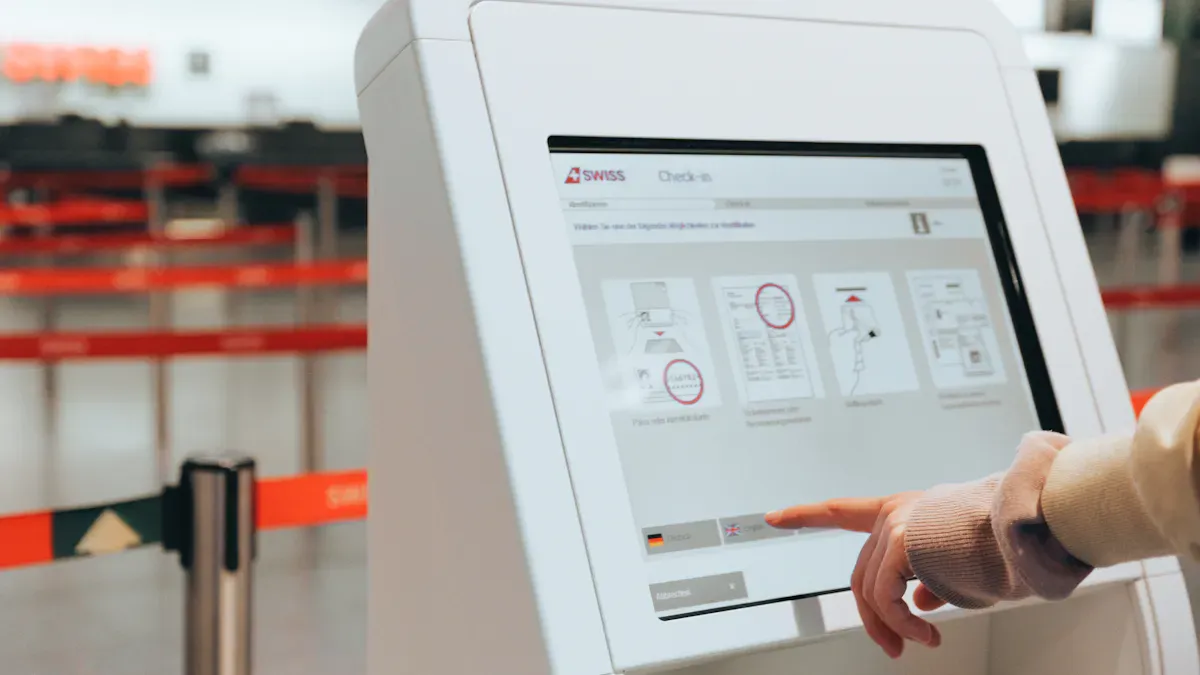
Paying your bills has never been easier. The Payment information Self Service kiosk is a touchscreen machine that lets you handle payments on your own, without waiting for help. You just follow the steps on the screen, and you’re done in minutes. Here’s how you can use it:
Start and Scan or Enter Info
Walk up to the kiosk and tap the screen to begin. The display uses large, clearly labeled buttons and high-contrast colors, so you can see everything easily. If you prefer, you can switch the language or turn on audio guidance for extra help.
You have a few ways to enter your account information:
Scan a barcode from your bill.
Type your account number using the touchscreen.
Choose your service from a simple menu.
The kiosk uses advanced scanning and biometric features. It can read barcodes, capture documents, or even use facial recognition for extra security. These tools make sure only you can access your account and help prevent mistakes.
Tip: If you ever feel unsure, just follow the clear instructions on the screen. The kiosk is designed for everyone, even if you don’t use technology often.
Choose Payment Method
Next, pick how you want to pay. The Payment information Self Service kiosk accepts many payment types, so you can use what works best for you.
How It Works | |
|---|---|
Credit/Debit Card | Insert or tap your card |
Mobile Payment | Use Apple Pay, Google Wallet, etc. |
Cash or Coins | Insert bills or coins directly |
Check | Insert your check for processing |
Biometrics | Pay with facial recognition |
SMS Payment | Complete payment through your phone |
Every payment goes through a secure, encrypted system. You don’t have to worry about your information getting stolen. The kiosk follows strict security rules to keep your money and data safe.
Get Instant Receipt
Once you finish your payment, you get a receipt right away. The kiosk can print a paper receipt or send one to your email. The printer works fast and can even print QR codes or barcodes if you need them for records.
You always know your payment went through. You can leave with proof in your hand or inbox. That’s peace of mind, every time.
Note: The Payment information Self Service kiosk is built for everyone. It helps you pay bills quickly, safely, and without stress—no matter your age or tech skills.
More Benefits and Features
Multiple Payment Options
You get to choose how you want to pay. The Payment information Self Service kiosk accepts cash, cards, checks, and even mobile payments. You can use Apple Pay, Google Wallet, or your bank’s app. This flexibility means you never have to worry about not having the right payment method. You can even pay with coins or use your phone for a quick tap. No matter what you prefer, the kiosk makes it easy.
Tip: If you ever forget your wallet, you can still pay your bill with your phone or another method.
User-Friendly Interface
The kiosk’s screen is bright and easy to read. You see big buttons and clear instructions. You can pick your language or turn on voice commands if you need help. The screen adjusts to your height, so everyone can use it comfortably—even if you use a wheelchair. You do not need to ask for help or wait for staff. You just follow the steps and finish your payment.
You can use voice commands for extra help.
The screen adjusts for people of all heights.
You can switch languages with one tap.
This design helps everyone, including people with disabilities, feel confident and independent.
Extra Services (Appointments, Queuing)
You can do more than just pay bills. The kiosk lets you schedule appointments or check in for services. You can join a virtual queue and see your place in line. This means you do not have to stand around waiting. You can relax or run errands while you wait for your turn.
You can book appointments without talking to staff.
You can check your spot in line on the screen.
You get updates so you know when it’s your turn.
These features save you time and reduce frustration. You get more control over your visit and enjoy a smoother experience. The kiosk connects with your phone, so you can get reminders or updates wherever you are.
Note: With all these features, you spend less time waiting and more time doing what matters to you.
You can pay your bills quickly and safely at the Payment information Self Service kiosk. Lots of people like how fast it is. The lines are much shorter. Almost half of customers use kiosks for fast payments. You get more comfort and feel happier. You also feel calm knowing your payment is safe. Parents, travelers, and families use kiosks to pay on time. They avoid late fees and handle their accounts easily. Try the kiosk next time. You will save time and have a smooth visit.
FAQ
How do I start using the Payment information Self Service kiosk?
Just tap the screen to begin. You can scan your bill, enter your account number, or pick your service from the menu. The kiosk guides you step by step.
What payment methods can I use at the kiosk?
You can pay with cash, card, check, or your mobile phone. The kiosk also accepts Apple Pay and Google Wallet. Pick the way that works best for you.
Is my information safe when I use the kiosk?
Yes! The kiosk uses strong security, like encryption and privacy screens. Your data stays private. You get a safe and secure payment every time.
Can I get help if I have trouble at the kiosk?
Yes, you can! The kiosk has on-screen help and voice guidance. If you need more help, staff can assist you nearby.
Do I get a receipt after paying my bill?
Absolutely! The kiosk prints a paper receipt or sends one to your email. You always have proof of your payment.
See Also
Understanding Self-Service Kiosks: Functionality and Benefits
Essential Features of Today's Touch Screen Kiosks Explained
Evaluating Touch Screen Kiosks: Performance Versus Cost Analysis
Discover 10 Unexpected Applications for Touch Screen Kiosks
Six Essential Tips for Selecting Interactive Kiosks Effectively
