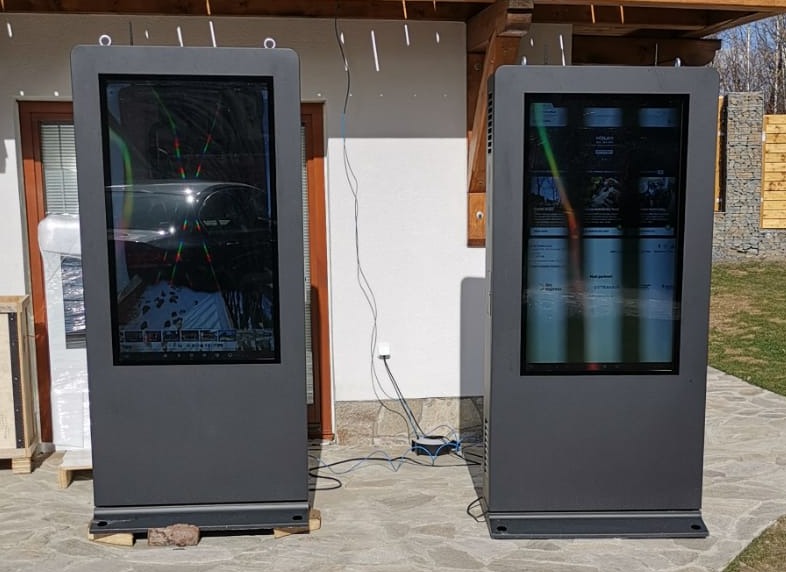
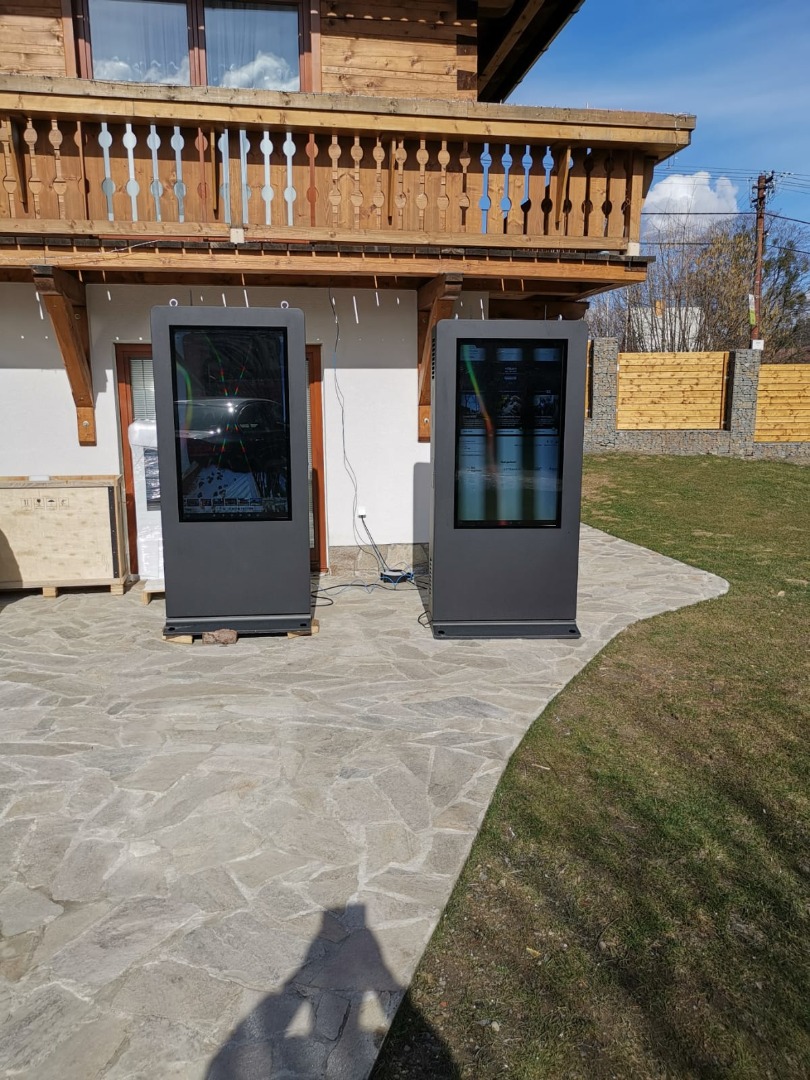
why Outdoor signage get black area on screen and how to solve the black screen of out door screens?
Shenzhen TopAdkiosk Display Technology Co., Ltd.
Add.: 2F, Bldg 10, Changfeng Industrial Park, Dongkeng, Fenghuang, Guangming, Shenzhen, China 518132
Mobile/WHATSAPP: 86-138 25769658
Email: marketing@topadkiosk.com topadkiosk@gmail.com
Skype: pghenry1
Wechat: adkioskhenry
English Web.: http://www.topadkiosk.com/
https://www.topkioskdisplay.com/
http://www.ad-kiosk.com/
https://www.toplcddisplay.com/
http://www.multitouchdigitalsignage.com/
https://www.youtube.com/channel/UCYVYNJHxLVEcQD8fuUxXNTA/videos?view_as=subscriber
https://www.facebook.com/TOPADKIOSKSHENZHEN/?ref=bookmarks
If you notice a black area on your Outdoor signage, it’s important to address it quickly. Understanding why Outdoor signage get black area on screen helps you fix the issue safely and efficiently. Black screens on Outdoor signage can prevent people from seeing important messages, making ads less effective and causing people to miss crucial details. In busy environments, slow reactions may occur if Outdoor signage is not functioning properly. Knowing why Outdoor signage get black area on screen and following safe steps to resolve it ensures your signage continues to deliver clear information.
Black screens on Outdoor signage stop important information.
Ads on Outdoor signage are not as strong.
Slow reactions in control rooms due to Outdoor signage issues.
Key Takeaways
Check power connections often to stop black screens. Loose or broken cables can make the screen not work right. If the screen is dark, look at the backlight and brightness settings. A broken backlight might need to be replaced. Take care of outdoor signage by doing regular maintenance. Clean the screens and look for damage every few months. This helps the screens work their best. Watch the temperature and humidity levels. Very hot or wet weather can hurt outdoor screens, so use monitors to check these things. Pick outdoor signage that is good quality. Make sure the screens are waterproof and bright enough for all weather.
Outdoor Signage: Common Causes of Black Screens
Power Supply Problems
Outdoor signage can turn black if there are power supply problems. If the power is not steady, the screen may flicker or go off. When equipment starts, voltage drops can make the screen reset. If you see a black screen, check the cables and power connections first. The table below lists common symptoms and what they mean:
Symptoms | Explanation |
|---|---|
No electricity (black screen) | There could be a problem with the power supply or drive board. Check the power output. |
No signal | If the screen says 'no signal' when on, there may be loose wires or broken parts. |
Tip: Check cables and power connections often to stop black screens and flickering.
Backlight and Brightness Issues
A broken backlight can make the screen look black even if it is on. Sometimes, the brightness is set too low, so the display is hard to see. If you hear sound but see no picture, the backlight might be broken. Always check the brightness and backlight if the screen looks dark.
Motherboard or AD Board Faults
The motherboard or AD board sends signals to the screen. If there is a problem, you may see a black screen but still hear sound. This happens when the signal does not reach the display. Replacing the AD board can fix this problem.
If you hear sound but see a black screen, the motherboard or AD board may be bad.
If the signal does not reach the screen, it will go black.
Module Defects and Water Damage
Outdoor signage can get wet from rain or weather. Water can get inside through small gaps or ports and hurt the parts inside. This can cause the screen to flicker or go black. Over time, water damage can make the screen stop working. Module defects, like a bad power supply or drive board, can also cause black screens. The table below lists common module defects and how to fix them:
Defect Type | Description | Solving Method |
|---|---|---|
No electricity | The screen is black because the power supply or drive board is bad. | Check the power output; if there is none, the power supply is bad; if it is normal, the drive board may be bad. |
Some parts of the LCD do not show right. | Check the signal line for loose wires; if not, the LCD may be broken. | |
Dark screen | The screen is always black or flashes. | Check the power output; if it is not steady, the power supply is bad; if it is normal, change the drive board and inverter. |
No signal | The screen says 'no signal' when on. | Check the video wire and power cord for loose wires; if not, change the decoder or drive board. |
Incorrect Time Settings
If the time settings are wrong, Outdoor signage can turn off or show a black screen at the wrong time. Always check the time settings if the screen goes black during the day.
Design and Manufacturing Defects
Sometimes, black screens happen because of design or manufacturing problems. If the screen gets hit or dropped, it can crack or get black spots. If the screen gets too hot or has a short circuit, colored stripes or stains can appear. The table below shows common defects:
Defect Type | Description |
|---|---|
Black Spots | The screen can get black spots from cracks or bad manufacturing. |
Colored Stripes | Hardware failure from overheating or short circuits can make colored stripes. |
Stains/Discoloration | Damage over time can cause stains and may lead to black screens if not fixed. |
Note: Outdoor signage should use good materials and careful design to stop these problems.
Troubleshooting Outdoor Signage Black Screens
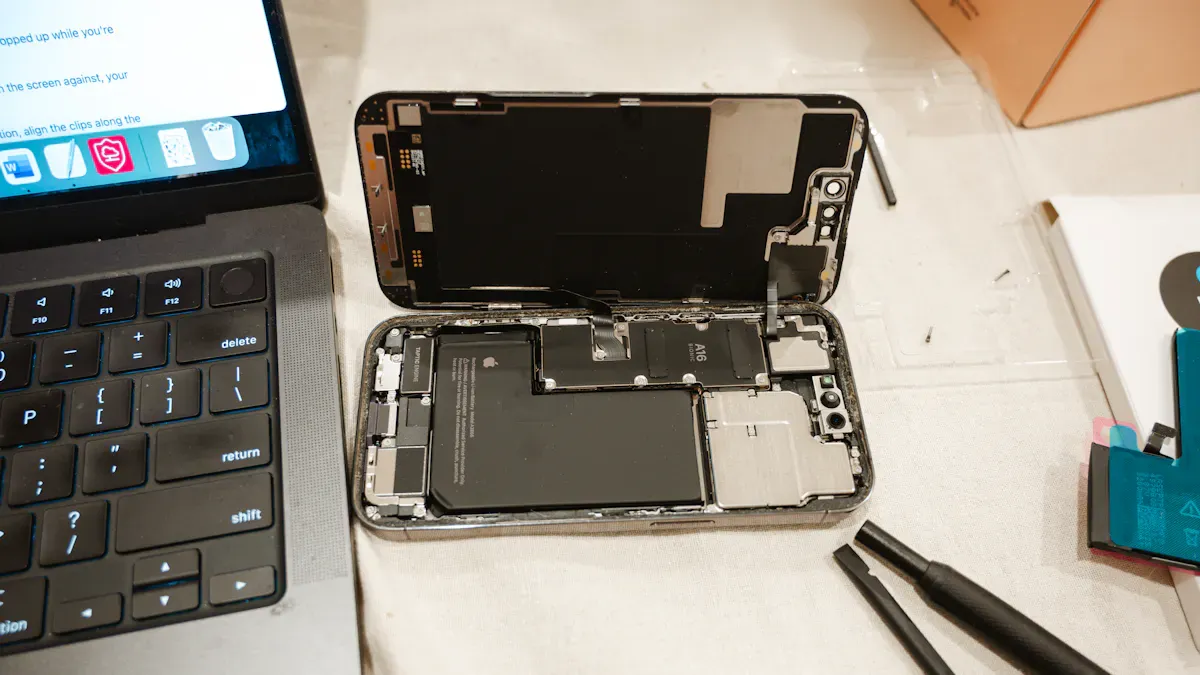
When you see a black screen on your Outdoor signage, you need a clear plan to find and fix the problem. Follow these steps to troubleshoot safely and effectively.
Safety Checks First
Before you start any inspection or repair, always put safety first. Outdoor signage often sits in high or exposed places, so you must protect yourself.
Inspect the area for any water, rust, or loose parts that could cause harm.
Wear personal protective equipment like cut-resistant gloves and ANSI-rated eye protection.
Use a personal fall arrest system if you work at height.
Make sure the power is off before you touch any wires or open the cabinet.
Check the mounting brackets and frames for stability to prevent accidents.
Tip: Always use proper lifting equipment when moving heavy screens to avoid injury.
Inspecting Power and Connections
Power problems are a common cause of black screens. You can check the power supply and connections with a few simple steps.
Use a multimeter to test if the display is getting power.
Look for loose or damaged power cables.
Check the cabinet wiring for any faults.
Inspect power supplies for signs of heat or buzzing.
Test any backup power units to make sure they work during outages.
Safety Equipment | Description |
|---|---|
Personal fall arrest systems | Prevent falls during elevated work |
ANSI-rated eye protection | Protect eyes during drilling or repairs |
Cut-resistant gloves | Keep hands safe when handling sharp edges |
Proper lifting equipment | Help move heavy screens safely |
Note: If you find frayed cords or loose plugs, replace them right away to prevent further damage.
Checking Backlight Functionality
If your screen stays black but you hear sound, the backlight may be the problem. You can test the backlight using a digital multimeter.
Get a multimeter with a diode setting.
Plug the red lead into the positive input and the black lead into "COM."
Turn the dial to the diode setting.
Touch the black probe to the cathode (shorter prong) and the red probe to the anode (longer prong) of the LED.
Read the value on the display. A good LED should show about 1600 mV.
If the LED lights up brightly, it works well. If not, you may need to replace the backlight.
Tip: Always check the brightness settings before replacing any parts.
Examining Motherboard and AD Board
Problems with the motherboard or AD board can also cause black screens. You can spot many issues with a careful look.
Check for burnt parts, misplaced components, or solder problems.
Compare your board with a working one to find differences.
Use a multimeter to test for shorts in the power supply area.
Measure voltage levels to see if the board gets enough power.
Repair any broken traces with solder or wire.
Test integrated circuits with an oscilloscope if you have one.
If you see any burnt or damaged parts, replace them to restore normal function.
Verifying Time Settings
Incorrect time settings can make your Outdoor signage turn off or display a black screen at the wrong time.
Make sure the player time zone matches the schedule time zone.
Sync the player clock with a network time server.
Check that the time zone handles daylight saving time changes.
Note: Always double-check time settings after a power outage or software update.
Assessing Module and Environmental Issues
Environmental factors can affect Outdoor signage. You should check for these issues if you still see a black screen.
Look for signs of moisture inside the cabinet.
Check for temperature changes that could affect the display.
Inspect for physical vibration from traffic or wind.
Make sure all seals and drainage systems work well.
Confirm that the mounting is stable and secure.
Clean the fixtures and replace any broken modules.
Regular inspections and cleaning help prevent many common problems.
By following these steps, you can quickly find and fix most black screen issues in Outdoor signage. Always focus on safety and use the right tools for each task.
Preventing Black Screens on Outdoor Signage
Regular Maintenance
Doing regular maintenance can stop most black screen problems. Start by looking at your screens often to find flickering or blank spots early. Plan to restart your screens sometimes to clear out old data. This helps the system work better. Check your content management system to make sure the right messages show up. Clean the vents so the screens do not get too hot. Watch your network to catch problems before they get worse. Checking for sun or rain damage helps you fix issues before they break your screens.
Maintenance Task | Recommended Frequency | Action Steps | Best Practices |
|---|---|---|---|
General Cleaning | Every few months | Wipe away dirt and dust from the screen | This keeps the display bright and easy to see |
Inspect for Damage | Every 3 months | Look for cracks, rust, or peeling | Fix small problems fast to stop bigger ones |
Professional Maintenance | As needed | Call experts for hard repairs | Make sure all electrical parts are working right |
Tip: If your area is busy or dusty, clean your screens more often.
Weatherproofing and Cleaning
Keep water and dirt away from your screens to help them last longer. Use a soft cloth that will not scratch the display. Spray a screen cleaner to wipe off dust and fingerprints. Do not use strong chemicals or let water get inside the screen. Make sure your screens have IP65 or better cases to block water and dust. After heavy rain or snow, check for leaks around the screen. Anti-glare coatings and UV protection can stop sun damage.
Monitoring Temperature and Humidity
Make sure your screens stay in the right temperature and humidity. Outdoor screens work best between -20°C and 50°C. Use monitors to check the temperature and humidity levels. These monitors will warn you if things get too hot or wet. High humidity or very hot or cold weather can break your screens, so fix problems quickly if you get an alert.
Choosing Quality Signage
Pick screens made for outdoor use. Look for screens with brightness between 5,000 and 10,000 nits so you can see them in sunlight. Choose screens with IP65 waterproofing and a pixel pitch of P10-P20mm for the best results outside. Good screens last longer and do not break as easily from weather. Features like anti-glare glass, strong metal cases, and automatic brightness changes help your screens stay clear and easy to read.
Taking care of your screens and picking good ones helps you stop black screens and keeps your Outdoor signage working for a long time.
You can keep your outdoor signage clear and bright by following simple steps. Clean the glass often to prevent dust and overheating. Check filters every six months to help cooling systems work well. Run diagnostic checks to spot problems early. If you see black spots or cracks, call a professional for help. Persistent screen issues or failed fixes mean you should trust an expert. Regular maintenance and safety checks protect your investment and prevent black screens.
FAQ
What should you do first if your outdoor signage shows a black screen?
Turn off the power. Check all cables and connections. Look for loose wires or signs of damage. Make sure the power supply works. Safety comes first.
Can weather cause black areas on outdoor screens?
Yes. Rain, snow, or high humidity can damage internal parts. Water can enter through small gaps. Always check for moisture and seal your signage well.
How often should you clean outdoor signage?
Clean your screens every few months. In dusty or busy areas, clean more often. Use a soft cloth and gentle cleaner. Avoid strong chemicals.
Why does the screen go black even when the power is on?
A faulty backlight, motherboard, or AD board can cause this. Sometimes, incorrect time settings turn the screen off. Check each part step by step.
How can you prevent black screens on outdoor signage?
Inspect your signage regularly. Keep it clean and dry. Monitor temperature and humidity. Choose quality screens made for outdoor use. Schedule professional maintenance when needed.
See Also
Discovering The Ideal Outdoor Digital Signage Option
The Functionality Of Outdoor Digital Signage For Businesses
The Benefits Of Outdoor Digital Signage For Your Brand
Key Guidelines For Setting Up Outdoor Digital Signage
Selecting The Most Effective Outdoor Digital Signage Solution
