Understanding Outdoor Self-Service Kiosks and Their Operation
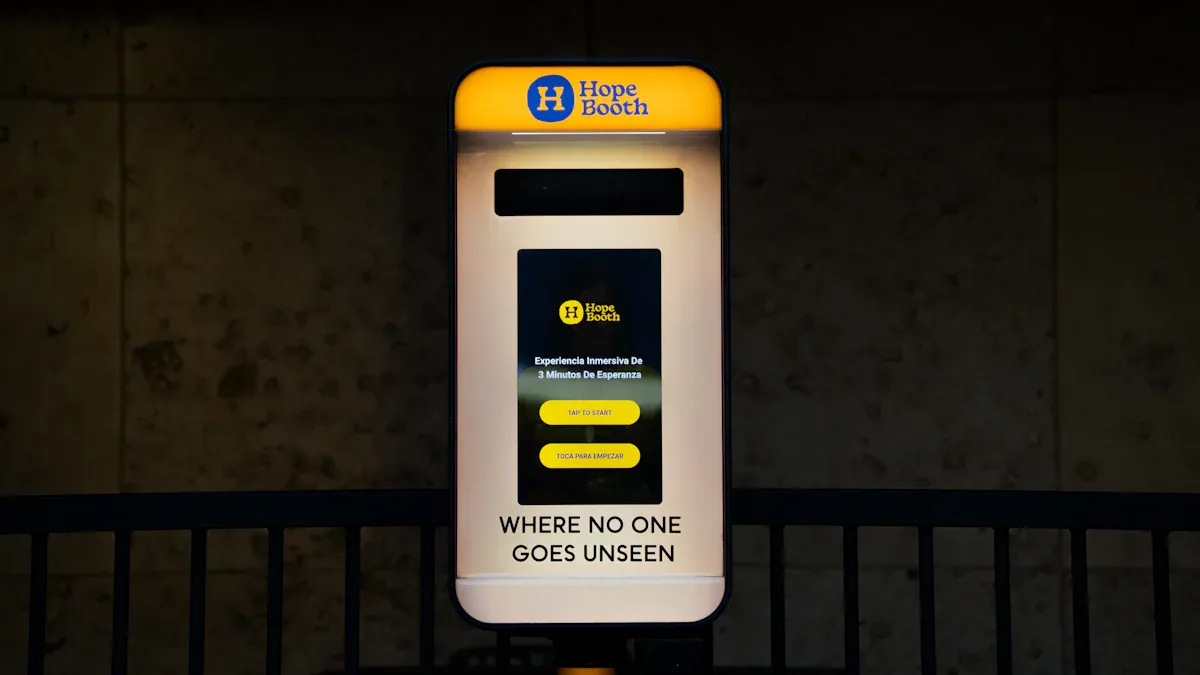
You use an outdoor selfservice kiosk by touching its screen. This helps you finish tasks fast. The kiosk stands alone and is strong. It can handle rain, heat, and cold. You use it for things like buying tickets or paying for things. You also use it to get information in places like parking lots, bus stations, and public areas. The outdoor selfservice kiosk is made with strong materials. It has safe systems to stop damage and tampering. Being tough and safe is very important for outdoor kiosks. For more details, visit https://www.topadkiosk.com/.
Common tasks include:
Payment processing
Accessing information
Key Takeaways
Outdoor self-service kiosks help you finish tasks fast. You do not have to wait for staff. These kiosks are built to handle bad weather. They still work in rain, heat, and cold. Kiosks give you more privacy and control. You can make choices at your own speed. Businesses get more sales from kiosks. They also make fewer mistakes and keep customers happy. Kiosks need regular care to work well and stay safe. This helps everyone have a good experience.
Outdoor Self-Service Kiosk Overview
Definition and Purpose
You use a self-service kiosk when you want to do things fast. Outdoor kiosks stand alone in busy places. They are safe and can handle bad weather. You can order food, pay for parking, or get information. You do not need to wait for help from staff. The main goal is to let you do things by yourself. You can look at menus and change your order. You finish paying when you are ready. Businesses use kiosks to sell more and work better. There are fewer mistakes because the kiosk does things right away. Kiosks help companies spend less money and earn more. Upselling features let you see extra items to buy. This can make each sale bigger. Companies watch what you do on the kiosk. They learn what you like. Buying kiosks saves money and helps companies grow over time.
Tip: You get more privacy and control with a self-service kiosk. You can make choices without feeling rushed or judged.
Common Uses
You see outdoor kiosks in many places. Each kiosk has its own job. The table below shows where you use a kiosk and what you can do:
Industry | Purpose |
|---|---|
Healthcare | Patient check-in |
Government | Wayfinding |
Financial Services | Transactions and information access |
Casinos | Ticketing |
Resorts | Food ordering |
Theme Parks | Ticketing and wristband dispensing |
Ski Resorts | Lift ticket sales |
Amusement Parks | Concessions and ticketing |
Food and Beverage | Ordering |
Parking | Payment processing |
EV Charging | Payment processing |
You use kiosks for many things. You pay faster and wait less. You get more options than with regular service. Outdoor kiosks help you pay for parking, buy tickets, check in at clinics, and order food. You see kiosks in places like parks, casinos, and government offices. Kiosks make your visit easier by cutting wait times and helping you finish tasks.
Note: Outdoor kiosks make your day easier. You finish tasks fast and get more services.
How Outdoor Kiosks Work
User Interaction
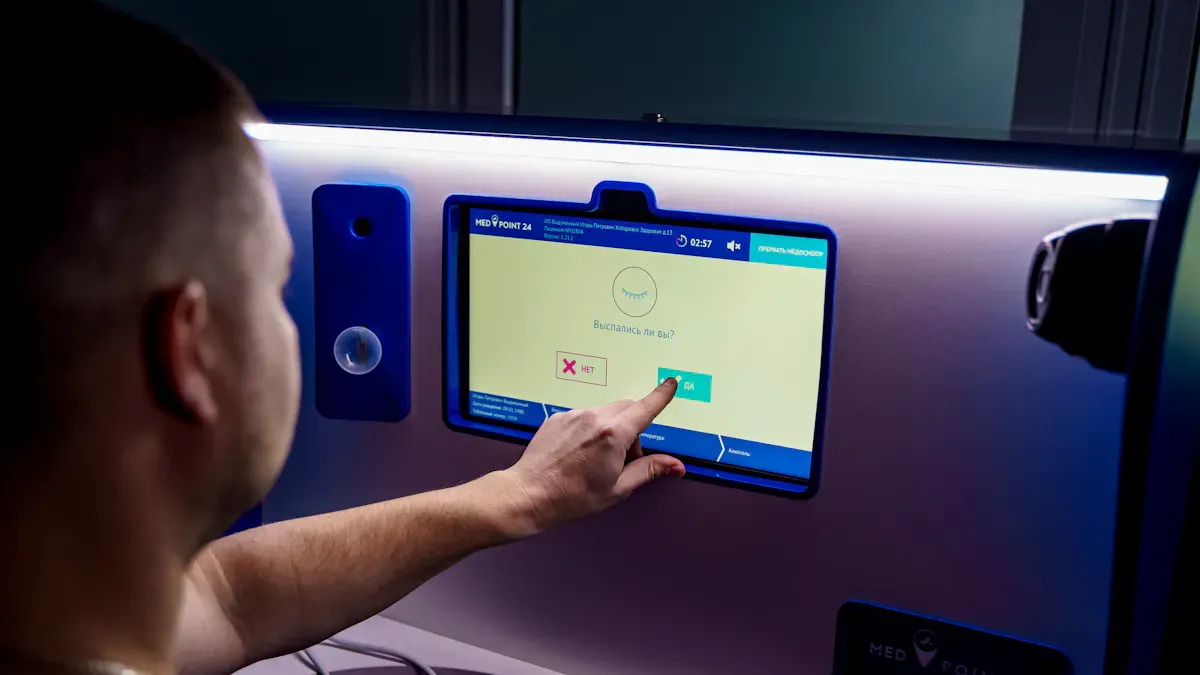
You interact with a self-service kiosk by touching the screen. The kiosk guides you step by step. You see clear buttons and menus. You can place orders, pay independently, or get information. The interactive touchscreen device responds quickly to your touch. You tap, swipe, or enter details. The kiosk helps you finish tasks without waiting for staff.
Outdoor kiosks use high-brightness screens. You see the display even in sunlight. Automatic brightness sensors adjust the screen for day or night. You never struggle to read instructions. The kiosk works in rain, heat, or cold. You use it in busy places like parking lots or parks. The self-service kiosk keeps your input accurate. You do not worry about weather affecting your choices.
You follow a simple ordering workflow. The kiosk shows you options. You select what you want. You review your choices. You confirm and pay. The self-service point of sale lets you complete transactions on your own. You feel in control. You finish tasks faster.
Tip: If you need help, many kiosks offer language options or accessibility features. You can adjust settings for easier use.
Technology and Components
A self-service kiosk uses strong parts to work outside. The kiosk has a weatherproof enclosure. Rain, snow, and wind cannot damage the inside. The kiosk uses stainless steel and powder-coating to prevent rust. You see a high-brightness display. The screen stays clear in sunlight. Anti-glare technology helps you see better.
Heating and cooling units keep the kiosk working in hot or cold weather. The kiosk stays at the right temperature. You never worry about freezing or overheating. Security features protect the kiosk from vandalism or theft. The kiosk locks itself and uses alarms.
You interact with touch screen technologies. The kiosk uses anti-reflective coatings. You touch the screen and get a fast response. The kiosk connects to backend systems. Payments go through encrypted gateways. The kiosk uses PCI-compliant processors. You get real-time authorization. The kiosk links to ticketing systems, inventory tools, and access control software. Reliable connectivity keeps your payment safe.
Here is a table showing key components of a self-service kiosk:
Component | Description |
|---|---|
Weatherproof Enclosures | Protects internal parts from rain, snow, and wind. |
Lets you see the screen in sunlight with anti-glare features. | |
Touch Screen Technologies | Responds to your touch, includes anti-reflective coating. |
Heating & Cooling Units | Keeps the kiosk at the right temperature in any weather. |
Security Features | Stops vandalism and theft, keeps the kiosk safe for users. |
You use a kiosk that is weather resistant. The kiosk prevents rust and damage. Sunlight readable screens help you see clearly. Heating and cooling keep the kiosk working. Security keeps your information safe.
Note: Outdoor self-service kiosks use advanced technology to make your experience smooth and secure. You can trust the kiosk to work in any condition.
Self-Service Kiosk Features
Weatherproof Design
You use a kiosk that can handle rain, snow, and heat. The kiosk is made with strong materials like tempered glass and aluminum composite panels. It also uses glass reinforced plastic. These materials help the kiosk last a long time and look nice. Rain hoods keep water off the kiosk. Compression locks and good gasketing stop leaks from getting inside. Engineers bend parts of the kiosk so water does not collect. The kiosk has insulated panels and a waterproof roof. This keeps the inside dry and safe. The table below lists materials used to protect the kiosk from weather:
Material | Description |
|---|---|
Tempered Glass | Durable and looks good, stands up to bad weather. |
Aluminum Composite Panels | Lightweight and strong, handles extreme conditions. |
Glass Reinforced Plastic | Easy to care for and tough, works well in harsh places. |
Note: Topadkiosk outdoor self-service kiosks use these materials and smart engineering to work in any climate. Heating and cooling systems help the kiosk work in very hot or cold weather.
Security and Durability
You want a kiosk that is safe and works well. Outdoor kiosks use special hardware and strong bolts to stay in place. The screen is covered by polycarbonate or tempered glass. This keeps the display safe. Alarm systems go off if someone tries to move or break the kiosk. CCTV cameras watch the area to stop theft. The kiosk is made with steel to stop break-ins. Extra welds, stiffeners, and compression locks make the kiosk strong. You get a tough kiosk that keeps your information safe.
Tip: Outdoor kiosks are tested to make sure they last. Manufacturers use IP-rated enclosures and temperature control to keep the kiosk working in any weather.
Accessibility
You use a kiosk that follows accessibility rules. The controls are between 15 and 48 inches from the floor. You can use the kiosk with one hand. You do not need to grip hard. The controls need less than 5 pounds of force. The kiosk gives speech output and braille for people who cannot see well. You can plug in headphones and zoom in on words. The screen uses big letters and bright colors to help you read. Voice navigation and touch-free tech help people with movement problems. The kiosk gives you visual and sound signals to guide you.
Feature | Description |
|---|---|
ADA Compliance | Makes kiosks usable for people with physical, visual, and hearing challenges. |
Voice Navigation | Gives spoken prompts and lets you use voice commands. |
High-Contrast Text | Uses big fonts and bright screens for easy reading. |
Touch-Free Tech | Lets you use gestures instead of touching the screen. |
Feedback Cues | Offers visual and sound signals to help you feel confident. |
Note: Topadkiosk makes self-service kiosks easy for everyone to use.
Benefits and Challenges of Outdoor Kiosks
User Advantages
You get many good things from using a self-service kiosk outside. These kiosks are open all day and night. You can use them whenever you want. You make your own choices and change your order if needed. You do not feel rushed by anyone. You type in your own information, so mistakes happen less. Every time you use the kiosk, it works the same way. The kiosk gives you privacy, so you feel less nervous. You can wait in line by yourself and skip crowded spots. The table below lists the main user benefits:
Benefit | Description |
|---|---|
Improved Accessibility | Kiosks are available 24/7, enhancing service access for diverse customer groups. |
Improved Accuracy and Fewer Errors | Reduces human errors by allowing customers to input and confirm their choices directly. |
Enhanced Customer Control and Empowerment | Empowers users to make independent decisions and customize their orders without pressure. |
Consistent and Standardized Service Quality | Delivers a uniform experience, building trust through consistency. |
Personalized Customer Experience | Integrates data for tailored experiences based on customer profiles and preferences. |
Reduced Customer Anxiety | Provides a private environment, alleviating intimidation from staff interactions. |
Better Queue Management | Distributes customer flow evenly, reducing bottlenecks and overcrowding. |
Higher Satisfaction and Long-Term Loyalty | Increases customer satisfaction and loyalty through improved service experiences. |
You also get fast service. You can look at menus and pay quickly. You use the kiosk for many things like ordering food, paying for parking, or getting info.
Business Advantages
Businesses get better results when they use self-service kiosks. You help companies sell more because the kiosk takes orders fast. The kiosk shows you extra items to buy, so you might get more. Companies can help more people when it is busy. The kiosk makes fewer mistakes, so companies save money. Workers can spend more time making food or helping people. The table below shows business benefits:
Metric | Improvement Description |
|---|---|
Sales | Increased sales volume due to faster transaction processing and upselling opportunities. |
Customer Throughput | Enhanced efficiency allows businesses to serve more customers during peak periods. |
Customer Satisfaction Rates | Improved satisfaction due to reduced wait times and targeted promotional content. |
You help companies spend less on workers. One person can watch many kiosks at once. The kiosk makes orders right and cuts down on waste. Companies save money over time and get more loyal customers.
Drawbacks and Costs
There are some problems with outdoor kiosks. Outdoor kiosks cost more than indoor ones. Outdoor kiosks start at $1,500 and can go up to $50,000. Indoor kiosks cost between $2,000 and $20,000. Strong security and weatherproof parts make them more expensive. You need skilled workers to fix and care for the kiosk. You must update the software often to stop hackers. The table below lists common problems:
Challenge Type | Description |
|---|---|
Balancing Usability and Security | Overly secure systems can lead to user friction, discouraging kiosk use. |
Cost Constraints and Maintenance | High-level security features involve significant costs and require skilled technicians for upkeep. |
Software Maintenance | Regular updates are essential to protect against cyber threats and ensure compliance with regulations. |
Security Best Practices | Implementing strong passwords, access control, and data encryption are crucial for kiosk security. |
Troubleshooting Common Issues | Common problems include touchscreen unresponsiveness, which may require cleaning or recalibration. |
You need to keep security and ease of use balanced. Too much security can make kiosks hard to use. Keeping the kiosk safe means doing regular updates and fixing problems.
Practical Considerations for Outdoor Self-Service Kiosk Deployment
Site Selection
You must pick a good spot for your outdoor self-service kiosk. Where you put the kiosk changes how many people use it. The right spot also keeps the kiosk safe. Look for a flat place with no dangers. Make sure it does not get too hot or wet. People should see the kiosk easily. Put it where everyone can reach it. Check the rules in your area before you set up the kiosk. The spot should look nice and be easy to clean or fix. Metal cases protect the kiosk from being stolen or broken. These strong materials help the kiosk work in rain, snow, or bright sun.
Factor | Description |
|---|---|
Environmental Conditions | Area must be level, safe, and protected from extreme weather. |
Visibility | Place kiosk where people see it easily. |
Accessibility | Make kiosk easy for all users to reach. |
Compliance with Regulations | Follow local rules and guidelines. |
Aesthetics | Choose a spot that looks good and feels welcoming. |
Maintenance | Pick a location that allows easy care and repairs. |
Tip: Picking the right spot helps your kiosk stay safe and last longer.
Maintenance Needs
You need to take care of your kiosk often. Outdoor kiosks need more care than indoor ones. Systems inside control moisture and heat. Rain covers and seals keep water out. Check air vents every month to keep them open. Locks and door alarms stop people from stealing the kiosk. Strong parts help the kiosk handle bad weather. Fixing small problems early stops bigger ones later. Clean and check the kiosk every day. Each month, check the software and test the hardware. Once a year, you might need to change parts or do big repairs. Clean fans and air filters every few weeks. Watch for cracks or blocked vents. Change screen covers when they get old.
Outdoor kiosks need moisture and temperature control.
Rain covers and seals keep water out.
Check air vents every month.
Locks and alarms help stop theft.
Note: Taking care of your kiosk often keeps it working well and saves money.
User Experience Tips
You want people to feel good using your kiosk. Make the screen easy to use and read. Use big letters and clear pictures. Bright screens help people see in sunlight. Give simple steps and use easy-to-know icons. Put the kiosk where there is enough room. Keep the area clean and bright. Try to make the space calm and comfortable. Do not let people send answers until they finish all steps. Use designs that help everyone use the kiosk. Think about privacy and help people feel safe.
Recommendation | Description |
|---|---|
Ergonomic and Accessible Designs | Make kiosk easy for everyone to use. |
Strategic Kiosk Placement | Put kiosk in accessible areas with space. |
Optimize Environment | Keep area clean and inviting. |
Simplify Prompts | Use clear instructions and icons. |
Enhance Interface Design | Show only important information. |
Consider Social Context | Help users feel comfortable and private. |
Easy design helps people finish tasks fast.
Accessibility features help all users.
Bright screens make kiosks easier to use outside.
Stopping errors makes people less upset.
Tip: A nice area around your kiosk makes people feel happy and sure when they use it.
You use a self-service kiosk to do things fast and easy. Outdoor kiosks work in tough weather and keep your info safe. Strong materials and security features protect the kiosk from harm. You get a better experience with clear screens and easy controls. Businesses see quicker service and spend less money. The table below shows main benefits:
Benefit | Description |
|---|---|
Cuts lines and waiting | |
Increases operational efficiency | Lets workers do harder jobs |
Enhances customer satisfaction | Gives you more control and comfort |
Reduces labor costs | Needs fewer workers |
You should check if the site is safe, update software, and keep security strong. Think about the good and bad before picking an outdoor kiosk.
FAQ
What makes an outdoor kiosk different from an indoor kiosk?
You get a kiosk built to handle weather, sunlight, and tampering. Outdoor kiosks use stronger materials, weatherproof seals, and brighter screens. Indoor kiosks do not need these features.
How do you keep an outdoor kiosk working in extreme weather?
You rely on heating and cooling systems inside the kiosk. These systems protect electronics from freezing or overheating. Seals and rain hoods keep water and dust out.
Are outdoor kiosks safe for payments?
You use secure payment systems. Outdoor kiosks use encrypted card readers and follow PCI standards. Your information stays safe during every transaction.
Can people with disabilities use outdoor kiosks?
You find features like voice prompts, braille, and adjustable screens. These help people with different needs use the kiosk easily.
How often should you maintain an outdoor kiosk?
You should check and clean the kiosk every day. Test the software and hardware each month. Replace worn parts once a year. Regular care keeps your kiosk running smoothly.
See Also
Understanding Self-Service Kiosks: Functionality and Benefits
Effective Solutions for Common Kiosk Problems and Maintenance
Leading Providers of Outdoor LCD Display Kiosks Today
Essential Features of Contemporary Touchscreen Kiosks Explained
