What Sets OLED Displays Apart from Traditional Screens
Shenzhen TopAdkiosk Display Technology Co., Ltd.
Add.: 2F, Bldg 10, Changfeng Industrial Park, Dongkeng, Fenghuang, Guangming, Shenzhen, China 518132
Mobile/WHATSAPP: 86-138 25769658
Email: marketing@topadkiosk.com topadkiosk@gmail.com
Skype: pghenry1
Wechat: adkioskhenry
English Web.: http://www.topadkiosk.com/
https://www.topkioskdisplay.com/
http://www.ad-kiosk.com/
https://www.toplcddisplay.com/
http://www.multitouchdigitalsignage.com/
https://www.youtube.com/channel/UCYVYNJHxLVEcQD8fuUxXNTA/videos?view_as=subscriber
https://www.facebook.com/TOPADKIOSKSHENZHEN/?ref=bookmarks
You see brighter colors and darker blacks with an OLED display. This is because OLED displays control light for each pixel. Every color looks real and every shadow is clear. Images look sharper and designs are smoother on your phone, tablet, or TV. LCD screens are used in 60% of devices. OLED screens are used in 30% of devices. OLED technology shows more colors and has endless contrast. You get these benefits when you use a device with an OLED screen.
Technology | Market Share (%) |
|---|---|
LCD | 60 |
OLED | 30 |
Characteristic | OLED Displays | Traditional LCDs |
|---|---|---|
Color Accuracy | Broader color range (DCI-P3, Adobe RGB) | Limited color range |
Contrast Ratio | Unlimited contrast (individual pixel control) | Limited by backlighting (light leakage) |
Key Takeaways
OLED displays show brighter colors and real blacks. Each pixel makes its own light. This gives clearer pictures and better contrast.
OLED screens are thinner and can bend more than regular screens. This lets people make new things like foldable phones and curved TVs.
Using OLED technology can help save battery life. This is true when showing dark images. Pixels can turn off all the way when showing black.
OLED displays react faster than LCDs. This makes them great for games and action scenes. There is very little motion blur.
To help your OLED screen last longer, keep it cool and dry. Use screen savers to stop burn-in from happening.
How OLED Display Works
Organic Compounds and Light Emission
You see bright colors and deep blacks on OLED screens. OLED stands for "Organic Light Emitting Diode." This technology uses thin layers of organic compounds to make light. When you turn on your device, electricity moves through these layers. The molecules react and each pixel gives off its own light. This is called electroluminescence.
There are different types of organic emitters in OLED displays. Each type changes how the OLED makes light and how long it lasts. Here is a table with the main types:
Type of Emitter | Description |
|---|---|
Fluorescence | Basic way to make light, but not very efficient. |
Triplet-Triplet Fluorescence (TTF) | Uses triplet states for light, so it lasts longer. |
Phosphorescence | Very efficient, often used for red and green colors. |
Thermally Activated Delayed Fluorescence (TADF) | New technology that may be used more in the future. |
These organic compounds help OLEDs make light better and show colors more accurately. This is one reason OLEDs are different from regular screens.
Pixel-Level Control and Structure
You can control each pixel in an OLED display. Each pixel can turn on or off by itself. You see true blacks because pixels can shut off all the way. Images look sharper and the contrast is higher.
Let’s see how OLED works compared to LCD and LED screens:
Component | OLED Displays | LCD Displays | LED Displays |
|---|---|---|---|
Light Emission Mechanism | Makes light from organic materials | Needs a backlight; does not make its own light | Makes light using inorganic materials |
Structure | Organic layers between anode and cathode | Liquid crystals between polarizers | Semiconductor materials |
Carrier Injection | Electrons and holes combine to make light | No direct injection; uses a backlight | Directly excites semiconductor materials |
Efficiency | Very efficient and fast | Not as efficient because of the backlight | Efficiency depends on the material used |
OLEDs make their own light, but LCDs need a backlight. LCDs cannot show true blacks. LED screens use inorganic materials and also need a backlight. OLEDs use organic compounds and do not need a backlight.
OLED displays do not need a backlight. This makes screens thinner and more flexible. Each pixel can turn off, so you see true blacks and better contrast. OLEDs also use less power, especially with dark images.
OLED displays have special pixel structures that make images better:
Special pixel patterns help pack in more pixels.
Pixel circuits control the current, so brightness and colors stay even.
Compensation fixes problems like uneven brightness or color changes.
Shared electrodes and layers let screens have more pixels without losing quality.
OLEDs respond very fast, in less than 0.1 milliseconds. Regular screens take longer. You see sharper images, higher contrast, and lower power use.
If you want to know how OLED works, remember each pixel makes its own light. This gives you brighter colors, deeper blacks, and thinner screens. OLEDs are also more efficient and flexible for new devices. That is why OLEDs change how you see your screen.
OLED vs. Traditional Screens
Color and Contrast
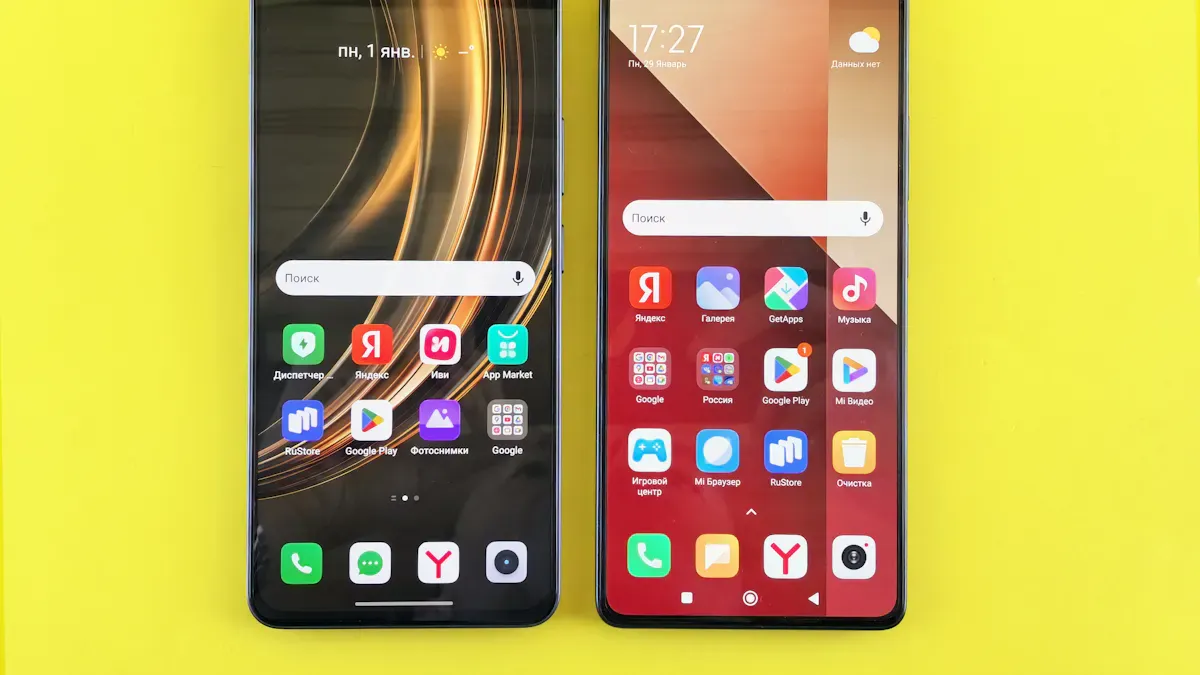
When you look at an OLED display, colors look brighter. Blacks look much darker than on other screens. Each pixel in an OLED can turn off by itself. This means you see real black, not just dark gray. The picture looks better, especially for movies and games.
Here is a table that shows how OLED and traditional screens compare:
Display Type | Contrast Ratio | Color Gamut |
|---|---|---|
OLED | Infinite | |
LED | Limited | Varies by technology |
OLED displays show true blacks because pixels can turn off. Regular screens like LCD and LED use a backlight. The backlight lets some light through, so black is not perfect. OLED has a much higher contrast ratio. Colors look more real, and pictures have more depth.
Tip: For the best picture when watching movies or playing games, pick an OLED display. You will notice more details, even in dark parts.
Thickness and Flexibility
OLED screens are much thinner than LCD or LED screens. You can see this if you look at the side of a new TV or phone. OLED displays do not need a backlight, so they can be very thin. Some OLED TVs are only a few millimeters thick.
Panel Type | |
|---|---|
OLED | Ultra-thin |
LCD | Thicker due to backlight layers |
LED | 50mm to 120mm |
OLED screens can also bend or fold. You see this in foldable phones, curved TVs, and smartwatches. Special materials inside the screen make this possible. These features let OLED displays work in many new devices.
Wearables: Curved screens on smartwatches and fitness bands.
Mobile Devices: Phones and tablets that can fold.
TVs: Very thin and curved OLED TVs for your home.
Automotive: Curved screens in car dashboards.
With OLED, you get more choices for design and style. Devices can be lighter, thinner, and even flexible.
Energy Efficiency
OLED screens use less power than regular screens, especially with dark images. Each pixel in an OLED makes its own light. When the picture is dark, some pixels turn off. This saves energy and helps your battery last longer.
Technology | Power Consumption Characteristics |
|---|---|
OLED | More energy-efficient with dark content; pixels can turn off completely. |
LCD | Needs constant backlighting, uses more power even for dark scenes. |
LED | More efficient with bright content, but less so for dark scenes compared to OLED. |
OLED screens save energy by turning off pixels.
LCD screens always use the backlight, so they use more power.
OLED helps your phone or tablet battery last longer, especially with dark themes.
If you want a device that saves power and looks great, OLED is a good choice.
Lifespan
How long a screen lasts is important when you buy a device. OLED screens usually last between 30,000 and 80,000 hours. LCD screens last from 50,000 to 60,000 hours. OLED screens can be hurt by water and air, which can make them not last as long. Makers use special layers to protect OLED screens and help them last longer.
Technology | Average Lifespan (hours) |
|---|---|
OLED | 30,000 - 80,000 |
LCD | 50,000 - 60,000 |
You can help your OLED screen last longer by keeping it cool and dry. New OLED TVs and devices use better materials and smart tech to stop damage. This means your OLED screen can last longer and work better.
Note: If you want a screen that lasts for years, both OLED and LCD are good. OLED screens now have better protection to help them last longer in your devices.
Real-World Benefits of OLED
Smartphones and Tablets
You can see a big change with smartphones and tablets that use OLED screens. The colors are bright and blacks look very dark. Each pixel makes its own light, so pictures look real. You get better image quality and colors are more accurate. OLED does not need color filters, so everything looks more natural. These screens use less power because they do not need a backlight. Your battery lasts longer. OLED screens are thin and flexible, so you can have foldable devices.
Feature | Traditional Screens | |
|---|---|---|
Image Quality | Bright colors and deep blacks | Lower quality and less contrast |
Energy Efficiency | Uses less power without backlight | Needs more power for backlighting |
Design Flexibility | Makes new designs like foldable phones | Fewer design choices |
Tip: OLED screens let you see clear pictures from almost any angle.
TVs and Entertainment
OLED TVs make watching shows and movies better. Colors are bright and the contrast is very high. Each pixel can turn on or off, so blacks are true and images are sharp. OLED TVs respond quickly, which is good for games and action scenes. You can see the screen clearly from anywhere in the room. OLED TVs are thin and have no frame, so they look nice in your home.
Feature | OLED TVs | LED TVs |
|---|---|---|
Color Accuracy | Bright and real colors | Good colors, depends on the TV |
Contrast Ratio | Very high contrast because pixels turn off | Good, but depends on the display |
Response Time | Very fast, great for gaming | Fast, especially with some panels |
Viewing Angles | Looks good from all sides | Good, often with special coatings |
Note: OLED TVs help stop motion blur, so fast scenes stay clear.
Wearables
OLED screens are great for wearables like smartwatches and fitness bands. They use less power by turning off pixels for black parts. This helps your battery last longer, which is important for devices you wear all day. OLED lets the screen stay on without using much battery. Colors are bright and contrast is sharp, so it is easy to read. OLED screens are thin and can bend, so makers can create curved or foldable devices. These screens make wearables more comfortable because they do not get hot.
OLED screens save energy and help batteries last longer.
You get better picture quality and colors.
Flexible OLED screens let makers design new types of wearables.
Tip: OLED screens make wearables lighter and more comfortable to wear every day.
Common Questions About OLED
OLED vs. 4K
You might wonder how OLED and 4K are different. OLED gives you better contrast and colors. Each pixel controls its own light, so blacks look very dark. Colors look bright and real. 4K resolution means you see more details in pictures. Images look sharp and clear with 4K. Both make watching TV or movies better, but they help in different ways.
Feature | OLED Technology | 4K Resolution |
|---|---|---|
Contrast and Color | Great contrast and color accuracy | Shows more detail and clarity |
Viewing Angles | Wide angles with no color change | Angles are not as good |
Best Use Case | Good for bright rooms and lower cost | |
Motion Blur | Fast response, less motion blur | May have more motion blur |
OLED is best for movie nights because blacks look deep.
4K is good for bright rooms and costs less.
Pick the one that fits what you watch and where you use it.
OLED vs. LCD
There are big differences between OLED and LCD screens. OLED shows perfect blacks and has endless contrast. LCD uses a backlight, so blacks look dark gray. OLED responds faster, so moving images look smooth. LCD is slower, so fast scenes can look blurry.
Feature | OLED Screens | LCD Screens |
|---|---|---|
Viewing Angles | Looks good from all sides | Quality drops at an angle |
Black Levels | Shows perfect black | Blacks look more like gray |
Contrast Ratios | Endless contrast | Contrast is much lower |
Response Times | Very fast, about 0.1 ms | Slower, about 20 ms |
Screen Reflectance | Very low glare | More glare than OLED |
OLED keeps colors and contrast even if you move.
LCD changes color and looks worse from the side.
OLED is much faster, under 1 ms, while LCD is slower.
OLED can refresh up to 580 Hz, but LCD is usually lower.
Burn-In and Longevity
Some people worry about burn-in on OLED screens. Burn-in happens if the same picture stays too long. This can make some pixels wear out and hurt the image. It is a bigger problem if screens show the same thing for hours, like in hospitals.
Makers use special tricks to help OLED last longer:
They seal the screen to keep water and air out.
They use smart tech to spread out pixel use.
Better materials help pixels last longer.
Pixel shifting and screen savers stop burn-in.
Companies like Samsung make blue pixels last longer.
If you take care of your OLED screen, it can last for years. New tech helps screens look better and last longer.
You get lots of good things with an OLED screen. These screens show very dark blacks and bright colors. Motion looks smooth and clear. Devices can be thin and bend easily. They use less power, so batteries last longer. Here is a simple table:
Advantage | What You Get |
|---|---|
Image Quality | Pictures look clear and bright |
Flexibility | Devices are thin and foldable |
Energy Efficiency | Batteries last longer |
Refresh Rate | Action and games look smooth |
Choose OLED if you like games, movies, or want a cool device. LCD screens are good for office work or saving money.
FAQ
What makes OLED screens different from regular screens?
You see each pixel light up on its own. Regular screens use a backlight. This gives you deeper blacks and brighter colors. You notice the difference most when watching movies or playing games.
Can you use OLED screens outside in sunlight?
You can use these screens outside, but bright sunlight may make them harder to see. Some devices use special coatings to help you see better in daylight.
Do OLED screens use more battery?
You save battery with dark images because black pixels turn off. Bright images use more power. Many phones use dark mode to help your battery last longer.
How do you protect your OLED screen from burn-in?
Tip: Change your wallpaper often. Lower your screen brightness. Use screen savers. These steps help stop burn-in and keep your screen looking new.
See Also
Comparing OLED Displays With LCD Displays: Key Differences
Understanding OLED Displays: Functionality and Features Explained
Exploring OLED Displays: How They Operate and Function
