OLED display tips to make your project shine
When you want a new display for your project, you need it to be bright, clear, and dependable. OLED displays are special because they use organic light-emitting diode technology. They show deep blacks, strong colors, and high contrast. The OLED market is growing very quickly around the world. In 2024, it was worth over $44 billion. Experts think it will get even bigger by 2033. To choose the best OLED display, look at size, resolution, color, compatibility, brightness, power, durability, and how it works for your project. Spend time to learn and compare different displays. Picking the right one helps your project look and work its best.
Key Takeaways
Think about what your project needs before picking an OLED display. Different projects need different things.
Look at where you will use the display. Hot and wet places can make it work worse.
Decide how much money you can spend before you buy an OLED display. This helps you get a good one and not spend too much.
Check for important things like size, how clear the picture is, and how bright it gets. These things change how well the display works and looks.
Watch out for common problems like burn-in and color problems. Being careful can help your display last longer and look better.
Project Needs
Use Case
Think about how you will use your OLED display. Each project needs something different. Some displays are better for certain tasks. People use OLED screens in many ways:
Smartwatches and fitness trackers
Laptops and computer monitors
TVs and home entertainment systems
Car dashboards and control panels
Flexible or bendable screens
Transparent displays for smart windows or AR devices
Ask yourself, “What will my display show?” If you want strong colors and deep blacks for a smartwatch, you need a different screen than for a car dashboard. Your use case helps you make every other choice.
Environment
Where will your display be used? The place can change how well your OLED works. High heat or lots of moisture can cause problems. See how different conditions affect OLED screens:
Environmental Factor | Effect on OLED Performance |
|---|---|
Hurts organic materials, lowers brightness, changes colors, and may break the display | |
High Humidity | Speeds up damage, causes visible problems, and makes the display not last as long |
If your project will face tough weather or big temperature changes, you need to plan for that. Some OLEDs work better in hard places.
Tip: Always look at the display’s specs for temperature and humidity limits before you buy.
Budget
Money is important. OLED displays have many prices. Some cost more because they show better colors, have higher resolution, or special features like flexibility. Make a list of what you need most. Decide how much you can spend. Sometimes, you may need to give up a cool feature to save money. Setting your budget early helps you find the best display for your project without surprises.
OLED Display Features
Size
When you pick an OLED display, size matters a lot. You want a screen that fits your device and shows everything clearly. For wearable and IoT gadgets, most screens are small but sharp. Here’s a quick look at popular sizes:
Device | Display Size | Resolution | Brightness (nits) |
|---|---|---|---|
Apple Watch Series 11 | 1.96" | 496x416 | 2000 |
Apple Watch Ultra 3 | 1.98" | 514x422 | 3000 |
Apple Watch SE 3 | 1.78" | 448x368 | 1000 |
Samsung Galaxy Watch8 | 1.47" | 480x480 | 3000 |
Samsung Galaxy Watch8 Classic | 1.38" | 438x438 | N/A |
Garmin Venu X1 | 2" | 448x486 | N/A |
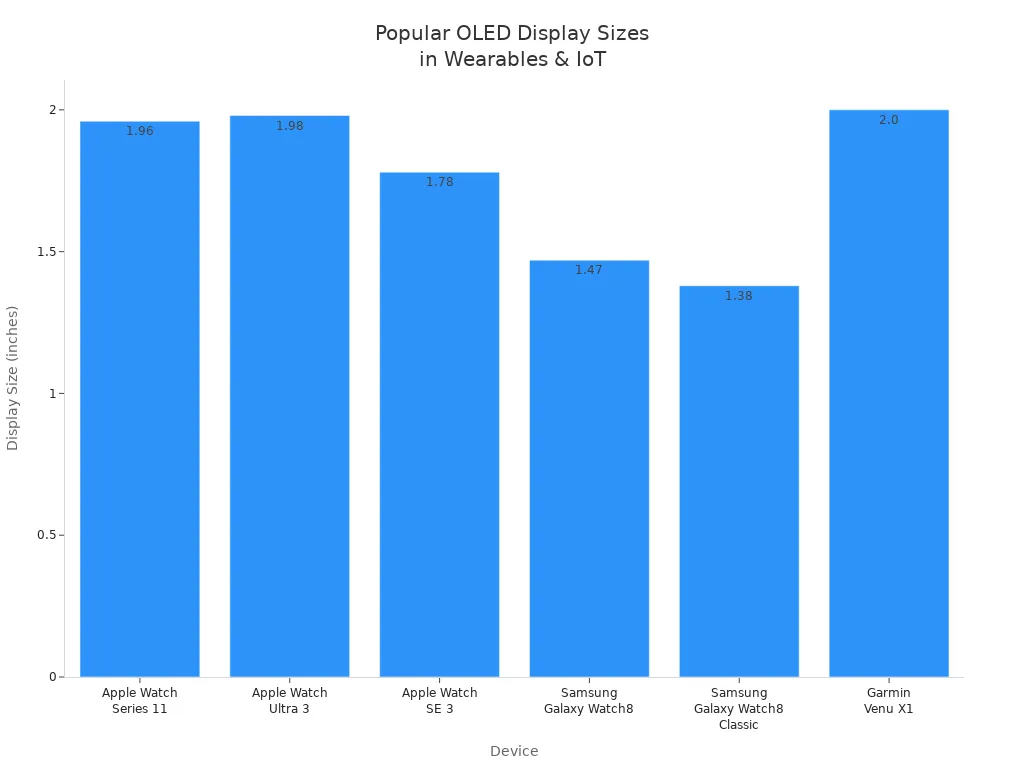
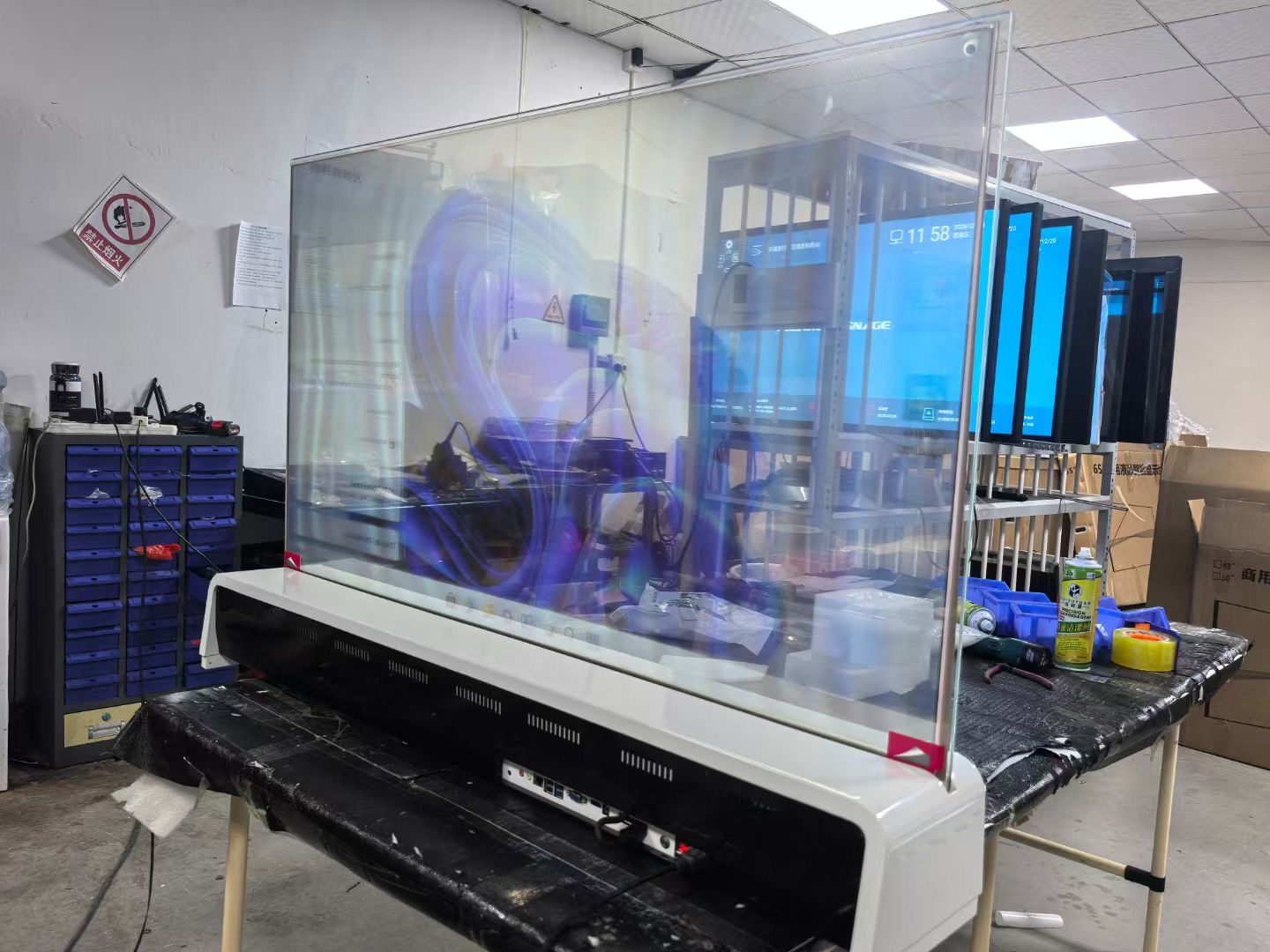
You can see that most wearable displays stay under 2 inches. If you need a bigger screen, like for a TV or monitor, you can find OLED displays in 4k and even UHD sizes. Always match the display size to your project’s needs.
Tip: A larger display gives you more room for details, but it can use more power and cost more.
Resolution
Resolution tells you how many pixels fill your screen. More pixels mean sharper images and better image detail. For small devices, you want a high enough resolution so text and icons look crisp. For bigger screens, like a 4k OLED TV, you get ultra-clear pictures and a high pixel density.
If you want to show lots of information or tiny graphics, pick a display with a high pixel count. For example, the Apple Watch Ultra 3 has a display resolution of 514x422. For TVs and monitors, 4k and UHD resolutions are common. These give you amazing image quality and make movies or games look lifelike.
Note: Always check the display resolution before you buy. A high enough resolution helps your project stand out.
Color
OLED displays are famous for their excellent color accuracy. They use self-emissive technology, which means each pixel lights up on its own. This gives you bright, rich colors and smooth gradients. Color depth is also important. It tells you how many colors your display can show.
Color Depth | Number of Colors |
|---|---|
1-bit | 2 colors |
8-bit | 256 colors |
16-bit | 65,536 colors |
24-bit | 16.7 million |
30-bit | Over 1 billion |
36-bit | Over 68 billion |
48-bit | Over 281 trillion |
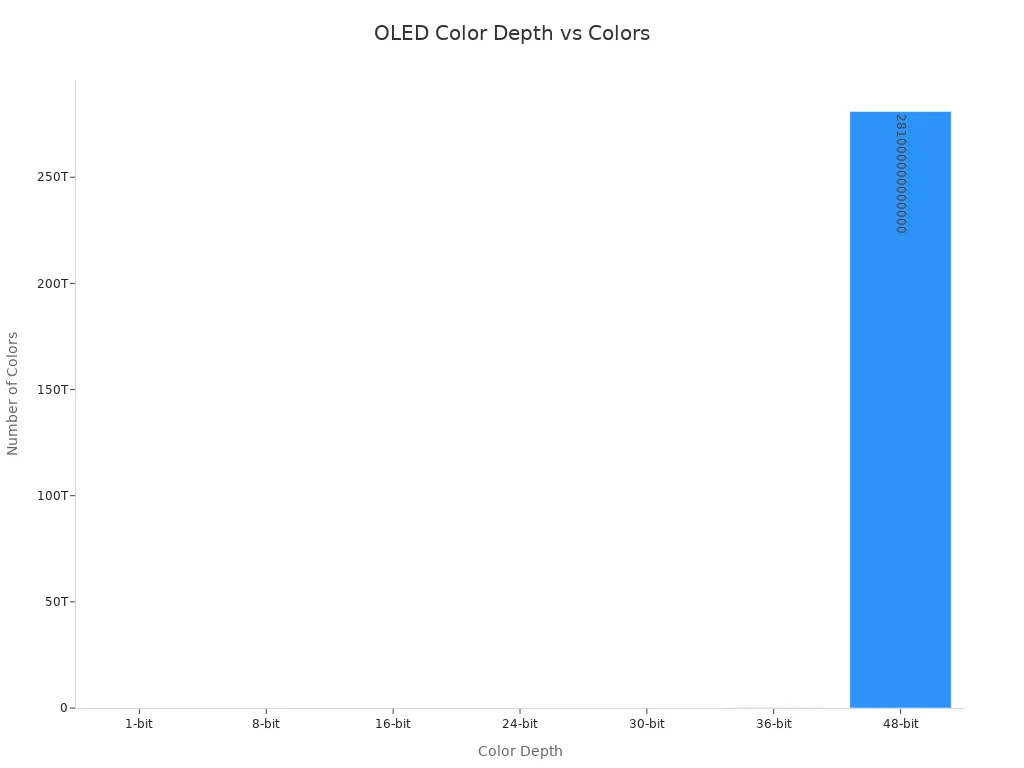
A higher color depth means better image quality. You get smoother gradients and more lifelike scenes. If you want your display to show photos or videos, look for a display with at least 24-bit color.
Greater color accuracy means your images look real.
Smoother gradients help avoid banding.
More color data lets you edit images without losing quality.
Brightness
Brightness tells you how well you can see your display in different lighting. OLED displays can get very bright, but sometimes not as bright as the best LCD screens. LCDs use strong backlights, so they work well in sunlight or bright rooms. OLEDs can reach a high peak brightness level, but if you push them too hard, they use more power and can get hot.
Display Type | |
|---|---|
OLED | Varies, can be less than high-end LCD displays |
LCD | High, especially with LED backlighting |
If you plan to use your display outside or in bright places, check the brightness rating. For most indoor uses, OLED displays give you plenty of light.
Tip: High brightness is great, but it can also speed up burn-in. Use screen savers or dim the display when you can.
Contrast
OLED displays shine when it comes to contrast. They can turn off each pixel, so you get true blacks and super high contrast ratios. This makes light and dark parts of your screen stand out. You see more detail in shadows and highlights, which boosts image quality.
OLED displays give you infinite contrast by turning off pixels.
You get better visibility in dark rooms.
Even in bright places, OLED displays still look great compared to other screens.
If you want the best image quality, pick an OLED display with a high contrast ratio. This is one reason why self-emissive displays are so popular for movies and games.
Refresh Rate
Refresh rate tells you how many times your display updates each second. A higher refresh rate means smoother motion. This is important for games, videos, or anything that moves fast. Some OLED displays now reach 540Hz or even 720Hz at lower resolutions. That’s great for gaming or VR.
High refresh rates reduce motion blur and flicker.
You get clearer images when scrolling or watching fast action.
Some OLED displays use strobing to make motion even smoother.
If you want a display for gaming or video, look for a high refresh rate. For simple projects, a standard rate works fine.
Note: High refresh rates can use more power, so balance your needs with battery life.
Compatibility
Interface
You need your OLED display to work well with your hardware. The interface is how your display connects to your microcontroller or computer. If you choose the wrong one, your display might not work. Here are some common types and how they match with microcontrollers:
Interface Type | Description | Compatibility with Microcontrollers |
|---|---|---|
MCU | Microcontroller Unit | Basic control, good for simple projects |
SPI | Serial Peripheral Interface | Fast data, works well with most OLEDs |
TTL | Transistor-Transistor Logic | Simple and cheap, but not very fast |
LVDS | Low-Voltage Differential Signaling | Super fast, great for high-resolution screens |
DSI | Display Serial Interface | Made for mobile devices, very efficient |
EDP | Embedded DisplayPort | High bandwidth, best for advanced uses |
Tip: Make sure your microcontroller supports the interface you pick. This helps you avoid problems and saves time.
Driver ICs
Driver ICs help your OLED display show images. They control each pixel and keep pictures clear. You need to pick the right driver IC for your project. Here’s a table to show the differences:
Driver IC Type | Key Features | Applications |
|---|---|---|
Passive Matrix OLED | Great for small screens, uses less power, built-in character ROMs | Phones, gadgets, smart meters, remotes, keypads |
Active Matrix OLED | Custom designs, works for high 4k and UHD resolution, compact for handhelds | Phones, tablets, cameras, game consoles, MP3 players |
If you want the best image quality for 4k or UHD, use active matrix driver ICs. For simple projects, passive matrix ICs save power and work well.
Power
Power is important, especially if you use batteries. OLED displays use self-emissive technology, so each pixel lights up by itself. This means your display uses almost no power with black screens. But if you show bright images, power use goes up. Sometimes it uses more than an LCD.
Display Type | Power Consumption Characteristics |
|---|---|
OLED | Saves energy with dark images; uses more for bright screens |
LCD | Uses less power for bright content; backlight always on |
If you want your battery to last, think about what you will show. More dark images help your OLED display use less power. If you show lots of bright content, you might need a bigger battery or a different display.
Note: Lowering brightness and color settings can help your battery last longer and keep your display looking good.
Reliability
Durability
You want your display to last, even if you use it every day. OLED displays have gotten much tougher over the years. New technology like thin-film encapsulation and multi-layer barriers protect the screen from moisture and oxygen. These things can damage the display if they get inside. Companies also use smart tricks, like Samsung’s pixel compensation, to help stop burn-in. This keeps your image quality sharp, even after lots of use.
Here’s what helps make OLED displays more durable:
Thin-film encapsulation keeps out water and air.
Pixel compensation algorithms fight burn-in and keep colors bright.
Good thermal management stops the display from getting too hot.
Hermetic sealing adds another layer of protection.
Most new OLED displays keep over 90% of their original brightness after three years of heavy use. Premium screens can hold about 80% brightness for 10,000 to 15,000 hours. That’s great for most projects, but some LCDs can last even longer.
Lifespan
You might wonder how long your OLED display will really last. The answer depends on how you use it and how bright you keep the screen. Here’s a quick look at how OLED and LCD compare:
Technology | Typical Lifespan (hours) |
|---|---|
OLED | |
LCD | 30,000 to 60,000 |
If you use your display for 4k movies or games, you want it to last. OLED can go up to 100,000 hours, which is enough for years of fun. LCDs often last 30,000 to 60,000 hours, so OLED gives you more time with great color and quality.
Warranty
A good warranty shows that the maker trusts their product. Before you buy, check what kind of warranty comes with your OLED display. Most big brands offer at least three years. Some even give you the option to add more years for extra peace of mind. Here’s a quick table to help you compare:
Manufacturer | Standard Warranty | Extended Warranty |
|---|---|---|
GIGABYTE | 3 years | N/A |
Dell | 3 years | 2 years |
ASUS | 3 years | N/A |
Corsair | 3 years | N/A |
MSI | 3 years | N/A |
Samsung | 3 years | 2 years |
Acer | N/A | 5 years |
BenQ | N/A | 5 years |
Costco | 1 year (TVs) | 3-5 years (OLEDs) |
Tip: Always check the warranty and the reputation of the brand. A strong warranty means you can trust the quality of your 4k OLED display for years to come.
Cost and Value
Price
You want the best screen for your project, but price matters. OLED displays come in many price ranges. Small screens for watches or gadgets cost less. Large screens for TVs or monitors cost much more. When you shop, you will see that prices change based on size, resolution, and extra features. Flexible screens or those with touch support usually cost more.
Think about what you really need. If you only need a simple display for numbers or icons, you can save money by picking a basic model. If you want sharp images and bright colors, you may need to spend more. Always check if the price matches the features you get.
Tip: Set your budget before you start shopping. This helps you avoid spending too much on features you do not need.
Feature Trade-offs
Every display has strengths and weaknesses. You may need to make trade-offs between features like brightness and power use. Some OLED screens get very bright in small spots, but they struggle to keep the whole screen bright for a long time. Others offer steady brightness and use less power.
Here’s a quick table to show how different OLED types compare:
Technology | Brightness Characteristics | Power Consumption Impact |
|---|---|---|
RGB OLED | Higher peak brightness for small areas | Struggles with full-screen brightness |
WOLED | More consistent brightness across the display | Better overall power efficiency |
You can also find displays with smart features to help balance power and brightness:
Ambient light sensors adjust brightness for you.
Proximity sensors turn on power-saving modes.
Eye-tracking can focus the best resolution where you look.
When you pick an OLED display, think about what matters most. Do you want the brightest screen, or do you need longer battery life? Sometimes, you must give up a little brightness to get better power savings. The right balance gives you great quality and keeps your project running longer.
OLED Mistakes to Avoid
Common Errors
You want your project to look great and last a long time. Sometimes, people make mistakes when they pick or use an OLED display. These mistakes can cause problems that are hard to fix later. Here’s a table to help you spot the most common errors:
Mistake Type | Description |
|---|---|
Burn-in | The same image stays on the screen too long and leaves a mark. |
Color Accuracy | Colors can change over time, making pictures look strange or faded. |
Image Retention | Some images stick around even after you switch screens. |
Viewing Angles | The picture looks different or dull if you look from the side. |
Durability | Heat and light can wear out the screen faster than you expect. |
HDR Support | The screen might not get bright enough for the best HDR effects. |
Note: If you know about these mistakes, you can plan ahead and keep your display working well.
Practical Tips
You can avoid most problems with a little care. Try these tips when you work with an OLED display:
Wear gloves when you handle the screen. This keeps fingerprints and scratches away.
Never bend, twist, or pull on the panel. OLED screens can break easily.
Do not press hard on one spot. This can damage the display.
Keep sharp objects away from the light source.
Don’t drop the screen or let things fall on it.
Make sure metal parts do not touch the panel. This helps prevent short circuits.
If you use the display outside, protect it from rain and sun.
Clean the screen with a lint-free cloth or compressed air. Skip the water.
Always handle the display gently and store it in a safe place.
😊 A little extra care goes a long way. Your OLED project will look better and last longer!
OLED vs. LCD
Technology Comparison
You may wonder how OLED and LCD are different. OLED screens light up each pixel by itself. LCD screens need a backlight to work. This changes how colors and blacks look. It also affects how much power your device uses.
Feature | OLED Displays | LCD Displays |
|---|---|---|
Light Emission | Each pixel makes its own light | Needs a backlight for the whole screen |
Black Levels | Shows true blacks and strong contrast | Blacks look lighter and less deep |
Color Accuracy | Colors are bright and bold | Colors can look faded or less clear |
Refresh Rate | Motion looks smooth and fast | Fast action can look blurry |
Durability | Flexible but can break easily | Tougher and can handle bumps |
Lifespan | Lasts up to 100,000 hours | Lasts 30,000 to 60,000 hours |
Energy Efficiency | Uses the same power for all images | |
Viewing Angles | Looks good from any angle | Colors change when you move |
Tip: Choose OLED for deep blacks and bright colors. Pick LCD if you need a tough screen for rough use.
Application Fit
Picking the right display depends on your needs. OLED is great when you want high image quality and flexible shapes. You see OLED screens in phones, smartwatches, and car dashboards. LCDs are good for basic monitors and cheaper devices.
OLED uses less power with dark images. This helps batteries last longer in phones and watches.
LCD uses the same power no matter what is on the screen. It works well for bright things like spreadsheets.
Application Area | OLED Advantages | LCD Limitations |
|---|---|---|
Consumer Electronics | Thicker screens, colors not as bright | |
Automotive Displays | Very bright, wide viewing angles, quick response | Not as flexible in design |
Wearable Devices | Light, bends easily, clear in any light | Heavier, uses more power |
😊 If you want sharp pictures and cool shapes, try OLED. For simple and strong screens, LCDs work well.
Choosing the right oled display starts with knowing what your project needs. Focus on brightness, contrast, response time, and power use. Always balance what you want with your budget and how long you need the display to last. New oled innovations like flexible screens and better energy efficiency can make your project stand out. Take time to plan, ask questions, and test before you decide.
Careful research and smart choices help your display shine for years.
FAQ
What is OLED burn-in, and how can I prevent it?
Burn-in happens when the same image stays on your screen for a long time. You can avoid it by using screen savers, lowering brightness, and changing what you show often. Try not to leave static images up for hours.
Can I use an OLED display outdoors?
Yes, you can use OLED displays outside. Pick a model with high brightness and good weather protection. Sunlight can make screens hard to see, so check the specs for outdoor use. Some OLEDs work better in bright light than others.
Do OLED displays use more power than LCDs?
OLEDs use less power with dark images because each pixel lights up on its own. Bright images can use more power than LCDs. If you want to save battery, show more black or dark colors on your screen.
How do I clean my OLED display safely?
Use a soft, lint-free cloth to wipe the screen gently. Do not use water or harsh cleaners. If you need to remove dust, try compressed air. Always handle the display with care to avoid scratches or damage.
What should I check before buying an OLED display?
Look at size, resolution, color depth, brightness, and compatibility with your device. Check the warranty and read reviews about the brand. Make sure the display fits your project and budget. A little research helps you pick the best screen.
See Also
Selecting The Ideal LCD Round Display For Your 2025 Project
Key Transparent OLED Innovations Influencing Displays In 2025
The Rise Of Transparent OLED Technology In Displays
Leveraging 3D LED Fans For Effective Advertising In 2025
The Impact Of Round LCD Displays On Commercial Signage In 2025
