OLED display secrets everyone should know
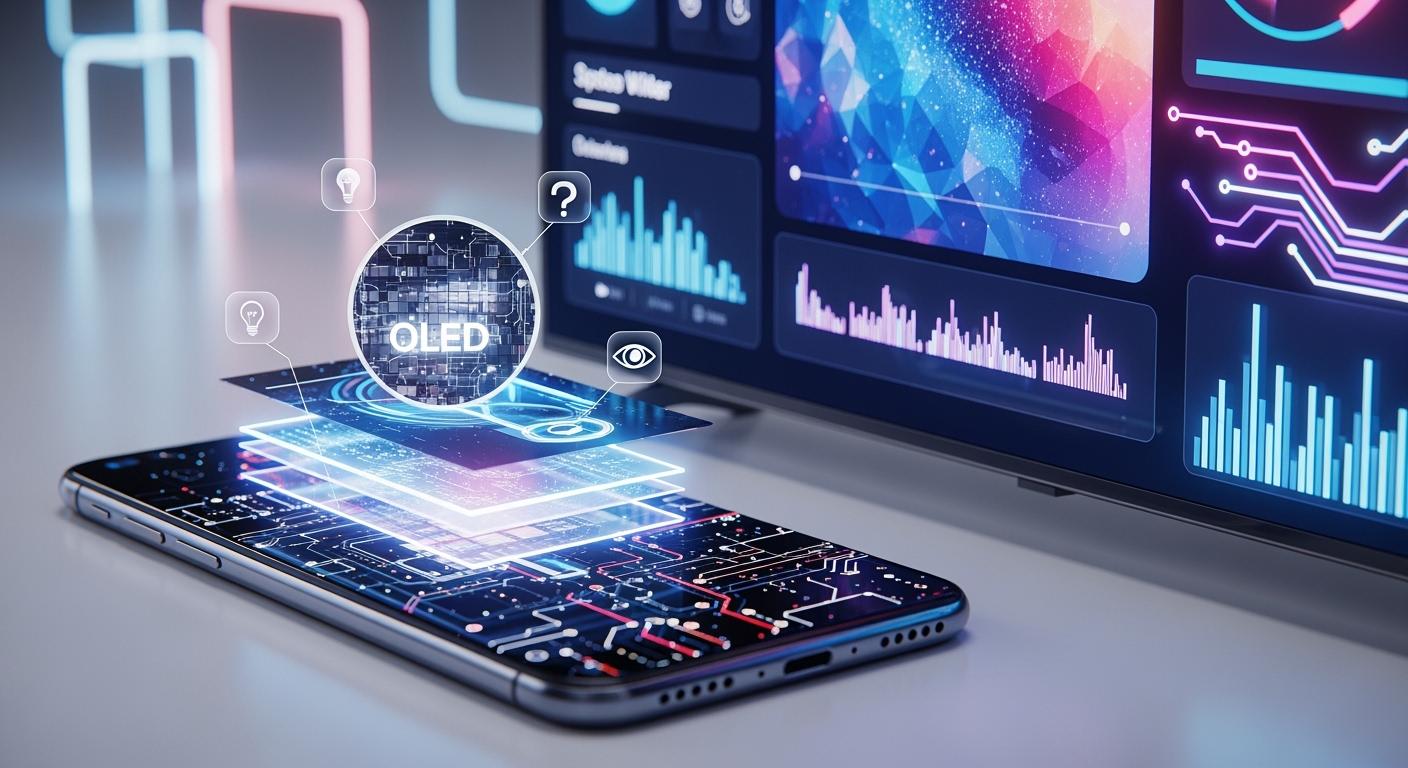
You can see the difference right away with an OLED display. OLED technology uses special materials that light up by themselves. Each pixel shines on its own, allowing for real blacks and bright colors. Movies and games look amazing on an OLED display touch. The table below shows how OLED displays are different from regular displays:
Feature | OLED Displays | Traditional Displays (e.g., LCD) |
|---|---|---|
Light Emission | Each pixel makes its own light | Uses one big backlight |
Black Levels | Shows perfect black levels | Has limited black levels |
Color Accuracy | Colors are bright and accurate | Colors are not as bright |
OLED displays are used in high-end devices. In 2023, most OLED displays were in consumer electronics, making up 54% of the market. You can find OLED in Apple and Samsung phones, tablets, and OLED display touch panels. OLED technology gives you better pictures and saves energy.
Shenzhen TopAdkiosk Display Technology Co., Ltd.
Add.: 2F, Bldg 10, Changfeng Industrial Park, Dongkeng, Fenghuang, Guangming, Shenzhen, China 518132
Mobile/WHATSAPP: 86-138 25769658
Email: marketing@topadkiosk.com topadkiosk@gmail.com
Skype: pghenry1
Wechat: adkioskhenry
English Web.: http://www.topadkiosk.com/
https://www.topkioskdisplay.com/
http://www.ad-kiosk.com/
https://www.toplcddisplay.com/
http://www.multitouchdigitalsignage.com/
https://www.youtube.com/channel/UCYVYNJHxLVEcQD8fuUxXNTA/videos?view_as=subscriber
https://www.facebook.com/TOPADKIOSKSHENZHEN/?ref=bookmarks
Key Takeaways
OLED displays make each pixel light up on its own. This gives real black colors and bright colors. These screens are thinner and bend more than old screens. This lets people create cool new designs. OLED uses less power because it turns off pixels for dark pictures. This makes it work well and saves energy. Watch out for burn-in problems. Change the picture often to help the screen last longer. OLED will keep getting better. It will have new things like bendable screens and better colors.
How OLED Displays Work
OLED display science
Have you ever wondered why an OLED display is so special? The answer is in the science of organic light emitting diode technology. An OLED display has several thin layers stacked together. These layers include organic thin films, electrodes, and an emissive layer. This setup is not the same as what you see in regular displays.
Here is how it works:
The cathode gives electrons to the organic layers. The anode takes away electrons and makes holes.
When they join, they make energy that turns into light. This light is what you see as a bright, colorful picture.
Each part in an OLED structure has a job:
The anode is clear and made from indium tin oxide. It helps make holes in the organic films.
The cathode is usually aluminum. It gives electrons.
The emissive layer is where light is made. Here, electrons and holes come together and make light.
Transport layers help move charges to the emissive layer.
The color of the light depends on the organic materials in the emissive layer. This lets companies make RGB OLED displays that show many colors.
Tip: The organic light emitting diode process does not need a backlight. Each pixel makes its own light. This makes pictures look more real and bright.
Self-illuminating pixels
OLED displays are special because each pixel lights up by itself. You do not need a backlight, which is different from LCDs. In an LCD, one backlight shines through layers to make the picture. In an OLED, every pixel is its own tiny light.
This feature gives many good things:
You get true blacks. When a pixel is off, it gives no light.
You see better contrast. Bright and dark parts stand out more.
You get better color accuracy. Each pixel can show the right color.
Here is a table that shows how power use is different for OLED and LCD displays:
Display Type | Power Consumption Characteristics |
|---|---|
OLED | Individual pixels can be turned off, leading to lower power usage for darker images. |
LCD | Constant backlight results in relatively constant power usage, regardless of image brightness. |
OLED displays also show more colors and react faster. The emissive layer in each pixel lets you see sharp and bright images, even from the side. No backlight means the display can be thinner and bendy.
You can see the difference in color and brightness between OLED and LCD displays in this table:
Feature | OLED Displays | LCD Displays |
|---|---|---|
Color Reproduction | More vibrant and accurate colors due to self-emitting pixels | Colors can be washed out due to backlight dependency |
Black Levels | True blacks with complete pixel shutdown | Less accurate blacks due to backlight illumination |
Peak Brightness | Generally lower peak brightness | Higher peak brightness available |
Viewing Angles | Consistent color reproduction across wider angles | Color shifting and contrast reduction off-axis |
Response Time | Near-instantaneous (<1ms) | Slower response time (1-5ms) |
Color Gamut | Wider range of colors | Limited color range compared to OLED |
You can trust OLED technology to give you a great view. The mix of organic thin films, smart design, and a strong emissive layer makes OLED displays a top pick for anyone who wants the best picture.
OLED Display Advantages
True blacks and contrast
When you use OLED displays, the picture looks better. Each pixel can turn off all the way, so black areas look really black, not just dark gray. This makes the contrast between light and dark very strong. Movies and games feel more real because the dark parts look deep. OLED TVs are special because they show perfect black. You see a clearer picture, especially when the room is dark.
OLED displays can turn off each pixel, so blacks are true.
This makes the difference between light and dark bigger.
IPS displays use a backlight, so they cannot show real black.
OLED technology helps you see a more real picture. You notice details in dark spots that other screens do not show.
Color accuracy and vibrancy
OLED displays show bright colors and clear pictures. Each pixel makes its own light, so colors look right and full. OLED TVs can show more colors because of how they work. You see richer colors and more shades between light and dark. The picture stays bright and clear even if you look from the side. You do not have to adjust the screen to get good color.
Feature | OLED Displays | IPS Displays |
|---|---|---|
Light Emission | Each pixel makes its own light | Needs a backlight |
Black Levels | Pixels turn off for perfect black | Cannot show perfect black |
Contrast Ratios | Very high contrast | Not as high contrast |
Color Accuracy | Colors look bright and right | May need to be adjusted |
Viewing Angles | Looks good from any angle | Some color change from the side |
You can tell the difference when you look at OLED TVs and other screens. The colors look more real and you see every detail.
Thin and flexible design
OLED displays are thinner and can bend more than LCD or LED screens. They do not need a backlight, so the screen can be shaped in new ways. Special materials let the screen be light and bendy. Some OLED TVs can curve or even roll up. Phones and tablets use flexible OLED screens to save space and make them lighter.
OLEDs make light at each pixel, so no backlight is needed.
No backlight means OLED screens can be thin and bendy.
Special materials help make the screen light and flexible.
Pixels that make their own light help the screen stay thin.
You get new kinds of devices with flexible OLED screens. This design lets phones, tablets, and TVs have cool new shapes.
OLED Display Limitations
Lifespan and burn-in
OLED displays do not last as long as some other screens. The organic light emitting diodes inside can wear out after a while. If you keep your screen very bright, it may last about 10,000 hours. If you use lower brightness, it can last up to 40,000 hours. LCD screens last longer than OLED displays. MicroLED displays can last up to 100,000 hours. Here is a table that shows how long each display type lasts:
Display Type | Average Lifespan (hours) |
|---|---|
OLED | 10,000 (full brightness), 40,000 (25% brightness) |
LCD | 40,000 - 60,000 |
MicroLED | 100,000 |
Burn-in is another problem for OLED screens. If you leave the same picture on for a long time, some pixels can fade or change color. This is called burn-in. You can stop burn-in by changing what is on your screen and using less brightness. MicroLED displays last longer and do not have burn-in problems. The industry thinks MicroLED could be a good solution in the future.
Cost and manufacturing
It is hard to make OLED displays. You pay more for OLED screens because they cost more to make. Most OLED panels cost between $100 and $150 for each square foot. MicroLED displays cost over $400 for each square foot. This makes MicroLED much more expensive. MicroLED displays are harder to make, so the price goes up. LCD screens are cheaper, so they are used in many devices.
OLED screens cost $100-150 for each square foot.
MicroLED screens cost more than $400 for each square foot.
MicroLED displays cost 5-10 times more than OLED panels.
High costs make it hard for people to buy MicroLED displays.
The industry also thinks about the environment. OLED displays use less material and energy than MicroLED screens. Here is a table that compares how much energy and material each uses:
Technology | Energy Consumption | Material Usage |
|---|---|---|
OLED | Lower than MicroLED | Fewer materials required |
MicroLED | Higher due to precise placement | More material waste potential |
OLED displays help save power. The organic materials in OLED panels may break down more easily. MicroLED displays last longer, so there is less electronic waste. The industry is working to make OLED displays cheaper and last longer.
OLED Display vs Other Technologies
OLED display vs LCD
You might wonder how OLED and LCD screens are different. The biggest difference is how each pixel makes light. OLED uses special organic materials that glow when electricity goes through them. Each pixel lights up by itself. LCD screens need a backlight behind all the pixels. This means LCDs cannot turn off just one pixel, so black spots look gray instead of really black.
OLED gives you better contrast and brighter colors. You see true blacks because pixels can turn off all the way. LCDs show less real black because the backlight is always on. OLED also reacts much faster. The pixel response time for OLED is usually less than 0.03ms. LCD screens, even fast ones, have a response time around 1ms. This fast reaction in OLED means you see less blur and smoother action. This is great for games or sports.
Feature | OLED | LCD |
|---|---|---|
Light Source | Self-illuminating pixels | Backlight required |
Black Levels | True black | Grayish black |
Response Time | <0.03ms | ~1ms |
Motion Clarity | Excellent | Good |
Color Vibrancy | High | Moderate |
Tip: OLED displays use less power with dark images because they can turn off pixels. LCDs use the same power no matter what is on the screen.
OLED display vs MicroLED
MicroLED is a newer kind of display. It uses tiny inorganic LED chips for each pixel. Like OLED, MicroLED can turn off each pixel for true blacks. MicroLED can get even brighter and show better colors because its materials are very stable.
Here are some main differences:
OLED uses organic materials to make light.
MicroLED uses very small inorganic LED chips.
OLED makes light from organic layers.
MicroLED makes light right from the LED chips.
MicroLED can get brighter and show better colors.
Feature | OLED | MicroLED |
|---|---|---|
Pixel Structure | Organic materials that emit light | Microscopic inorganic LED chips |
Light Emission | Electroluminescence from organic layers | Direct light emission from LED chips |
Brightness | Moderate to high | Very high |
Color Accuracy | Varies with organic materials | Excellent due to stable inorganic LEDs |
Manufacturing | Established but complex | Challenging due to precise placement |
MicroLED can save up to 30% more power at top brightness, especially for HDR in bright rooms. OLED saves energy with dark pictures by turning off pixels, but MicroLED is better in bright places.
Both OLED and MicroLED give you great picture quality. OLED is easier to find in stores and is used more often. MicroLED is still new and costs more to make, but it might become more popular as it gets better.
Future of OLED Display
Innovations and trends
Many new ideas are changing OLED displays. The oled industry works hard to make screens better and find new ways to use them. Companies now use special ways to build screens, like pixel-level compensation circuits. These help colors look more correct. Some companies use inkjet printing to make screens cheaper. Thin-film encapsulation keeps the organic layers safe, so your screen lasts longer.
Here is a table with some new ideas:
Innovation Type | Description |
|---|---|
Advanced Manufacturing Processes | Pixel-level compensation for better color accuracy |
Color Management Systems | Over 95% DCI-P3 color coverage, Delta E below 2.5 |
Specialized Organic Materials | Improved color stability and longer lifespan |
Cost-effective Manufacturing | Inkjet-printed OLEDs lower production costs |
Thin-film Encapsulation | Shields organic materials from damage |
Hybrid OLED-Quantum Dot Tech | Combines OLED contrast with quantum dot color purity |
Flexible Displays | Ultra-thin panels for rollable TVs and foldable smartphones |
Blue Emitter Materials | Brighter screens with longer life |
Micro-OLED Displays | Used in smart glasses and high-resolution mobile displays |
The oled industry is also working on see-through screens. These show up in car dashboards and store windows. You might see transparent displays in AR windshields. This makes driving safer and more fun. Flexible OLEDs are now used in foldable phones and things you can wear. More companies use oled as these features become popular.
Potential improvements
Oled technology will get even better soon. The oled industry spends money on new materials and ways to make screens. Roll-to-roll printing and solution processing help make screens cost less. Greener materials and recycling make oled better for the planet.
Here are some things you will see:
Flexible and see-through screens for new devices in hospitals, stores, and cars
AI helps screens show better colors and use less energy
Oled will be used in lights, wearables, and factory controls
New blue emitter materials make screens brighter and last longer
The oled market will keep getting bigger. Experts think it will reach $138.85 billion by 2032. It will grow by 13.7% every year. As prices go down, you will see oled in more products. The oled industry will keep making screens brighter, bendy, and more reliable.
Note: The future for oled is exciting. You will see more see-through screens, flexible displays, and better performance in your devices.
When you learn about OLED displays, you find out cool things. OLED screens make devices thinner and show deep blacks. The colors look bright and stand out. OLED technology lets phones fold and screens go from edge to edge. This means screens can bend and curve. The table below explains how OLED changes what you see:
Impact Type | Description |
|---|---|
Efficiency | Thinner, power-saving screens |
Color Quality | Deep blacks and vibrant colors |
Flexibility | Foldable and curved devices |
Sustainability | Greener materials for better environment |
Knowing about OLED helps you pick the right device. You might want better colors or good gaming. Some people care about helping the planet. Display technology keeps getting better, so new features will come soon.
FAQ
What makes OLED displays different from LCDs?
You see each pixel in an OLED display light up on its own. LCDs use a backlight for all pixels. This gives OLED screens true blacks and better contrast. You notice brighter colors and thinner screens with OLED.
Can OLED screens get burn-in?
Yes, OLED screens can get burn-in if you leave the same image on for a long time. You can avoid this by changing your screen often and lowering the brightness. Most new devices have features that help prevent burn-in.
Are OLED displays safe for your eyes?
OLED displays can be easier on your eyes. They produce less blue light than many LCDs. You can also adjust the brightness and color settings to make viewing more comfortable.
Why do OLED screens cost more?
Manufacturers use special materials and advanced technology to make OLED screens. This process costs more than making LCDs. You pay extra for better picture quality, thin design, and flexible screens.
Can you use OLED displays outdoors?
You can use OLED displays outside, but bright sunlight can make the screen harder to see. Some OLED screens have high brightness modes to help with this. You may still need to shade the screen for the best view.
See Also
Enhance Your Project With These OLED Display Tips
Essential LCD Display Innovations to Watch for in 2026
Understanding the Pros and Cons of LCD Display Screens
