Mini PC Advantages and Disadvantages What You Need to Know
Shenzhen TopAdkiosk Display Technology Co., Ltd.
Add.: 2F, Bldg 10, Changfeng Industrial Park, Dongkeng, Fenghuang, Guangming, Shenzhen, China 518132
Mobile/WHATSAPP: 86-138 25769658
Email: marketing@topadkiosk.com topadkiosk@gmail.com
Skype: pghenry1
Wechat: adkioskhenry
English Web.: http://www.topadkiosk.com/
https://www.topkioskdisplay.com/
http://www.ad-kiosk.com/
https://www.toplcddisplay.com/
http://www.multitouchdigitalsignage.com/
https://www.youtube.com/channel/UCYVYNJHxLVEcQD8fuUxXNTA/videos?view_as=subscriber
https://www.facebook.com/TOPADKIOSKSHENZHEN/?ref=bookmarks
If you want a computer that does not take up much space and is quiet, a mini pc might be good for you. Mini pcs are easy to move and simple to set up. They work well on small desks or if you need to use them in different rooms. Mini pcs usually cost less than big desktops. But they are not as powerful and you cannot upgrade them as much. Here is how they compare:
Form Factor | Size | Upgradability | Best For |
|---|---|---|---|
Small | Limited | Space-saving, basic tasks | |
Tower | Large | Extensive | Power users, gamers |
All-in-One | Varies | Limited | Streamlined setups |
More people are picking mini pcs now. This is because more people work from home and want computers that are small and work well.
Key Takeaways
Mini PCs are small and do not take up much space. They are great for small desks or places that many people use. They use less electricity, so your energy bills are lower. This also helps the environment. Mini PCs cost less and work well for simple things like browsing the web or doing office work. But they are not good for gaming or using big programs. One big plus is that mini PCs are light and easy to carry. They are great for people who travel or move a lot. You cannot upgrade most parts, so pick the right mini PC at first. Most parts cannot be changed later.
Mini PC Overview
What Is a Mini PC
You might wonder what makes a mini PC different from the computers you usually see. A mini PC is a small computer that packs all the main parts you need into a compact size. You get a central processing unit, memory, and places to plug in your keyboard, mouse, and screen. Even though it looks tiny, it can handle most daily tasks.
Here’s a quick look at what’s inside a mini PC:
Hardware Component | Description |
|---|---|
Central Processing Unit | Runs programs and handles your computer’s main jobs. |
Main memory | Stores the apps and files you use right now. |
Input devices | Lets you connect things like keyboards and mice. |
Output devices | Sends info to your monitor, printer, or storage. |
Mini pcs stand out because they use less power and make less noise than big desktop computers. You can move them around easily, and they fit almost anywhere.
Let’s see how mini pcs compare to traditional desktops:
Feature | Mini PCs | Traditional Desktop PCs |
|---|---|---|
Size | Small and portable | Large and takes up more space |
Power Consumption | Uses less power, quieter | Uses more power, can be noisy |
Intended Use | Best for gaming, editing, heavy tasks |
Tip: If you want a computer for web browsing, streaming, or schoolwork, a mini PC could be just right for you.
Key Features
When you look at mini pc models today, you’ll notice some cool features that make them stand out:
Compact design fits on any desk or shelf.
Many models use fast chips like the M4 for better performance.
You get lots of ways to connect, like Thunderbolt 4, USB-C, and HDMI.
Some can support up to three monitors with super clear 6K displays.
Wireless options include Wi-Fi 6E and Bluetooth 5.3 for quick connections.
Some offer 10Gb Ethernet if you need fast wired internet.
Smart thermal design keeps things cool and quiet.
You can use them as a desktop, media center, or even for coding.
One thing to note: some models don’t have USB-A ports or SD card readers, so you might need adapters.
Popular brands like Lenovo, Dell, and ASUS offer mini pc models such as ThinkCentre Tiny, OptiPlex Micro, and the PN series. You have plenty of choices if you want something small but capable.
Advantages of Mini PCs
Space Efficiency
A regular desktop takes up a lot of desk space. Mini pcs are much smaller and save space. You can put them almost anywhere you want. They are great for dorm rooms or shared offices. If you like a clean desk, mini pcs help a lot. You will have more space for books or snacks. Many people pick mini pcs to avoid big, bulky computers.
Note: Mini pcs help keep your desk neat. You can hide them behind your monitor or put them on a shelf.
Energy Savings
Mini pcs use less energy than big desktops. This saves you money and helps the earth. Here is a table that shows how much power they use:
Device Type | Power Consumption (Watts) |
|---|---|
Mini PC | As low as 6 |
Traditional Desktop | Significant amounts |
A desktop uses three to five times more power than a mini pc.
You can save $40 to $65 or more each year on your electric bill.
Mini pcs use fewer materials because they are small.
They make less electronic waste than big desktops.
Mini pcs last longer, so you do not need to buy new ones often.
Many mini pcs use recyclable aluminum alloy. This helps lower their carbon footprint. Their processors use less power but still work well.
Affordability
Mini pcs do not cost as much as big desktops. You pay less for the computer and also save on your power bill. Mini pcs start up fast and work well for web, office, and streaming. If you need a computer for gaming or editing, you may need a bigger desktop. For most people, mini pcs are a good deal.
Portability of Mini PCs
Mini pcs are easy to move around. They are lighter than laptops and desktops. You can carry them from room to room or take them on trips. A mini pc is smaller than a lunchbox and fits in a backpack. The power supply is built in, so you do not need a big charger.
Mini pcs weigh about 0.5 kg. Gaming laptops can weigh up to 2.9 kg.
You can travel with a mini pc and still have a desktop computer.
Their small size makes them easy to set up anywhere.
If you move a lot or like to change your desk, mini pcs are helpful.
Quiet Operation
Mini pcs are usually quiet, but some can get loud. When working hard, they can make 40-50 dBA of noise. Big desktops can be quieter because they have better fans. For most jobs, mini pcs stay quiet and do not bother you. You can work or watch movies without loud fan sounds.
Tip: If you want a quiet place to work, mini pcs are a good pick. They stay cool and quiet for most tasks.
Disadvantages of Mini PCs
Limited Upgradeability
You might like to upgrade your computer as your needs grow. With mini pcs, you will find this hard. Most mini pcs use laptop parts, not desktop parts. This means you cannot swap out the CPU or graphics card. Many parts, like the processor, are soldered right onto the motherboard. You cannot remove them. Here are some common limitations you will face:
You cannot add a bigger graphics card.
The CPU is often fixed and cannot be changed.
Cooling systems are small, so you cannot add better fans.
Memory and storage upgrades are limited to one or two slots.
If you want a computer that you can upgrade over time, traditional desktop pcs give you more options. Mini pcs offer limited upgrades, so you need to pick the right model from the start.
Lower Performance
Mini pcs do a good job with basic tasks, but they cannot match the high performance of traditional desktop pcs. Most mini pcs use laptop chips. These chips save power but do not run as fast as desktop chips. You will notice this when you try to run heavy programs or games.
Here is a quick look at how mini pcs compare to traditional desktop pcs:
Component | Mini PC Performance | Desktop Performance |
|---|---|---|
CPU | Latest Intel i7/i9 and AMD Ryzen 7000 series provide good performance for various tasks | High-end CPUs like Intel Core i9 or AMD Ryzen 9 offer superior performance for intensive tasks |
GPU | Integrated graphics like Intel Iris Xe and AMD Radeon for casual gaming; discrete options available | Dedicated GPUs provide high performance for gaming and content creation |
You can play games like Fortnite or Cyberpunk 2077 on some mini pcs, but you may need to lower the settings. A mini pc can finish a test suite in about 2 minutes and 28 seconds, while a high-end desktop might take a bit longer or shorter, depending on the model. Still, traditional desktop pcs win when you need the best speed and graphics.
Overheating Risks
Mini pcs pack a lot into a small box. This can cause heat problems. The small case does not let air flow well. When you use your mini pc for a long time or run heavy apps, it can get hot fast. Here are some common overheating issues you might see:
Common Overheating Issues | Description |
|---|---|
Loud or constantly spinning fans | Fans run at high RPMs even when the system is idle. |
Thermal throttling | CPU/GPU slows down to reduce heat, causing slowdowns. |
Unexpected shutdowns or reboots | System powers off or restarts when too hot. |
Hot chassis | The case feels very hot, especially near vents. |
Error messages or warnings | Alerts about unsafe CPU or system temperatures. |
What causes these problems? The small size limits airflow. Powerful chips make more heat. Dust can block vents. If you put your mini pc in a tight spot, it gets even hotter. Over time, old thermal paste or poor design can make things worse. Traditional desktop pcs have bigger cases and better cooling, so they handle heat better.
Not for Demanding Tasks
Mini pcs work well for web browsing, office work, and streaming. They are not built for high-end jobs. If you want to edit photos or videos, you need a lot of CPU power and memory. Mini pcs cannot keep up with these tasks. High-end gaming also needs strong hardware. Most mini pcs do not have the right parts for this.
Here are some tasks that mini pcs struggle with:
High-end gaming
3D modeling or animation
Running many heavy apps at once
If you need a computer for these jobs, traditional desktop pcs are a better choice. They give you more power, better upgrades, and fewer limitations.
Note: Mini pcs are great for simple tasks, but you should pick a traditional desktop if you want high performance for demanding work.
Mini PCs vs Desktops
Performance Comparison
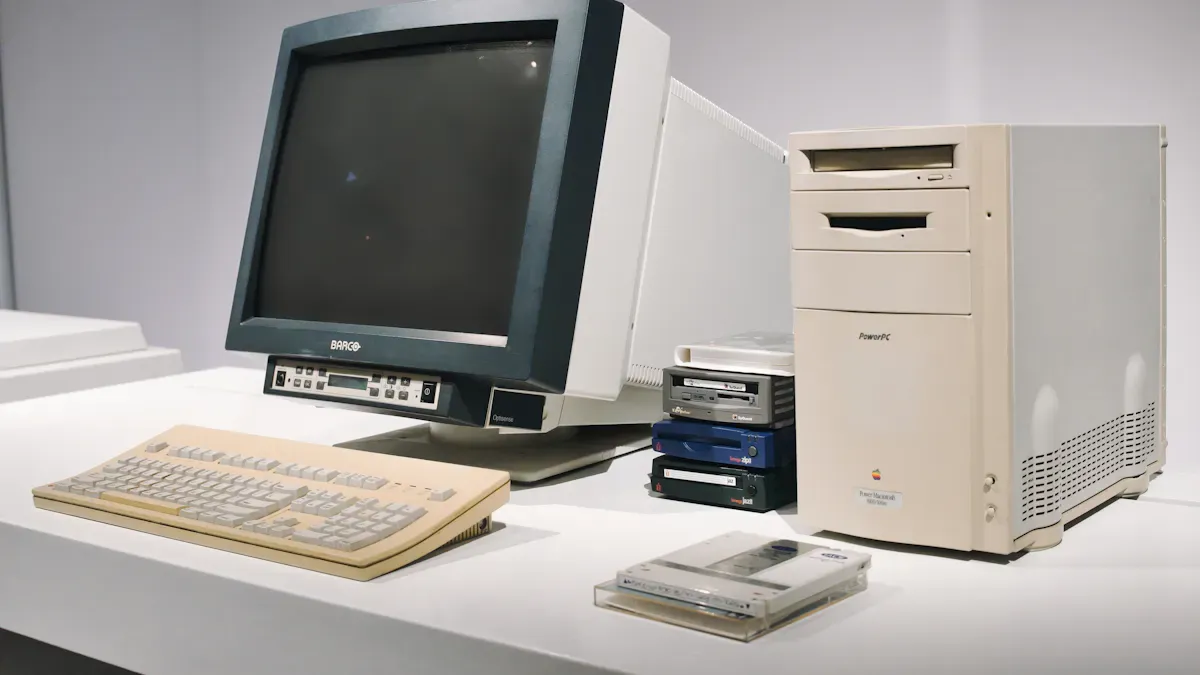
When you look at performance, traditional desktop pcs usually win, especially for heavy jobs. You get more speed and power for things like video editing or 3D modeling. Desktops use high performance processors that keep running fast without slowing down. Mini pcs use lower power chips. These chips can slow down if you push them hard for a long time. For everyday tasks like browsing or homework, mini pcs do a great job. If you want to play big games or work with lots of data, desktops give you a 15-25% boost in performance.
Price and Value
You might think a mini pc costs less, but the price-to-performance ratio tells a different story. Mini pcs often cost more for each bit of performance you get. This can be tough if you want the best value or if you run a small business. Traditional desktop pcs offer a variety at a range of price points, so you can find something that fits your budget and needs. If you care about getting the most power for your money, desktops usually come out ahead.
Space and Portability
Mini pcs shine when you need to save space. You can put them on a shelf, behind a monitor, or even mount them on a wall. They keep your desk clear and help you stay organized. Compact desktops like these are easy to move. You can take them from room to room or even travel with them. Traditional desktop pcs need more space for the tower and all the parts. Moving them is not easy. If you want a tidy, flexible setup, mini pcs are the way to go.
Upgrade Options
Expandability is where traditional desktop pcs really stand out. You can swap out almost any part—graphics card, processor, memory, or storage. This makes desktops upgrade-friendly and ready for the future. Mini pcs have limited expandability. You might be able to add more memory or a bigger SSD, but you cannot change the graphics card or processor. The small size keeps things simple but also limits your choices. If you want a computer you can upgrade over time, desktops give you more expandability.
Tip: Think about how much you want to upgrade your computer in the future. Mini pcs work well if you do not plan to change much. Desktops are better if you love to tinker and want more expandability.
Who Needs a Mini PC
Ideal Use Cases
You might wonder where a mini pc fits best. You can use mini pcs in many places because they are small and quiet. If you work from home, you will love how they handle everyday computing tasks like web browsing, document editing, and video calls. Students and teachers use them in classrooms and libraries. Their compact size keeps desks clear and helps everyone focus. Mini pcs also work well for online learning and homework.
In offices, you can save space and energy. These computers run productivity software and support virtual meetings without taking up much room. Retail stores use them for digital displays and advertisements. You will also find mini pcs in kiosks for self-service and interactive screens. If you need to transport or relocate your computer often, their portability makes it easy. You can set them up in different rooms or even take them on trips.
Tip: Mini pcs are perfect for libraries and labs. They keep things quiet and help you concentrate.
Best Users
You might ask, “Who gets the most out of a mini pc?” If you want a computer for basic tasks and do not need high performance, you will enjoy the benefits. Students, teachers, and small business owners often choose mini pcs. They like the lower cost and energy savings. Schools and small companies can buy more computers because mini pcs offer a variety at a range of price points.
Home lab fans and people who need off-site storage also pick mini pcs. If you want a cost-effective server, this is a smart choice. Many users say fanless mini pcs are reliable. They have fewer moving parts, so they break less often. You can trust them for long hours of work.
If you need a computer for coding or design classes, mini pcs can handle those jobs too. They work well for most use-case needs except for heavy gaming or editing. If you want to upgrade parts often or need the power of traditional desktop pcs, you might want to look elsewhere. For most people, mini pcs cover all the basics and make life easier.
You now know that mini pcs give you lots of good things in a small size. Here is a simple chart to show what you get and what you lose:
Pros | Cons |
|---|---|
Space Efficiency | Limited Upgrades |
Affordability | Higher Cost per Performance |
Energy Efficiency | Performance Ceiling |
Portability | Graphics Limitations |
Silent Operation | Storage Constraints |
When picking a mini pc or a desktop, think about these questions: Do you want a computer that does not take up much space and is easy to carry? Will you use it for simple jobs or tough work? Is saving energy more important, or do you want to upgrade your computer later?
If you want a quiet and easy computer for everyday things, a mini pc might be best for you. If you need more power or want to change parts, a desktop could be a better choice.
FAQ
What can you do with a mini PC?
You can use a mini PC for web browsing, homework, streaming, and office work. It works well for simple tasks. You can also use it as a media center or for light coding.
Can you upgrade a mini PC later?
Most mini PCs let you add more memory or storage. You cannot change the processor or graphics card. If you want to upgrade often, a desktop works better.
Do mini PCs need a monitor?
Yes, you need to connect a monitor to your mini PC. You can use any screen with HDMI or USB-C. Some people use TVs as monitors.
Are mini PCs good for gaming?
Mini PCs can play simple games. They do not run high-end games well. If you love gaming, you should pick a desktop with a strong graphics card.
How do you set up a mini PC?
Just plug in your keyboard, mouse, and monitor. Connect to Wi-Fi or Ethernet. Turn it on and follow the setup steps. You can start using your mini PC in minutes!
See Also
Understanding The Pros And Cons Of LCD Display Screens
Exploring The Benefits And Drawbacks Of LCD Screens
Current Trends In Android Motherboards You Must Be Aware Of
Evaluating Business Touch Screen Kiosks For Value And Efficiency
