What Are the Main Types of Digital Signage in Retail
Shenzhen TopAdkiosk Display Technology Co., Ltd.
Add.: 2F, Bldg 10, Changfeng Industrial Park, Dongkeng, Fenghuang, Guangming, Shenzhen, China 518132
Mobile/WHATSAPP: 86-138 25769658
Email: marketing@topadkiosk.com topadkiosk@gmail.com
Wechat: adkioskhenry
English Web.: http://www.topadkiosk.com/
https://www.topkioskdisplay.com/
http://www.ad-kiosk.com/
https://www.toplcddisplay.com/
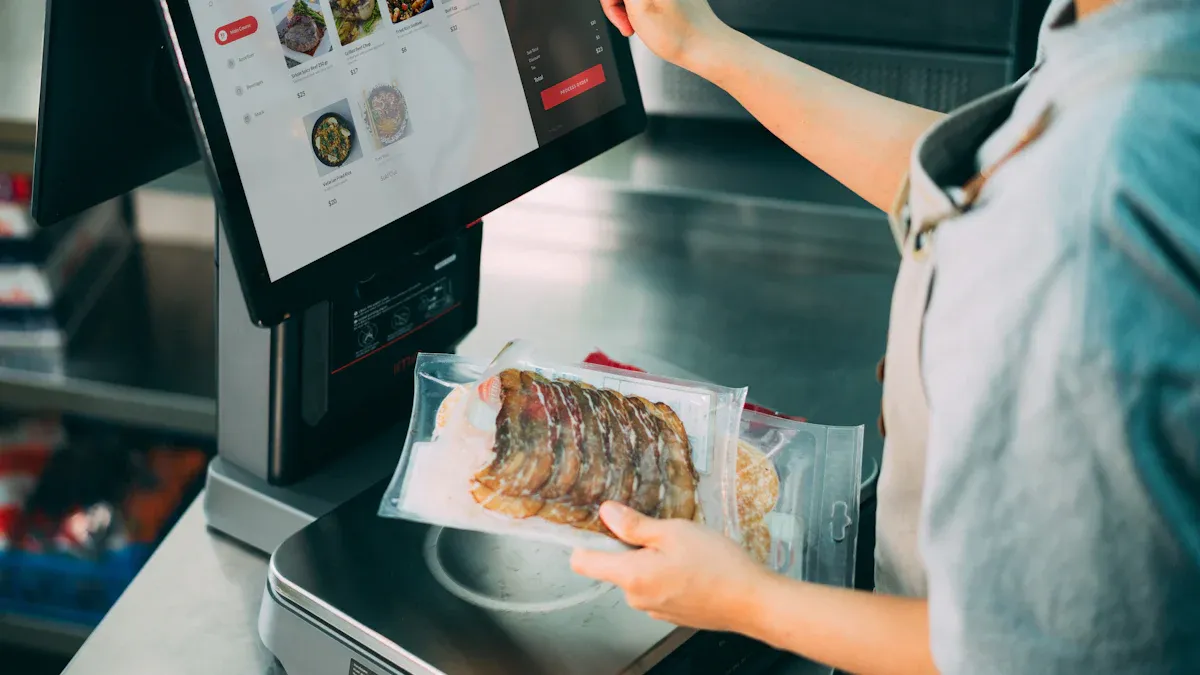
You will see a few main types of digital signage retail in stores. Each type is made for different needs and spaces. Retailers use menu boards to show food or drink choices. They use advertising displays to showcase products. Interactive screens help customers get involved. These digital signage solutions can be found in stores, malls, and lobbies. Each type helps grab people’s attention and enhances the shopping experience. You can find more digital signage ideas for your store at https://www.topkioskdisplay.com/.
Key Takeaways
Digital signage makes shopping better by getting people interested and sharing information.
Window displays catch people's eyes and can bring more people into the store by showing products in cool ways.
In-aisle displays help people choose what to buy and can make them buy things they did not plan to get.
Interactive signage, like kiosks and smart mirrors, makes shopping more fun and can help stores sell more.
Picking the best digital signage type depends on what your store wants, how big it is, and how much money you have.
Types of Digital Signage Retail Uses
Window Displays
Window displays are a strong way to get people’s attention. You use these screens to make people stop and look at your store. Modern window displays use bright screens or LED panels. They show videos, moving pictures, or things you can touch and use. Many stores pick Samsung OMN-D Series or LG High Brightness Displays for their windows.
Some new examples are:
Nike uses screens you can touch in their main stores. You can make your own shoe on the screen. This makes shopping fun and easy to remember.
Zara turned their window into a virtual fashion show. This change made 15% more people come inside.
Tip: Bright window displays help your store stand out. They bring more people inside than other stores.
Evidence Description | Impact on Foot Traffic and Sales Conversion |
|---|---|
Window displays are important for getting people to come in. | They bring in customers and help stores sell more. |
Good window displays can make people want to enter. | They make it more likely people will come inside. |
Great displays help stores be different and connect with shoppers. | They make customers more interested and help stores sell more. |
You can use window displays to show top products or special deals. You can also tell your brand story in a cool way. These screens help you get more people in and sell more.
In-Aisle Displays
In-aisle displays are screens between shelves or at aisle ends. You use these screens to catch shoppers’ eyes as they walk around. Stores often use Philips D-Line displays and Elo Touch panels.
Main things about in-aisle screens:
Make a mix of real and digital shopping.
Get noticed in busy stores.
Help shoppers decide what to buy.
Keep your brand message the same everywhere.
Change fast for new deals or trends.
In-aisle screens grab attention and show off products. They make people look around more and stay longer. When shoppers spend more time in these spots, they get more interested and buy more. Good in-aisle screens can make people buy things they didn’t plan to and help stores sell more.
Shelf-Edge Screens
Shelf-edge screens are thin screens right on the shelf edge. You use these screens to show prices, deals, or info where people choose what to buy. Stores use SES-imagotag shelf labels and Pricer shelf tags.
Specification/Benefit | Details |
|---|---|
High-definition visuals | 4K makes pictures and videos look better but needs special players and fast internet. |
Viewer Proximity | 4K is best close up; Full HD is good from far away. |
Durability | IP-rated screens like IP54 keep out dust and water. |
Content Management | Easy software lets you update fast, no USB needed. |
Increased Product Awareness | Moving content shows off certain items. |
Cool screens can make people buy things quickly. | |
Enhanced Customer Experience | Clear info helps shoppers and makes them come back. |
You can change prices and deals fast, which saves time and work. Shelf-edge screens stop mistakes at checkout and give more product info. Kaufland uses shelf labels to change prices quickly and make smart deals. This helps shoppers trust prices and makes them want to come back.
Video Walls
Video walls are big screens made by putting smaller screens together. You use these screens to make your store look exciting and cool. Stores pick LG Ultra Narrow Bezel Video Walls or Samsung IF Series LED panels.
Benefit | Description |
|---|---|
Energy Efficiency | Uses less power, so stores save money. |
Durability | IP65 outdoor LEDs last longer and need fewer repairs. |
Silent Operation | Makes little heat and noise, so stores feel nicer. |
Easy Maintenance | Can fix from front or back, so stores don’t close for long. |
You can show deals, sales, or special pictures right away. Video walls let you change what’s on screen in many stores at once. Some stores use touch video walls so shoppers can look at products or check stock. QR codes and apps link store screens to online shopping.
Note: Video walls can make your brand more known by almost half. Interactive screens can help stores sell up to 30% more.
Video walls make shopping feel exciting. They show info, deals, and offers, helping you get and keep shoppers’ attention.
Digital Menu Boards
Digital menu boards are screens used in food and drink stores. You use these screens to show menu items, prices, and deals. Stores use NEC MultiSync menu boards and BrightSign players.
Common ways to use digital menu boards:
Change menu items and deals fast
Manage menus in many stores from one place
Make money by showing ads
Show deals and specials at certain times
Let customers use screens for fun
Digital menu boards make menus easy to read and use. Clear screens help shoppers pick what they want, so they make fewer mistakes and feel happier. Digital menu boards can help stores make each sale bigger by up to 25%.
Tip: Use menu boards to show new items or special deals. This can help you sell more and keep your menu interesting.
These screens help you update menus fast and make your store look modern and nice.
Interactive Digital Signage
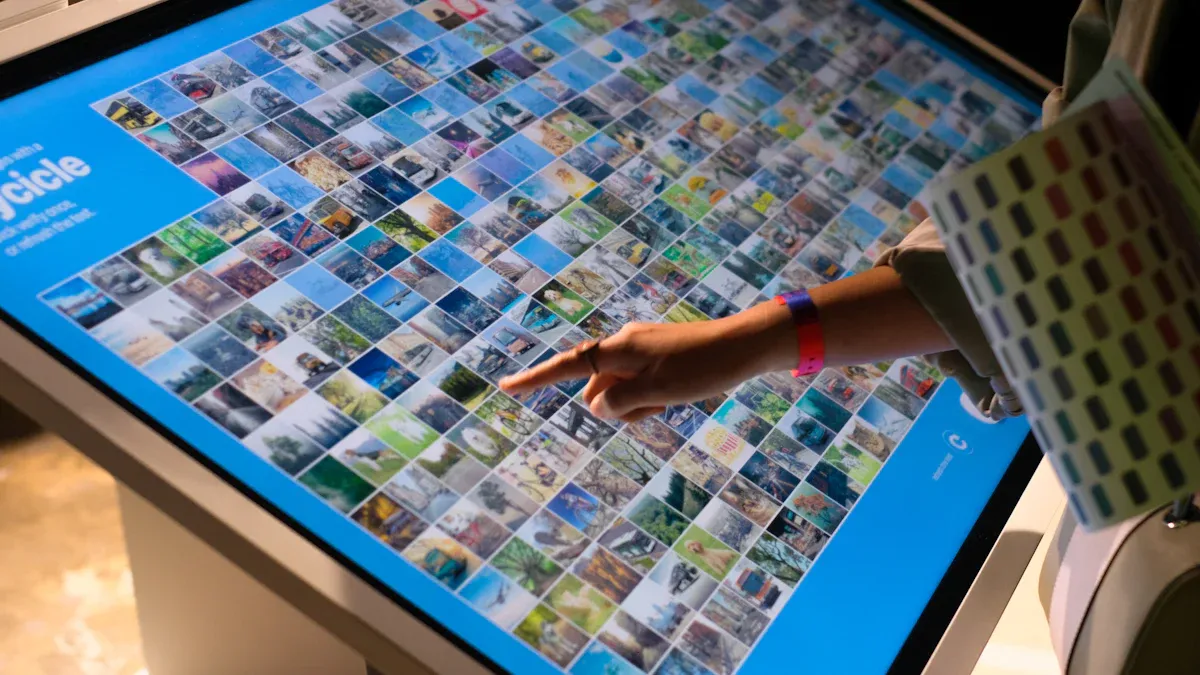
Interactive digital signage changes how stores talk to customers. People do not just look at screens. They can touch and use them. This makes shopping more fun and easy to remember. Shoppers can look at products, compare things, and pick what they want. These tools mix online shopping with real-life shopping. Indoor digital signage helps people feel good about a brand and want to come back.
Touchscreen Kiosks
Touchscreen kiosks are a common kind of interactive signage in stores. You can use these kiosks to look at products, check what is in stock, or order things. For example, the Adventure Station kiosk lets you see everything in the store. You can order and pay on one screen. Samsung’s All-In-One Kiosk lets you buy things not on the shelf. These displays help you shop faster and wait less. They also make shopping inside the store easier.
Self-Service & Checkout Kiosks
Self-service and checkout kiosks are another kind of interactive kiosk. You scan, bag, and pay for your things by yourself. These kiosks have scales to make shopping safe and quick. Using these displays means fewer people leave their carts behind. Shopping is faster and easier. Many indoor digital signage systems now have these kiosks to help you shop your way.
Wayfinding Screens
Wayfinding screens help you find your way in big stores or malls. These displays have maps you can touch. You can find where things are, like products or services. You save time and do not get lost. Indoor wayfinding screens also show deals and tips for shopping. Putting these kiosks in the right spots helps you always know where to go.
Smart Mirrors
Smart mirrors are special interactive screens for windows and fitting rooms. These indoor digital signage tools use augmented reality. You can see how clothes look on you without changing. Smart mirrors also show details about products and give you messages just for you. This kind of display keeps you interested and helps you learn about products. Many stores use smart mirrors to make shopping more fun.
Tip: Interactive signage like smart mirrors and kiosks can help stores sell almost 30% more and make ads easier to remember. Using these indoor digital signage tools makes shopping modern and fun.
Example Type | Description |
|---|---|
Interactive touchscreens and kiosks | Used for looking up products, browsing, finding your way, learning, or having fun. |
Self-service and checkout kiosks | Let you order and pay without help from staff, making shopping faster. |
Smart mirrors | Special mirrors that let you try on clothes on the screen and see details about products. |
Point of Sale Digital Signage
POS Displays
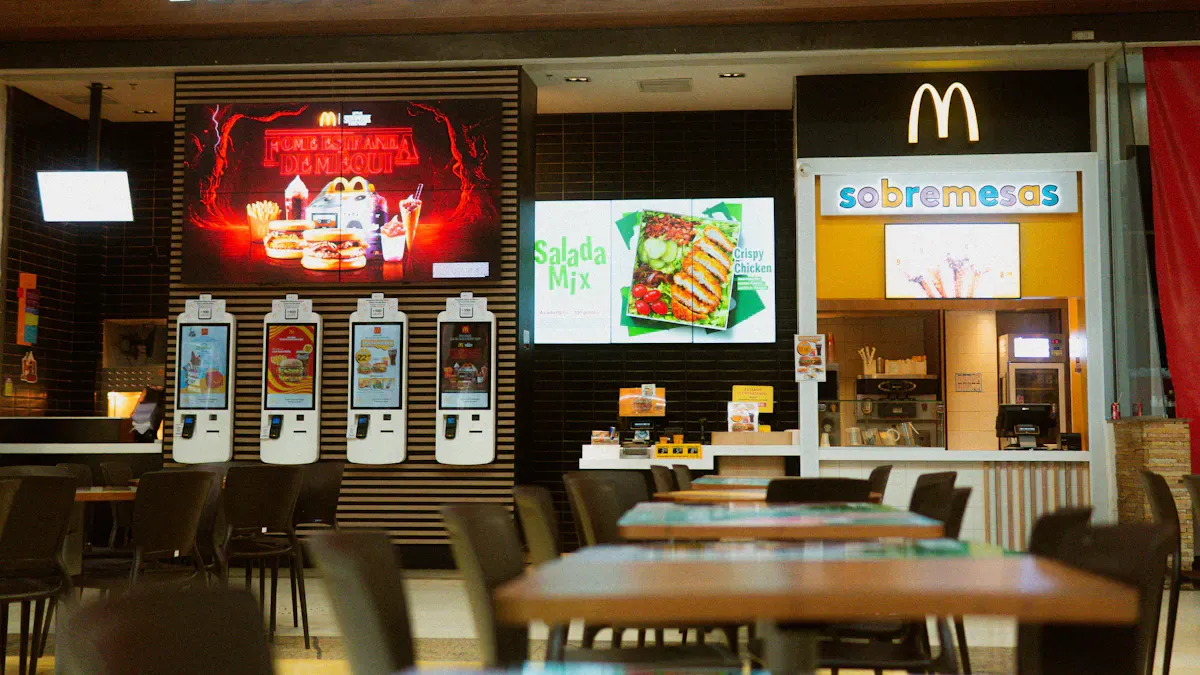
POS displays are digital screens at the checkout. You see them when you pay for your things. They show deals, new products, and sales. These screens help you make quick choices before you finish shopping. Stores use promotional retail signage to highlight items that make more money. They also want you to buy things on impulse.
Benefit | How It Helps Your Store |
|---|---|
Improved Customer Experience | 80% of shoppers go into stores after seeing bright digital displays. |
Increased Engagement | Digital signage gets 400% more views than regular signs. |
Cost and Time Efficiency | You can change prices and info fast, saving time and money. |
Sustainability | Digital screens use less paper and help the planet. |
Operational Efficiency | Half of communication workers like digital signage for sharing information. |
Influence on Buying Decisions | Up to 70% of customers say digital displays change what they buy. |
Sales Increase | Products shown on screens can sell over 30% more. |
Customer Attraction | 76% of Americans have gone into a store because of digital signage. |
Countertop signage at the register can show deals or videos. This grabs your attention and makes you want to buy more. Many stores use promotional retail signage and countertop signage to boost impulse buys by up to 30%. You can use these digital signage retail tools to make your checkout area more fun and help your store earn more.
Queue Management Screens
Queue management screens help you wait less and shop smarter. These screens show your place in line and give updates. You can see messages, store news, or ads for new products while you wait. Video walls and interactive kiosks often show this information.
Queue screens make it easy to know when it’s your turn.
They cut confusion and keep lines moving fast.
You get updates on wait times and directions to the right counter.
Stores use these screens to share promotional retail signage and encourage you to look at more products.
Countertop signage and video walls can also show special offers while you wait. This keeps you interested and can lead to more sales. Queue management screens make your visit faster and more fun. Digital signage helps stores run better and makes shopping easier.
Choosing Retail Signage Types
Factors to Consider
You should think about a few things before picking digital displays. The right display helps you reach your goals and makes shopping better. First, look at your store’s size and shape. Small stores use screens from 32 to 55 inches. Big stores use video walls to get more attention. Put screens in busy places so more people see them.
Key Features | Considerations | |
|---|---|---|
Indoor Digital Signage | Flexible content for lobbies and retail spaces | Indoor or outdoor use, interactive or not |
Interactive Displays | Touch sensors for engagement | Content flexibility, targeted messages |
Kiosks | Self-service, collects info | Individual use, limited reach |
Video Walls | Large, dynamic displays | Audience engagement, content style |
Outdoor Digital Signage | Weatherproof, visible outside | Audience reach, content clarity |
Digital Billboards | Easy updates, visual appeal | Location, engagement |
LED Displays | Bright, energy-saving | Outdoor use, targeted content |
Mobile Displays | Custom routes, wide reach | Route planning, upkeep costs |
You also need to think about how much money you have. Your budget pays for screens, setup, content, and fixing things. A good plan helps you pick the best tech for your store. Check if your digital displays help you reach your goals.
Tip: Make sure your digital signage fits your store and your shoppers.
Matching Signage to Store Goals
Pick digital displays that match what you want your store to do. If you want to show off products and boost sales, use menu boards and countertop signage near checkout. These displays help people buy things at the last minute and remember your brand. If you want to help shoppers find things, use overhead signs and wayfinding screens.
Signage Type | Business Objective |
|---|---|
Sales and Discount Promotions | Attract shoppers with deals and discounts |
Digital Signage | Engage with dynamic and interactive content |
Retail Window Signage | Draw in local shoppers, give directions |
Countertop Signage | Encourage impulse buys at checkout |
Menu Boards | Show choices clearly, boost sales in food retail |
Overhead Signs | Direct shoppers to products |
You can use outdoor digital signage to reach people before they come inside. Outdoor menu boards are great for food shops and drive-thrus. Outdoor digital signage and LED displays stay bright in the sun and help people remember your brand. Outdoor digital signage lets you change what’s on the screen fast and show new deals. This keeps your store interesting and helps people remember your brand.
If you want shoppers to like your brand more, use interactive displays and smart mirrors. These displays make shopping fun and special. Outdoor digital signage at the door can greet shoppers and tell your brand story. Menu boards inside and outside help you keep your message clear.
Note: The right digital displays help you reach your goals, like selling more or making people like your brand.
You now know about the main types of digital signage for stores. Each one, like menu boards or interactive kiosks, helps your store in a special way.
Type of Digital Signage | What It Does | How It Helps Your Store |
|---|---|---|
Menu Boards | Changes menus by itself | Makes info new and correct |
Advertising Displays | Shows off products | Gets shoppers more interested |
Interactive Signage | Lets people help themselves | Makes shopping better |
Digital signage is fun for shoppers and helps your store get noticed.
Putting screens at the entrance, in aisles, and at checkout works best.
Changing your screens often and checking how they do keeps them useful.
Pick displays that fit your goals and check your setup often. This makes shopping better and helps your store grow.
Digital Signage Products for Retail Businesses
Digital signage has evolved from a simple information display tool into a data‑driven, interactive engine for retail growth. It not only enhances the shopping experience but also directly drives sales through targeted messaging. This guide covers hardware, software, trends, and key considerations for choosing retail digital signage products in 2026.
🖥️ Hardware: A Quick Comparison Table
Choosing the right hardware depends on your environment, not just specs. Here is a comparison of common display technologies.
Hardware Type | Typical Environment | Brightness (Nits) | Pros & Cons / Best For |
|---|---|---|---|
Commercial LCD | Indoor: retail aisles, restaurant lobbies, mall corridors | 350–500 nits (indoor standard) | Pros: Cost‑effective, mature technology, reliable image quality in standard indoor light. |
dvLED (Direct‑view LED) | Outdoor / large spaces: building façades, flagship windows, large events | Up to 5,000+ nits | Pros: Extremely high brightness, seamless (no bezels), scalable to any size. |
OLED | Premium indoor: luxury stores, showrooms, car dealerships | Indoor standard | Pros: Self‑emissive pixels, infinite contrast, vivid colours, ultra‑thin. |
ePaper | Low‑power, static content: shelf labels, information boards | Ambient light reflective | Pros: Ultra‑low power, sunlight‑readable, paper‑like reading experience. |
Note: For any outdoor or direct‑sunlight installation, you must choose displays with the appropriate brightness rating (typically 2,500+ nits) and weatherproofing (IP65+).
🤖 Software: Three Core 2026 Capabilities
1. AI‑Driven Automation & Personalisation
AI is transforming content creation and management:
Automated content generation: Platforms like Frame Weave and Mvix can automatically turn product catalogues, promotions, and other data into video content. Systems such as NEC ALP Pro analyse audience demographics, weather, and time of day to optimise content recommendations automatically.
Personalised experiences: AI tools analyse foot traffic and customer profiles to dynamically recommend products. Samsung’s 3D Spatial Signage combines AI with hardware to create glasses‑free 3D visuals.
Retail media monetisation: Retailers can turn their in‑store screen networks into “retail media networks”, selling ad space to brands for additional revenue.
2. Edge AI & Ecosystem Integration
Edge AI growth: More systems process data directly on the player (at the edge) rather than relying solely on the cloud. This requires players with stronger local computing power.
Hardware‑software convergence: Manufacturers are pre‑integrating software into their displays. For example, LG now pre‑installs ZetaDisplay’s CMS on some screens. The industry is moving toward suppliers that offer complete, multi‑platform solutions.
3. Enterprise‑Grade System Management & Security
IT‑friendly management: Digital signage is now treated like any other networked endpoint – with strict requirements for security, reliability, and support.
Cloud monitoring & maintenance: Platforms like LG ConnectedCare allow IT teams to remotely monitor screen health and manage large‑scale deployments from a single dashboard.
🏢 Key Supplier Recommendations
The table below highlights leading suppliers by their core strengths.
Company | Type | Main Products / Solutions | Key Strengths & Best For |
|---|---|---|---|
Samsung | Hardware + software | Spatial Signage (glasses‑free 3D), VXT cloud platform, large‑format LCD/LED | Cutting‑edge visual tech (e.g., 3D) and integrated cloud management. Ideal for brands seeking innovation and differentiation. |
LG | Hardware + software | LG Magnit (Micro LED), transparent LED, LG Business Cloud, ConnectedCare | Wide range of hardware (Micro LED to transparent) plus strong cloud management and remote monitoring. Great for large‑scale retail projects. |
NEC | Hardware + analytics platform | NEC ALP Pro (AI analytics platform) | AI‑powered audience analytics and real‑time content optimisation. Provides actionable insights for targeted marketing. |
Scala | Software platform | Scala Enterprise (enterprise CMS) | Comprehensive, highly secure enterprise content management. Supports very large deployments (e.g., pharmacy chains, gas stations). |
BrightSign | Player hardware + software | BrightSign media players | Industry‑leading reliability, security, and media playback performance. The backbone for many professional signage networks. |
Other notable players include ViewSonic, Panasonic, and BOE, all offering display panels or complete solutions.
💰 Cost & Budget Considerations
The global retail digital signage market was valued at approximately $26.11 billion USD in 2026 and is expected to grow at a CAGR of about 8.1%. Key cost factors include:
Hardware cost: Displays and media players are the main expenses, influenced by global tariffs and component prices.
Software & services: Licensing fees, CMS subscriptions, AI analytics, and other value‑added services. The market is shifting from one‑time hardware sales to recurring software/service revenue models.
Total Cost of Ownership (TCO): Beyond hardware, consider long‑term value – such as increased sales from data‑driven personalisation and targeted promotions.
💡 Selection Guide & 2026 Trends
How to Choose the Right Solution
Follow these steps to make a confident decision:
Define your environment and goal – Indoor or outdoor? Brand awareness, information, or sales conversion?
Select hardware – Based on environment, budget, and visual requirements (LCD, dvLED, OLED, ePaper).
Evaluate software features – Do you need AI analytics, remote management, automated content generation, or third‑party data integration?
Calculate TCO – Include hardware, software subscriptions, content creation, maintenance, and future upgrades.
Pilot before scaling – Test 1–3 screens in a real environment to validate performance and workflow.
Key 2026 Trends
Rapid market growth – Driven by retail media networks, programmatic DOOH, and AI integration.
AI‑first experiences – From content creation to real‑time personalisation, AI is at the core.
Immersive & interactive – Glasses‑free 3D (Samsung Spatial Signage), touchless interactivity, and sensor‑driven engagement.
💎 Summary
In 2026, retail digital signage has evolved into an intelligent business system. Its core value lies in combining visual display, data analytics, and AI to directly drive commercial growth. Your choice should not be limited to hardware specifications – focus instead on how these tools can attract customers and convert sales more effectively.
FAQ
What is digital signage in retail?
Digital signage in retail means you use screens to show ads, menus, or information. You can place these screens in windows, aisles, or at checkout. Digital signage helps you attract shoppers and share messages quickly.
How do you choose the right digital signage for your store?
You should look at your store size, budget, and goals. Pick screens that fit your space. Think about what you want to show. Some stores need big video walls. Others use small shelf-edge screens.
Can digital signage increase sales?
Yes! Digital signage can boost sales by showing deals and new products. Shoppers see bright screens and want to buy more. Many stores report up to 30% more sales with digital displays.
What are some popular digital signage products for retail businesses?
You can use products like Samsung OMN-D Series, LG High Brightness Displays, and SES-imagotag shelf labels. These products work well in windows, on shelves, or at checkout.
Tip: Try interactive kiosks or smart mirrors to make shopping more fun for your customers.
Do you need special software for digital signage?
Yes, you need software to manage what shows on your screens. This software lets you update content fast. You can change prices, ads, or menus from one computer.
See Also
Best Digital Signage Solutions for Retailers in 2026
An In-Depth Review of In-Store Digital Signage Options
Understanding Digital Signage and Its Applications
Innovative In-Store Digital Signage Trends for Retailers in 2026
