Everything You Need to Know About LCD Display Parts in 2026
Add.: 2F, Bldg 10, Changfeng Industrial Park, Dongkeng, Fenghuang, Guangming, Shenzhen, China 518132
Mobile/WHATSAPP: 86-138 25769658
Email: marketing@topadkiosk.com topadkiosk@gmail.com
Skype: pghenry1
Wechat: adkioskhenry
English Web.: https://www.topkioskdisplay.com/
http://www.ad-kiosk.com/
https://www.toplcddisplay.com/
http://www.multitouchdigitalsignage.com/
https://www.youtube.com/channel/UCYVYNJHxLVEcQD8fuUxXNTA/videos?view_as=subscriber
https://www.facebook.com/TOPADKIOSKSHENZHEN/?ref=bookmarks
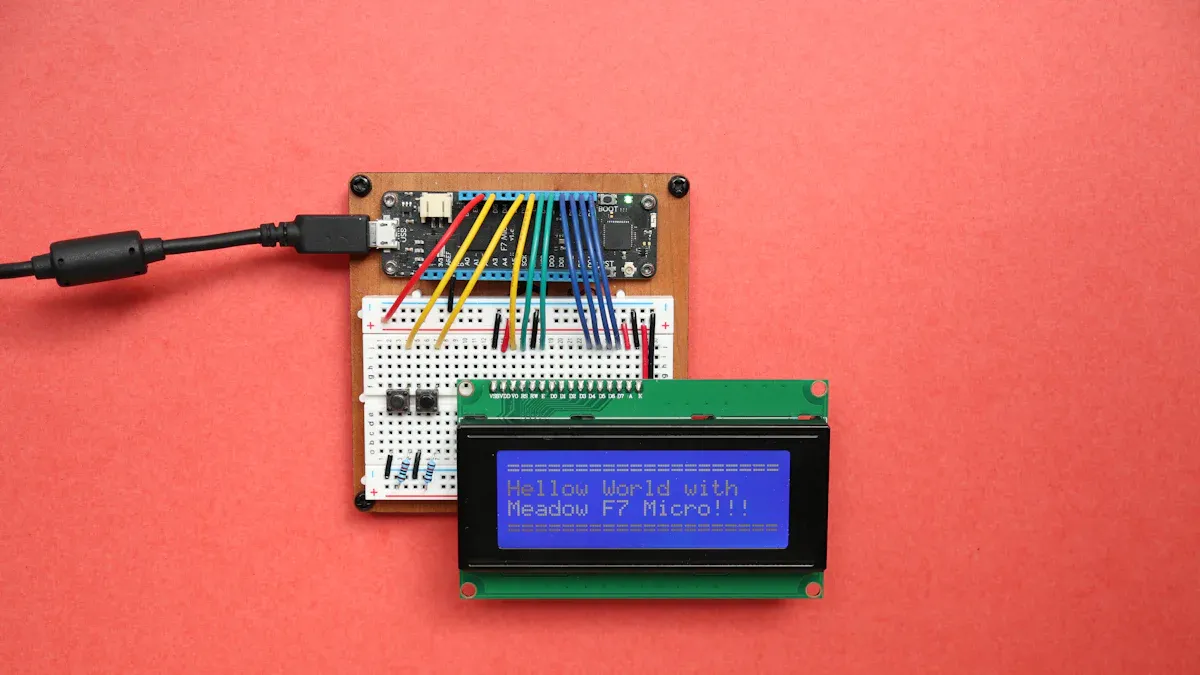
You can find many important lcd display parts in every lcd. The lcd display has a glass panel, liquid crystal layer, polarizing layers, backlight, color filters, and electronic parts. Each part helps control light, keeps the screen safe, or makes color. Knowing these parts helps you pick screens that match your phone. It also helps you get better brightness and good quality. The table below shows how learning about the parts can help you choose in 2026.
Description | |
|---|---|
Compatibility with Smartphone Models | Makes sure the LCD screens fit certain phones, so you do not have display problems. |
Screen Quality and Display Technology | Shows why you should check brightness, color, and touch response. |
Supplier Reliability and Manufacturing Standards | Reminds you to pick suppliers who give steady quality and help, so you do not have buying problems. |
For more information, go to https://www.topkioskdisplay.com/.
Key Takeaways
Learn about the main parts of an LCD display. These include the glass panel, liquid crystal layer, polarizing layers, backlight, and color filters. Each part is important for good image quality.
Pick LCD screens that work with your device. This helps you avoid problems with the display. You will get the best performance.
Find suppliers who follow manufacturing rules. This makes sure you get good quality and support for your LCDs.
Think about new LCD technology in 2026. New materials and designs make screens brighter. They also improve color and save energy.
Recycle old LCD parts the right way. This keeps the environment safe from bad materials. It also helps make the world more sustainable.
Glass Panel & Substrate
The glass panel is the main part of lcd display parts. You see this layer when you look at your screen. It gives shape and holds other layers in place. The substrate is right under the glass panel. Both layers make a strong base for the lcd.
Light Valve Function
The glass panel and substrate help control light in the lcd. They act like valves for light. They decide how much light goes through the liquid crystal layer. This lets you see clear pictures and bright colors. The glass panel is a hard surface for transistors. It holds color filters and liquid crystal cells. This helps the display work well.
Borosilicate glass
Aluminosilicate glass compositions
These materials help the glass panel deal with heat. They keep the surface smooth. Engineers make them to handle heat changes and keep the surface flat. This makes your lcd last longer and work better.
Protective Surface
You need strong glass to keep your lcd safe from scratches and drops. Makers use new glass technology to make it tougher. The table below shows some new glass types in 2026:
Technology | Key Features |
|---|---|
Corning's Project Phire | Hard like sapphire and very clear. Good for foldable screens. |
AGC's Dragontrail X | Very hard thin glass. Makes screens stronger. |
Schott's Xensation Alpha | Competes with other hard glass. Helps screens work better. |
These new glass panels make lcd screens safer and stronger. You get better safety and clearer screens. The glass panel and substrate are important lcd display parts. They help your device last longer and work well.
Liquid Crystal Layer
The liquid crystal layer is the most important part of lcd display technology. This layer sits between the glass panels and polarizing layers. It helps your lcd show pictures and colors.
Image Formation
You see pictures on your screen because the liquid crystal layer changes light with voltage. Here is how it works:
Light goes into your lcd through a polarizer and gets polarized.
The polarized light moves into the liquid crystal layer. The molecules change when voltage is used.
Each pixel has liquid crystal molecules between electrodes and polarizing filters.
The way these molecules turn decides how much light gets through. This changes how bright and clear each pixel looks.
Changing the voltage lets you control the brightness and color for every pixel.
Tip: The liquid crystal layer and backlight work together to make clear and bright pictures. You get better images when the molecules line up right.
The table below shows how the liquid crystal layer helps your lcd use less energy:
Step | Description |
|---|---|
1 | Light goes into the lcd and passes through the polarizer, turning into polarized light. |
2 | The polarized light enters the liquid crystal layer. Voltage controls how the molecules turn. |
3 | If there is no voltage, light twists by 90 degrees and goes through the second polarizer. This makes the screen bright. |
4 | If voltage is used, the molecules stand straight up. This stops light from going through the second polarizer, making the screen black. |
5 | By changing the voltage for each pixel, you can control brightness well. This helps save energy. |
Types of Liquid Crystals
There are different types of liquid crystals in lcd display parts. In 2026, new materials like ferroelectric nematic phases make screens work better. These materials let your screen respond faster and use less power. You see smoother movement and better touch because these liquid crystals switch quickly. They also help your device last longer on one charge.
The liquid crystal layer and other layers help your lcd show sharp pictures and bright colors. This part makes sure each pixel works well and gives you a great view.
Polarizing Layers
Every lcd needs polarizing layers. These layers help you see clear pictures and bright colors. They control how light moves inside the screen. If you did not have them, your lcd would not show images or words. Polarizing layers are a main part of lcd display technology. They are on both sides of the liquid crystal layer. They work together to manage the light.
Here are the main materials used for polarizing layers in 2026:
Material | Description |
|---|---|
PVA | A key polarizing layer that controls how light passes. |
TAC | A support layer that keeps the PVA steady and helps it work better. |
There are two polarizing layers in lcd display parts. These layers make sure only light going the right way gets through. This helps your screen show sharp pixels and strong contrast.
Front Polarizer
The front polarizer is on top of the lcd. It works like a filter for light. When light comes into your screen, the front polarizer only lets light with a certain direction pass. This is important for making each pixel look clear. You get better contrast and less glare. The front polarizer also helps protect the screen from scratches and dust.
Tip: If your lcd has a good front polarizer, you see less reflection and better colors, even when it is sunny.
Rear Polarizer
The rear polarizer is behind the liquid crystal layer. It works with the front polarizer to control light. When light leaves the backlight, the rear polarizer makes sure it lines up the right way. The liquid crystal layer then twists the light for each pixel. The rear polarizer blocks any light that does not match the direction. This step helps your lcd show dark blacks and bright whites.
In 2026, there are new ideas for polarizing layers. Some screens use polarizer-less OLED technology. This makes screens thinner and helps light move better. Other screens use Color Filter-on-Encapsulation (COE). This method gives you better color and more privacy.
Innovation Type | Description |
|---|---|
Polarizer-less OLED Displays | A technology that removes the circular polarizer layer, making light move better and the screen thinner. |
Color Filter-on-Encapsulation (COE) | A way to make screens thinner and let more light out, so you get better colors and privacy. |
Making good polarizing layers is hard for companies. High costs and worries about the environment are big problems.
Challenge | Description |
|---|---|
Making good polarizing layers needs many layers, careful material control, and costly machines. This makes them expensive and harder to sell. | |
Environmental concerns | People want eco-friendly products, and rules are getting stricter. Companies must make polarizing layers that are better for the planet, which is hard. |
Polarizing layers help your lcd show clear pixels and strong contrast. They are an important part of lcd display parts. If you know how these layers work, you can pick better screens for yourself.
Backlight & Enhancement Sheets
The backlighting system is a core component of lcd display. You need it because lcd screens do not make their own light. The backlight shines from behind the pixels and lets you see images, colors, and text. When you adjust the backlight, you change how bright your screen looks. Higher backlight settings give you a brighter display, but they also use more energy. Some lcd displays can reach up to 2,000 nits, but this makes the device use more power.
LED Backlight
Most lcd display parts use LED backlighting. LEDs are small lights that sit behind the screen. They give you strong, even light. You can control the brightness by changing the power sent to the LEDs. If you want a brighter screen, you increase the backlight. If you want to save energy, you lower it. Over time, LEDs can lose brightness, especially if they get too hot or the driver circuits fail.
Reflector Sheet
The reflector sheet sits at the bottom of the backlighting system. It bounces light back toward the screen. This sheet makes sure you do not lose light out the back of your lcd. You get better brightness and use less energy.
Diffuser Sheet
The diffuser sheet spreads the light from the LEDs so it covers the whole screen. Without this sheet, you would see bright spots and dark areas. The diffuser helps every part of your lcd look even and smooth.
Prism Sheet
The prism sheet focuses the light and sends it straight through the pixels. This sheet makes your screen look brighter without using more power. Prism sheets also help you see the screen clearly from different angles.
Function | Effect on Light Distribution | |
|---|---|---|
BEF | Manages angular output of light | Enhances brightness and uniformity |
DBEF | Reflective polarizer with diffuse surfaces | Improves efficiency and defect hiding |
ESR | Increases overall efficiency of backlight | Contributes to uniform light distribution |
Light Guide Plate
The light guide plate is a flat, clear sheet that spreads the light from the LEDs across the lcd. It makes sure the light reaches every pixel. If the light guide plate warps or turns yellow, your screen can look uneven or dim. You need a good light guide plate for a bright, even display.
Note: Problems with the backlighting system can cause your lcd to look dim, flicker, or show uneven light. Common issues include LED backlight degradation and problems with the light guide plate or diffuser.
Failure Mode | Description |
|---|---|
LED Backlight Degradation | LEDs lose luminosity over time, especially under high temperatures, and driver circuitry can fail. |
Light Guide Plate and Diffuser Issues | Components can warp or yellow, leading to uneven illumination across the screen. |
You can see how each part of the backlighting system works together to give you a bright, clear lcd. Good backlighting and enhancement sheets help your pixels show sharp images and save energy.
Color Filters & Conductive Layers
Color Filter Function
You see bright colors on your lcd because of the color filter layer. This layer splits each pixel into red, green, and blue parts. Light from the backlight goes through these filters. You get many colors on your screen. The color filter layer helps your lcd show real-looking pictures and videos.
Sub-Pixel | Color Produced | Role in Color Reproduction |
|---|---|---|
Red | Red | Makes reds look bright |
Green | Green | Helps greens stand out |
Blue | Blue | Shows deep blues |
The color filter layer lets you enjoy movies, games, and photos with true colors. More than half of big TV screens now use better color-filter parts. These support HDR and wide-gamut displays. Notebook screens and car dashboards use special color filters for brighter and more vivid colors. You benefit from these changes because people want high-definition content. Color filters help lcd technology stay popular for bigger screens and cheaper displays.
Note: Wider color gamuts, like DCI-P3 and Rec.2020, let you see more vibrant and real images on your lcd.
Transparent Conductive Layer
You use your lcd through transparent conductive screen layers. These layers sit above the pixels. They let your device sense touch and respond fast. There are three main types in 2026:
Thin-film conductive oxides: These make electrodes for touch detection. They stay clear and thin, so you see sharp images.
Fine metal grids: These use tiny mesh patterns. They keep high conductivity and good transparency, so your lcd responds quickly.
Nanomaterial films: These use advanced materials like nanowires. They offer flexibility and boost performance, making touch more sensitive.
Transparent conductive screen layers help your lcd react to every tap and swipe. You get smooth touch control and quick response. These layers also work with the backlight to keep your screen bright and clear. If you pick a device with advanced transparent conductive screen layers, you get better touch sensitivity and longer-lasting displays.
Tip: If your lcd screen feels slow or does not respond, the transparent conductive screen layers may need repair or replacement.
## Electronic Components in LCD Display Parts
You find many important [electronic components](https://blog.topadkiosk.com/) inside every lcd. These parts help your screen show images, control light, and respond to your touch. You need to know how each part works to understand the components of the lcd display.
### Ribbon Cable
The ribbon cable connects the lcd to the main circuit board. It looks like a flat strip with many tiny wires. This cable sends signals and power between the display and the rest of your device. You see the ribbon cable in phones, tablets, and monitors. If the ribbon cable breaks, your screen may stop working or show lines. You need a strong ribbon cable for fast data transfer, especially when your lcd has many pixels or a high refresh rate.
> Tip: Handle the ribbon cable gently when repairing your device. A damaged cable can cause display problems.
### IC Chip (Driver)
The ic chip is the brain of your lcd. It controls how the pixels turn on and off. You find several types of ic chip in modern displays. The driver ic chip sends signals to each pixel, telling it when to light up. New ic chip designs in 2026 make your screen use less energy and show smoother images. These chips help your lcd reach high resolutions and fast refresh rates. For example, a 1024x600 display at 100Hz needs to move millions of bits every second. The ic chip manages this data quickly.
- The ic chip also supports advanced features like touch sensing and backlighting control.
- TDDI and gate driver ic chip technology help your device stay efficient and bright.
- The [market for lcd source driver ic chip](https://www.verifiedmarketreports.com/product/lcd-display-drive-ic-market/) is huge, showing how important these parts are for new screens.
If the ic chip fails, your lcd may flicker or stop working. Common causes include [thermal stress, electrical overstress](https://trappercustommarine.com/what-are-the-common-failure-modes-for-tft-lcd-displays/), and manufacturing defects. You should keep your device cool and avoid voltage spikes to protect the ic chip.
### Supporting Sheets
Supporting sheets keep your lcd strong and safe. These layers bond the cover glass to the lcd, making one solid unit. Foam adhesives hold the parts together and stop cracks. Front frame gaskets and seals protect your screen from shocks and vibration. Some supporting sheets use [special glass or chemical treatments](https://www.boydcorp.com/applications/display-hmi.html) to make the lcd harder and more scratch-resistant.
> Note: Good supporting sheets help your lcd last longer, even if you drop your device.
You also need to think about the environment. Throwing away old lcd components can [harm nature](https://computerreclamation.com/can-you-throw-away-electronics/). Toxic materials from electronic components can leak into soil and water. Always recycle your lcd displays to keep the planet safe.
| Main Electronic Component | Function in LCD Display Parts |
|--------------------------|------------------------------------------------|
| Ribbon Cable | Transfers signals and power |
| IC Chip (Driver) | Controls pixels, touch, and backlighting |
| Supporting Sheets | Add strength, protect from shock and vibration |
You see how each part works together to give you a bright, clear, and strong lcd. Understanding these electronic components helps you choose better screens and care for your devices.
All the lcd display parts work together to make clear images. The glass panel keeps your screen safe from damage. The liquid crystal layer lets light through and makes pixels. Polarizing layers help you see bright and sharp colors. The backlight and enhancement sheets make the screen look bright. Color filters and conductive layers give you strong colors and quick touch. Electronic parts link everything and give power to the display.
> If you know about these parts, you can pick better lcd screens. In 2026, new technology gives you [sharper pictures](https://www.bartech-electronics.com/blog/best-lcd-display-trends-for-global-buyers-2026/) and saves energy. You will see brighter screens and pay less money.
| Key Factor | Impact in 2026 |
|---------------------------|-----------------------------------------------------|
| Technological Advancements| [Better color](https://www.linkedin.com/pulse/lcd-display-market-profiling-2026-strategy-forecast-trends-smh6e/), brightness, and [energy savings](https://www.researchandmarkets.com/report/lcd-panel-market) |
| Sustainability | Eco-friendly displays and reduced operating costs |
LCD Display Parts: A Complete Breakdown
An LCD screen is a complex system made of multiple precision layers and components. It works like a sophisticated "light valve," controlling the passage of light to display images.
A typical LCD display module consists of three main subsystems: the Backlight Unit (BLU) responsible for light generation and optical processing, the LCD Panel that forms the image, and the electronic components that drive everything.
�� How It Works – Quick Overview
Think of an LCD screen’s workflow as:
The Backlight Unit emits white light.
The light first passes through a polarizer, which aligns its direction.
The light then travels through the liquid crystal layer. Applying a voltage twists the liquid crystal molecules, acting like a valve to control how much light passes through.
Finally, the light goes through a color filter and another polarizer, mixing into the colors you see.
Deep Dive into Core Components
1. Optical Panel (LCD Panel)
This is the heart of the LCD, responsible for generating the image. It typically consists of:
Component Function
Polarizer Outermost layer; filters and aligns light direction.
Glass Substrate Holds the liquid crystal material; ITO conductive layer transmits drive signals.
Color Filter Contains red, green, and blue sub pixels; light passing through creates colour.
Liquid Crystal Material Molecules twist under an electric field, controlling light passage.
Black Matrix Separates RGB sub pixels; prevents light leakage and colour mixing.
Alignment Layer Ensures liquid crystal molecules align in a predetermined direction – critical for display quality.
2. Backlight Unit (BLU)
The backlight unit is the “light source” of an LCD. It is built from several optical films:
Component Function
Reflector Reflects light forward, improving light utilisation efficiency.
Light Guide Plate (LGP) Converts edge lighting into a uniform front lighting surface.
Diffuser Sheet Evenly scatters light, eliminating bright spots to create a uniform surface light source.
Prism Sheet (BEF – Brightness Enhancement Film) Uses prism structures to concentrate scattered light, increasing screen brightness.
3. Driver & Control Electronics
These act as the “brain” and “heart” of the LCD, receiving signals and controlling the display.
Component Function
Driver IC Includes source and gate drivers; directly controls each pixel’s switching.
Timing Controller (TCON) The “commander” of display control; converts signals from the main board into data the panel can recognise.
Power Management IC (PMIC / Power Supply) Provides stable voltages (e.g., VGH, VGL) required by various LCD components.
LED Backlight Driver Supplies precise current and voltage to the LED strips in the backlight unit.
4. Mechanical Parts
These parts hold and protect the internal components.
Component Function
Bezel Outer frame for sealing.
Middle Frame Main structural frame.
Tape / Sponge Sealing and cushioning.
Common LCD Module Interfaces
LCD manufacturers typically assemble the LCD panel, backlight unit, driver ICs, and FPC into a complete LCD Module (LCM). When selecting or purchasing a module, the interface type is a key differentiator.
Interface Characteristics Typical Applications
SPI / QSPI Serial; few pins; slower speed. Low resolution, small size, low refresh screens (calculators, simple instruments).
MCU 8080 / I80 Parallel; many pins; writes directly to display RAM. Small sized screens driven directly by microcontrollers.
RGB Parallel; requires sync clock; faster speed. Medium sized screens requiring video or dynamic images.
MIPI DSI High speed differential serial; few pins; low power. Mainstream for smartphones, tablets, high resolution displays.
LVDS Low voltage differential signalling; strong noise immunity; long transmission distance. Laptops, industrial control, large sized displays requiring signal stability.
Important: When repairing or replacing, the interface of the new module must exactly match the original; otherwise, it will not work.
Sourcing & Repair Guide
Where to Buy LCD Parts
Channel Best For Notes
Manufacturers / Distributors Large volume, new design projects Brand authorised; reliable quality.
Spot Distributors (DigiKey, Mouser, etc.) Small batches, samples Reliable sourcing; good documentation.
Online Marketplaces (Alibaba, eBay, etc.) Flexible pricing, hard to find parts Seller quality varies; verify carefully.
Professional Repair Shops Used / refurbished parts Low price but inconsistent quality and stability.
Troubleshooting – Common Failures & Likely Faulty Parts
Symptom Most Likely Faulty Component
No display, but power LED is on TCON (Timing Controller) or main board no signal output.
Vertical / horizontal lines, distorted screen TCON or driver circuits inside the LCD panel.
Dim screen, backlight off LED backlight strip or backlight driver (boost board).
Screen flickering Aging capacitors on power supply; unstable LED backlight driver; TCON failure.
Dead pixels, bright spots, physical damage LCD panel itself – requires full replacement.
Touchscreen unresponsive or inaccurate Touchscreen damage; touch controller board failure.
Summary
Every part of an LCD display plays an irreplaceable role. The LCD panel is the most critical component and accounts for the highest cost. The backlight unit determines brightness. The TCON and main board are the “brains” that process signals.
Understanding these components gives you a clear advantage whether you are sourcing parts for a new project, repairing a failed screen, or simply curious about how LCDs work.
## FAQ
### What are the main parts of an lcd display?
You find several important parts in an [lcd display](https://blog.topadkiosk.com/). These include the glass panel, liquid crystal layer, polarizing layers, backlight, color filters, and electronic components. Each part helps your screen show clear images and bright colors.
### How do pixels work in an lcd screen?
Pixels change color and brightness when voltage moves through the liquid crystal layer. Each pixel has red, green, and blue filters. You see sharp images because the pixels turn on and off quickly.
### Why does my lcd screen look dim sometimes?
A dim lcd screen often means the backlight or enhancement sheets have problems. The light guide plate or diffuser may warp or yellow. You can fix this by replacing faulty parts or adjusting brightness settings.
### Can you repair broken pixels on an lcd display?
You cannot usually fix broken pixels yourself. Dead pixels happen when the liquid crystal layer or driver chip fails. You may need to replace the lcd or ask a technician for help.
### What makes lcd screens good for touch devices?
Transparent conductive layers let your lcd sense touch. These layers sit above the pixels and respond to taps and swipes. You get fast touch control and smooth screen response.
## See Also
[Essential LCD Display Innovations to Watch for in 2026](https://blog.topadkiosk.com/lcd-display-breakthroughs-2026-trends-brighter-smarter/)
[Selecting the Perfect LCD Digital Signage for Your Business in 2026](https://blog.topadkiosk.com/choose-lcd-digital-signage-business-2026-topadkiosk/)
[Top LCD Kiosk Displays Ideal for Retail Spaces in 2026](https://blog.topadkiosk.com/best-lcd-display-kiosks-for-retail-environments-20261/)
[Guidelines for Picking the Ideal LCD Round Display in 2025](https://blog.topadkiosk.com/how-to-choose-the-best-lcd-round-display-for-your-project-2025/)
[Leading LCD Display Manufacturers to Consider for Your Next Project](https://blog.topadkiosk.com/top-lcd-display-screen-manufacturers-brands-2026/)
