Top Advantages of Digital Signage for Businesses in 2026
Shenzhen TopAdkiosk Display Technology Co., Ltd.
Add.: 2F, Bldg 10, Changfeng Industrial Park, Dongkeng, Fenghuang, Guangming, Shenzhen, China 518132
Mobile/WHATSAPP: 86-138 25769658
Email: marketing@topadkiosk.com topadkiosk@gmail.com
Skype: pghenry1
Wechat: adkioskhenry
English Web.: https://www.topkioskdisplay.com/
http://www.ad-kiosk.com/
https://www.toplcddisplay.com/
http://www.multitouchdigitalsignage.com/
https://www.youtube.com/channel/UCYVYNJHxLVEcQD8fuUxXNTA/videos?view_as=subscriber
https://www.facebook.com/TOPADKIOSKSHENZHEN/?ref=bookmarks
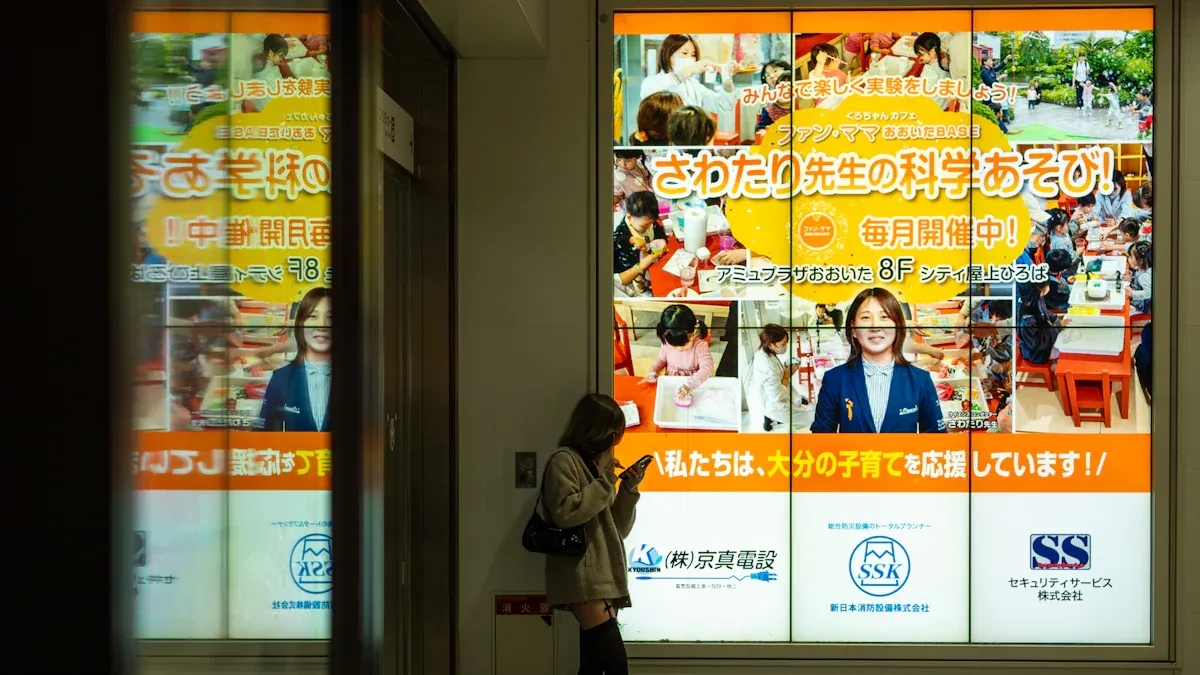
You can see how digital signage changes business in 2026. Many companies say digital signage gets more people interested. It also grabs attention in busy places. In retail, you can see great results:
Metric | Sales Uplift |
|---|---|
Average sales increase (retail) | |
Overall sales impact | 4-7% increase |
Impulse purchase increase | 19.8% |
Customers who entered stores due to signs | 80% |
With digital signage, you can change promotions right away. This helps keep customers interested. The advantages of digital signage are dynamic content, better visibility, and more sales. You get these advantages by using real-time updates and special messages. These advantages help your business stand out and grow. They also make things better for your customers. The advantages of digital signage make your messages clearer. They also help your business compete with others.
Key Takeaways
Digital signage helps get customers interested because it grabs their attention and makes them want to interact, which can lead to more sales.
Real-time content updates let businesses react fast to market changes, so promotions stay useful and work well.
Digital signage saves money because there is less need for printing and things run smoother, so resources can be used better.
Personalized messaging makes customers feel special, which can make them want to buy more.
Analytics from digital signage show clear results, so businesses can improve their plans and get better returns on their investment.
Key Advantages of Digital Signage
Enhanced Engagement
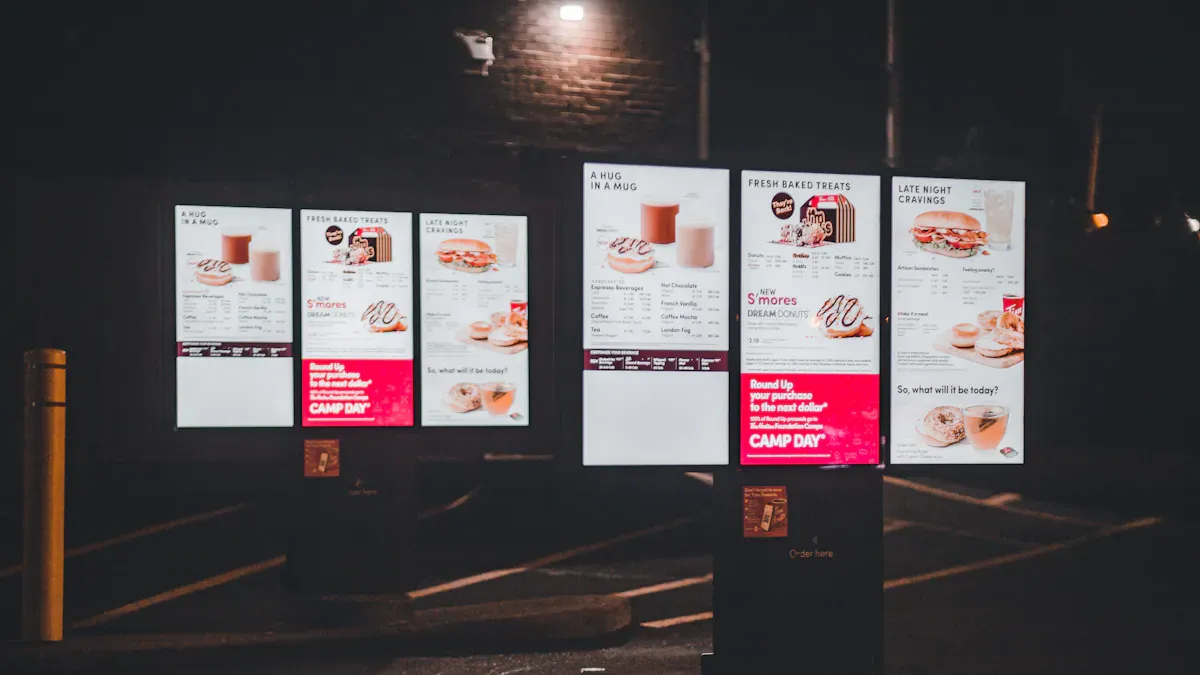
Digital signage changes how customers act with your business. It catches people’s eyes and keeps them interested. Research shows digital signage gets 400% more views than regular signs. This means more people see your messages. Digital signage is easy to notice in busy places.
Interactive digital signage helps patients check appointments in hospitals. They can find their way and learn health tips. This makes things better for them and keeps the front desk less crowded.
Digital screens in stores show off deals and services. Customers look around more and spend time with your products.
Moving pictures and animations make people stay 12% longer. When you use AI, people stay twice as long. This proves that fun content helps people pay attention and buy more.
Digital signage solutions let you see how much people interact. High engagement means your content connects with people. Customers remember your messages and feel happy. This leads to more sales and people coming back. The benefits of digital signage are better visibility and stronger customer bonds.
Real-Time Content Updates
Digital signage lets you change content right away. You can react to market changes and what customers want fast. This gives your business more freedom and keeps your messages new. The advantages of digital signage include changing deals, menus, or news with one click.
Benefit | Description |
|---|---|
You can change messages and deals fast when the market changes. | |
Consistent branding | Digital signage keeps your brand the same everywhere. People know your business right away. |
Influencing customer behavior | You can help customers make choices, which boosts sales and interest. |
Operational efficiency | Automation saves money and makes your business work better. |
Enhanced internal communication | Workers get updates and training fast, which helps teamwork. |
You can see how sales change near digital screens. You save money because you do not print as much and can start campaigns faster. Analytics help you check how screens and content are used. The benefits of digital signage are instant updates, flexibility, and better operations.
Benefit | Description |
|---|---|
Flexibility | You can change things fast to match trends and what people like. |
Customer Engagement | Fun and interactive content makes customers happy and interested. |
Operational Efficiency | You do not need to print and can update many places at once. |
Benefit | Description |
|---|---|
Clarity for Drive-Thru | Digital screens give clear info, making things easier for customers. |
Cost Reduction | You save money by using digital updates instead of printing. |
Instant Updates | You can show new products or deals with one click. |
The benefits of digital signage help your business stay quick and strong. You can try different messages and use your ad money better. Dynamic digital signage helps you reach people with the right message at the right time.
Cost Savings
Digital signage helps your business spend less money. You do not need to print new signs or menus. This saves money on paper, ink, and work. The advantages of digital displays are lower ad costs and less waste.
Aspect | Cost Savings Description |
|---|---|
Printing Costs | You do not need paper, ink, or printing, especially for menus and deals. |
Labor Expenses | You spend less on people to print, deliver, and change signs. |
Operational Efficiency | You work faster by updating content quickly without extra costs, which helps with deals. |
Aspect | Cost Savings Description |
|---|---|
Advertising Costs | You save money by not using old ad ways. Changing content often does not cost more. |
Design Software Costs | You spend less on design tools and creative help by using one solution. |
Digital signage lets you run many ads on one screen. You can change what shows fast without spending more. You can test messages to see what works best. This helps you use your ad money well and get better results.
Aspect | Digital Signage | Traditional Advertising |
|---|---|---|
Material Costs | You do not need real materials | You must print and put up signs |
Update Frequency | You change content right away | You print new signs for updates |
Labor Costs | Fewer trips needed | More work to put up signs |
Energy Consumption | Uses little power | Often uses more |
Maintenance | Easy checks and software updates | Print and put up new signs often |
The benefits of digital signage are saving money, being easy to see, and having moving content. You work better and waste less. Digital signage helps your business grow and stay ahead in a fast-changing world.
Boosting Sales and ROI
Dynamic Promotions
Digital signage helps you show deals that get attention. You can make people want to buy fast with limited-time offers. It is easy to change deals right away. This means you always show the best offers. You can highlight products and services at the perfect time.
Description | |
|---|---|
Cross-Promotions | Show related products so people buy more and feel happy. |
Social Media Integration | Add live feeds to make things fun and get people involved. |
Time-Sensitive Promotions | Show short-time deals to make people act now. |
Loyalty Program Promotions | Tell about memberships and special deals to keep customers coming back. |
Guided Shopping Experiences | Help people find new things and buy more than one item. |
Event-Based Promotions | Use digital signs for in-store events to make them matter more. |
Fresh and Relevant Content | Change what you show often to match trends and what people like. |
Digital signage tells people about deals at the right time. You can help people decide to buy and get more sales. Using digital signage makes your deals work better and helps your business grow.
Measurable Results
You can see how well digital signage works by using numbers. Analytics show how many people look at screens and use the content. You can ask people questions or talk to them to learn more. A/B testing lets you try different things to see what works best.
Description | |
|---|---|
Audience Engagement | See how long people watch and if they use the screen. |
Content Effectiveness | Count views, clicks, and sales to see if your message works. |
Return on Investment | Compare what you spend to what you get back. |
Brand Awareness | Ask people or check social media to see if they remember your brand. |
Conversion Rates | Track what people do after seeing your sign. |
Customer Feedback | Learn what people like and want. |
Operational Efficiency | Check if your signs work well and do not break often. |
Analytics help you make your digital signage better. By watching how people act and checking sales, you can make smart choices and get better results.
Upselling Opportunities
Digital signage gives you ways to sell more to customers. You can show deals to make people buy bigger sizes or more items. Short-time deals make people buy quickly. You can add loyalty programs and QR codes for more info or online shopping.
Offer upgrades for a little more money.
Suggest other items people might like.
Use quick deals to make people buy now.
Tell about memberships and special deals.
Add QR codes so people can learn more or shop online.
Strategy | Explanation |
|---|---|
Inform Customers of Your Products | Digital signage helps people know about your products and buy more. |
Promote discount codes | Show codes to get people interested and boost sales. |
Promote on-the-fly buying decisions | Fun signs make people want to buy extra things. |
Promote revisits | Remind people about sales or new items so they come back. |
Digital signage helps you sell more and makes your business stronger. When you use these ideas, you get more sales and better customer relationships.
Improving Brand and Communication
Consistent Messaging
Digital signage helps your brand look the same everywhere. You can control what people see in all your stores. This keeps your main message clear and strong. Local managers can change deals or language for their area. This helps you talk to people in different places. Showing your logo and colors in every store makes your brand easy to spot. Digital signage helps businesses stand out from others.
You keep your message the same with central control.
Local changes help fit each area.
Managers can change deals for their customers.
Many companies use digital signage to make their brand better. Here are some ways businesses use it:
Business | Strategy Description | Results |
|---|---|---|
McDonald's | Used touchscreen kiosks for orders and choices. | Orders are more correct, service is faster, and customers are happier. |
Tesla | Put interactive screens in showrooms for learning and fun. | More sales, better brand awareness, and more info for marketing. |
Adidas | Used digital signs in pop-up shops to get people interested. | More people came in, sales went up, and shoppers were excited during holidays. |
Sweet Delights | Used digital signs to bring people in and make shopping better. | Sales went up and customers liked the store more. |
Levi's Stadium | Put kiosks for looking at items during the Superbowl. | More people got involved and sales went up during the event. |
Location-Specific Content
Digital signage lets you show messages that fit each place. You can make messages special for your audience. Deloitte says 80% of people like brands that give them personal experiences. These people spend up to 50% more with those brands. You can use digital signage in banks, stores, and airports to give the right info. This helps people make good choices and feel closer to your business.
Special messages make customers more interested.
Custom messages help people choose and interact.
Businesses use digital signage to make each place better.
You can use new tools to show content for each location. These tools help you reach people in smart ways.
Technology | Description |
|---|---|
AI | Sends content and checks how people react to improve marketing. |
QR Codes | Connects screens to phones so people get deals and info fast. |
Peripheral Devices | Uses sensors and beacons to react when people are near. |
Software Integration | Helps send the right content to many business systems. |
Internal Communication
Digital signage helps you share news with your team. You can show updates, sales numbers, and team goals. Workers see how they are doing and feel proud. Goals become easy to see, which makes people work harder. Announcements and events are more fun. You can celebrate wins and welcome new team members. Everyone gets the same news at the same time.
Real-time updates keep everyone in the loop.
Clear goals help workers try their best.
Announcements and events are more fun.
You celebrate wins and welcome new people.
Central news means everyone knows what is happening.
Digital signage makes talking to your team easier and helps them do better. You can share news and goals with all departments. Pictures and screens mean less email. Workers see their progress right away. This better communication makes workers 25% more productive and 60% more inspired.
Benefit | Measurable Impact |
|---|---|
Better team communication | 25% more work done by employees |
More employee recognition | 60% more inspired workers |
Real-time updates and dashboards | Teams stay on track and work together |
Digital signage gives you ways to keep your team close and working hard. Your business becomes stronger and works better.
Personalization and Flexibility
Targeted Messaging
Digital signage lets you show messages your customers care about. You can display offers when people are ready to buy. This helps them want to shop more. Digital signage shows cool pictures and videos. These grab attention and make people interested.
Benefit | Description |
|---|---|
Relevant Offers | Show deals that fit what customers want now. |
Promote products when people are most likely to buy. | |
Higher Engagement | Use bright screens and moving images to get noticed. |
You can make messages for different groups of people. This makes talking to customers feel special. Digital signage helps you connect and build trust with them.
Adaptable Campaigns
Digital signage lets you change your campaigns fast. You can use AI to show new things based on who is watching. This makes shopping more fun and personal. Digital signage uses real-time data to keep content fresh.
Feature | How It Helps Your Business |
|---|---|
Change content for each viewer’s age or interests. | |
Update messages as trends change or new products come. | |
Hyper-Personalized Messaging | Tailor content by location, time, and customer behavior. |
Personalized Customer Experience | Make each visit special and memorable for shoppers. |
You can see adaptable campaigns in schools, meeting rooms, and stores. Schools use creative screens to share news and ideas. Stores use screens at checkout to suggest deals and products. These campaigns help your business stay ahead and keep customers happy.
Customer Experience
Digital signage makes customers feel good in your store or service area. You can give people information that fits their needs. This creates a fun experience and makes shopping easier. Digital signage helps your brand look strong. Customers like clear signs and find what they want faster.
You give special information that makes shopping better.
Digital signage makes the store more fun and interesting.
You use customer data to offer deals and tips.
Clear signs help customers understand choices and prices.
You can check how well digital signage works with surveys and reviews. You also track how much people pay attention and enjoy shopping. When you use digital signage, you make shopping smoother and more fun.
You can see that digital signage helps your business in many ways. It lets you reach more people and save money. You can share clear messages with everyone. The table below shows the main benefits:
Benefit | Description |
|---|---|
Increased Engagement & Sales | You get more sales and connect with customers using cool content. |
Cost Savings | You spend less by updating screens instead of printing signs. |
Improved Communication | You share news and training with your team fast and easily. |
Personalized Content | You show the right message to the right person at the right time. |
Built-in Analytics | You track results and make smart choices for your business. |
Digital signage helps your business grow and get ready for the future. Now is a great time to start using it.
Miniature OLED Display Picks for Easy DIY Projects
Choosing the right miniature OLED display for your next DIY electronics project comes down to balancing resolution, size, interface, and driver chip based on your project’s needs. The most popular 0.96‑inch, 128×64 resolution, I2C interface, SSD1306‑based monochrome OLED is the top choice for most beginners due to its excellent ease of use and vast community support.
Below is a breakdown of different screen sizes with a quick comparison table to help you make the best decision.
🛠️ Key Things to Know About OLED Displays
Excellent image quality – OLED pixels are self‑emissive, delivering true black – beautiful in dark environments and far superior to LCD in contrast.
Very low power consumption – When displaying black or dark content, the corresponding pixels simply turn off, making OLEDs ideal for battery‑powered projects.
Understand the “driver chip” – This is the display’s “brain” that interprets your commands. The most common drivers:
SSD1306 – Entry‑level and the first choice for most 0.96‑inch screens.
SH1106 – Often used on 1.3‑inch screens; not fully compatible with SSD1306 – using the wrong driver can cause display shift or white edges.
SSD1327 – Premium choice for 128×128 screens; supports grayscale.
SSD1351 – Drives 1.5‑inch colour RGB OLEDs for rich colour.
📊 Mainstream Miniature OLED Display Comparison
Model / Parameter | 0.96″ SSD1306 (Entry‑level) | 1.3″ SH1106 (Comfortable reading) | 1.5″ 128×128 (Advanced grayscale) | 1.5″ 128×128 (Colour, vibrant) |
|---|---|---|---|---|
Key feature | Smallest size, highly adaptable, most popular | Larger viewing area, more comfortable reading distance | Higher resolution, can show grayscale images | 65K colour, more vivid visuals |
Resolution | 128×64 | 128×64 | 128×128 | 128×128 |
Driver chip | SSD1306 | SH1106 | SSD1327 | SSD1351 |
Interface | I²C / SPI | I²C / SPI | I²C / SPI | SPI (I²C configurable) |
Operating voltage | 3.3V / 5V | 3.3V / 5V | 3.3V / 5V | 3.3V / 5V |
Typical current | ~20mA | ~25mA | Not specified | Not specified |
Physical size (approx.) | ~27×27mm | ~34×30mm | 44.5×37mm | 45×37mm |
Popularity | Best for beginners – huge community, many tutorials | More comfortable to read – a great upgrade | Grayscale – smooth visuals for advanced applications | Vibrant colour – stunning, perfect for eye‑catching projects |
Search keywords | 0.96 OLED, SSD1306, I2C | 1.3 OLED, SH1106 | 1.5 OLED 128×128, SSD1327 | 1.5 RGB OLED, SSD1351, 65K Colour |
💡 How to Choose – A Clear Decision Guide
1. Identify your core application
Wearables or minimalist info display – Choose 0.96″ first. Its small size and pixel density (≈160 PPI) are great for small, sharp text or icons viewed up close.
Desktop dashboard or reading from a distance – 1.3″ is better. The larger pixel pitch provides a more comfortable reading experience at 50‑80 cm.
Need to show graphics or grayscale images – A 1.5″ 128×128 display gives you more pixels for richer visuals than simple text.
Eye‑catching colour UI – If your project needs colour logos, images, or simple animations, the 1.5″ RGB OLED is the way to go.
2. Choose your interface
I²C – Uses only 2 data pins (SDA, SCL). Simplest wiring, but lower refresh rate. Good for static or slowly changing content.
SPI – Uses 4 or more data pins; wiring is a bit more complex, but refresh rate is much higher. Better for simple animations.
3. Consider cost and budget
Miniature OLEDs typically cost between $3 and $15 USD – not a huge burden.
For personal DIY or tight budgets, the 0.96″ screen offers unbeatable value.
4. Other tips
Strongly recommend I2C – Even if a screen supports both SPI and I²C, I²C (only 4 wires) is far simpler than SPI (often 7+ wires) – ideal for beginners and reduces connection headaches.
Be careful with driver chips – less is more
SSD1306 has the best ecosystem support and works seamlessly with powerful libraries like U8g2. Unless you have a specific reason, avoid SH1106 to dodge compatibility issues.Choose reputable suppliers
Look for well‑known brands like Waveshare. Their products usually include good wiki documentation and libraries, helping you avoid common pitfalls.
💎 Summary
Selecting an OLED display for your project is a trade‑off between viewing area, display quality, and development complexity. Here are three clear paths:
Beginner / no‑brainer choice – For most DIY projects, the 0.96″ I2C SSD1306 offers unbeatable community support and the lowest entry barrier – great for quickly prototyping your idea.
Comfortable reading – If you need to look at the screen for longer periods, the 1.3″ SH1106 provides a noticeably more comfortable reading experience.
Advanced / eye‑catching projects – When you need graphics, grayscale, or colour, look at 1.5″ 128×128 resolution screens.
What do you plan to build? A desktop clock, a sensor data monitor, or something else? Tell me your specific project direction, and I can give you a more precise recommendation.
FAQ
What makes digital signage better than traditional signs?
You can change digital signage right away. You do not need to print new signs. Digital screens use bright colors and moving pictures. These get people’s attention fast. You can reach more people and share clear messages.
How does digital signage help increase sales?
Digital signage shows deals and products at the best time. You can use real-time offers. Customers see these and want to buy more. Some businesses say sales go up by 30%.
Can you personalize messages with digital signage?
Yes! You can send messages to different groups of people. You use data to show deals people like. When content is personal, customers feel special. This helps them pay attention and get involved.
Is digital signage easy to manage?
You control all screens from one place. You can change what shows with a few clicks. This saves time and work. Digital signage makes updates quick and simple.
Does digital signage improve communication with employees?
Digital signage shares news and goals fast. Your team gets updates right away. Workers see what is new and feel excited. Clear screens help everyone know what to do.
See Also
Key Factors That Make Digital Signage Essential for Success
Latest Innovations in Digital Signage Technology This Year
Exploring Current Trends Influencing Digital Signage in 2026
Best Digital Signage Solutions for Retailers This Year
Comparing Digital Signage and LED Signs for Businesses in 2026
