Top 3 LCD Monitor Features You Need in 2026
Shenzhen TopAdkiosk Display Technology Co., Ltd.
Add.: 2F, Bldg 10, Changfeng Industrial Park, Dongkeng, Fenghuang, Guangming, Shenzhen, China 518132
Mobile/WHATSAPP: 86-138 25769658
Email: marketing@topadkiosk.com topadkiosk@gmail.com
Skype: pghenry1
Wechat: adkioskhenry
English Web.: http://www.topadkiosk.com/
https://www.topkioskdisplay.com/
http://www.ad-kiosk.com/
https://www.toplcddisplay.com/
http://www.multitouchdigitalsignage.com/
https://www.youtube.com/channel/UCYVYNJHxLVEcQD8fuUxXNTA/videos?view_as=subscriber
https://www.facebook.com/TOPADKIOSKSHENZHEN/?ref=bookmarks
Choosing the best lcd monitor features in 2026 helps you see things clearly. It also helps you set up your space in a comfy way. This gives you a better experience. The top three features are image quality, performance, and ergonomics. These are very important for people today. Studies show that higher resolutions and new display technology help a lot. Ergonomic benefits also make people happier and more productive. The table below shows how monitor features affect how happy and productive people are:
Feature | Impact on Satisfaction and Productivity |
|---|---|
Dual Monitor Setup | People feel happier and get more work done |
Three Monitors | It is easier to do many things and work faster |
Pay attention to these features to make your lcd setup ready for the future.
Key Takeaways
Pay attention to image quality for sharp pictures and bright colors. Pick monitors with high native resolutions like 4K or 8K.
Look for performance features like high refresh rates and quick response times. These make motion look smoother for gaming and watching videos.
Think about ergonomic designs that let you adjust the monitor. This can help stop discomfort if you use it for a long time.
Make sure your monitor has important ports like HDMI, DisplayPort, and USB-C. These ports let you connect to many different devices.
Find monitors with built-in speakers for extra convenience. They save space and make sound control easier for daily use.
LCD Monitor Image Quality
Image quality is the most important part of every lcd monitor. You see clear pictures and bright colors with good lcd screens. High-quality lcd screens help you work, play games, and watch movies easily. You can tell the difference in sharpness and color every time you use your lcd monitor. New display technology makes lcd screens brighter and colors look better. The right lcd screens give you a great experience.
Native Resolution
Native resolution means how many pixels your lcd monitor can show. You see more details when your lcd monitor has a higher native resolution. Most lcd screens in 2026 have 4K or even 8K resolution. You see sharp text and clear pictures. You do not see blurry lines or blocky images. You get more space to do many things at once. You can open many windows together. You finish your work faster. You play games that look real. You watch movies that look sharp. You use lcd screens for art and see every color and shape.
Brightness & Contrast
Brightness and contrast help you see lcd screens in all kinds of light. You can change the brightness to fit your room. You stop your eyes from hurting and see everything well. Contrast ratio shows the difference between the darkest black and the brightest white. You need a high contrast ratio for deep blacks and bright colors. You get better colors and enjoy movies and games more.
Here is a table showing the best contrast ratios for different uses in 2026:
Use Case | Recommended Contrast Ratio |
|---|---|
Home Entertainment | 10,000:1 or more (oled technology) |
Gaming | At least 5,000:1 |
Professional Use | 1,000:1 to 3,000:1 |
Outdoor Displays | Around 3,000:1 |
Bright Environments | Around 5,000:1 or better |
Dark Environments | 10,000:1 or more |
You pick lcd screens with the right brightness and contrast for what you need. You see clear pictures in both bright and dark rooms. You enjoy lcd screens for work, games, and fun.
Panel Type & Viewing Angle
Monitor panel types change how colors look and how wide you can see the screen. You can pick from TN, IPS, and VA lcd screens. Each type gives you something special.
TN panels are fast. You use them for games where speed matters. You see less color and must look straight at the screen.
IPS panels show bright colors and let you see from the side. You use them for art and everyday work. You see good colors and clear pictures from any spot.
VA panels are good at color and contrast. You use them for games and movies. You see dark blacks and nice colors. They may be a little slower.
Here is a table comparing the different lcd screen types:
Panel Type | Color Accuracy | Viewing Angles | Best Use | Disadvantages |
|---|---|---|---|---|
TN | Poor | Narrow | Competitive FPS | Washed-out colors |
IPS | High | Wide | Gaming, design | Slower response |
VA | Good | Moderate | Gaming, general | Slower response |
IPS panels show almost all the sRGB colors. TN panels only show about 60% to 70%. You see better colors and more real pictures with IPS panels. You use lcd screens with IPS panels for jobs that need perfect colors.
You also get new display technology like quantum dot and mini-LED backlights. These make screens brighter, colors better, and contrast stronger. You feel less eye pain and your lcd screens last longer.
You see that good lcd screens help you work, play games, and watch movies. Studies say that nice graphics make people want to use the screen more and feel happy. You feel more interested and excited when you use lcd screens with great image quality.
You do not have problems like flickering, dead pixels, or wrong resolution if you pick lcd screens with the best features. You get a smooth and easy time every day.
Tip: Always check the panel type and contrast ratio before you buy a new lcd monitor. You get the best colors and can see the screen from more angles.
You make your lcd setup ready for the future by picking good image quality. You see clear pictures and bright colors with the right lcd screens.
Performance & Motion Clarity
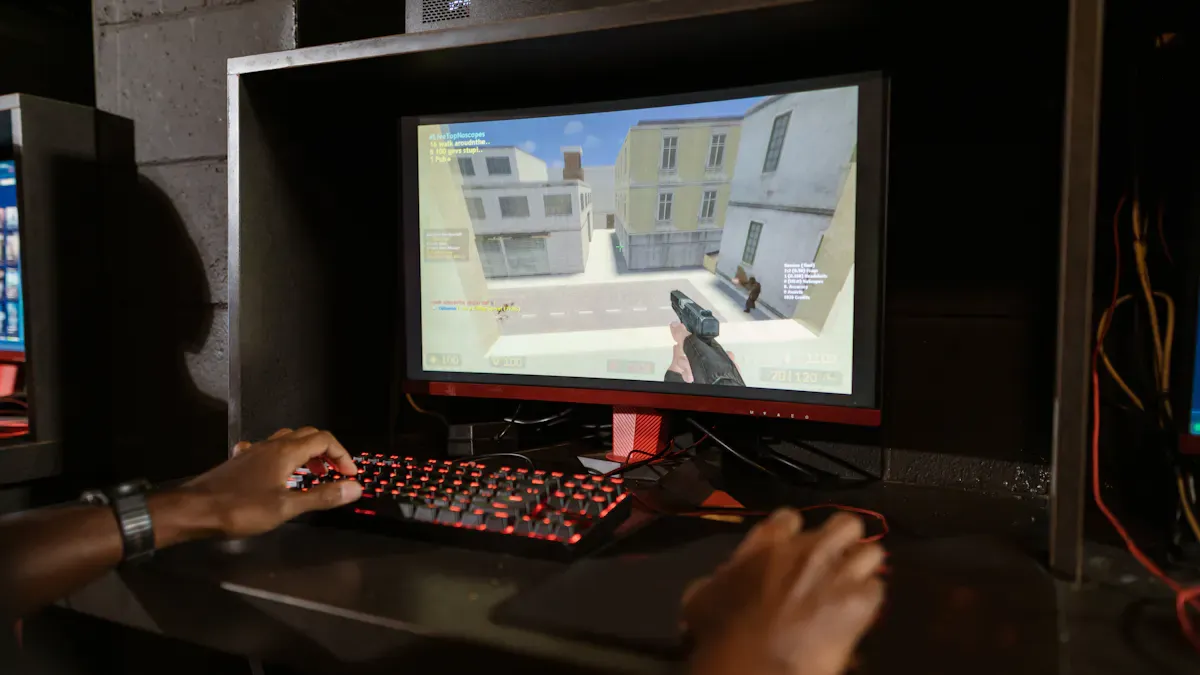
You want your lcd to show smooth and clear motion. This is important for games, videos, and even work. Three features help you get the best motion: refresh rate, response time, and adaptive sync. These features make your lcd monitor feel fast and easy to use. You see less blur and enjoy better color accuracy. You also get a better experience with every type of lcd.
Refresh Rate
Refresh rate tells you how many times your lcd updates the picture every second. You measure it in hertz (Hz). A higher refresh rate means your lcd shows more frames each second. You see smoother movement and less blur. Most lcd screens in 2026 have at least 120Hz. Some gaming monitor models reach 240Hz or more. You notice the difference when you play games or watch sports.
Here is a table that shows how refresh rate changes what you see:
Refresh Rate | Frame Update Time | Perceived Motion Blur Reduction |
|---|---|---|
60Hz | 16.7ms | Significant blur |
240Hz | 4.2ms | Dramatically reduced blur |
You see that a 240Hz lcd gives you much less blur than a 60Hz lcd. This helps you react faster in games. You also enjoy smoother videos and animations. Higher refresh rates help you see every detail, which is important for color accuracy and fast action.
Response Time
Response time shows how fast your lcd changes from one color to another. A fast response time means less ghosting and clearer motion. You want a response time between 1ms and 4ms for the best results. Many gaming monitor screens use this speed. You get sharp images and smooth transitions.
Fast response times (1ms to 4ms) make motion clear in gaming and video editing.
Modern IPS lcds give you good response times and keep color accuracy high. This is important for games and design work.
Smaller lcds with fast response times help competitive players avoid motion blur and ghosting.
High refresh rates alone do not stop ghosting. Slow pixel changes can still cause smears.
At 60Hz, even fast response times may not fix blur because of frame hold.
Fast response time works best with high refresh rates. Quick pixel changes matter most when the lcd updates often.
You see that response time and refresh rate work together. You get the best motion clarity when both are strong. You enjoy games, videos, and creative work more.
Adaptive Sync
Adaptive sync is a smart feature in lcds. It matches the refresh rate of your lcd to the frames sent by your graphics card. This stops screen tearing and stuttering. You get smooth and fluid motion. Many lcds use FreeSync, G-SYNC, or ASCR technology.
ASCR removes tearing and stutter. You see smooth motion and easy frame changes. This makes games more fun.
FreeSync matches the refresh rate of your graphics card and lcd. You get less input lag and no tearing.
NVIDIA G-SYNC keeps your lcd in sync with your GPU. You see no tearing or stutter. Your games look and feel better.
You want adaptive sync for the best gaming monitor experience. You also enjoy smoother videos and less eye strain. This feature helps you get the most from your lcd.
Tip: Always check for adaptive sync support when you buy a new lcd. You get smoother games and videos with this feature.
How Performance & Motion Clarity Help You
You get many benefits from high refresh rates, fast response times, and adaptive sync. These features help gamers, content creators, and video watchers.
Benefit | Description |
|---|---|
Fluidity | Moving from 60 FPS to 120 FPS makes games and videos look much smoother. |
Motion Clarity | Higher frame rates cut down on blur, so you see clear details during fast action. |
Input Lag | 120 FPS lowers input delay, which is key for winning in competitive games. |
Reaction Speed | Smoother play at 120 FPS helps you react and aim faster. |
Content Creation | Creators get better video quality and smoother editing with high frame rates. |
You see that these lcd features help you in many ways. You get better color accuracy, less blur, and more fun. You also work faster and enjoy your lcd every day.
Ergonomics & Connectivity
Adjustability Features
You can change your lcd screen to fit your desk. You move it up or down to match your height. You tilt it to stop glare and help your eyes. You turn it so you can show others what is on your screen. These features help you sit in a good way. You do not get neck or back pain. Experts say you should pick lcd screens with these options. You feel good when you work or play games for a long time. A strong lcd monitor mount keeps you comfy and healthy.
Ergonomic tools help you work better and miss fewer days. You finish your work faster and make fewer mistakes when you feel good.
Standard Name | Description |
|---|---|
Makes rules for lcd monitor design that keeps users comfortable. | |
TÜV Rheinland Certification | Checks lcd screens to make sure they are easy on your eyes and help you avoid eye pain. |
Essential Ports
You need ports to connect your lcd to other devices. HDMI, DisplayPort, and USB-C are important in 2026. HDMI links your lcd to game consoles and TVs. DisplayPort is best for high-quality work. USB-C lets you charge things and connect laptops with one cable. You can show your screen for meetings and group work. You send videos from USB-C to 4K TVs. You connect gaming laptops to lcd screens for smooth games.
HDMI 2.1 works with new consoles and high-quality videos.
DisplayPort 2.0 is great for creative jobs.
USB-C/Thunderbolt 4 lets you charge and connect more screens.
Port Type | Benefits for Compatibility |
|---|---|
USB-C/Thunderbolt 4 | Lets you charge and connect more screens. |
HDMI 2.1 | Needed for new consoles and high-quality videos. |
DisplayPort 2.0 | Best for creative work with high resolution. |
Good ports help you work faster and share things easily.
Built-in Speakers
Built-in speakers make lcd screens easier to use. You do not need extra wires or devices. You control sound simply and save space on your desk. Built-in speakers are good for most people, gamers, and creators. External speakers may sound better for music jobs, but built-in speakers work well for most uses.
Feature | Built-in Speakers | External Speakers |
|---|---|---|
Sound Quality | Good for many uses | You need to spend more for better sound |
Convenience | No extra wires or connectors | Needs more setup |
Control | Easy to control with fewer buttons | Has separate controls |
Space Usage | Fits inside lcd monitor | Takes up more room |
Ideal for | Most people, gamers, creators | Only for music and sound experts |
Tip: Pick lcd screens with built-in speakers for a simple setup. You save space and control sound easily.
You see that lcd screens with good ergonomic and connectivity features help you feel better and work faster. You enjoy your lcd monitor every day and stay comfortable.
Feature Comparison Table
Side-by-Side Overview
You might want to know how the top lcd features compare. This table helps you pick the right lcd screens for what you need. You can look at each feature and see which lcd screens are good for work, games, or fun.
Feature | Why It Matters | Best For | What To Look For |
|---|---|---|---|
Image Quality | Shows clear, bright pictures | All users | High native resolution, IPS |
Performance & Motion | Gives smooth, fast action | Gamers, creators | 120Hz+ refresh, 1-4ms response |
Ergonomics & Connectivity | Keeps you comfortable and connected | Work, long sessions | Adjustable stand, USB-C, HDMI |
Built-in Speakers | Saves space, easy sound | Home, office, students | Good sound, simple controls |
You can use this table to check lcd screens side by side. You see which lcd screens have the best mix of image quality, speed, and comfort. You also find out which lcd screens have the ports and speakers you want.
Tip: Always look at the specs before you buy lcd screens. You get the most for your money when you match the features to what you do every day.
If you want to buy lcd screens from a trusted company, you can contact Shenzhen TopAdkiosk Display Technology Co., Ltd. They have many lcd choices for different needs.
Contact Information for Shenzhen TopAdkiosk Display Technology Co., Ltd.:
Address: 6th Floor, Building 2, Hongfa Industrial Park, Tangtou Road, Shiyan Street, Bao'an District, Shenzhen, China
Phone: +86-755-29165205
Email: sales@topadkiosk.com
Website: https://www.topadkiosk.com
Facebook: https://www.facebook.com/topadkiosk/
You can contact them to learn more about lcd screens, prices, and help.
When you pick an LCD monitor in 2026, focus on image quality, performance, and ergonomics. These things help you see sharp pictures, watch smooth movement, and feel comfy. Experts say higher refresh rates, better resolution, and IPS panels make screens look clearer and colors more real. People say ergonomic design helps them feel less tired and happier. If you care about these features, you get a monitor that works well for you and is worth your money.
Higher refresh rates make games look smoother.
Resolution makes pictures clearer and more real.
Ergonomics help you feel better and stop aches.
Panel Type | Color Accuracy | Motion Blur | Viewing Angles |
|---|---|---|---|
TN | Not as good | Less blur | Not wide |
IPS | Very good | Some blur | Very wide |
VA | Good colors | More blur | Medium |
Tip: Pick monitors with great image quality, quick performance, and comfy design for the best experience.
FAQ
What is the best screen size for an LCD monitor in 2026?
You should pick a screen size that fits your desk and needs. Most people like 27-inch or 32-inch monitors. These sizes give you enough space for work, games, and movies.
Do I need a 4K or 8K monitor for daily use?
You do not need 8K for most tasks. A 4K monitor gives you sharp images and clear text. You can use 8K if you work with high-quality videos or large designs.
How does adaptive sync help with gaming?
Adaptive sync matches your monitor’s refresh rate to your graphics card. You see smooth motion and no screen tearing. This helps you play games better and enjoy a better experience.
Can built-in speakers replace external speakers?
Built-in speakers work well for calls, videos, and simple games. You should use external speakers if you want louder sound or better music quality.
What ports should I look for on a new LCD monitor?
You should look for HDMI, DisplayPort, and USB-C ports. These ports help you connect to laptops, game consoles, and other devices. USB-C can also charge your laptop.
See Also
Essential LCD Display Innovations to Watch for in 2026
Selecting the Perfect LCD Digital Signage for Your Business in 2026
Top LCD Kiosks Ideal for Retail Spaces in 2026
