Why do LCD displays leak liquid and what causes it
Shenzhen TopAdkiosk Display Technology Co., Ltd.
Add.: 2F, Bldg 10, Changfeng Industrial Park, Dongkeng, Fenghuang, Guangming, Shenzhen, China 518132
Mobile/WHATSAPP: 86-138 25769658
Email: marketing@topadkiosk.com topadkiosk@gmail.com
Skype: pghenry1
Wechat: adkioskhenry
English Web.: http://www.topadkiosk.com/
https://www.topkioskdisplay.com/
http://www.ad-kiosk.com/
https://www.toplcddisplay.com/
http://www.multitouchdigitalsignage.com/
https://www.youtube.com/channel/UCYVYNJHxLVEcQD8fuUxXNTA/videos?view_as=subscriber
https://www.facebook.com/TOPADKIOSKSHENZHEN/?ref=bookmarks
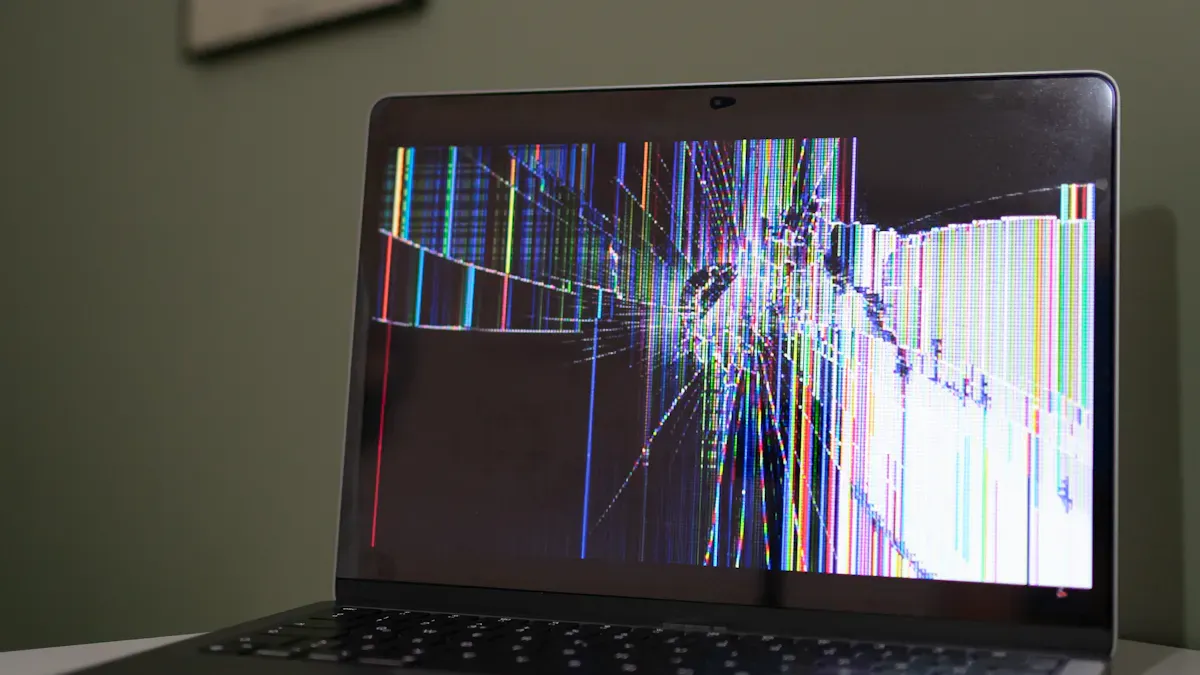
You see liquid in an LCD screen because it uses liquid crystals to create images. Sometimes, the seals or glue that hold this liquid can break, leading to an lcd display liquid leak. If you notice strange marks or colors, it could indicate that there is a leak.
Tip: Be gentle with your device to avoid damaging the seals.
Key Takeaways
Be careful with your LCD device so you do not break seals or glue.
Do not let your LCD get too hot, too cold, or too wet. This helps stop leaks.
If you see weird colors or marks, look for liquid leaks.
If your LCD leaks, turn it off fast and get help from an expert.
Check your LCD often for damage so you can fix problems early.
What Is an LCD Display?
Structure and Liquid Crystal Layer
You use an lcd display every day, whether you are watching TV, playing games, or checking your phone. An lcd display works by using a special layer called the liquid crystal layer. This layer sits between two pieces of glass. The liquid crystals change how light passes through the screen. When you turn on your device, the crystals move and create the images you see.
The liquid crystal layer is very thin. Manufacturers place it carefully inside the lcd display. They use glass panels to keep the liquid crystals in place. The glass protects the layer from outside damage. You can think of the liquid crystal display as a sandwich. The liquid crystal layer is the filling, and the glass panels are the bread. This design helps keep the liquid safe and secure.
Note: If the glass breaks or the layer shifts, the liquid can leak out. You might see strange colors or marks on your lcd display if this happens.
Role of Adhesives and Seals
Adhesives and seals play a big part in keeping your lcd display safe. Manufacturers use special adhesives called liquid optically clear adhesives (LOCA). These adhesives make the screen look sharp and clear. They also stop glare and keep the liquid crystal layer from leaking. LOCA adhesives stay strong even when your device faces heat or cold.
LCD gaskets also help protect your lcd display. Gaskets seal out dust and moisture. They cushion the screen and absorb impacts. If you drop your device, the gasket helps keep the parts in place. Gaskets make sure the liquid crystal layer stays sealed. This prevents leaks and keeps your lcd display working well.
You can see how adhesives and gaskets work together in the table below:
Component | Function | Benefit to LCD Display |
|---|---|---|
LOCA Adhesive | Bonds layers, improves clarity | Prevents leaks, reduces glare |
LCD Gasket | Seals, cushions, absorbs impact | Keeps liquid crystal safe |
If you handle your device carefully, the adhesives and seals will last longer. You help prevent leaks and keep your lcd display in good shape.
Main Causes of LCD Display Liquid Leak
Seal and Adhesive Breakdown
Seals and adhesives keep the liquid crystal layer safe. Over time, seals can dry out and crack. When this happens, liquid crystals can leak out. LOCA holds the layers together in the lcd. If LOCA breaks down, you may see leaks on your screen. Physical damage, old age, or mistakes in making the lcd can weaken the seals. You might notice weird marks or colors if the adhesive fails.
Seals that dry out and crack let liquid crystals leak.
LOCA breaking down can cause lcd display liquid leaks.
Damage and aging make adhesives weaker.
Mistakes in making the lcd can cause bad sealing.
Tip: Be gentle with your device to keep seals and adhesives safe.
Physical Impact and Pressure
Dropping your lcd or pressing too hard can cause problems. Impacts can make tiny cracks in the glass. These cracks can spread and hurt the lcd panel. You might see dark spots or leaks if the structure breaks. The optical films inside need to be lined up just right. Squeezing the screen or mounting it too tight can twist the layers. Twisted layers let liquid crystals leak out.
Impacts make tiny cracks and breaks.
Cracks can cause lcd display liquid leaks and dark spots.
Tight mounting or pressure twists the panel layers.
Twisted layers mess up light and cause leaks.
Note: Try not to press hard or drop your lcd device.
Manufacturing Defects
Good manufacturing is important for a strong lcd. Bad assembly can leave gaps where liquid crystals leak out. Weak materials can lose strength and let moisture in. How the backlight is built also matters. Edge-lit designs put LEDs on the sides, which can cause leaks at the edges and corners. Direct-lit designs spread light better and lower leak risk, but make the panel thicker.
Defect Type | Description |
|---|---|
Insufficient Assembly Accuracy | Small gaps in clips, glue, or layers let backlight and liquid crystals leak out. |
Material Quality and Quality Control | Weak plates, pads, or seals lose stickiness or bounce. Frames can bend and make gaps. |
Backlight Scheme Impact | Edge-lit designs can leak at the edges. Direct-lit designs lower leaks but are thicker. |
You might see lcd display liquid leaks if assembly is not done well or materials are weak. Quality checks help stop these problems. Incoming checks look at materials for flatness and clearness. Controlling the environment keeps films safe from water and heat. Cleaning removes dust before putting parts together.
Bad assembly can make gaps and leaks.
Weak materials make leaks more likely.
Quality checks help stop lcd display liquid leaks.
Environmental Stress (Temperature & Humidity)
Using your lcd in hot, cold, or wet places can hurt it. High humidity can make water drops form inside the lcd. Water breaks down insulation and can cause leaks. Very hot or cold weather can break seals and cause leaks. Humidity over 85% needs special protection. Big changes in temperature and high humidity can let water in and cause damage that cannot be fixed.
High humidity makes water drops and breaks insulation.
Extreme temperatures break seals and cause leaks.
Water getting in can cause lcd display liquid leaks.
Water can ruin polarizing film and change colors.
Keep your lcd in a dry, steady place to protect it. Use barriers and drying packs if it is humid. Keep the screen above dew point temperatures. Good cooling systems stop fast humidity changes. Special coatings protect circuit boards from rust and leaks.
Alert: Water can cause lcd display liquid leaks and permanent damage.
Internal Component Deterioration
Parts inside the lcd, like connector strips and films, can wear out. Over time, these parts get weaker. Weak connector strips can let liquid leak out. Stress on polarizers and bad film quality can cause problems. How the backlight is made and put together also matters. When inside parts break down, you may see leaks and the lcd may not work right.
Worn connector strips let liquid leak out.
Polarizer stress and bad film quality cause leaks.
Backlight build and assembly affect leak risk.
Broken inside parts lead to lcd display liquid leaks.
Note: Take care of your lcd and check it often to help stop inside parts from wearing out.
Identifying LCD Display Liquid Leak
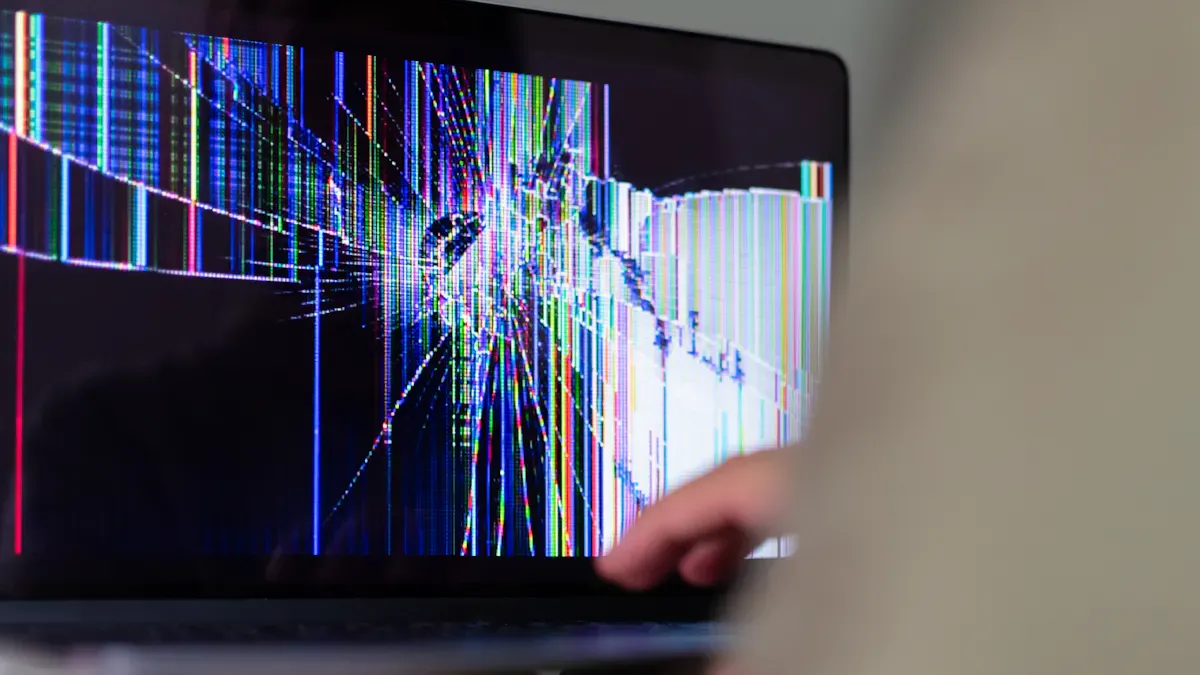
Visible Signs and Discoloration
You can often spot a liquid leak in your LCD display by looking for changes in how the screen looks. Liquid crystal leaks cause uneven brightness. You may see dark or light spots that do not match the rest of the screen. Sometimes, the colors look strange or faded. The black parts of your display might not look as dark as before. Instead, they appear washed out because the liquid crystals cannot block the backlight completely. This makes the whole screen look less clear and less vibrant.
Tip: If you notice colors that seem off or areas that look brighter or darker than others, check your screen for possible leaks.
Performance Issues
A leaking LCD display does not work as well as it should. You might see a drop in contrast, which means the difference between dark and light areas becomes smaller. Some pixels may stop working, so you see dead spots or bright dots that do not change. Cracks in the glass can also lead to leaks and make the display fragile. When liquid escapes, the screen may not respond to touch or show images correctly.
Lower contrast makes images look dull.
Dead pixels or bright spots stay on the screen.
Cracked glass can cause more leaks and damage.
The display may stop working in some areas.
If you see these problems, your LCD might have a liquid leak.
Unusual Smells or Residue
Sometimes, you can smell a leak before you see it. Leaked liquid crystals or battery electrolytes give off a strong, sharp chemical smell. This odor can be unpleasant and may irritate your nose. You might also find sticky or oily residue near the edges of the screen. The chemicals in the leak, such as liquid crystal monomers, can be harmful to people, pets, and the environment.
Alert: If you notice a strange smell or residue, avoid touching the area and keep pets and children away. Seek help from a professional for safe cleanup.
Preventing and Handling LCD Liquid Leaks
Proper Handling and Usage
You can stop lcd liquid leaks by being careful. Do not drop or hit your lcd device. Hold the panel by its longer sides when moving it. This keeps pressure away from the screen and stops cracks. Clean the screen with a soft, dry microfiber cloth. For tough stains, use a cloth with a little isopropyl alcohol. Never touch the TAB interface or flex cables. Use the right mounting holes to secure the lcd. Do not take the module apart. If you handle a broken lcd, wear gloves to protect your hands.
Tip: Handling your lcd wrong can cause leaks and screen problems. Always use gentle and even pressure when installing.
Environmental Precautions
You can keep your lcd safe by avoiding harsh places. Keep the lcd out of direct sunlight to stop damage from ultraviolet light. Stay away from harmful gases that can cause chemical reactions. Make sure your lcd stays dry and does not get wet. High humidity can make seals weak and cause leaks. Store your device in a cool, dry place. Do not let the temperature change quickly.
Keep lcds away from sunlight.
Do not let lcds touch harmful gases.
Store lcds in dry places.
Steps to Take if Leakage Occurs
If you see a leak in your lcd, act fast. Do not touch the leaked liquid with bare skin. Some chemicals in the liquid can hurt your skin or health. The table below shows possible health effects:
Source | Summary |
|---|---|
Medindia | Chemicals from lcd leaks may harm health if found in household dust. |
Orient Display | No clear health effects, but toxicity is possible. |
Reshine Display | Leaked material may irritate skin; avoid contact and ingestion. |
Turn off your device and keep it away from kids and pets. Ignoring a leak can cause more damage, like touchscreen problems or higher repair costs. Get help from a professional repair shop. Most lcd leaks need a new screen or partial repair. Fixing it yourself is not safe for most people.
Alert: Acting quickly keeps you safe and protects your lcd from more damage.
You now know why LCD displays leak liquid. The main causes include broken seals, physical impacts, manufacturing defects, environmental stress, and worn internal parts. Spotting leaks early helps you protect your device. Handle your screen gently, keep it dry, and avoid harsh conditions.
If you see signs of a leak, ask a professional for help. Taking care of your LCD keeps it working longer.
How to Identify an LCD Display Liquid Leak
Identifying a "liquid leak" on an LCD display requires distinguishing between two situations: leakage of the liquid crystal material inside the panel (true "liquid crystal leak") and external liquid ingress (water, coffee, cleaning fluid, etc.). Since users often confuse the two, this guide covers both.
🟢 1. True LCD Liquid Crystal Leak
This occurs when the sealant (frame glue) that bonds the two glass layers of the LCD panel ages, cracks, or is damaged by physical impact, allowing the liquid crystal material to flow out. Once leaked, the liquid crystal spreads like oil toward lower areas or along the direction of force. The damage is irreversible and will expand over time.
🔍 Visual Identification Features
Feature | Description |
|---|---|
Irregular dark patches | Black, dark grey, or translucent "water stain"‑like patches. Irregular shape, blurred edges – like an ink drop spreading on paper, but lighter in colour. |
Flow patterns / streaks | Fine lines, arcs, or "river‑like" traces inside the patch, showing the path of liquid crystal flow. |
Edges accumulation | If the screen is tilted or has been sitting for a long time, leaked liquid crystal may gather at the bottom or one side, forming a dark band or "bubble". |
Impact origin | If caused by pressure or impact, there is often a tiny white or radial crack near the leak origin (you can feel a dent with a fingernail). |
Press‑to‑change | Gently press the leak area – the shape or size of the dark patch changes instantly (liquid crystal is pushed away). When released, it slowly returns or leaves residual marks. |
Independent of backlight | Regardless of brightness or displayed content, the dark patch remains visible. |
⚠️ Note: A true liquid crystal leak may also be visible when the screen is off (abnormal reflection under ambient light).
❓ Common Causes
Physical impact – dropping, heavy object pressure, bending the screen frame.
Manufacturing defect – uneven sealant application or sealant aging.
High‑temperature aging – prolonged exposure to high heat (e.g., car dashboard) causing sealant cracking.
🛠️ Can It Be Repaired?
No. Once liquid crystal has leaked out, it cannot be put back. The only solution is to replace the entire LCD panel (or the whole display).
🔵 2. External Liquid Ingress (Not Liquid Crystal Leak)
For example, water, coffee, cleaning fluid, etc., enters from the screen edge or gaps into the backlight module or between the liquid crystal layers. This is not a true "leak" , but users often mistake it for one.
🔍 Visual Identification Features
Feature | Description |
|---|---|
Well‑defined white / coloured stains | Dried liquid leaves a cloudy white, rainbow, or translucent patch with relatively clear boundaries. |
Flow marks or bubbles | When wet, you may see water droplets or flow lines. After drying, ring‑shaped or striped residue remains. |
No physical damage | The screen glass is smooth – no cracks or impact marks. |
No change when pressed | Pressing the stain area does not change its shape or colour (the liquid has already dried or bonded with the polariser/light guide plate). |
Backlight unevenness | Especially visible on a pure white background: an area that is brighter, darker, or has a distinct water‑stain texture. |
❓ Common Causes
Improper cleaning – wiping the screen edge with a wet cloth, allowing liquid to seep into the bezel gap.
High humidity – long‑term exposure to humid environments (bathroom, kitchen) causing condensation.
Spilled drinks – liquid entering through the screen edge or button openings.
🛠️ Can It Be Repaired?
Minor backlight module ingress – May be repairable by disassembly, cleaning, and drying (requires professional technician).
Ingress between liquid crystal layers – Not repairable; requires panel replacement.
📋 Quick Self‑Check Table
Observation | True Liquid Crystal Leak | External Liquid Ingress |
|---|---|---|
Appearance | Irregular dark patch, blurred edges, flow patterns | Fairly well‑defined cloudy white / rainbow stain |
Physical damage | Often has a crack or impact mark | No physical damage |
Press reaction | Shape changes instantly when pressed | No change |
Visible when screen off | Yes (abnormal reflection) | Usually not (unless backlight module has standing water) |
Changes over time | Patch expands and grows | Stable after drying |
Common cause | Drop, impact, heavy pressure | Liquid ingress, humidity, improper cleaning |
💎 Final Recommendations
If you see irregular dark patches + flow patterns + press‑to‑change → Highly likely liquid crystal leak → Replace the screen.
If you see white/rainbow stains + no physical damage + no press change → Likely external liquid ingress → Professional cleaning may help, but panel replacement is often still needed.
Either way, DIY repair is extremely difficult. Contact a professional repair service or replace the entire display module.
If you have an actual screen photo, feel free to upload or describe the details – I can help you diagnose further.
FAQ
What should you do if your LCD screen starts leaking?
Turn off your device right away. Do not touch the liquid. Keep children and pets away. Take your device to a repair shop for help.
Is LCD liquid dangerous to touch?
Yes, LCD liquid can irritate your skin or eyes. You should avoid contact. If you touch it, wash your hands with soap and water.
Can you fix a leaking LCD screen at home?
You should not try to fix a leaking LCD at home. The repair needs special tools and skills. A professional can replace the screen safely.
How can you prevent LCD leaks?
Handle your device gently. Keep it away from heat, moisture, and sunlight. Store it in a cool, dry place. Clean the screen with a soft cloth.
See Also
Understanding LCD Display Screens And Their Functionality
Pros And Cons Of Using LCD Display Screens
Leading LCD Display Screen Brands For Your Upcoming Project
Creating High-Quality Touch And Non-Touch LCD Mirror Displays
