What are LCD display kiosks with remote content management features
Add.: 2F, Bldg 10, Changfeng Industrial Park, Dongkeng, Fenghuang, Guangming, Shenzhen, China 518132
Mobile/WHATSAPP: 86-138 25769658
Email: marketing@topadkiosk.com topadkiosk@gmail.com
Skype: pghenry1
Wechat: adkioskhenry
English Web.: http://www.topadkiosk.com/
https://www.topkioskdisplay.com/
http://www.ad-kiosk.com/
https://www.toplcddisplay.com/
http://www.multitouchdigitalsignage.com/
https://www.youtube.com/channel/UCYVYNJHxLVEcQD8fuUxXNTA/videos?view_as=subscriber
https://www.facebook.com/TOPADKIOSKSHENZHEN/?ref=bookmarks

LCD display kiosks with remote content management features allow you to share and update information from anywhere. You can easily control these kiosks and ensure the content remains fresh. The remote management capabilities enhance efficiency and keep your screens operational.
You have a centralized location to manage everything and can make real-time updates, ensuring your kiosks always display the correct content.
Integrating with business systems like POS and CRM simplifies operations.
The market is projected to grow at a CAGR of 8.1% starting in 2026.
Learn more at http://www.topadkiosk.com/.
Key Takeaways
LCD display kiosks let you manage content from far away. You can update them from any place to keep info new.
Centralized control makes things easier and saves time. It also helps stop mistakes on many kiosks.
Real-time monitoring lets you find and fix problems fast. This keeps the kiosks working well.
Interactive features get users interested and involved. They make kiosks more fun and give useful data.
Picking the right software is very important for safety and working together. This helps everything run well and grow.
What Are LCD Display Kiosks with Remote Content Management Features
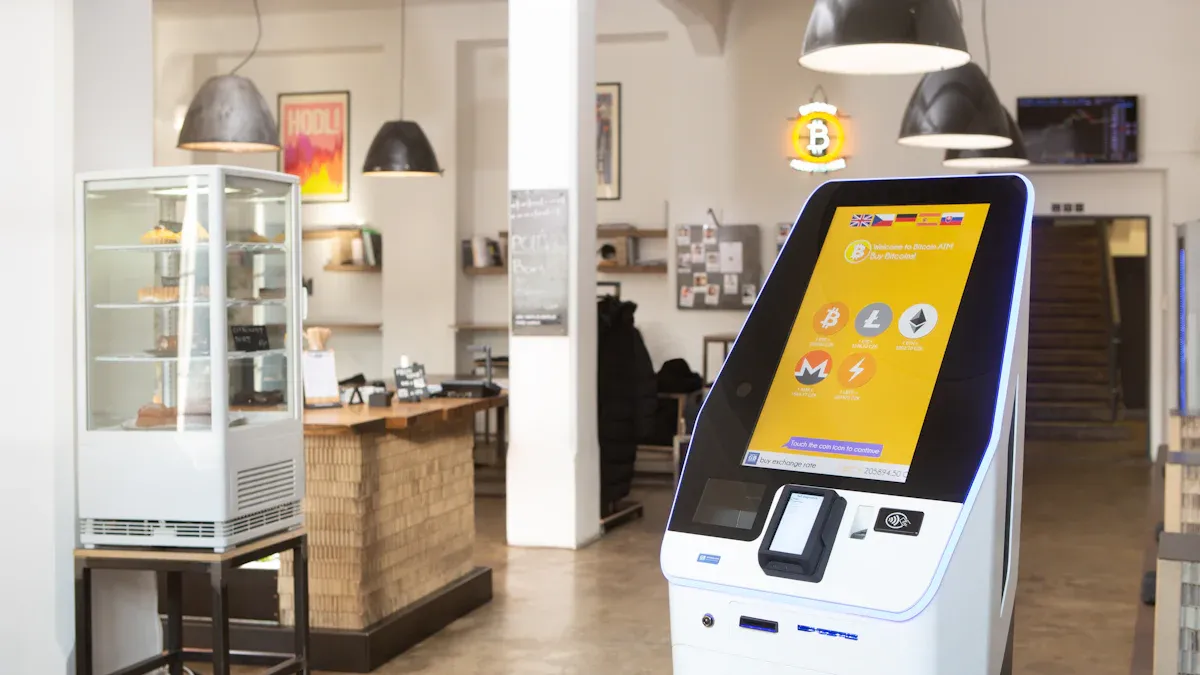
Digital Signage Kiosk Overview
You can find lcd display kiosks with remote content management features in many public places. These kiosks are like small stations that show ads, information, or directions. You use a touchscreen to interact with them, which makes it more fun and easy. Unlike old digital signs, these kiosks let you pick options and get info right away.
Here is a table that compares lcd display kiosks with remote content management features and traditional digital signage:
Feature | LCD Display Kiosks | Traditional Digital Signage |
|---|---|---|
Interactivity | Users touch the screen to use the kiosk. | Only shows messages without letting you respond. |
Content Delivery | Shows videos, pictures, words, and live updates. | Mostly shows the same message to everyone. |
User Engagement | Lets people choose and find information. | People just look at what is shown. |
You can see that lcd display kiosks with remote content management features do more than just show still pictures. They have bright screens, touch controls, and connect to the internet. Kiosks come in many sizes, from 15 to 65 inches, so they fit different spaces. Many use LED lights to save energy and have Full HD or 4K for sharp images. Some kiosks are built to keep out dust and water with IP65 protection.
Here are the main parts and technology you find in lcd display kiosks with remote content management features:
Component/Technology | Description |
|---|---|
Durability | Made to run all the time with strong glass, tough power, and cooling fans. |
Content Management | Can show websites, videos, pictures, and apps you control from far away. |
Smart Scheduling | Changes what is on the screen by time, date, or special events. |
Real-time Updates | Lets you change what is shown right away and keeps backup content. |
Interactive Features | Has clear screens you can touch to use. |
Connectivity | Has HDMI, USB, and network ports to connect to other things. |
Energy Efficiency | Uses LED lights to use less power and save money. |
Resolution | Most have Full HD or 4K for clear and bright pictures. |
Environmental Protection | Some have IP65, so dust and water cannot get inside. |
Size Range | Comes in sizes from 15 to 65 inches for different places. |
How Remote Management Features Work
You can control lcd display kiosks with remote content management features from anywhere. You use one main system to add new things, set times for updates, and check how the kiosk is working. This helps you make changes fast, so the right info is always on the screen.
Tip: Remote management features let you fix problems without going to the kiosk. This saves you time and keeps the screens working well.
You can use smart scheduling to change what is shown by time or event. Real-time updates let you change info right away. You can check if the kiosk is working, see if it is online, and fix problems from far away. Many kiosks use Wi-Fi, Ethernet, or cellular data, so they stay connected even in busy places.
New technology makes lcd display kiosks with remote content management features even better. Some use AI to change what is shown for each person. The screen can get brighter or dimmer by itself. You can add things like barcode scanners or printers to do more jobs. Accessibility features help everyone use the kiosk easily.
Here are some benefits:
Clear touchscreens for fun and easy use.
Can work with card payments and printers.
Can be changed for different businesses.
Follows rules to help people with disabilities.
You use lcd display kiosks with remote content management features to show cool content, get people involved, and control everything from far away. You keep your kiosks up to date, working well, and ready for anything.
Key Remote Management Features in Digital Signage Kiosks

Centralized Content Control
Centralized control is a very important feature for digital signage kiosks. You can manage all your kiosk screens from one place. This saves you time and helps you make fewer mistakes. With centralized control, you can update content and plan promotions easily. Your brand message stays the same everywhere. This way, you do not get confused by handling each kiosk on its own.
Evidence | Description |
|---|---|
Streamlined Operations | Centralized content control makes things faster and easier. You can manage all your screens from one spot. |
Uniform Messaging | You keep your brand and messages the same on every kiosk. |
Simplified Integration | It is easy to add new kiosks, so you can grow fast. |
You use digital signage software to send updates to every kiosk at once. This makes it easy to start new campaigns or change info without going to each place.
Real-Time Monitoring and Updates
Real-time monitoring lets you check every kiosk from anywhere. You get alerts if something is wrong, so you can fix it quickly. Remote management features help you update content right away and see how each kiosk is doing.
You do not need to visit the kiosk for tech problems.
You get alerts for problems, so you can solve them fast.
Benefit | Description |
|---|---|
Remote Health Monitoring | You can see how the system, software, and hardware are working right now. |
Customizable Alarms | You can set alarms for different problems and pick who gets a message. |
Measurable ROI | You can look at logs and reports to see how people use your kiosks. |
Digital signage software lets more than one person manage alerts, security, and content together.
Touchscreen and Interactive Capabilities
Interactive kiosk features make digital signage more fun and useful. People can touch the screen to get info, make choices, or finish tasks. This self-service way means people do not have to wait as long. It also makes customers happier. You can also collect data about what people do, which helps you make better ads.
Feature | Benefit |
|---|---|
Intuitive interface | Anyone can use the kiosk, even if they do not know much about tech. |
Self-service | People get info or services fast, without waiting for help. |
Data collection | You get facts to help you make better business choices. |
Versatility | Interactive kiosks work well in many places and jobs. |
Remote management features and digital signage software work together to make your kiosk network easy to control and update. You keep your digital signage new, working well, and ready for your audience.
Benefits of Remote Content Management
Operational Efficiency and Uptime
Remote content management gives you more control. You do not have to go to each kiosk to make changes. You can fix problems from one place. This saves time and helps your team do other important jobs. It also lowers costs because you do not need to travel. Remote troubleshooting lets you fix things fast. Your kiosks work longer without stopping. Automation helps you find offline screens and playback problems right away. Finding issues early stops them from getting worse.
Managing many screens is easier and costs less.
One dashboard means you spend less on hardware and repairs.
You do not need to visit kiosks as much to fix them.
Using the cloud means you save money on equipment.
Tier Level | Description |
|---|---|
Tier 1 | Local teams use self-service tools for easy fixes. |
Tier 2 | Experts handle harder technical problems. |
Tier 3 | Vendors or partners fix big system issues. |
Flexibility and Instant Updates
You can change what is on all kiosks right away. This keeps your info new and useful. You can make messages special for each place or group. Scheduling helps you plan for events or certain times. Cloud software makes it simple to manage many kiosks. You can check if devices are working and fix problems fast.
Advantage | Description |
|---|---|
Centralized Control | Change content from one dashboard. |
Real-Time Updates | Update all screens at once. |
Tailored Content for Locations | Make messages fit each place or group. |
You can send and change content from far away.
You can plan messages for different times.
Enhanced User Engagement
Remote content management helps people use your kiosks more. You can add things like QR codes or touch screens. These features make people want to use the kiosks. You can change what is shown to match what people like. Workers and customers pay more attention to new and useful messages.
Feature/Metric | Impact on Engagement |
|---|---|
Interactive elements (e.g., QR codes) | |
Employee awareness of initiatives | 37% more workers know about updates |
Engagement with corporate messaging | 42% more people interact with messages |
You make the experience better for everyone. Your screens stay interesting and help your business do well.
Use Cases and Industry Applications
Retail and Advertising
You find LCD display kiosks with remote content management features in busy stores. These kiosks show sales, new products, and deals right away. You can change prices or add new items fast. Shoppers use self-service kiosks to look at products and buy things without waiting. This makes shopping easier and keeps the store’s message the same. Stores use these kiosks for tickets, signing up for events, and finding their way around. The kiosks are easy to move and work well in crowded places. They keep your information safe and help people trust your store.
Ordering food by yourself in restaurants means less waiting.
Wayfinding kiosks help you not get lost in big stores.
Product kiosks give facts so you can choose fast.
Ticket kiosks make lines shorter and service quicker.
Digital signage kiosks are special because you can change what they show fast. You get more shoppers and sell more by keeping info new and fun.
Hospitality and Wayfinding
Hotels and event places use LCD display kiosks to greet guests and give directions. You can check in, find your room, or get tips about the area on a kiosk. These kiosks make guests happy because it is easy to get around and you do not need as much help from workers. The table below shows how different places use digital kiosks to help guests:
Source | Evidence Description |
|---|---|
Omnivex | Lets you find your way, check in, and see events right now. |
Assured Signage | Gives welcomes, tips, and helps guests move around. |
Empire Digital Signs | Shows hotel features and makes talking to guests better. |
Elevate B2B | Fun screens and fast updates make guests happy and help business. |
You can also use safe payments for rooms or events, so it is easy and safe.
Healthcare and Information Access
Hospitals and clinics use LCD display kiosks with remote content management features to help patients and workers. You can make appointments, check in, or get directions on a kiosk. These kiosks work well because they cut down wait times and help staff do less work. Safe payments keep patient info private. You can also use kiosks for video doctor visits, checking on patients, and sharing news. The screens are clear and you can touch them to get info. This technology helps everyone get care and answers fast.
Choosing the Right Digital Signage Software and Kiosk
Compatibility and Integration
You need to pick digital signage software that works with your LCD display kiosks. The software should match your hardware and support interactive display software. This lets you use things like touchscreens and videos. Make sure the software is simple to use and does not need a lot of training.
Here is a table to help you compare what matters:
Criteria | Description |
|---|---|
Compatibility with display system | Makes sure the software works with your kiosk hardware. |
Adoption | Checks if the interface is easy for your team to use. |
Content strategy | Helps you set goals and pick the right team for content delivery. |
Software update | Shows how often you get new features and fixes. |
Software compatibility | Looks at how well the software connects with your other systems. |
Cloud-based platform | Lets you manage content from anywhere and keeps your data safe. |
Range of features | Makes sure you can add new tools as your needs grow. |
Pick interactive display software that connects to your point-of-sale and inventory systems. This helps you change prices and deals right away. Cloud-based content management lets you control many kiosks at once. This saves time and keeps your content new.
Tip: Pick software you can change so you can add new things as your business grows.
Security and Support
Security is very important when you control kiosks from far away. You want digital signage software with strong security features. Look for role-based access controls and kiosk mode to keep your screens safe. The table below shows important security features:
Security Feature | Description |
|---|---|
Role-based access controls | Lets you decide who can change settings or content. |
Kiosk mode | Stops people from using other apps or changing settings. |
Monitor screen health and troubleshoot | Lets you check if kiosks work and fix problems quickly. |
Centralized access control | Keeps all your kiosks safe with one set of rules. |
Regular security updates | Protects your network from new threats. |
You should also think about customer service and support. Good support helps you fix problems fast. Remote content updating and remote monitoring keep your kiosks working. Customer service teams can help with setup, training, and repairs.
Pick interactive display software that gives regular updates and strong support. This keeps your kiosks working well for a long time. Customizable software lets you grow your network without worry.
LCD display kiosks with remote content management features let you share info and talk to customers. You can keep your screens new from anywhere. These kiosks help you work faster and make things better for users. The table below shows the main benefits:
Key Feature | Description |
|---|---|
Customer Engagement | Bright pictures and special messages help people choose. |
Operational Efficiency | One place to control updates makes things easy and quick. |
Interactivity | Touch features give you useful data right away. |
Scalability | Cloud tools help you add more kiosks without trouble. |
When you pick a solution, think about device checks, hardware, branding, software, support, and cost. Choosing the best features helps your business get bigger.
What are LCD Display Kiosks with Remote Content Management Features?
An LCD display kiosk with remote content management features is essentially a smart device integrated with a cloud‑based or network‑based Content Management System (CMS). This combination fundamentally changes how digital information is displayed and how kiosks are maintained.
In simple terms, it provides a centralized management dashboard that allows you to easily manage all your distributed kiosks from anywhere with an internet connection.
💡 Core Value: From "Passive Maintenance" to "Active Management"
Unlike the traditional model where staff had to physically visit each kiosk with a USB drive to update content, this system offers:
Centralized management – A single dashboard to publish content, update software, and adjust settings across hundreds or thousands of kiosks.
Real‑time control and monitoring – Not only can you see the online status and playback of each kiosk, you can also remotely power on/off, reboot, and adjust volume/brightness.
One‑click distribution and updates – Headquarters can create playlists and push promotions or urgent notices to all or selected kiosks instantly.
Example: A retail chain updated screens in 500 stores nationwide within 2 hours – impossible with traditional methods.Cost and efficiency revolution – Dramatically reduces labor, travel, and time costs. Some case studies show operational cost reductions of up to 80%.
⚙️ How It Works
These smart kiosks typically follow a Cloud Server + Endpoint Device + Management Dashboard architecture:
The CMS (cloud platform) acts as the brain.
Administrators log into the dashboard via a web browser or mobile app, create playlists, and push them to target kiosks.
Each kiosk automatically plays content according to a preset schedule.
Device status (temperature, brightness, online/offline, etc.) is reported back to the dashboard, enabling remote diagnostics and maintenance.
🛠️ Key Features
A mature product usually includes:
Content & Device Management
Media library – store and manage images, videos, documents, etc.
Playlists & schedules – create playlists and set minute‑precise playback schedules.
Device grouping – manage by region, store type, etc. for granular control.
User roles & permissions – multi‑level administration with different access rights.
Remote Device Control
Status monitoring – real‑time view of online/offline status, playback content, and device health.
Remote power management – power on/off, reboot.
Audio & display settings – adjust volume, screen brightness, etc. remotely.
Firmware OTA updates – push system/firmware updates to kiosks over the air.
Content Creation & Distribution
WYSIWYG editor – drag‑and‑drop design interface.
Templates & widgets – built‑in templates, weather, time, and other components for rapid content creation.
Emergency override & scheduling – one‑click emergency broadcast and timed tasks.
Targeted distribution – push specific content to specific devices or groups.
🏢 Typical Applications
Retail & QSR – uniform promotions, digital menus, self‑order kiosks, queue management.
Corporate offices – lobby displays for company culture, announcements, meeting schedules.
Transportation hubs – airports, train stations showing real‑time departures, platform info, emergency alerts.
Smart healthcare – waiting room displays for queue numbers, doctor schedules, medication reminders.
Public services – government buildings, bank branches for self‑service information, policy publicity.
🏗️ Market Solutions
Two main types of solutions exist:
Type | Characteristics | Best For | Example Vendors |
|---|---|---|---|
Hardware + Software (All‑in‑one) | Bundled with proprietary hardware; good compatibility; simple deployment; plug‑and‑play. | Customers needing fast, integrated deployment. | EloView (Elo), Samsung VXT, Yongtai Xinxian, Qtenboard, OBOO |
Software‑only platform | Hardware‑agnostic; can run on different devices; high flexibility; easy integration with existing IT systems. | Customers with existing hardware or deep integration needs. | SiteKiosk, VNNOX, Kuanbo Tech, AggreGate |
💡 How to Choose the Right Solution
Clarify your core needs – Pure information display or interactive transactions? For signage, a software platform may be enough; for order/payment kiosks, hardware performance and peripheral support matter more.
Assess integration capabilities – If you need to connect with internal systems (POS, ERP), choose a platform that provides open API (e.g., system integrators like ScienceSoft).
Plan for scale – Large, geographically dispersed fleets require support for group management, batch updates, and remote monitoring.
Understand pricing – Carefully check whether you are billed per device, per feature module, or per usage period. Compare total cost of ownership.
Request a trial – Always try a free demo before committing. Experience the workflow and test the vendor’s technical support.
🚀 Future Trends
These systems are becoming more intelligent:
AI integration – footfall analytics, personalized ad recommendations.
Multi‑modal interaction – voice, gesture controls.
IoT deep integration – smarter environmental and device orchestration.
In summary, an LCD display kiosk with remote content management is a powerful tool for modern enterprises to improve information efficiency and operational efficiency. I hope this detailed explanation helps you better understand the technology.
FAQ
What is remote content management in LCD display kiosks?
Remote content management lets you change kiosk screens from anywhere. You use software to update messages, videos, or pictures. You do not need to go to each kiosk.
How do you monitor kiosk health remotely?
You check kiosk health with a dashboard on your computer. The system sends alerts if a kiosk has a problem. You can fix issues fast without leaving your desk.
Can you schedule content updates for different times?
Yes, you can plan updates for certain times or events. The software helps you set messages ahead of time. Your kiosks show the right things when you want.
Are LCD display kiosks secure for remote management?
You get strong security tools like role-based access and kiosk mode. These features keep your screens and data safe. Regular updates protect your kiosks from new threats.
What industries use LCD display kiosks with remote content management?
You find these kiosks in stores, hospitals, hotels, and transportation. They help share info, guide people, and make customer service better.
See Also
Top LCD Kiosks for Retail Spaces in 2026
LCD Kiosks with Touch Screen Features Available in 2026
Leading Providers of Outdoor LCD Display Kiosks
